
Description
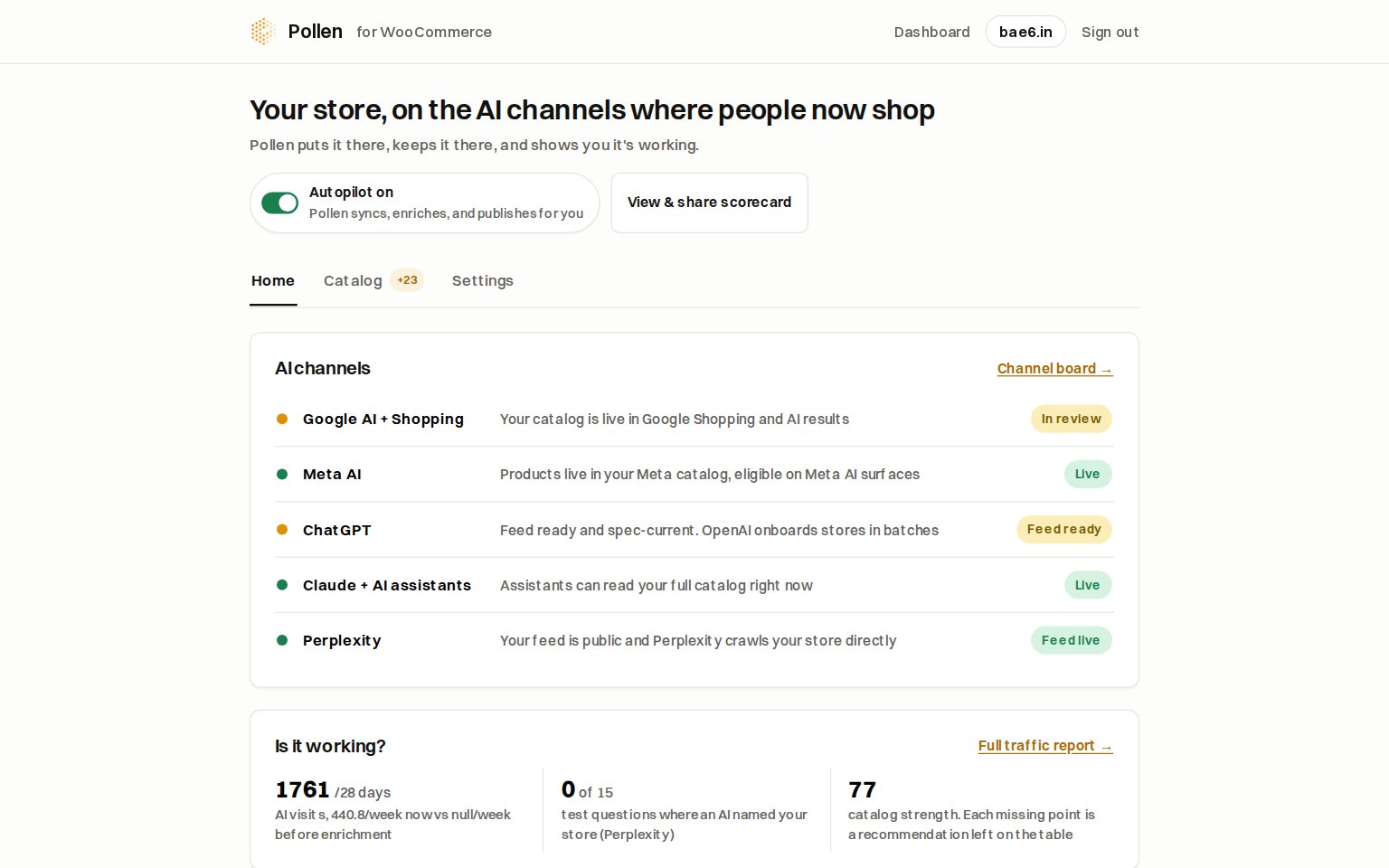
AI assistants like ChatGPT, Claude, and Perplexity are becoming a real sales
channel, but they can only recommend what they can understand. Most product
listings give them nothing to work with.
Pollen fixes that:
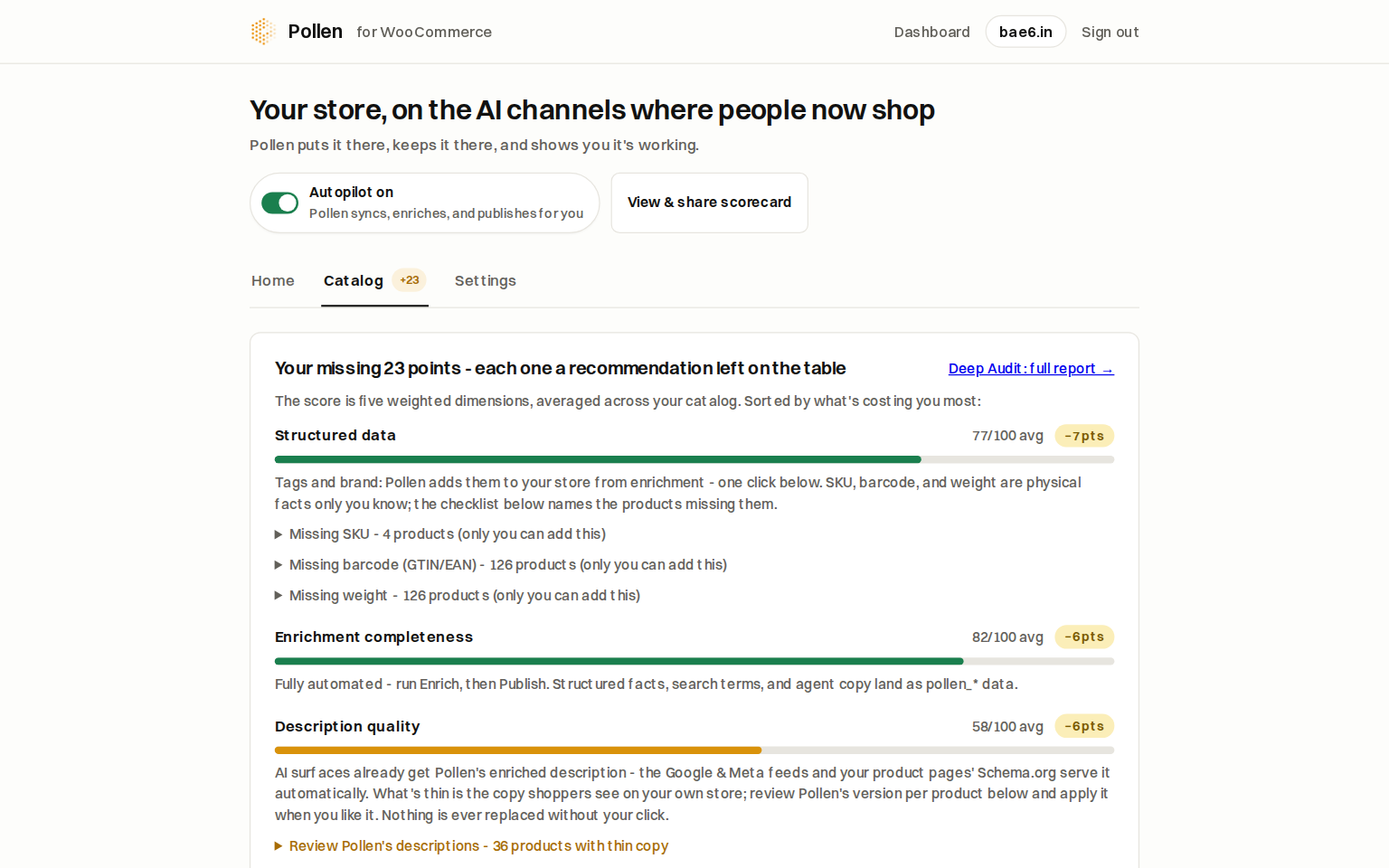
- AI enrichment: every product gets structured facts, an agent-optimized
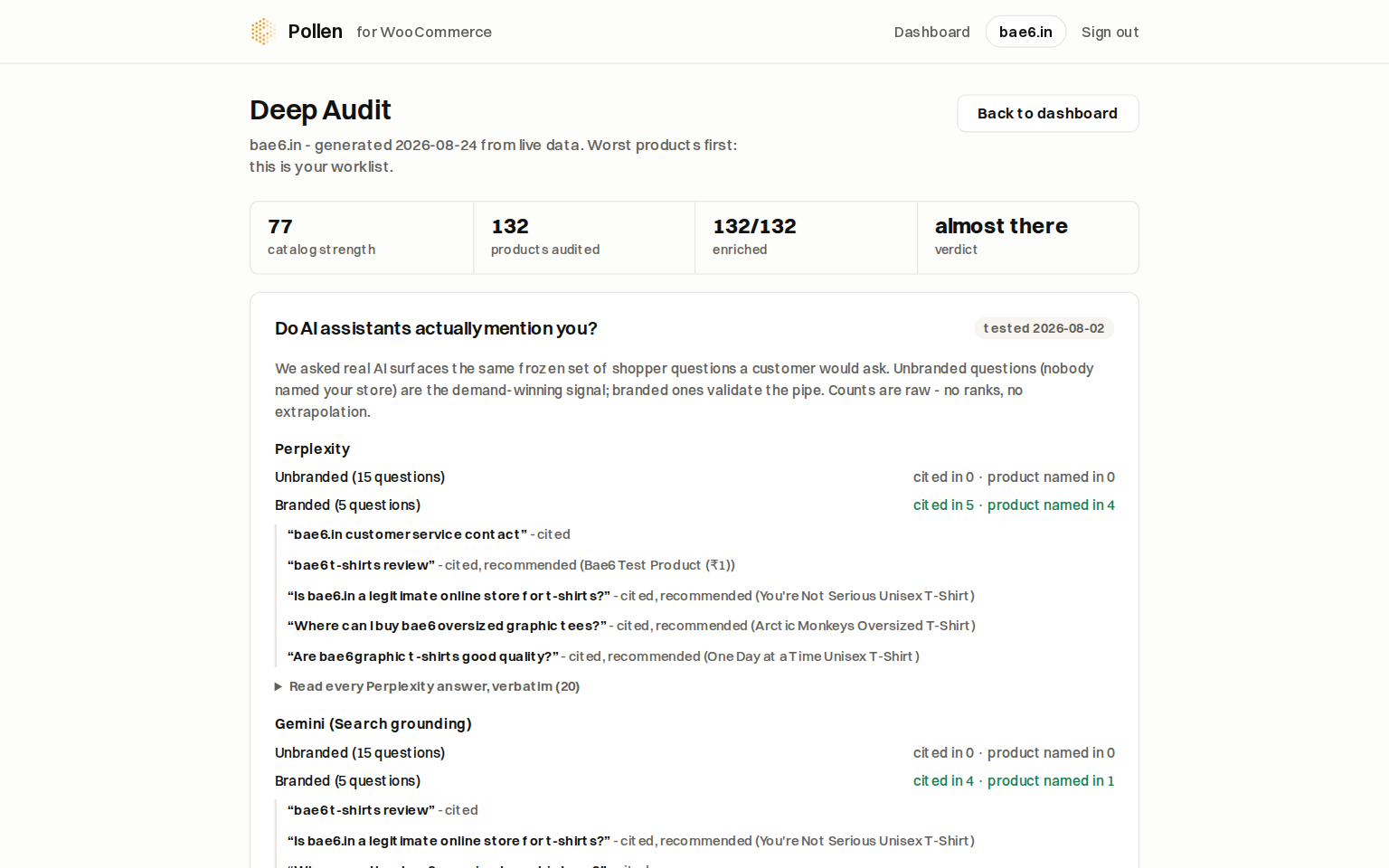
description, and search terms, generated by multimodal AI. - Agent-readiness score: see how understandable your catalog is to
agents, and exactly what’s missing. - Enriched Schema.org JSON-LD: this plugin prints Pollen’s enriched
product schema on your product pages, the data AI crawlers actually parse. - llms.txt: served automatically from your enriched catalog, guiding AI
crawlers and advertising your store’s agent API. - Agent API (MCP): your catalog becomes directly queryable by AI
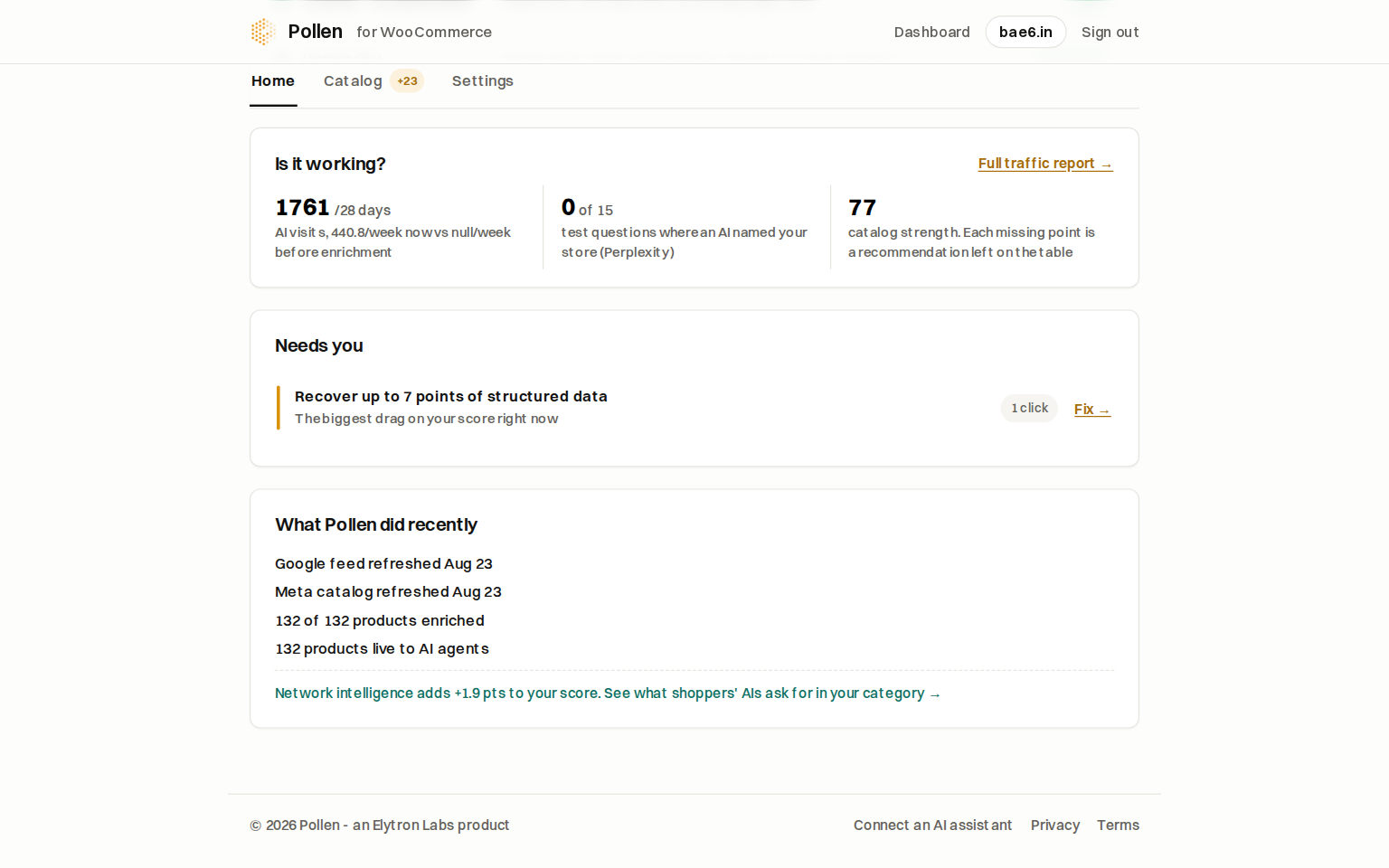
assistants via the Model Context Protocol. - AI visit analytics: see which AI crawlers visit your store and which
ones fetch your pages to answer real shopper questions, even behind
full-page caches.
Connecting takes one click: the plugin sends you to your own WordPress admin
to approve Pollen (WooCommerce’s built-in app authorization). No API keys to
copy.
External Services
This plugin connects to Pollen (https://pollen.elytron.in), a service
operated by Elytron Labs. It is required for the plugin’s core features and
is used in these ways:
- Enriched catalog data (read): product pages and the llms.txt endpoint
fetch your store’s enriched structured data and readiness score from
Pollen, keyed by your store’s domain name. - AI visit analytics (write): when a known AI crawler or an AI-assistant
referral visits your storefront, the plugin sends the visiting bot’s name,
the page path, and your store’s domain to Pollen so your dashboard can
show AI traffic. No visitor personal data, cookies, IP addresses, or
human traffic details are ever sent. This reporting can be switched off
under Settings -> Pollen. - Store connection: connecting uses WooCommerce’s built-in app
authorization screen; the REST API keys WooCommerce issues are delivered
directly to Pollen and are used to read and enrich product data only.
Data is sent only while the plugin is active. Service terms:
https://pollen.elytron.in/terms – Privacy policy:
https://pollen.elytron.in/privacy
Screenshots
Installation
- Install and activate the plugin.
- Go to Settings -> Pollen and click “Connect to Pollen”.
- Approve the connection on the screen WooCommerce shows you. Done: Pollen syncs, scores, and enriches your catalog automatically.
FAQ
-
Does this expose customer or order data?
-
No. Pollen reads and enriches product data only. The agent API serves your
public catalog: no customers, no orders. -
What does it write to my store?
-
Enrichment is stored as
pollen_*product meta (invisible to customers) and
rendered as structured data for crawlers. Your descriptions are never
overwritten. -
Does it slow my store down?
-
No. Enriched data is cached, analytics beacons are fire-and-forget with a
one-second timeout, and nothing blocks page rendering.
Reviews
There are no reviews for this plugin.
Contributors & Developers
“Pollen AI by Elytron Labs” is open source software. The following people have contributed to this plugin.
Contributors
Translate “Pollen AI by Elytron Labs” into your language.
Interested in development?
Browse the code, check out the SVN repository, or subscribe to the development log by RSS.
Changelog
1.7.1
- The plugin now activates on any WordPress site and guides you to install
or activate WooCommerce instead of refusing to activate without it.
1.7.0
- Cart handoff for AI agents: a single link (?pollen_cart=ID:QTY,ID:QTY) can
now load a multi-item cart and take the shopper straight to checkout.
Same trust model as WooCommerce’s own ?add-to-cart URLs; stock and prices
are enforced by your normal checkout.
1.6.0
- WebMCP for shoppers: add a free Chrome origin-trial token under Settings -> Pollen (or in your Pollen dashboard) to switch WebMCP on for your visitors today, or leave it to activate automatically when Chrome ships WebMCP.
- The WebMCP bridge is now bundled in the plugin (no external script load).
1.5.2
- AI visit analytics gains an off-switch under Settings -> Pollen.
- Settings sanitization hardening, uninstall cleanup of all plugin options
and transients, and a WooCommerce plugin dependency declaration.
1.5.1
- Discovery links: rel=alternate links to llms.txt and the MCP server card
in the storefront head so AI assistants can find your agent surfaces.
1.5.0
- Cache adapter: registers AI-crawler exclusions with LiteSpeed Cache,
WP Rocket, W3 Total Cache, and WP Super Cache so AI visits are counted
even behind full-page caches; human visitors keep full cache speed.
1.4.0
- MCP discovery surfaces: llms.txt advertises the store’s agent API;
MCP server card served at /.well-known/mcp-server-card. - Canonical AI-bot taxonomy shared with the Pollen dashboard.
1.3.0
- AI visit analytics split into crawl (indexing) vs retrieve (an assistant
fetching your page to answer a live question) across all documented AI
user agents.
1.2.0
- AI-crawler analytics: storefront visits by known AI bots are reported to
your Pollen dashboard.
1.1.0
- Purge cached product pages when Pollen writes back enriched data, so
crawlers always see fresh structured data.
1.0.0
- Initial release: enriched JSON-LD rendering, llms.txt serving, one-click
connect.