
Description
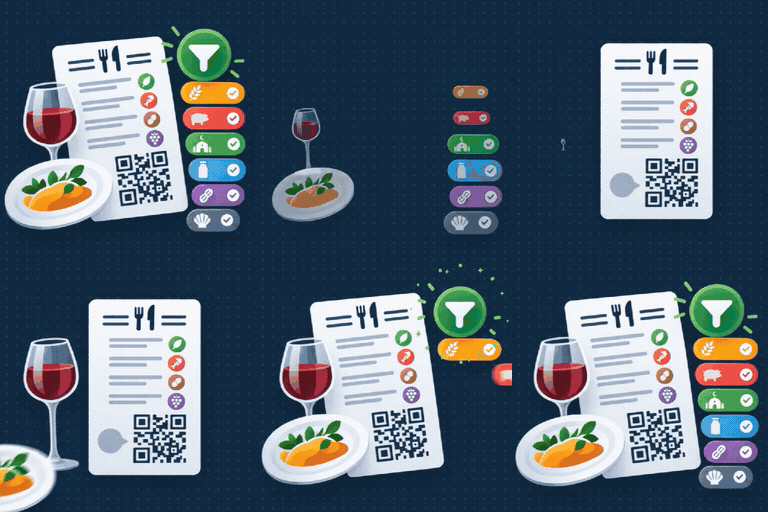
Digital Menu for Restaurants turns any page into a clean, filterable food menu. It stores its data in its own database tables and does not depend on WooCommerce, ACF or any page builder.
Features
- Categories with one level of sub-categories, reordered with up/down buttons.
- Products with description, up to two prices, featured flag, allergens and diet tags.
- Guided setup: a “Getting started” panel and an optional one-click sample menu to explore prices, filters and themes before building your own.
- The 14 EU allergens (Regulation 1169/2011) are pre-loaded and fixed; only the emoji can be changed.
- Diet tags: your own dietary filters, full add/edit/delete, shown as a second filter row. Each tag can either hide dishes that have it (pork, alcohol, spicy…) or show only the dishes that have it (vegan, vegetarian…) — you choose per tag.
- Front-end search plus allergen and diet filters, all client-side (no extra requests). The search box, filters and per-dish markers can each be turned on or off. The filter lists only the allergens the menu actually contains, with an optional note so a missing allergen reads as genuinely absent, not forgotten.
- Optional, automatic “menu updated” date at the bottom of the menu.
- No hedging: an allergen is declared on a dish or it is not. The plugin has no “may contain traces” and no cross-contamination disclaimer.
- Optional prices — up to two per product, each with its own label (e.g. “Full portion” / “Half portion”) — with a configurable currency symbol and position.
- A “Recommended” section built from the products you mark as featuredt.
- Four built-in themes (Bistro, Fine dining, Modern, Minimal) — fixed designs
chosen from a dropdown — plus a Custom mode with full control over colours,
fonts, text size, layout, card border/shadow/corners and an optional header
image. Four fonts are bundled locally — no external requests. - Optional footnote at the bottom of the menu (e.g. “Prices per person”).
- CSV import and export of products, with a downloadable template, a preview step before anything is written, and loose matching of allergen names (typos are corrected and shown in the preview).
- Sober, responsive default styling, with a documented set of CSS variables for full control from your theme’s own Additional CSS.
Usage
Add the shortcode to any post or page:
[digital_menu]
Privacy
The plugin does not collect personal data, set cookies or contact any external service.
Accessibility
The front-end menu is built to WCAG 2.1 AA with the built-in themes: semantic
headings, real buttons and inputs (full keyboard support), visible focus, filter
buttons that announce their state, a live region for the result count, decorative
icons hidden from assistive tech, and colour contrast that stays at 4.5:1 even
when you pick your own colours in the Appearance tab. The menu’s own colours,
backgrounds and borders always apply as chosen — they do not mix with your active
theme’s button, heading or link styling. If you add your own CSS through your
theme’s Additional CSS, keeping that accessible is up to you.
Bundled fonts
Playfair Display, Lora, Poppins and Inter are bundled in assets/fonts/ under
the SIL Open Font License 1.1 (assets/fonts/OFL.txt). They are served from the
plugin folder; nothing is requested from Google Fonts or any CDN.
Screenshots


Installation
- Upload the
plugtide-digital-menu-for-restaurantsfolder to/wp-content/plugins/, or install it from the Plugins screen. - Activate the plugin.
- Open Digital Menu in the admin menu to add categories and products.
- Put
[digital_menu]on the page where the menu should appear.
FAQ
-
Does it support prices?
-
Yes. Each product has an optional price plus an optional second price, each with its own label (for example “Full portion” / “Half portion” or “Glass” / “Bottle”). Leave an amount empty to hide it. The currency symbol and its position are set under Digital Menu Settings.
-
Yes, with the “Show prices” toggle in Settings.
-
Which allergens are included?
-
The 14 allergend required by EU Regulation 1169/2011. They cannot be added to or
removed (they are a legal requirement); only their emoji can be changed. For
anything else diners might want to avoid — pork, alcohol, spicy — use the Diets
screen, which is fully editable. -
Is the data removed when I uninstall?
-
Yes. Uninstalling the plugin drops its tables and options. Deactivating does not.
-
Can I import my dishes from a spreadsheet?
-
Yes. Digital Menu Import / Export has a downloadable CSV template with example
rows. Fill it in (onlynameandcategoryare required), then upload it: you
pick whether to add new dishes only, add and update, or replace everything, and
you see a preview — how many rows are new, updated, skipped or in error, plus any
allergen spelling that was corrected — before anything is written. Missing
categories and sub-categories can be created automatically. The Export button
gives you the same CSV of your current products for backups or bulk edits. -
How do I customise the design with my own CSS?
-
Use your theme’s own Additional CSS (Appearance Customize Additional CSS,
or the Styles panel in the Site Editor). Everything is inside#dmenu-root.dmenu. The quickest way is to override the CSS
variables (indent a block by four spaces to make it a code block): -
–dmenu-primary: #c0392b; /* prices, active filters, rules /
–dmenu-primary-contrast: #ffffff; / text on the primary colour /
–dmenu-menu-bg: #fbfbfb; / page background /
–dmenu-card-bg: #ffffff; / product card background /
–dmenu-text: #1a1a1a;
–dmenu-muted: #6b6b6b; / descriptions, secondary text /
–dmenu-line: rgba(0,0,0,.12); / borders / separators /
–dmenu-hero-bg: #1c1c1c;
–dmenu-hero-text: #ffffff;
–dmenu-font-heading: “Georgia”, serif;
–dmenu-font-body: system-ui, sans-serif;
–dmenu-radius: 10px; / card / control corner radius /
–dmenu-card-border: 1px solid var(–dmenu-line);
–dmenu-card-shadow: 0 4px 14px rgba(0,0,0,.07);
}
.dmenu-hero { background-image: url(“https://example.com/menu-bg.jpg”); } / logo / image */Useful classes:
.dmenu-hero__title,.dmenu-toolbar,.dmenu-tag,
.dmenu-tag.is-active,.dmenu-category__title,.dmenu-subcategory__title,
.dmenu-product,.dmenu-product.is-featured,.dmenu-product__name,
.dmenu-product__price,.dmenu-product__desc,.dmenu-product__markers,
.dmenu-footnote. The root also carries a layout class:
.dmenu–layout-grid /-two-col/-list/-centered.Colours, backgrounds and borders are locked to the theme you pick — on purpose,
so the menu never mixes with your active WordPress theme’s own button, heading
or link colours. Changing the CSS variables above always works. If you target a
class directly instead (e.g..dmenu-tag { background: #000; }), add!important.
Reviews

Contributors & Developers
“PlugTide Digital Menu for Restaurants” is open source software. The following people have contributed to this plugin.
Contributors
Translate “PlugTide Digital Menu for Restaurants” into your language.
Interested in development?
Browse the code, check out the SVN repository, or subscribe to the development log by RSS.
Changelog
1.0.0
- Initial public release.
- Four built-in themes plus a Custom design mode, optional per-product prices,
optional menu footnote, the 14 EU allergens with automatic translation,
front-end search and allergen filters. - CSV import/export of products with a template download and a preview step.
- Getting-started panel, contextual help tabs and an optional sample menu.
- Allergen filter shows only the allergens the menu contains; optional
“menu updated” date; text-size control in the Custom design mode. - Diet tags can hide matchingh dishes or show only matching dishes, chosen per tag.