

Description
🅿️ Take parking reservations on your own site with Plugixa Car Parking – a step-by-step booking form with live availability, prices worked out on the server, and an admin app for your bookings, locations and payments.
📚 Read the Documentation
🌐 Visit the official website Plugixa
✉️ Questions or support requests: Contact us
💬 Ask on the Support Forum
🚀 Upgrade to Pro
Built for parking lots, garages, airport park & ride, valet, hospital and hotel parking, residential and EV-charging spaces.
Take your first booking in 3 simple steps:
- Add a location – its opening hours, closures and the kinds of space it offers
- Set your prices – per minute, hour, day, week or month for each space type
- Place the booking form on a page with a shortcode or a block – customers pick their dates, see what is free and book
Records live in the plugin’s own database tables, not in posts and post meta, so the bookings list, the calendar and the dashboard stay fast as your history grows.
Bookings That Cannot Overbook
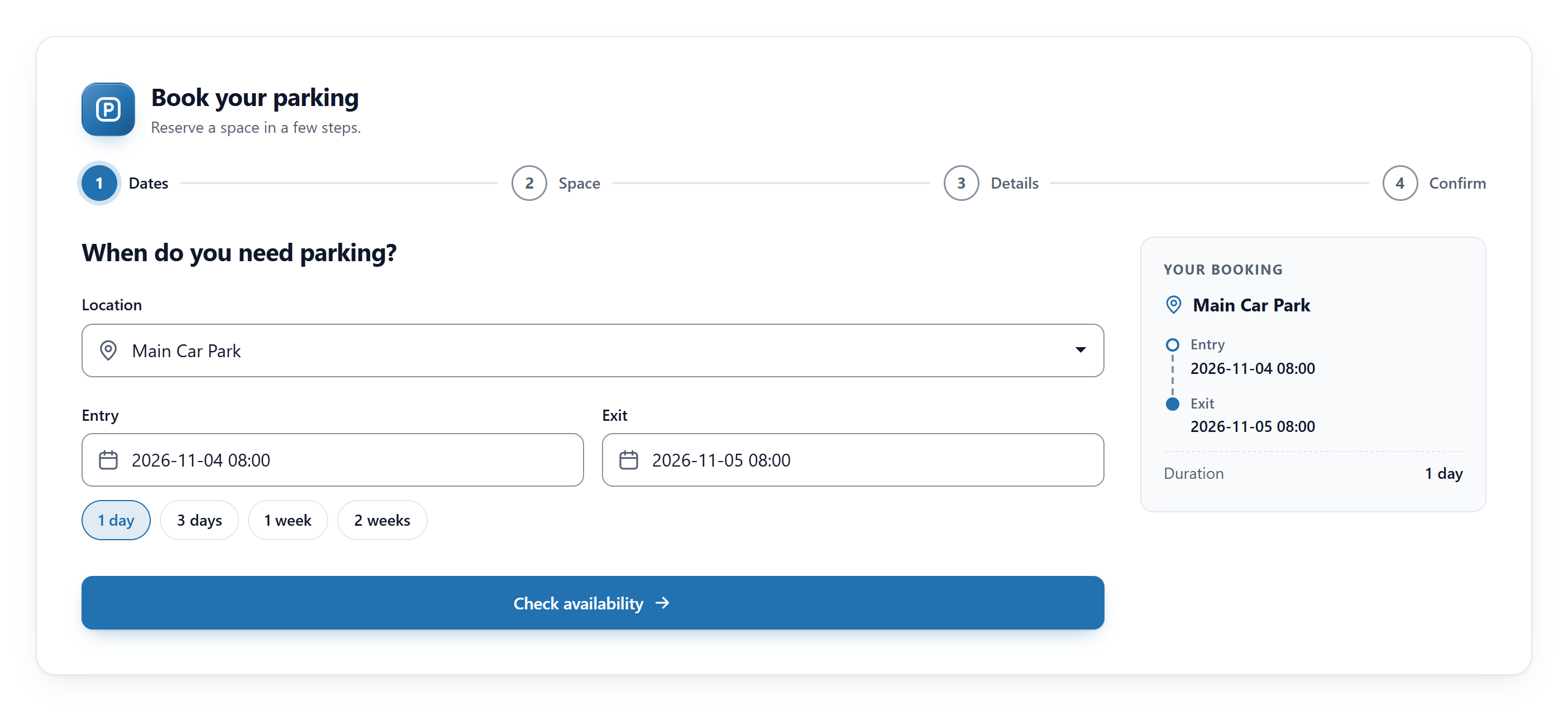
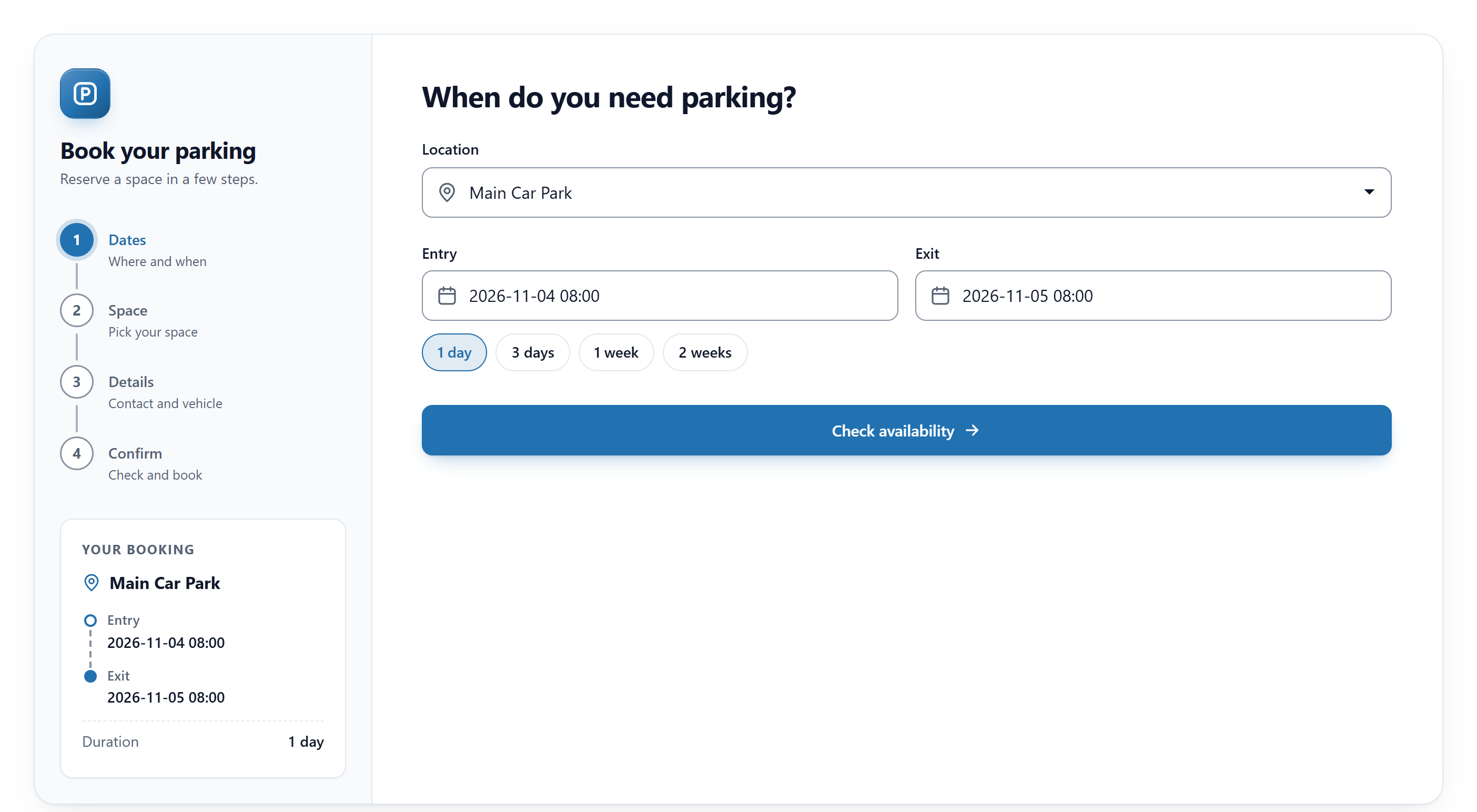
✅ Booking form – dates, space, details and confirmation, in three designs
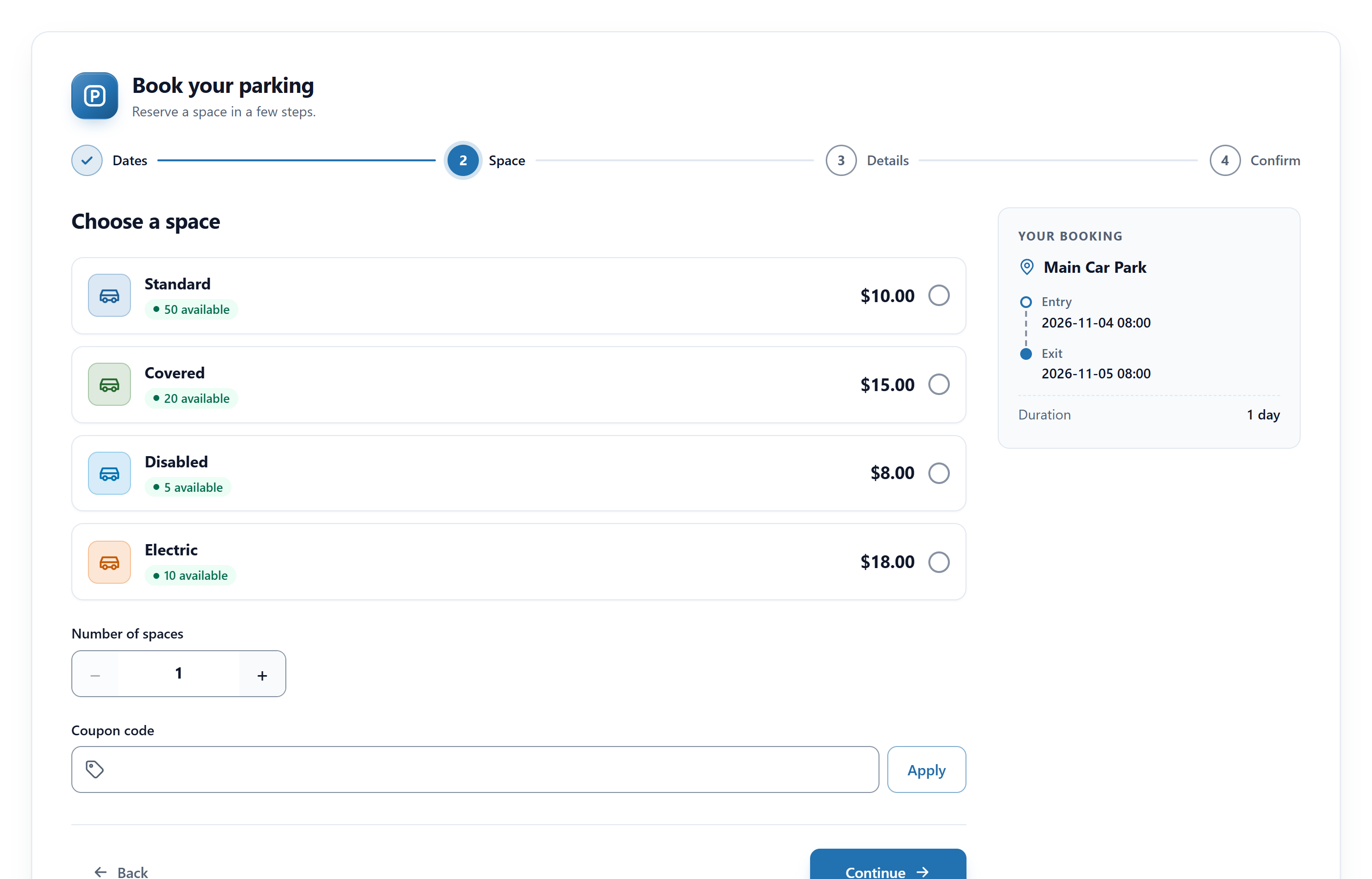
✅ Live availability – each space type shows how many spaces are left for the dates chosen
✅ Server-side pricing – the price is worked out on the server, never trusted from the browser
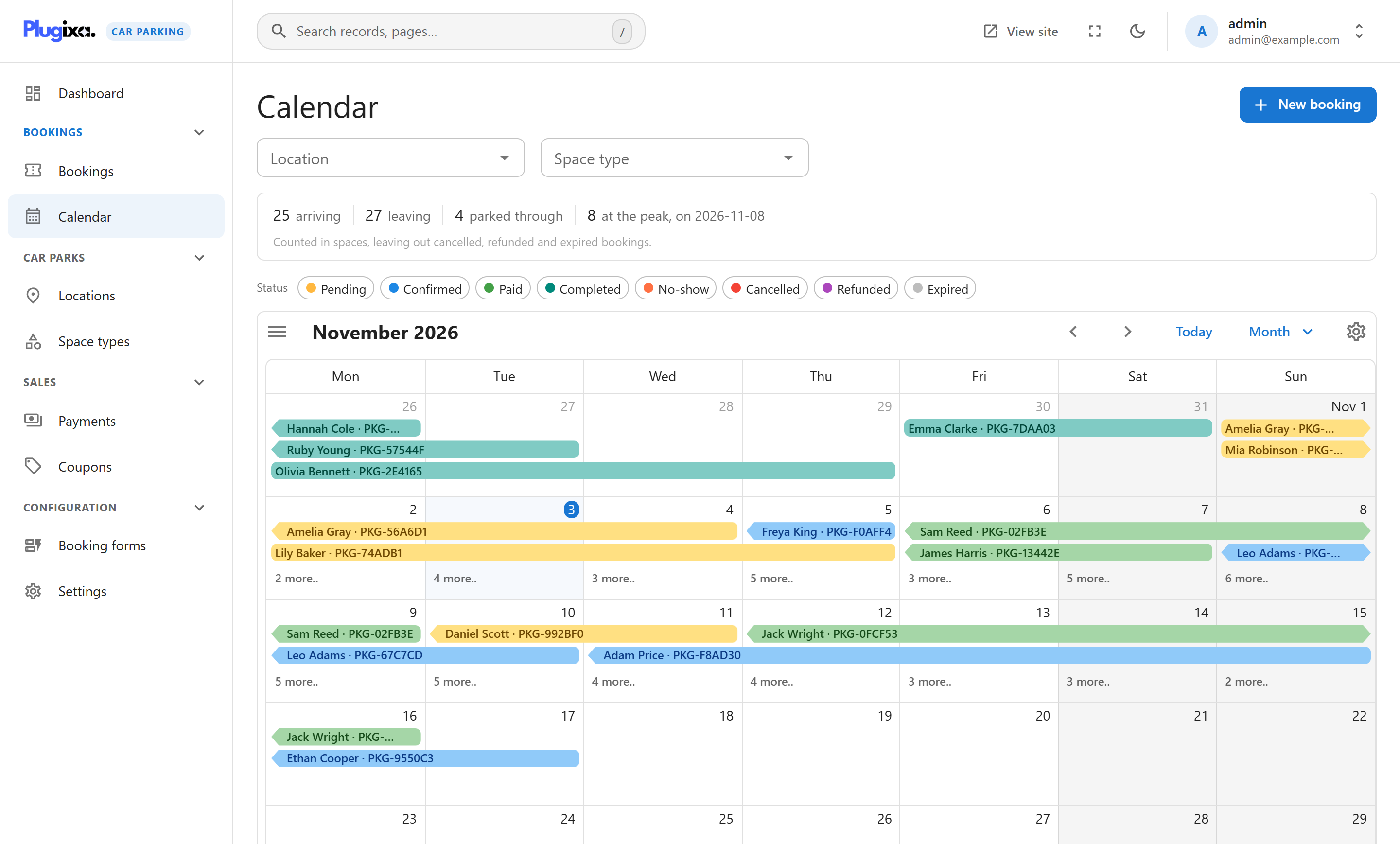
✅ Calendar – every booking by month, week and day, with occupancy
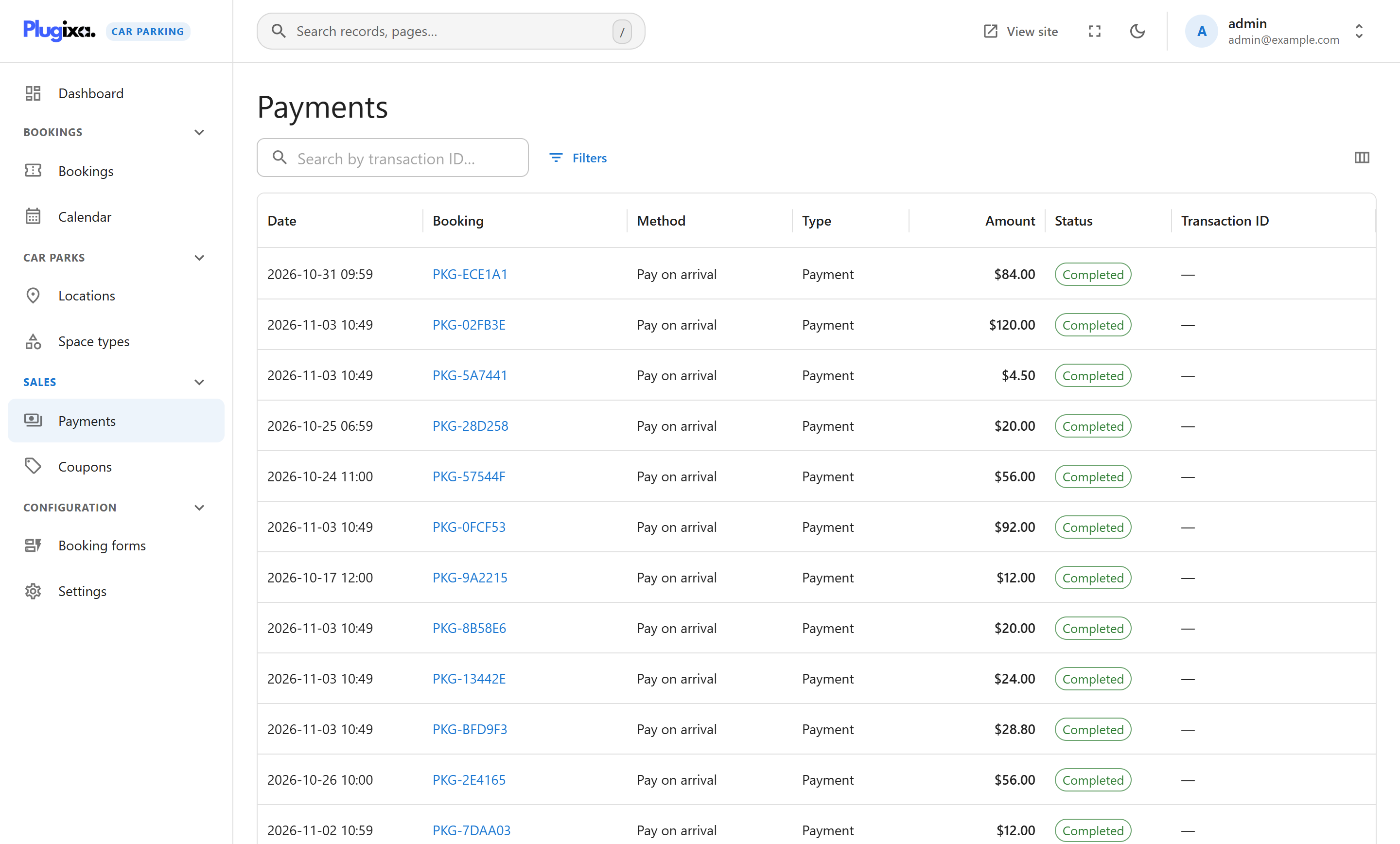
✅ Pay on arrival – with your own instructions, and a payments ledger to record what was paid
Key Features of Plugixa Car Parking
Booking on your site
- A step-by-step booking form, placed with the
[plugixa_car_parking]shortcode or a Gutenberg block - Three form designs: Classic (numbered steps with the summary beside them), Split (the steps and the summary in a side column) and Minimal (one column with a progress bar)
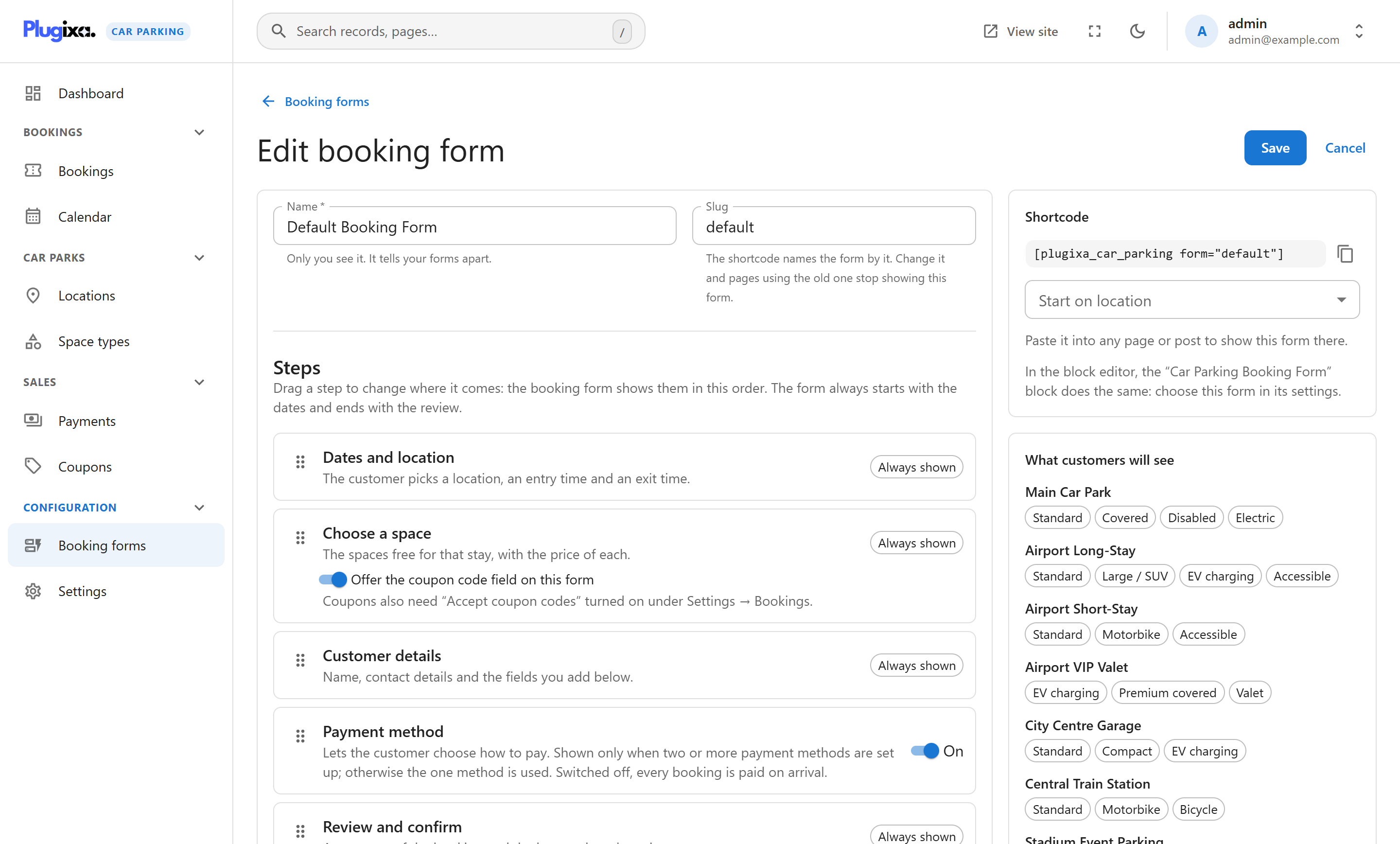
- Several booking forms, each with its own steps, fields, colour, locations and space types
- Your own fields on the booking form, checked by the server
- Quick stay lengths (1 day, 3 days, 1 week…), the length of the stay under the dates, and a minus and plus for the number of spaces
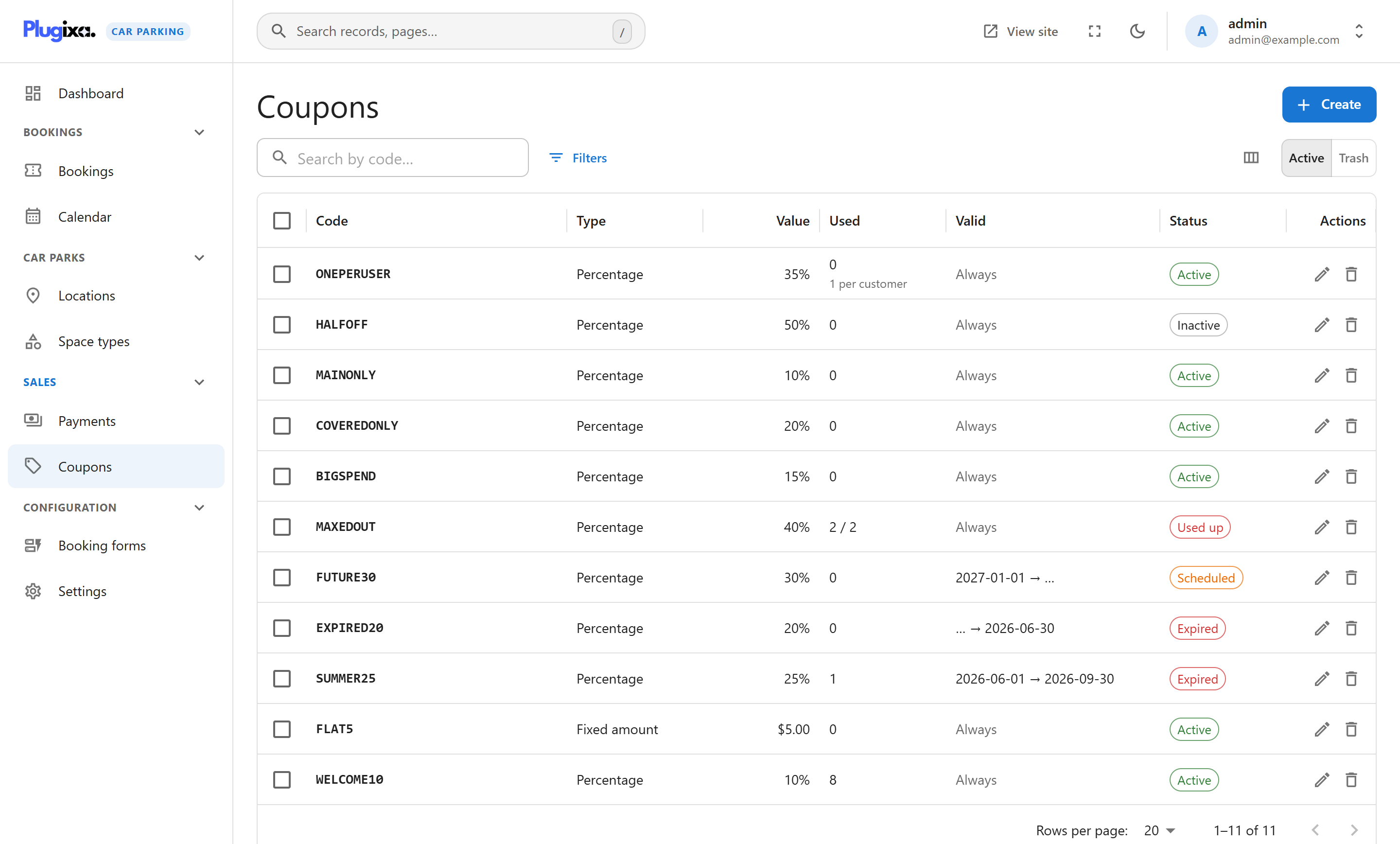
- Coupon codes with percentage or fixed discounts
- A booking summary page with an invoice and a Print button (
[plugixa_car_parking_summary]) - A customer account page to find a booking and cancel it (
[plugixa_car_parking_account])
Locations and prices
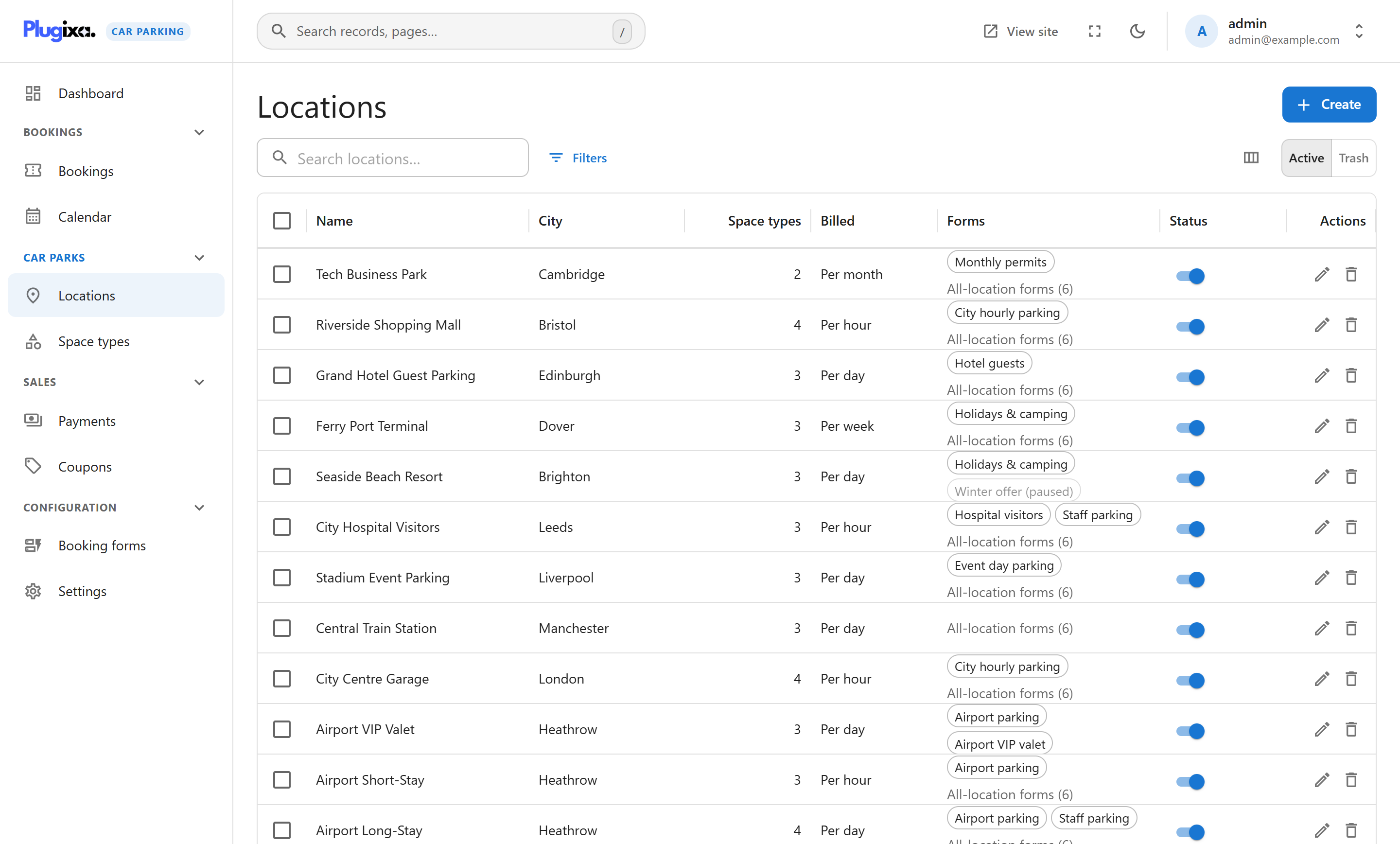
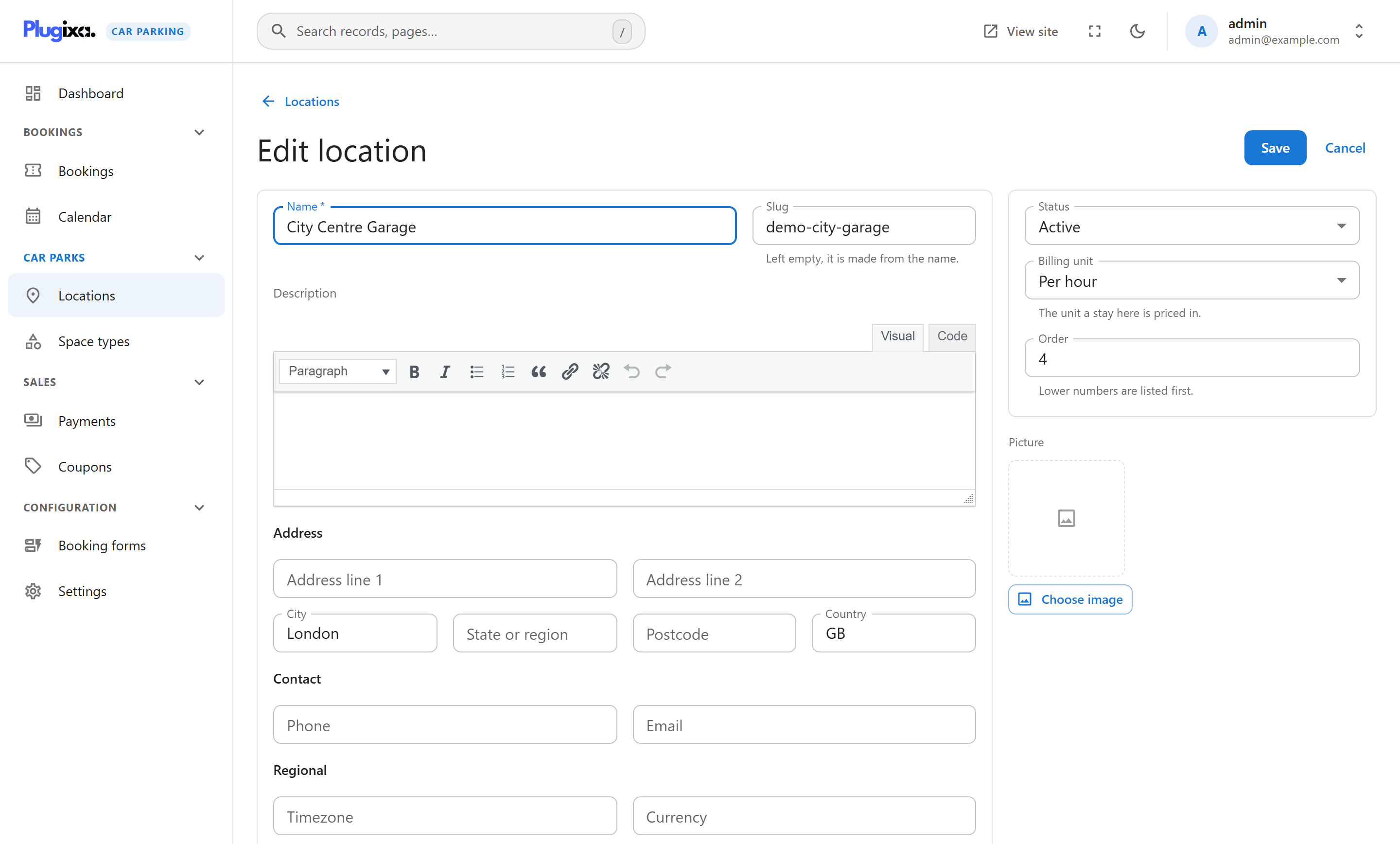
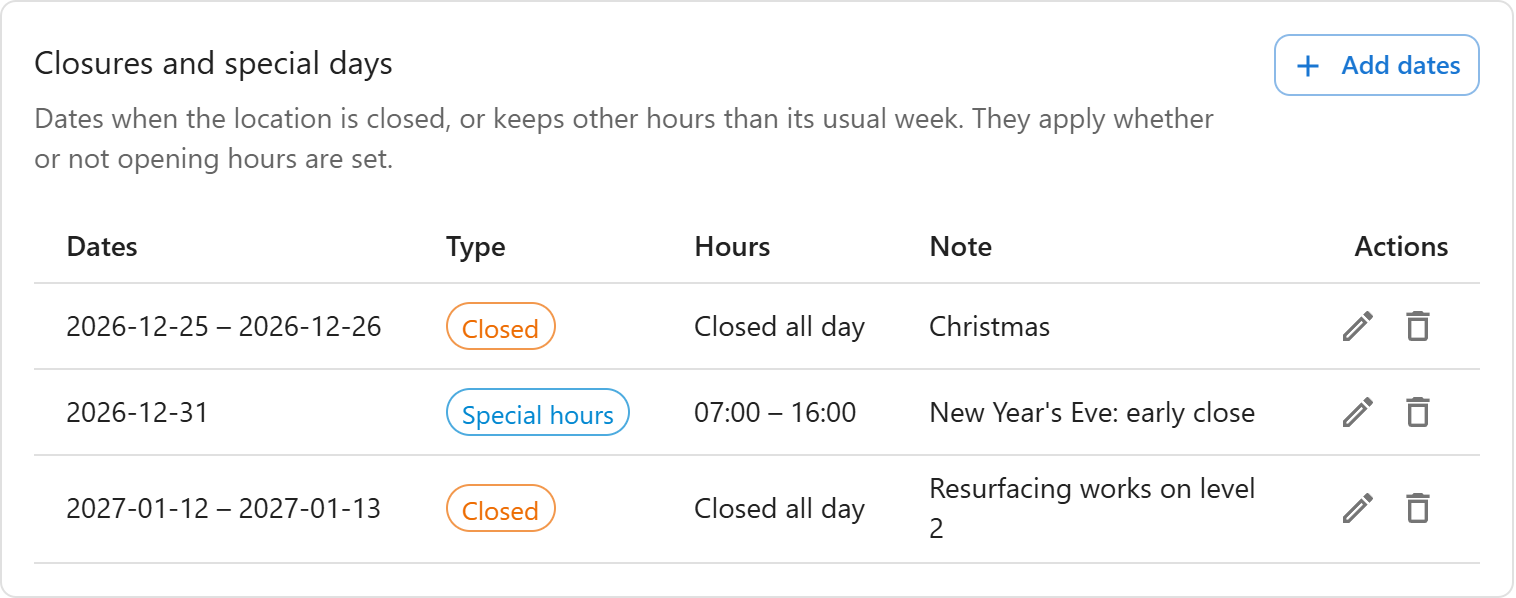
- Any number of locations, each with opening hours, closures and special days
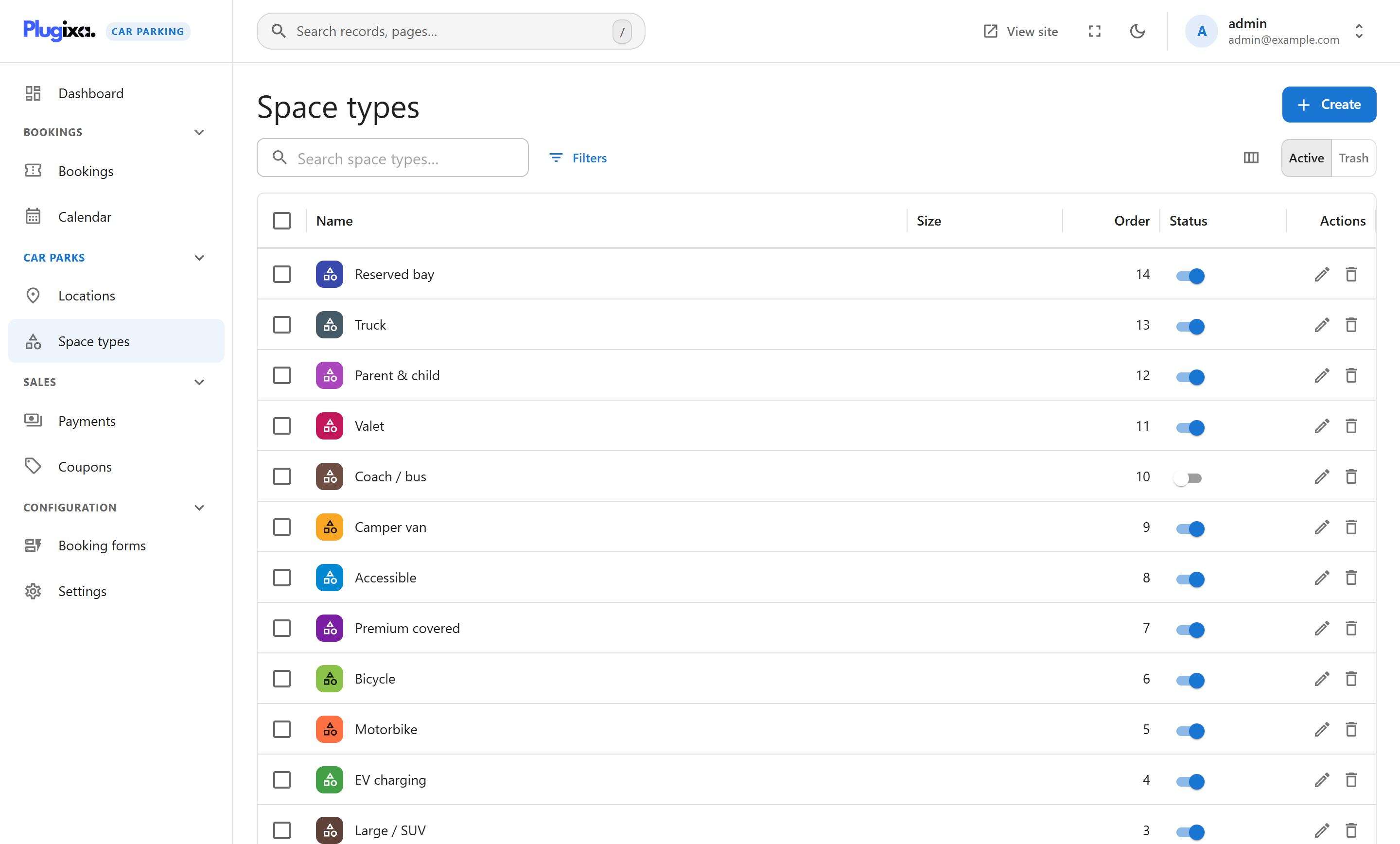
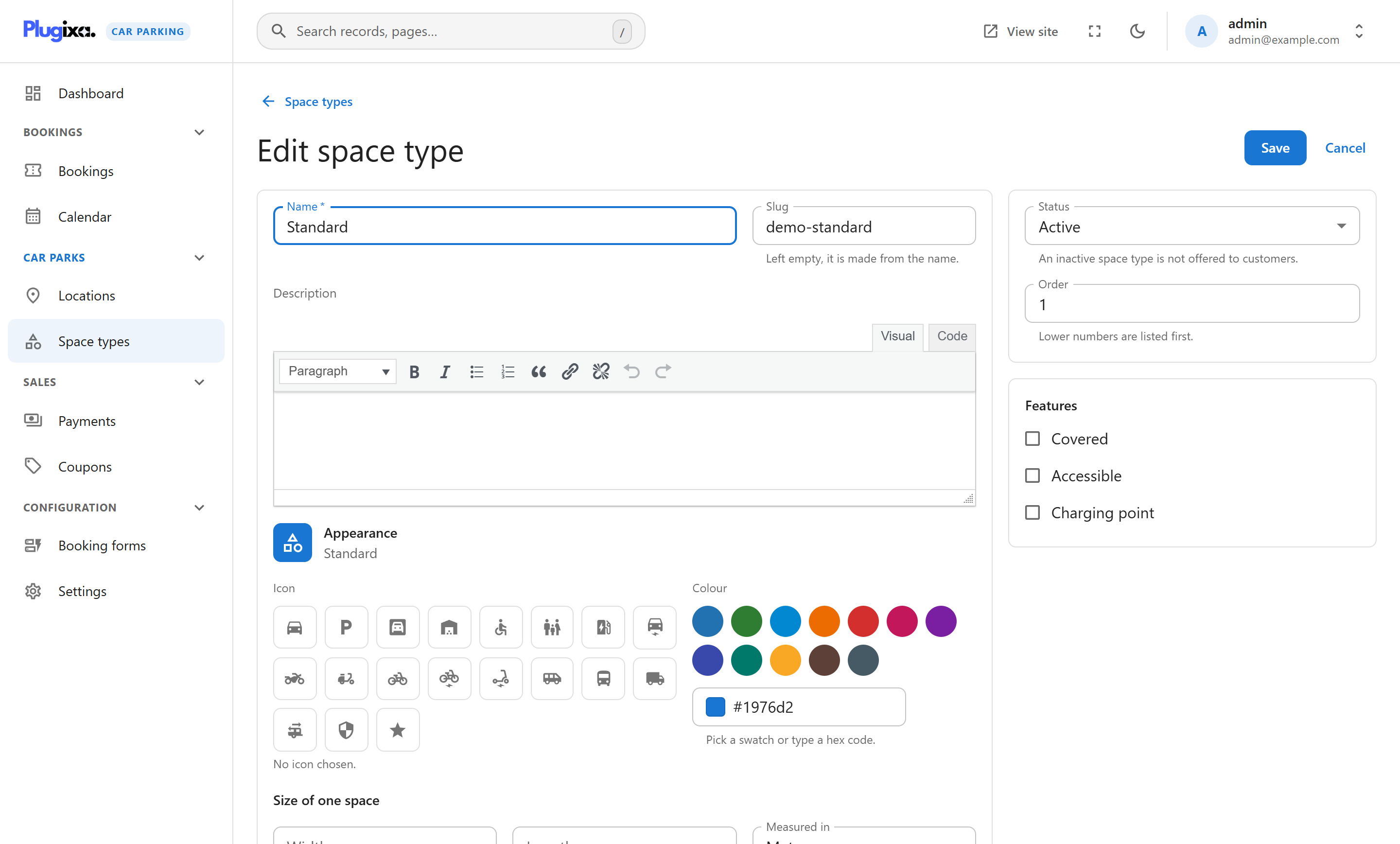
- Space types with an icon, a colour, a size and features, counted by capacity
- Prices per minute, hour, day, week and month for each space type, with a one-off fee if you need one
- Different prices for the same space type at different locations
- A booking setup check on each location that lists what is missing before it can be booked
Managing bookings
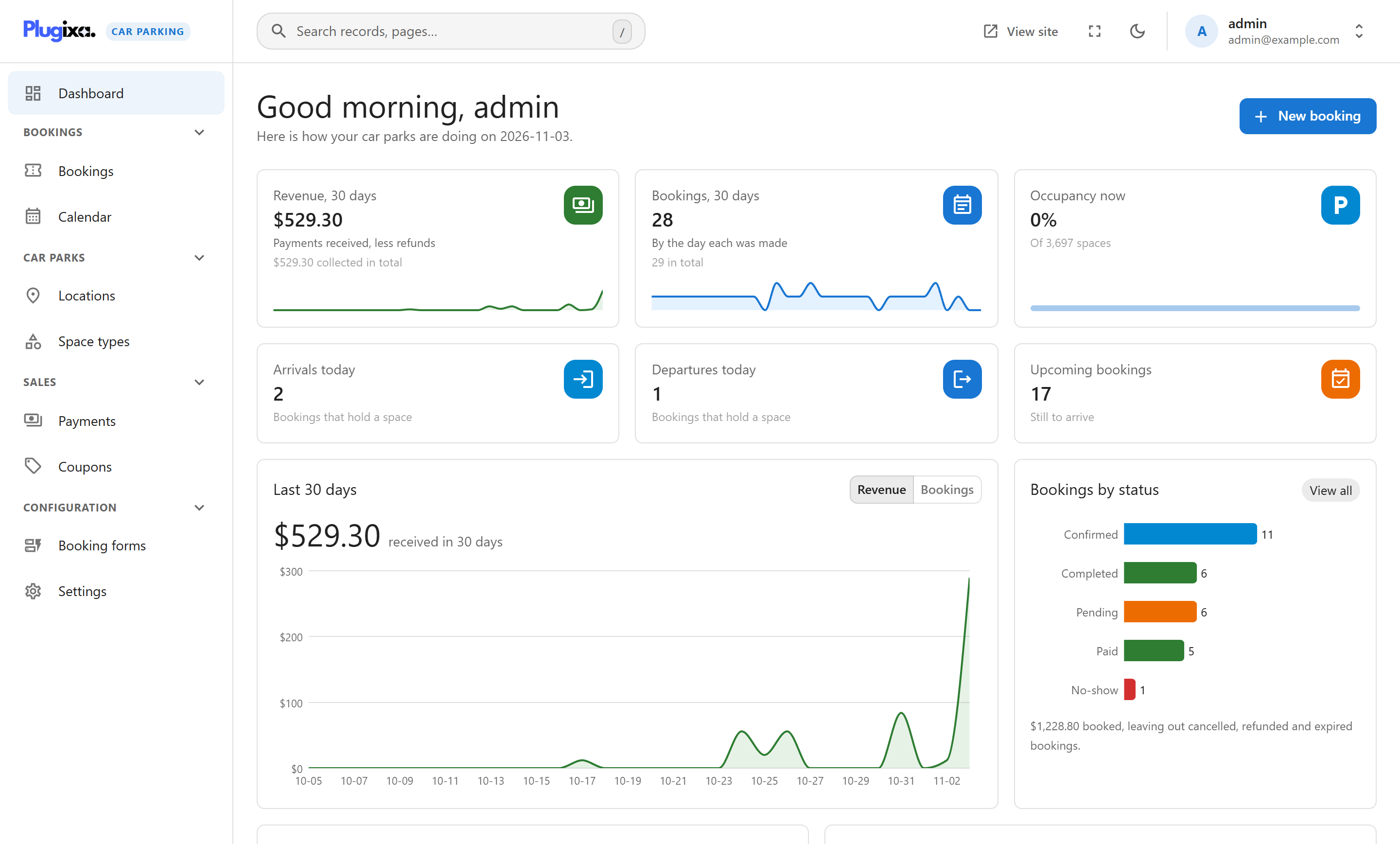
- A dashboard with revenue, bookings, occupancy, arrivals and departures for the last 30 days
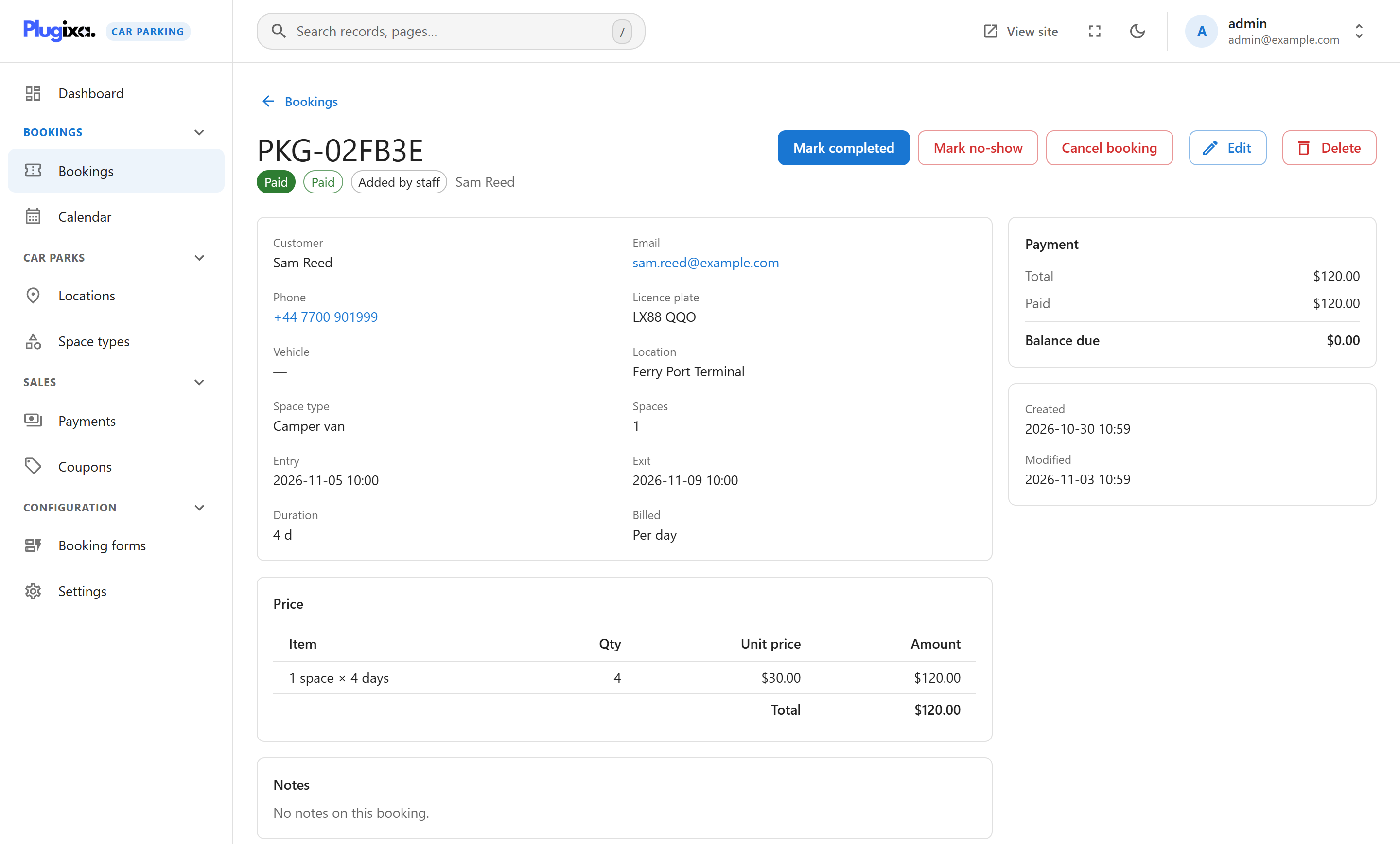
- A bookings list with search, filters, sorting and mass actions, and CSV export
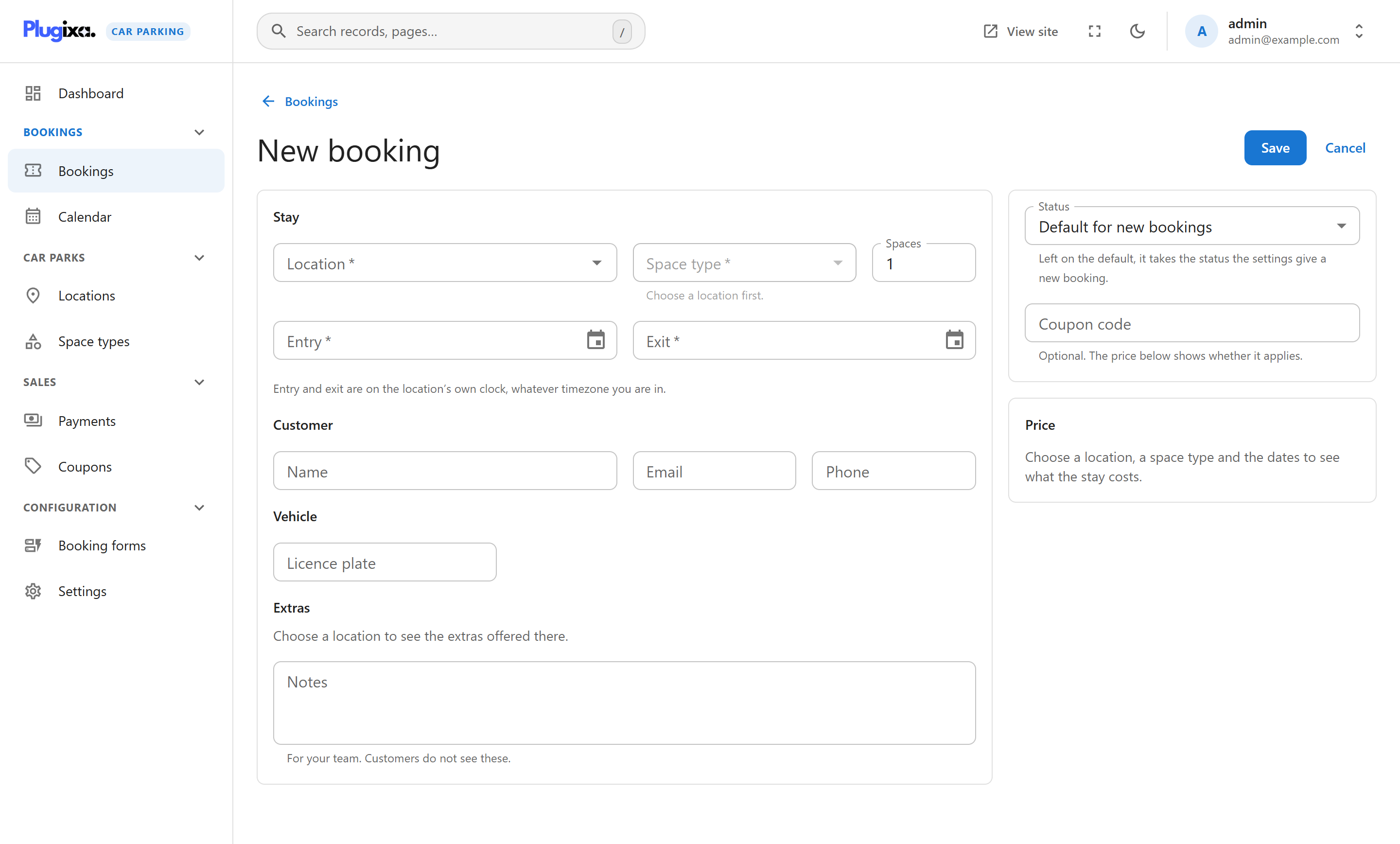
- Taking a booking in the admin, priced and checked exactly like one from the site
- A calendar by month, week and day
- Pending bookings that expire and free their space
- A payments ledger: record a payment against a booking, and refund one
- Booking received, new booking and payment received emails, with a message log
- A trash with restore on every list
Administration
- Fast, Material UI-based admin application
- Public pages built for keyboard and screen-reader use
- A dark mode on the booking pages that follows the visitor’s device, and support for right-to-left languages
- Translation-ready
- A REST API, actions and filters, and six capabilities to grant with a role editor
Plugixa Car Parking Pro Features
Pricing
- Pricing rules by date, weekday, arrival time, length of stay, location, space type and customer group
- Customer groups, tax rates and deposits
Payments
- Card payments through Stripe Checkout, and monthly payments for long stays
- PayPal, Mollie, Adyen and Klarna payments
- PDF invoices, attached to customer emails
Spaces and bookings
- Numbered spaces: a customer picks one, or is given one
- Extras a customer can add to a booking
- Customers move a booking to other dates themselves
- A map of your locations
Messages
- Text messages through Twilio or Vonage, and Telegram notices
- Reminders before arrival and a daily report by email
Upgrade to Plugixa Car Parking Pro
🚗 A Space Is Never Sold Twice
Availability is checked on the server when a booking is made, against every other booking that holds a space at that location for those dates. A pending booking holds its space only until it expires, and then the space is free again.
💶 Prices Worked Out on the Server
The browser shows a price, but the booking is priced again on the server, in the location’s billing unit. A space type with no price for a location’s billing unit is not offered there, so nothing is ever booked for free by mistake.
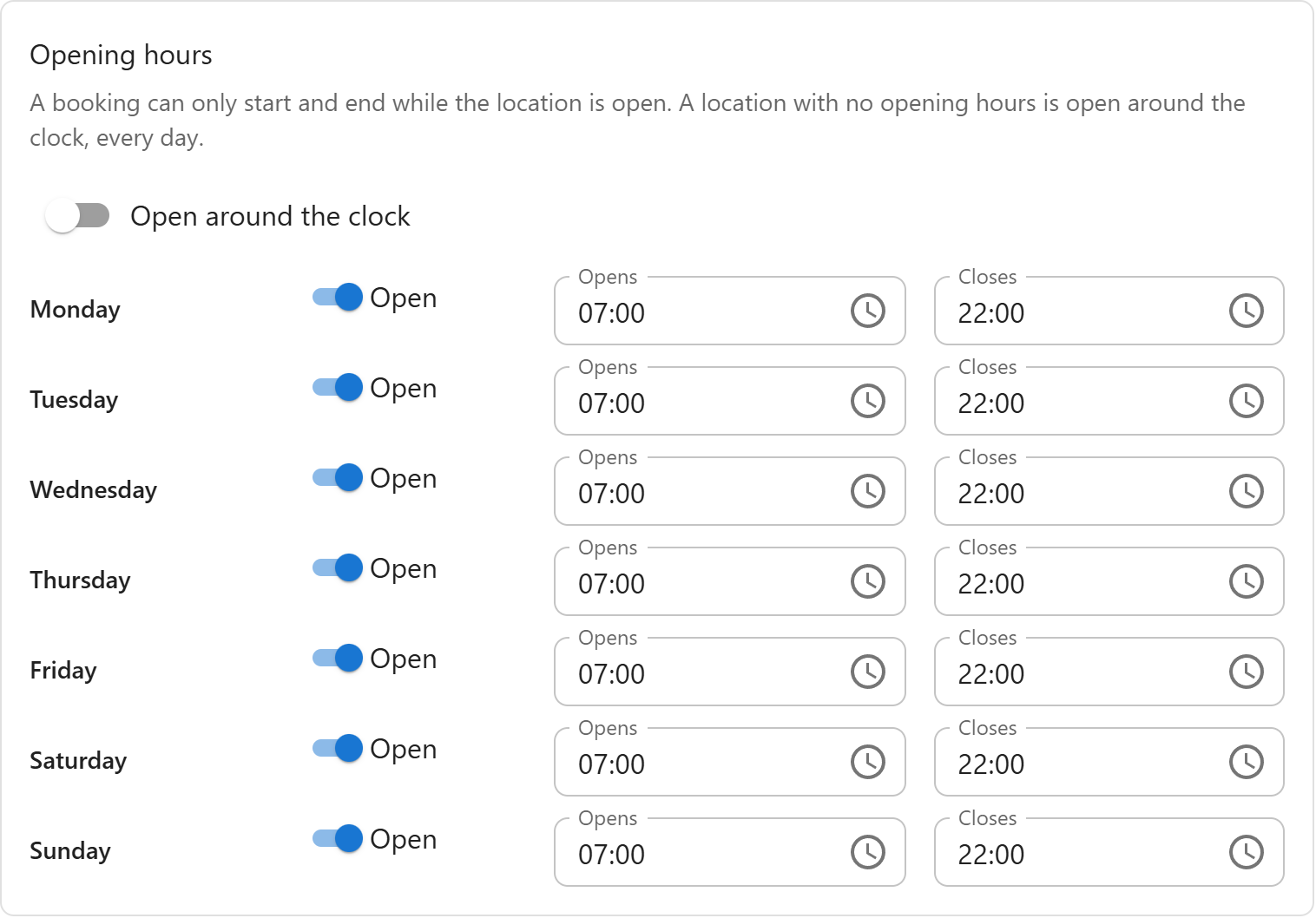
🕒 Opening Hours and Closures
A booking can only start and end while its location is open. Set a week of opening hours, or leave a location open around the clock, and add closures and special days such as holidays and maintenance work.
🖥️ On Your Own Site, in Your Own Theme
The booking form, the summary page and the account page render inside your theme, in the design you choose for each form. They work with the keyboard and screen readers, follow the visitor’s dark mode and read right to left where the language does.
👨💻 Author
Plugixa Car Parking is developed by Plugixa, building focused, well-documented WordPress plugins with an emphasis on performance, clean code and correct data.
Shortcode Usage
The booking form:
[plugixa_car_parking]
The booking form in another design:
[plugixa_car_parking design=”split”]
The customer’s account page:
[plugixa_car_parking_account]
The booking summary page:
[plugixa_car_parking_summary]
External services
The plugin itself sends nothing to any outside service: no analytics, no tracking, no remote configuration, no font or script CDN. Bookings, customers and payments stay in your WordPress database. Two things can contact a service, and both are listed here.
Freemius. Used for licence activation, plugin updates, and an optional opt-in. On activation you are shown an opt-in screen; if you skip it, no identifiable data is sent. When you activate a licence or check for an update, your site URL, the plugin and SDK versions and your licence key are sent to Freemius (api.freemius.com). If you opt in, the data that screen lists is sent to the same address: your WordPress user’s first and last name and email address; your site’s homepage URL and title, WordPress and PHP versions and site language; the plugin’s version and whether it is active or uninstalled; and, unless you switch that item off on the opt-in screen, the names, slugs and versions of your installed plugins and themes and whether each is active. Terms: https://freemius.com/terms/ — Privacy: https://freemius.com/privacy/
Payment, messaging and map services (Pro only, and only if you configure them). The Pro version can contact the services below. Each stays inactive until you enter your own credentials for it in Settings, and the code for all of them ships only in Pro:
- Stripe (api.stripe.com) — when a customer pays by card: the amount, currency, booking reference and the customer’s email. Terms: https://stripe.com/legal — Privacy: https://stripe.com/privacy
- PayPal (api-m.paypal.com, or api-m.sandbox.paypal.com in test mode) — when a customer pays with PayPal: the amount, currency and booking reference. Terms: https://www.paypal.com/legalhub/useragreement-full — Privacy: https://www.paypal.com/legalhub/privacy-full
- Mollie (api.mollie.com) — when a customer pays through Mollie: the amount, currency, booking reference and your site’s return and notification addresses. Terms: https://www.mollie.com/user-agreement — Privacy: https://www.mollie.com/privacy
- Adyen (checkout-test.adyen.com in test mode, or your own *-checkout-live.adyenpayments.com address) — when a customer pays through Adyen: the amount, currency, booking reference, the country you set, the customer’s email and your site’s return address. Terms: https://www.adyen.com/legal/terms-and-conditions — Privacy: https://www.adyen.com/policies-and-disclaimer/privacy-policy
- Klarna (api.klarna.com, api-na.klarna.com or api-oc.klarna.com by the region you choose, or api.playground.klarna.com, api-na.playground.klarna.com or api-oc.playground.klarna.com in test mode) — when a customer pays with Klarna: the amount and the tax in it, currency, booking reference, the country you set, the customer’s name, email and phone number, and your site’s return and notification addresses. The plugin also asks Klarna how each payment went, up to three times in the 90 minutes after it starts. Terms: https://www.klarna.com/international/terms-and-conditions/ — Privacy: https://www.klarna.com/international/privacy-policy/
- Twilio (api.twilio.com) — when an SMS notification is sent: the customer’s phone number and the message. Terms: https://www.twilio.com/legal/tos — Privacy: https://www.twilio.com/legal/privacy
- Vonage (rest.nexmo.com) — when an SMS notification is sent: the customer’s phone number and the message. Terms: https://www.vonage.com/legal/communications-apis/terms-of-use/ — Privacy: https://www.vonage.com/legal/privacy-policy/
- Telegram (api.telegram.org) — when a booking notification is sent: the booking summary, to the chat you configure. Terms: https://telegram.org/tos — Privacy: https://telegram.org/privacy
- Google Maps JavaScript API (maps.googleapis.com) — loaded in the visitor’s browser, with the API key you supply, only on pages that show the map; Google receives the visitor’s IP address and browser details as with any page that loads its maps. The map’s “Directions” link opens Google Maps only when the visitor clicks it. Terms: https://cloud.google.com/maps-platform/terms — Privacy: https://policies.google.com/privacy
Screenshots



Installation
MINIMUM REQUIREMENTS
- WordPress 6.5 or greater
- PHP version 8.2 or greater
AUTOMATIC INSTALLATION (EASIEST WAY)
- In your WordPress admin, go to Plugins > Add New
- Search for “Plugixa Car Parking”
- Click Install Now, then Activate
- Open “Car Parking” in the admin menu and configure your first location
MANUAL INSTALLATION
- Download the plugin ZIP
- Go to Plugins > Add New > Upload Plugin, choose the ZIP and click Install Now
(or upload the
plugixa-car-parkingfolder to/wp-content/plugins/over FTP) - Activate the plugin through the Plugins menu. The database tables are created on activation
- Open “Car Parking” in the admin menu
FAQ
-
Q. Does the free plugin stop working after a trial period?
-
No. There is no trial and no expiry. Every feature listed under “Key Features” works indefinitely.
-
Q. Can two customers book the same space?
-
No. Availability is checked on the server when the booking is made, against every booking that holds a space at that location for those dates.
-
Q. Can I take card payments?
-
Card payments (Stripe, PayPal, Mollie, Adyen, Klarna) are part of Pro. The free plugin supports pay-on-arrival / offline payment with instructions you write yourself, and a payments ledger to record what was paid.
-
Q. Can I charge by the hour, the day or the month?
-
Yes. Each location has a billing unit – minute, hour, day, week or month – and each space type has a price for it.
-
Q. Does it store bookings as posts or custom post types?
-
No. It uses its own database tables, created on activation. Bookings, prices and payments are relational data, and storing them as posts and post meta makes every list and report slower as the history grows.
-
Q. What is the difference between the free and Pro versions?
-
The free version is a complete booking system, neither time-limited nor feature-locked. Pro is a separate download that adds features; nothing in the free build is disabled, and the free build contains no Pro code to unlock. See the Pro features.
-
Q. Does the plugin send any of my data anywhere?
-
Not unless you ask it to. See the “External services” section below.
-
Q. Where can I find the documentation?
-
Full documentation – getting started, locations, pricing, booking forms, bookings, the calendar and payments – is at https://www.plugixa.com/documentation/plugixa-car-parking
Reviews
There are no reviews for this plugin.
Contributors & Developers
“Plugixa Car Parking – Parking Booking, Reservations & Live Availability” is open source software. The following people have contributed to this plugin.
Contributors

Interested in development?
Browse the code, check out the SVN repository, or subscribe to the development log by RSS.
Changelog
1.2.0
- Add-on: Mollie payments, with Mollie’s hosted checkout: cards, iDEAL, Bancontact and the other methods you choose. Refunds go through Mollie, and refunds made in the Mollie dashboard and chargebacks are reported back. There is no webhook to set up, but your site must be reachable from the internet.
- Add-on: Adyen payments, with Adyen’s Hosted Checkout. Refunds go through Adyen, and refunds made in the Customer Area and chargebacks are reported back. Needs a Standard webhook with an HMAC key.
- Add-on: Klarna payments, with Klarna’s Hosted Payment Page. Each payment is captured as soon as the customer completes it, and refunds go through Klarna. Disputes and refunds made in Klarna’s portal are not reported back. There is no webhook to set up.
- New: a customer who comes back before the payment provider has decided sees “Confirming your payment” instead of “Payment not completed”.
- Fix: a payment that arrived after a booking’s hold had run out confirmed the booking even when its space had since gone to someone else, selling it twice. The booking now stays expired, the money stays on its Payments panel, the site is emailed, and the customer is told. If the space is still free, the payment confirms the booking as before.
- Fix: a refund the payment provider accepted and then failed to make stayed on the booking as if the customer had the money. It is now marked Failed, the booking holds the money again, and the site is emailed. This covers Stripe, PayPal, Mollie and Adyen.
- New: the site is emailed when a customer’s bank disputes a payment, on any gateway that reports disputes, so the provider’s deadline to respond is not missed.
- Fix: on a site with a page cache, a booking form served from a copy more than a day old said “Your session expired” and could not book. A signed-out visitor’s booking form now keeps working for as long as a cache is likely to keep the page.
- Fix: a booking’s summary link and the screen a customer sees after paying are now kept out of page caches, so a customer is never shown a stale payment status, or another customer’s booking on a cache set to ignore the address.
- Developers: a gateway’s webhook handler may answer several
eventsfrom one notification,retryto have the provider send it again, orrefund_failedto take back a recorded refund.handle_return()may answerprocessing.
1.1.2
- Change: the plugin no longer stores or prints custom CSS. WordPress has its own editor for this: move any rules you kept in the plugin’s custom CSS setting to Appearance > Customize > Additional CSS, or to Styles in the Site Editor. Your old value is not deleted, but it is no longer used.
1.1.1
- Fix: when the database refused to create one of the plugin’s tables, activation and updates reported success all the same, and the table was never created later. The plugin now checks each table, tries again by itself after five minutes, and shows administrators a notice naming the table and what the database said, with a “Try again” button.
- Security: the PDF library used for invoices (add-on) is updated to dompdf 3.1.6, which fixes a published security advisory. The Freemius SDK is updated to 2.13.5.
- Change: the “External services” section of this readme now says exactly what each service receives and when, including what Freemius receives when a licence is activated or an update is checked.
- Developers: the filters
plugixa_carparking_quote_request_fieldsandplugixa_carparking_form_settingsare removed, because they passed the raw request to every callback. Modules register withQuote::add_claimer()andFormService::add_setting_claimer()instead. Theplugixa_carparking_sanitize_settingsfilter now receives the cleaned settings only.
1.1.0
- New: three designs for the booking form, chosen for each form in the form editor: Classic (numbered steps with the booking summary beside them), Split (the steps and the summary in a side column) and Minimal (one column with a progress bar). A page can use another design with the
designattribute of the shortcode or the block. The account and summary pages follow the design too. - New: the booking form has been redesigned: icons in the fields, quick stay lengths (1 day, 3 days, 1 week…), the length of the stay under the dates, a minus and plus for the number of spaces, how many spaces are left on each type, a summary bar fixed to the bottom of the screen on phones, and a button that copies the booking reference.
- New: the booking form block can be set to wide or full width.
- Fix: printing a booking summary printed the whole page, with the site’s menu and footer. It now prints the invoice alone.
- Add-on: monthly payments. A location can let customers pay a stay of two months or more month by month, by card through Stripe: the first month and any one-off fee when booking, then the same amount on the same day each month. A missed month marks the booking overdue and emails the customer and the site; the plan stops by itself once the booking is paid in full. Customers change their card from the booking’s summary page. A location can also offer plans that carry on after the stay until the customer cancels: the stay chosen is the shortest they commit to, the space is held for them as far ahead as anyone can book, and when the plan is cancelled the space is free again after the last month paid. Subscribe the Stripe webhook to invoice.paid, invoice.payment_failed, customer.subscription.updated and customer.subscription.deleted.
- Change: a stay billed by the month is now counted in calendar months. 1 January to 1 January is twelve months, not thirteen.
- Fix: paying the rest of a booking that was part paid (a deposit, for example) charged the whole total again. It now charges what is left.
- Change: the locations and space types a booking form is limited to are now enforced by the server, not only by the page. A request made by hand can no longer book a location, or a kind of space, that the form does not offer.
- Change: a booking form can now be limited to some space types as well as some locations. The form editor says “available at all locations” with a switch, instead of an empty list meaning all.
- Change: one form is the default form, and a page that names no form shows it. Previously such a page showed built-in steps and ignored the “Default Booking Form”. The default form cannot be switched off or trashed; make another form the default instead.
- Change: a space type with no price for a location’s billing unit is no longer offered there. It used to be booked for nothing. The location’s new “Booking setup” panel and the space type’s prices list what is missing. A price of 0 is still a free space.
- Change: a booking is always priced in its location’s billing unit, whatever the request asks for.
- Change: a form’s custom fields are checked by the server: required fields, email addresses and the options of a list.
- Change: a coupon is applied only on a form that offers the coupon field.
- Change: a location, a space type or a space with upcoming bookings can no longer be trashed. Trashing a location or space type removes it from the forms that listed it; a form left with none is switched off.
- Change: several booking forms on one page now each keep their own fields and settings.
- Change: the form “layout” setting (wizard or compact) and the “default billing unit” setting are removed; neither did anything.
- Add-on: numbered spaces can be added in a run (A1 to A20) from the location’s Spaces panel. A booking always holds a real, free space: one the customer picked, or one assigned to them. The “hourly” inventory mode is removed; locations that used it count by capacity, as it always did.
- Fix: a booking page whose location setting was not one of its form’s locations could not be used. It now starts on the form’s first location.
1.0.1
- Fix: PayPal payments were taken by PayPal but not recorded on the booking, which stayed unpaid, and the customer was shown “payment not completed”. They are now recorded. A payment missed by 1.0.0 is recorded, refundable through PayPal, when the customer’s PayPal return link for that order is opened again.
- Security: the Stripe webhook no longer accepts unsigned events. Sites using Stripe must set the webhook signing secret.
- Stripe: handles delayed payments, expired checkouts, refunds made in the Stripe dashboard and disputes; admin refunds are sent through Stripe.
- PayPal: new verified webhook (set the Webhook ID in the PayPal settings) for captures, refunds made on PayPal, reversals and disputes; admin refunds are sent through PayPal; deposits paid by PayPal are recorded as deposits.
- Fix: a refund with no amount after a part refund now refunds what is left, instead of being refused.
- Fix: the “payment not completed” page shows the booking reference again.
1.0.0
- Initial release.