
Description
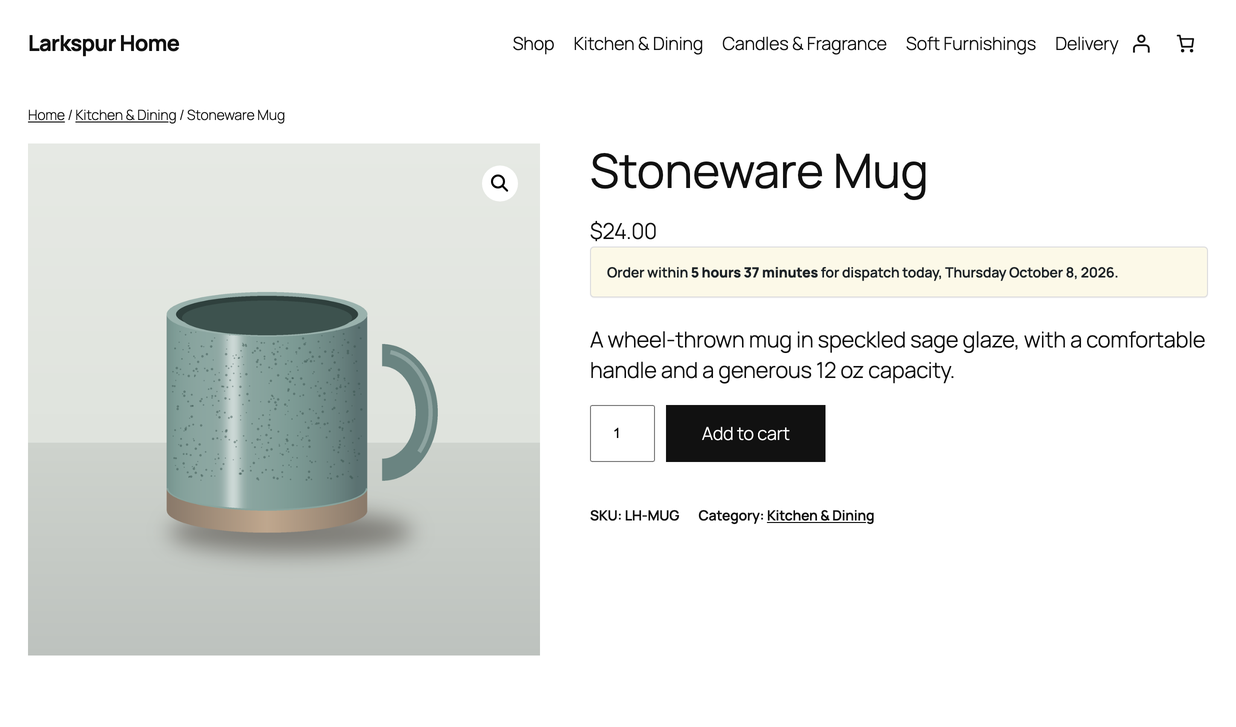
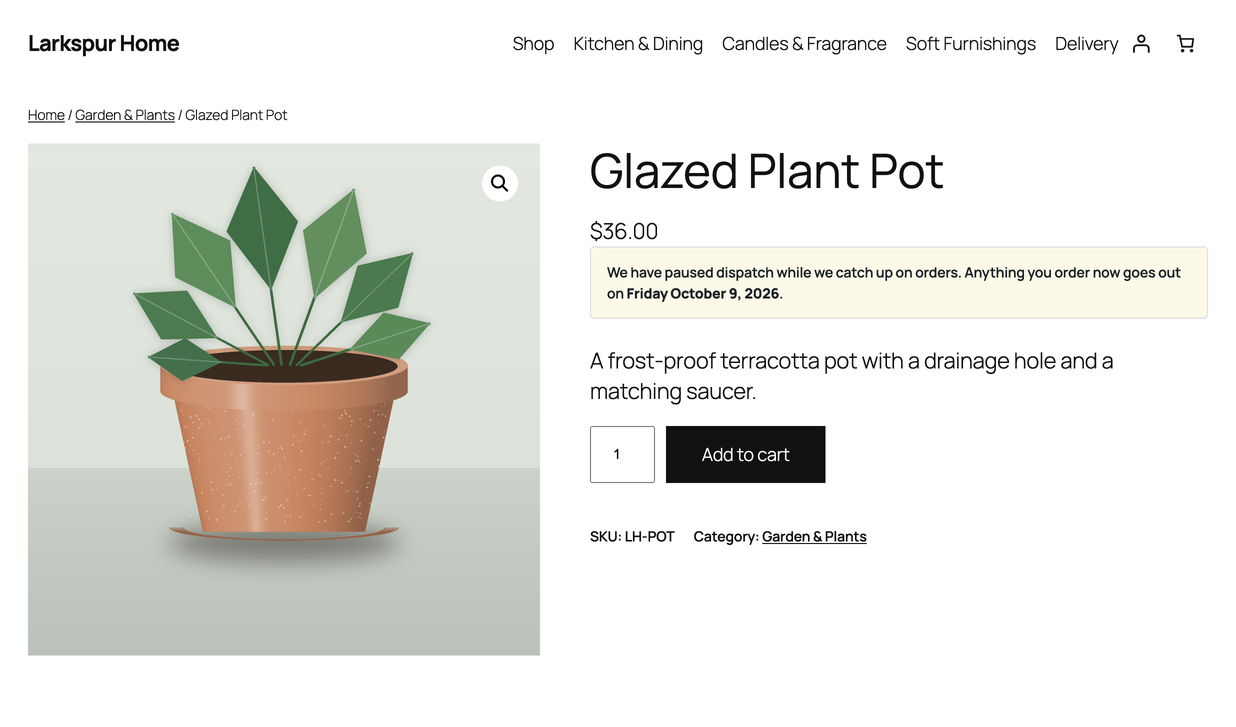
PluginCity Order Cutoff Time for WooCommerce shows customers a live countdown to your daily order cut-off, so they know how long they have left to order for same-day dispatch. Once the cut-off has passed, the message gives the next dispatch day instead, or says the shop is temporarily closed. It all follows your shop’s weekly schedule.
The plugin is informational. It does not stop customers checking out or interfere with payment buttons. Your shop keeps control of its orders while customers get the timing information they need.
The free version is permanent, needs no licence key, and never contacts PluginCity.
What you get
- A weekly cut-off schedule for each day of the week
- A store timezone for the schedule, which can differ from the site’s
- Always-open and closed overrides for temporary changes
- Messages with dispatch dates, days, cut-off times and time remaining
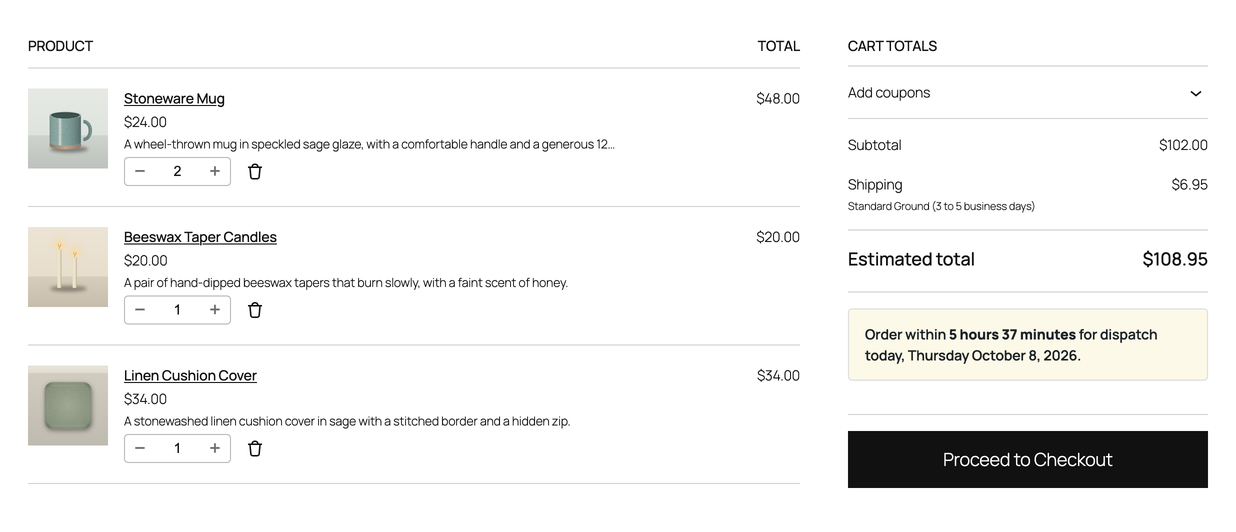
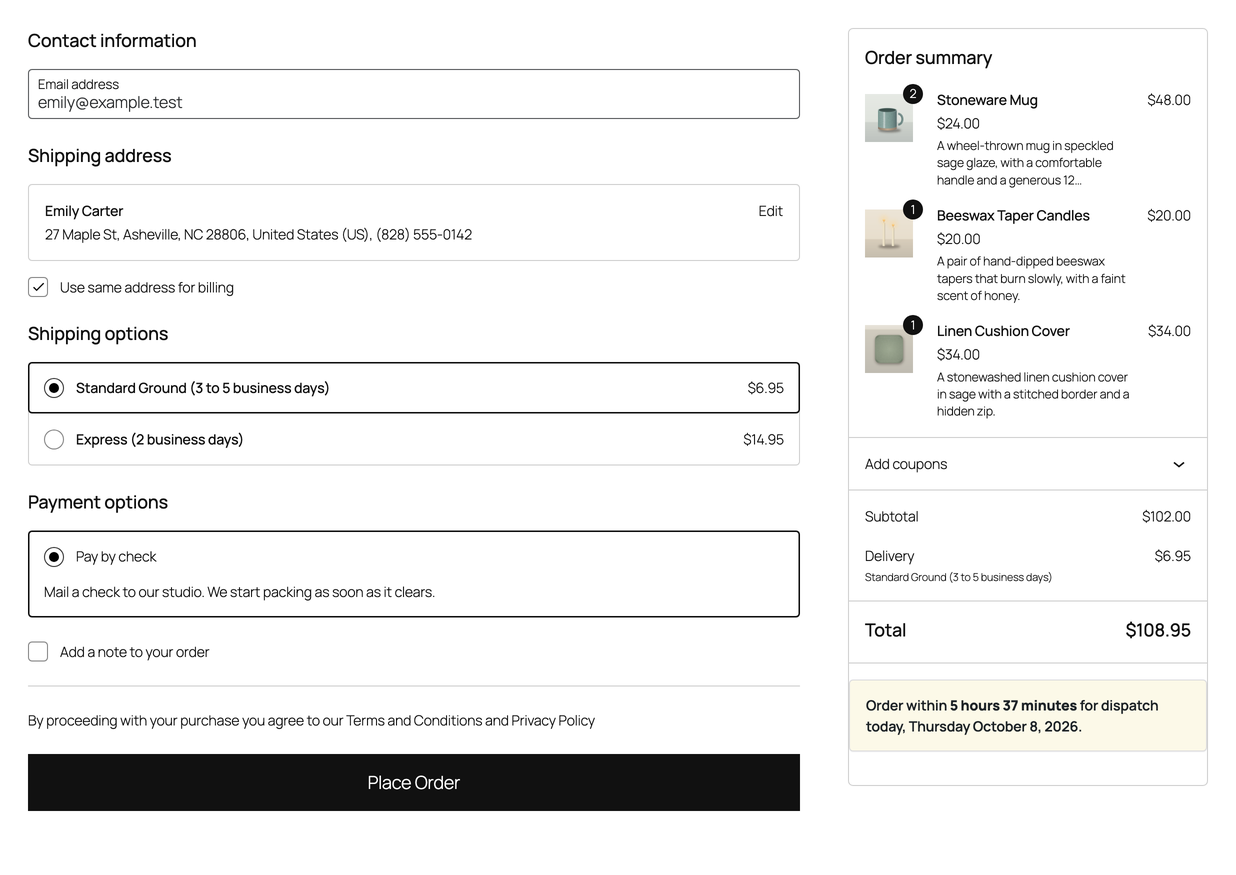
- Informational product, cart, checkout and mini-cart notices
- A live countdown to today’s cut-off
- Details in WooCommerce cart and checkout blocks
- A shortcode,
[plugincity_oct_message], for other pages - Settings import and export for backups or another shop
- High-Performance Order Storage compatibility
There is no account, licence key or trial clock in the free version.
Pro is a separate paid version, sold and distributed by PluginCity. It adds dispatch rules by shipping method, zone, class, product and customer role, holidays and one-off cut-offs, notice styling, an order simulator, CSV import and export, and PluginCity licensing, updates and direct support. It is not included in this plugin and is not downloaded or installed by it.
Learn about Pro at https://plugincity.net/plugins/order-cutoff-time-for-woocommerce/.
Configuration
- Set the dispatch days and cut-off times under Dispatch schedule, and choose the timezone they are worked out in.
- Use Store status to keep the weekly schedule, open the shop temporarily, or mark it closed.
- Write the messages for before the cut-off, after it, and while the shop is closed.
- Choose which storefront locations show the message and whether to show the countdown.
The available message tags are {time_remaining}, {cutoff_time}, {dispatch_day}, {dispatch_date}, {next_dispatch_day} and {next_dispatch_date}.
Screenshots

Installation
WooCommerce must be installed and active first.
- In WordPress, go to Plugins Add New.
- Search for PluginCity Order Cutoff Time for WooCommerce.
- Click Install Now, then Activate.
- Go to WooCommerce Order Cutoff Time, or click Settings on the Plugins screen.
Installing from a downloaded ZIP instead: go to Plugins Add New Upload Plugin, choose the ZIP file, and click Install Now. Leave the ZIP as it is; there is no need to unzip it.
FAQ
-
Does it work with the block cart and checkout?
-
Yes. The plugin supplies the order-cutoff details to WooCommerce’s blocks without adding cart errors or preventing checkout.
-
What does the schedule use as the current time?
-
The schedule uses your WordPress site timezone unless you choose another under Dispatch schedule. Any timezone PHP knows can be chosen, and clock changes are handled for you. Cut-off times are shown in the time format configured by WordPress.
-
Can I change the wording?
-
Yes. Write wording that suits your shop and use the available message tags. Safe formatting such as bold, italics and links is allowed; anything else is removed before it reaches the storefront.
-
Can I show the message somewhere else on my site?
-
Yes. Add
[plugincity_oct_message]to a page or widget. It follows the display setting and prints the current dispatch information. -
No. The notices explain the schedule but never block checkout, order creation or payment flows.
-
Can I temporarily close dispatch?
-
Yes. Choose Closed under Store status. The closed message tells customers the next scheduled dispatch.
-
Does it work with High-Performance Order Storage?
-
Yes. The plugin does not write cutoff data to orders, so HPOS shops are supported.
-
What happens if I deactivate WooCommerce?
-
The plugin steps aside and shows a notice. It does not fatally error, and your settings are waiting when WooCommerce comes back.
-
Do I need an account or a licence?
-
No. The free version works without an account or key and never contacts PluginCity.
Reviews
There are no reviews for this plugin.
Contributors & Developers
“PluginCity Order Cutoff Time for WooCommerce” is open source software. The following people have contributed to this plugin.
Contributors
Translate “PluginCity Order Cutoff Time for WooCommerce” into your language.
Interested in development?
Browse the code, check out the SVN repository, or subscribe to the development log by RSS.
Changelog
1.0.0
- First public release.
- Weekly cut-off schedule, store timezone, always-open and closed overrides, messages, informational notices, countdown, blocks details, shortcode and settings import and export.