
Description
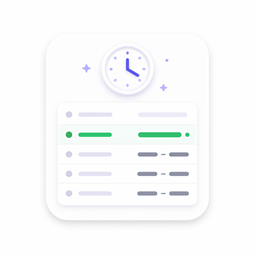
PlexBlocks Business Hours for Block Editor gives you a simple, elegant way to showcase weekly opening hours on your WordPress site. Whether you manage a restaurant, retail shop, medical clinic, agency, or local service business, this block makes your schedule clear and accessible to every visitor.
Built natively for the WordPress block editor (Gutenberg), the block offers real-time status indicators, flexible layout options, and deep design controls directly inside the inspector sidebar.
Key Features
- Flexible Weekly Schedule: Set distinct opening and closing times for each day of the week, or toggle specific days as closed.
- Live Status Badge: Displays a dynamic “Open Now” or “Closed” badge based on your chosen timezone and current site time.
- Current-Day Highlight: Automatically highlights today’s row so visitors immediately spot the relevant hours.
- Holiday Overrides: Manage special holiday hours and holiday announcements effortlessly.
- Design & Styling Controls: Full control over colors (background, text, border, status badges, active day highlight), border radius, inner padding, and box shadows.
- Anchor Link Support: Assign custom HTML anchors to link directly to your hours section from anywhere on your page.
- Lightweight & Native: Renders clean markup without extra bloat or external dependencies.
Developer Credits
This plugin was developed by ConicPlex, specializing in high-quality WordPress plugins and modern Web/Gutenberg development.
Blocks
This plugin provides 1 block.
- Business Hours Weekly opening hours with current status badge.
Installation
- Upload the plugin folder to your
/wp-content/plugins/directory, or install it via the WordPress Admin plugin uploader. - Activate PlexBlocks Business Hours for Block Editor through the Plugins menu in WordPress.
- Open any page or post in the block editor, click + Add Block, and search for PlexBlocks Business Hours (or find it under the PlexBlocks category).
- Configure your weekly hours and customize the block appearance using the sidebar settings.
FAQ
-
Can I mark specific days as closed?
-
Yes, absolutely. Each day from Monday through Sunday includes a dedicated toggle so you can mark individual days as closed with a single click.
-
How does the “Open Now” badge work?
-
The status badge calculates whether your business is currently open or closed by comparing the visitor’s current time (or your configured timezone) against your weekly schedule and holiday overrides.
-
Can I customize the badge text and colors?
-
Yes. You can customize the exact text label for both open and closed states, as well as their respective badge colors in the block settings.
-
Is the block responsive on mobile devices?
-
Yes. The layout adapts cleanly to screens of all sizes, ensuring your opening hours remain readable on phones, tablets, and desktops.
Reviews
There are no reviews for this plugin.
Contributors & Developers
“PlexBlocks – Business Hours for Block Editor” is open source software. The following people have contributed to this plugin.
Contributors


Translate “PlexBlocks – Business Hours for Block Editor” into your language.
Interested in development?
Browse the code, check out the SVN repository, or subscribe to the development log by RSS.
Changelog
1.0.0
- Initial release of PlexBlocks Business Hours for Block Editor.