
Description
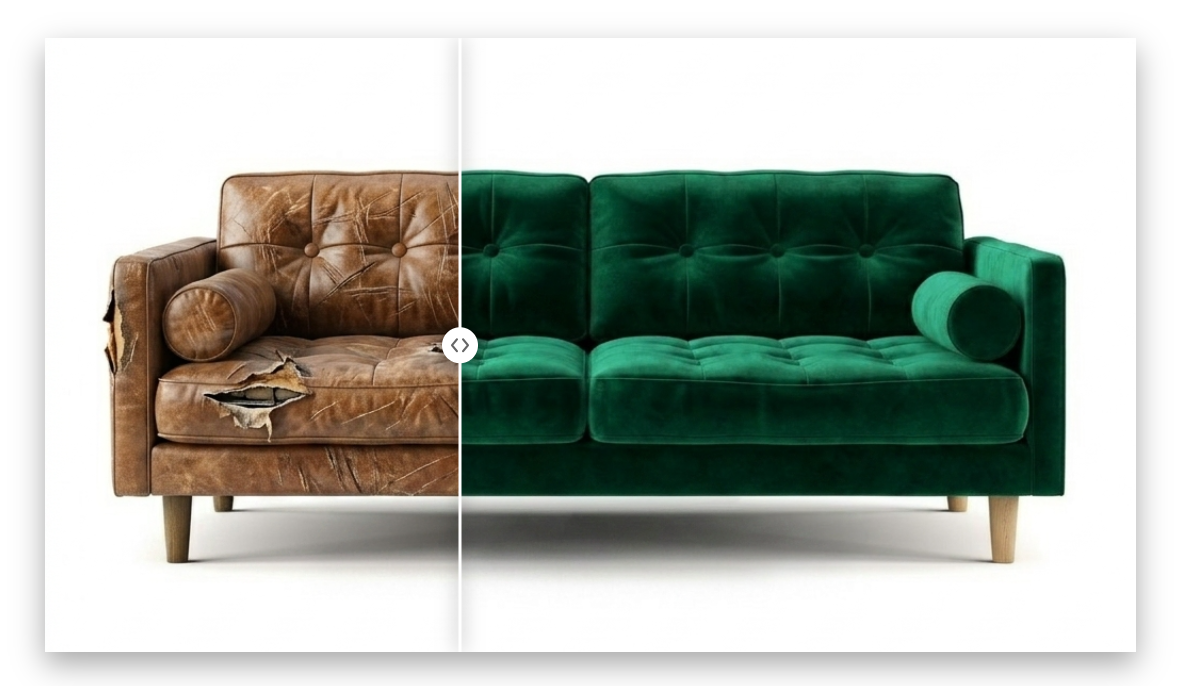
PixVisualize adds a professional Before/After image comparison slider to WordPress.
Use it with:
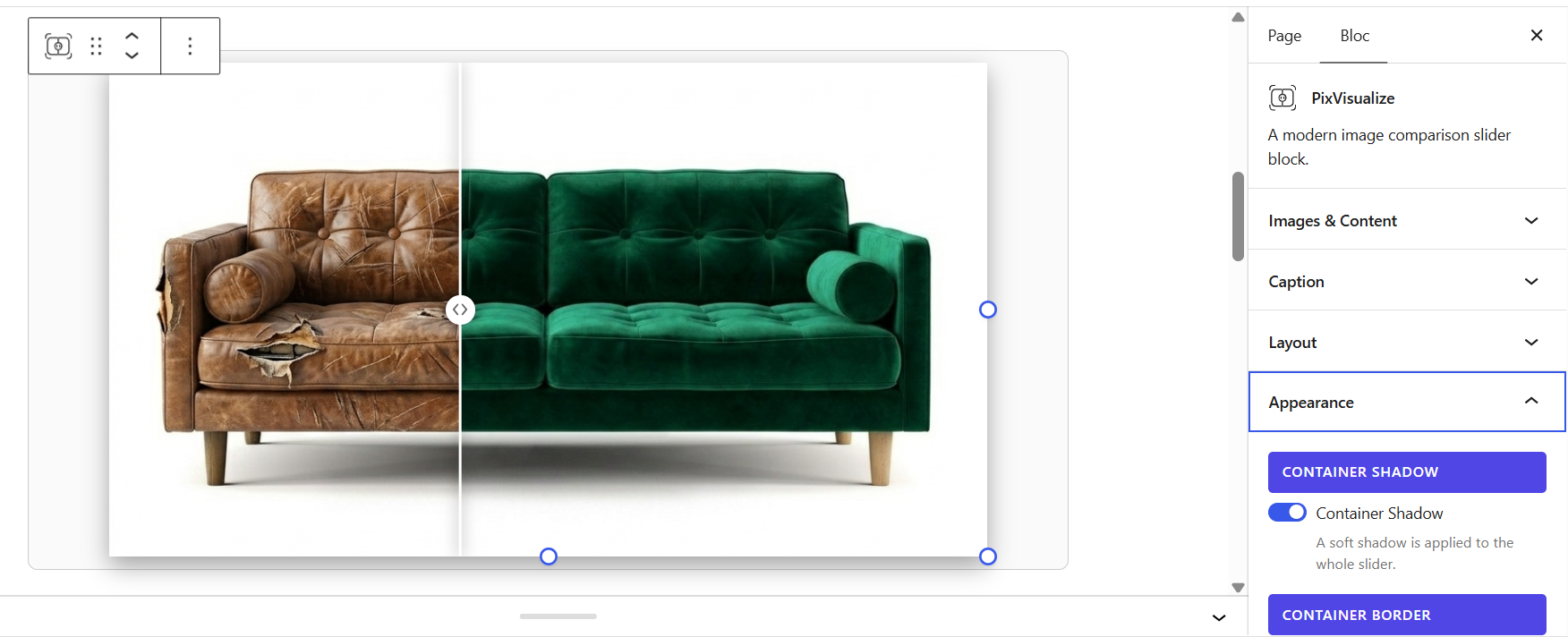
- Gutenberg – native block with live preview,
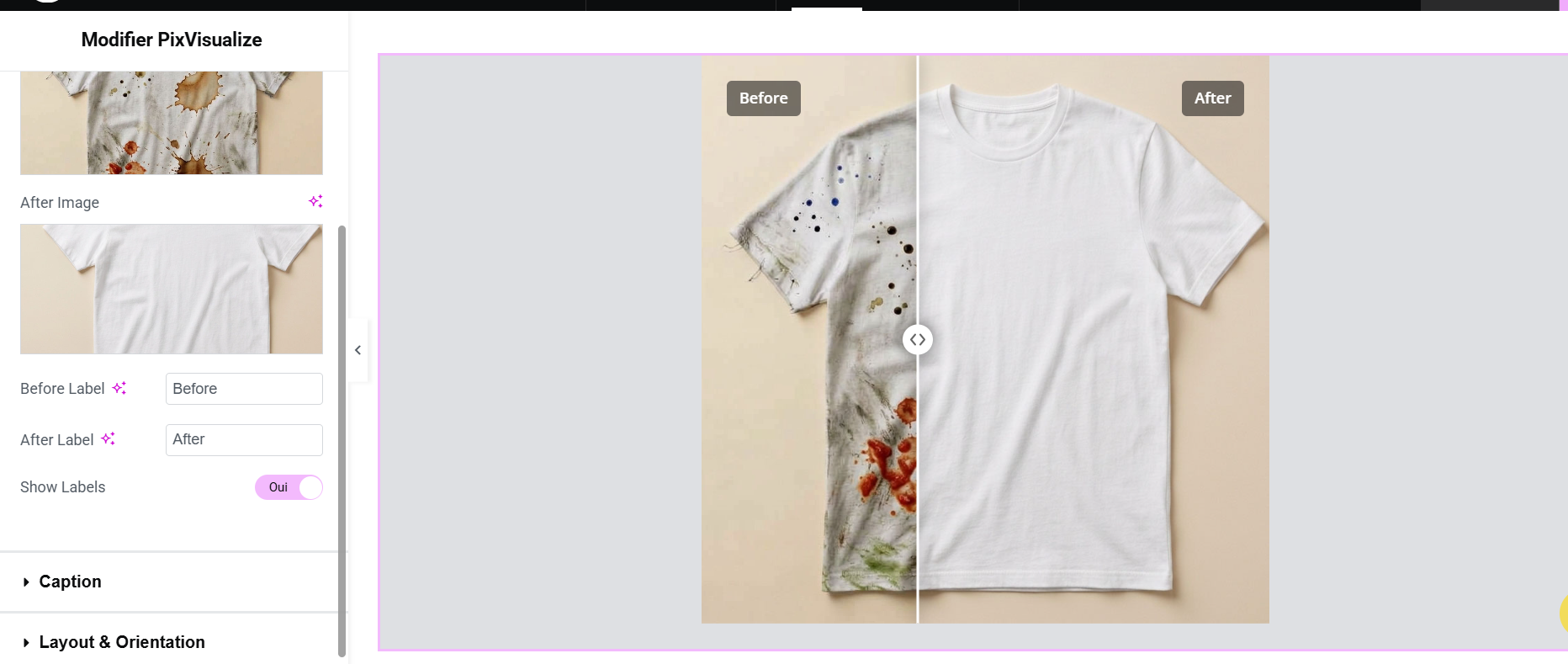
- Elementor – drag-and-drop widget with visual controls.
Built for agencies, photographers, renovation, beauty, automotive and e-commerce stores that need to prove the transformation.
Free version includes:
- Gutenberg block + Elementor base widget
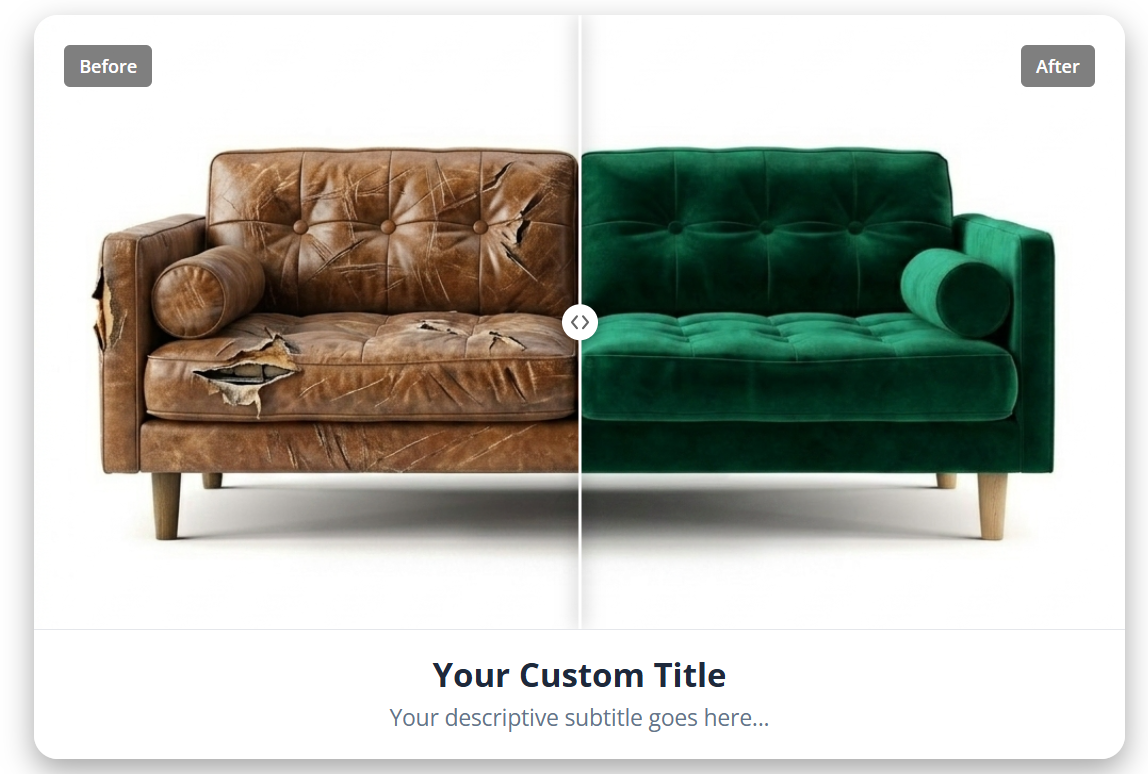
- Custom Before/After labels, horizontal slider, aspect ratio, height, position
- Full width, alignment, caption title + text
- Container shadow, border and rounded corners (one-click presets)
- Touch, swipe and keyboard support, fully responsive
Learn more: PixVisualize product page
Pricing: PixVisualize plans and pricing
Live demo: PixVisualize Pro demo
Development: GitHub repository
Contact: contact@i-naridigit.com
Upgrade to Pro
PixVisualize Pro is a separate premium product. A single codebase powers both versions: upgrading keeps all your existing blocks and settings — no migration, no rebuild.
Pro version unlocks:
- Vertical orientation, custom handle (circle, line, arrows, custom SVG)
- Advanced labels, separator styling with grouped drop shadow
- Container fine-tuning: shadow, border, per-corner radius
- Responsive per breakpoint (tablet + mobile position and ratio)
- Hover mode, Auto-Scan intro animation, Magnifier loupe
- Shortcode generator with saved list + visual re-edit
- WooCommerce placements + Product Data panel
- Priority updates and support
Pro usage:
- Shortcode: PixVisualize Shortcode Generator copy, e.g.
[pixvisualize before="URL-BEFORE" after="URL-AFTER" position="50" ratio="16/9"] - WooCommerce: edit a product PixVisualize tab images + placement Update.
See current plans on the PixVisualize pricing page and try the Pro slider on the live demo. Checkout, license and auto-updates are handled securely via Freemius.
Screenshots

Blocks
This plugin provides 1 block.
- PixVisualize A modern image comparison slider block.
Installation
- Install
pixvisualizefrom Plugins Add New or upload the ZIP via Plugins Add Upload. - Activate the plugin through the Plugins screen.
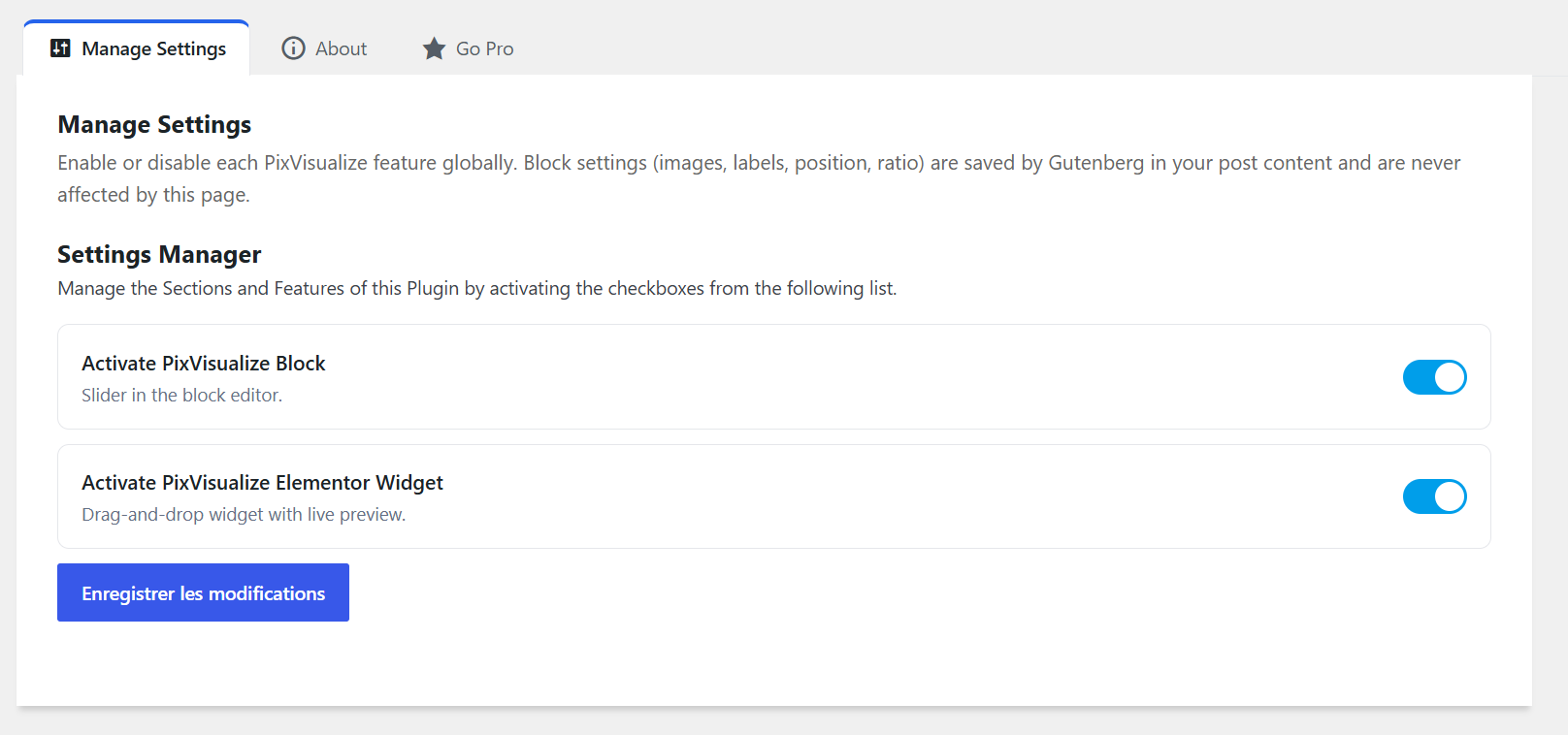
- Open PixVisualize in the admin menu: features are active by default.
- Add a comparison:
* Gutenberg: insert the PixVisualize block, pick Before/After images, publish. * Elementor: drag the PixVisualize widget, configure, publish.
FAQ
-
Does it work without Elementor or WooCommerce?
-
Yes. The Gutenberg block works independently of Elementor and WooCommerce. Elementor is only required to use the Elementor widget, and WooCommerce is only required for the product gallery in PixVisualize Pro.
-
Does the block work on mobile?
-
Yes. Touch swipe, responsive layout, keyboard navigation (arrows, Home, End). Vertical swipe scrolls the page, horizontal swipe moves the slider. Custom per-breakpoint position and ratio controls are available in Pro.
-
Will I lose content if I disable a feature or upgrade to Pro?
-
No. Block settings live in post content, product settings in post meta. Disabling a toggle hides the feature; re-enabling restores it. Free Pro upgrade keeps everything.
-
What happens with a Pro shortcode on the Free version?
-
The
[pixvisualize]shortcode is a Pro feature and is not rendered in the Free version (standard WordPress behavior: shortcode shown as text). Upgrade to Pro to render it. -
Where do I manage my Pro license?
-
PixVisualize Account. After checkout, activate your key, then install
pixvisualize-pro.zipwhen prompted. See plans on the pricing page. Support: i-naridigit.com/support or contact@i-naridigit.com. -
Where can I try the Pro features?
-
The live demo runs the Pro version. Current plans are listed on the pricing page.
-
What data does PixVisualize collect?
-
Nothing without your consent. On activation, an opt-in screen (skippable) offers to share admin name/email, site URL, WordPress version and diagnostic data with Freemius for licensing, updates and support. No tracking otherwise. Freemius Terms of Use and Privacy Policy.
Reviews
There are no reviews for this plugin.
Contributors & Developers
“PixVisualize” is open source software. The following people have contributed to this plugin.
Contributors
Translate “PixVisualize” into your language.
Interested in development?
Browse the code, check out the SVN repository, or subscribe to the development log by RSS.
Changelog
1.0.26
- Documentation: Free/Pro split clarified; all Pro features and Pro usage instructions now live under “Upgrade to Pro”.
- Readme: added pricing, live demo and contact links; clarified Elementor/WooCommerce requirements; refreshed screenshots (6).
- No code or slider behavior change.
1.0.25
- Security: bundled Freemius WordPress SDK updated from 2.13.4 to 2.13.5 (stored XSS fixes in admin notices, pricing page and installation metadata).
- No feature or slider behavior change.
1.0.24
- Plugins list: the Pro package (
pixvisualize-pro) is displayed as “PixVisualize Pro”; the Free package keeps “PixVisualize”. - No feature or slider behavior change.
1.0.23
- Settings:
register_setting()now always receives an explicitsanitize_callback, with a safe array fallback if a setting has no dedicated callback. The PixVisualize option keeps using its checkbox sanitizer. - Tested: plugin activation with
WP_DEBUGenabled, settings save, and Plugin Check on the Free payload.
1.0.22
- Free/Pro: the vertical orientation gate now uses the Freemius premium-code marker directly in the block and Elementor renderers, so the Free build falls back to horizontal without changing the slider runtime behavior.
- Auto-Scan: unchanged; the sequence remains 100% to 0 to the initial position.
- Tested: horizontal and vertical (Pro) orientation in Gutenberg and Elementor on the front end; Free builds render horizontal.
1.0.21
- Plugin Check: annotated the nonce-verified checkout notice reads to avoid false-positive
NonceVerification.Recommendedwarnings. - Elementor: the Free preview now uses Free-only constants and no longer reads or outputs Pro-only settings; Pro preview controls stay behind the Freemius premium-code marker.
- Headers: removed the unused
Domain Pathheader because translations are served by WordPress.org language packs and nolanguages/folder is shipped.
1.0.20
- Free build: separate
build-free/JS bundle with a Free-only preview component, front-end view and Elementor preview; Pro engine code is not shipped in the Free package. - Free package:
build/and the Pro Elementor preview script are marked premium-only and excluded from the Free Freemius build; the plugin loadsbuild-free/when premium code is absent. - Readme: mobile FAQ no longer claims per-breakpoint controls in Free; Development link moved out of the blockquote.
1.0.19
- Free build: removed the Pro shortcode generator UI and its admin JS from the WordPress.org distribution.
- Documentation: added Freemius Terms of Use and Privacy Policy links.
1.0.18
- Plugin Check compliance: explicit version for the welcome notice inline script.
- Elementor disabled Height control styles moved from a JS-injected style element to the enqueued editor stylesheet.
- Short description now labels Pro shortcodes and WooCommerce.
1.0.17
- WordPress.org review compliance: Pro shortcode and WooCommerce files are excluded from the Free build via
@fs_premium_only; the license gate is now strippable by the Freemius preprocessor. - Inline CSS/JS replaced with enqueued assets (Elementor preview styles, welcome notice script, WooCommerce product panel styles).
- Input sanitization for the WooCommerce nonce and custom SVG;
register_setting()now uses an array with asanitize_callback. - Removed
load_plugin_textdomain()and deferred service boot toinitpriority 5 to avoid the early textdomain notice. - Translation files are excluded from the WordPress.org package and handled by translate.wordpress.org.
1.0.16
- Short descriptions (header + readme) now carry the full “Before/After Image Comparison Slider” phrase for directory search. No functional change.
1.0.15
- Short display name (PixVisualize) so the wordpress.org slug is pixvisualize; readme title kept identical to the header. No functional change.
1.0.14
- Maintenance release (docs only, no functional change): author credits unified under the i-NariDigit brand (package/composer metadata).
1.0.13
- Maintenance release (docs only, no functional change): Tags fixed for WordPress.org guideline #12 (image-comparison with hyphen instead of space).
1.0.12
- Maintenance release (docs only, no functional change): Development link points to the public Free mirror (https://github.com/narisoa/pixvisualize-free) for WordPress.org guideline #4.
1.0.11
- Maintenance release (docs only, no functional change): public readme no longer references any internal dev file.
1.0.10
- WooCommerce image picker: the Remove button is now an icon-only trash button (dashicons-trash with title + aria-label), compact 30px so “Select Image” never overflows the 180px picker column. JS hook (
.pixvisualize-woo-remove+data-remove) unchanged.
1.0.9
- Shortcode generator: preset swatches apply to the live preview instantly (was one pick behind).
- Gutenberg: container Border Color now supports transparency like everywhere else.
- WooCommerce product panel: collapsed sections use a single clean border (accent kept on the open section only).
1.0.8
- Removed the redundant License submenu (native Freemius Account already covers it); checkout notices now point to Account/Extensions.
- Gutenberg editor fidelity: block preview contained in narrow columns (same contain layout as the front), alignment preview (left/center/right) now works in the editor, container shadow no longer clipped in the editor.
- Upsell CTAs (Gutenberg panel, Elementor card): full-width stacked buttons, identical size whatever the label length.
1.0.7
- Secondary “View Pro demo” button next to every Go Pro CTA (admin banner, Go Pro tab, Gutenberg panel, Elementor card). Demo URL centralized in
PIXVISUALIZE_DEMO_URL+pixvisualize_get_demo_url()filter (pixvisualize_demo_url).
1.0.6
- PHPCS annotation on render.php hardened (disable/enable block: the Freemius formatter detaches trailing ignores).
1.0.5
- WordPress.org Plugin Check compliance: escaped outputs (wp_kses/esc_url/esc_attr), ABSPATH guards on templates, translators comments, Tested up to 7.1, lean SVN payload (dev files pruned before deploy) and marker gate fixed.
1.0.4
- Translations completed (465 msgids, 7 locales): new fr_CA locale, automatic locale-variant fallback (fr_BE to fr_FR, etc.), missing UI strings wrapped (Gutenberg ratio option, editor placeholder, slider aria-label, image alt), front script translations loaded.
- Shortcode Generator: live preview no longer jumps on every keystroke (debounced preview while typing, guarded DOM writes).
1.0.3
- Commercial positioning: sales-oriented headers, comments and docs (no tutorial tone), live pricing via Freemius/product page only, leaner public README, internal dev notes separated from shipped files, WooCommerce placement hardening.
1.0.2
- Fix fatal “Cannot redeclare pixvisualize_activate()” when activating Pro while Free is active (official Freemius coexistence pattern).
1.0.1
- Pro features gated on premium code + active license. Persistent install-Pro notice until pixvisualize-pro.zip is installed.
1.0.0
- Initial release: Gutenberg block, Elementor widget, shortcode + generator, WooCommerce gallery, 4 global toggles, container shadow/border/radius.