
Description
Set your margin once. Import your supplier’s price list. Get finished, well-rounded prices.
Cost & Margin Pricing calculates sale prices from your purchase prices — with support for purchase prices in foreign currencies, daily exchange rates, margin or markup rules, psychological price rounding and a recurring supplier price list import with a full change preview.
Built on WooCommerce core fields: the selected purchase cost is always written back to WooCommerce’s own Cost of Goods Sold (COGS) field, so Woo’s reports, exports and every third-party COGS integration keep working. No parallel cost fields, ever.
Safe by design
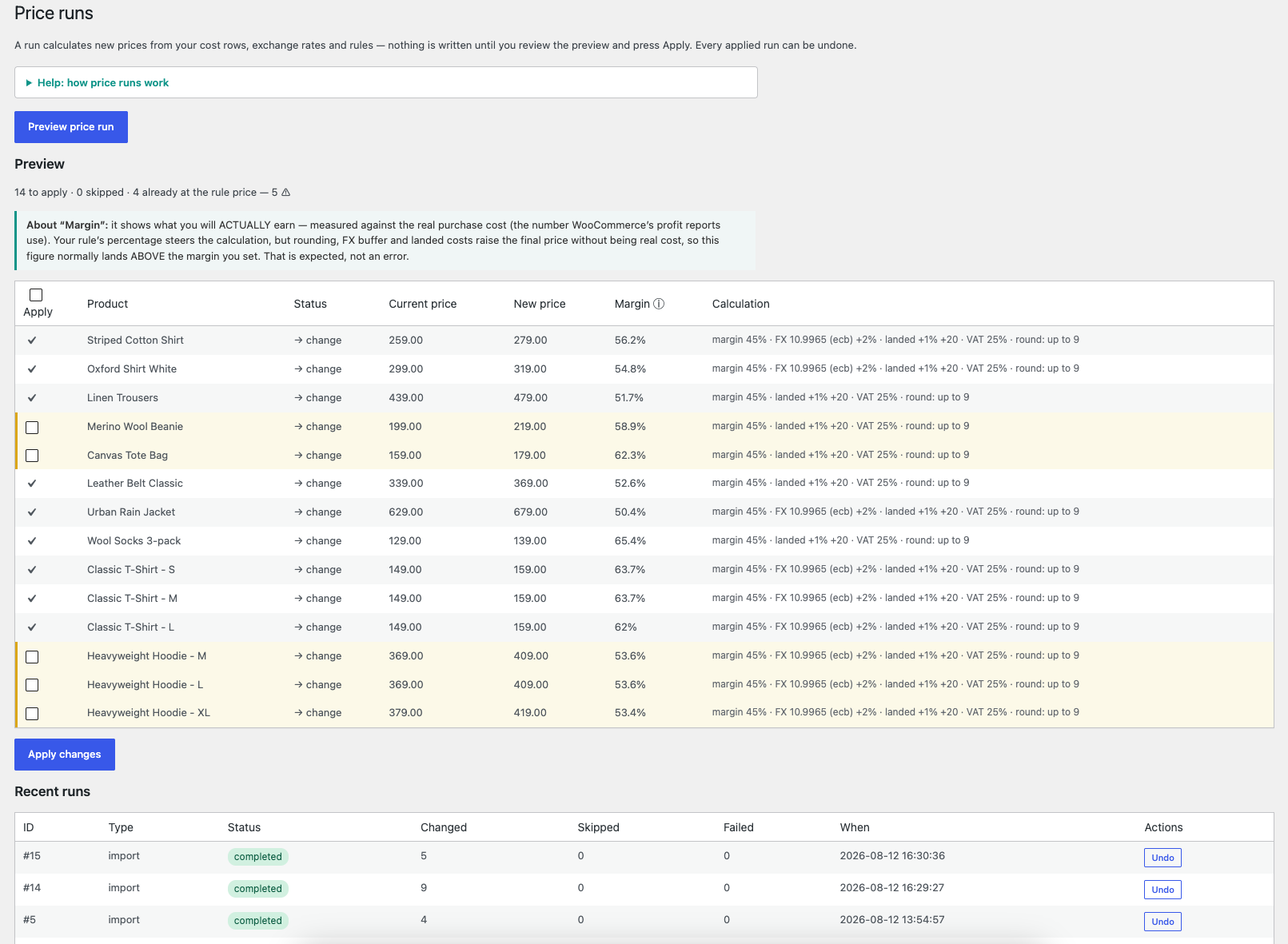
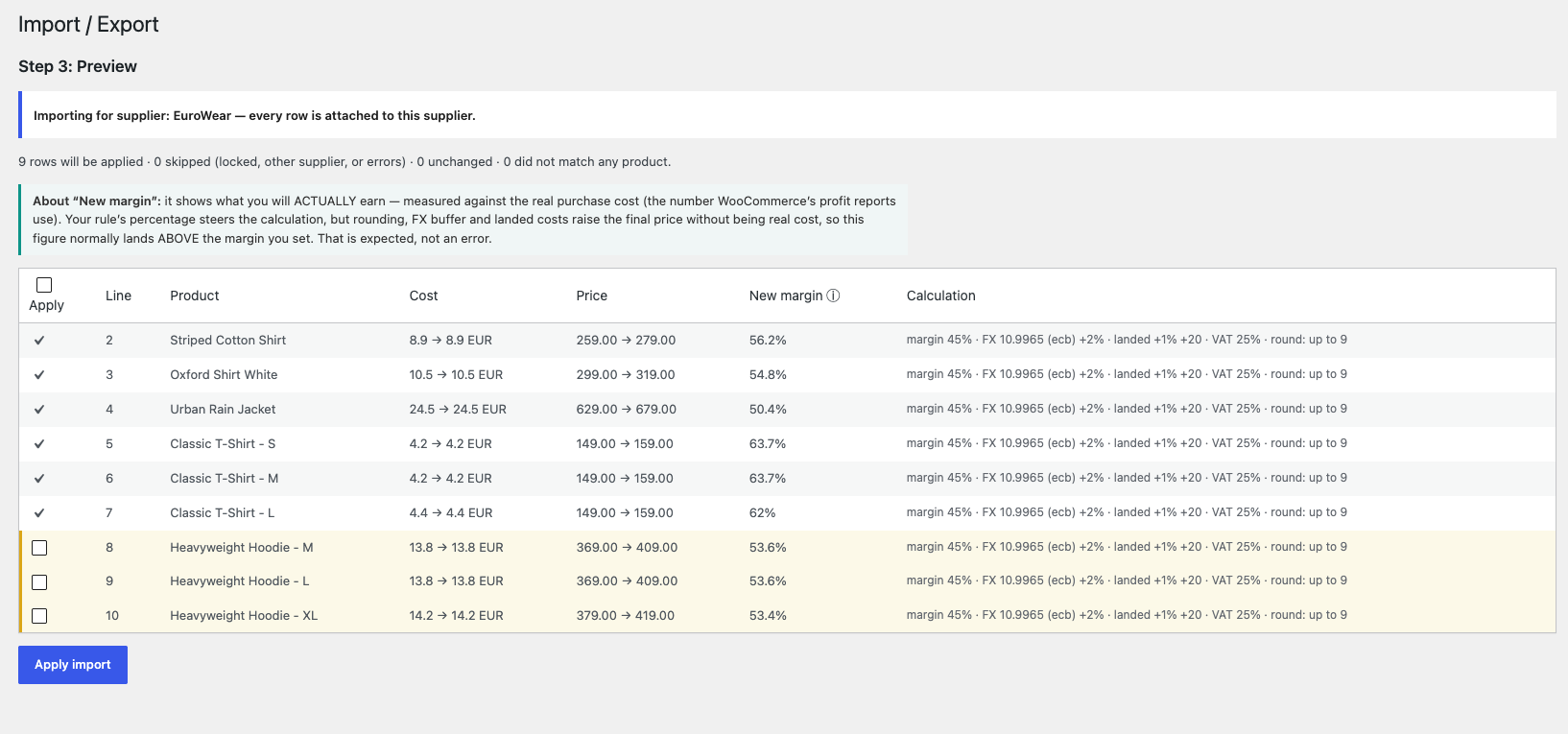
- Nothing is ever applied without a preview — you always see the change diff first
- Every run is journaled and can be undone with one click
- Manually adjusted prices are detected and never silently overwritten
- Locked products are always skipped
EU Omnibus ready
Marketing a price cut in the EU requires showing the product’s lowest price of the last 30 days — data WooCommerce does not keep. This plugin does: every price change is logged (including ones made outside the plugin), and each product’s 30-day lowest price is computed for you. Show it to customers with the [pihlcmp_lowest_price] shortcode — a discreet, theme-friendly line like “Lowest price last 30 days: 199 kr” with CSS classes for styling, and a label attribute to change or remove the text. Nothing is ever added to your storefront unless you place it yourself.
Free version
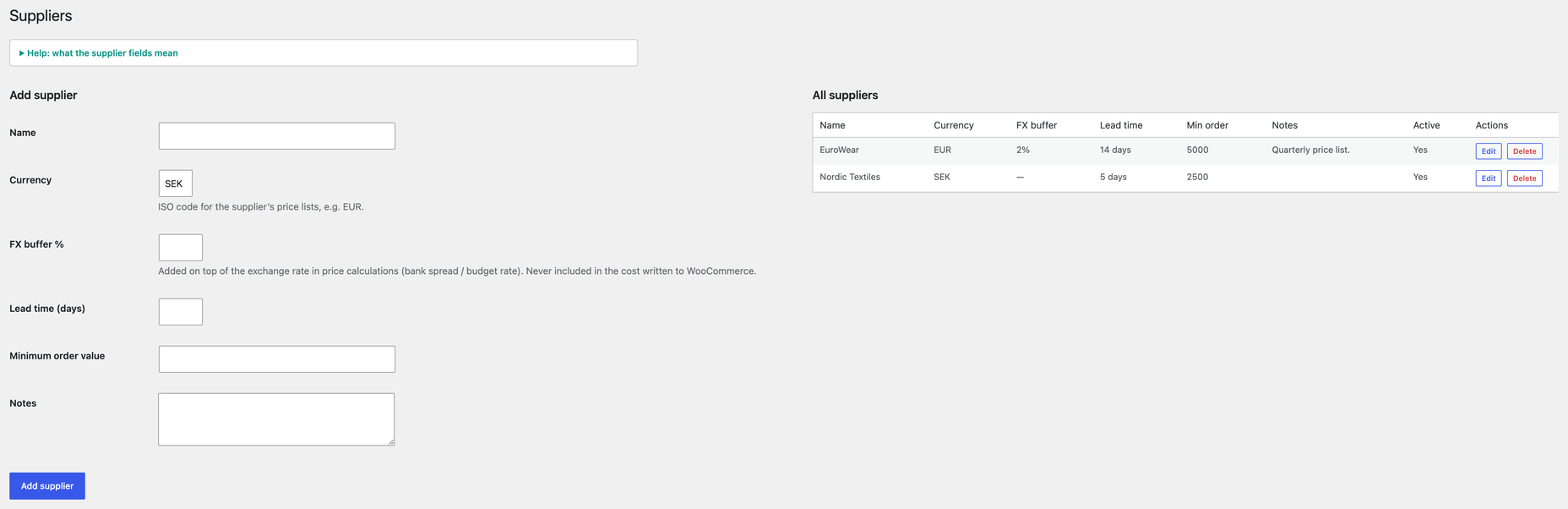
- One supplier per product with purchase price in any major currency
- Supplier column (toggle via Screen Options) and supplier filter in the products list
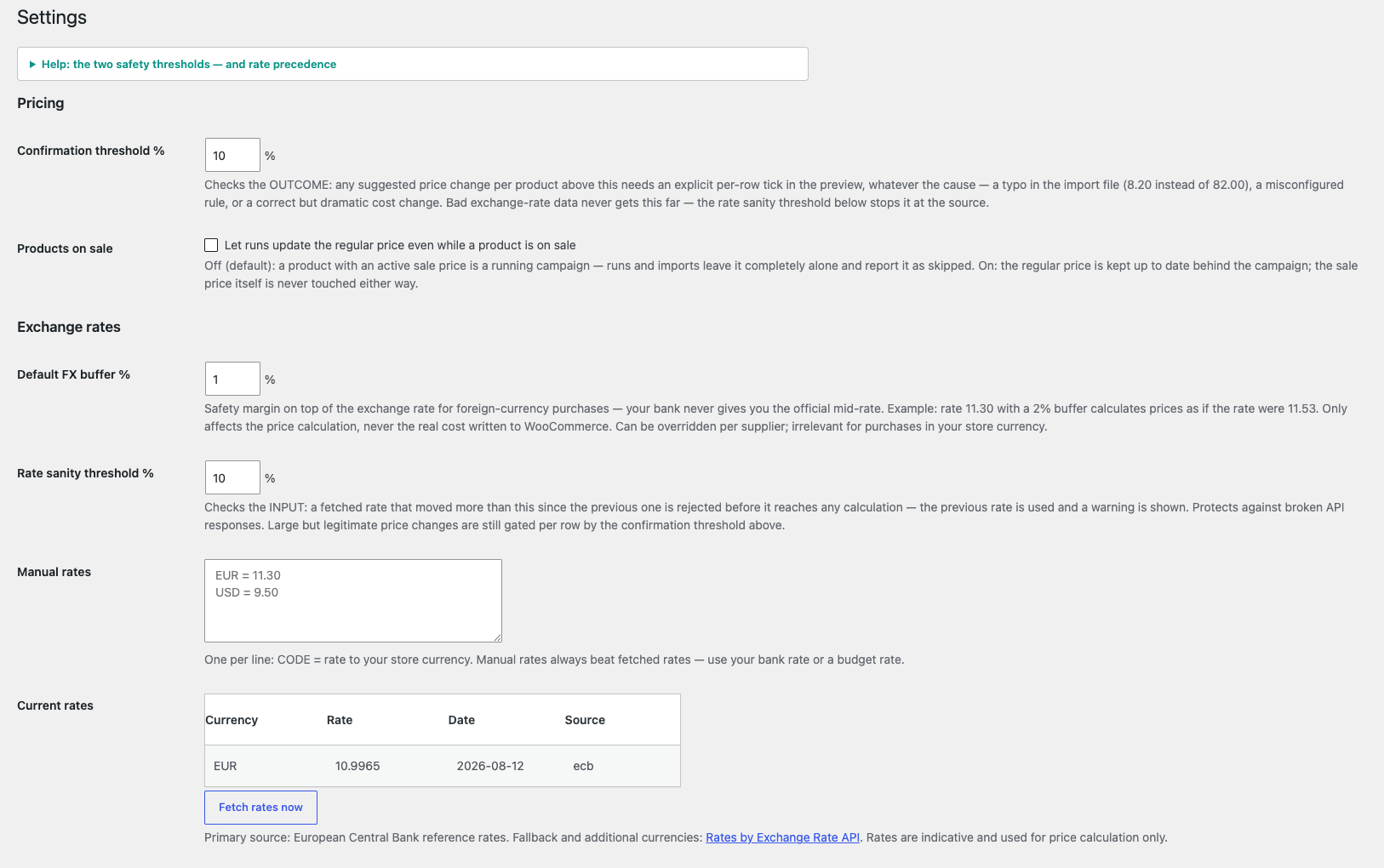
- Daily exchange rates (ECB reference rates, with automatic fallback)
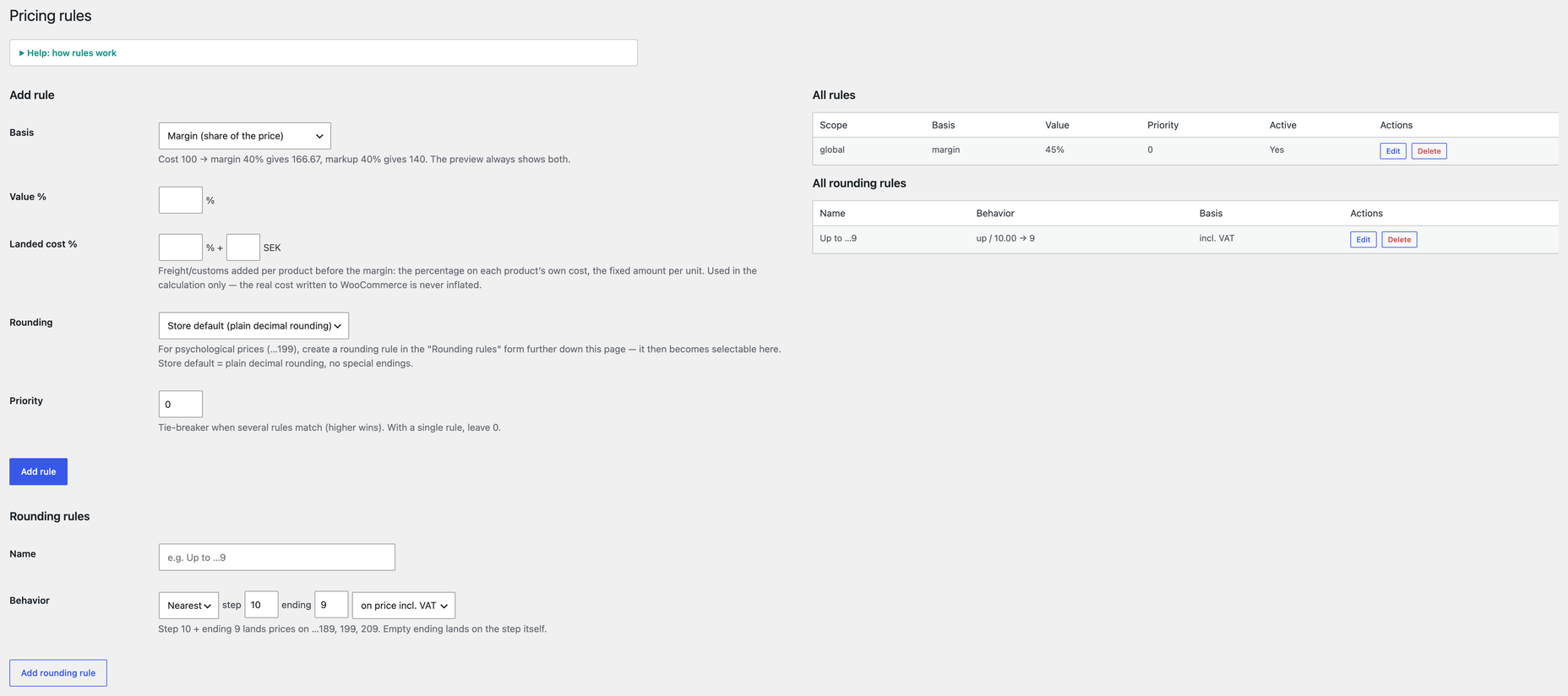
- One global margin/markup rule with price rounding
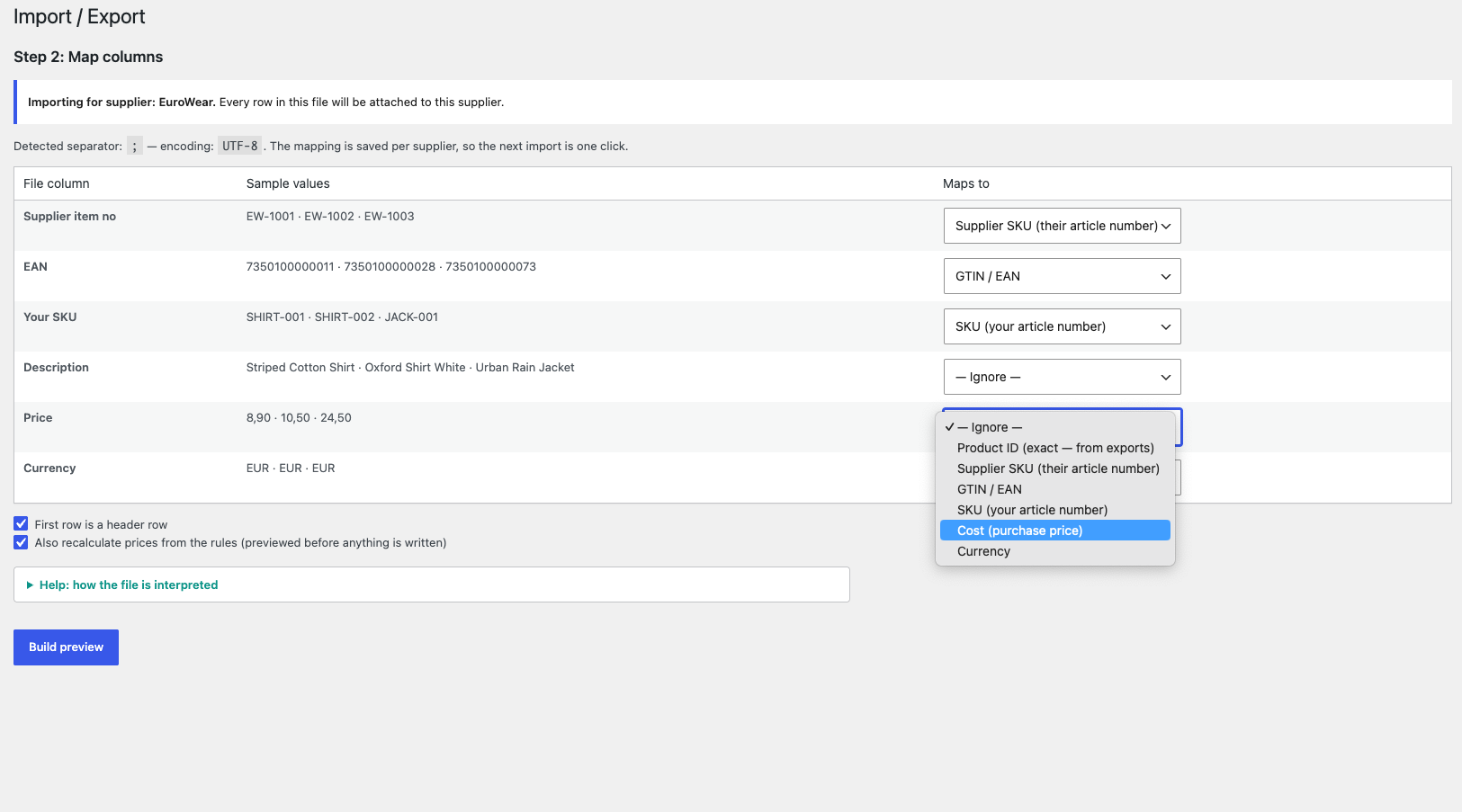
- CSV price list import/export with change preview
- Write-back to WooCommerce core COGS
- Change journal with one-click undo
- Price change log — also records price/cost edits made outside the plugin (who, when, what)
- Margin health warnings: products selling below real cost and sales priced below cost
- Lowest price last 30 days per product — the EU Omnibus reference for sale marketing
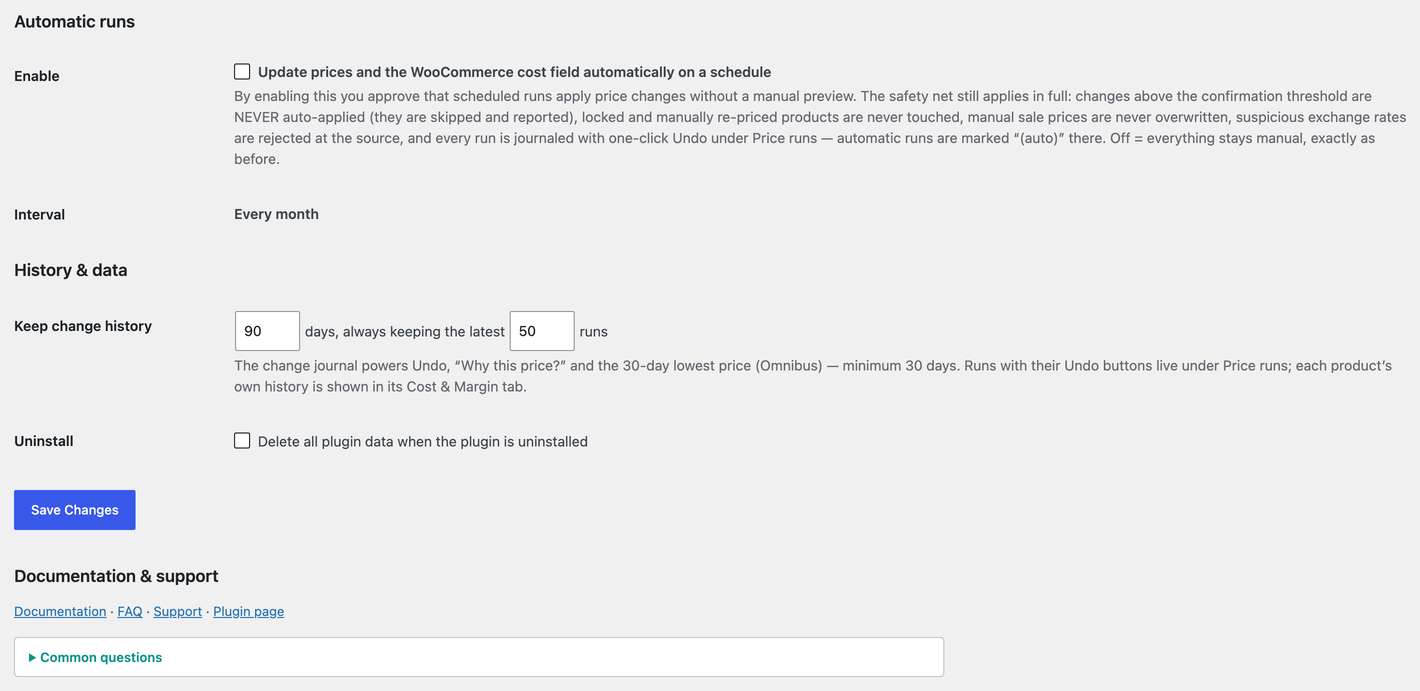
- Optional scheduled runs (monthly) — explicit opt-in, fully journaled and undoable
Everything above is included and fully functional — nothing here is locked, limited or time-restricted.
A separate commercial plugin, Pihlfelt Cost & Margin Pricing Pro, is available from pihlfelt.se for stores that need more: several suppliers per product with a cost strategy, master-list and Excel import, rules per category/supplier/product, margin-based sale prices, a margin floor, extra scheduling intervals with email reports, and margin/supplier reports. It is a different plugin with its own code — it is not unlocked from within this one.
External Services
This plugin fetches currency exchange rates from two services: on a daily schedule, when a new currency first needs a rate (e.g. during an import preview), and when you click “Fetch rates now” — and only when you use purchase prices in a currency other than your store currency.
European Central Bank (ECB) reference rates — the primary source. The plugin requests the public daily reference rate file. No personal data and no data about your store is sent; it is a plain file download. Terms: https://www.ecb.europa.eu/services/disclaimer/html/index.en.html
ExchangeRate-API open endpoint (open.er-api.com) — used as fallback when the ECB feed is unavailable, and for currencies the ECB does not publish. The request URL contains only your store’s base currency code; no personal data and no other data about your store is sent. Terms: https://www.exchangerate-api.com/terms — attribution is shown on the plugin’s settings page as required.
Rates are indicative reference rates intended for price calculation suggestions, not for payment processing.
Screenshots
FAQ
Does this replace WooCommerce’s Cost of Goods field?
No — it builds on it. The plugin stores supplier, currency and exchange rate details, and always writes the resulting cost to WooCommerce core’s COGS field. Woo’s own reports and exports keep working.
Can prices be changed without my approval?
Only if you explicitly enable scheduled automatic runs in Settings — and even then, changes above your confirmation threshold are never auto-applied, locked and manually re-priced products are never touched, and every run is journaled and undoable. With the feature off (the default), every rule run and import produces a preview diff that you apply explicitly. Products you have adjusted manually are detected and skipped until you actively release them.
How do sale prices work?
A product’s sale price can come from two places, and you always win:
You: type a price in WooCommerce’s normal sale price field (e.g. a weekend campaign at a fixed price). The plugin recognizes that this sale is yours and leaves the whole product alone until you remove it.
This plugin does not generate sale prices — it calculates and maintains your ordinary prices. Any sale price on a product is yours, and the plugin leaves that product alone until you remove it.
Margin-based sale prices, on-sale flags and scheduled campaigns are part of the separate Pro plugin (see the link below).
What do blank cells in the import file mean?
Blank always means “leave unchanged” — a file can never accidentally clear something by omitting it. on_sale yes with no dates = on sale until you turn it off (a leftover, already-ended schedule from an old campaign is cleared automatically so “yes” means visibly on sale). To explicitly remove a schedule date, put a dash (-) in the date cell. The only required columns are a cost column and one identifier column.
Does the plugin track price history?
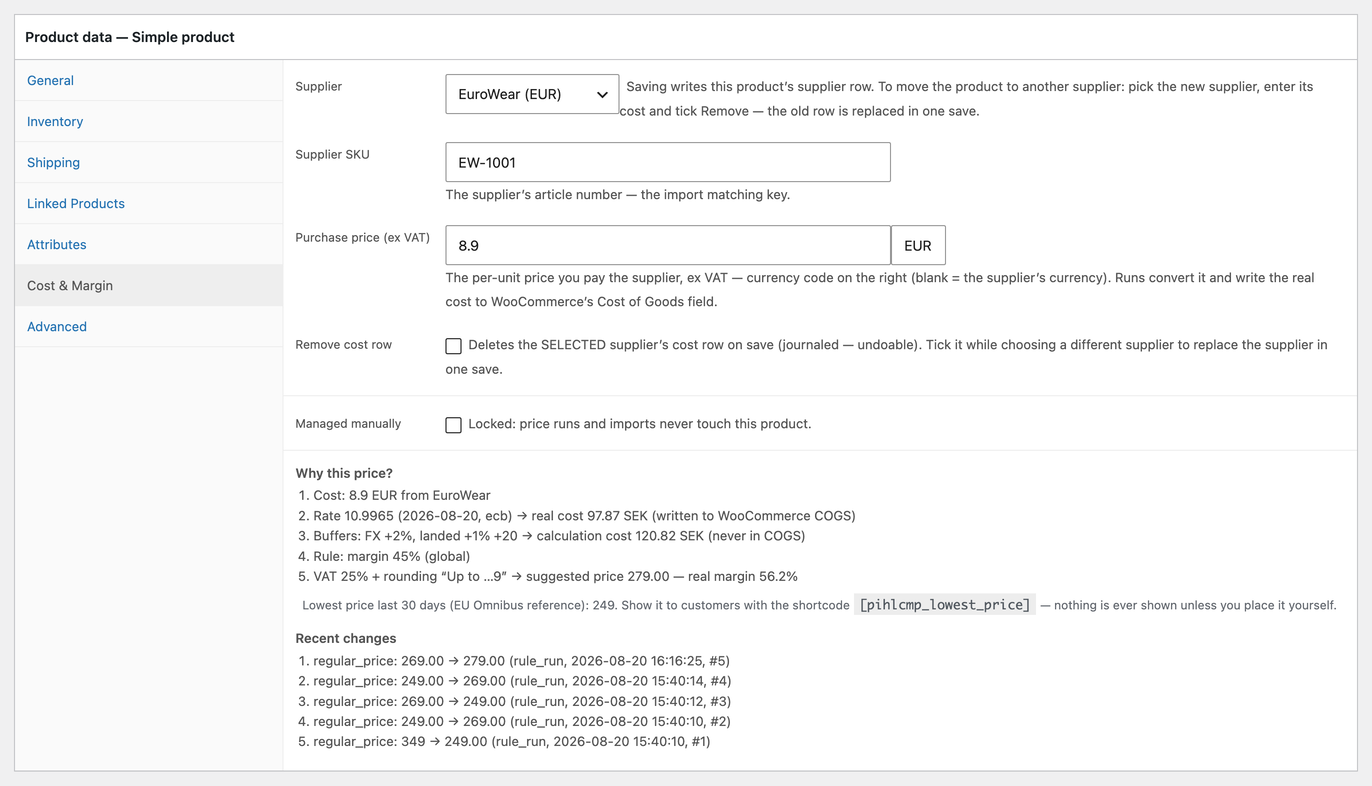
Yes. Every change the plugin makes is journaled, and price/cost edits made anywhere else (the product editor, other plugins, the REST API, scheduled sales) are logged too — visible under “Recent changes” on the product’s Cost & Margin tab. This also gives you the lowest price of the last 30 days per product, the reference value the EU Omnibus rules require when marketing a price cut. The log starts at plugin activation; earlier history cannot be known.
How do I show the 30-day lowest price to customers?
Place the
[pihlcmp_lowest_price]shortcode where you want it — in the product description, a block, or your theme’s product template (echo do_shortcode( '[pihlcmp_lowest_price]' );). It renders a discreet line: “Lowest price last 30 days: 199 kr”. Uselabel="Your text:"to change the text,label=""for the bare price, andid="123"outside a product context. The output carries the CSS classespihlcmp-lowest-price,pihlcmp-lowest-price-labelandpihlcmp-lowest-price-valueso you can style every part; no styling is imposed. The plugin never adds anything to your storefront on its own.How many suppliers can I have?
As many as you like. Each product is priced from one supplier’s cost: pick the supplier on the product’s Cost & Margin tab (or in each variation’s box), enter the cost and save. To move a product to a different supplier, select the new supplier, enter its cost and tick “Remove cost row” — the old row is replaced in one save. Imports run one supplier’s price list at a time, and the products list has a supplier column and filter so you can always see who supplies what.
Which currencies are supported?
All major currencies via the ECB daily reference rates (about 30), and roughly 130 more via the automatic fallback source. You can also enter exchange rates manually — manual rates always win.
Reviews
There are no reviews for this plugin.
Contributors & Developers
“Pihlfelt Cost & Margin Pricing for WooCommerce” is open source software. The following people have contributed to this plugin.
Contributors
Translate “Pihlfelt Cost & Margin Pricing for WooCommerce” into your language.
Interested in development?
Browse the code, check out the SVN repository, or subscribe to the development log by RSS.
Changelog
1.0.0
- Initial release.