

Description
Phylax AI Crawler Inspector is a read-only diagnostic plugin for WordPress administrators who need clear evidence of how their site is presented to AI-related crawlers, search bots, training bots and user-triggered fetchers.
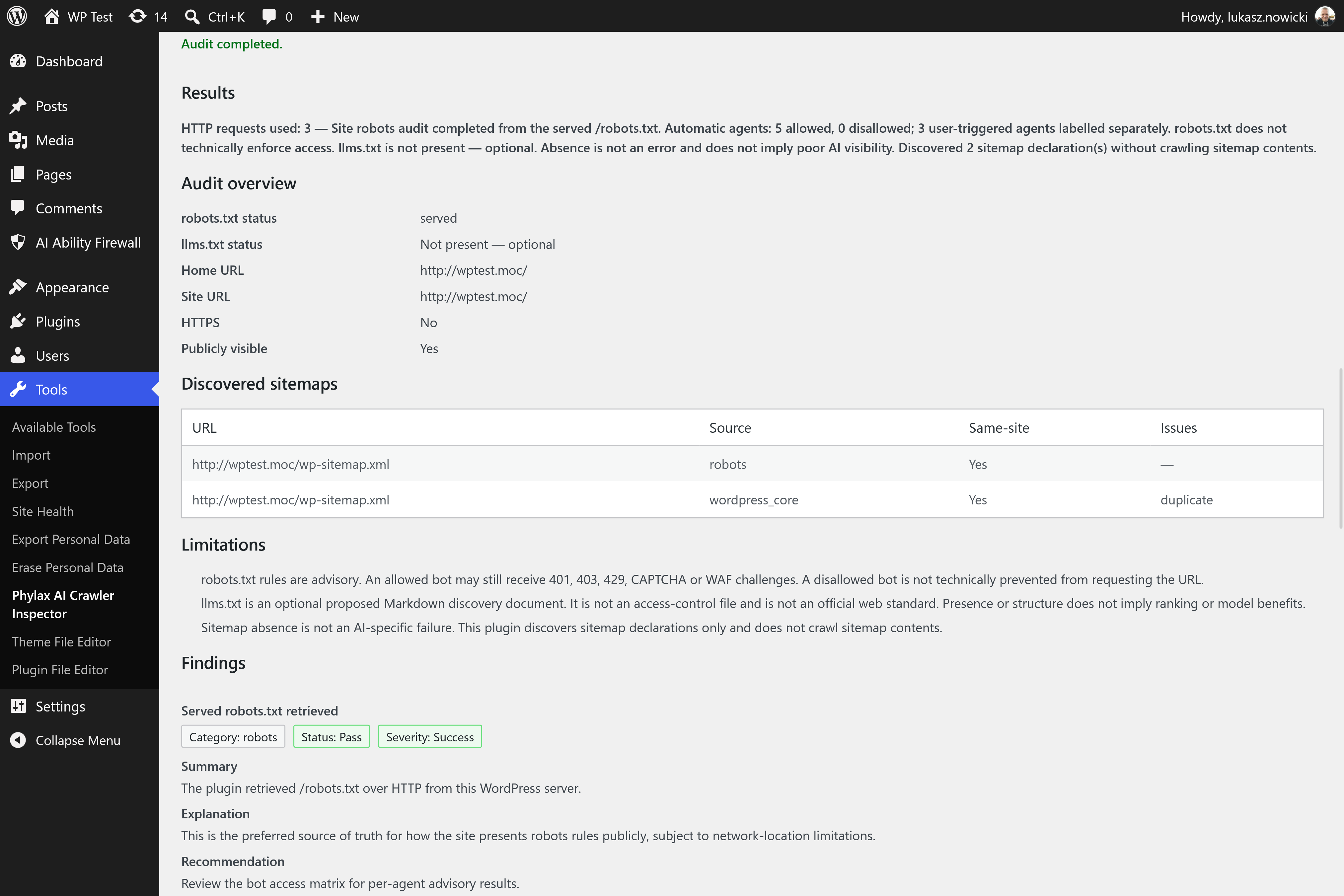
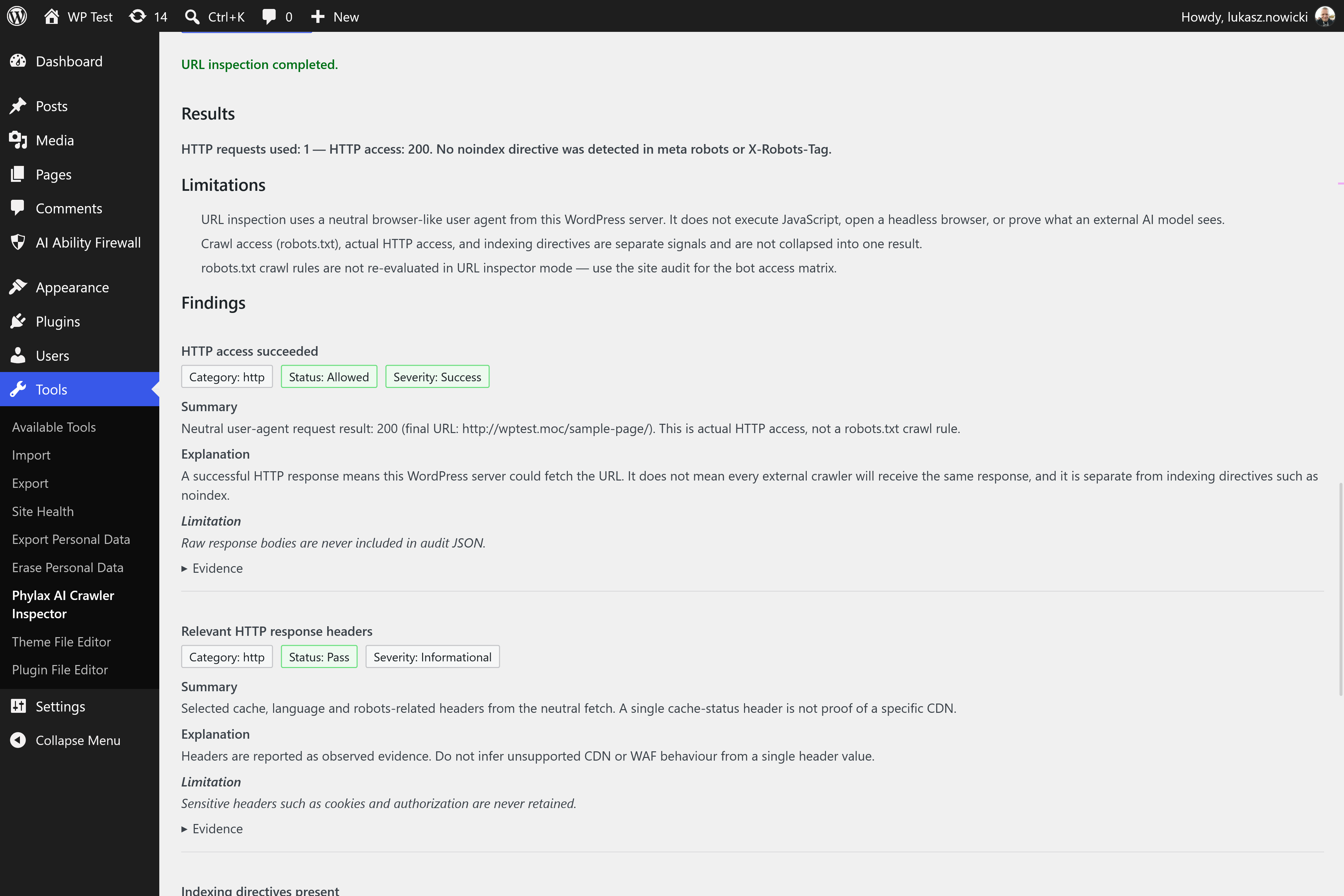
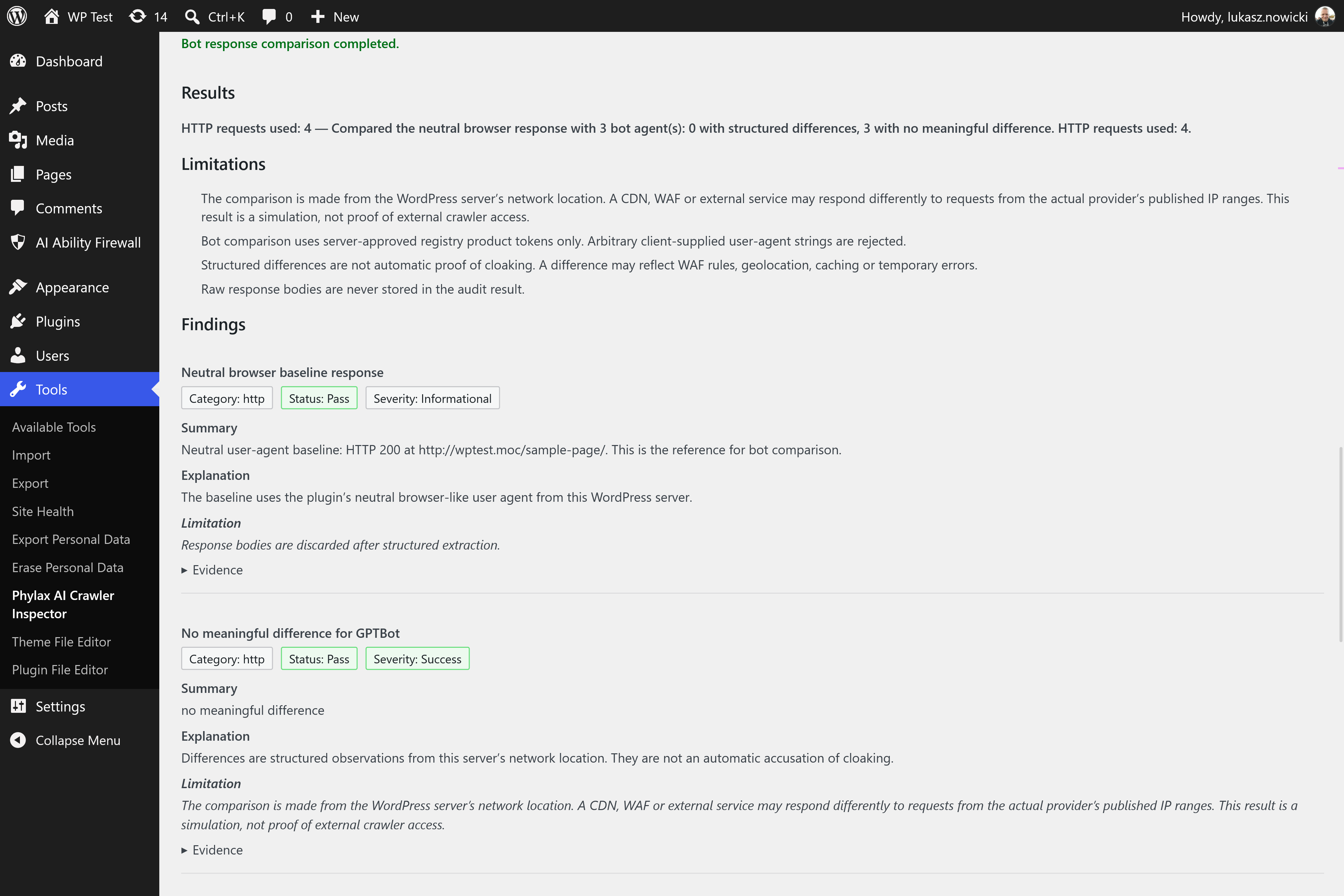
It inspects the served robots.txt, evaluates known AI-related user agents, checks the optional /llms.txt file, follows same-site redirect chains, reviews HTTP headers and HTML signals (canonical, meta robots, X-Robots-Tag), and can compare a neutral request with selected bot user agents.
Findings keep crawl access, HTTP access and indexing directives separate. The plugin explains evidence and limitations; it does not claim that any AI product has indexed, trained on, cited or ranked your site.
Product principle: inspect, explain and export. Do not modify, block, optimise or track. This is not an llms.txt generator.
Features
- Site overview audit of robots.txt, /llms.txt and the home page (bounded request budget)
- Robots Exclusion Protocol evaluation for a curated AI-related bot registry
- Structural validation of optional /llms.txt (neutral when absent)
- Same-site URL inspector for headers, redirects, canonicals and HTML robots signals
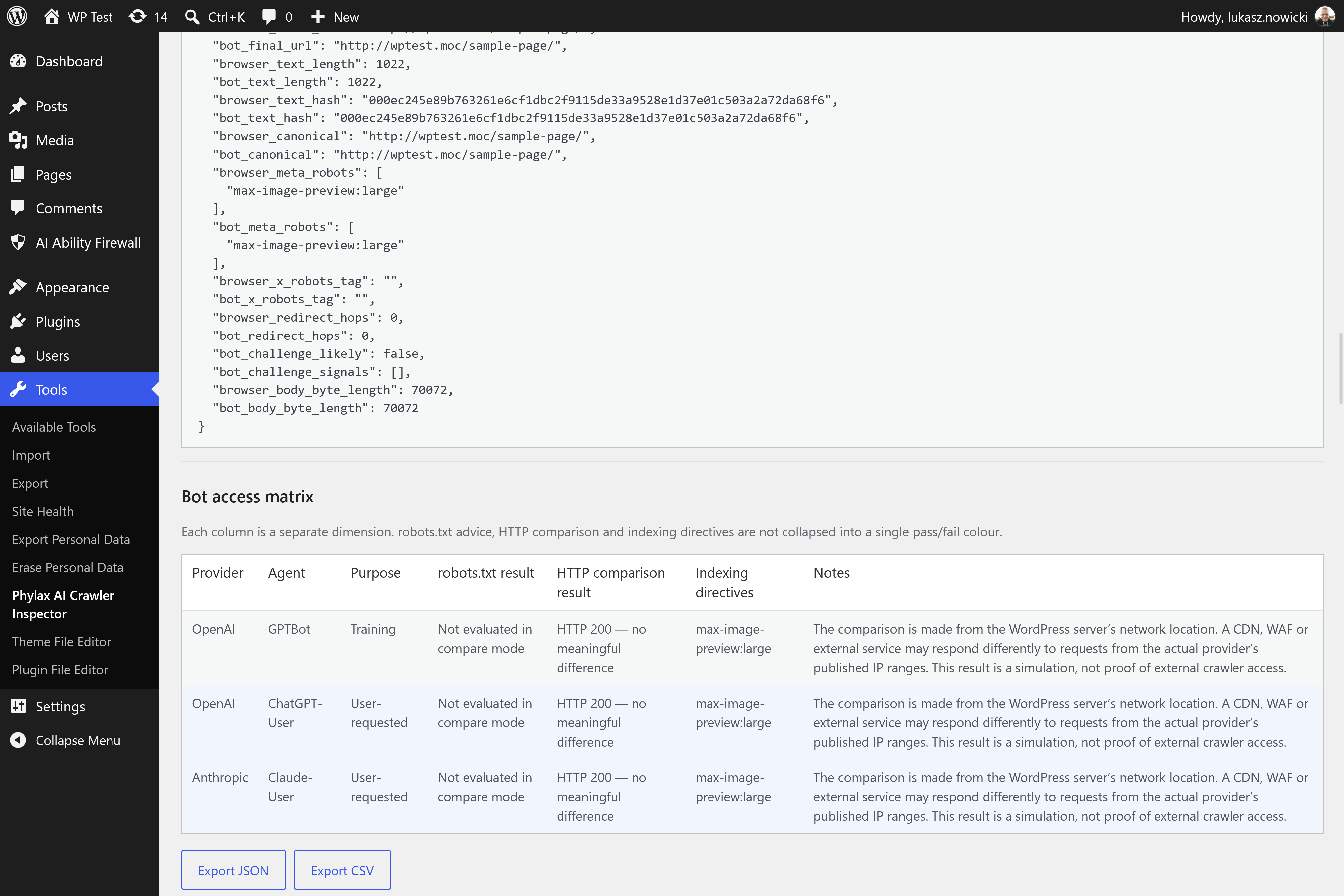
- Bounded bot response comparison (status, redirects, headers and HTML signals — never raw bodies)
- Sitemap discovery from robots.txt, HTML/HTTP Link signals and WordPress core sitemap declarations (no deep crawl)
- Structured findings with severity, status and expandable evidence
- Client-side JSON and CSV export from the current audit result
- Tools Phylax AI Crawler Inspector admin screen with accessible status updates
- No custom database tables, no SaaS calls and no crawler-visit logging
What the plugin does not do
- Edit, inject or generate robots.txt or llms.txt
- Block crawlers with PHP, server or firewall rules
- Log crawler visits, IPs or analytics
- Contact external SaaS APIs or require an account
- Produce overall numerical scores, graded rankings or ranking guarantees
- Crawl the entire website or schedule WP-Cron scans
- Accuse cloaking or claim to know what an external crawler sees from another network location
- Create custom database tables or modify site SEO settings
Privacy
Phylax AI Crawler Inspector does not collect telemetry, analytics or promotional data. It does not call external SaaS APIs, load remote fonts or third-party admin scripts, or set its own cookies.
Audits use the WordPress HTTP API to request the administrator’s own site (same-site only). Response bodies are parsed in memory and are not permanently stored. Exported JSON/CSV reports are generated in the current admin browser session from the structured result and are not saved on the server by the plugin.
The only short-lived server-side data is an optional per-user audit cooldown transient (aici_audit_cd_{user_id}). Uninstall removes only plugin-owned aici_ options and transients. The plugin does not create custom database tables and does not log crawler visits.
Screenshots
Installation
- Upload the
phylax-ai-crawler-inspectordirectory to/wp-content/plugins/, or install the ZIP through Plugins Add New Upload Plugin. - Activate the plugin through the Plugins screen.
- Open Tools Phylax AI Crawler Inspector.
- Run a site overview audit, inspect a public URL, or compare selected bot user agents.
FAQ
-
Does this guarantee that ChatGPT or Claude can see my website?
-
No. The plugin reports what your site publishes and what same-site HTTP requests return from the WordPress server’s network location. Provider crawler policy, CDN/WAF rules, IP reputation and remote network location can all differ. It cannot guarantee inclusion, citation or visibility in any AI product.
-
Does llms.txt improve AI rankings?
-
There is no guarantee. llms.txt is an optional proposed discovery format. Absence is treated as neutral, not as an AI-specific failure. Presence is validated structurally; the plugin does not claim ranking or citation benefits.
-
Does robots.txt securely block a bot?
-
No. robots.txt is an advisory protocol. Compliant crawlers may honour it; others may not. Actual access control requires server-side enforcement (authentication, firewall, CDN or application rules). The plugin separates published robots rules from observed HTTP responses.
-
Why does the plugin say a bot is allowed but the HTTP test returns 403?
-
Published robots rules and live server, CDN or WAF behaviour are different layers. A bot may be allowed in robots.txt while the HTTP response is challenged, blocked or redirected. Findings keep those layers separate and do not automatically accuse cloaking.
-
Does the plugin send my data anywhere?
-
No. Audits use the WordPress HTTP API to request the administrator’s own site (same-site only). The plugin does not call external SaaS APIs, load remote fonts or third-party admin scripts, or set its own cookies.
-
Does the plugin log AI crawler visits?
-
No. It does not record crawler traffic, visitor IPs or analytics events.
-
Does the plugin change my robots.txt or llms.txt?
-
No. Version 0.1.0 is strictly read-only for site configuration and content files.
-
Who can run audits?
-
Only administrators (capability
manage_options) with a valid WordPress REST nonce. Arbitrary external domains cannot be audited.
Reviews
There are no reviews for this plugin.
Contributors & Developers
“Phylax AI Crawler Inspector” is open source software. The following people have contributed to this plugin.
Contributors
Translate “Phylax AI Crawler Inspector” into your language.
Interested in development?
Browse the code, check out the SVN repository, or subscribe to the development log by RSS.
Changelog
0.1.0
- Initial public release.
- Site overview: robots.txt evaluation, optional llms.txt validation and home-page overview with sitemap discovery.
- URL inspector and bounded bot response comparison.
- Authenticated same-site REST audits with SSRF protections and per-user cooldown.
- Accessible Tools admin screen with structured findings and client-side JSON/CSV export.
- Privacy-preserving uninstall of plugin-owned options and transients only.