

Description
Pepvote is an online voting platform for elections, polls, awards, and referendums. This plugin puts your Pepvote voting event on your WordPress site, so voters can register, vote, confirm their votes, and see results without leaving your site.
Add the Pepvote block, or use the [pepvote] shortcode in the classic editor. You can embed any public page of a voting event:
- Main voting page
- Candidate registration
- Voter registration (elections only)
- Ballot preview
- Cast votes
- Confirm votes
- Results
The embed fits its height to the Pepvote page, so visitors never see a second scrollbar. You can turn this off and set a fixed height instead.
Step-by-step help with screenshots: Pepvote WordPress plugin guide.
Shortcode
[pepvote code="ENWPH8799"]
Options:
code(required): the voting event code, or a Pepvote link that contains one.page:voting(default),candidate-registration,voter-registration,ballot,cast,confirm, orresult.height: the height in pixels, from 200 to 4000. Default 560. With auto height on, this is the starting height.auto_height:true(default) orfalse.title: the accessible title that screen readers announce for the embed.
Example: [pepvote code="ENWPH8799" page="result" height="640" auto_height="false"]
Block
Search for “Pepvote” in the block inserter. Enter the voting event code, or paste a link from the Share url in your Pepvote dashboard. Choose the page and height in the block settings.
You can also paste a Pepvote link on its own line, or paste a [pepvote] shortcode, and the editor turns it into a Pepvote block.
External service
This plugin loads pages from Pepvote (https://pepvote.com) in an iframe. It sends no data to Pepvote from your WordPress server. When a visitor views a page with an embed, their browser loads the Pepvote page directly, and Pepvote receives the usual request data, such as the visitor’s IP address and browser details. Anything the visitor enters in the embed, such as a voter registration or a vote, goes to Pepvote.
- Terms of Service: https://pepvote.com/legal/terms
- Privacy Policy: https://pepvote.com/legal/privacy
Screenshots


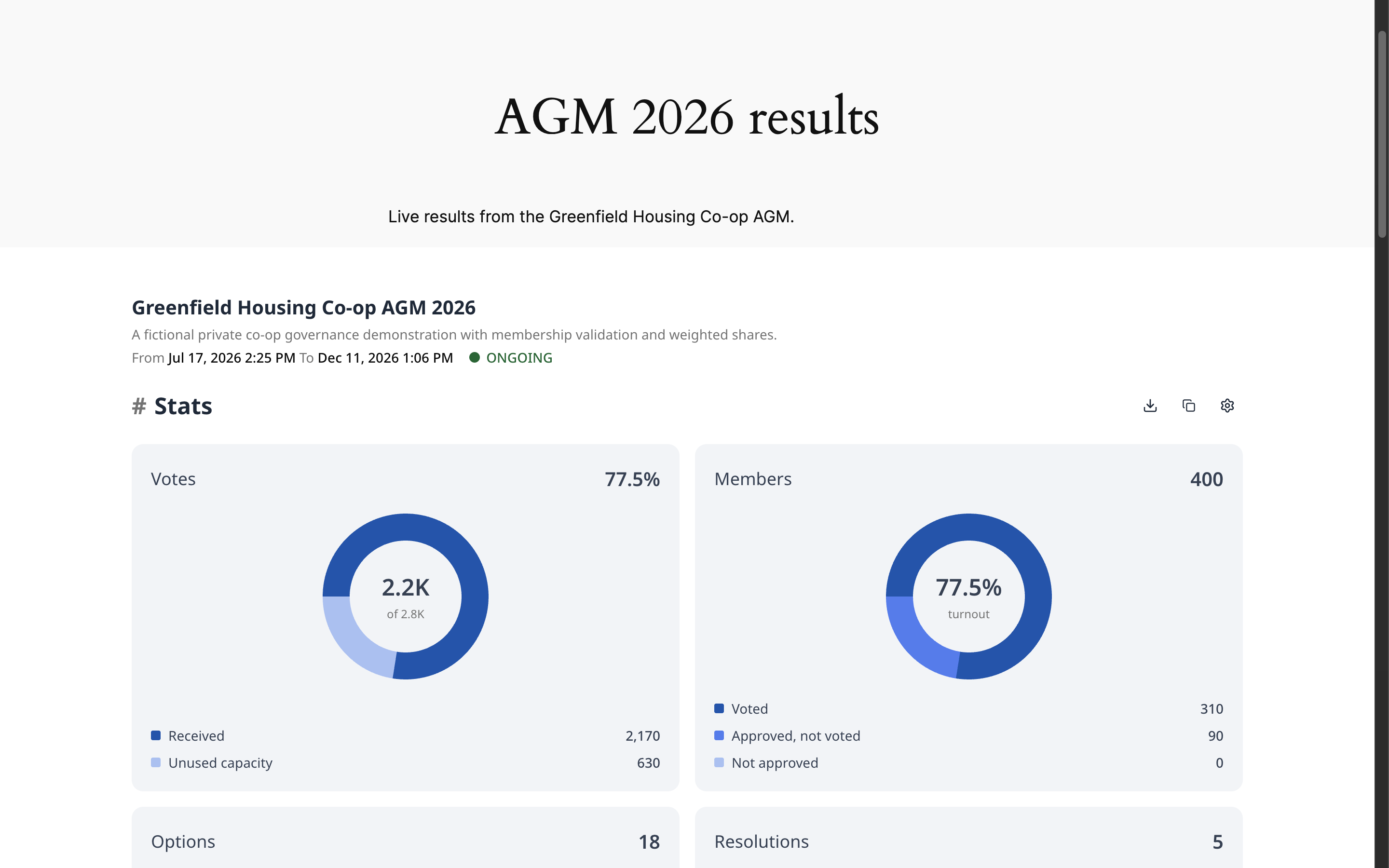
Blocks
This plugin provides 1 block.
- Pepvote Embed a Pepvote voting, registration, or result page.
FAQ
Where do I find my voting event code?
In your Pepvote dashboard, open the voting event. The code is on the overview page, for example
ENWPH8799.Why does the registration embed say registration is closed?
Public registration pages only show a form while that registration is turned on and open. Check the Public Registration settings of your voting event in Pepvote.
Can I point the plugin at another Pepvote environment?
Yes. Add
define( 'PEPVOTE_BASE_URL', 'https://your-pepvote-url' );towp-config.php, or use thepepvote_base_urlfilter.
Reviews
There are no reviews for this plugin.
Contributors & Developers
“Pepvote” is open source software. The following people have contributed to this plugin.
Contributors
Translate “Pepvote” into your language.
Interested in development?
Browse the code, check out the SVN repository, or subscribe to the development log by RSS.
Changelog
1.0.0
- First release: the Pepvote block and the
[pepvote]shortcode for every public voting event page, with auto height.