Description
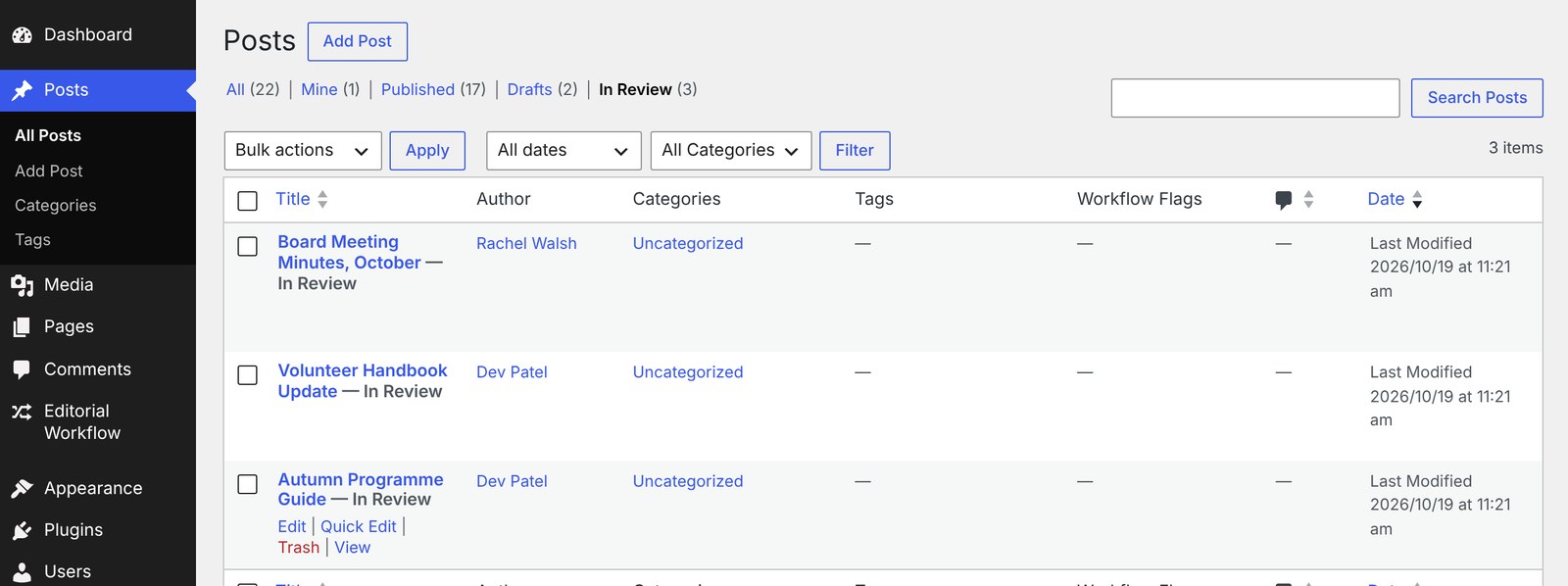
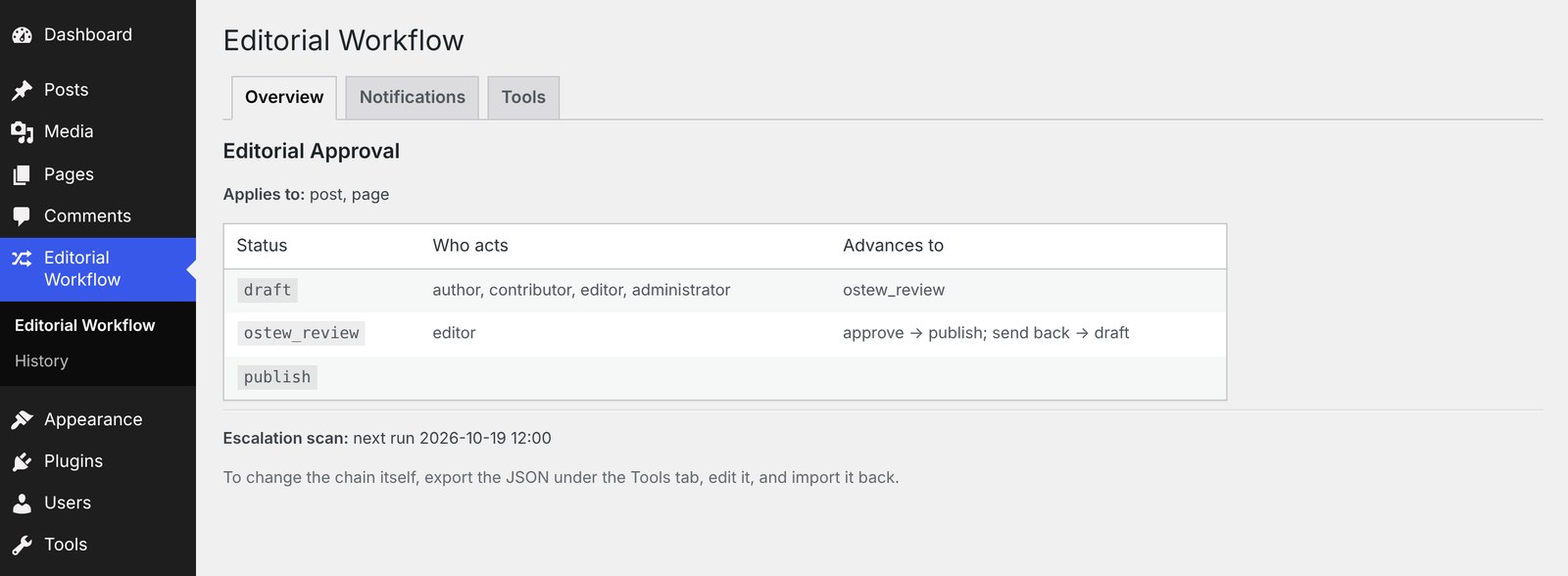
Content that needs sign-off moves through a defined chain instead of being published straight away: Draft, then one or more review stages, then Published. Every handoff emails the right people and appears in their dashboard review queue.
Nothing about the chain is hardcoded. Statuses, roles, routing rules, SLAs and notifications are all defined in configuration, so the same plugin can run a two-step review on one site and a multi-stage compliance process on another.
Features
- Custom review statuses between Draft and Published, with your own labels
- Role-based approval — each step names the roles that may act on it
- Conditional routing — divert items carrying a given taxonomy term down a different branch
- Email notifications plus an “Awaiting your review” dashboard queue and admin-bar count
- SLA escalation — re-notify approvers and escalate when an item sits too long, with an urgent override
- Section-scoped editing — restrict an author to their assigned sections
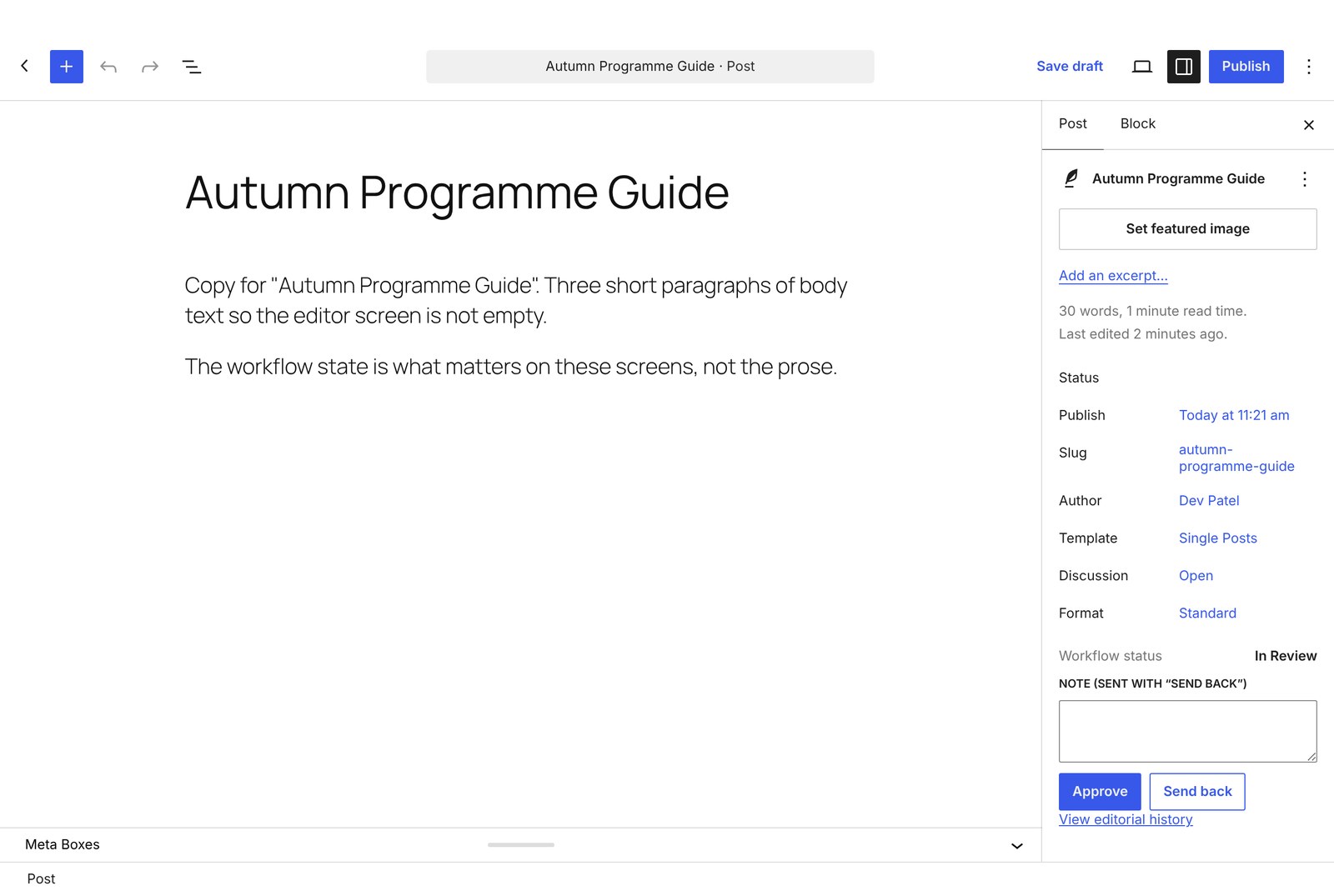
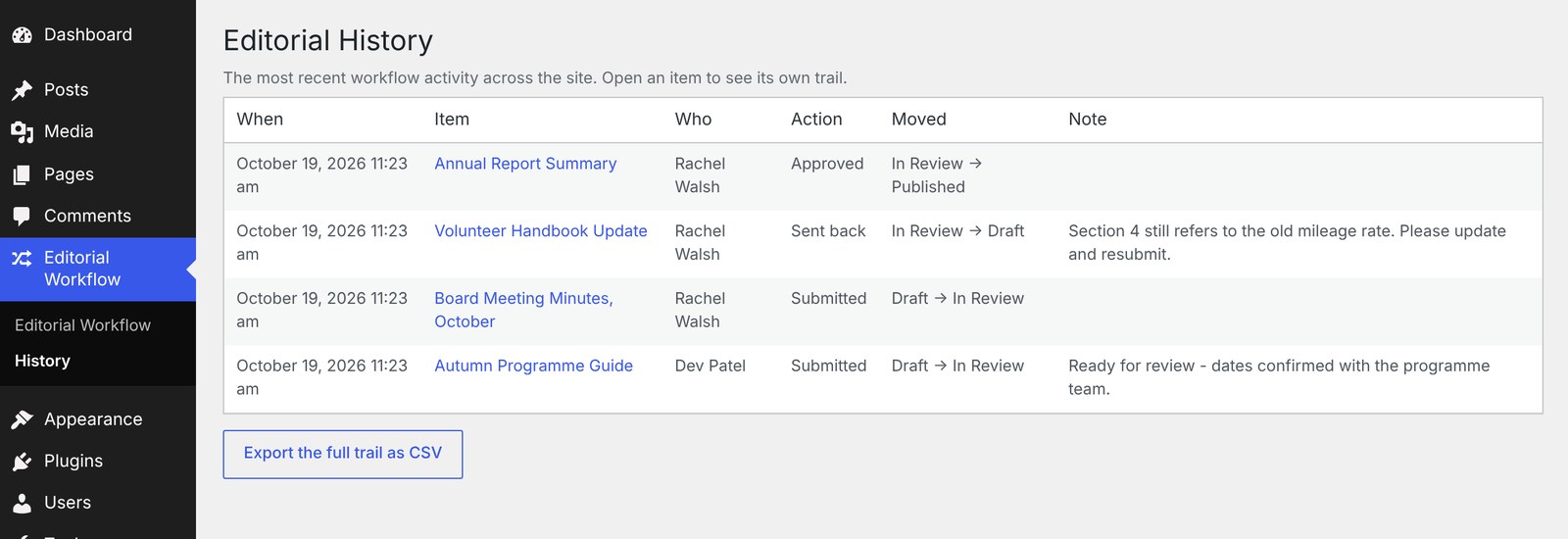
- Audit trail in its own table — shown on the post editor, browsable on its own screen, exportable as CSV, and optionally mirrored to Simple History
- Works with the block editor, the classic editor and Elementor, on posts, pages and any custom post type
Configuring it
On activation a minimal default chain is installed. Export it as JSON from Editorial Workflow Tools, edit it, and import it back; imports are validated before they are saved. The /examples folder contains ready-made profiles.
Screenshots
Installation
- Copy the
ost-editorial-workflowfolder intowp-content/plugins/. - Activate the plugin through the Plugins menu.
- Go to Editorial Workflow to review the active chain.
FAQ
-
Does it work with custom post types?
-
Yes. List the post types in the workflow’s
post_typesarray. -
Can administrators bypass the chain?
-
Yes, by design. Anyone with
manage_optionsmay act at any step without being named in that step’s roles. Since 1.1.0 this is applied consistently: they also see those items in the review queue and receive the notifications, which they did not before. On a site where the administrator is the only approver, the workflow was previously silent.To turn that off and have only the roles named in each step approve, return false from the
ostew/is_global_approverfilter. -
An item is stuck in a status that is not in my workflow any more. What now?
-
Removing a step while content still sits in its status is refused, and the import screen tells you how many items are affected. Move them first, then save the change.
If content was stranded some other way — a
ostew/workflowsfilter, or a direct edit of the option — the status stays registered so the content remains visible and queryable, and an admin notice links straight to it. Move those items into a status in the current chain and the notice clears itself. -
Does escalation work out of the box?
-
No. The shipped default has an empty
escalationblock, so nothing is chased until you add a rule. Add one per status, withsla_hoursand where to escalate to.Note that the escalation reminder goes to every approver including the item’s own author if they hold an approver role. The transition notifications do suppress self-notification; the escalation reminder deliberately does not.
-
The review queue count looks out of date.
-
It is cached for two minutes per user, so the dashboard and admin-bar counts can lag by that much. The list itself is not cached.
-
Can I keep the audit trail when I delete the plugin?
-
Download it first from Editorial Workflow Tools Audit trail. Deleting the plugin drops the table, but it now writes a CSV copy to
wp-content/uploads/ost-editorial-workflow/before it does. -
Is there a visual workflow builder?
-
No. The chain is edited as JSON under Tools. This is comfortable for a developer; if non-technical admins need to reconfigure the chain, plan for that.
-
What happens to my data if I deactivate it?
-
Nothing. Deactivation only clears the scheduled escalation scan, and reactivating puts it back on the next clock hour. Deleting the plugin removes its options, post meta and audit table, after exporting the audit trail to the uploads folder.
-
Does it send email itself?
-
It sends through
wp_mail(). Delivery depends on how the site is configured; the plugin does not set up SMTP.
Reviews
There are no reviews for this plugin.
Contributors & Developers
“OST Editorial Workflow” is open source software. The following people have contributed to this plugin.
Contributors
Translate “OST Editorial Workflow” into your language.
Interested in development?
Browse the code, check out the SVN repository, or subscribe to the development log by RSS.
Changelog
1.1.1
- The stranded-content warning no longer appears across the whole admin. It is limited to the Dashboard, this plugin’s own screens, and the post lists holding the affected content, it can be dismissed, and it returns only if something new is stranded.
- Removed the database query that warning ran on every admin page load.
1.1.0
- Fixed: removing a workflow step while content still held its status left that content unreachable — no actions, missing from admin lists, and
get_posts()silently dropped the status filter and returned everything. The change is now refused while content occupies the status, a status that leaves the configuration stays registered so nothing becomes invisible, and an admin notice links to anything affected. - Fixed: administrators saw an empty review queue and received no notifications, even though they could approve. Who counts as an approver is now decided in one place, used by the action handler, the queue and the notification resolver alike. The
ostew/is_global_approverfilter turns it off. - Fixed: the audit trail was written but never displayed. Added an “Editorial history” panel on the post editor, an Editorial Workflow History screen for one item or the whole site, a CSV export under Tools, and an
actioncolumn so an approval is distinguishable from a manual status change. The block editor keeps classic meta boxes in a drawer that ships collapsed, so the workflow panel links to the History screen directly. - Fixed: deleting the plugin dropped the audit table with no copy. It now writes a CSV to
wp-content/uploads/ost-editorial-workflow/first. - Fixed: configuration validation accepted post types that do not exist, leaving a workflow that silently managed nothing.
- Fixed: deactivating and reactivating pushed the escalation scan back by up to an hour. It is now scheduled on the next clock hour.
- Database schema version 2. Existing installs upgrade automatically on the next admin request.
1.0.0
- Initial release: custom statuses, approval chain and publish gate, notifications with dashboard queue, SLA escalation, section-scoped editing, audit trail, JSON import/export, block + classic + Elementor editor support.