

Description
Over time, WooCommerce orders pile up in your database. Every order adds rows to wp_posts, wp_postmeta, wp_comments, and several WooCommerce tables. On stores with tens of thousands of orders, this slows down admin pages, checkout queries, and report generation.
Order Archive Manager for WooCommerce moves completed, cancelled, or refunded orders out of the live tables and into dedicated archive tables. Your store gets faster, your order data stays safe, and you can restore any order back to WooCommerce whenever you need it.
How it works
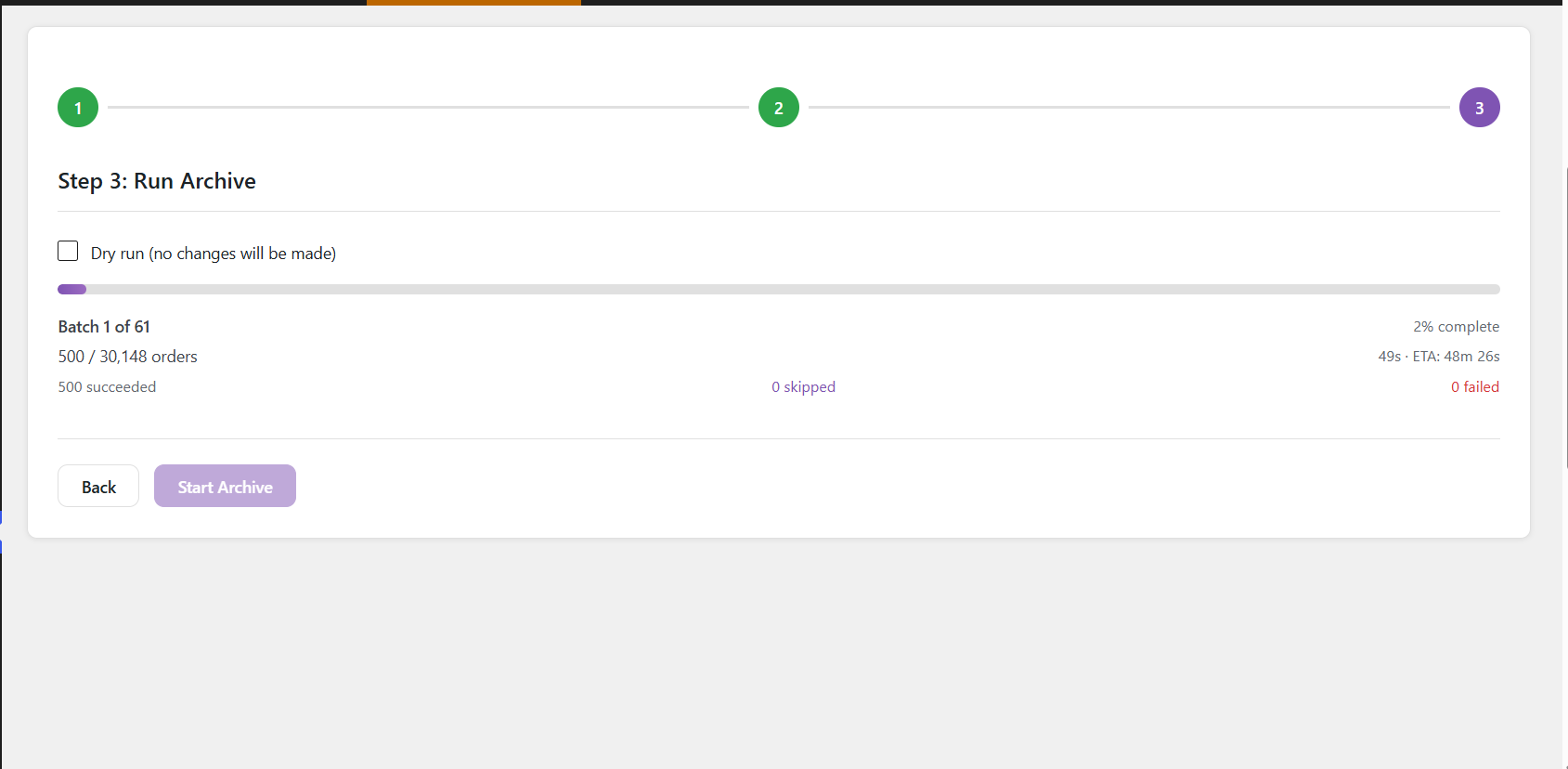
Orders are copied to archive tables row by row inside database transactions. If anything goes wrong during the copy, the transaction rolls back — the original order is untouched. Only after a successful copy and verification does the plugin remove the order from the live tables.
Key features
- Safe Archiving – Moves orders to dedicated archive tables using database transactions
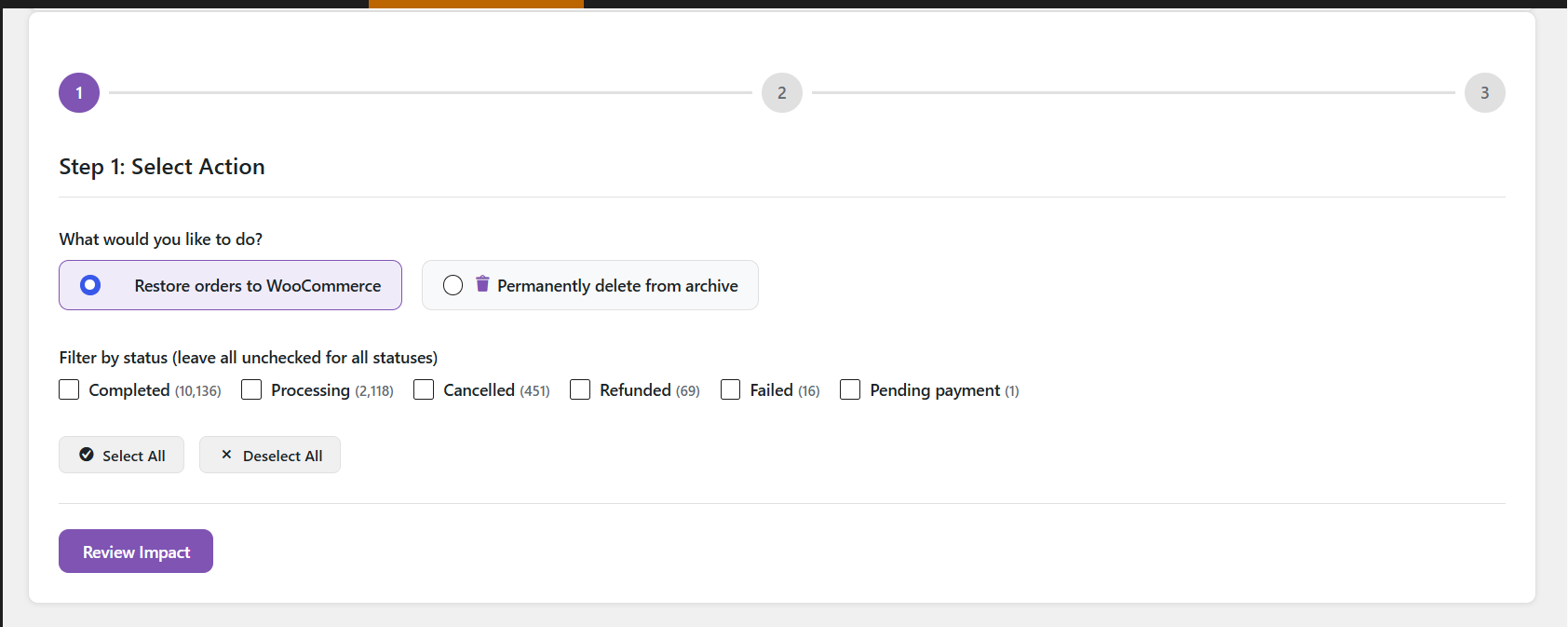
- One-Click Restore – Restores archived orders back to WooCommerce with original IDs preserved
- Permanent Deletion – Permanently deletes archived orders when you no longer need them
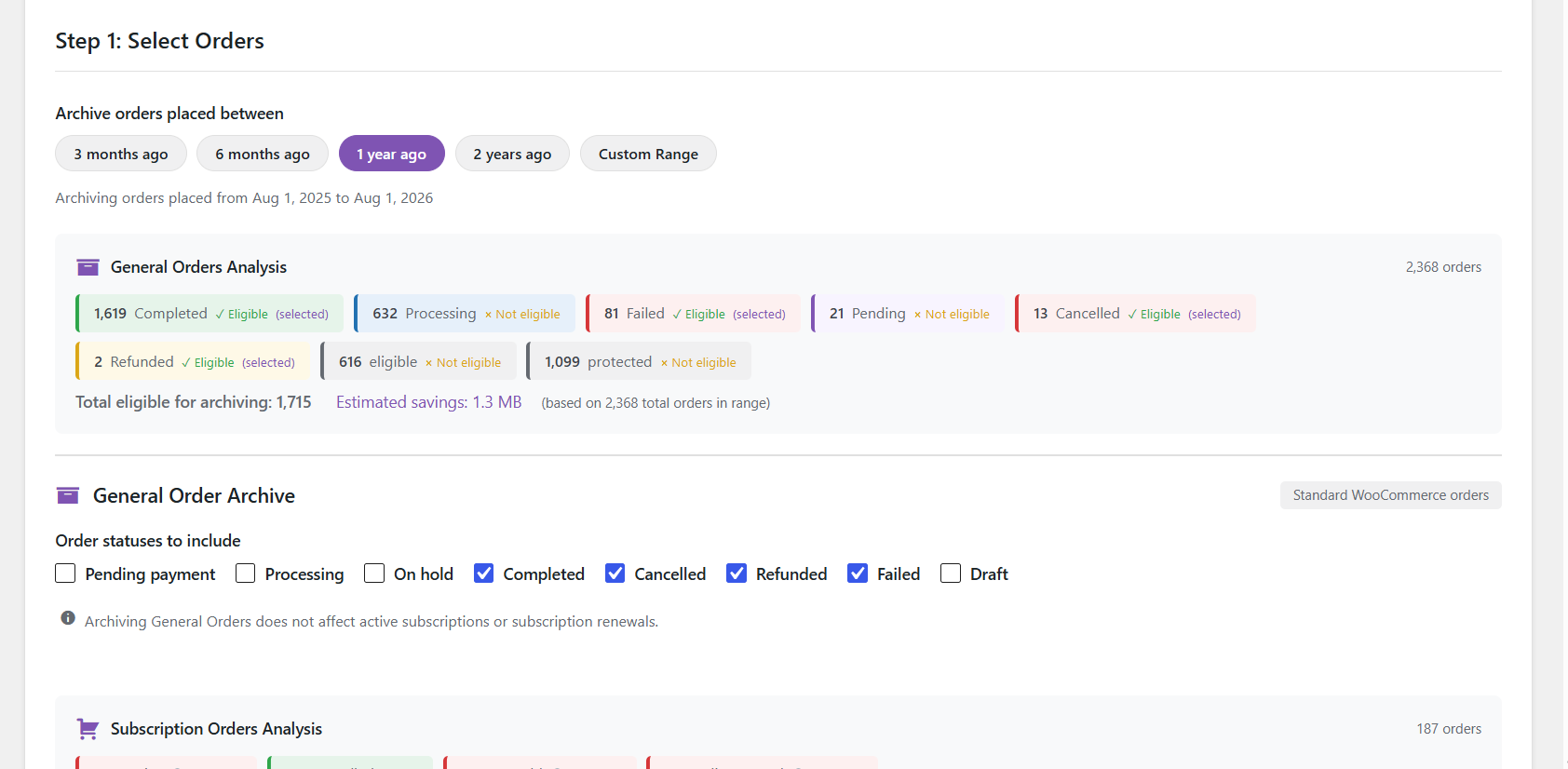
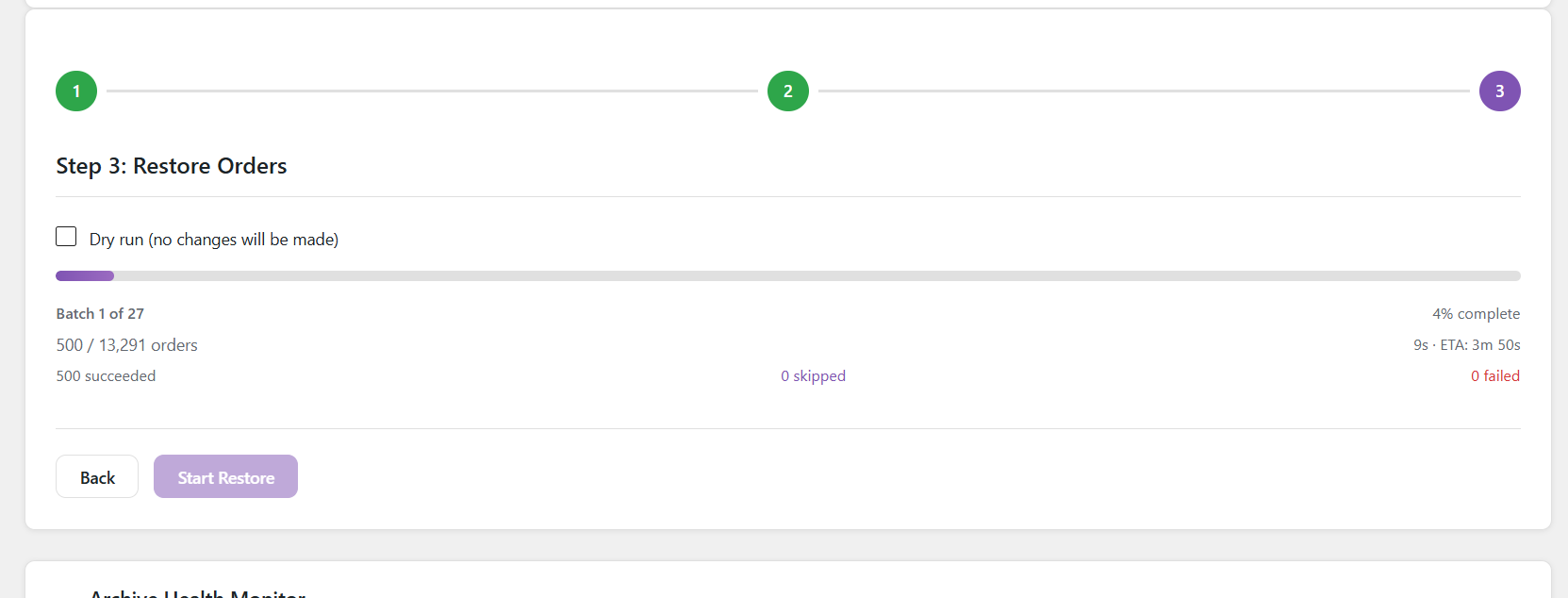
- Dry Run Mode – Preview exactly what will happen before making any changes
- Verification Layer – Row counts are checked before any live data is deleted
- Refund Support – Refund posts and their meta are archived alongside the parent order
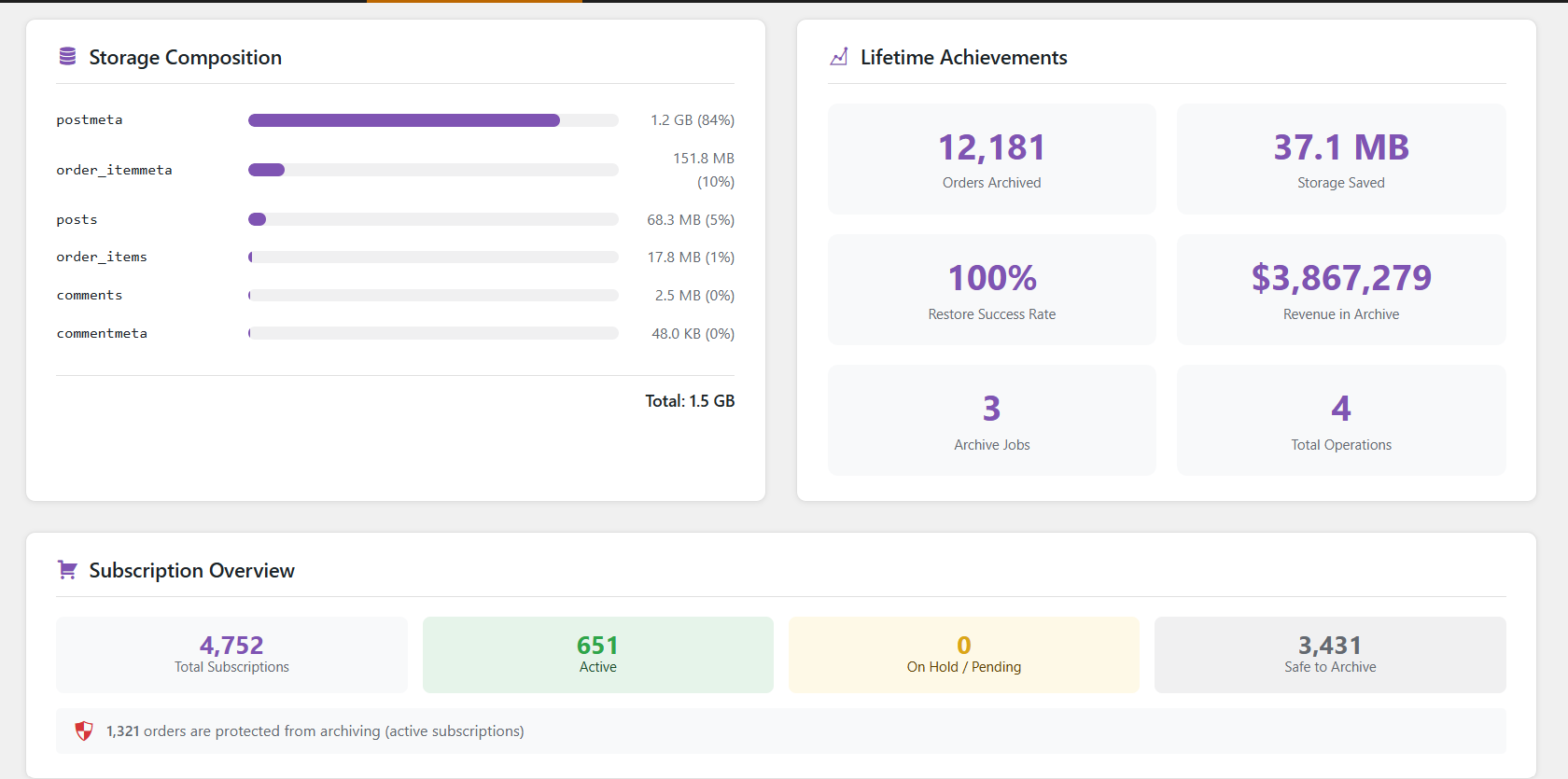
- Subscription Protection – Orders linked to active WooCommerce Subscriptions are skipped automatically
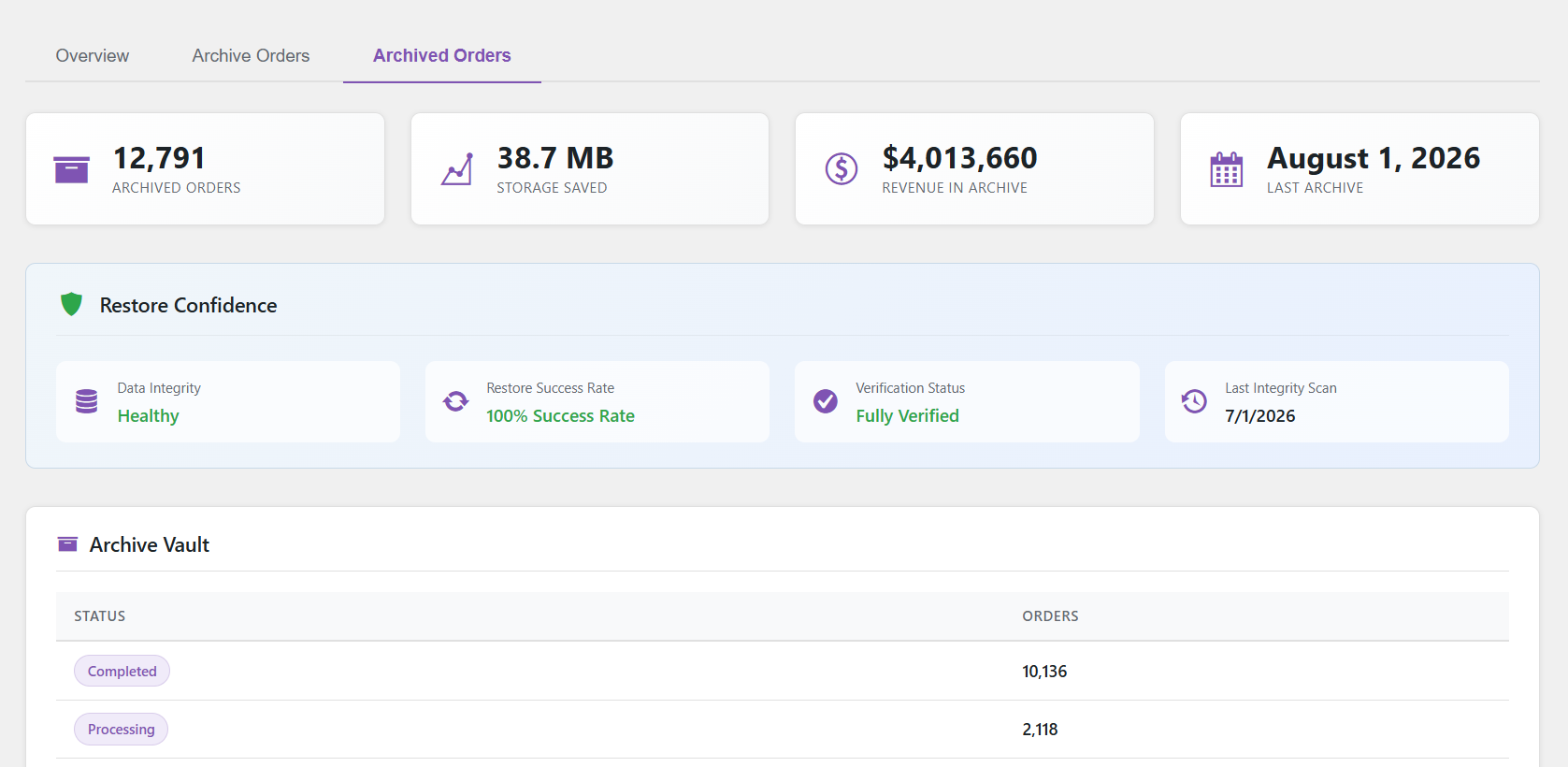
- Activity Log – Every archive, restore, and delete is recorded with timestamps
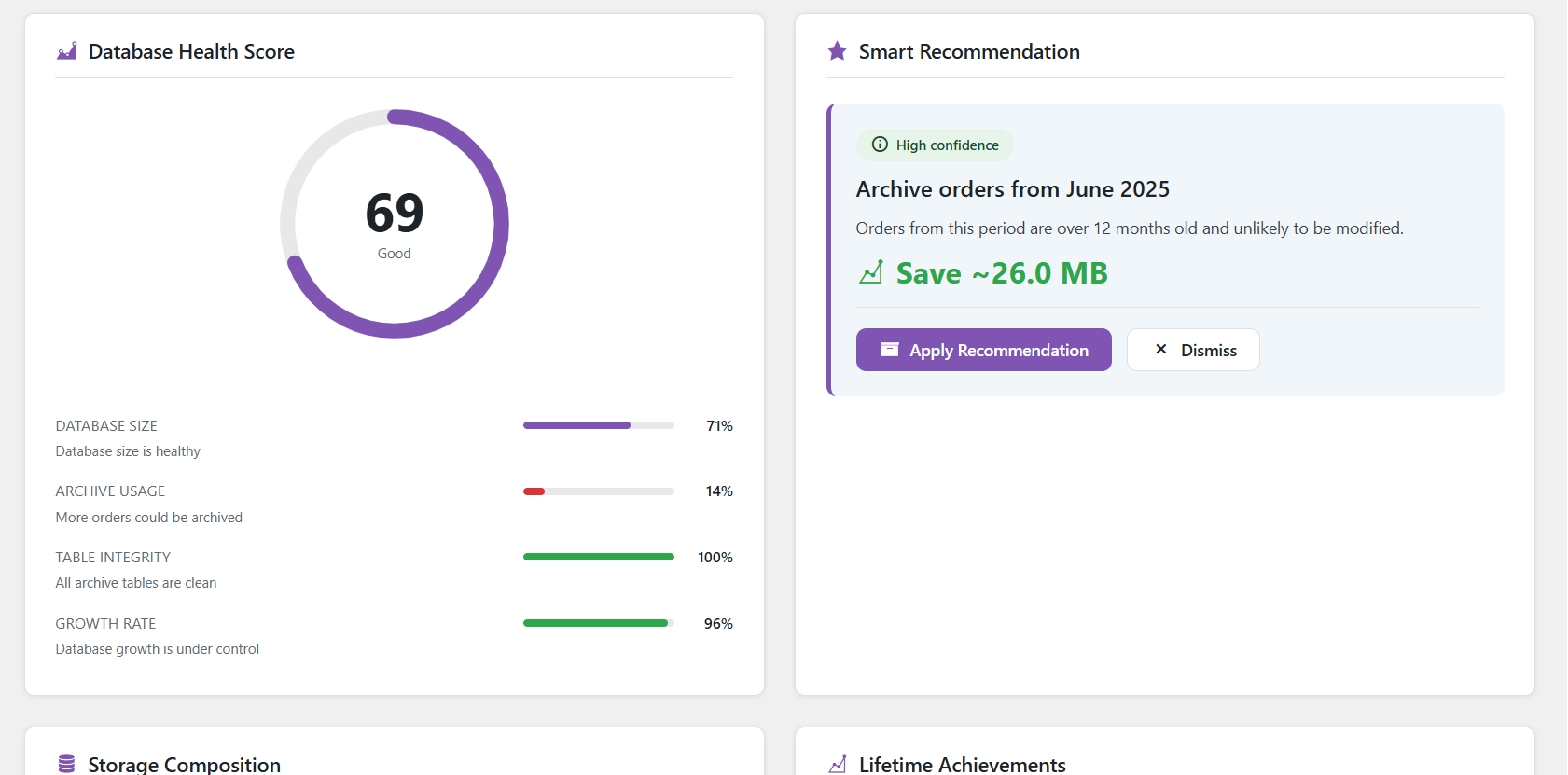
- Database Visualiser – See how much space your order tables are actually using
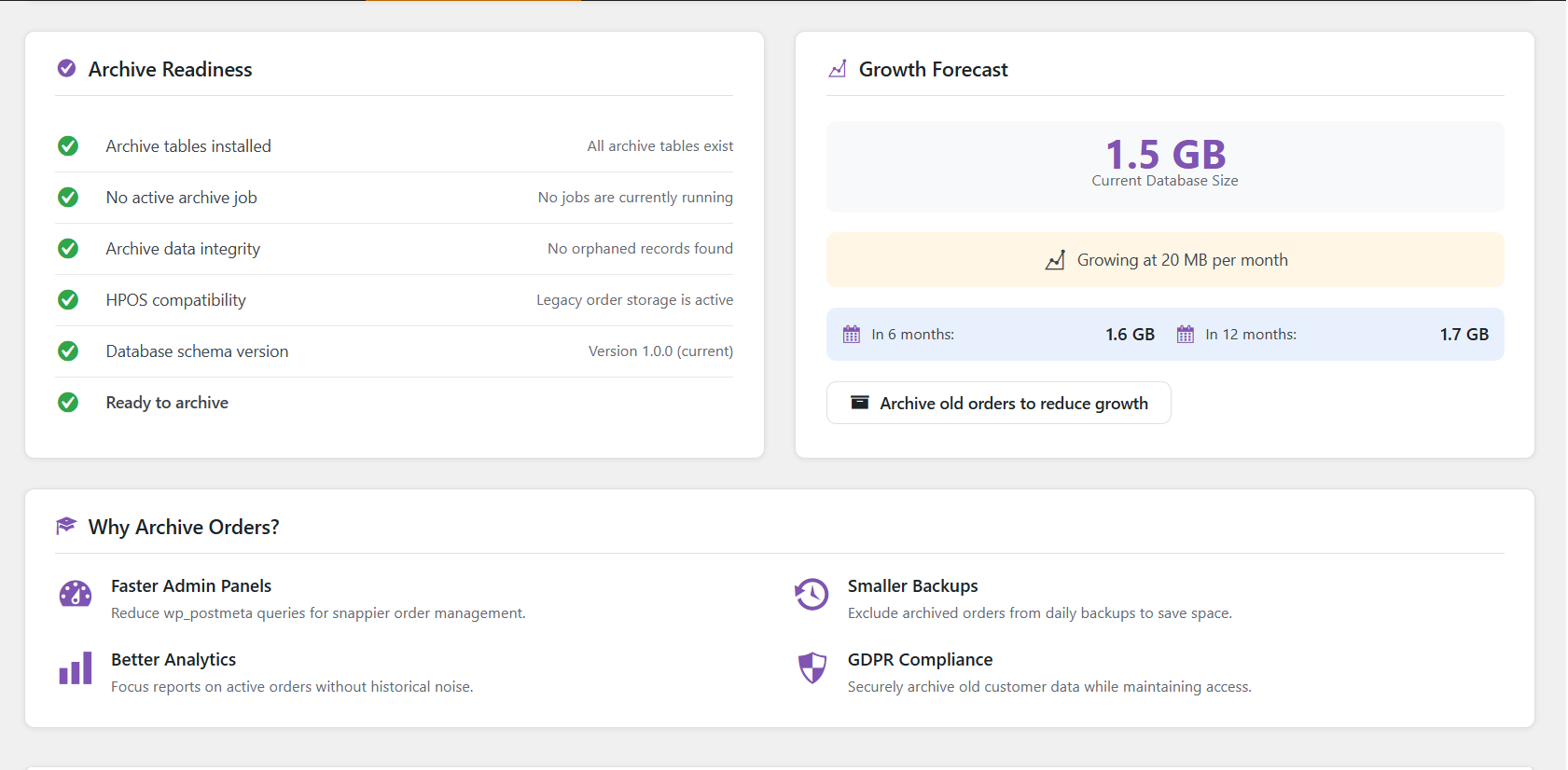
- Archive Health Check – Verifies table integrity and flags any orphaned rows
- Batch Processing – Handles large stores without timing out
What gets archived
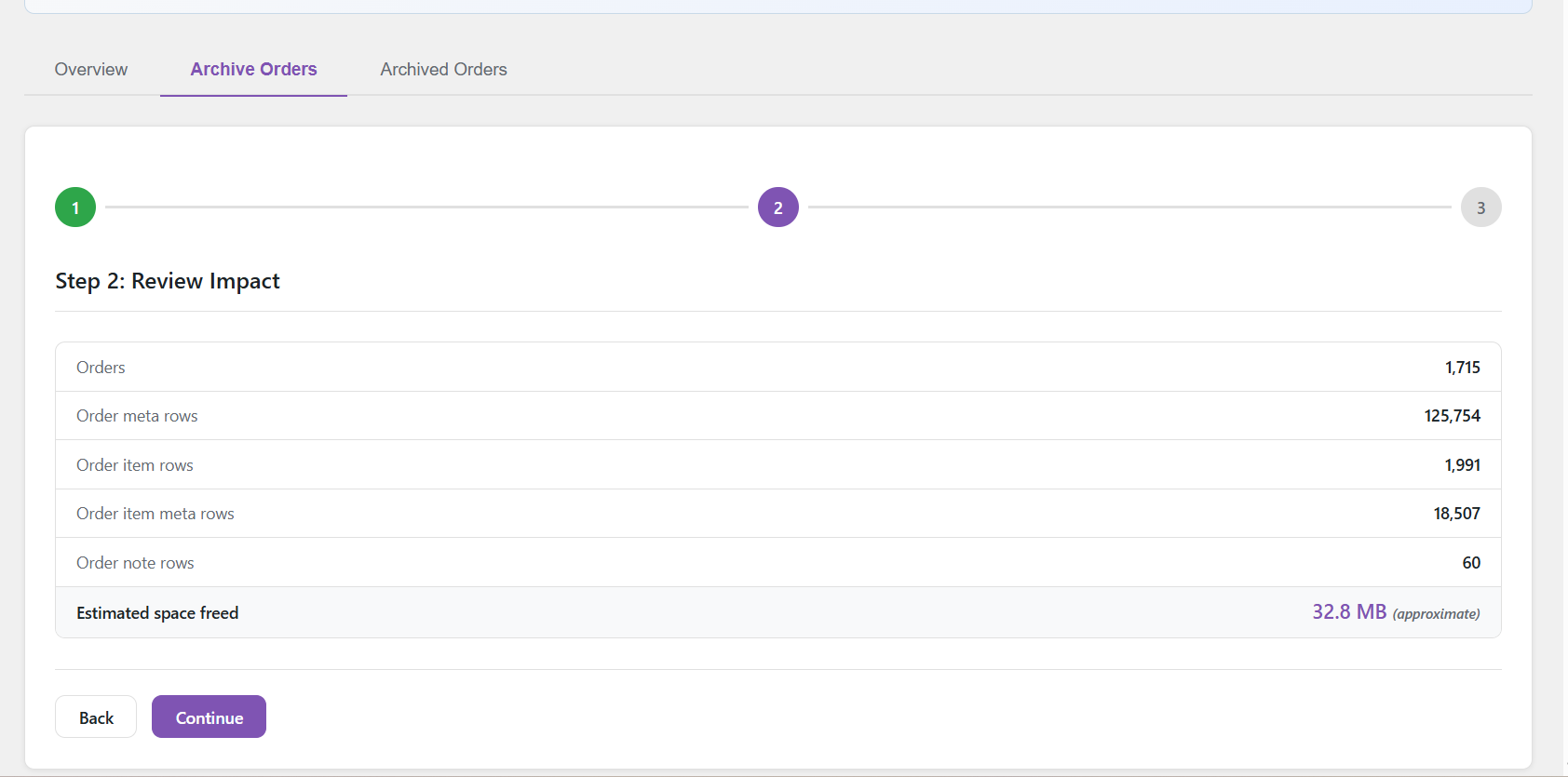
When an order is archived, the following data moves with it:
- The order post (
wp_posts) - All order meta (
wp_postmeta) - Order line items (
woocommerce_order_items) - Order item meta (
woocommerce_order_itemmeta) - Order notes (
wp_comments) - Order note meta (
wp_commentmeta) - Refund posts and their meta
Compatibility
HPOS Support – This version supports legacy post-based order storage only. Stores using WooCommerce High-Performance Order Storage (HPOS) will see an admin notice and the plugin will remain inactive. HPOS support is planned for a future release.
WooCommerce Subscriptions – Detected automatically. Orders linked to active subscriptions are skipped during archiving to avoid breaking renewal billing.
Why choose Order Archive Manager for WooCommerce?
Unlike plugins that only change order status or soft-delete orders, this plugin physically moves order data to separate tables. Your live database tables stay lean and fast, while archived data remains fully restorable.
Created by Anandu Ravikumar
Developed by a WordPress and WooCommerce plugin developer focused on database optimization and performance
Support
For support, feature requests, or bug reports, please visit the GitHub repository.
Credits
Developed by Anandu Ravikumar
License
GPL-2.0-or-later – https://www.gnu.org/licenses/gpl-2.0.html
Screenshots
Installation
- Upload the plugin folder to
/wp-content/plugins/ - Activate the plugin through the Plugins screen in WordPress
- Go to Order Archive in the WordPress admin sidebar
- Review the Overview tab to see your current database usage
- Go to the Archive Orders tab to start your first archive
Requirements
- WordPress 6.2 or higher
- WooCommerce (latest recommended)
- PHP 8.0 or higher
- MySQL with InnoDB table engine (required for transaction support)
FAQ
-
Will archiving break my WooCommerce reports?
-
The plugin removes analytics cache rows from
wp_wc_order_statsand related lookup tables when archiving. WooCommerce can regenerate these from order data. Reports will reflect the archive once regenerated. -
Can I restore an order after archiving it?
-
Yes. Go to the Archived Orders tab, select Restore, and run the batch. The order comes back with its original ID, meta, items, notes, and refunds intact.
-
What happens if archiving fails halfway through?
-
Each order is wrapped in a database transaction. If any step fails, the transaction rolls back for that order and it stays in the live tables unchanged. The activity log records the error with a message.
-
Does this work with WooCommerce Subscriptions?
-
The plugin detects active subscriptions and skips any order that is a renewal order or has an active subscription attached to it. This prevents breaking the billing chain.
-
Is HPOS supported?
-
Not in version 1.0. If HPOS is enabled on your store, the plugin displays an admin notice and stays inactive. HPOS support is on the roadmap for a future release.
-
Does it support multisite?
-
Not tested on multisite in version 1.0. Each site in a network has its own table prefix, so the plugin should create separate archive tables per site, but this has not been verified.
-
What is dry run mode?
-
Dry run processes all the copy and verification steps inside a database transaction, then rolls everything back instead of committing. No data is changed. The activity log records the result as a dry run so you can see exactly what would have happened.
-
Can I change the batch size?
-
Yes. Add this to your theme’s
functions.phpor a custom plugin:add_filter( 'hw_woam_batch_size', function() { return 100; } );The default is 50 orders per batch. Increase it on fast servers, decrease it on shared hosting if you see timeouts.
-
How do I know if my database is compatible?
-
The plugin requires MySQL InnoDB engine for transaction support. Most modern WordPress installations use InnoDB by default. You can check your table engine in phpMyAdmin.
-
Will this work with caching plugins?
-
Yes. The plugin operates directly on database tables and doesn’t interfere with page caching.
Reviews
There are no reviews for this plugin.
Contributors & Developers
“Order Archive Manager for WooCommerce” is open source software. The following people have contributed to this plugin.
Contributors
Translate “Order Archive Manager for WooCommerce” into your language.
Interested in development?
Browse the code, check out the SVN repository, or subscribe to the development log by RSS.
Changelog
1.0.0
- Initial release
- Archive, restore, and permanently delete WooCommerce orders
- Dry run mode with full transaction rollback
- Archive verification before any live data is deleted
- Refund post archiving and restoration
- WooCommerce Subscriptions guard
- Analytics lookup table cleanup on archive
- Database visualiser showing table sizes
- Archive health and integrity checker
- Batch processing with configurable batch size
- Full activity log
- Onboarding wizard for first-time users
- Real-time savings estimation