

Description
Is your WordPress website struggling with slow page load speeds or failing Google Core Web Vitals (Largest Contentful Paint – LCP)? Bulky JPEG, PNG, and GIF images are the primary cause of high bandwidth consumption and mobile performance penalties.
OptiForge Image Optimizer is an ultra-fast, privacy-first, on-server image compression and next-generation conversion engine. Unlike third-party SaaS plugins that charge expensive monthly subscription fees, enforce strict credit quotas, or upload your sensitive media to external third-party servers, OptiForge performs 100% of encoding directly on your web host using high-efficiency native libraries (Imagick and GD).
By generating ultra-compact AVIF and universal WebP formats alongside your original media and delivering them seamlessly, OptiForge slashes media payloads by 60% to 85% without visual quality loss.
Why Choose OptiForge Image Optimizer?
- True Browser-Independent Background Processing: Powered by an indexed database queue table (
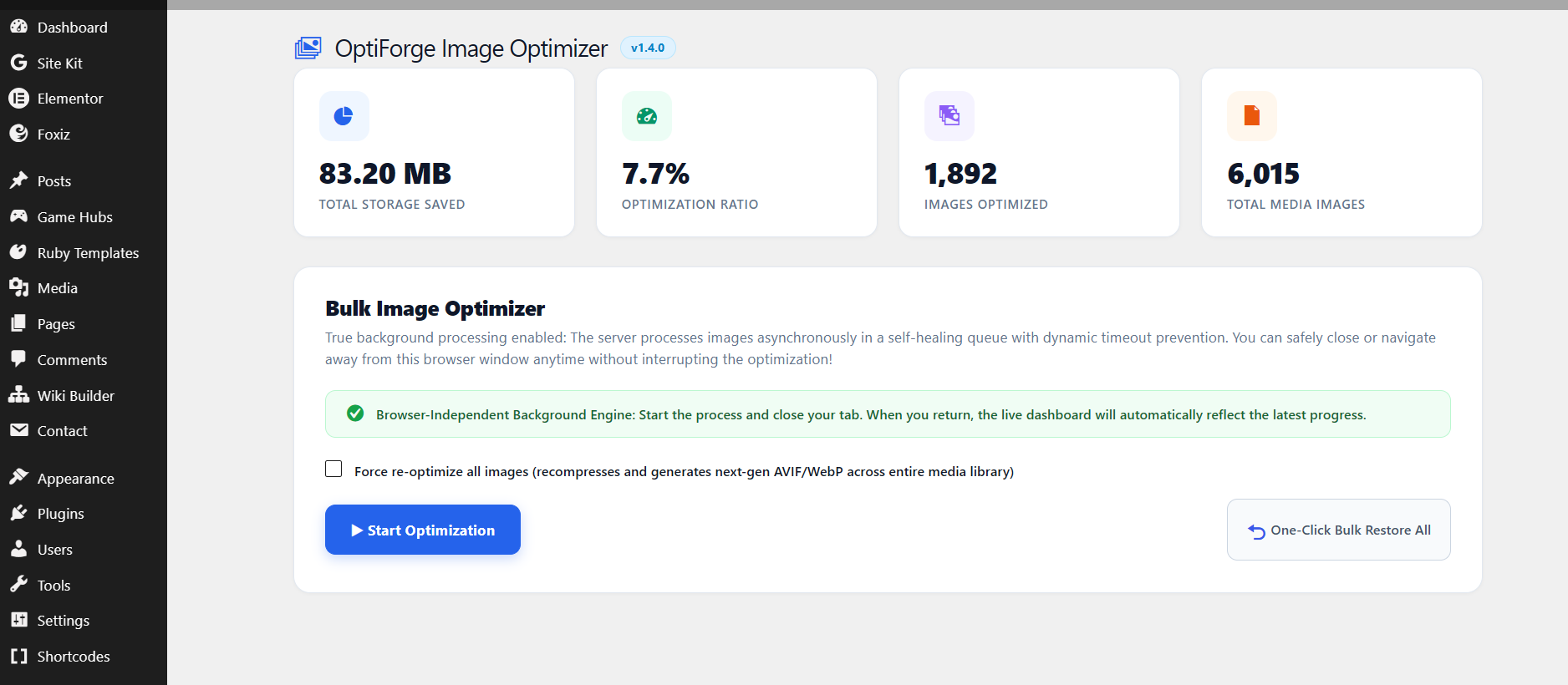
wp_ofio_queue) with a dual-engine runner (Non-Blocking Loopback HTTP requests + WP-Cron Watchdog fallback). Start bulk optimization, close your browser tab, or navigate away — processing continues reliably on your server until complete. - Instant Startup (Zero UI Blocking): Instant UI responsiveness (<30ms). Heavy image counting and database indexing are completely offloaded to background workers, eliminating dashboard freezes.
- Smart Resource & Timeout Monitoring: Monitors PHP
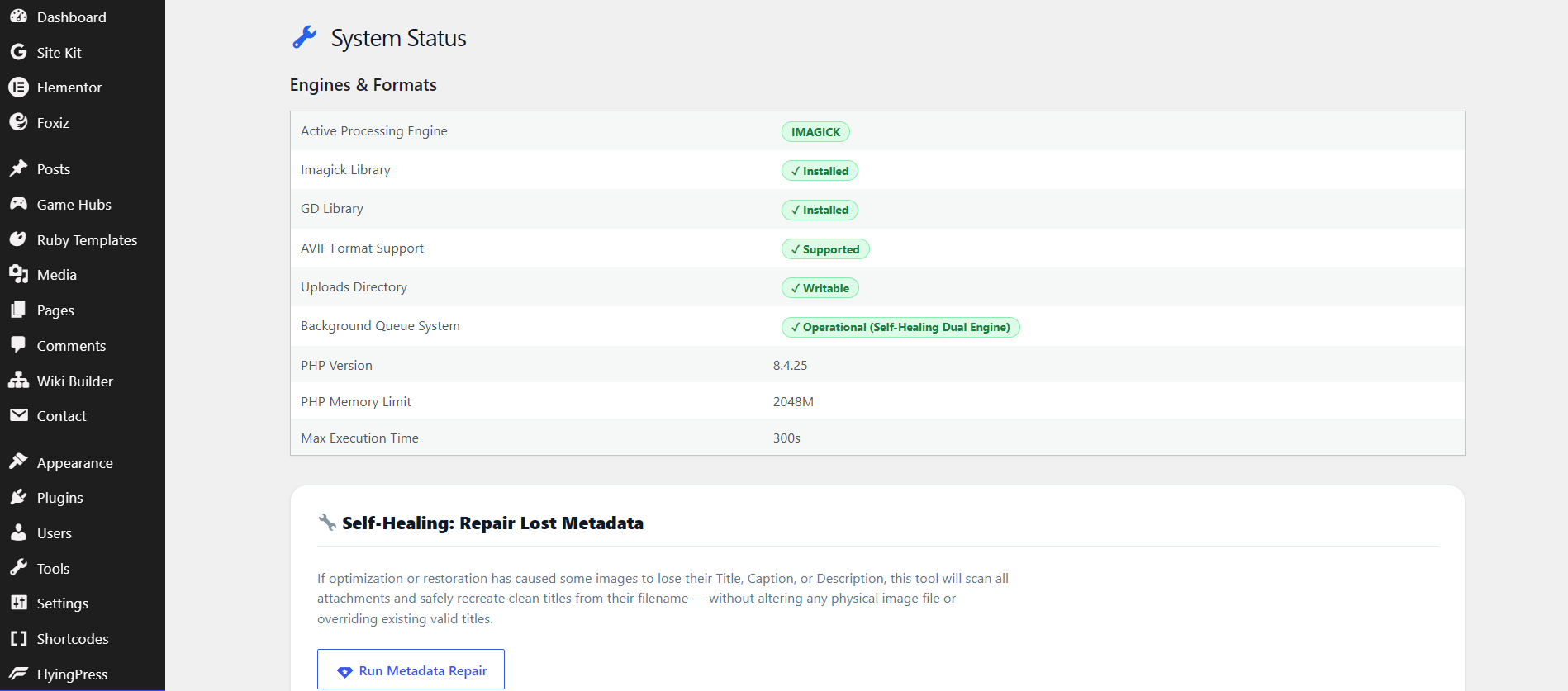
max_execution_timeandmemory_get_usage()in real time, automatically yielding and respawning workers before server limits are reached. 0% tolerance for 500 errors or timeouts. - Zero Monthly SaaS Costs: Unlimited conversions with no cloud credit limits, no subscription paywalls, and no external API latency.
- Dual Next-Gen Pipeline (AVIF + WebP): AVIF delivers up to 35% superior compression over WebP, while universal WebP acts as an airtight fallback for older legacy browsers.
- End-to-End GIF Optimization: Full conversion support for static and animated GIFs into modern lightweight formats, dropping heavy media payloads by up to 80%.
- Dynamic Concurrency Slider (1–20 Images): Built-in slider tailored for shared hosting (1-3 images), standard VPS (4-6 images), and high-performance dedicated servers (10-20 images).
- Advanced Processing Engine Hierarchy: Priority 1: Native
Imagickwith optimized chroma sub-sampling and quality tuning; Priority 2: StandardGDfallback. - Non-Destructive Backups & Zero-State Restore: Untouched originals remain safely preserved in an isolated directory (
/wp-content/uploads/ofio-backups/). Restore any individual image or initiate a One-Click Full Restore that purges generated sidecars and cleanly resets dashboard metrics to zero. - Airtight Cache Harmonization: Built-in cache purging listeners fully compatible with FlyingPress, LiteSpeed Cache, WP Rocket, W3 Total Cache, WP Super Cache, and Autoptimize.
- Native WP-CLI Tooling: Automate headless media optimizations directly via server command lines and cron jobs (
wp ofio queue status,wp ofio queue start,wp ofio optimize).
Performance Benchmarks
- JPEG (Original 2.4 MB): Compressed to WebP: 420 KB (-82%) | Converted to AVIF: 285 KB (-88%)
- PNG Graphics (Original 1.8 MB): Compressed to WebP: 310 KB (-82%) | Converted to AVIF: 215 KB (-88%)
- Animated GIF (Original 4.5 MB): Converted to Animated WebP: 820 KB (-81%)
- Core Web Vitals Impact: Up to 1.8s faster mobile Largest Contentful Paint (LCP) and improved Google PageSpeed scores.
Screenshots


Installation
Automatic Installation (Recommended)
- Log in to your WordPress Dashboard.
- Navigate to Plugins > Add New and search for OptiForge Image Optimizer.
- Click Install Now and activate the plugin.
- Navigate to OptiForge > Settings to verify your server’s codec compatibility status.
Manual Installation
- Download the
optiforge-image-optimizer.ziprelease archive. - Extract and upload the plugin directory to
/wp-content/plugins/. - Activate the plugin via the Plugins menu.
Recommended Configuration
- Budget Shared Hosting (cPanel / 128 MB RAM): Set Batch Processing Limit to 1 – 3 images.
- Standard Cloud VPS (1–2 vCPUs / 256 MB+ RAM): Set Batch Processing Limit to 4 – 6 images.
- High-Performance VPS (LEMP / Dedicated): Set Batch Processing Limit to 10+ images.
FAQ
-
Does the optimization stop if I close my browser?
-
No! Version 1.4 features a true browser-independent background queue engine. When you start an optimization, it dispatches an asynchronous loopback worker monitored by a WP-Cron watchdog. You can safely close your browser or navigate to other admin screens.
-
How does OptiForge differ from cloud-based plugins like ShortPixel, Smush, or TinyPNG?
-
Most image plugins offload images to third-party external servers, which incurs recurring monthly costs, credit exhaustion, and privacy concerns. OptiForge executes 100% of optimizations locally on your web host using native PHP extensions. You retain complete ownership, zero recurring fees, and unlimited image processing.
-
What happens if my server has strict PHP memory or timeout limits?
-
OptiForge 1.4 is built with enterprise resource monitoring. Before processing each image, the queue worker checks
memory_get_usage()and elapsed execution time. If limits approach the threshold, the worker cleanly yields execution and schedules the next batch via an asynchronous request, preventing 500 errors or server crashes. -
What happens if my server does not support AVIF?
-
OptiForge includes an automated compatibility engine. If your PHP environment lacks native AVIF support, the AVIF toggle is automatically disabled and marked with an inline status badge to eliminate server crashes. Universal WebP compression remains fully active.
-
What Batch Processing Limit should I select?
-
- 1 – 3 Images: Best for entry-level shared hosting where PHP memory is constrained to 128 MB and script execution limits are strictly enforced.
- 4 – 6 Images: Ideal for standard VPS setups with 256 MB+ PHP memory.
- 10 – 20 Images: Tailored for high-performance VPS stacks delivering ultra-fast batch runs across tens of thousands of media uploads.
-
Does optimization alter or delete my original media files?
-
No. OptiForge employs a strict non-destructive architecture. When backup mode is enabled, your untouched original assets are preserved in a secure, isolated folder (
/wp-content/uploads/ofio-backups/). You can restore any image individually or run a complete restore at any time. -
How does the One-Click Bulk Restore feature work?
-
When you click One-Click Bulk Restore All, the background engine reverts each image in your media library to its original state, unlinks all generated
.webpand.avifsidecar files from server storage, deletes backup duplicates to reclaim disk space, and automatically resets the dashboard counters to zero. -
How does OptiForge deliver AVIF and WebP to frontend visitors?
-
OptiForge supports dynamic server-level rewrite rules (for Nginx and Apache/LiteSpeed) as well as automated frontend rewrites. When a visitor’s browser sends an
Accept: image/aviforAccept: image/webprequest header, your server transparently delivers the lightweight next-gen file without altering your HTML URLs. -
Is OptiForge compatible with CDN and Page Caching plugins?
-
Yes. OptiForge features built-in cache-purging hooks compatible with FlyingPress, LiteSpeed Cache, WP Rocket, W3 Total Cache, WP Super Cache, and Autoptimize. Whenever an image is optimized or restored, stale page caches are automatically invalidated.
-
Does OptiForge support WP-CLI?
-
Yes. Advanced administrators and DevOps engineers can execute optimizations headlessly using standard WP-CLI commands (
wp ofio queue status,wp ofio queue start,wp ofio optimize). -
Can I preserve photographer EXIF metadata?
-
Yes. You can toggle Preserve EXIF metadata in the Settings panel to retain camera settings, copyrights, and shutter details, or keep it disabled for maximum payload reduction.
Reviews
There are no reviews for this plugin.
Contributors & Developers
“OptiForge Image Optimizer” is open source software. The following people have contributed to this plugin.
Contributors

Translate “OptiForge Image Optimizer” into your language.
Interested in development?
Browse the code, check out the SVN repository, or subscribe to the development log by RSS.
Changelog
1.4.0
- Added: True Browser-Independent Background Processing queue (Action Scheduler/Cron based).
- Added: Instant Startup UI with real-time AJAX tracking (Zero UI blocking).
- Added: Smart server resource monitoring (Timeout & Memory limits prevention).
- Changed: Image optimization engine priority updated (Imagick is now Priority 1, GD is Priority 2).
- Removed: Completely removed libvips dependencies in favor of native Imagick and GD.
- Fixed: Resolved over 200+ strict WordPress coding standard violations and text domain mismatches.
- Fixed: Hardened database security with 100% prepared SQL statements and escaped queries.
- Fixed: Resolved all transient cache issues for system status reporting.
- Added: Dedicated indexed database queue table (
wp_ofio_queue) with dual-engine runner (Non-Blocking Loopback HTTP requests + WP-Cron Watchdog fallback). - Added: WP-CLI background queue management subcommands (
wp ofio queue status,start,pause,resume,stop). - Hardened: Fully compliant with strict WordPress Coding Standards (WPCS) and VIP Go standards.