

Description
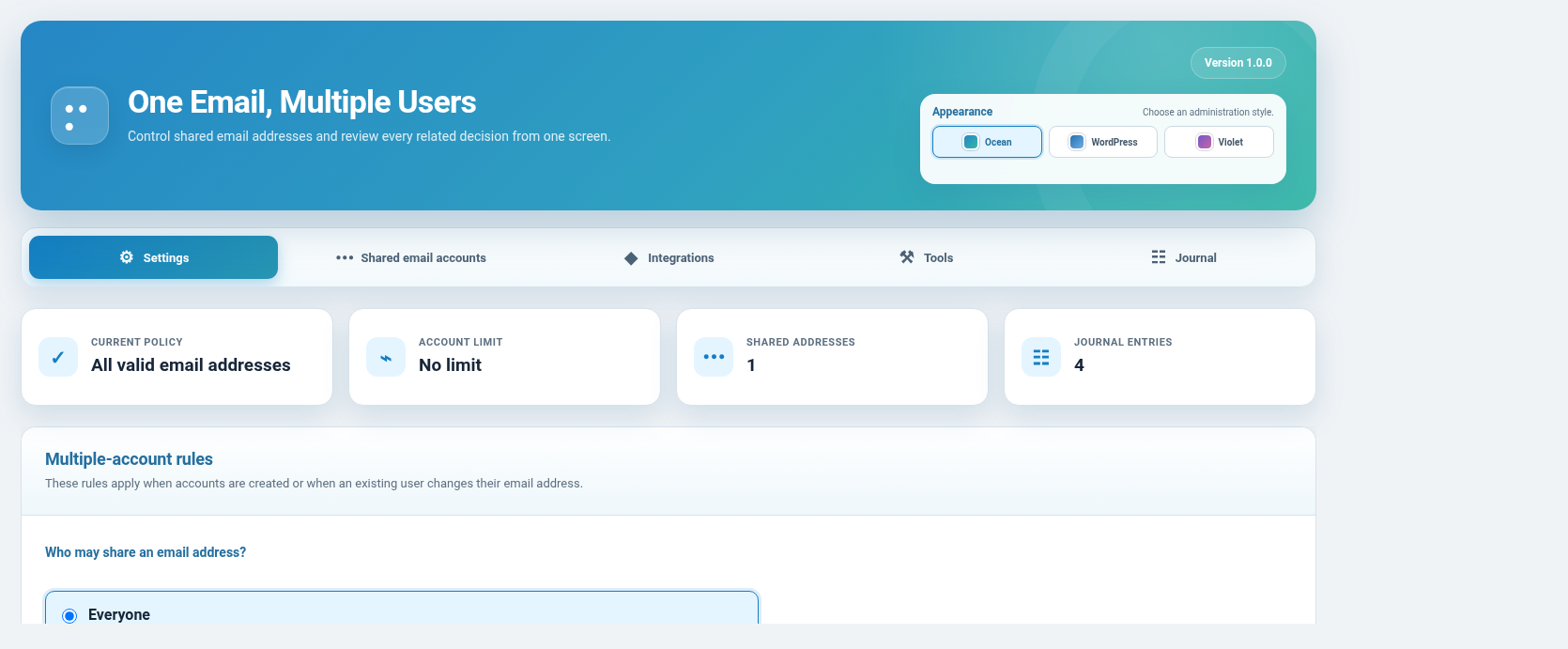
One Email, Multiple Users allows several WordPress accounts to register and share the same email address under a controlled policy.
WordPress normally requires every account to use a unique email address. This plugin provides a managed exception for native WordPress registration and supported third-party registration or membership forms.
Main features:
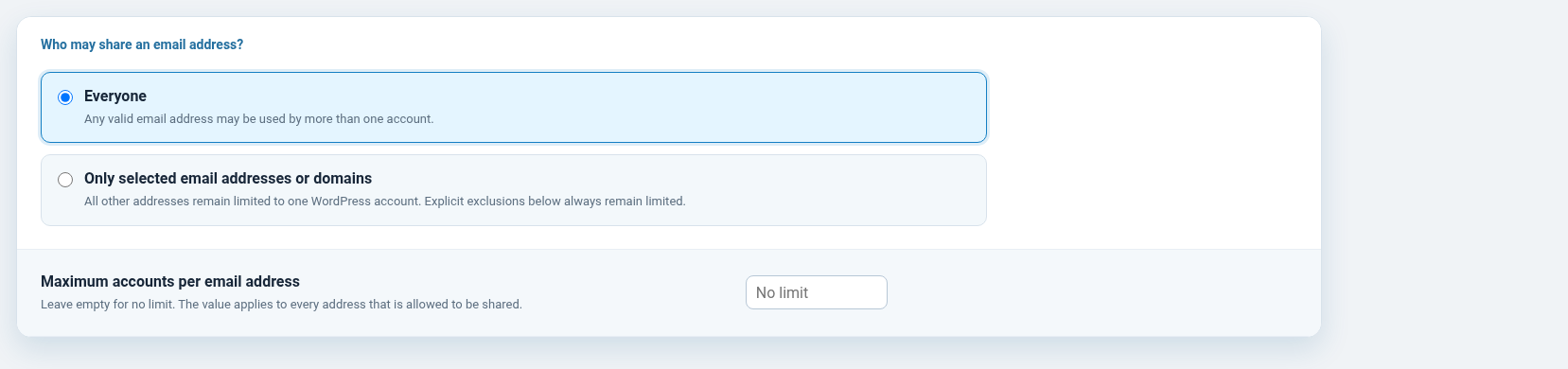
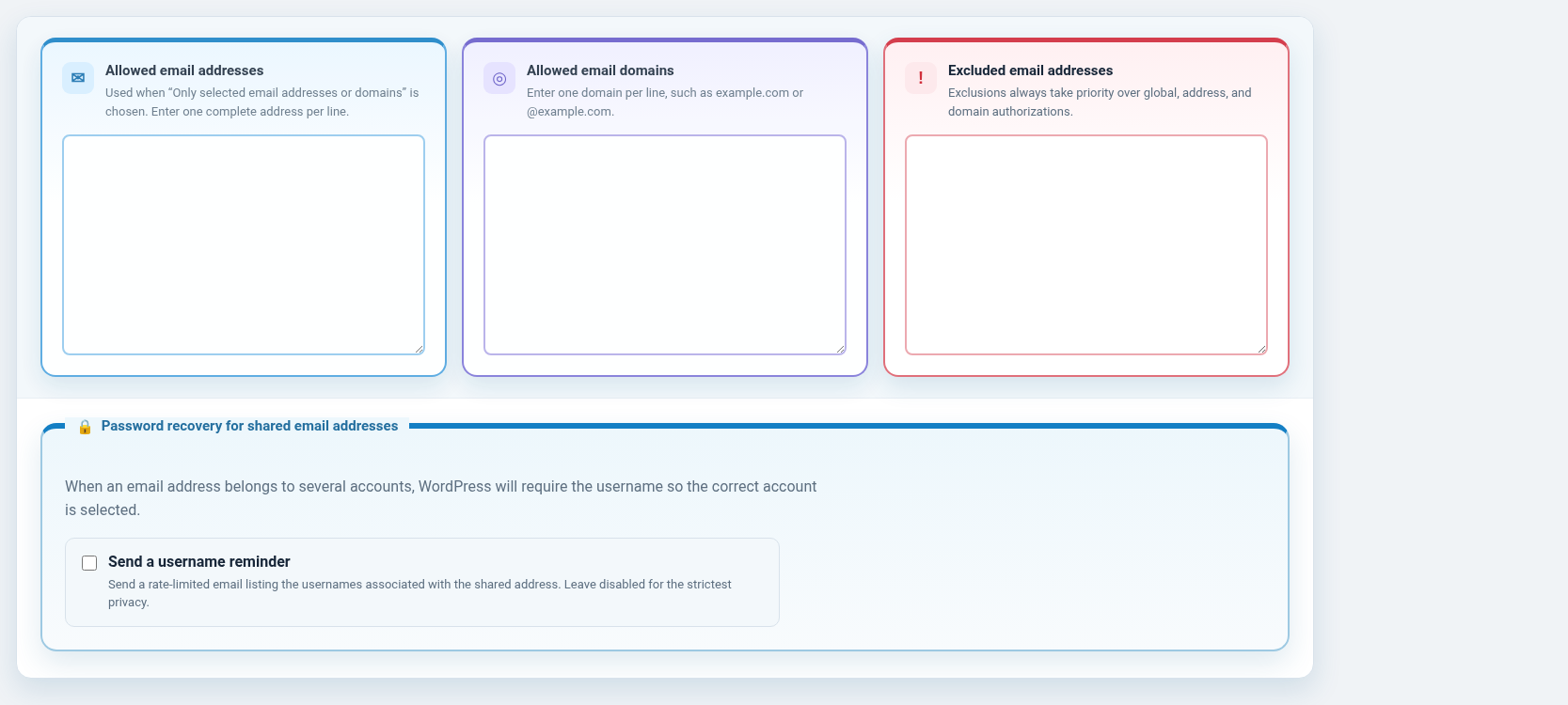
- Allow sharing for every valid address, selected addresses, or selected domains.
- Exclude exact email addresses even when a broader rule allows sharing.
- Set a maximum number of accounts that may use the same address.
- Prevent ambiguous password-reset requests from targeting an arbitrary account.
- Optionally send a rate-limited reminder listing the usernames associated with a shared address.
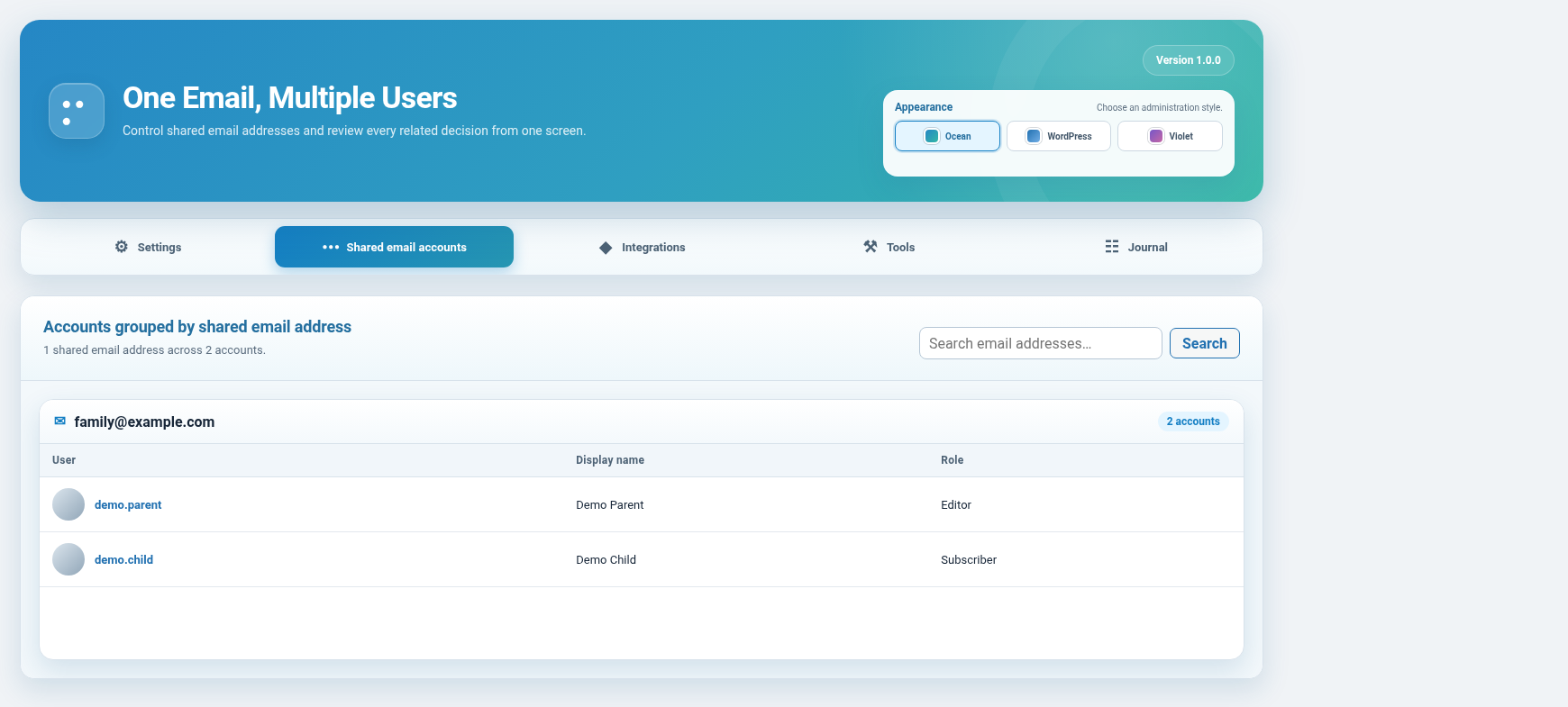
- Review shared addresses and their users in a searchable, paginated screen.
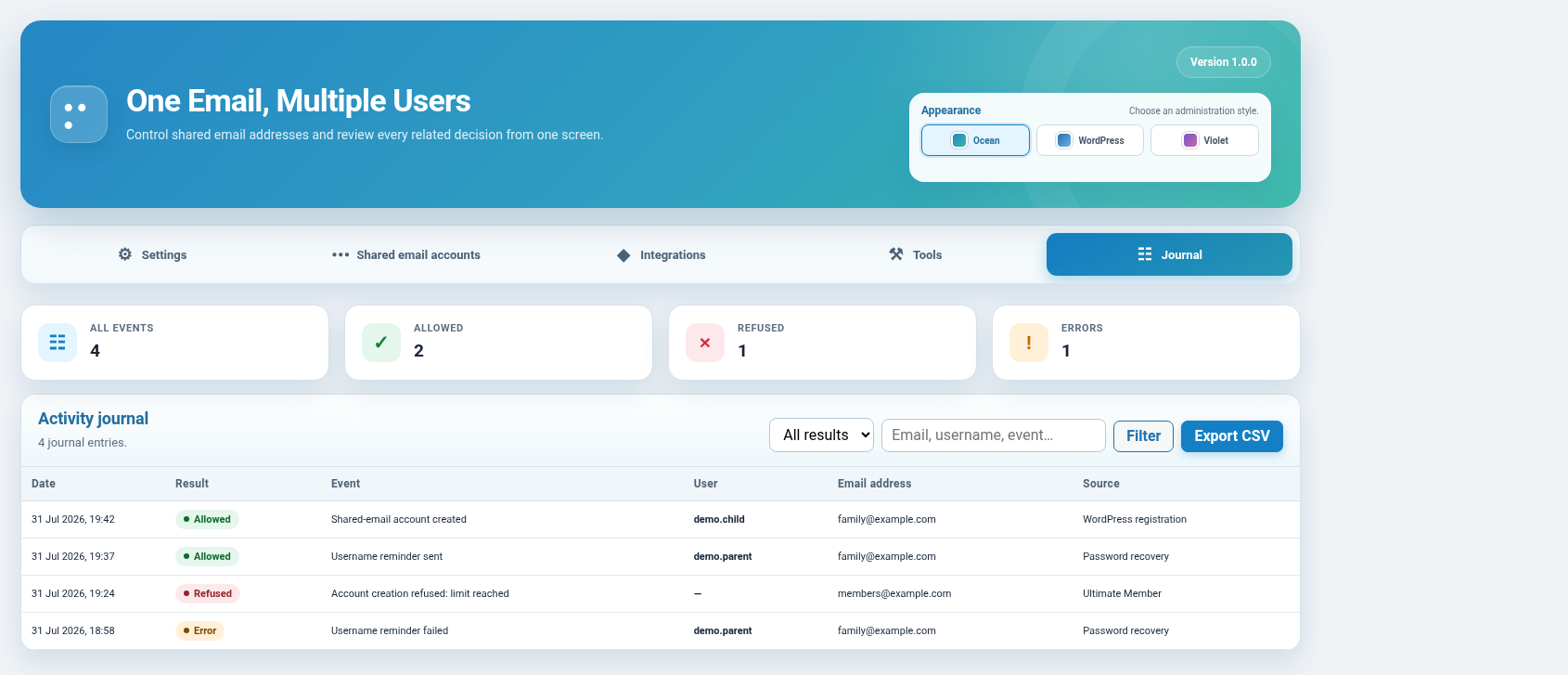
- Record allowed, refused, and failed operations in a dedicated journal.
- Export the journal as CSV with comma, semicolon, or tab separation.
- Automatically remove journal entries after 7, 30, or 90 days.
- Use an AJAX administration interface without full-page reloads.
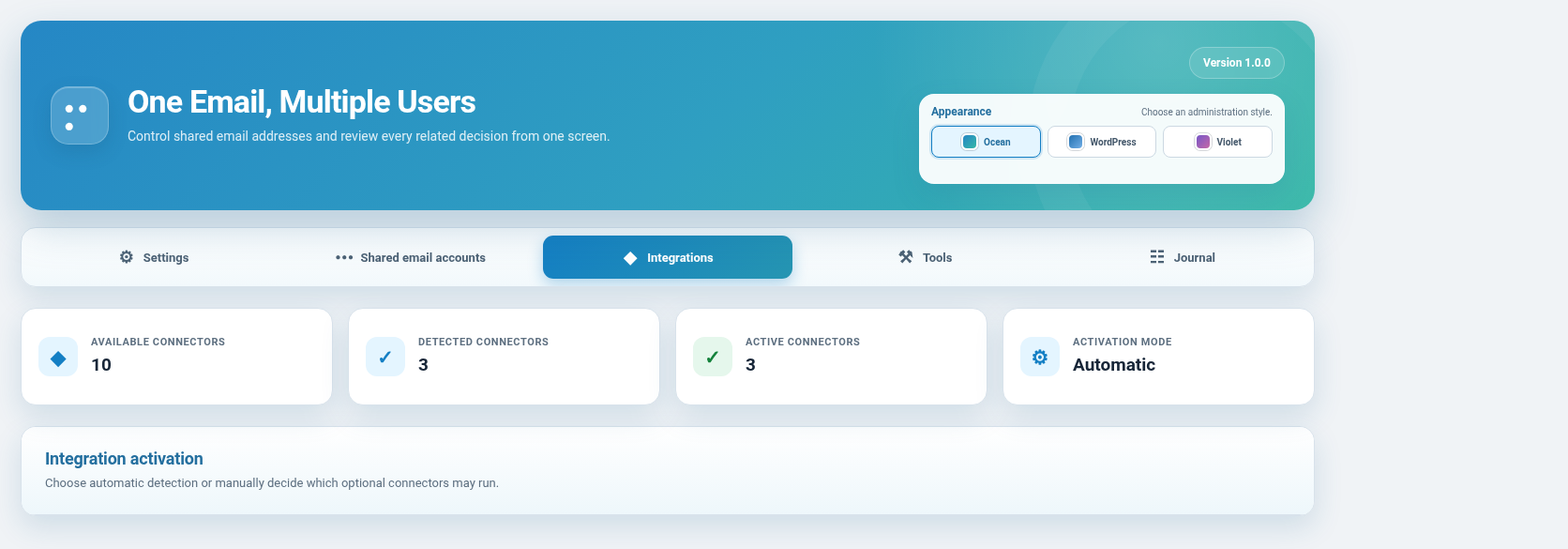
- Choose Ocean, WordPress, or Violet administration styles, saved per administrator.
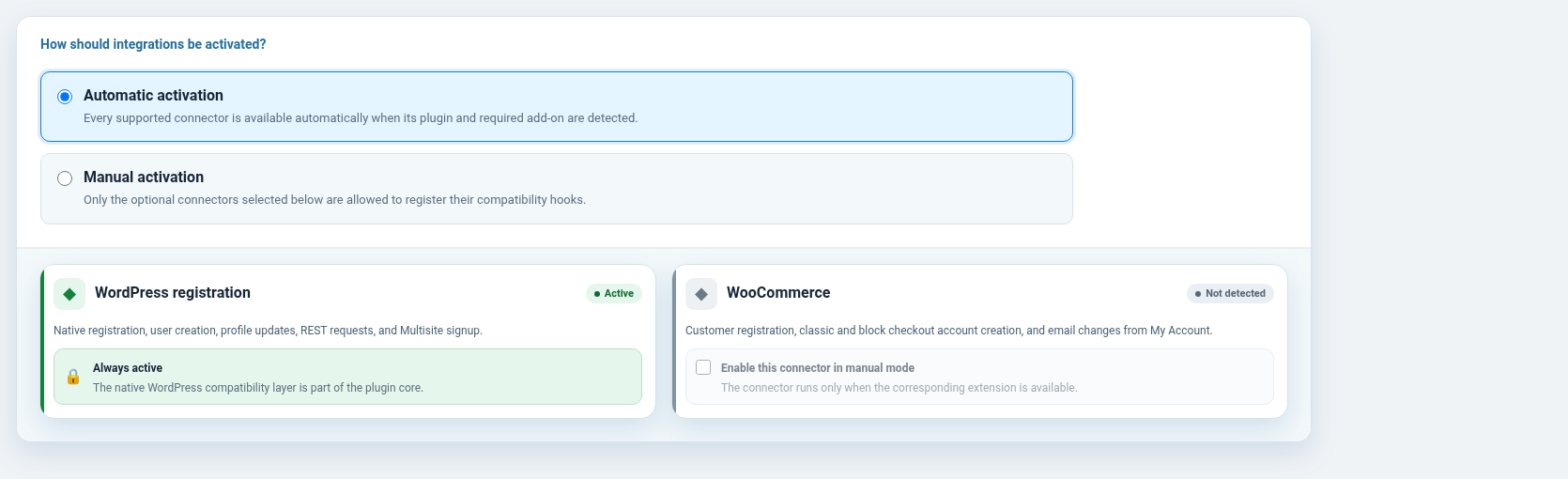
- Enable integrations automatically or select each connector manually.
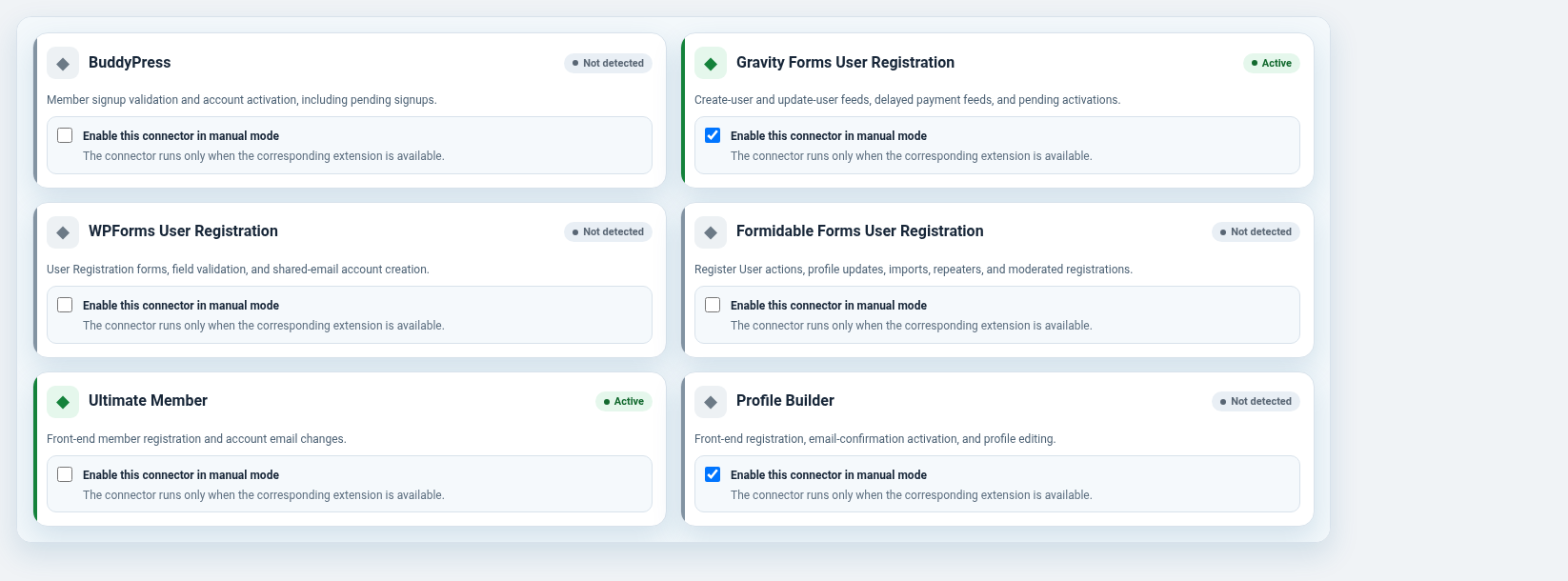
Supported connectors:
- WooCommerce
- BuddyPress
- Gravity Forms User Registration
- WPForms User Registration
- Formidable Forms User Registration
- Ultimate Member
- Profile Builder
- RegistrationMagic
- MemberPress
Native WordPress registration support is always active. Third-party connectors are loaded only when their related plugin is available and the connector is enabled.
Privacy
The journal can store a timestamp, event type, result, WordPress user ID, username, email address, request source, and a short diagnostic message. The journal is visible only to authorized administrators or network administrators.
Journal entries are automatically deleted after the configured retention period of 7, 30, or 90 days. Administrators can also export or clean the journal manually.
The optional username reminder sends an email through the site’s normal WordPress mail system. It is rate limited and disabled by default.
The selected administration style is stored as user metadata for each administrator.
The plugin does not send telemetry or personal data to the plugin author and does not depend on an external service.
When the plugin is uninstalled, its options, scheduled cleanup event, user-interface preference metadata, and journal table are removed.
Internationalization
The plugin is fully internationalized with the one-email-multiple-users text domain. Translations are managed through the standard WordPress.org translation platform.
Public functions
one_email_multiple_users_count_accounts( $email )one_email_multiple_users_get_users_by_email( $email )one_email_multiple_users_has_multiple_accounts( $email )
Credits
One Email, Multiple Users began as a substantially rewritten GPL fork of Allow Multiple Accounts, originally created by Scott Reilly / Coffee2Code.
The plugin is independently maintained and is not an official continuation endorsed by the original author. Copyright in retained portions remains with the original copyright holders.
Screenshots
Installation
- Back up your site.
- Install the ZIP from Plugins Add New Upload Plugin.
- Activate One Email, Multiple Users.
- Open Users Shared Email Users and configure the sharing policy.
On Multisite, the settings screen is available in Network Admin Users Shared Email Users when the plugin is network activated.
FAQ
-
The plugin asks for the exact username instead of allowing WordPress to select an arbitrary account. An optional, rate-limited username reminder can be enabled by an administrator.
-
Are existing accounts changed when I lower the limit?
-
No. The new limit applies only to future registrations and email-address changes.
-
Can an excluded address still be used once?
-
Yes. An exclusion prevents the address from being shared by a second account; it does not prevent the first account from using it.
-
Is Multisite supported?
-
Yes. The policy and journal are managed at network level when the plugin is network activated.
-
Must every integration be enabled?
-
No. Choose automatic detection or manual activation in the Integrations tab. Native WordPress support cannot be disabled.
-
Does the plugin require any external service?
-
No. All rules and journal data remain on the WordPress installation. Email reminders use the site’s normal WordPress mail configuration.
-
What is removed when I uninstall the plugin?
-
The plugin removes its settings, scheduled cleanup event, user-interface preference metadata, and journal table.
Reviews

Contributors & Developers
“One Email, Multiple Users” is open source software. The following people have contributed to this plugin.
Contributors

“One Email, Multiple Users” has been translated into 1 locale. Thank you to the translators for their contributions.
Translate “One Email, Multiple Users” into your language.
Interested in development?
Browse the code, check out the SVN repository, or subscribe to the development log by RSS.
Changelog
1.0.2
- Fix native WordPress profile editing for accounts that keep an unchanged shared email address.
- Accept the stdClass object supplied by the WordPress profile validation hook.
- Avoid temporary email remapping during ordinary profile updates, preventing invalid-user errors from downstream profile hooks.
1.0.1
- Fix editing profiles whose unchanged email address is shared by several users.
- Preserve existing shared-email accounts when policy limits are later tightened.
1.0.0
- Initial public release.
- Allow several WordPress users to safely share one email address.
- Add account limits, allowed domains, exact exclusions, and safer password recovery.
- Add searchable shared-account management, an activity journal, CSV export, and automatic retention.
- Add automatic or manual connectors for supported registration and membership plugins.
- Add Ocean, WordPress, and Violet administration styles.
- Include fully prefixed cache keys, transients, options, metadata, and administration selectors.
- Use WordPress.org language packs rather than bundled translation files.
- Protect CSV exports against spreadsheet formula interpretation.