

Description
OddPixel PC Configurator adds a PC configurator for WooCommerce merchants. Customers select component products that already exist in the store. The plugin checks specific technical rules and groups real WooCommerce product lines in the cart and order. WooCommerce remains responsible for prices, tax, product inventory and checkout.
This plugin has been tested on selected local WordPress installations. Check current compatibility and known limitations before enabling checkout workflows. HPOS and Checkout Blocks are not declared compatible by default.
Included in Free:
* Configurator inserted with the [wp_pc_builder] shortcode.
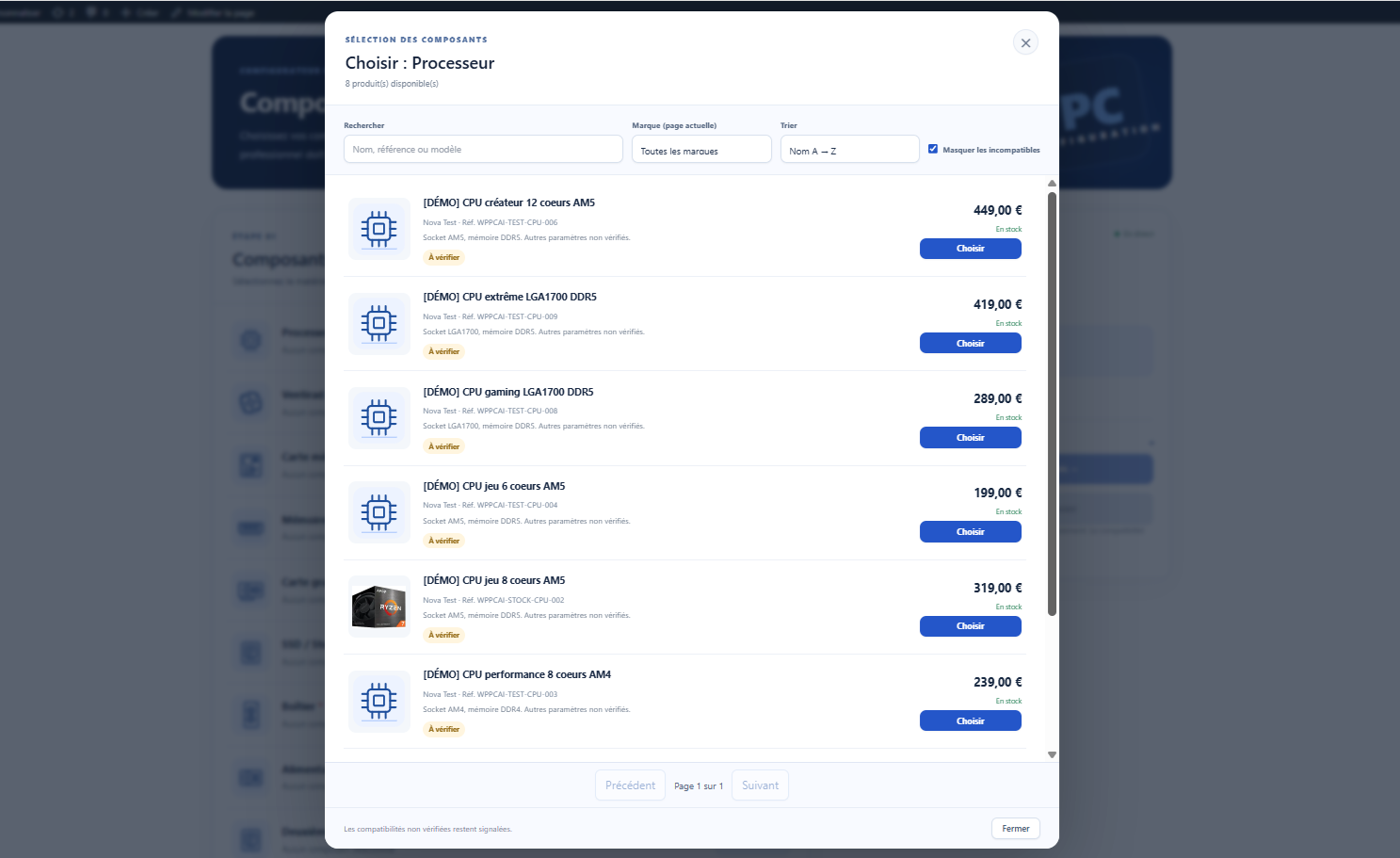
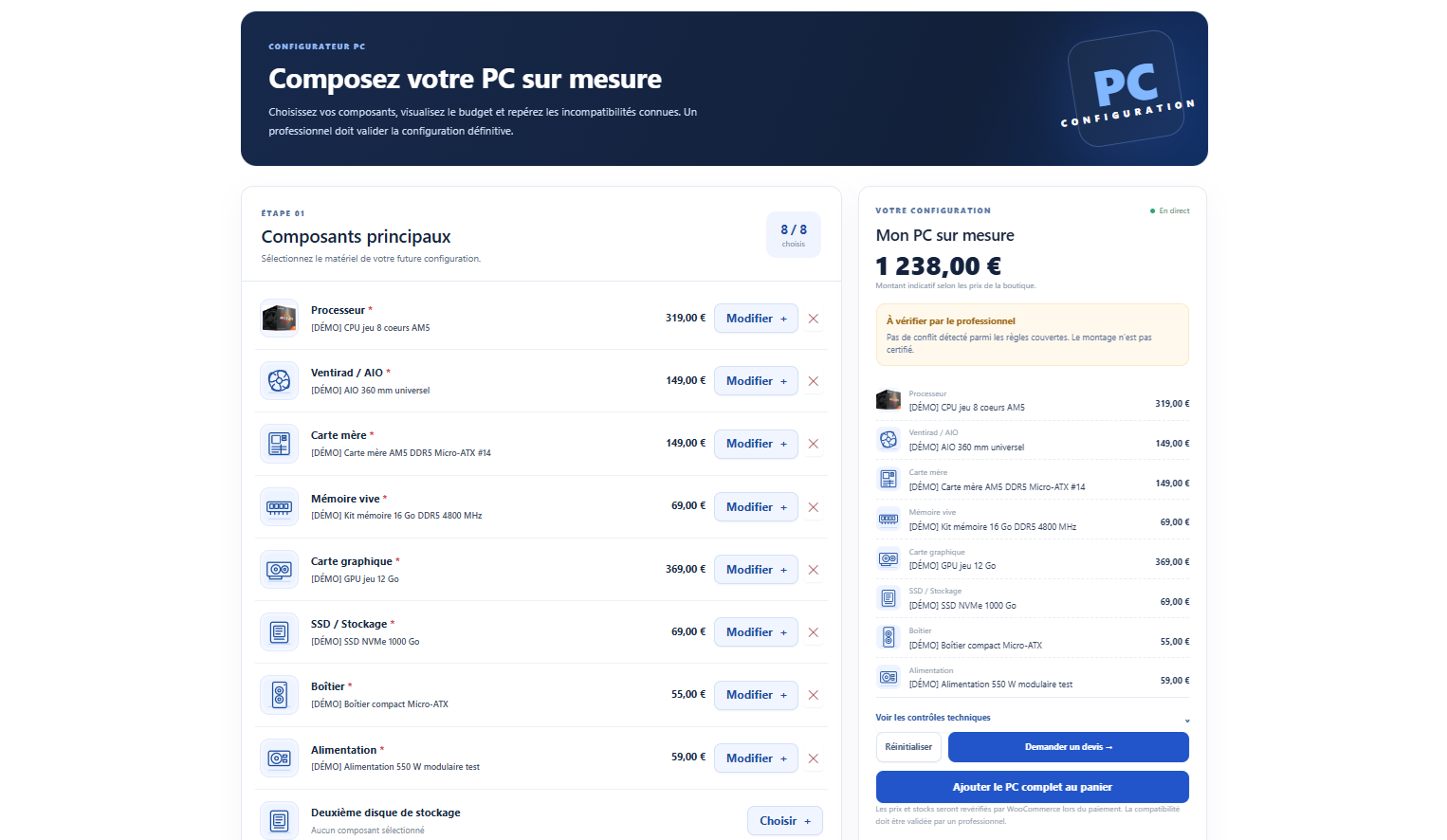
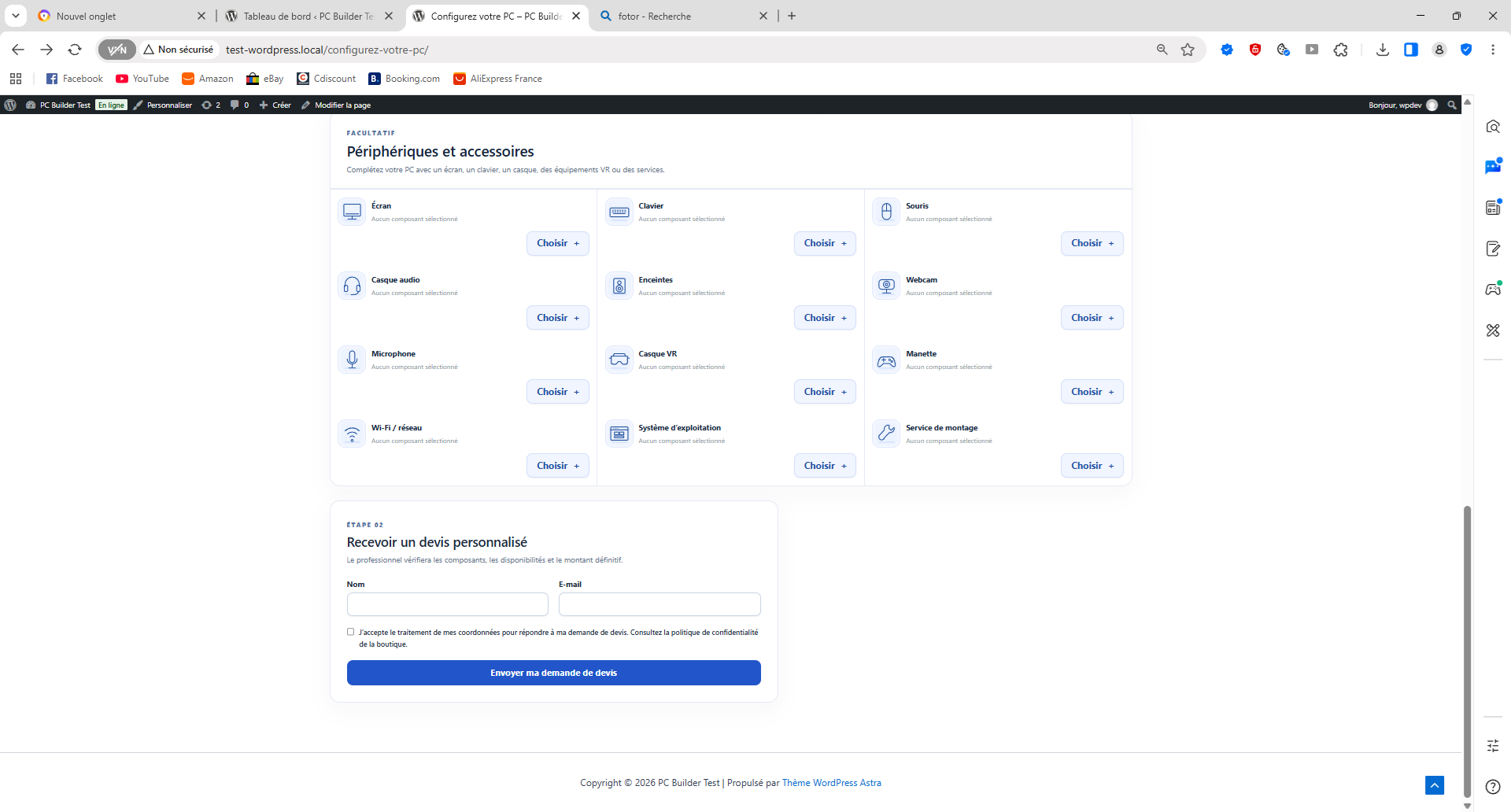
* Eight core component families: CPU, CPU cooler, motherboard, memory, GPU, storage, case and power supply; extra storage slots and optional accessories.
* Technical rules for CPU socket, memory generation, form factors, clearances, interfaces and estimated power, when product attributes are known.
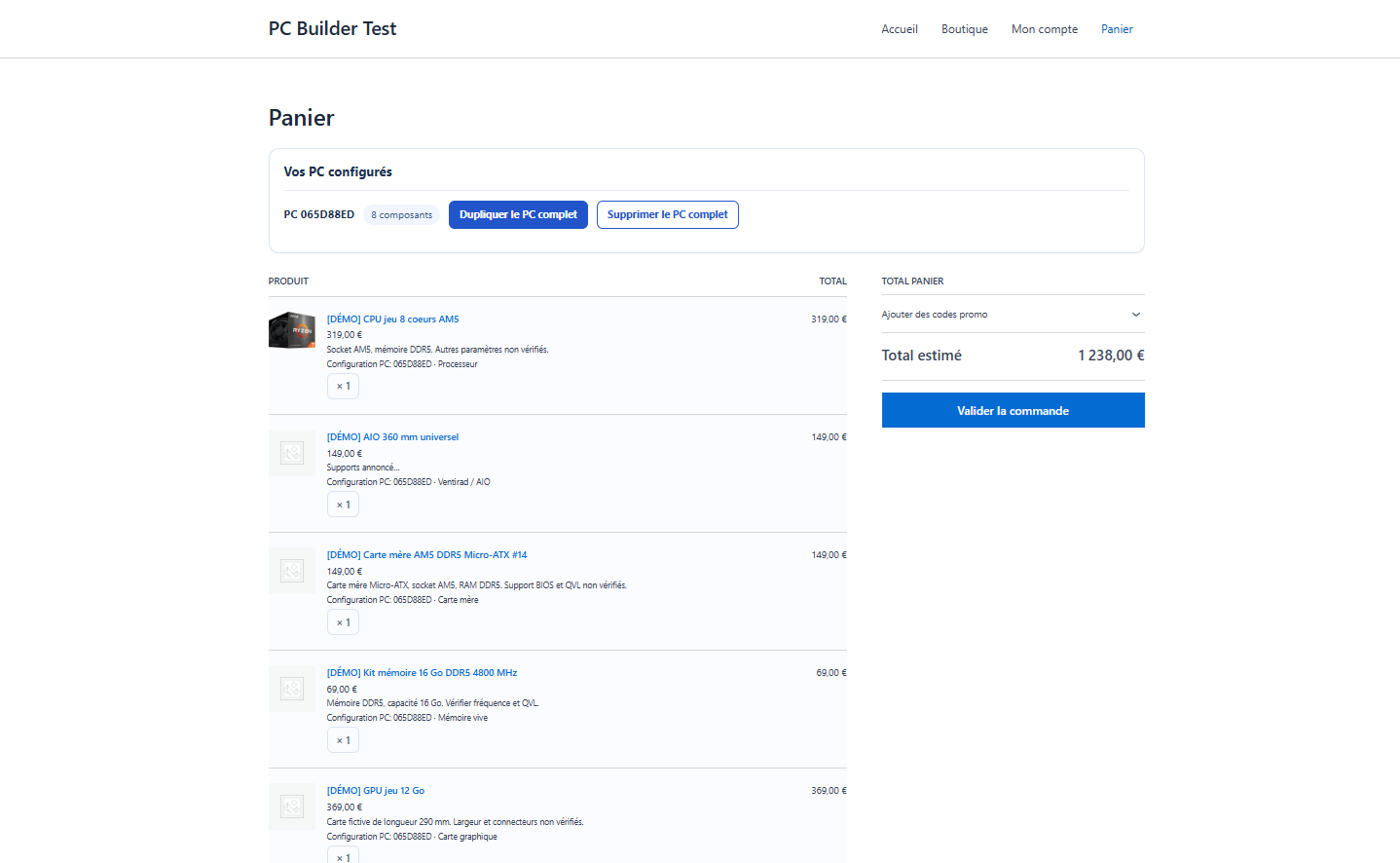
* Quote requests, merchant review of PC orders, grouped cart lines, checkout protections and manual AI-assisted specification suggestions.
* Product images, availability, regular prices and tax inherited from WooCommerce.
* English source strings and bundled French, Spanish and German message catalogs; translations are not yet fully certified. Italian is not included.
Limitations:
* Only simple WooCommerce products are supported; variable products and third-party bundles are not covered.
* Missing or uncertain technical specifications do not constitute certified compatibility. BIOS, QVL, physical assembly, cooling, exact connector configurations and third-party fulfillment integrations are not guaranteed.
* A human technical review remains necessary. The assistant does not automatically approve configurations or overwrite product details.
* HPOS and Checkout Blocks are not declared compatible by default; supported combinations must be validated on a real store before enabling feature declarations.
* A separate optional Pro extension may exist, but no Pro code, time-limited trial, subscription or license check is present in this Free distribution.
External services
No license service or plugin-vendor telemetry is required for the core configurator. Optional AI providers are configured by the store operator with their own credentials and are not contacted for enrichment automatically.
When a merchant explicitly requests AI analysis, the WordPress server sends the selected product name, SKU, manually supplied technical text and the extraction instructions to the chosen provider. A separate manual connection check sends an authenticated service/model request without product text. The provider receives the applicable API key or local gateway token in the request header. Review product data for personal information before enabling external AI; do not assume external processing stays inside the EU. Provider data handling, rate limits, billing and terms are governed by that provider.
- GroqCloud / Groq API:
api.groq.com(AI text analysis and model access check). Service/legal notices: https://console.groq.com/docs/legal ; privacy: https://groq.com/privacy-policy . - Google Gemini / AI Studio:
generativelanguage.googleapis.com(AI text analysis and model access check). Gemini API terms: https://ai.google.dev/gemini-api/terms ; Google privacy: https://policies.google.com/privacy . - OpenRouter:
openrouter.ai(AI text analysis and account access check). Terms: https://openrouter.ai/terms ; privacy: https://openrouter.ai/privacy . OpenRouter may route the request to another model provider, whose terms and data handling should also be checked. - Ollama / LM Studio: configured local OpenAI-compatible endpoint, by default loopback on the WordPress server, not on the merchant’s browser or own computer. An explicitly allowlisted remote HTTPS gateway may be used by a server administrator. A local installation does not require sending technical text to the above cloud providers, but a remote gateway may transfer it outside the WordPress server.
These third parties are optional. There is no AI provider key shipped with the plugin. Merchants should consult each provider’s terms and privacy policy before enabling a connection.
Privacy
Quote submission requires a consent checkbox. The saved quote contains customer-supplied name, email, selected products, estimate and workflow details; the plugin does not currently save a separate consent audit record or a timestamp of the checkbox. Quote records are stored privately in WordPress and may generate a notification email to the merchant; privacy export and erasure hooks are provided. The merchant is responsible for explaining the lawful basis, email routing, retention policy and third-party service use to customers.
To discourage quote spam, rate-limit markers derived from keyed hashes of visitor IP addresses and email combinations are stored in WordPress options; raw IP addresses are not intentionally stored by this rate limiter. These markers are cleaned up opportunistically when new quote requests are accepted and may remain longer on inactive sites. Quote retention is controlled by the merchant; when no retention period is explicitly chosen, no automatic expiration is assumed. Product and order records remain subject to WooCommerce’s own retention and privacy settings. API credentials are stored server-side; they are not intended to be exposed to storefront visitors. Avoid placing customer personal information in product technical descriptions sent to AI providers.
Hiding the missing-WooCommerce notice stores a dismissal preference in the current administrator’s WordPress user metadata, scoped to the current site. It is not sent to any external service.
No storefront user data is intentionally transmitted to the plugin author by default.
Screenshots

Installation
- Install and activate WooCommerce.
- For a clean installation, upload this plugin ZIP and activate it.
- Categorize existing simple WooCommerce products and fill in accurate technical metadata on product edit screens. Price, image and stock come from WooCommerce.
- Create a public WordPress page containing
[wp_pc_builder]and publish it. - Review the plugin’s order policies, quote settings and optional AI providers under the PC Builder administration menu.
- Verify a sample configuration, cart and quote on a staging store before taking real customer payments.
Upgrading from private beta (wp-pc-builder-ai or pc-builder-ai): The plugin directory is oddpixel-pc-configurator. WordPress treats it as another plugin. Back up the whole local site and database, deactivate any Pro preview and the old Free plugin without deleting either, install and activate the new edition, and inspect saved products, quotes, previous orders, settings and public shortcode. Keep the legacy plugin deactivated as fallback until migration is verified. Never activate both simultaneously. See the separate migration guide in developer archive.
FAQ
-
Does this plugin change WooCommerce product prices or stock?
-
No. It works with existing WooCommerce simple product records and uses WooCommerce as the source of pricing, taxation and stock availability.
-
Can customers change quantities of one PC component in the cart?
-
No. Components belonging to a configured PC form a group with quantity one per line. Ordinary products in the cart remain independently editable.
-
Are technical recommendations always correct?
-
No. Checks depend on the factual component attributes provided by the merchant. Missing data needs review; the plugin does not certify physical assembly.
-
Is AI required?
-
No. Manual AI assistance is optional. The shop owner configures a provider and explicitly initiates requests and reviews suggested changes before saving. The plugin imposes no daily usage cap on this feature. Provider pricing, rate limits and fair-use conditions may still apply.
-
Are API calls automatic?
-
AI content requests require merchant action. Network/model connection checks may be initiated from the AI settings screen. See External services and Privacy.
Reviews
There are no reviews for this plugin.
Contributors & Developers
“OddPixel PC Configurator” is open source software. The following people have contributed to this plugin.
Contributors
Translate “OddPixel PC Configurator” into your language.
Interested in development?
Browse the code, check out the SVN repository, or subscribe to the development log by RSS.
Changelog
1.0.1
- Limit the missing-WooCommerce notice to the Plugins screen and allow persistent per-user, per-site dismissal.
- Keep product save errors on the affected product editor only.
- Reject malformed or query-only nonces on privileged form submissions; enforce product/order permissions before processing requests.
- Preserve existing settings, quotations, extension hooks and commercial rules. No stock, pricing or refund algorithm changes.
1.0.0
- First stable release under the OddPixel PC Configurator name, by OddPixel Factory.
- Build PCs from WooCommerce simple products, show compatibility checks and warnings, submit quotes, and protect grouped cart and order lines.
- Optional, manually triggered AI specification assistance; human validation is required. No daily usage quota is imposed by this Free plugin.
- Existing private-beta shortcode and configuration metadata remain supported.