Description
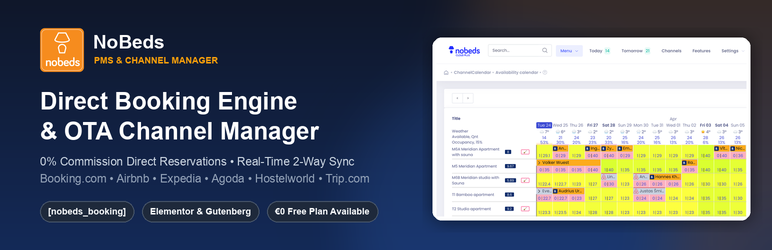
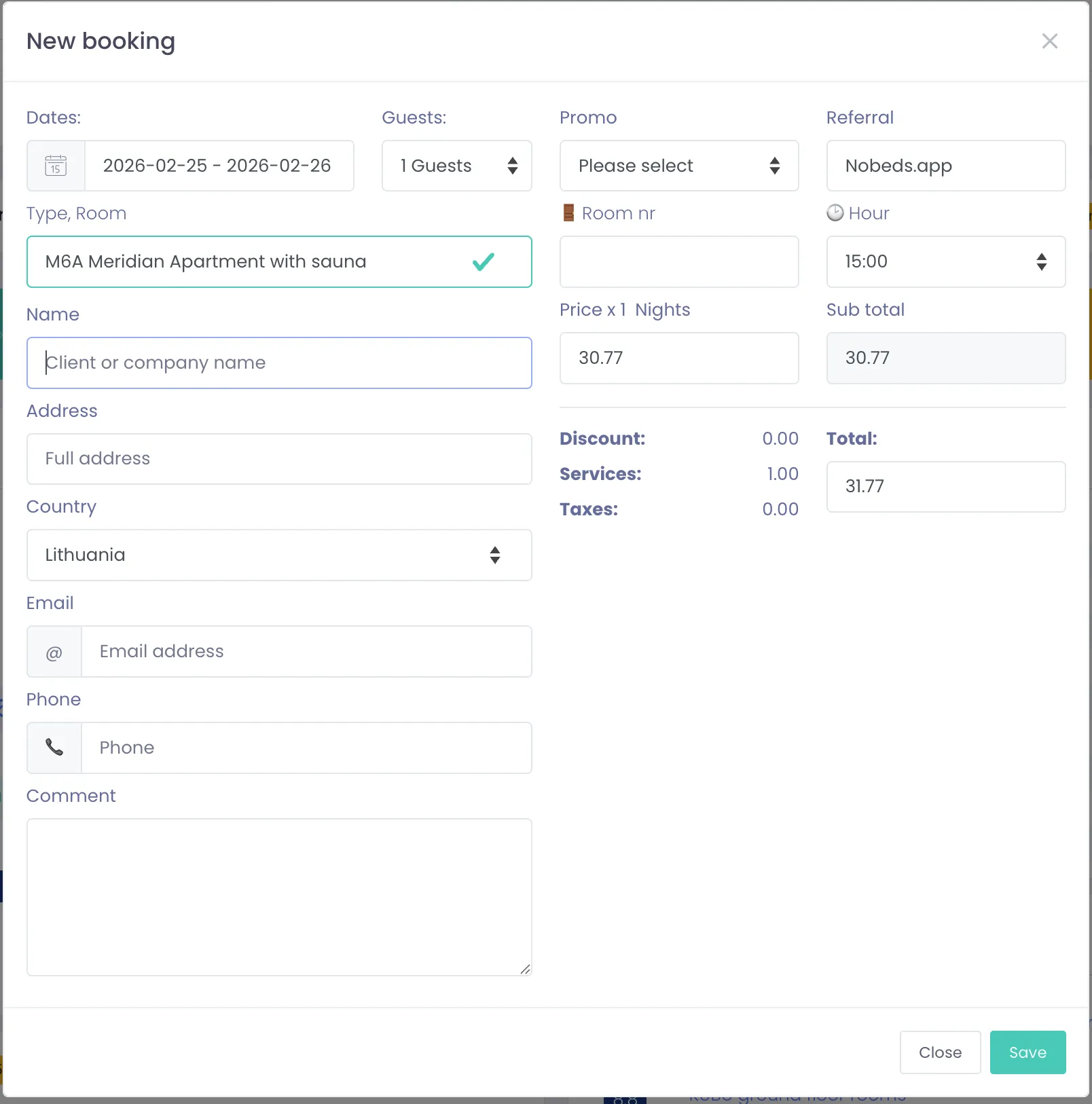
NoBeds Booking Engine & Channel Manager is the official WordPress plugin for boutique hotels, vacation rentals, B&Bs, guesthouses, apartments, hostels, and property managers using NoBeds PMS — the modern, cloud-based Property Management System and real-time OTA Channel Manager.
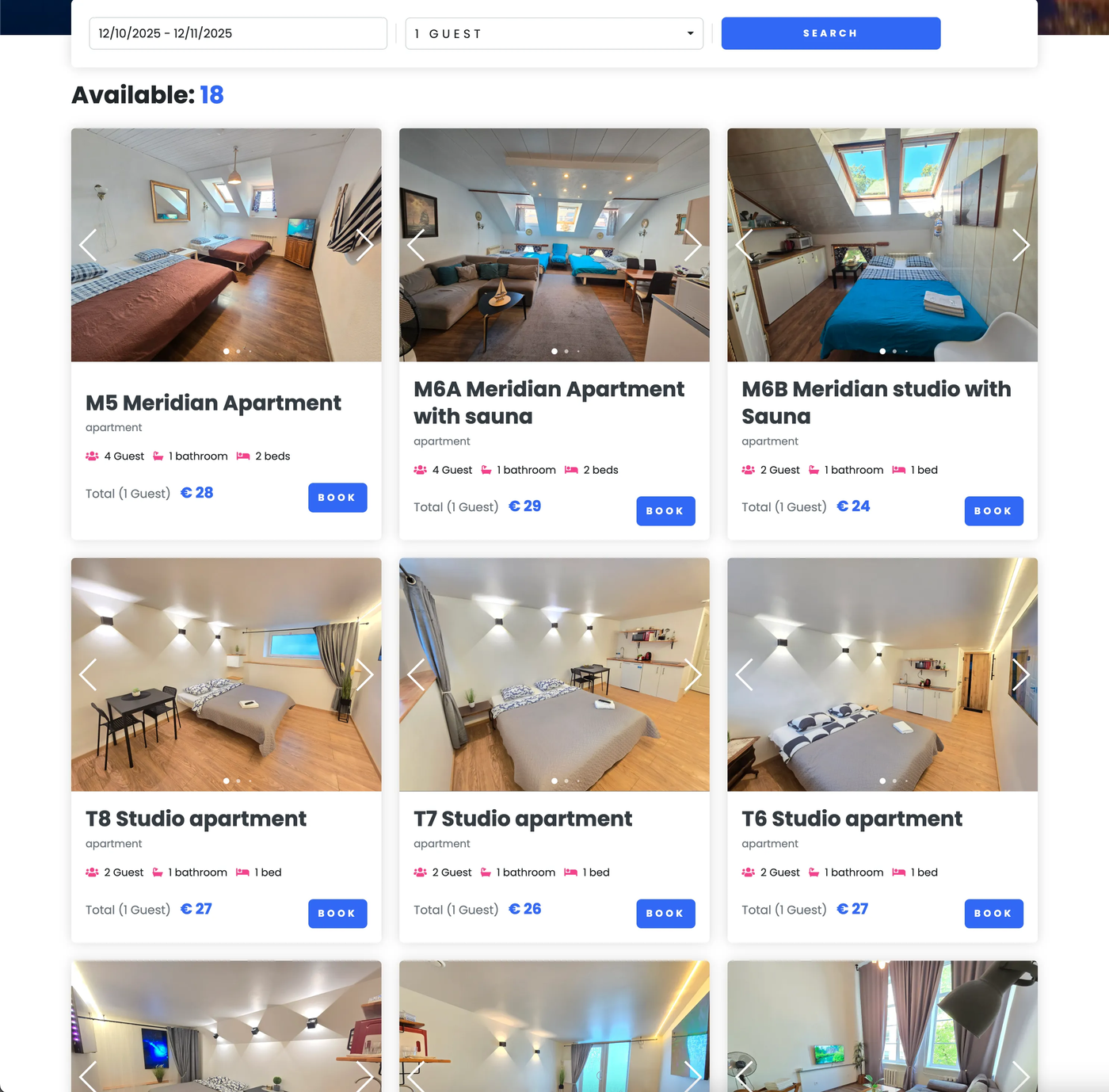
Turn your WordPress website into a high-converting direct reservation platform with 0% booking commissions. Using our lightweight shortcode [nobeds_booking], Gutenberg Block, or native Elementor Widget, you can embed a responsive, mobile-first booking engine that synchronizes room availability and rates in real time with your central NoBeds calendar and major online travel agencies.
Why Choose NoBeds for Your Property?
- 0% Commission on Direct Bookings: Keep 100% of your revenue. Unlike OTA platforms that charge 15%–20% per reservation, direct bookings through your WordPress website are completely commission-free.
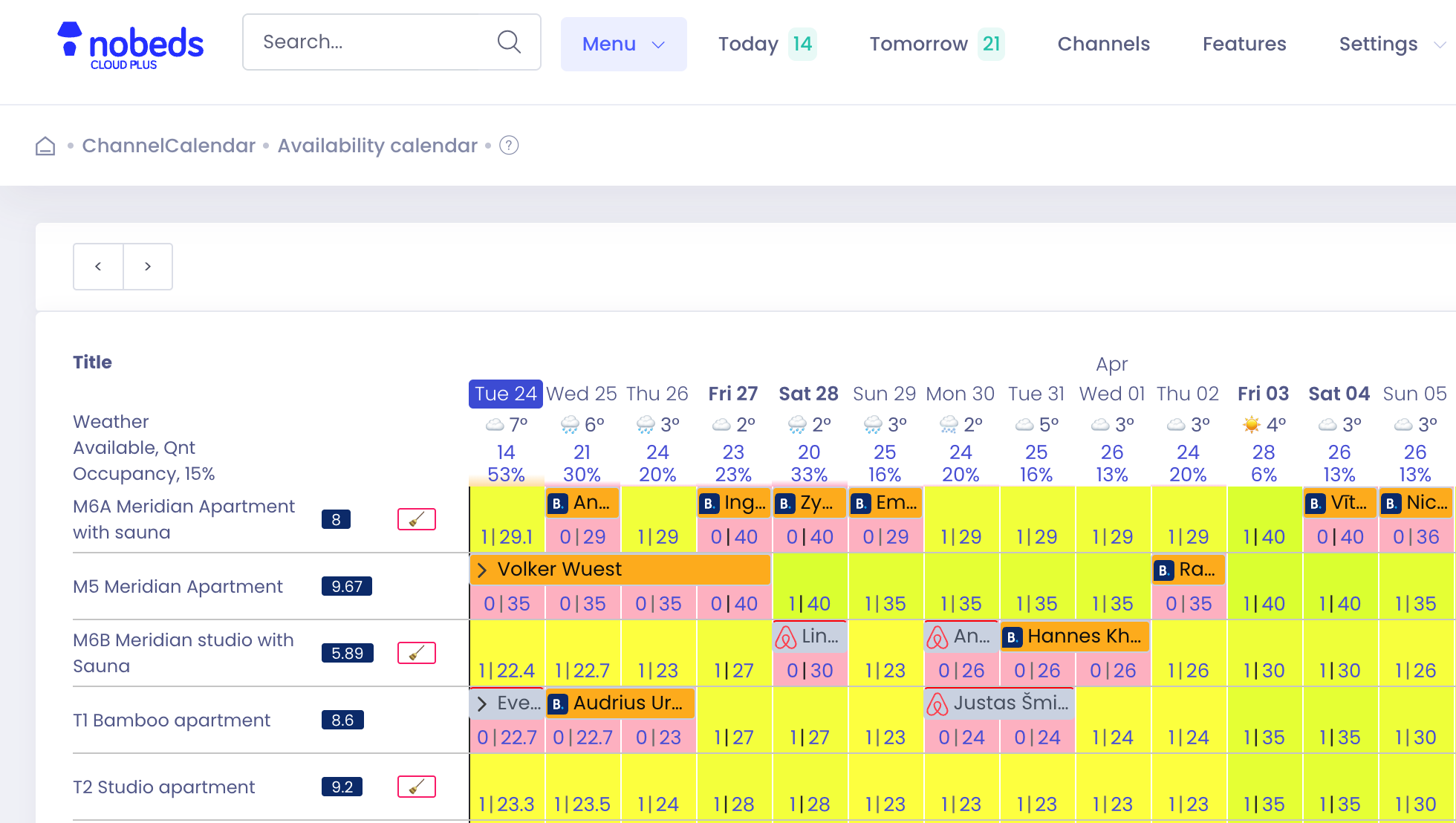
- Official 2-Way OTA Channel Manager: Every direct reservation received on your WordPress site immediately updates your central NoBeds Channel Manager calendar and blocks dates across Booking.com, Airbnb, Expedia, Agoda, Hostelworld, Trip.com, and Despegar — eliminating overbookings.
- Two Flexible Booking Engine Layouts:
- Step Mode (
mode="step"): Clean, guided step-by-step reservation flow ideal for boutique hotels, guesthouses, and single-unit vacation rentals. - Multi-Room Mode (
mode="multi"): Allows guests to select and book multiple rooms or apartment categories within a single reservation — perfect for larger hotels, groups, and multi-unit properties.
- Step Mode (
- Works with Gutenberg, Elementor & Classic Editor:
- Shortcode: Drop
[nobeds_booking]anywhere on any page, post, or sidebar widget. - Gutenberg Block: Search for NoBeds in the WordPress Block Editor.
- Elementor Widget: Drag and drop the NoBeds Booking Engine widget directly inside Elementor with live visual controls.
- Shortcode: Drop
- Built-In Multilingual Support (7 Languages): Automatically display the booking widget in English (
en), Spanish (es), German (de), French (fr), Italian (it), Portuguese (pt-br), or Lithuanian (lt) to match international guest preferences. - Dynamic Auto-Resizing iFrame: Includes a lightweight local script that listens for height adjustments from the booking form so the widget adapts smoothly on desktop, tablet, iPhone, and Android screens without awkward double scrollbars.
- Secure Online Payments & Card Capture: Integrates seamlessly with your configured NoBeds payment gateways (Stripe, PayPal, SumUp, bank transfers, and credit card guarantee validation).
Who Is This Plugin For?
- Hotels, Boutique Hotels & Aparthotels looking to reduce OTA commission costs and increase direct website reservations.
- Vacation Rentals, Villas & Serviced Apartments managing listings across Airbnb, Booking.com, and their own brand website.
- Hostels & Dormitories needing bed-level and room-level inventory synchronization.
- ** Guesthouses, B&Bs & Glamping Sites** wanting a simple, fast, and reliable booking calendar on WordPress.
- Web Agencies & WordPress Developers building hospitality websites with Elementor, Divi, Astra, or Block themes.
Shortcode Parameters & All 7 Hospitality Widgets
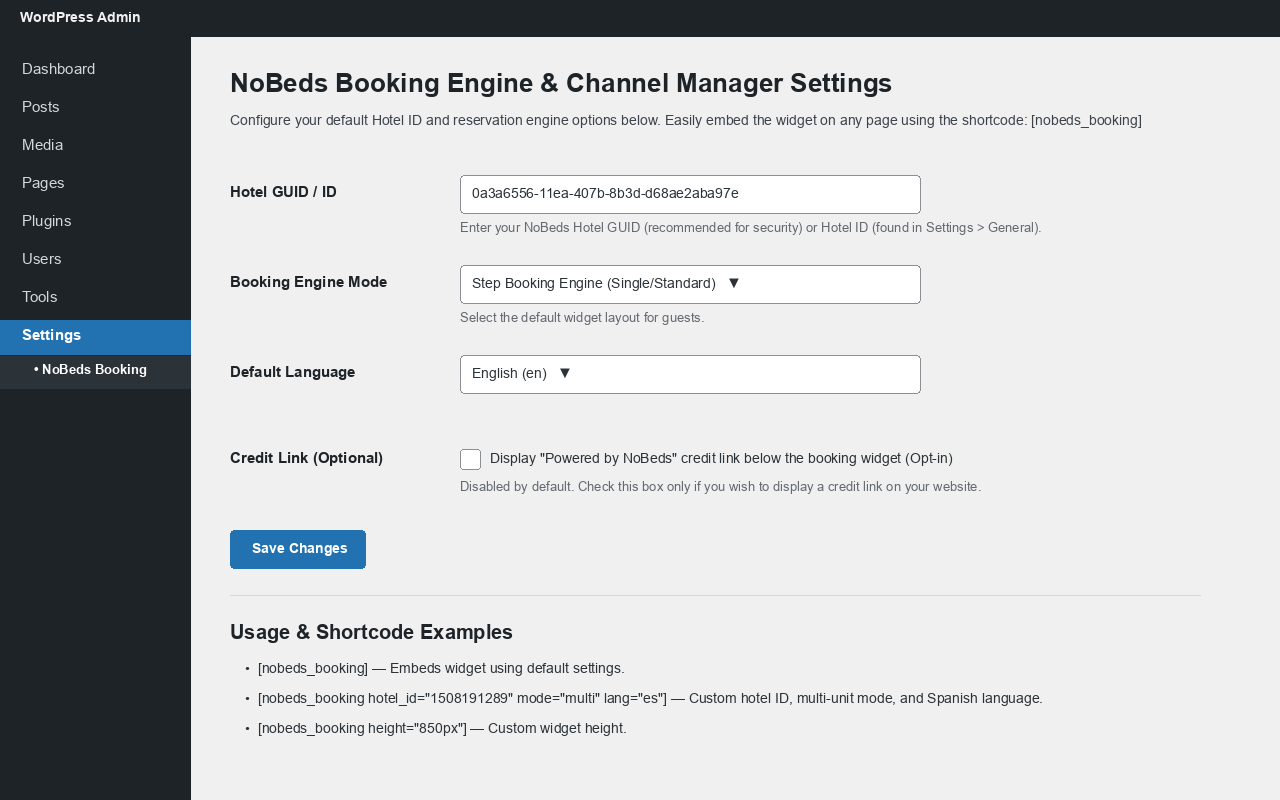
Once you set your default Hotel GUID / ID (and optional Default Room ID) under Settings > NoBeds Booking, you can embed any of the 7 official NoBeds widgets anywhere on your site:
- 1. Direct Booking Engine (
[nobeds_booking]):[nobeds_booking]— Embeds the reservation engine using your default settings.[nobeds_booking hotel_guid="0a3a6556-11ea-407b-8b3d-d68ae2aba97e" mode="multi" lang="es"]— Multi-unit booking engine in Spanish.
- 2. 3-Month Room Availability Calendar (
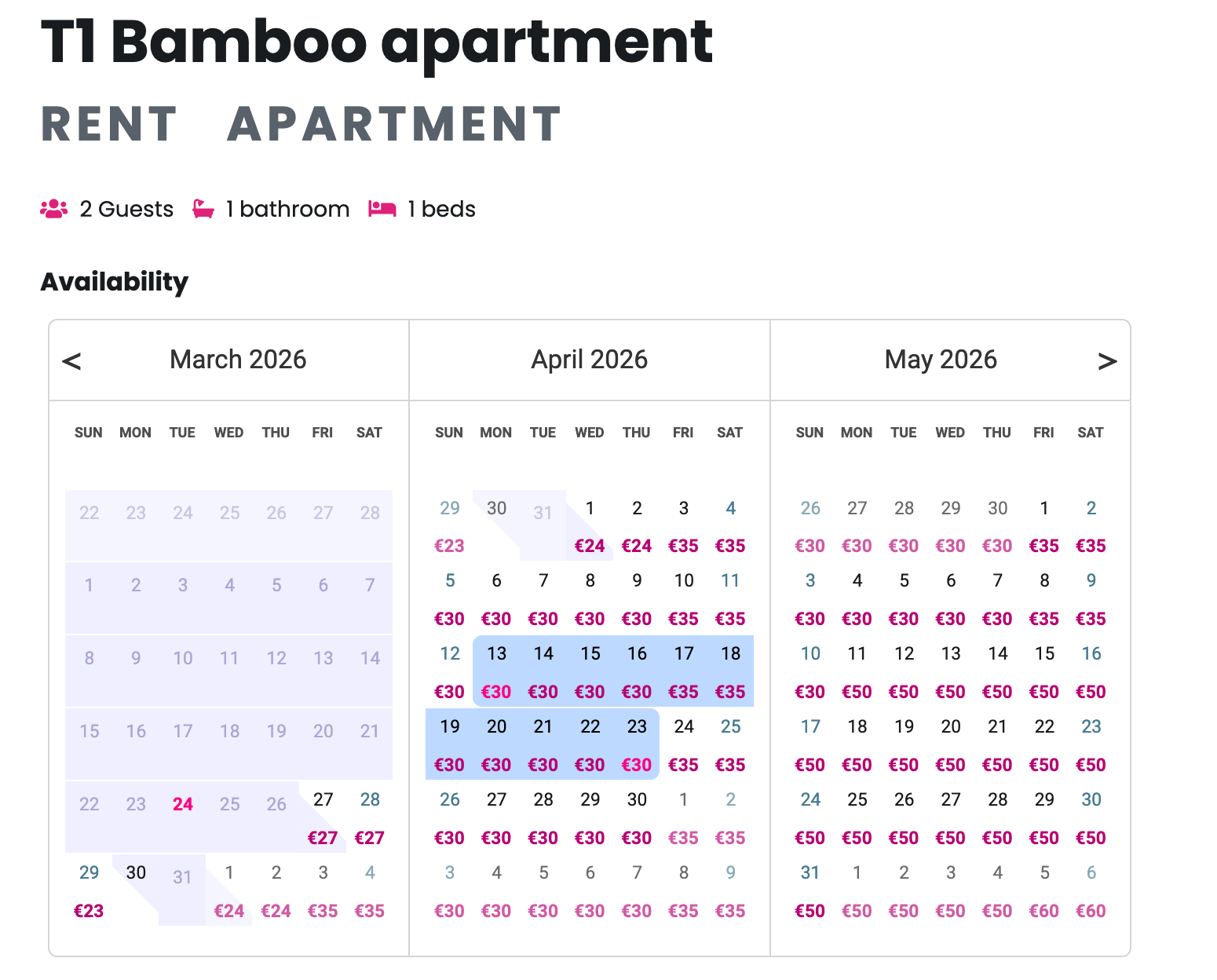
[nobeds_calendar]):[nobeds_calendar room="12345"]— Embeds a 3-month availability calendar for a specific room.
- 3. 12-Month Full Year Availability Calendar (
[nobeds_full_calendar]):[nobeds_full_calendar room="12345"]— Displays a full 12-month occupancy & availability overview for a room.
- 4. Interactive Direct Booking Calendar (
[nobeds_direct_calendar]):[nobeds_direct_calendar room="12345"]— Displays live daily rates, minimum stay rules, and direct calendar booking.
- 5. Horizontal Date Search Bar (
[nobeds_searchbar]):[nobeds_searchbar hotel_guid="0a3a6556-11ea-407b-8b3d-d68ae2aba97e"]— Compact check-in/check-out search bar ideal for homepage hero headers.
- 6. Verified Guest Reviews Carousel (
[nobeds_reviews]):[nobeds_reviews hotel_guid="0a3a6556-11ea-407b-8b3d-d68ae2aba97e"]— Showcases verified guest reviews and rating scores from Booking.com, Airbnb, and direct stays.
- 7. OnePage Property Website (
[nobeds_onepage]):[nobeds_onepage hotel_guid="0a3a6556-11ea-407b-8b3d-d68ae2aba97e"]— Embeds your complete NoBeds OnePage property showcase.
- Sitewide Floating “Book Direct” Button (Opt-in):
- Enable under Settings > NoBeds Booking to display a floating “Book Direct — Best Price” button across all pages of your WordPress website.
Helpful Links & Resources
- NoBeds Official Website
- Create a Free NoBeds Account (€0 Free Plan Available)
- Direct Booking Engine Documentation
- Knowledge Base & Help Center
External services
This plugin connects to the external NoBeds Direct Booking Engine service (https://nobeds.app/DirectForm/...) via an embedded iframe to display live room availability, pricing, and reservation forms for the property configured by the site administrator.
- What the service is and what it is used for: NoBeds (
nobeds.com/nobeds.app) is a cloud-based Property Management System (PMS) and Channel Manager that processes real-time room availability and direct guest reservations. - What data is sent and when: Whenever a visitor views a page containing the
[nobeds_booking]shortcode, Gutenberg block, or Elementor widget, the visitor’s browser loads the booking iframe fromhttps://nobeds.appusing the configured property identifier (hotel_guidorhotel_id), display mode (SteporMulti), and language code (culture). When a guest voluntarily submits a reservation inside the widget, their booking details (selected dates, room choice, guest name, email, and phone number) are transmitted directly over HTTPS tonobeds.appto create the reservation. - Service Provider Terms & Privacy Policy: This service is provided by NoBeds: Terms of Service, Privacy Policy.
Screenshots
Blocks
This plugin provides 1 block.
- Nobeds Booking Engine
Installation
- In your WordPress Admin Dashboard, go to Plugins > Add New and search for NoBeds Booking Engine & Channel Manager, or upload the plugin zip file directly.
- Click Install Now and then Activate.
- Log in to your NoBeds PMS Dashboard and copy your Hotel GUID or Hotel ID (visible in the top navigation bar or under Settings > General).
- In WordPress, navigate to Settings > NoBeds Booking, paste your Hotel GUID / ID, choose your preferred default mode (
SteporMulti) and language, and click Save Changes. - Add the
[nobeds_booking]shortcode, the NoBeds Gutenberg block, or the NoBeds Booking Engine Elementor widget to your Reservations / Book Now page.
FAQ
-
Do I need a NoBeds account to use this plugin?
-
Yes, this plugin connects your WordPress website to your NoBeds property calendar. You can register a free account in under 2 minutes at nobeds.com. NoBeds offers a Free Forever plan (€0/month) for small properties as well as Premium (€15/month) and API (€99/month) plans.
-
Where do I find my NoBeds Hotel GUID or ID?
-
Log in to your NoBeds PMS account at nobeds.app. Your numeric Hotel ID is shown in the top header bar, and your secure Hotel GUID can be copied from Features > Direct Booking Engine or Settings > General. Both formats are supported.
-
Does NoBeds charge any commission on reservations made through this plugin?
-
No. All direct bookings received through your WordPress website are 100% commission-free (0% commission).
-
Will website bookings automatically block dates on Booking.com and Airbnb?
-
Yes! As soon as a guest completes a reservation in the WordPress widget, NoBeds immediately deducts availability and pushes the updated calendar to all connected OTA channels (Booking.com, Airbnb, Expedia, Agoda, Hostelworld, Trip.com, and iCal feeds).
-
How do I customize the widget layout or language for different pages?
-
If you run a multilingual WordPress site (using WPML, Polylang, TranslatePress, etc.), you can pass the
langattribute directly in the shortcode on each translated page:
[nobeds_booking hotel_guid=”0a3a6556-11ea-407b-8b3d-d68ae2aba97e” mode=”multi” lang=”es” height=”800px”] -
Does this plugin work with Elementor, Divi, and Gutenberg?
-
Yes! The plugin includes a dedicated Elementor Widget (search for NoBeds Booking Engine in Elementor), a native Gutenberg Block, and standard
[nobeds_booking]shortcode support that works inside Divi, WPBakery, Avada, Bricks, and any WordPress theme. -
Can I embed multiple properties on the same WordPress website?
-
Yes. Simply specify the
hotel_guidorhotel_idparameter inside each page’s shortcode or Elementor widget to display the corresponding property’s booking engine.
Reviews
There are no reviews for this plugin.
Contributors & Developers
“NoBeds Booking Engine & Channel Manager” is open source software. The following people have contributed to this plugin.
Contributors
Translate “NoBeds Booking Engine & Channel Manager” into your language.
Interested in development?
Browse the code, check out the SVN repository, or subscribe to the development log by RSS.
Changelog
1.1.0
- Added 6 additional hospitality widget shortcodes:
[nobeds_calendar],[nobeds_full_calendar],[nobeds_direct_calendar],[nobeds_searchbar],[nobeds_reviews], and[nobeds_onepage]. - Added widget type selector to the Elementor widget and Gutenberg block.
- Added optional sitewide floating “Book Direct — Best Price” button (
wp_footeropt-in setting). - Added quick onboarding guide in Settings > NoBeds Booking for new properties.
- Added bundled
.poand.motranslations for Spanish (es_ES), German (de_DE), French (fr_FR), Italian (it_IT), Portuguese (pt_BR), and Lithuanian (lt_LT).
1.0.1
- Changed front-end credit link to strict opt-in (disabled by default) in compliance with WordPress Plugin Directory Guideline 10.
- Added complete
== External services ==disclosure section with Terms of Service and Privacy Policy links inreadme.txt. - Matched plugin Text Domain (
nobeds-booking-engine-channel-manager) and display title across all files to the assigned WordPress.org plugin slug. - Added
wp_ksesoutput sanitization wrapper for Elementor widget rendering.
1.0.0
- Initial public release of official NoBeds Booking Engine & Channel Manager WordPress Plugin.