
Description
nnax Web Essentials provides free administration, security, and performance features for WordPress. Additional features are available in a separate plugin.
Free
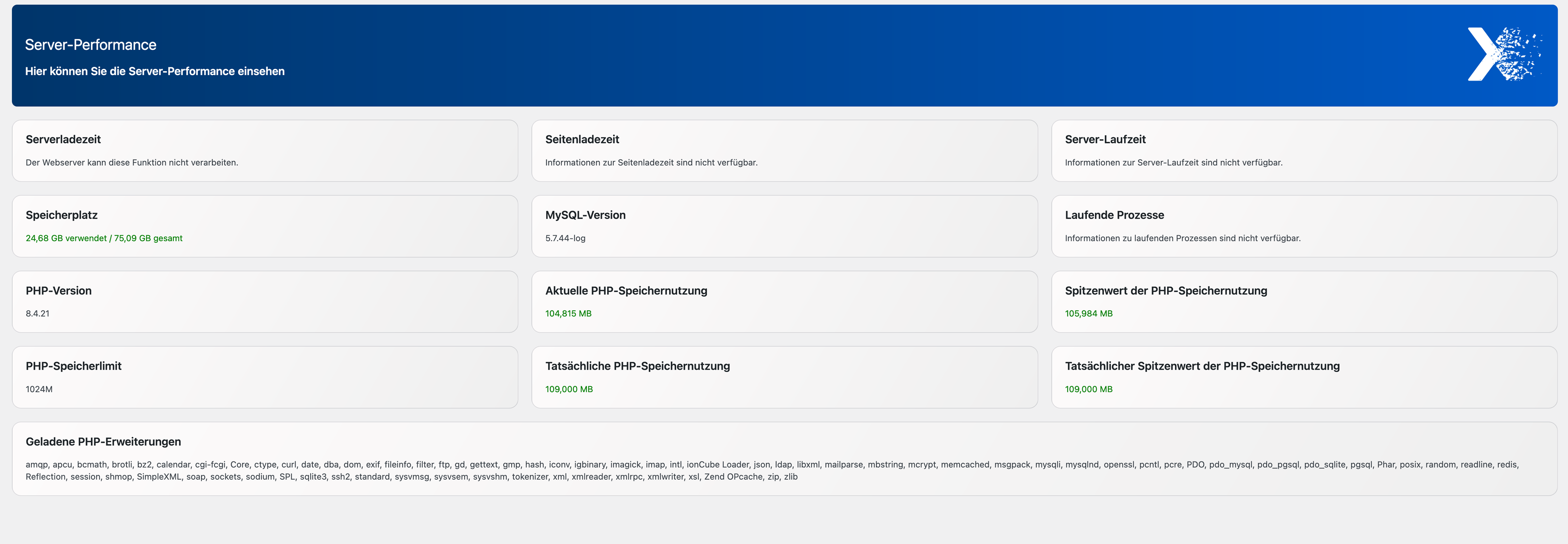
- Server and performance information in the WordPress admin area
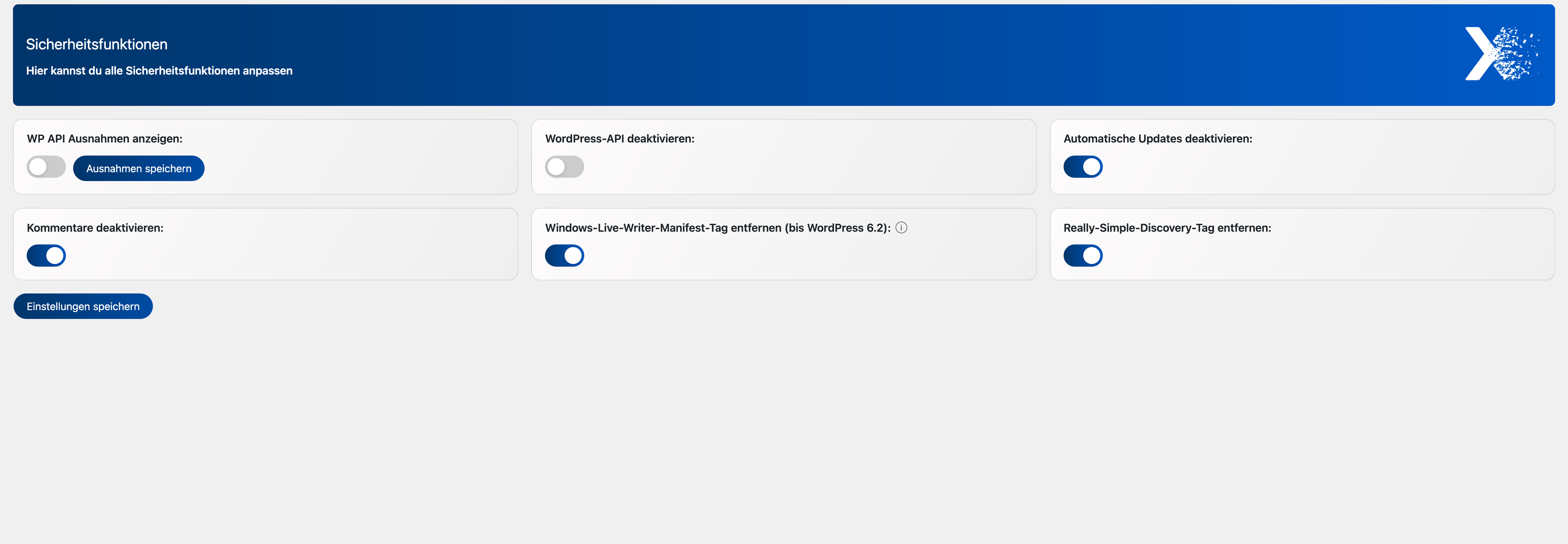
- Control the WordPress API
- Disable comments globally
- Remove WLW manifest
- Remove RSD
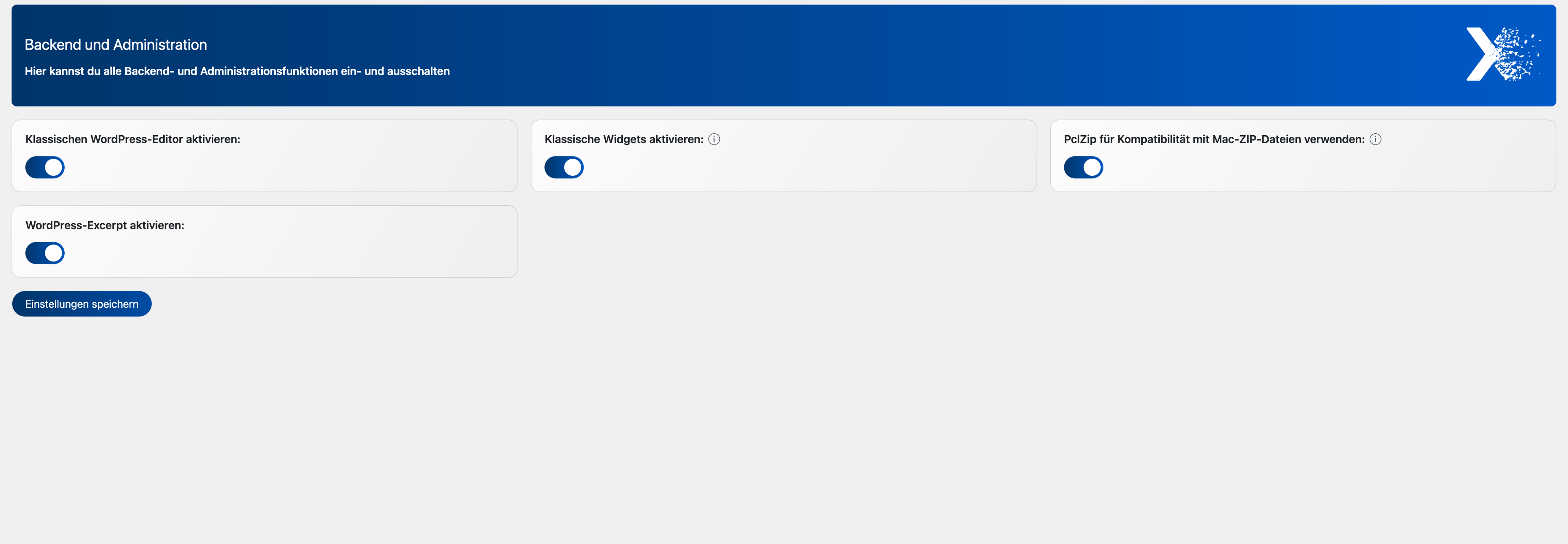
- Enable Classic Editor
- Enable Classic Widgets
- Enable the classic ZIP variant
- Enable or disable excerpts
- Enable or disable Font Awesome
- Remove registered external Google Fonts styles and resource hints.
Premium addon
- Additional administration, security, and design features are provided by the separate nnax Web Essentials Premium plugin.
Requirements
- WordPress 5.3 or higher
- PHP 7.4 or higher
Uninstallation
On uninstall, options owned by this free plugin, role capabilities, and the plugin table {prefix}_nnax_menu_values are removed. Data owned by the separate premium add-on is retained.
Note: System file changes made by earlier versions are not automatically reverted.
Optional: Data deletion during uninstall can be disabled with the NNAX_SCE_PRESERVE_DATA_ON_UNINSTALL constant in wp-config.php.
Known Limitations
- System file changes made by earlier versions are not automatically reverted.
- Premium features are provided by the separate nnax Web Essentials Premium add-on and are not included in this plugin.
- Compatibility with third-party themes and plugins must be tested per project.
Third-Party Components
- Font Awesome Free 7.2.0, loaded locally from
assets/fontawesome/.- Bundled CSS code: MIT License; notice and license text:
assets/fontawesome/LICENSE.txt. - Bundled WOFF2 fonts: SIL Open Font License 1.1; license reference:
assets/fontawesome/LICENSE.txt. - No SVG or JavaScript icon files are bundled. Font Awesome’s CC BY 4.0 terms apply to those upstream asset types.
- Version-pinned upstream source: https://github.com/FortAwesome/Font-Awesome/tree/7.2.0
- Unminified CSS source: https://raw.githubusercontent.com/FortAwesome/Font-Awesome/7.2.0/css/all.css
- Upstream license: https://raw.githubusercontent.com/FortAwesome/Font-Awesome/7.2.0/LICENSE.txt
- Bundled CSS code: MIT License; notice and license text:
External services
The free plugin does not connect to external services. Its administration assets and fonts are served locally. External services used by the separately distributed Premium add-on are documented in that add-on’s readme.
Screenshots

Installation
- Upload the plugin folder
nnax-web-essentialsto/wp-content/plugins/. - Activate the plugin in the WordPress Plugins menu.
- Open the
nnax Webadmin menu and configure the available features. - Optionally install the separate nnax Web Essentials Premium plugin for additional features.
FAQ
-
Is the plugin privacy-friendly?
-
The plugin is designed for data minimization. The free host plugin does not set its own tracking cookies.
-
Does the plugin transfer data to external servers?
-
During normal operation, no tracking or telemetry data is transferred by the free host plugin.
-
The plugin does not set its own cookies.
-
Are all data removed on uninstall?
-
Free-plugin options, role capabilities, and the plugin table are removed. System file changes made by earlier versions are not automatically reverted.
Reviews
There are no reviews for this plugin.
Contributors & Developers
“nnax Web Essentials” is open source software. The following people have contributed to this plugin.
Contributors
“nnax Web Essentials” has been translated into 1 locale. Thank you to the translators for their contributions.
Translate “nnax Web Essentials” into your language.
Interested in development?
Browse the code, check out the SVN repository, or subscribe to the development log by RSS.
Changelog
1.0.0
- First public release of nnax Web Essentials.
- Free host plugin for shared nnax Web administration, security, and performance features.
- Includes Classic Editor, Classic Widgets, excerpts, Font Awesome, Google Fonts control, WordPress REST API controls, and server and performance information.
- Role-based plugin visibility and access controls are provided by the separate Pro add-on.
- System-file editing is not included; earlier system-file changes are not automatically reverted on uninstall.