

Description
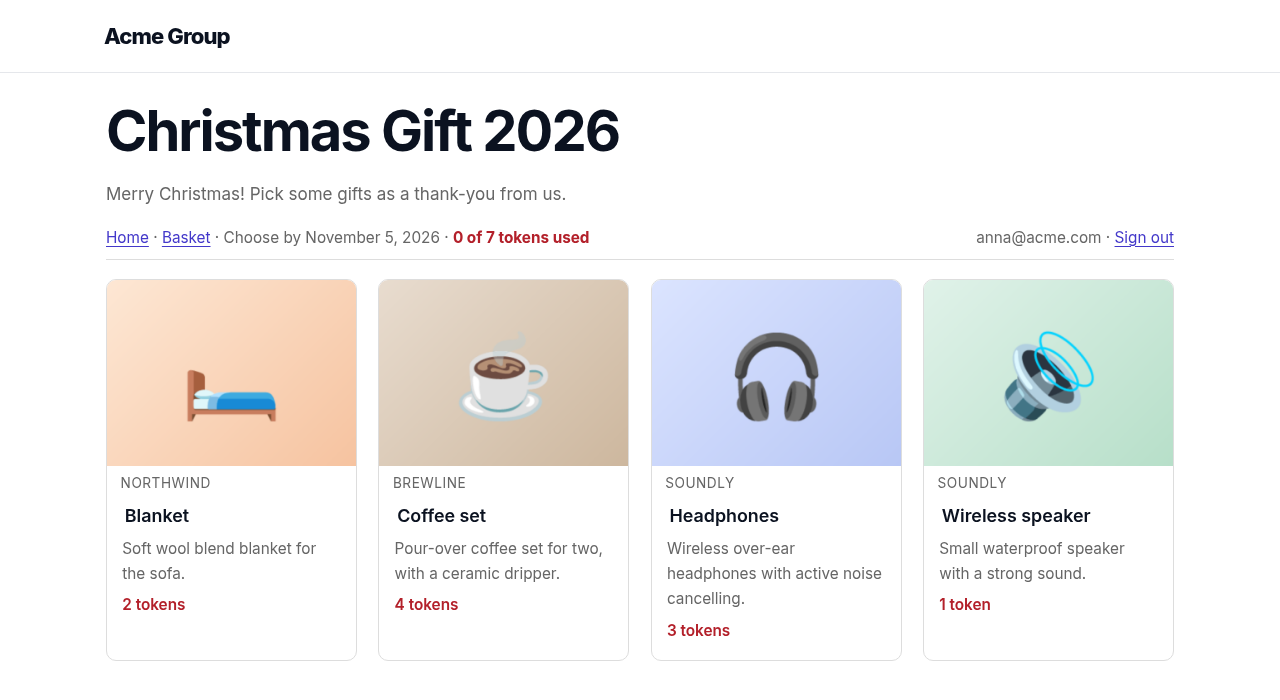
Let employees choose their own gift. A company offers its staff a benefit, for example a Christmas gift. You create a campaign with a selection of gifts. Employees open the campaign link, sign in with their email address, see the gifts (without prices), pick one and confirm their details. You download a CSV of everything that has to be delivered.
- Several campaigns in parallel, each with its own link such as
/gifts/christmas-2026/, dates, welcome text, gifts and employee list. - Gift library. Keep reusable gifts in one place and copy them into a campaign. Each campaign has its own copy to change.
- Gift pages with an image carousel, brand name and logo, description, specifications, what is in the box and a delivery note.
- Employee list per campaign. Paste or import emails (name, company and location are optional). Only people on the list can open the campaign.
- Two login modes: email address only, or a one-time link sent by email.
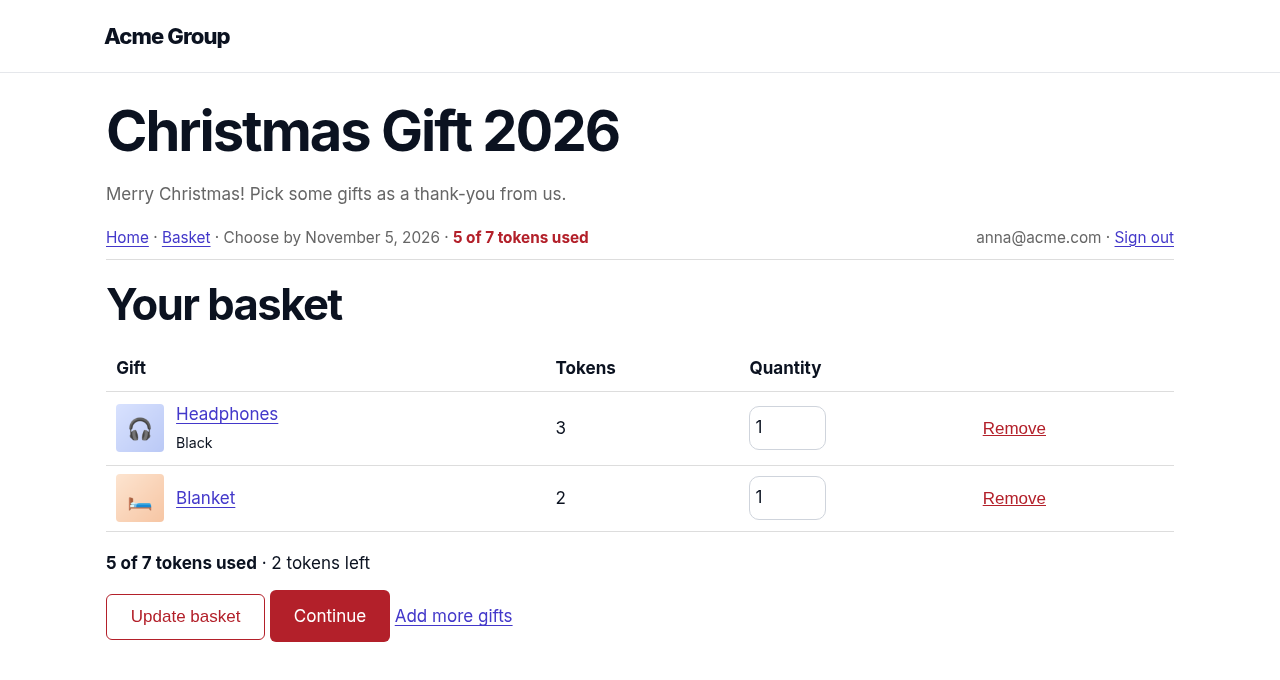
- One gift each, or tokens. Give every employee a number of tokens (for example 7). Each gift has a token cost and a maximum per person, so someone can take 2 t-shirts in different sizes but only 1 spa voucher. Unspent tokens are fine. Employees can change their choice until the deadline.
- Basket and confirm. Employees collect gifts in a basket, then confirm their delivery details once.
- Companies and delivery locations per campaign, for groups with several companies, countries and offices.
- Options such as size or colour, each with its own stock. List them one per line on the gift (“Size 42 | 5”); the employee picks one on the gift page and an option at zero shows as unavailable.
- Hidden stock. Set a number per gift. Employees never see it. Stock is taken when they confirm. At zero the gift can no longer be picked, and a change of mind puts the gift back.
- Confirmation email to the employee.
- CSV export grouped by company and location.
- Privacy: WordPress personal data export and erase are supported.
- Translation ready, with Romanian included.
- Works with classic and block themes.
Pro
The plugin is fully functional on its own. A separate paid add-on, NMR Gift Choice Pro, adds a logo and colour for each campaign and reminder emails to employees who have not chosen yet. That code is not part of this plugin. This plugin shows a short description of it and a link to https://namir.ro/downloads/nmr-gift-choice-pro/. It does not contact any server for this.
Developers
Action nmrgc_selection_saved runs after a choice is saved. Filters nmrgc_accent_color and nmrgc_header_html let an add-on brand a campaign. Filters and templates will be documented as the plugin grows.
Privacy
The plugin stores, in your site’s database, the employee list you upload (email, and optionally name, company and location) and what each employee chose, with the delivery details they confirm. Nothing is sent to any other service. Emails (confirmation and one-time sign-in links) are sent with your site’s own email setup.
To keep an employee signed in, the plugin sets one cookie per campaign (nmrgc_s_ followed by the campaign number). It holds a signed sign-in value, is not readable by scripts, and expires after 12 hours or when the employee signs out. One-time sign-in links are valid for 30 minutes. Pages of a campaign are marked as not to be cached and not to be indexed by search engines.
WordPress personal data export and erase are supported. The setting “Delete all data when the plugin is deleted” removes the campaigns, gifts, lists and choices when you delete the plugin.
Screenshots



Installation
- Upload the plugin and activate it.
- Go to Gift Choice > Add campaign, then add its gifts, companies and locations, and publish it.
- Add employee emails under Gift Choice > Recipients & picks.
- Send employees the shop link shown on the campaign screen.
FAQ
-
Do employees need a WordPress account?
-
No. They sign in to a campaign with their email address (or a one-time link). Only people on the campaign’s list can enter.
-
Does it need WooCommerce?
-
No.
-
Can employees see how many are left?
-
No. Stock is only visible to you. A gift that is out of stock shows as unavailable.
Reviews
There are no reviews for this plugin.
Contributors & Developers
“NMR Gift Choice” is open source software. The following people have contributed to this plugin.
Contributors
Translate “NMR Gift Choice” into your language.
Interested in development?
Browse the code, check out the SVN repository, or subscribe to the development log by RSS.
Changelog
0.1.1
- Gift options (size, colour) with their own stock are edited in this plugin.
- Sign-in links and cookies are signed with the plugin’s own random key. Existing sign-ins end once after the update.
- Faster gift list counts.
0.1.0
- First release: campaigns, gift library, one-gift and token modes, basket, hidden stock, CSV export.