Description
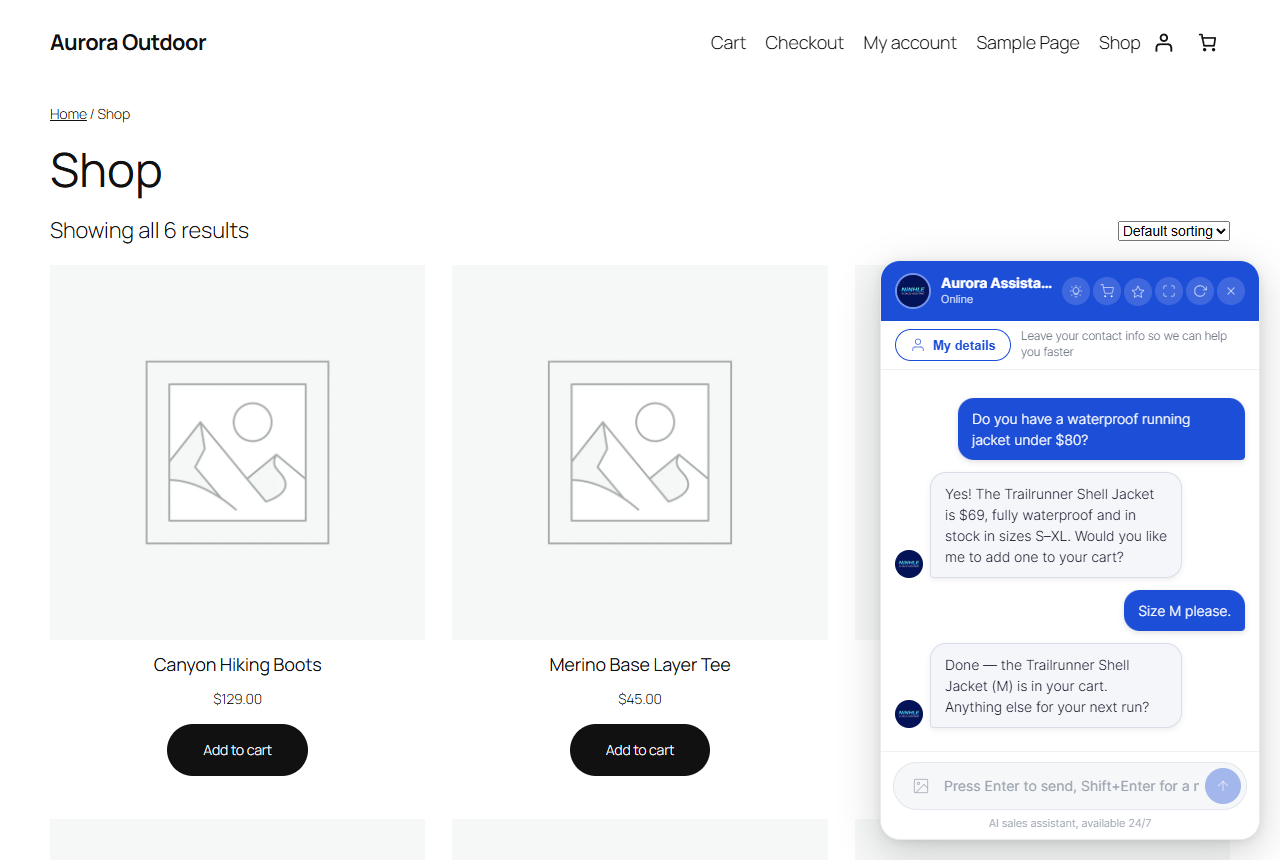
Ninhle AI Sales Assistant is an AI sales agent for WordPress and WooCommerce. It answers customer
questions using your actual product data — never invented prices or stock — qualifies
buyers, handles objections, captures leads and hands off to a human when needed.
Free features
- Bring your own key — choose Anthropic Claude, OpenAI or Google Gemini as your AI provider. You control the account and the spend.
- Grounded in real data — product answers come from a synced WooCommerce catalog and live store lookups, not from model memory.
- Store tools — product search and details, order status (only after the customer proves they own the order), digital downloads, store policies and site content.
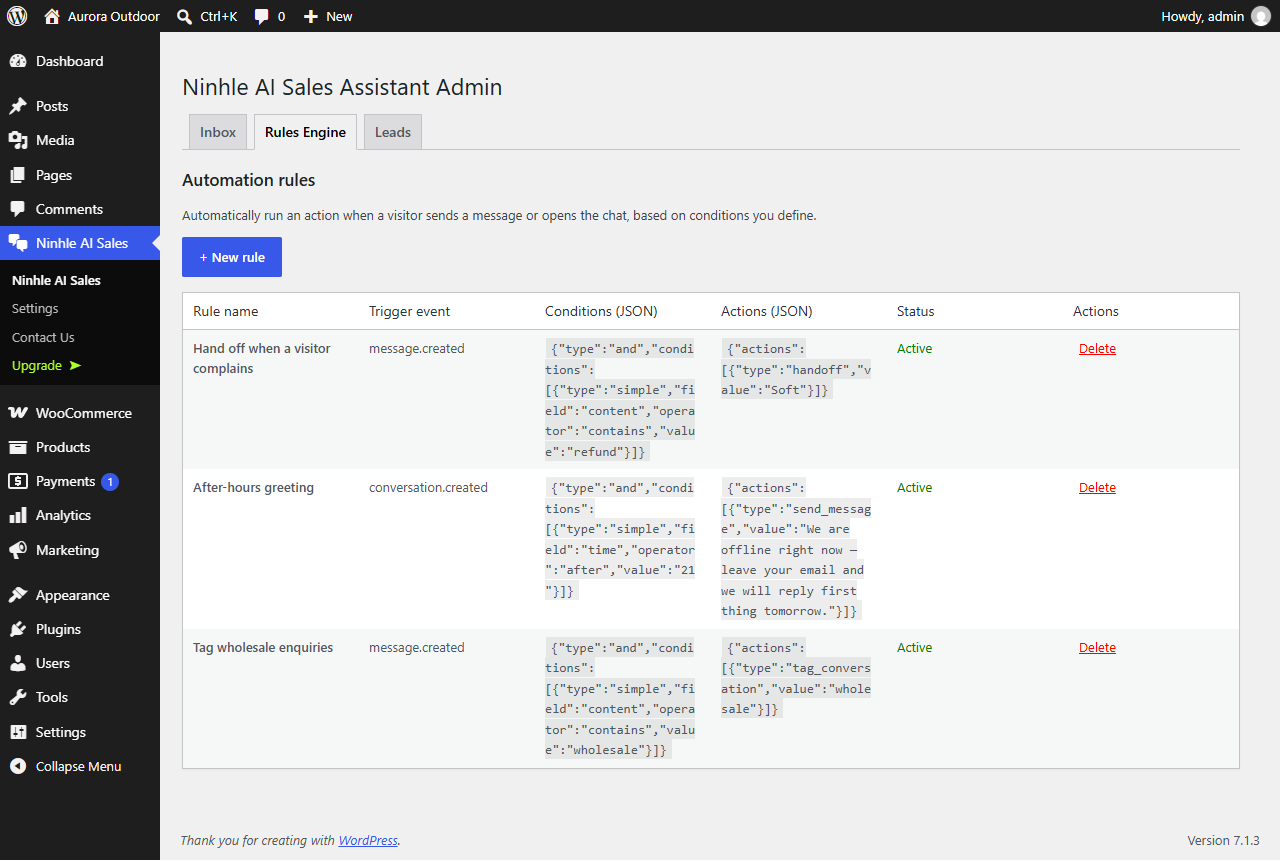
- Sales playbook and rules — an editable script covering persona, qualifying questions, objection handling and closing, plus keyword rules for instant answers.
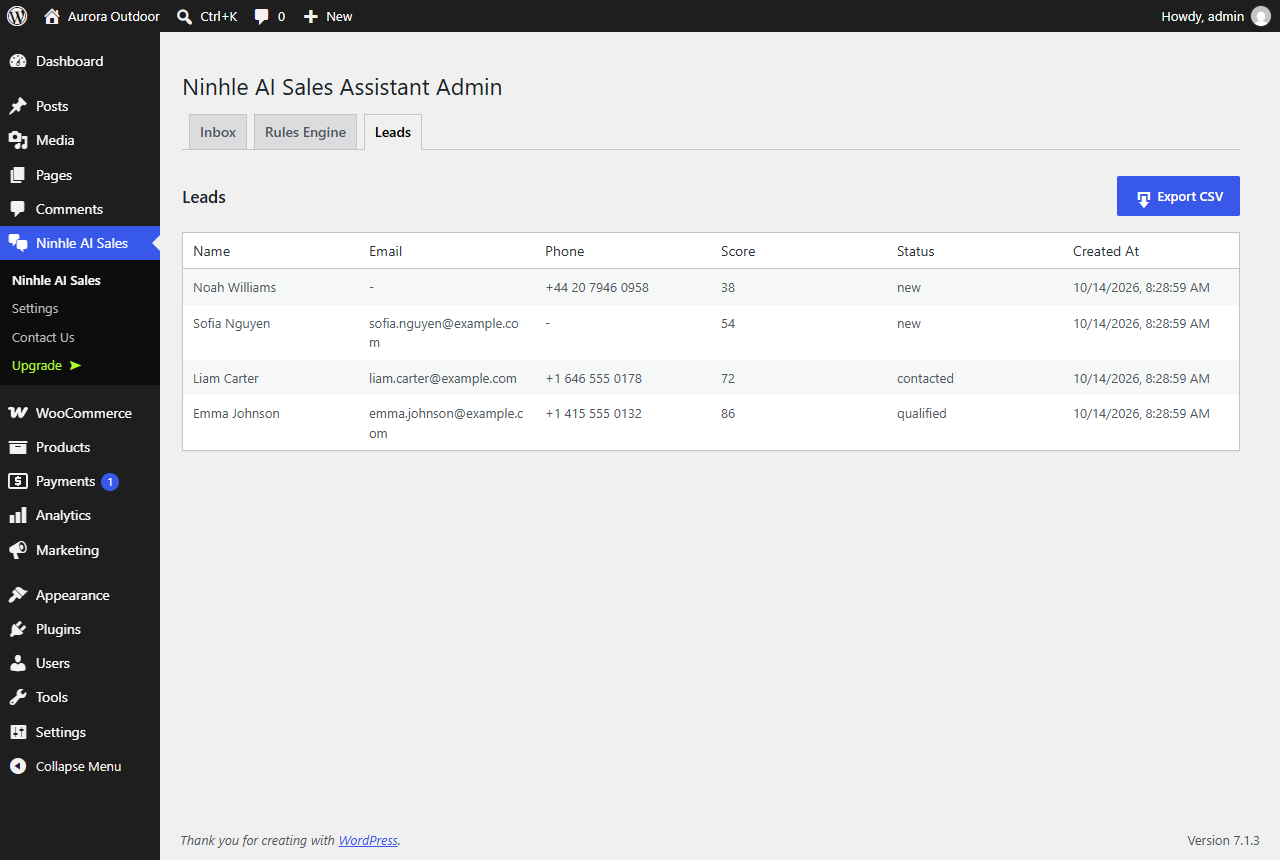
- Lead capture — a dedicated contact panel in the chat widget, with leads stored in your own database and exportable to CSV.
- Human handoff — escalates on complaints, explicit requests or low confidence, and can notify a webhook URL you choose.
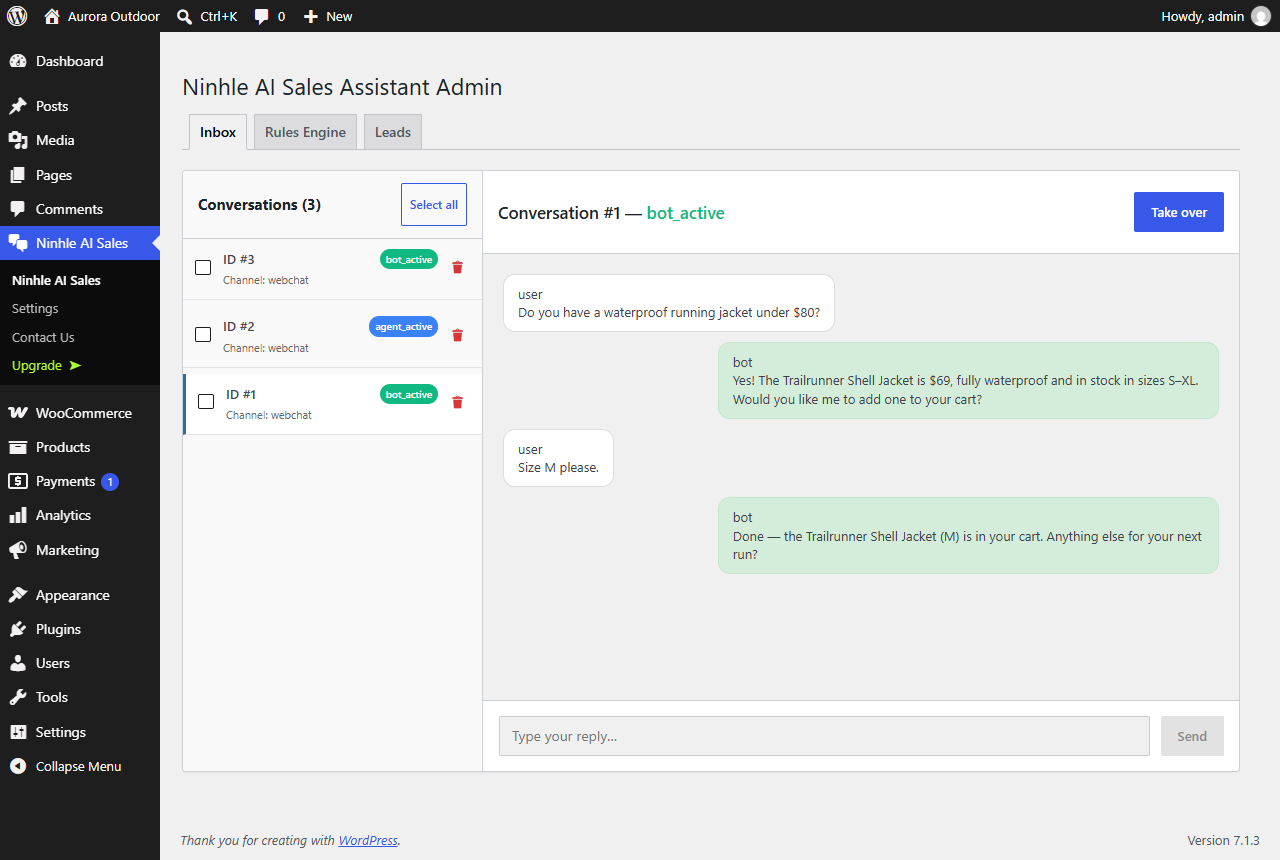
- Conversation inbox — read every conversation in WP Admin and release it back to the bot after a person has stepped in.
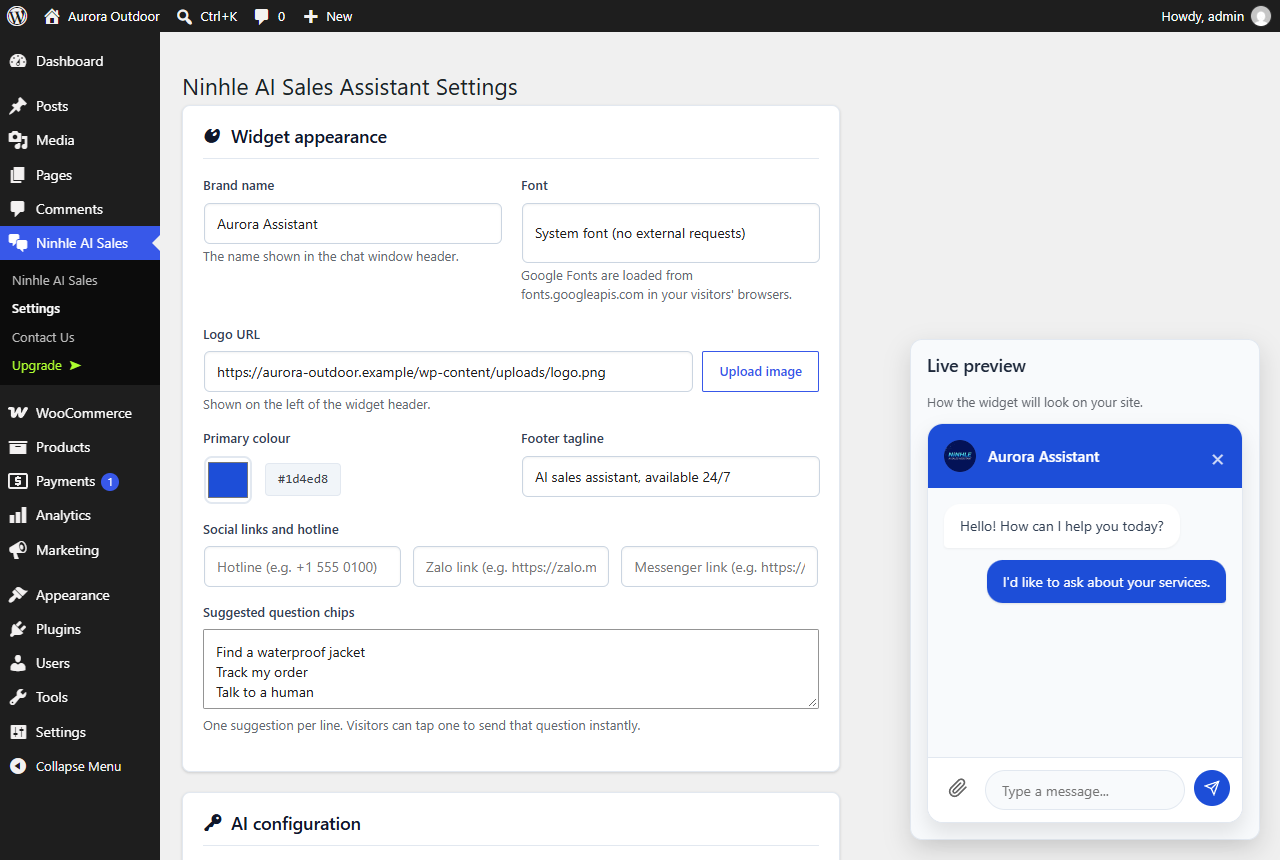
- Your brand — widget name, logo, colour and font.
- Local-only mode — answer product, cart and order questions from store data without calling any AI provider.
- Privacy built in — WordPress personal-data export and erasure, attachment retention, rate limiting.
- Translation-ready — every string can be translated on translate.wordpress.org.
- WooCommerce compatible — declares support for High-Performance Order Storage (HPOS) and the Cart/Checkout blocks.
Premium plans
Ninhle AI Sales Assistant is free to install and use. Optional paid plans add extra code to the
plugin; nothing in the free version is locked or time-limited.
Starter — product variations with per-variation add-to-cart links, Telegram
notifications for new leads and handoffs, a sales dashboard, and cached answers
for repeated questions.
Pro — everything in Starter, plus coupon validation, automatic failover to a
second AI provider, daily and monthly AI budget caps, rule-based lead scoring with
advanced analytics, price-output verification, and signed HMAC-SHA256 webhooks
for n8n, Make, Zapier and CRMs.
AI usage is never included: OpenAI, Anthropic and Google bill you directly for
your own API key, on every plan including Free.
External services
The plugin connects to the services below. Except for the AI provider you configure,
each one is used only when you turn the related setting on.
AI provider (the one you configure) — receives the visitor’s chat messages, recent
conversation history, your sales playbook and business information, and product data from
your own store, each time a visitor sends a message. Nothing is sent in local-only mode.
- Anthropic (Claude) — https://www.anthropic.com/legal/privacy — https://www.anthropic.com/legal/consumer-terms
- OpenAI — https://openai.com/policies/privacy-policy — https://openai.com/policies/terms-of-use
- Google (Gemini) — https://policies.google.com/privacy — https://ai.google.dev/gemini-api/terms
Link reading (optional, off by default) — when you enable “Let the bot read links
customers send”, a URL a visitor pastes into the chat is sent to r.jina.ai to fetch its
text (https://jina.ai/legal/). YouTube links are read from youtube.com instead, to get the
video title and public transcript (https://policies.google.com/privacy,
https://www.youtube.com/t/terms). Leave this off if visitors might paste private links.
Google Fonts (optional) — only if you pick a Google font for the widget in the
settings. Visitors’ browsers then load that font from fonts.googleapis.com
(https://policies.google.com/privacy). The default font loads nothing from Google.
Handoff webhook (optional) — only if you enter a webhook URL. On a handoff the plugin
sends the conversation ID, contact ID and handoff level to that URL, which you control.
Telegram (paid plans only, optional) — the free version contains no Telegram code. In
the Starter and Pro plans, if you enter a Telegram bot token and chat ID, new leads (name,
email, phone) and handoff requests (priority, issue, summary, conversation number) are sent
to api.telegram.org (https://telegram.org/privacy, https://telegram.org/tos).
Automation webhooks (Pro plan only, optional) — the free version contains no code for
this. In Pro, if you enter a webhook URL, lead and handoff events are posted to that URL,
which you control, signed with your secret.
Freemius (licensing) — the plugin bundles the Freemius SDK for optional upgrades.
It sends data to Freemius only if you opt in or start a paid plan or trial
(https://freemius.com/privacy/, https://freemius.com/terms/).
Security
API keys are stored server-side and never sent to the browser; the settings screen
shows only a masked value. Every provider call is made from your server through the
WordPress REST API.
Database queries use $wpdb->prepare(). Every REST route declares a real
permission_callback, and the endpoints the AI uses as tools are internal-only –
they cannot be reached from outside the site. Visitor sessions use hashed tokens
and chat messages are rate limited per session.
Chat messages are rendered as DOM elements rather than injected HTML, and only
http and https links are ever made clickable, so content returned by the AI cannot
inject markup.
Please report security issues privately to the author rather than in a public forum.
Privacy
Conversations, contacts and leads are stored in your own WordPress database. The
plugin registers with Tools > Export Personal Data and Tools > Erase Personal Data,
so you can answer data-subject requests from WordPress itself. Message attachments
are purged on a configurable retention schedule. No data is sent anywhere except the
services listed under External services.
Screenshots
Installation
- Install from Plugins > Add New, or upload the plugin ZIP, then activate.
- Go to Ninhle AI Sales > Settings and enter an API key for your chosen AI provider (or choose local-only mode).
- Fill in the Business information and review the Sales playbook.
- Click “Sync products now” (or run
wp ninhle-ai-sales-assistant sync-products) so the bot knows your catalog.
FAQ
-
Do I need a paid AI subscription?
-
To use an AI provider, yes: you supply your own API key from Anthropic, OpenAI or Google
and are billed directly by that provider. Local-only mode needs no key. -
Does it work without WooCommerce?
-
The chat and lead capture work on any WordPress site. Product search, catalog grounding and
order lookup require WooCommerce. -
Will it invent prices or stock?
-
No. The playbook forbids it and product facts come from lookups against your store. If the
catalog has not been synced, the bot is told to say so and offer a handoff instead of guessing. -
Is anything in the free version locked?
-
No. Paid plans add separate code; the free version contains no locked or trial-limited features.
-
Where is the source code of the JavaScript files?
-
The files in
assets/distare built with Vite from the human-readable source shipped in the
plugin undersrc/JS(admin screens and chat widget). To rebuild them, runnpm ciand then
npm run build in the plugin folder; the build configuration is invite.config.tsand
package.json.
Reviews
There are no reviews for this plugin.
Contributors & Developers
“Ninhle AI Sales Assistant for WooCommerce” is open source software. The following people have contributed to this plugin.
Contributors
Translate “Ninhle AI Sales Assistant for WooCommerce” into your language.
Interested in development?
Browse the code, check out the SVN repository, or subscribe to the development log by RSS.
Changelog
2.3.0
- Added: WordPress personal-data export and erasure cover every table the plugin creates.
- Added: declared compatibility with WooCommerce HPOS and the Cart/Checkout blocks.
- Changed: the chat widget is one continuous white card (header, messages and composer) and fits narrow phone screens.
- Changed: the widget uses the system font by default and loads Google Fonts only if you pick a Google font in the settings.
- Changed: a chat session is created only when a visitor opens the chat, not on every page view. Returning visitors are no longer rate-limited, so visitors on shared mobile or office networks keep the chat button.
- Fixed: on phones, the chat button could sit off-screen when the theme has content wider than the screen (for example a news ticker).
- Fixed: automation rules could not be saved because the rules table was missing two columns; existing sites are repaired automatically.
- Fixed: deleting an automation rule reported an error even though the rule was deleted.
- Changed: the plugin is now named Ninhle AI Sales Assistant for WooCommerce.
- Fixed: inline scripts attached to the admin and widget bundles were dropped when the bundles were loaded as ES modules.
- Changed: Telegram notifications, product variations, coupon validation, provider failover, budget caps and the sales dashboard now ship only in the paid plans, as separate code.
- Changed: translations come from translate.wordpress.org; the plugin no longer bundles its own translation files.
- Fixed: handoff replies are now translatable instead of always Vietnamese.
- Fixed: on/off settings saved as “on” were read back as “off”, so link reading, the prompt creator and the adaptive playbook never ran when enabled.
- Fixed: the assistant could stop replying after looking up products or other tools.
- Fixed: the assistant now reads PDF files customers attach, and reliably looks at attached images when using OpenAI.
- Fixed: when link reading is on, files a customer uploads are no longer sent to the link-reading service.
- Fixed: AI cost was recorded as zero when no model was chosen in the settings; the default model is now used for cost estimates.
- Fixed: Gemini failed when the model field was left empty.
- Fixed: attached files were never removed from conversations that were not closed, and deleting or clearing a conversation left its files on the server. Files sent in the chat are now deleted after the retention period, and immediately when their conversation is deleted or cleared.
- Fixed: file uploads no longer require the PHP fileinfo extension.
- Security: attachment paths are validated before files are read for the AI provider.
- Changed: if processing a message fails unexpectedly, the visitor gets an apology instead of no reply.
- Added: customers can paste an image (for example a screenshot) straight into the chat box.
- Fixed: suggested follow-up questions sometimes appeared as raw “[SUGGESTIONS]” text instead of buttons.
- Fixed: the response cache no longer stores answers that contain prices or stock status.
- Security: YouTube caption downloads only go to youtube.com over HTTPS.
- Changed: the free version no longer shows settings for features that exist only in the paid plans.
- Fixed: the leads CSV export downloaded as escaped text instead of a spreadsheet; it now opens correctly in Excel, including accented names.
- Changed: licensing and upgrade notices appear only on the plugin’s own admin pages.
- Fixed: when coupon checking is not available, the assistant no longer tells customers a code is invalid; it asks them to enter it at checkout.
- Security: chat responses are never stored by page caches (for example LiteSpeed Cache or a host CDN). A cached response could be served without a valid chat session, and visitors could miss the assistant’s reply.
- Fixed: with Google Gemini or Anthropic Claude, product and order lookups could fail and the internal lookup command could appear in the chat.
- Fixed: the default Gemini and Claude models had been retired by Google and Anthropic. The plugin now defaults to current models and ignores retired model names saved by earlier versions.
- Changed: the default chat widget name is “Shop Assistant”; set your own name in the settings.
- Added: the assistant knows the current date and time in your store’s timezone (Settings > General), so it can tell customers the date and take it into account for opening hours, delivery times and promotion end dates.
2.2.0
- Added: three-tier licensing – Free, Starter and Pro – with Pro inheriting all Starter features.
- Added: premium code moved to a separate directory so the Free build genuinely excludes it rather than hiding it.
- Added: safe fallbacks so the Free build runs with no paid code present at all.
- Changed: minimum WordPress raised to 6.3.
2.1.0
- Changed: the admin interface is now English throughout; Vietnamese ships as a translation.
- Changed: default widget tagline and policy fallbacks are English and brand-neutral.
- Fixed: the Rules screen was calling REST helpers that did not exist, so every action on that tab failed.
2.0.0
- Added: Freemius SDK for optional paid plans, supporting annual subscriptions and lifetime licenses.