
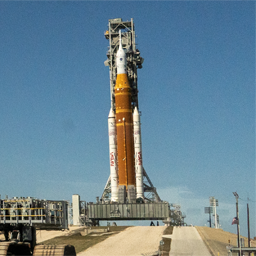
Description
Next Rocket Launch Tracker adds a [nextrlt_next_launch] shortcode that displays upcoming rocket launches, pulled from The Space Devs’ free Launch Library 2 API. Point it at any launch site (or all of them), pick how much detail to show, and drop it into a post, page, or widget area.
Features
[nextrlt_next_launch]shortcode with attributes for location, launch count, layout, color theme, and which fields to show (image, countdown, provider, pad, orbit, status, description).- Three layouts (card, list, compact), each with an optional slider mode that shows one launch at a time with prev/next arrows.
- Optional light or dark color theme that forces a matching card background, independent of the surrounding page or the visitor’s OS preference.
- A visual Shortcode Builder screen (Settings > Next Rocket Launch Tracker Builder) with toggle switches, dropdowns, and a live-updating shortcode preview you can copy with one click.
- A searchable, multi-select location picker backed by the live API, pre-populated with the most active launch sites.
- An Elementor widget (search for “Next Rocket Launch Tracker” in the widget panel) with the same options as the shortcode, for sites that build pages with Elementor.
- Launches never call the API during a normal page view: a WP-Cron job refreshes a cached copy on a schedule you control, and the last good response is served if the API is ever unreachable or rate-limited.
- Automatically filters out launches the upstream API still lists as “upcoming” moments after they’ve already flown.
Where the data comes from
Launch data is provided by The Space Devs’ Launch Library 2 API, a free, public, community-funded API. This plugin is not affiliated with The Space Devs. See “External services” below for what this plugin sends and when.
External services
This plugin connects to The Space Devs’ Launch Library 2 API to retrieve upcoming launch data and launch-site names.
- Service: The Space Devs Launch Library 2 (
https://ll.thespacedevs.com), orhttps://lldev.thespacedevs.comif the “development endpoint” option is turned on in Settings > Next Rocket Launch Tracker. - What is sent: only the numeric launch-location IDs configured in the shortcode/settings, and any text an administrator types into the location search box on the Settings or Shortcode Builder screens. No visitor data, personal information, or site content is ever transmitted.
- When it’s sent: on a background WP-Cron schedule (hourly by default, configurable) to refresh the cached launch list, and on-demand when an administrator uses the location search. The API is never called while a visitor is viewing a page.
- Terms of Service: github.com/TheSpaceDevs/Tutorials. Review their terms before relying on this plugin for a production site; the API is funded through Patreon and a credit link is appreciated.
- Privacy Policy: thespacedevs.com/privacy
Development
Found a bug or want to contribute? The source is on GitHub: github.com/CatHerderCam/Next-Rocket-Launch-Tracker.
Installation
- Take a backup of your site first.
- Upload the plugin through Plugins > Add New > Upload Plugin, or upload the
next-rocket-launch-trackerfolder towp-content/plugins/. - Activate the plugin.
- Go to Settings > Next Rocket Launch Tracker to set default locations, and Settings > Next Rocket Launch Tracker Builder to build a shortcode visually.
- Place
[nextrlt_next_launch](or a customized version of it) into any post, page, or widget area that supports shortcodes.
FAQ
-
How do I find a launch site’s location ID?
-
Use the search box on the Settings > Next Rocket Launch Tracker screen, or the location picker on Settings > Next Rocket Launch Tracker Builder — both query the live API and show real IDs. Don’t guess; Cape Canaveral SFS and Kennedy Space Center, for example, are separate locations with separate IDs.
-
Will this slow down my site or get me rate-limited?
-
No. The plugin never calls the API on a normal page view. A WP-Cron job refreshes a cached copy on a schedule you control (15 minutes minimum), and the last good response is served if the API is ever down or rate-limited.
-
What happens if the API is unreachable?
-
Visitors see the last successfully cached data instead of an empty box. Only if there has never been a successful response does the shortcode fall back to its configurable “empty” message. Errors are written to the debug log when
WP_DEBUGis on, never shown to visitors. -
Can I make it match my site’s dark or light design?
-
Yes. The
themeattribute (or the “Color surface” option in the Shortcode Builder) acceptsauto(blends into the page, follows the visitor’s OS preference),light, ordark. The bundled CSS also exposes custom properties (--nextrlt-border,--nextrlt-muted,--nextrlt-go, and others) for deeper theme integration, or you can disable the bundled stylesheet entirely in Settings. -
Does the slider work without JavaScript?
-
Yes. Without JavaScript the launches simply stack vertically like the non-slider layouts, so nothing traps a visitor on a single item.
-
Does this work with Elementor?
-
Yes. If Elementor is active, a “Next Rocket Launch Tracker” widget appears in the widget panel (search for it, or find it under the Next Rocket Launch Tracker category) with the same options as the shortcode.
Reviews
There are no reviews for this plugin.
Contributors & Developers
“Next Rocket Launch Tracker” is open source software. The following people have contributed to this plugin.
Contributors
Translate “Next Rocket Launch Tracker” into your language.
Interested in development?
Browse the code, check out the SVN repository, or subscribe to the development log by RSS.
Changelog
1.1.7
- Added:
Plugin URIheader and a== Development ==readme section linking to the GitHub repository.
1.1.6
- Changed: every function, class, option, hook, nonce, shortcode tag, CSS class, and file name now uses the
nextrltprefix (wassdnl), per WordPress.org plugin review feedback about unique naming. - Changed: the shortcode tag is now
[nextrlt_next_launch](was[next_launch]) so it carries a unique prefix too. - Fixed: the location-search script on Settings > Next Rocket Launch Tracker is now loaded with
wp_enqueue_script()instead of being printed inline. - Changed: the readme’s External services section now links directly to the Launch Library 2 API’s terms of service and privacy policy.
- Fixed: WordPress Coding Standards (PHPCS/WPCS) issues — missing docblocks, array formatting, and the reserved word
defaultused as a parameter name.
1.1.5
- Changed: plugin renamed from “Next Launch” to “Next Rocket Launch Tracker” (slug and text domain now
next-rocket-launch-tracker), per WordPress.org plugin review naming/trademark feedback.
1.1.4
- Added: a Next Launch widget for Elementor, with the same options as the
[next_launch]shortcode. Only loads on sites that have Elementor active.
1.1.3
- Changed: plugin header author updated to
catherdercam; removed thePlugin URIheader. - Fixed: a zip-packaging issue where the plugin’s main file could be extracted with an incorrect path, causing header detection to fail.
1.1.2
- Changed: plugin name shortened from “SpaceDevs Next Launch” to “Next Launch” to match the plugin slug and text domain.
1.1.1
- Fixed: the plugin folder and main file were renamed from
spacedevs-next-launchtonext-launchto match the plugin’s slug and text domain.
1.1.0
- Added: a visual Shortcode Builder admin screen with toggle switches, dropdowns, and a live, copyable shortcode preview.
- Added: a searchable, multi-select location picker backed by the live API.
- Added:
themeattribute (auto/light/dark) for a forced light or dark card background. - Added:
sliderattribute — shows one launch at a time with prev/next arrows, compatible with all three layouts. - Fixed: the location-search API endpoint was pointed at a path that returned a 404 on the current API version; location search now works.
- Fixed: the “upcoming” launch list could briefly keep showing a launch for hours after it had already flown; results are now filtered by status before display.
- Fixed: a box-sizing issue that could misalign slider frames by the width of their padding and border.
1.0.0
- Initial release:
[next_launch]shortcode, settings screen with location search, WP-Cron-backed caching with stale-response fallback.