

Description
Neutrope Media Columns adds lightweight review information to the standard
WordPress Media Library list view. It is a review helper, not a cleanup tool:
it surfaces useful information so you can make your own decisions, and it keeps
the standard Media Library UI intact.
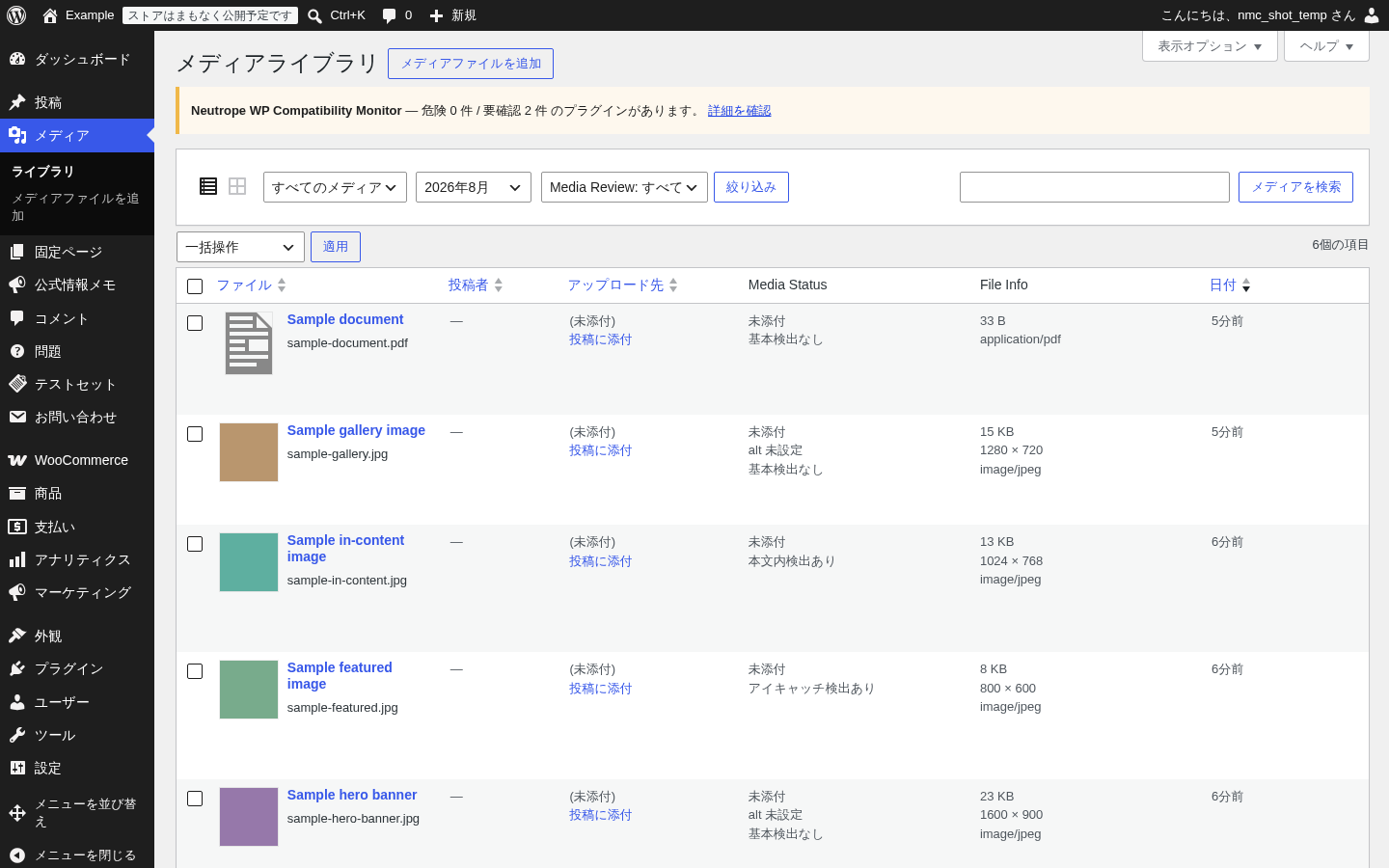
It adds two read-only columns and a small filter dropdown to the Media Library
list view (upload.php):
- Media Status — at-a-glance signals such as whether an attachment has a
parent post, whether it is used as a featured image, whether it is referenced
in post content, and whether an image is missing its alt text. - File Info — file size, image dimensions (for images), and MIME type.
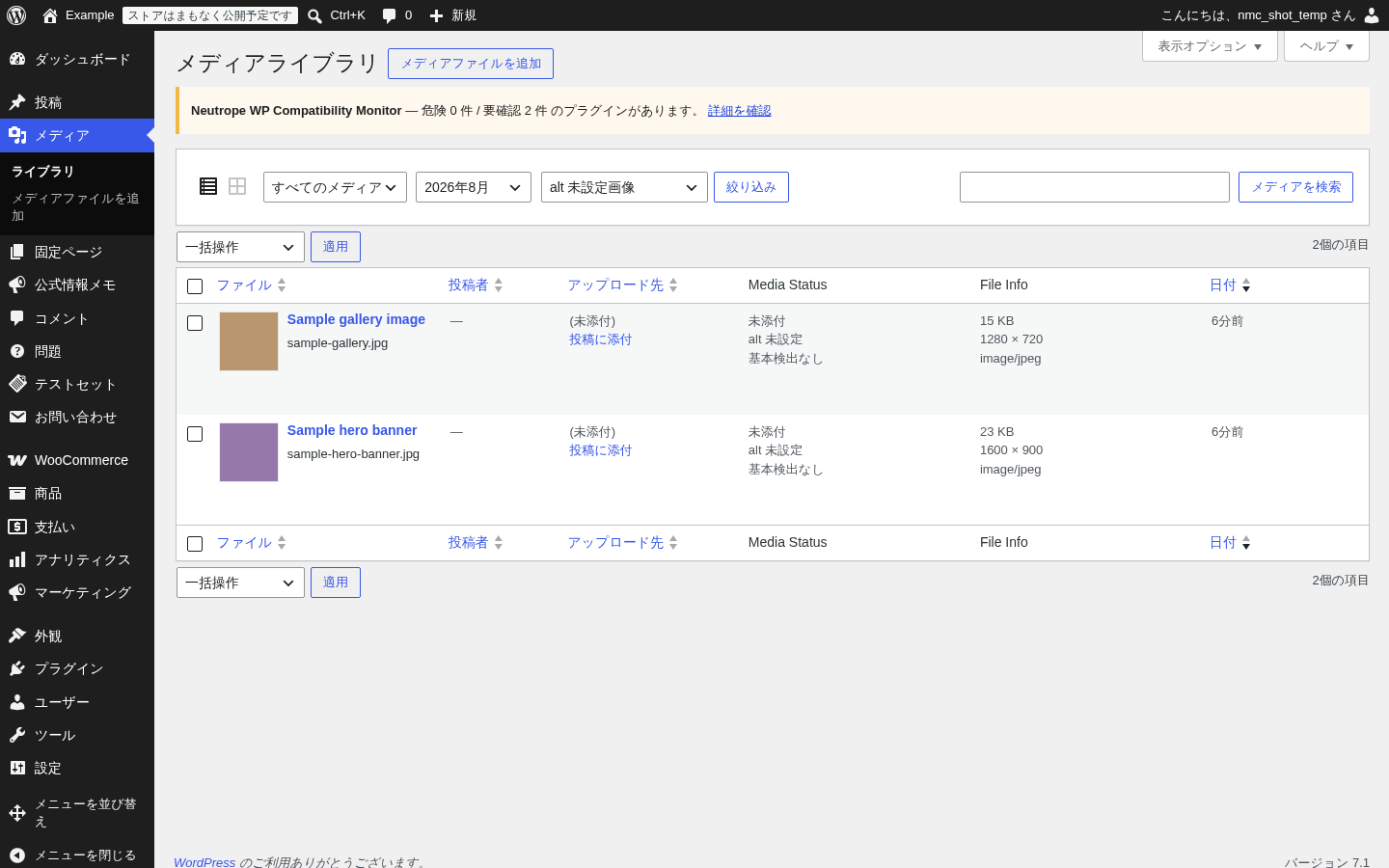
- Media Review filter — quickly narrow the list to images that are missing
alt text, or to attachments that have no parent post.
The plugin is intentionally small and focused:
- It keeps the standard WordPress Media Library UI.
- It only looks at the attachments shown on the current page; it does not scan
your whole site. - It does not delete, trash, rename, or modify any media.
- It does not generate alt text.
- It does not connect to external services.
- There are no ads and no upsells.
Detection is deliberately conservative. When the Media Status column shows
“no basic signal” for an item, that only means the plugin did not find the
basic references it checks for. It does not mean the file can be removed — the
file may still be used by a theme, a custom field, a widget, a page builder,
CSS, or another plugin.
Features
- Media Status column for the Media Library list view.
- File Info column (file size, image dimensions, MIME type).
- Filter for images that are missing alt text.
- Filter for attachments with no parent post.
- Safety-first wording throughout the interface.
- No automatic deletion.
- No external services.
What this plugin does not do
- It does not delete media files.
- It does not rename files.
- It does not generate alt text automatically.
- It does not connect to external services.
- It does not claim that a media file is safe to delete.
- It does not determine whether a file can be deleted.
Screenshots
Installation
- Upload the
neutrope-media-columnsfolder to the/wp-content/plugins/directory, or install the plugin through the WordPress Plugins screen. - Activate the plugin through the “Plugins” screen in WordPress.
- Go to Media > Library and switch to the list view. The Media Status and File Info columns, and the Media Review filter, appear there.
FAQ
-
Does this plugin delete media files?
-
No. Neutrope Media Columns only adds review information and filters to the Media
Library list view. It never deletes, trashes, renames, or modifies media. -
What does the “no basic signal” status mean?
-
It means this plugin did not find the basic references it checks for (a parent
post, a featured-image reference, or an in-content reference). It does not mean
the file can be removed. A file may still be used by a theme, a custom field, a
widget, a page builder, CSS, or another plugin. This plugin does not determine
whether a file can be deleted. -
Does this plugin send data to external services?
-
No. The plugin makes no outbound network requests.
-
Does this plugin work with the grid view?
-
The plugin is designed for the Media Library list view. It does not modify the
grid view. -
Does the plugin add a settings screen?
-
No. There is no settings screen in this version.
Reviews
There are no reviews for this plugin.
Contributors & Developers
“Neutrope Media Columns” is open source software. The following people have contributed to this plugin.
Contributors
Translate “Neutrope Media Columns” into your language.
Interested in development?
Browse the code, check out the SVN repository, or subscribe to the development log by RSS.
Changelog
0.1.0
- Initial release.
- Added Media Status and File Info columns to the Media Library list view.
- Added safe Media Library list filters for images missing alt text and for
attachments with no parent post.