
Description
Show today’s Hungarian name day and the next Hungarian public holiday with a countdown and its long weekend on your site – as a block, a classic widget or a shortcode.
The plugin is made for Hungarian websites: its whole interface, settings page and user guide are translated into Hungarian. The data comes from Naptárak.com, the Hungarian online calendar since 2006, and it is bundled with the plugin: no external requests, no cookies, no data collection.
Name day
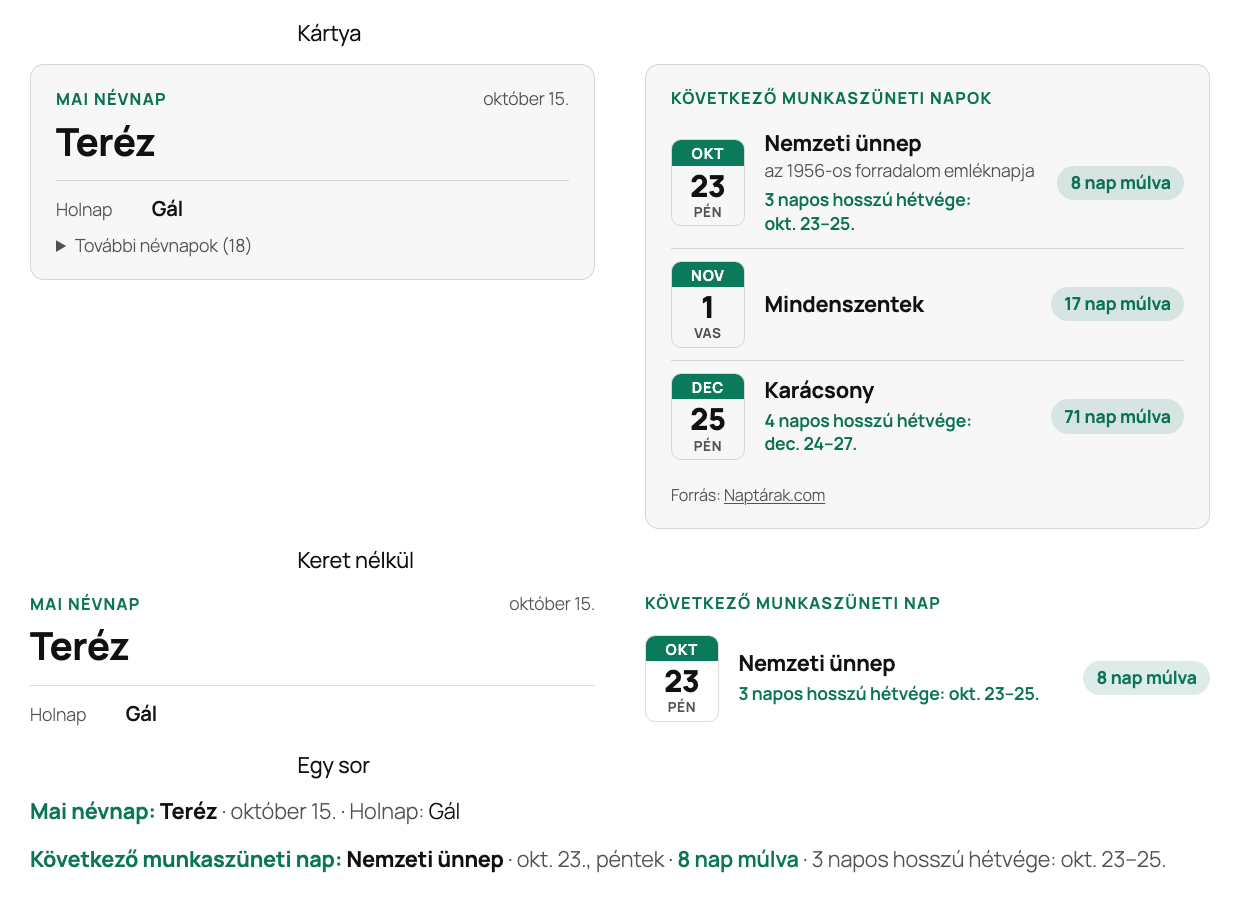
- Today’s name day in large type, with the date in one of three formats.
- Optionally tomorrow’s name day and the less common names in a list that opens – 491 main names and 6,723 less common names in total.
- Correct in leap years: 24 February is the leap day (no name day), and the names at the end of February move one day later.
Public holidays
- The next public holiday with a calendar-style date badge, its name and a countdown.
- The long weekend around it (for example “3-day long weekend: Oct 23–25”), including the official working-day swaps published every year in the Magyar Közlöny.
- Optionally a list of the next 2–5 public holidays.
- Public holidays follow section 102 of the Hungarian Labour Code, including Good Friday, Easter and Whitsun.
Appearance that fits your site
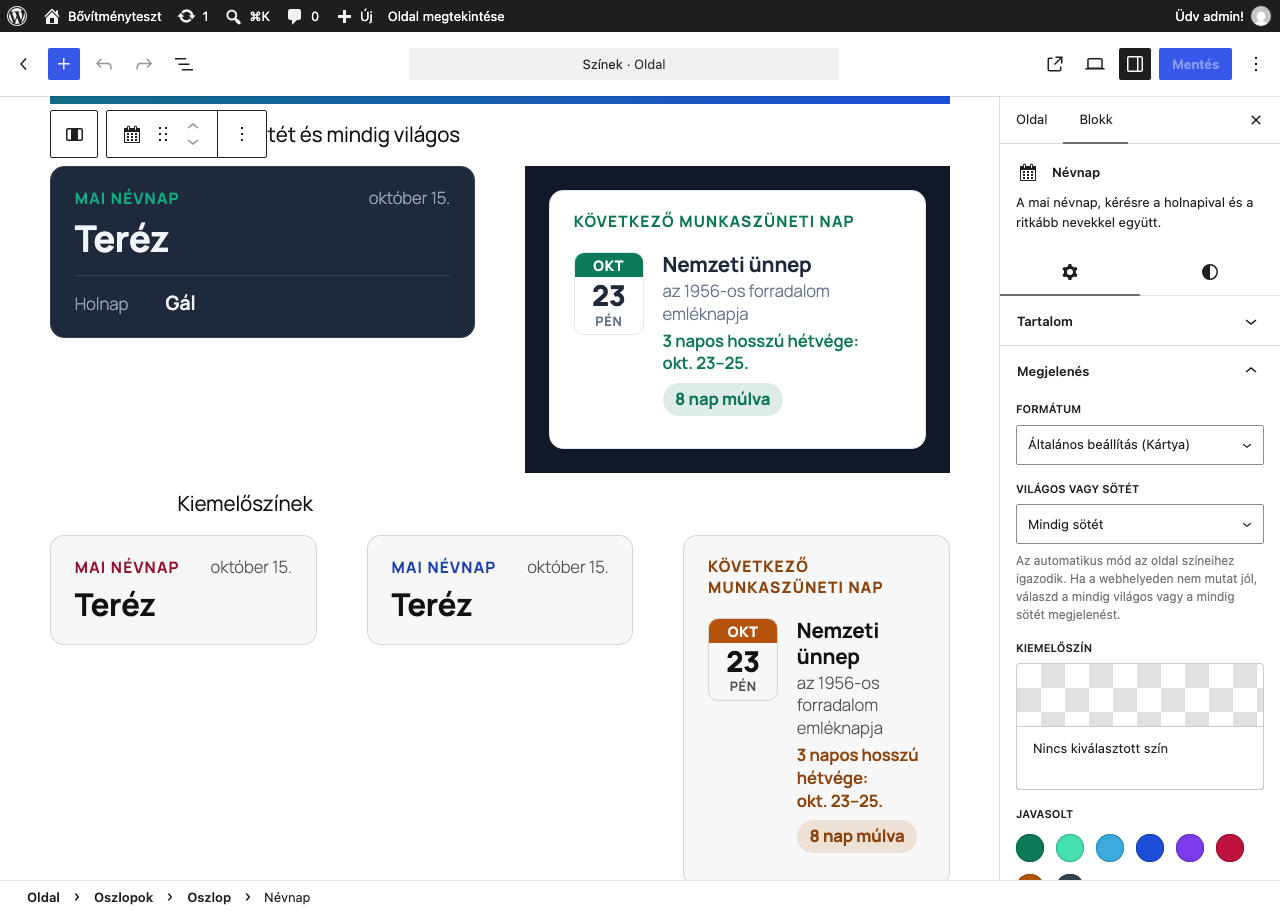
- Three formats: card (framed box), without frame (blends into the text) and one line (for a header, a footer or a sidebar).
- Every part can be switched off: label, date, tomorrow’s name day, less common names, holiday description, countdown, long weekend.
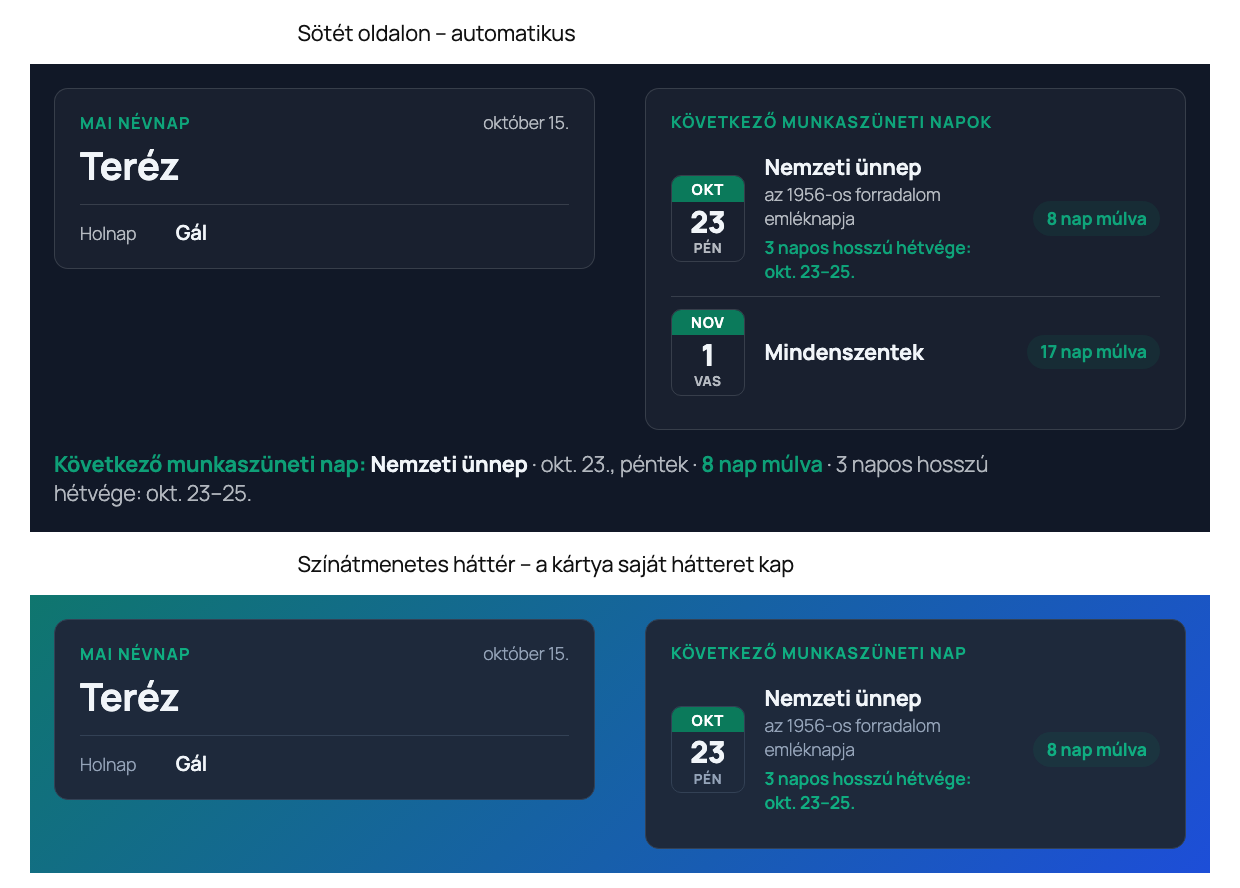
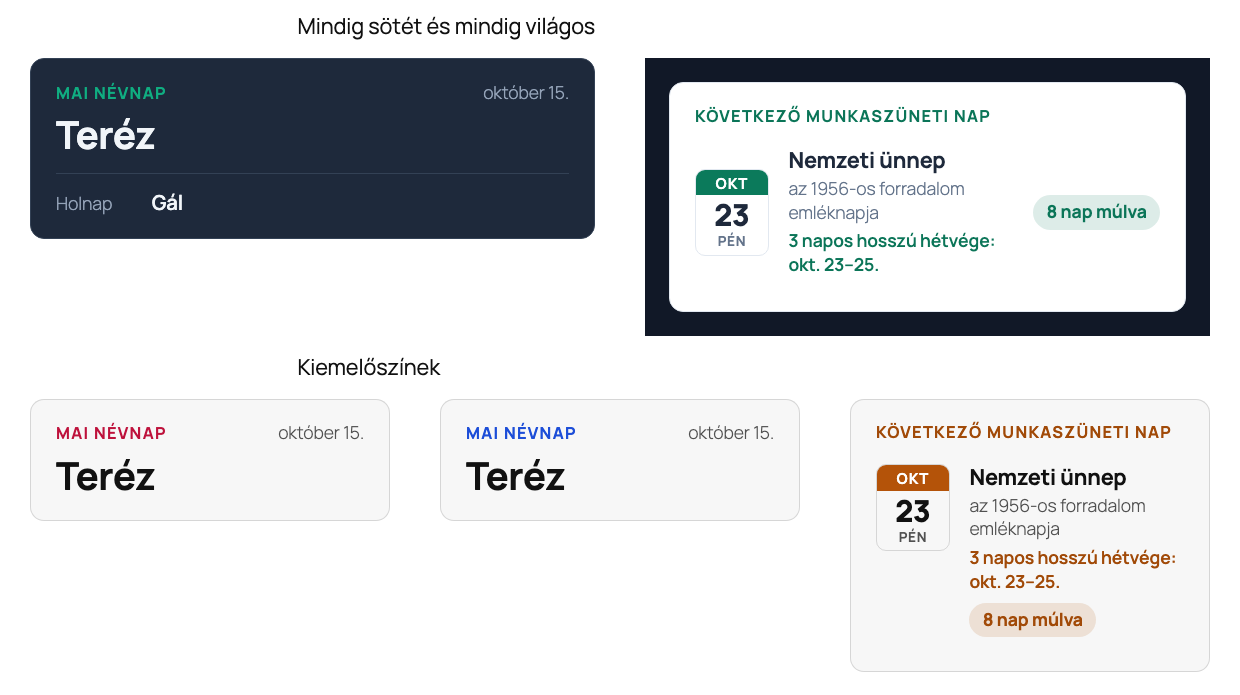
- Light or dark: in automatic mode the box follows the text colour around it, so it reads well on light and dark pages, also when the visitor or the theme switches modes. If the background cannot be determined (for example an image behind it), the card gets a solid background of its own. If automatic mode does not suit your site, choose an always light or always dark look.
- Accent colour: any colour, also from your theme’s palette. Text in the accent colour is made lighter or darker where needed, so it keeps at least 4.5:1 contrast.
- Text and background colour, font size and spacing can also be set in the block’s own settings.
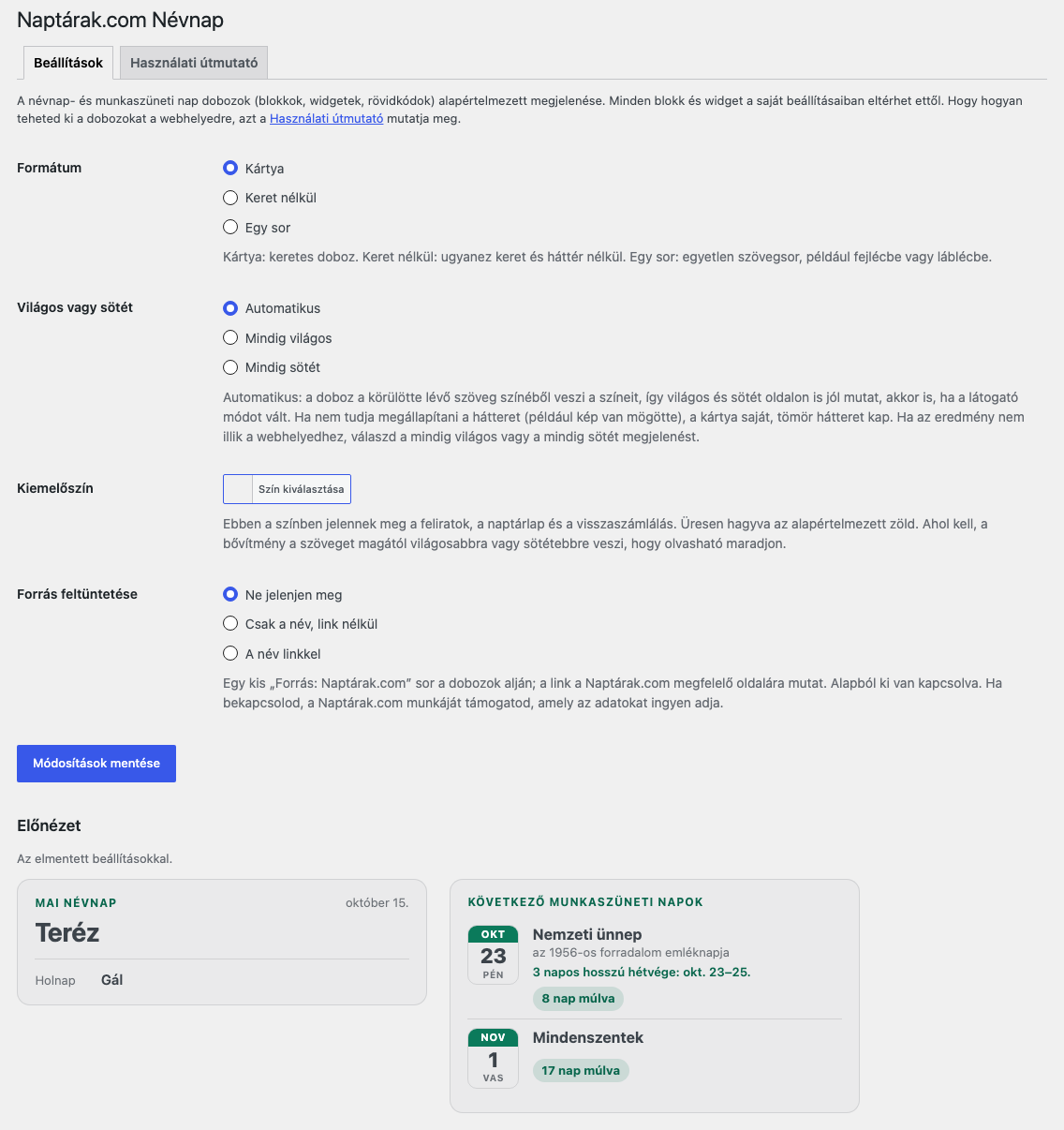
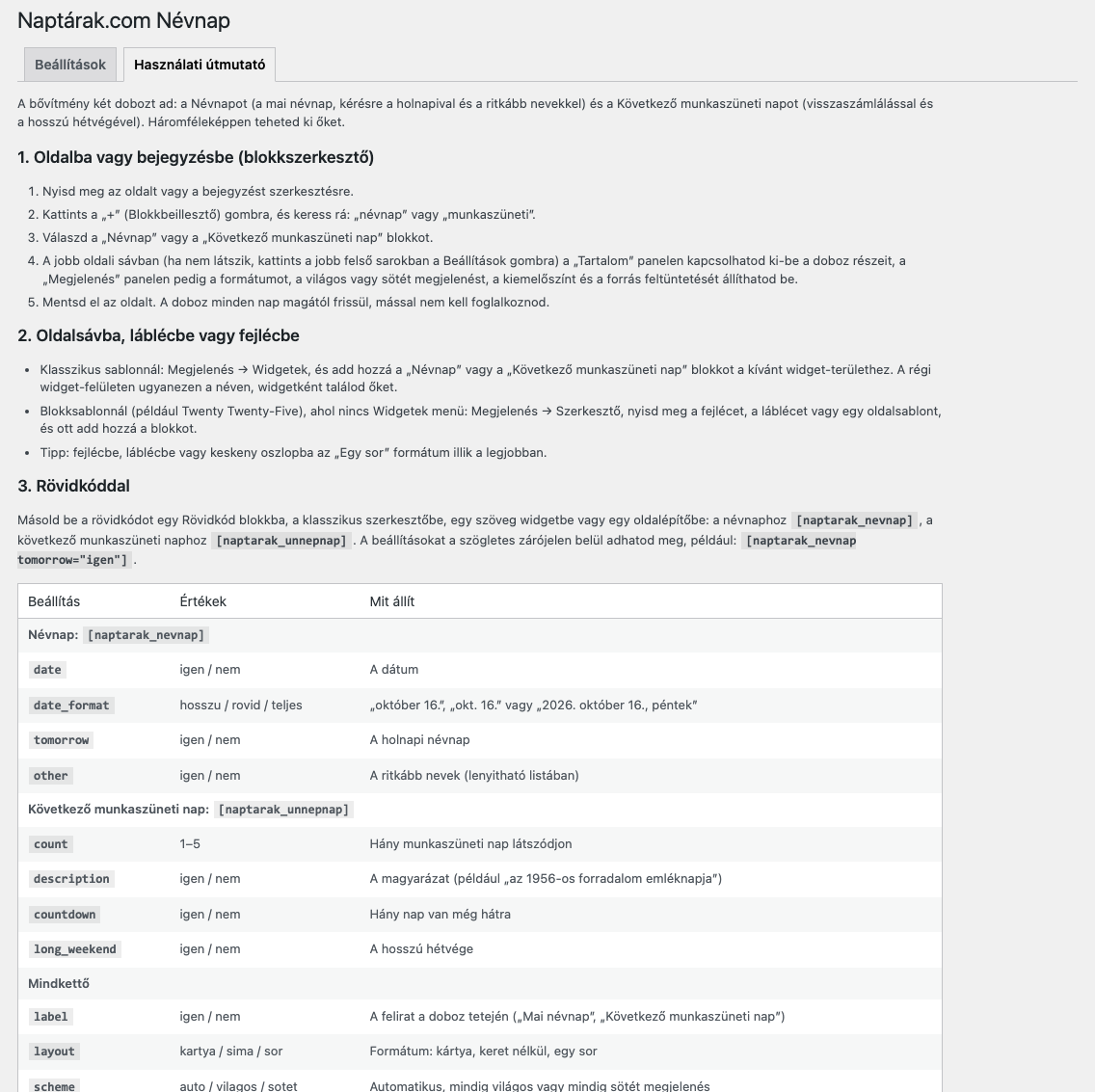
- Site-wide defaults in Settings Naptárak.com Névnap, with a live preview; each block and widget can override them. The How to use tab on the same page explains everything step by step.
How to use
- Block editor: add the “Name day” or the “Next public holiday” block; the Content and Appearance panels are in the sidebar.
- Classic widgets: Appearance Widgets.
- Shortcodes, anywhere shortcodes work:
[naptarak_nevnap]– options:label,date,tomorrow,other(yes/no),date_format(long,short,full)[naptarak_unnepnap]– options:count(1–5),label,description,countdown,long_weekend(yes/no)- Both:
layout(card,plain,line),scheme(auto,light,dark),accent(e.g.#b45309),credit(link,name,none) - Examples:
[naptarak_nevnap tomorrow="yes"],[naptarak_nevnap layout="line" date="no"],[naptarak_unnepnap count="3" scheme="dark"] - Hungarian values work too (
igen/nem,kartya/sima/sor,vilagos/sotet,nev/nincs). Appearance options you leave out follow the site-wide settings.
Source credit
The “Source: Naptárak.com” line is off by default. After activation the plugin asks once (on the Dashboard) whether to show it – with a link, name only, or not at all – and the answer can be changed any time in the settings or per block. Showing it supports the free data service of Naptárak.com.
For developers – PHP functions for themes and plugins, for example to calculate delivery dates in a webshop (dates are Y-m-d strings or DateTimeInterface objects; null means today in the site’s time zone):
naptarak_nevnap_get_names( $date = null, $include_other = false )naptarak_nevnap_is_public_holiday( $date = null )naptarak_nevnap_is_workday( $date = null )naptarak_nevnap_add_workdays( $date, $days )naptarak_nevnap_next_public_holidays( $date = null, $count = 1 )naptarak_nevnap_long_weekends( $year )naptarak_nevnap_swaps_published( $year )
More, with pictures (in Hungarian): naptarak.com/wordpress-bovitmeny
Screenshots
Blocks
This plugin provides 2 blocks.
- Name day (Hungarian) Today’s Hungarian name day, optionally with tomorrow’s and the less common names.
- Next public holiday (Hungary) The next Hungarian public holiday with a countdown and its long weekend.
Installation
- Install the plugin from Plugins Add New Plugin (search for “Naptárak.com Névnap”), or upload the
naptarak-com-nevnapfolder to the/wp-content/plugins/directory. - Activate the plugin.
- Add the “Name day” or the “Next public holiday” block, the widget or a shortcode.
- Optionally set the defaults in Settings Naptárak.com Névnap; the How to use tab there explains every option.
FAQ
-
Does it work with dark themes?
-
Yes. In automatic mode the box reads the text colour around it and adapts, also when the visitor or the theme switches modes. If the background is unclear (for example an image or a gradient behind it), the card gets a solid background. If this does not suit your site, choose the always light or always dark look in the settings or per block.
-
How do I change the colours?
-
Set the accent colour in Settings Naptárak.com Névnap, per block in the Appearance panel, or with
accent="#b45309"in a shortcode. Text and background colours can be set in the block’s colour settings. -
Does it work with page caching?
-
Yes. Each box also contains the next seven days, and a tiny script shows the right one if a cached page is served on a later day. If your cache keeps pages for longer than a week, clear it at least weekly.
-
What happens before next year’s working-day swaps are published?
-
Public holidays are known years ahead; the working-day swaps are decided by a government decree every year. The plugin is updated after the decree is published; until then the box shows a short note and the PHP functions only take weekends and public holidays into account.
-
Does it contact Naptárak.com or collect data?
-
No. All data is inside the plugin and it makes no requests. The “Source: Naptárak.com” line is off by default; if you switch it on, it is a plain link to the matching page of Naptárak.com.
-
Why is the credit line not shown?
-
Credits are shown only if you opt in. Switch it on in Settings Naptárak.com Névnap (name only, or with a link), or per block in the Appearance panel.
-
Is the plugin available in Hungarian?
-
Yes. The interface, the block settings, the settings page and its How to use tab are fully translated into Hungarian; they appear in Hungarian when the site language is Hungarian.
-
Which time zone is used?
-
The one set in Settings General.
-
What about 24 December?
-
The plugin uses the same data as Naptárak.com. From 2024 to 2026, 24 December was a rest day by working-day swap, which the plugin includes. If the law makes it a public holiday, the plugin will be updated after it is promulgated.
Reviews
There are no reviews for this plugin.
Contributors & Developers
“Naptárak.com Névnap” is open source software. The following people have contributed to this plugin.
Contributors
Translate “Naptárak.com Névnap” into your language.
Interested in development?
Browse the code, check out the SVN repository, or subscribe to the development log by RSS.
Changelog
1.0.0
- First release: name-day and public-holiday blocks, classic widgets, shortcodes and PHP functions; three formats, parts that can be switched off, automatic light/dark mode, accent colour, settings page with a user guide, Hungarian translation.