
Description
Namoman Image Editor (NIE) adds professional image editing capabilities directly to the WordPress block editor. Edit any image block without leaving the editor — apply filters, crop, rotate, draw shapes, add text overlays, and pixelate regions with the built-in mosaic tool.
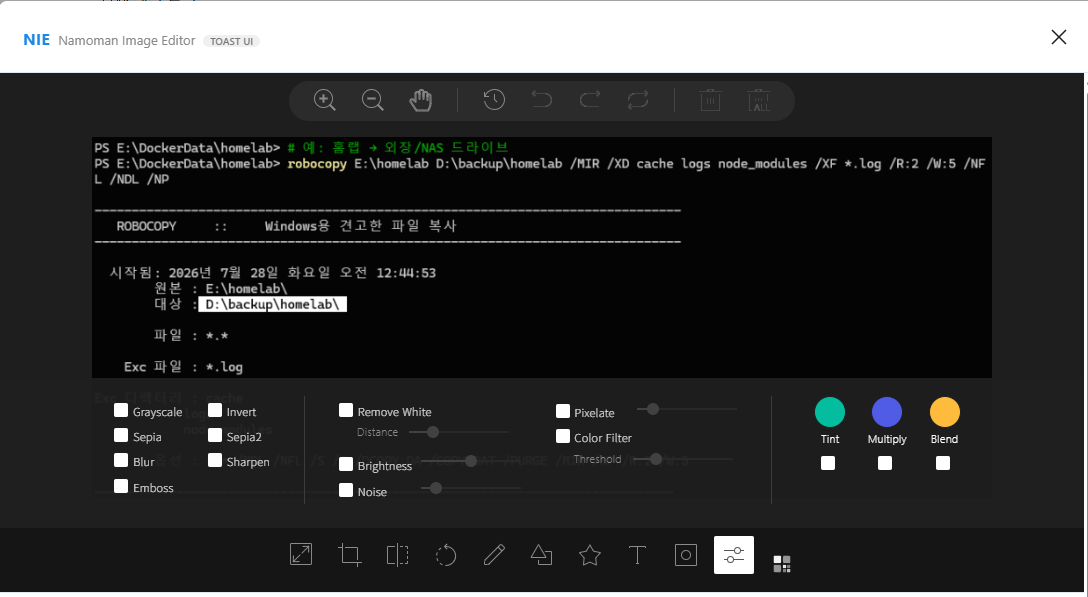
The editing interface opens in a clean modal window with an intuitive toolbar. All edits are saved as a new media item via the WordPress REST API, leaving your original image untouched. All required third-party libraries are bundled in the plugin — no external CDN calls.
Built on open-source libraries (all MIT-licensed, GPL-compatible):
– TOAST UI Image Editor v3.15.3
– Fabric.js v4.4.0
– TOAST Color Picker v2.2.6
– tui-code-snippet v1.5.0
NIE(나모맨 이미지 에디터)는 워드프레스 블록 에디터에서 전문적인 이미지 편집 기능을 제공합니다. 에디터를 벗어나지 않고 이미지 블록을 바로 편집하세요 — 필터, 자르기, 회전, 도형 그리기, 텍스트 삽입, 모자이크 처리까지 가능합니다.
편집 인터페이스는 직관적인 툴바와 함께 깔끔한 모달 창으로 열립니다. 모든 편집 결과는 워드프레스 REST API를 통해 새 미디어로 저장되므로 원본 이미지는 그대로 유지됩니다.
Features
- Crop, Rotate & Flip — Basic image transformations.
- Filters — Apply grayscale, sepia, blur, emboss, and more.
- Draw & Shapes — Freehand drawing and shape overlays.
- Text Overlay — Add text with customizable background color.
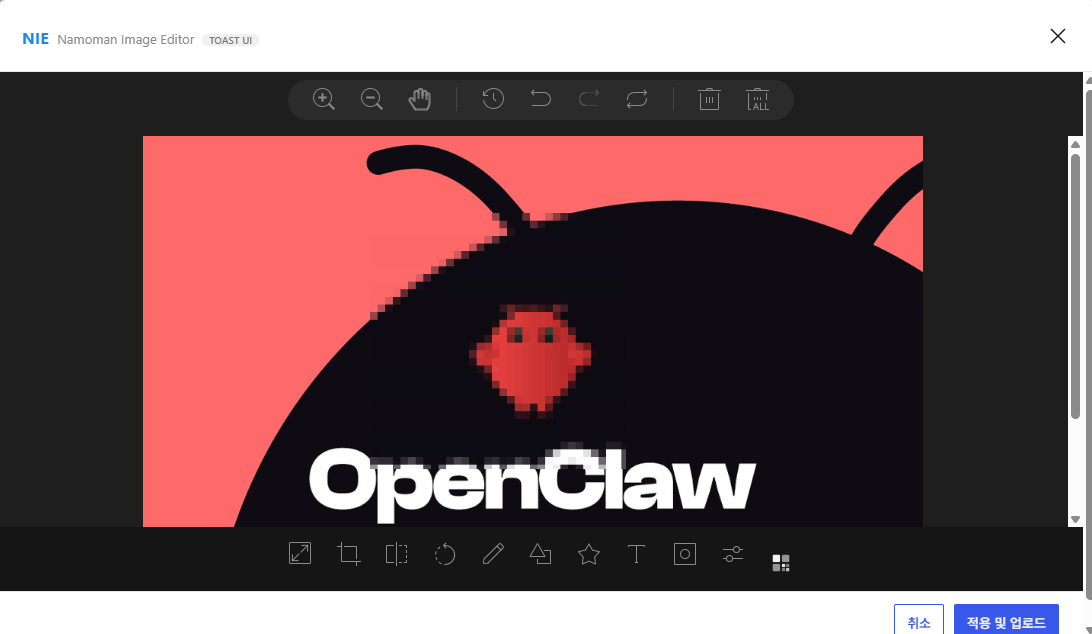
- Mosaic Tool — Drag-select a region and apply pixelation for privacy.
- Block-native Integration — Adds an “Edit Image” (🎨) toolbar button to every Image block.
- Non-destructive — Edited result saved as a new media item; original remains intact.
Source Code
The complete, human-readable source code is publicly available on GitHub:
https://github.com/namoman/namoman-image-editor
All plugin source files are included in the distributed package. No build step is required — the JavaScript is shipped as readable, non-minified code.
Screenshots
Installation
- Upload the plugin files to the
/wp-content/plugins/namoman-image-editordirectory, or install via the WordPress plugin screen. - Activate the plugin through the ‘Plugins’ screen in WordPress.
- Open any post with an Image block — click the palette icon (🎨) in the block toolbar to start editing.
FAQ
-
Does this plugin modify my original images?
-
No. Edited images are uploaded as new media items through the WordPress REST API. Your original image remains unchanged in the media library.
-
What image formats are supported?
-
The editor works with JPEG, PNG, and WebP images. The edited result is saved as PNG.
-
Does it work with block themes and Full Site Editing?
-
Yes. The plugin integrates with the Gutenberg block editor via
wp.hooksand works with any theme that supports the core Image block. -
Why is the plugin named “NIE”?
-
NIE stands for “Namoman Image Editor” — a distinctive, own-brand name that reflects the plugin’s origin (namoman.com). It does not use any third-party trademark or project name as its primary identifier. “TOAST UI” is mentioned only as a technical credit for the underlying open-source library.
Reviews
There are no reviews for this plugin.
Contributors & Developers
“Namoman Image Editor (NIE)” is open source software. The following people have contributed to this plugin.
Contributors
Translate “Namoman Image Editor (NIE)” into your language.
Interested in development?
Browse the code, check out the SVN repository, or subscribe to the development log by RSS.
Changelog
1.0.0
- Initial release.
- Crop, rotate, flip, filter, draw, shape, text, and mosaic tools.
- Block toolbar integration with NIE branding.
- Non-destructive editing via WordPress REST API media upload.
- All dependencies bundled (no CDN calls).