
Description
MV SpeedWeave helps site administrators improve public page delivery while preserving private workflows. It works with Apache and other PHP-capable WordPress hosts; LiteSpeed is not required.
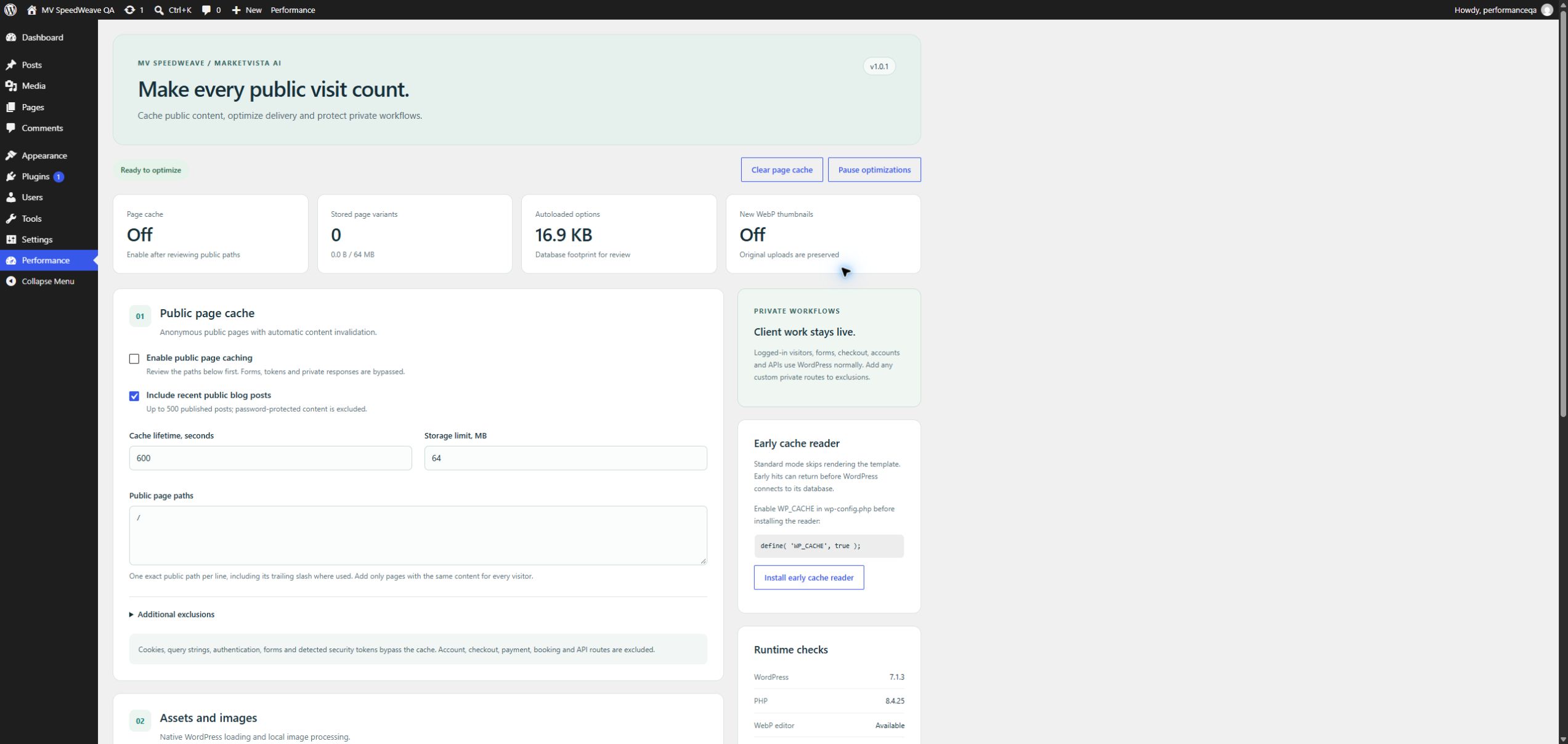
- Public page cache with explicit path selection, automatic content invalidation, time and storage limits.
- Optional early reader for eligible anonymous hits before WordPress and database startup.
- Cache bypass for cookies, queries, authentication, forms, detected tokens, private headers and protected routes.
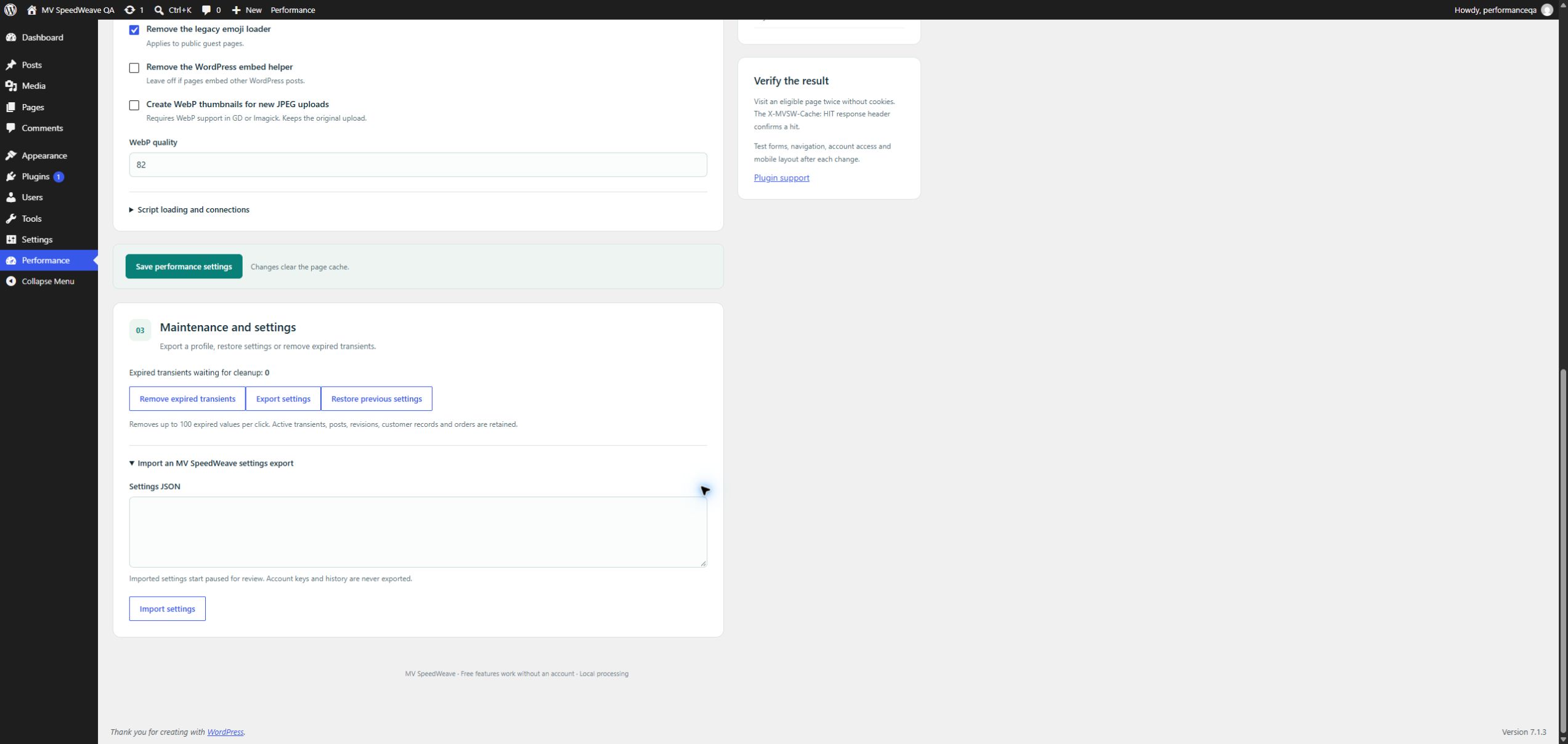
- Optional local WebP intermediate sizes for new JPEG uploads, with originals preserved.
- Native WordPress script deferral for selected handles and explicit HTTPS preconnect hints.
- Expired transient cleanup, settings export/import and previous-settings restore.
- Pause/resume controls, runtime checks and cache storage diagnostics.
Free features work without an account, payment, time limit or external service. The plugin performs no telemetry and makes no external service requests. Support links open only when clicked.
Page caching is intended for single-site, public content. Review custom membership, location-based and other personalized routes before enabling caching. Exclude them explicitly. Existing cache readers are never replaced.
On WordPress.com hosting the local page cache and early reader are disabled because the host provides caching. Image, script and settings features remain available, subject to the host’s final compatibility review.
An optional, separately distributed MV SpeedWeave Pro add-on supplies bulk thumbnail optimization and restoration, CSS/JS minification, manual critical CSS, selective asynchronous CSS, CDN URL mapping, cache warmup and local server response history. Pro is available through https://lease.marketvistaai.com/. No Pro feature code, license validation, alternate updater or disabled premium controls are included in this Free package.
Support: https://lease.marketvistaai.com/support.php
Privacy policy: https://lease.marketvistaai.com/privacy.php
Screenshots
Installation
- Upload the mv-speedweave directory or install its ZIP under Plugins.
- Activate MV SpeedWeave. Page caching and WebP conversion start off.
- Open Performance and review your public paths and exclusions.
- Save one change at a time and test public pages, forms and client workflows.
- For optional early caching on compatible self-hosted installations, enable WP_CACHE in wp-config.php before installing the reader from the dashboard. This plugin does not edit wp-config.php.
FAQ
-
Does this require LiteSpeed?
-
No. It uses local disk storage and WordPress APIs.
-
Can I run another page cache?
-
Keep one page cache active. MV SpeedWeave detects known competing plugins and foreign advanced-cache.php readers.
-
Are logged-in dashboards cached?
-
No. Cookies and authenticated requests bypass the public page cache.
-
Is every private response detectable?
-
No automatic detector can identify every custom access rule. Exclude personalized routes before enabling caching. Developers can veto new captures with mvsw_cache_request_allowed and mvsw_cache_response_allowed. Early hits use the saved path manifest before plugin filters run.
-
Does it optimize existing images?
-
Free creates optional WebP thumbnails on future JPEG processing. Bulk existing-thumbnail conversion and restore are in the separate Pro add-on.
-
Does it edit original image files?
-
No. Originals are retained.
-
Does it promise a particular speed score?
-
No. Measure actual results for your theme, plugins and hosting environment.
Reviews
There are no reviews for this plugin.
Contributors & Developers
“MV SpeedWeave” is open source software. The following people have contributed to this plugin.
Contributors
Translate “MV SpeedWeave” into your language.
Interested in development?
Browse the code, check out the SVN repository, or subscribe to the development log by RSS.
Changelog
1.0.1
- Use WordPress filesystem path resolution and a bundled, unmodified early reader.
- Replace PHP cache data with authenticated encrypted JSON and empty index/lock files.
- Cache data remains protected even when the web server does not honor directory denial rules. Requires OpenSSL AES-256-GCM and configured WordPress authentication keys for page caching.
1.0.0
- First MV SpeedWeave release with local public caching, optional WebP thumbnails, native deferral, settings portability and managed-host cache compatibility.