Description
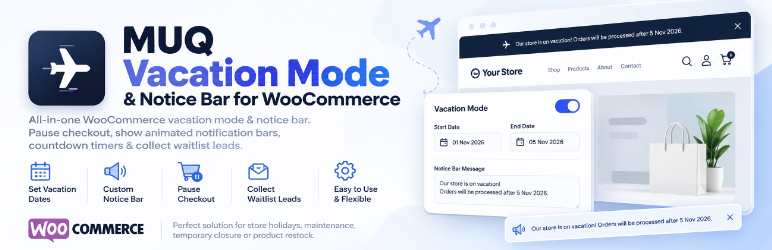
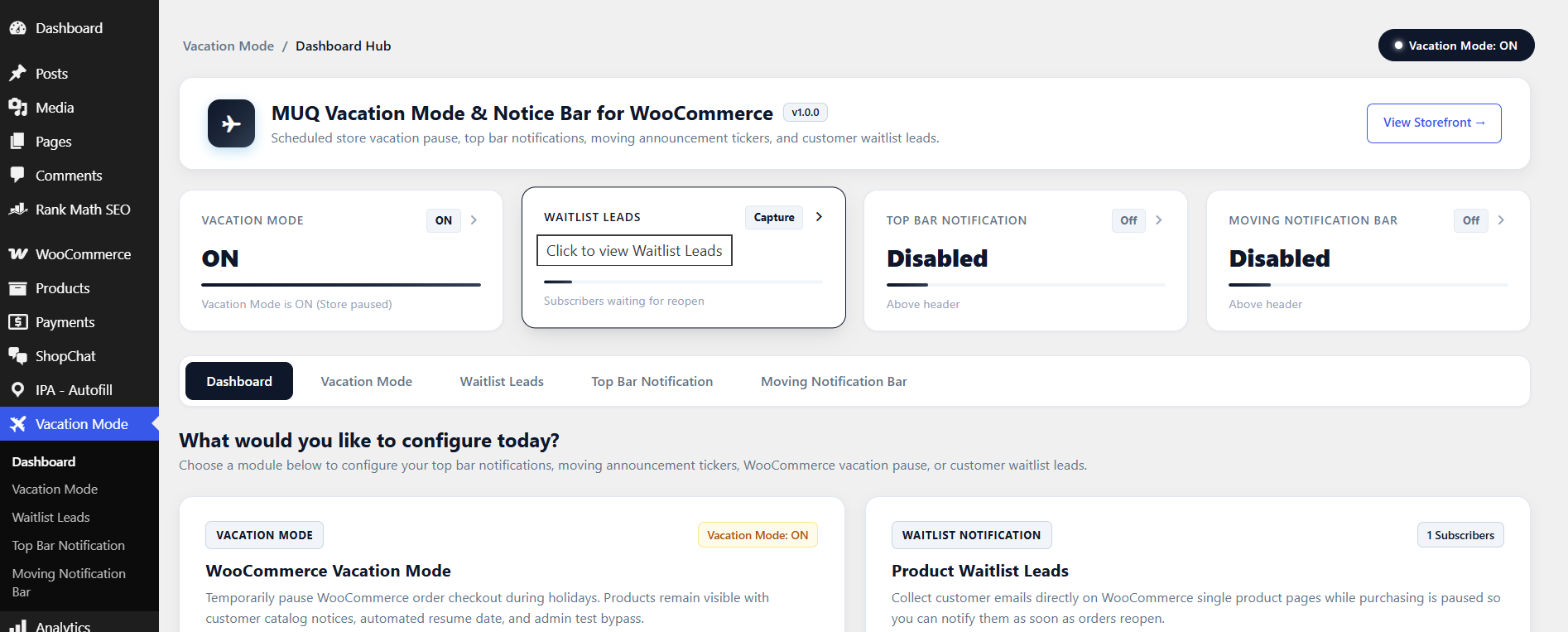
MUQ Vacation Mode & Notice Bar for WooCommerce is an all-in-one store management and notification suite designed specifically for non-technical store owners. It provides an intuitive dashboard hub with instant navigation boxes to manage top bar announcements, animated moving notification bars, holiday purchasing pauses, and customer waitlists.
Whether you are taking a well-deserved vacation, performing inventory stocktakes, or running a special sale, Vacation Mode keeps your customers informed with modern, eye-catching notification banners.
Key Features
- Dashboard Hub for Non-Tech Users: Clear visual action cards guide you directly into each notification and holiday feature without complicated menus.
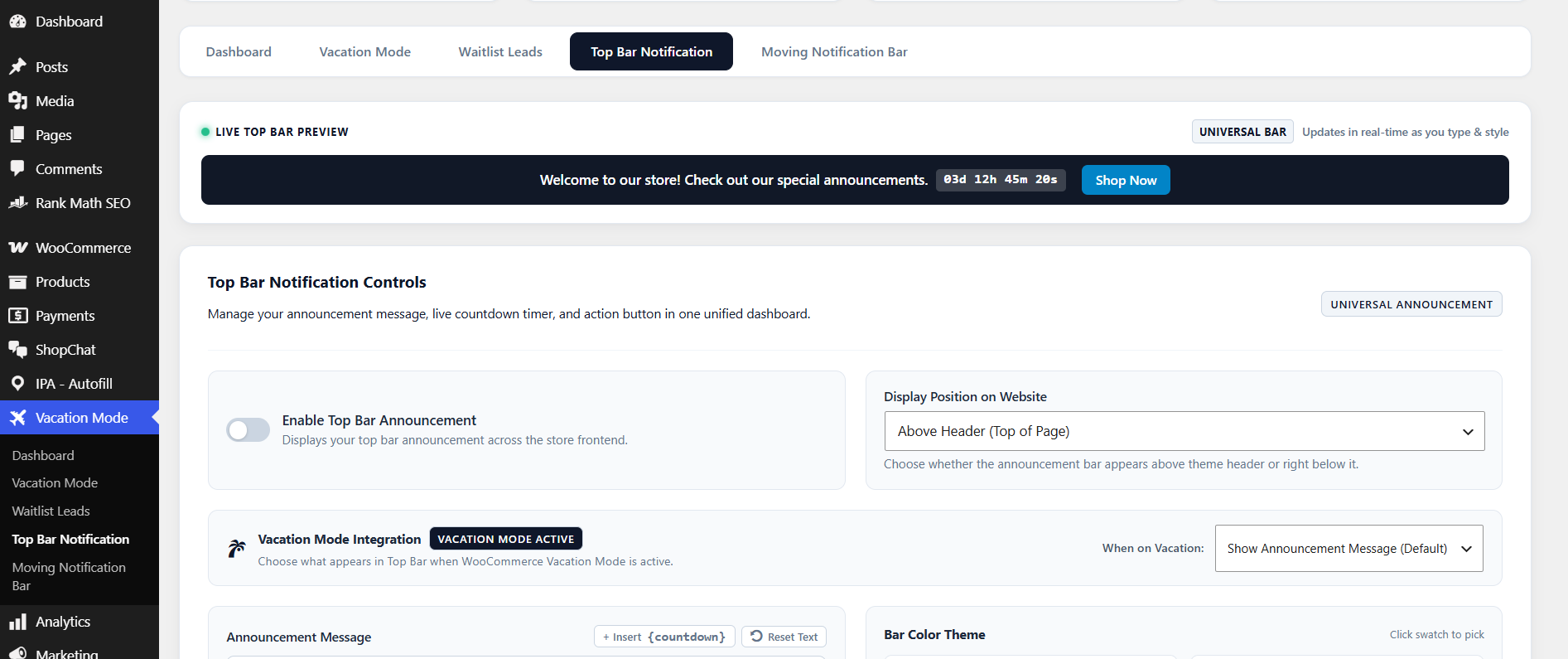
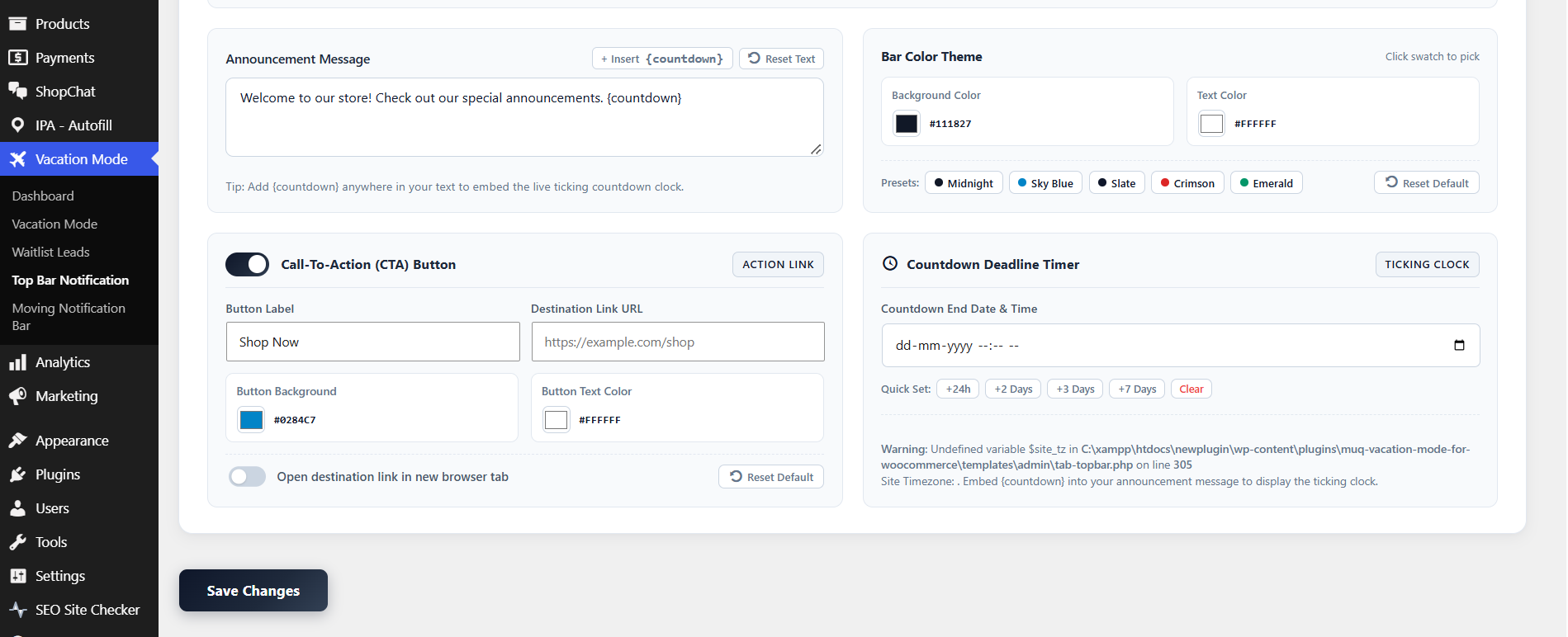
- Top Bar Notification: Display a prominent announcement bar at the top or bottom of your site header with live ticking countdown deadline clocks and customizable call-to-action buttons.
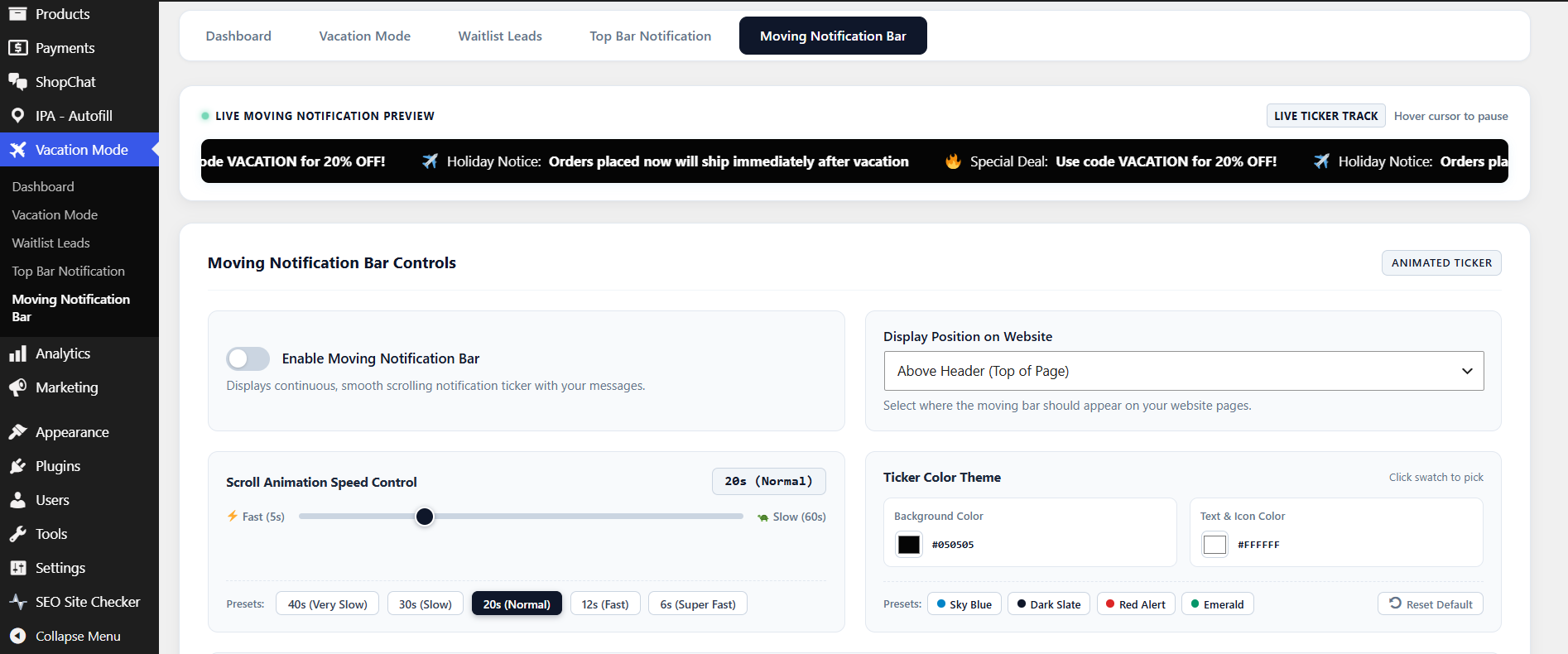
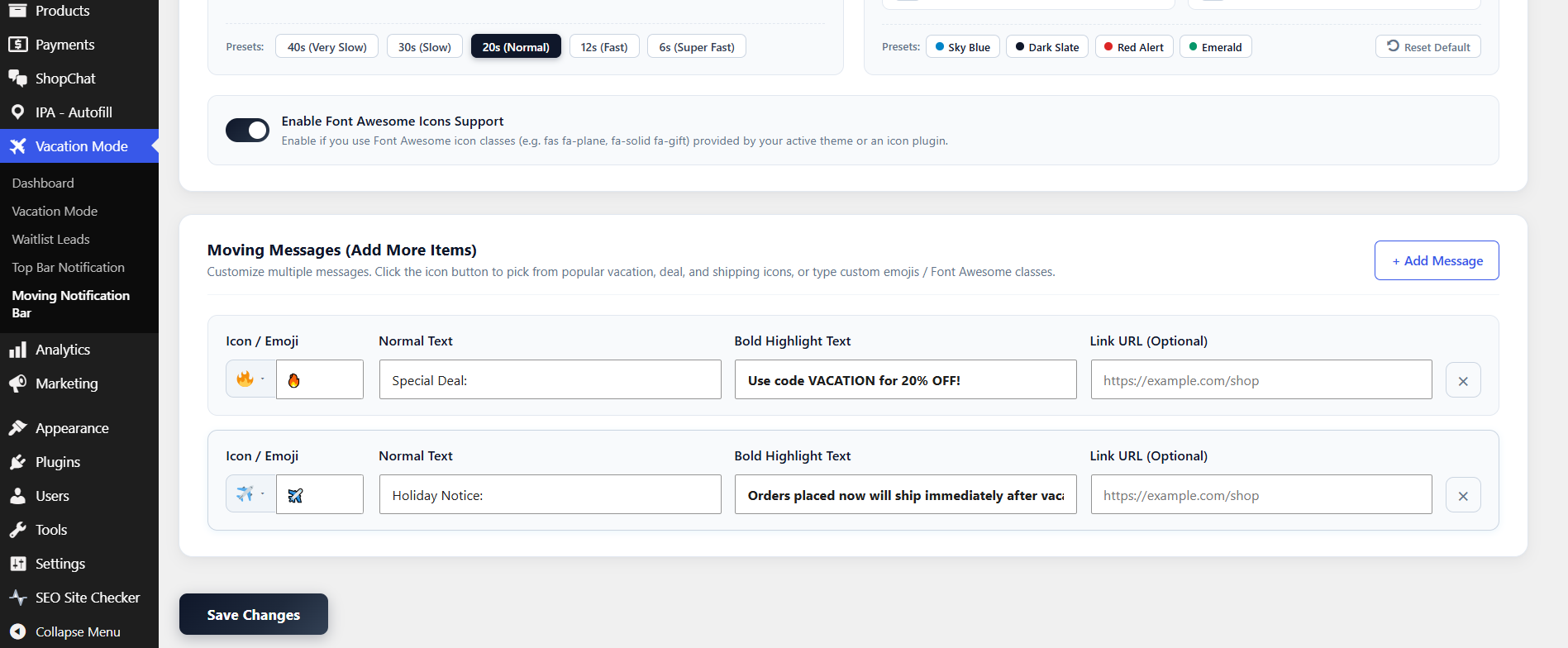
- Moving Notification Bar: Smooth infinite scrolling ticker with dynamic “+ Add Message” repeater. Add emojis/icons, mix normal text with bold highlight keywords, set custom links, and place above header, below header, above footer, or below footer.
- Flexible Placement via Default Hooks: Integrates seamlessly using default WordPress actions (
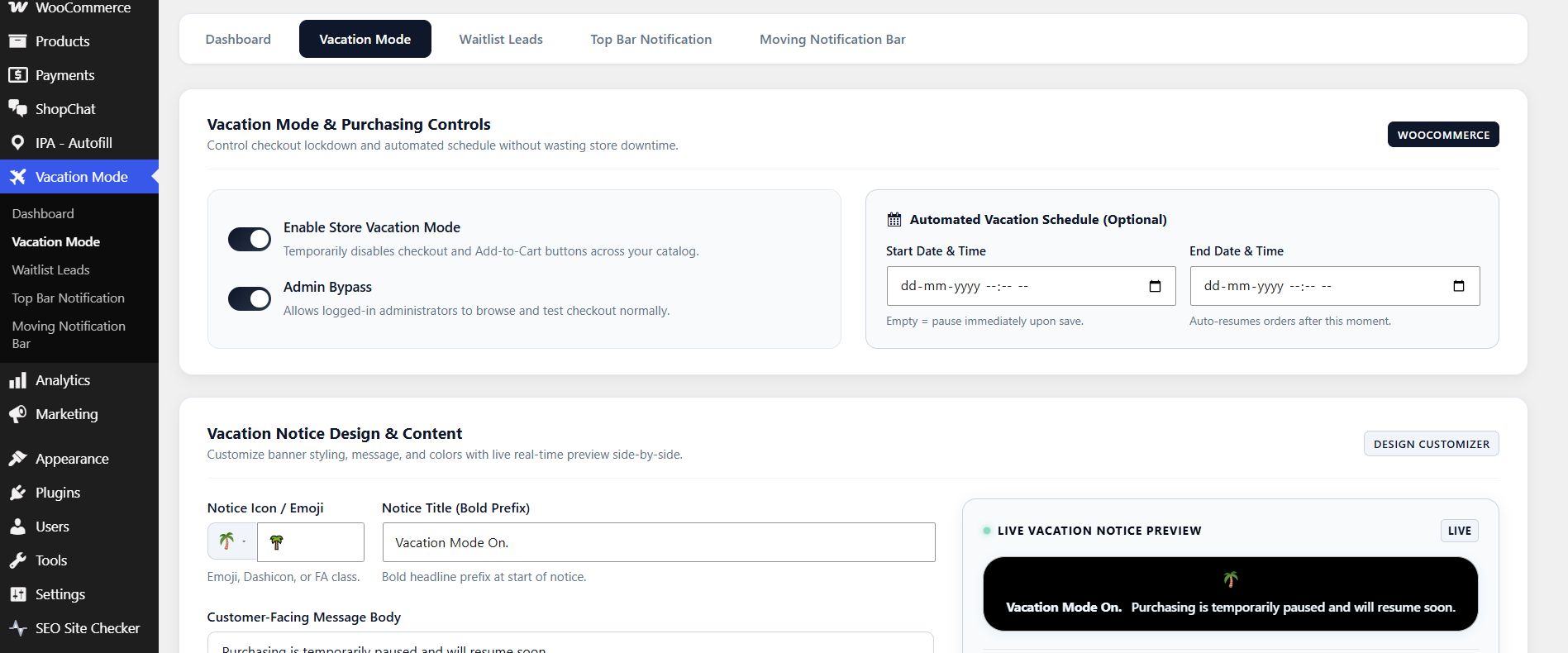
wp_body_open,get_footer,wp_footer). When the plugin is deactivated or uninstalled, it leaves zero broken code or theme modifications. - Scheduled Vacation Windows: Set automated Start and End dates & times. Purchasing resumes automatically once vacation ends.
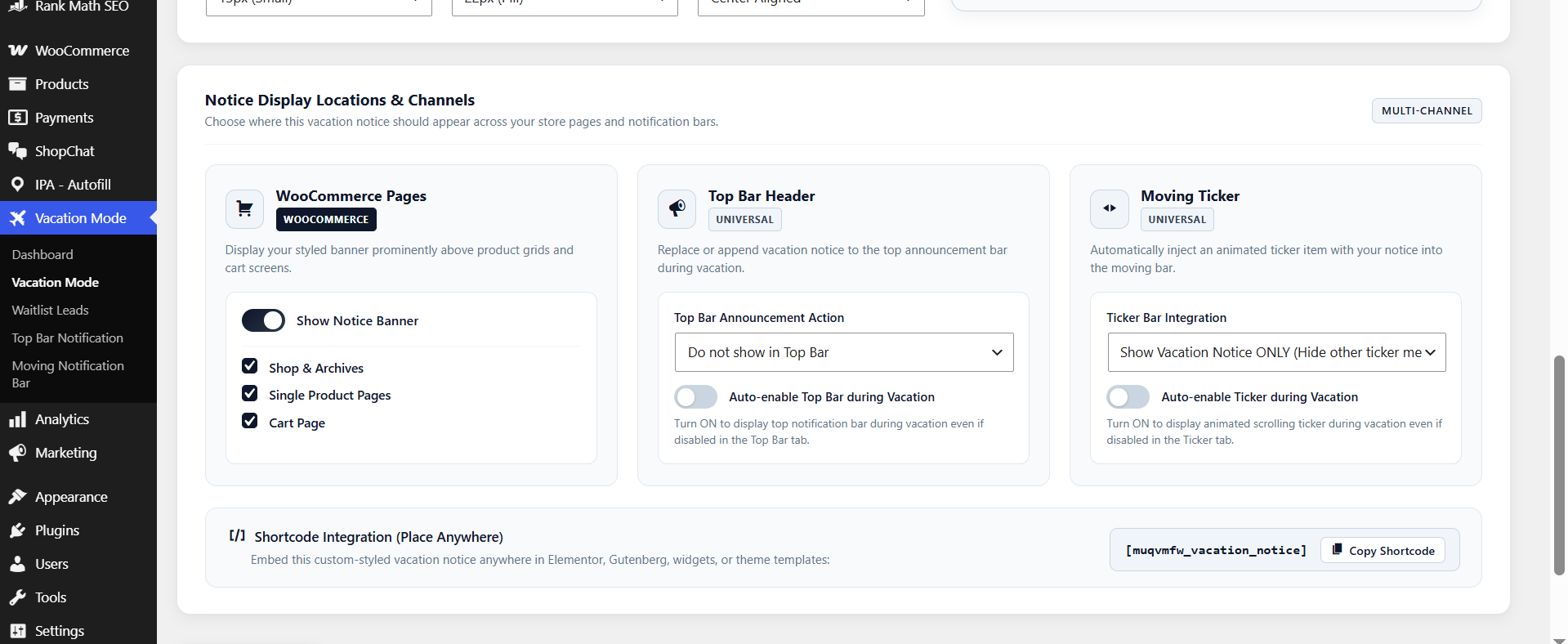
- Purchasing Lockdown: Disables “Add to Cart” across product catalog, archives, single pages, and protects both Classic and WooCommerce Blocks (Store API) checkout.
- Preserve Cart Contents: Unlike destructive plugins that wipe customer carts, existing cart contents are safely preserved while checking out is disabled.
- Admin Bypass Mode: Store managers and administrators can continue testing checkout and placing orders while vacation mode is active for visitors.
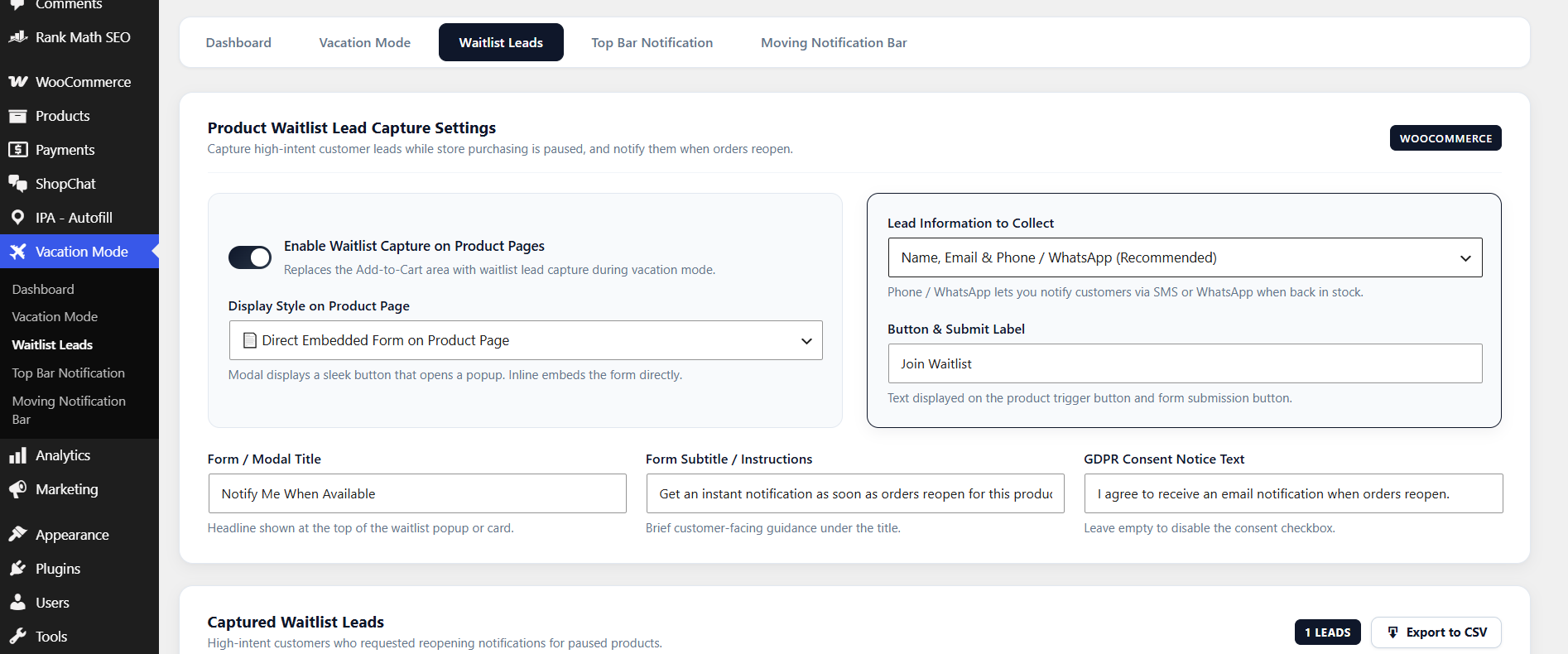
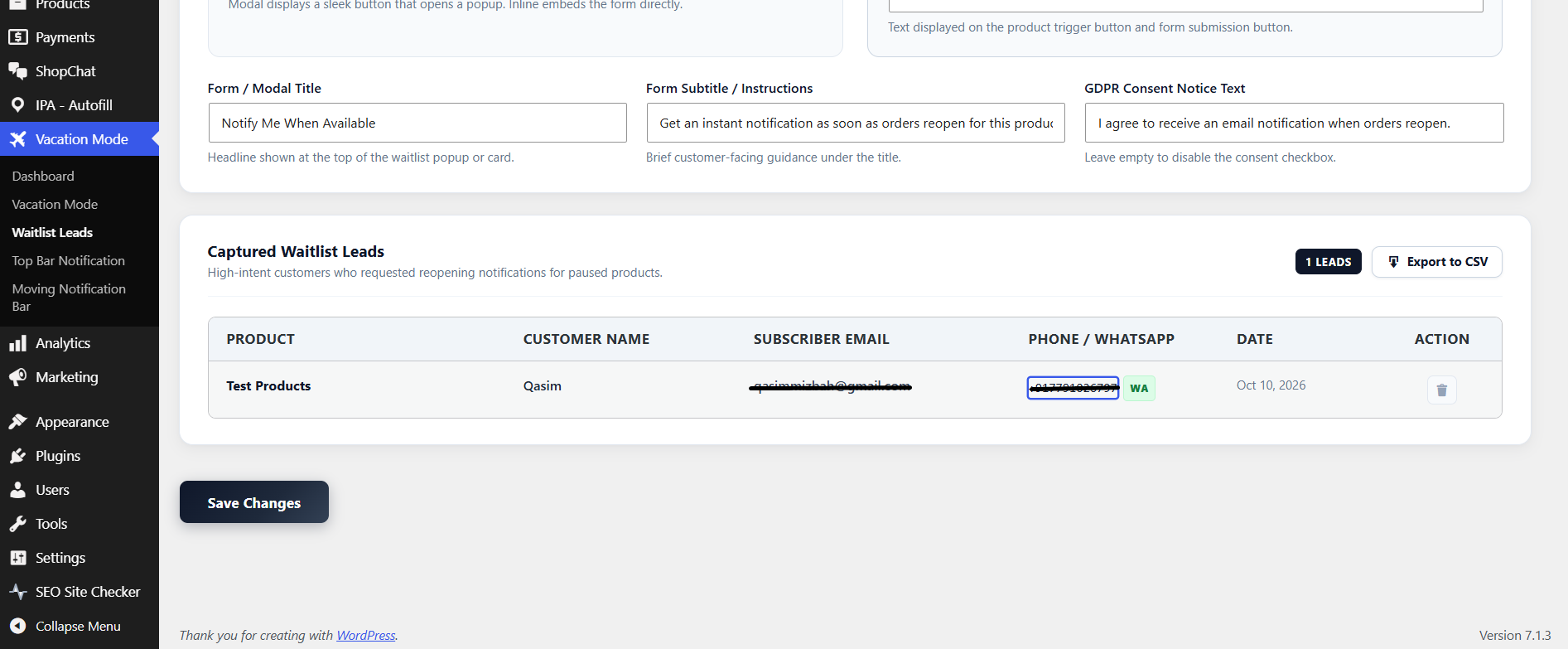
- Product Page Waitlist Capture: Capture customer email leads directly on product pages while purchasing is paused with GDPR consent compliance.
- High-Performance Order Storage (HPOS) Ready: 100% compatible with modern WooCommerce HPOS and Cart/Checkout Blocks.
- Accessible & Lightweight: Hardware-accelerated CSS animations, pause-on-hover, pause-on-focus, reduced-motion media query support, RTL support, and zero external JS/CSS library bloat.
External services
This plugin does not connect to any 3rd-party external services or remote APIs. All countdown timers, notification banners, and vacation mode logic run entirely locally on your WordPress server. No personal data, telemetry, or user information is ever transmitted off your server.
Screenshots
Installation
- Upload the
muq-vacation-mode-for-woocommercefolder to your/wp-content/plugins/directory, or install the ZIP file via Plugins > Add New in WordPress. - Activate the plugin through the Plugins screen in WordPress.
- Navigate to Vacation Mode in your WordPress admin menu.
- Choose the feature box you want to configure (Top Bar Notification, Moving Notification Bar, or Vacation Schedule).
- Click Save Changes!
FAQ
-
Do the Notification Bars require WooCommerce?
-
No. The Top Bar Notification and Moving Notification Bar work on any WordPress site, even if WooCommerce is not installed or active.
-
Where can the Moving Notification Bar be displayed?
-
You can display it Above Header (Top of Page), Below Header, Above Footer (Bottom of Content), or Below Footer (Fixed Bottom Bar).
-
What happens when the plugin is deactivated or uninstalled?
-
The plugin uses standard WordPress actions and filters. When deactivated, no code is executed and your site returns to its normal layout immediately with zero issues.
-
No. Products remain visible so search engine indexing and customer browsing are not interrupted. The Add to Cart buttons and checkout process are disabled with clear notices.
-
Does the plugin support WooCommerce Blocks checkout?
-
Yes. The plugin hooks into the WooCommerce Store API to ensure block-based checkouts cannot bypass vacation restrictions.
-
Can store owners still place test orders?
-
Yes. Enabling the “Admin Bypass” setting allows users with
manage_woocommercepermissions to test purchases while guests and customers are blocked.
Reviews
There are no reviews for this plugin.
Contributors & Developers
“MUQ Vacation Mode & Notice Bar for WooCommerce” is open source software. The following people have contributed to this plugin.
Contributors
Translate “MUQ Vacation Mode & Notice Bar for WooCommerce” into your language.
Interested in development?
Browse the code, check out the SVN repository, or subscribe to the development log by RSS.
Changelog
1.0.0
- Initial release of MUQ Vacation Mode & Notice Bar for WooCommerce.
- Dashboard Hub with non-tech visual navigation cards.
- Top Bar Notification with live countdown timer and above/below header placement.
- Moving Notification Bar with “+ Add Message” repeater, icon/emoji, bold highlights, and header/footer placements.
- Scheduled WooCommerce Vacation Mode with Classic & Blocks checkout guard.
- Admin Bypass capability for store administrators.
- Product waitlist email capture with honeypot spam protection.
- Full HPOS and Cart/Checkout Blocks compatibility.