

Description
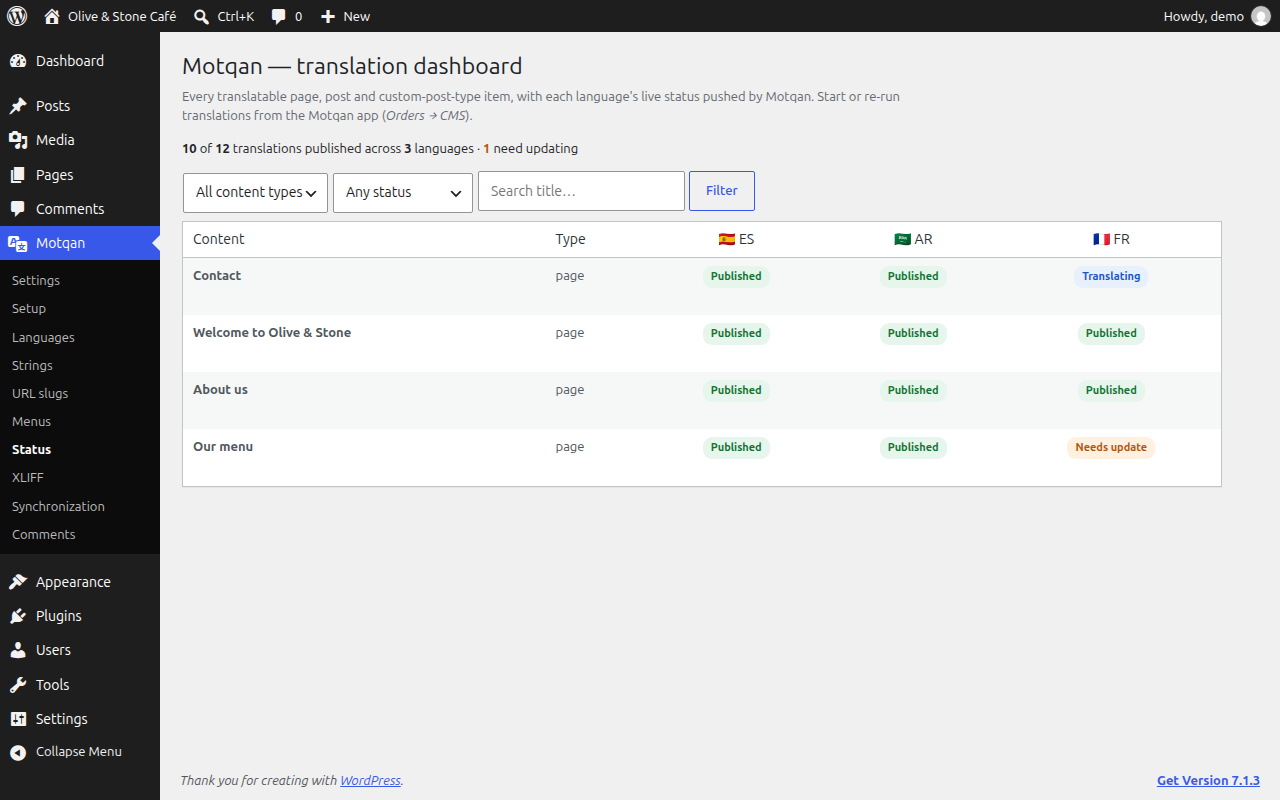
Motqan Connector links your WordPress site to Motqan, an AI translation platform. Motqan reads your content, translates it, and publishes the translations back to your site.
What it does
- Tells Motqan when a page or post is published, updated or deleted, so the translation stays up to date.
- Works with Polylang, WPML, Bogo, MultilingualPress and TranslatePress. Translations are linked to their source page in your multilingual plugin.
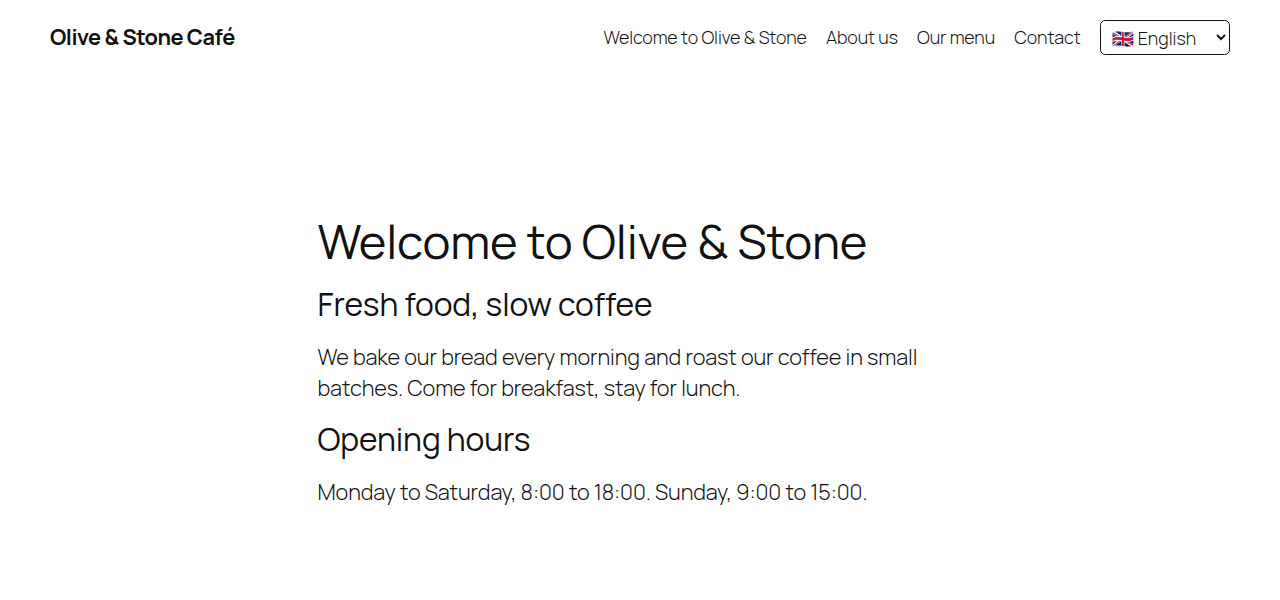
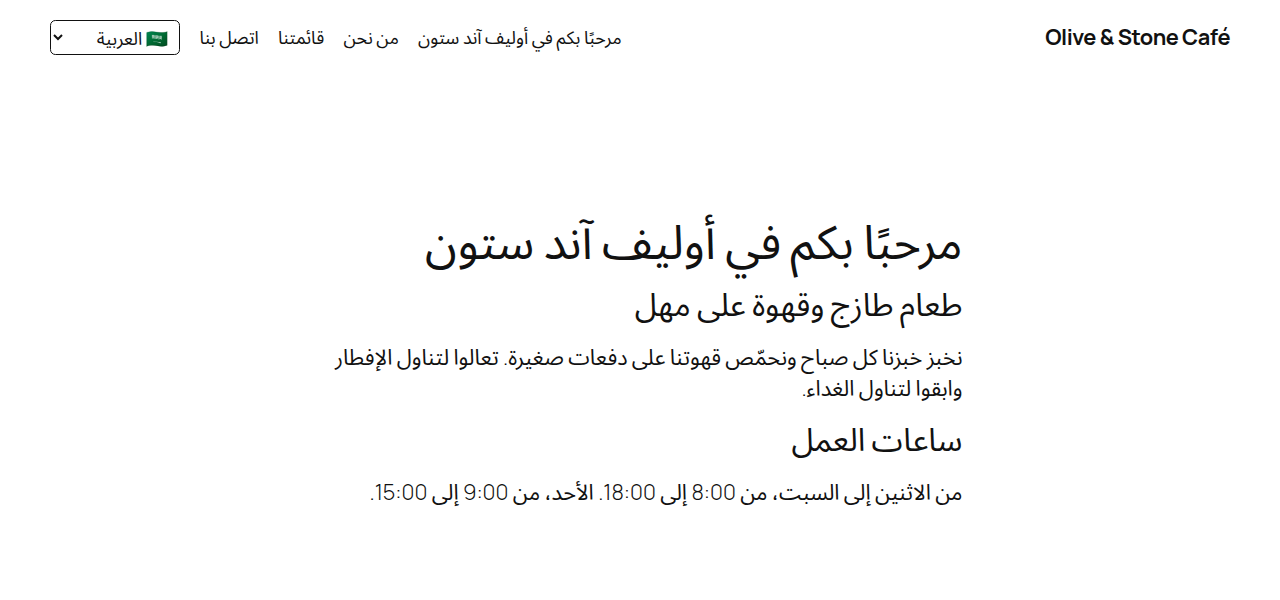
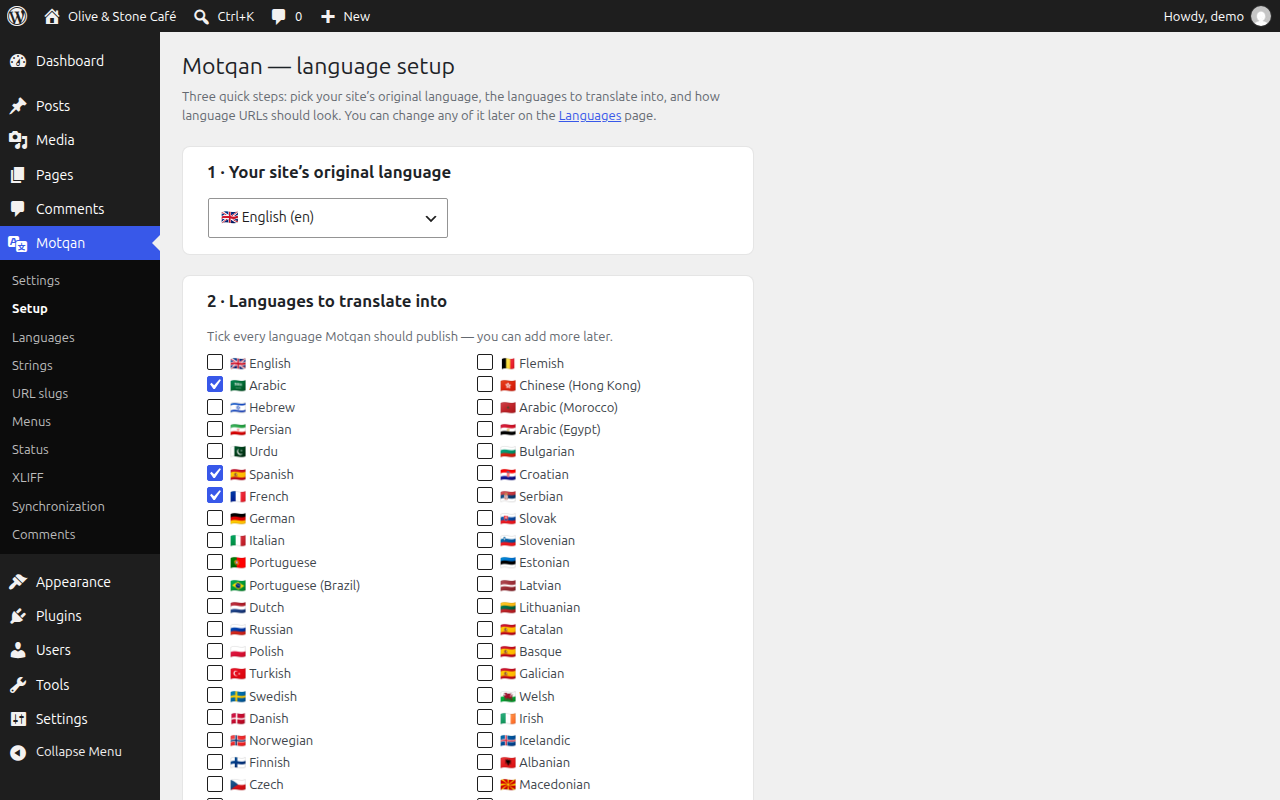
- No multilingual plugin? Switch on the built-in mode: language list, language switcher,
/{lang}/URLs, hreflang tags, right-to-left languages, and translation of menus, widgets, categories and theme text. - Translates SEO titles and descriptions (Yoast, Rank Math and others), ACF fields, WooCommerce products, Elementor and other page builders, Contact Form 7 forms and media text.
- Clears common page caches after Motqan writes, so visitors see the new text.
You need a Motqan account to translate. Installing the plugin alone does not send anything anywhere.
Questions? Email support@motqan.ai.
External services
This plugin connects to the Motqan service (https://motqan.ai/), which translates your content. Nothing is sent until you connect the site to your Motqan account.
After you connect:
- When a page, post or other public content is published, updated, trashed or deleted, the plugin sends a short message to your Motqan account’s address. It contains the event name, the content type and the content ID, plus the secret token for your site. It does not contain the content itself.
- Motqan then reads and writes your content through the WordPress REST API, using the application password you approved.
Motqan Terms of Use and Privacy Policy.
The plugin also loads pages of your own site in the background (to collect theme text that needs translating). These requests stay on your site.
Screenshots

Blocks
This plugin provides 1 block.
- Motqan Language Switcher
Installation
- In your dashboard go to Plugins Add New, search for “Motqan Connector”, then click Install and Activate.
- In your Motqan account, add your website and click Approve in WordPress.
- Choose your languages in Motqan and start translating.
FAQ
-
Do I need a Motqan account?
-
Yes. The plugin connects your site to Motqan, and the translation happens in your Motqan account.
-
Do I need a multilingual plugin?
-
No. If you already use Polylang, WPML, Bogo, MultilingualPress or TranslatePress, Motqan works with it. If not, switch on the plugin’s built-in multilingual mode.
-
Does it slow my site down?
-
No. Change messages are sent in the background and never wait for an answer.
-
Where can I get help?
-
Email us at support@motqan.ai, or post in this plugin’s support forum.
-
What happens if I uninstall the plugin?
-
Your translated pages stay on your site. Motqan stops getting change messages.
Reviews
There are no reviews for this plugin.
Contributors & Developers
“Motqan Connector” is open source software. The following people have contributed to this plugin.
Contributors
Translate “Motqan Connector” into your language.
Interested in development?
Browse the code, check out the SVN repository, or subscribe to the development log by RSS.
Changelog
2.8.5
- The plugin tells Motqan whether WordPress’s automatic updates are on for it (Plugins Enable auto-updates), so Motqan stops asking you to turn them on once they are.
2.8.4
- A translated item of a custom post type keeps its address word, like the original and like WPML, Polylang and TranslatePress: /fr/service/my-item/ (it was /fr/my-item/). The old address redirects once. A translated word set for that type (Settings Translated words in addresses) is used instead, once.
2.8.3
- Moving off WPML or Polylang copies its “copy to translations” choices (page parent, template, order, categories, sticky, comments…) unless you already saved your own.
- With “Page parent” sync on, a child page’s new translation is filed under its parent’s translation right away (/es/sobre-nosotros/equipo/), not under the original parent.
2.8.2
- Moving off WPML 5.2, whose main language is “English (US)” (en-us): English stays Motqan’s one main language (“en”, as set in Motqan), and WPML’s English pages are read as the originals, not as translations of themselves.
2.8.1
- Moving off WPML: categories, tags and menus now keep their language links. WPML answers term lookups in the current language only, so each translation was linked to itself.
- Moving off WPML or Polylang: the language switcher starts with the old plugin’s look (dropdown or list, flags, names, current language shown or not) and its “send visitors to their browser’s language” choice, until you pick your own.
- English stays one language after a move (“en”, not a second “en-us” made from the site’s en_US locale).
- The home page’s translation is linked at /fr/ (language links, sitemap), not at its own address /fr/accueil/.
2.8.0
- The language switcher can be styled from the Motqan app: ready-made styles, names / own names / codes / flags only, an arrow, a search box, font, sizes, shapes, shadow and colours. Only plain values are stored; the plugin turns them into its own small style rules. The old look stays until a style is picked, and Reset brings it back.
- Saving the Languages page in WordPress no longer clears the switcher style chosen in the app.
- Menus in the app settings show their first items and which menu is a language copy of which.
2.7.0
- Security: the site’s languages, custom fields and other site-wide details (/environment) and the custom-field list (/field-catalog) now need Editor-level access. An Author account still gets the plugin version and update details.
- Security: on MultilingualPress networks, the subsite list now needs Editor-level access (it needed any author), and linking a translation now checks that the user can edit the source post, the translation and any post the link replaces (it checked the translation only).
2.5.7
- A language address with no translated home yet (/es/) shows the site’s own home page. It showed the blog list.
- A page with no copy in the visitor’s language yet is shown in the original, and now says so: the page’s language tag and og:locale name the original language (an English page under /zh/ said it was Chinese).
- Items picked by id (a widget’s chosen posts, a page builder’s template or popup) switch to their translation only once it is published. A draft translation made the item disappear from the translated page.
2.5.6
- Links to translated pages end the way the site’s own links end (/de/blog/x/ instead of /de/blog/x), so the language switcher, hreflang tags and menus no longer cost visitors an extra redirect.
- A translated page that still carries the original page’s SEO title or description (copies made by Polylang, WPML or Bogo keep them) now shows visitors the translated title instead: Yoast and Rank Math use their normal title pattern for it. A translated SEO title is shown as it is.
2.5.5
- Translated blog posts keep the site’s fixed address part: with posts under /blog/, the German post is /de/blog/x/ like the original /blog/x/ (it was /de/x/). The old /de/x/ address redirects to it.
- With Polylang, WPML or Bogo on, each page, post and category tells Motqan when it is a copy in another language, so the Motqan app lists only the originals to translate (Polylang’s copies showed up as pages).
2.5.4
- A menu shown by a page builder (Elementor, ElementsKit and others pick a menu by name, not by theme location) now switches to the menu of the visitor’s language, like menus at theme locations. A menu moved from Polylang stayed English in such headers.
- Translated words in addresses keep the site’s fixed address part: with posts under /blog/, the German category is /de/blog/kategorie/x/ (it was /de/kategorie/x/, and /de/blog/kategorie/x/ did not open). The old address (/de/blog/category/x/) and the 2.5.2–2.5.3 one redirect to it.
- Clearer text for “send visitors to their language”: home page only, by country when the host shares it, else by browser language.
2.5.3
- Moving from TranslatePress keeps the main language as one language: its “en_US” no longer becomes a second English site at /en-us/ (and English visitors are no longer sent there). Sites moved with an older version are repaired by themselves.
2.5.2
- An original category or tag opened in another language (/it/blog/category/translation/, as TranslatePress made it) now sends visitors to the translated category (/it/blog/category/traduzione/).
- Translated words in addresses (for example category categoria): the translated address now opens instead of “page not found”, the language menu and hreflang links use it, and saving the word from Motqan takes effect at once.
2.5.1
- A post’s old address under a blog prefix with the language in front (/it/blog/post-name/, as TranslatePress made them) now opens its translation instead of “page not found”.
- A translated category or tag page now lists the translated posts filed under the original category.
2.5.0
- Security: reading Motqan’s site settings and its automatic-fix switches now needs administrator rights, the same as changing them.
2.4.0
- Security: Motqan’s REST routes now ask for the right permission for each job — the post itself for page data, “manage categories” for category links, theme options for menus and the language menu, and Editor rights for site-wide lists.
- Product prices per currency are saved only with WordPress’s own form check and the right to edit that product.
- The “finish the language setup” reminder shows only on the Dashboard, Plugins and Motqan pages, and “Dismiss” hides it for good.
- The language filter on category and tag screens now uses WordPress’s own filter links.
- The page output buffer used to translate fixed theme text is now closed by the plugin itself at the end of each request.
2.3.1
- Fix: “Move to Motqan” on a site where Motqan already served other languages (for example Arabic) replaced Motqan’s language list and menus with the old plugin’s. It now adds them, so the existing languages and their pages keep working.
2.3.0
- Old addresses with dates (like /fr/2024/05/23/my-post/) now send visitors and search engines straight to the page’s one address, instead of showing the same page twice.
- After moving off TranslatePress, its own language words in addresses (like /francais/) send visitors to the new /fr/ pages.
- “Use my translations” now finds the translated pages of sites that use Bogo.
- Motqan can see whether WordPress’s automatic updates are on for this plugin, so it can remind store users once to turn them on.
2.2.0
- Moving from WPML to Motqan: copy WPML’s languages, page links, categories, menus and texts into Motqan before you turn WPML off.
- Sites on MultilingualPress can now reuse their existing translations in Motqan (one subsite per language).
- Moving from TranslatePress to Motqan: Motqan creates real translated pages (mostly from your existing TranslatePress translations, at no AI cost). They stay hidden drafts until you turn TranslatePress off, then go live at the same addresses.
- “Use my translations” now also saves the image texts (alt text, captions) that Polylang or WPML translated in the Media Library, and TranslatePress’s theme and plugin texts.
- Fix: on MultilingualPress, every subsite was read as English.
- Fix: on MultilingualPress, new translations from Motqan were not linked to their original page, so MultilingualPress’s language switcher did not show them.
2.1.0
- Change every Motqan setting from the Motqan app (language names and flags, language menu, visitor redirect, image text, shop prices, sync options, instant updates). The WordPress pages stay.
- When another multilingual plugin is turned off before its translations move into Motqan, Motqan’s language engine now waits instead of switching on with no data.
2.0.5
- First release on WordPress.org.
- Safer handling of form input and page output.
- Reports which build is installed, so Motqan knows how this copy gets updates.