

Description
MoreConvert Compare for WooCommerce is a feature-rich plugin designed to help your customers make informed purchasing decisions by enabling easy side-by-side product comparisons. With customizable buttons, tables, and text labels, it integrates seamlessly into your WooCommerce store.
Key Features:
- Add to Compare Buttons: Automatically add comparison buttons to single product pages and shop loops, or use shortcodes for custom placement.
- AJAX-Powered Functionality: Smooth, no-page-reload adding/removing of products to the comparison table.
- Customizable Comparison Table: Display product images, prices, reviews, stock status, attributes, and more in a responsive popup or page.
- Variable Product Support: Handle variations with dropdown selectors for accurate comparisons.
- Search and Suggestions: Built-in product search and suggested products based on categories/tags.
- Admin Settings: Easy-to-use settings for button styles, positions, custom CSS, and text translations.
- Shortcodes: Use
[moreconvert_compare_button]for custom buttons anywhere on your site. - Performance Optimized: External CSS options and non-persistent caching for fast loading.
- GDPR Compliant: No personal data is collected or stored; uses browser session-based storage only, cleared upon browser closure.
Perfect for stores with multiple similar products, like electronics, clothing, or furniture. Boost conversions by reducing cart abandonment through better product discovery.
Privacy Policy
MoreConvert Compare for WooCommerce uses Appsero SDK to collect some telemetry data upon user’s confirmation. This helps us to troubleshoot problems faster & make product improvements.
Appsero SDK does not gather any data by default. The SDK only starts gathering basic telemetry data when a user allows it via the admin notice. We collect the data to ensure a great user experience for all our users.
Integrating Appsero SDK DOES NOT IMMEDIATELY start gathering data, without confirmation from users in any case.
Learn more about how Appsero collects and uses this data.
External Services
This plugin relies on the following third party/external services:
* Appsero: This plugin uses the Appsero SDK to collect basic telemetry data upon user confirmation. This data helps us troubleshoot problems faster and make product improvements. It sends non-sensitive telemetry data (such as WordPress version, PHP version, and plugin settings) to https://api.appsero.com. Privacy Policy
* icanhazip.com: As part of the Appsero SDK, the plugin may make a request to https://icanhazip.com/ to determine the server’s public IP address for analytical geolocation purposes. Privacy Policy
Screenshots
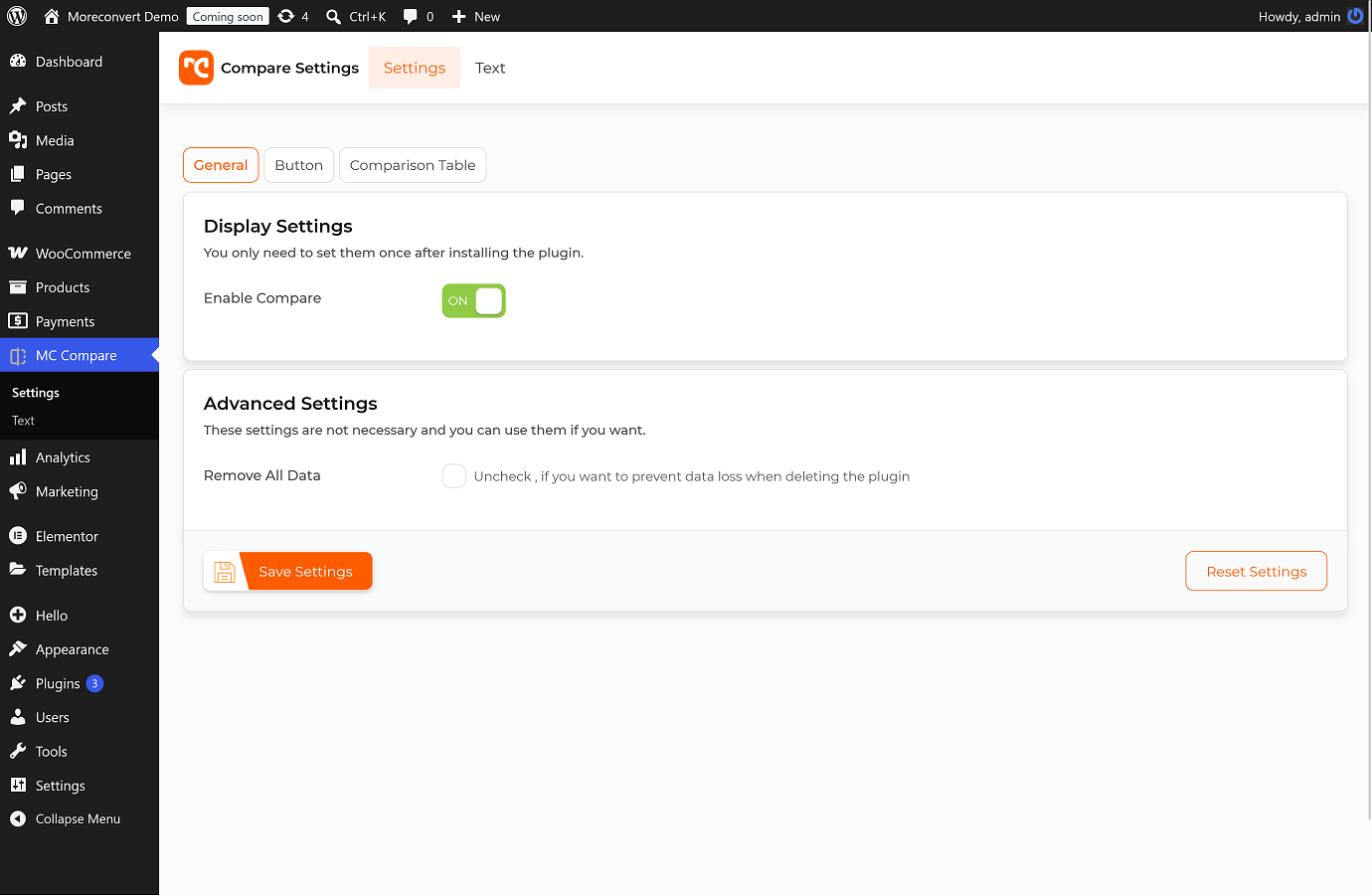
Admin Settings Page: general options. 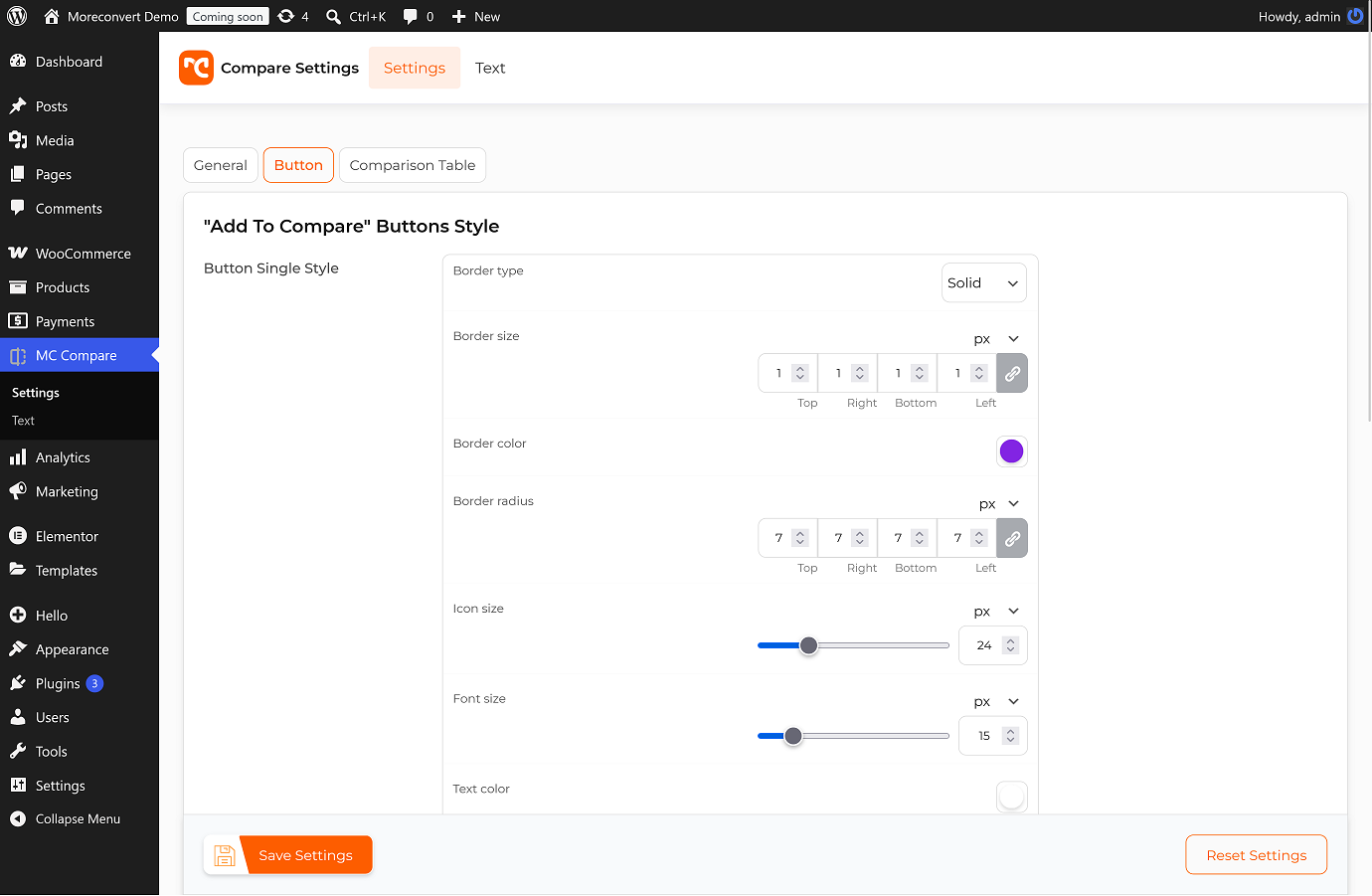
Admin Settings Page: button styles and positions. 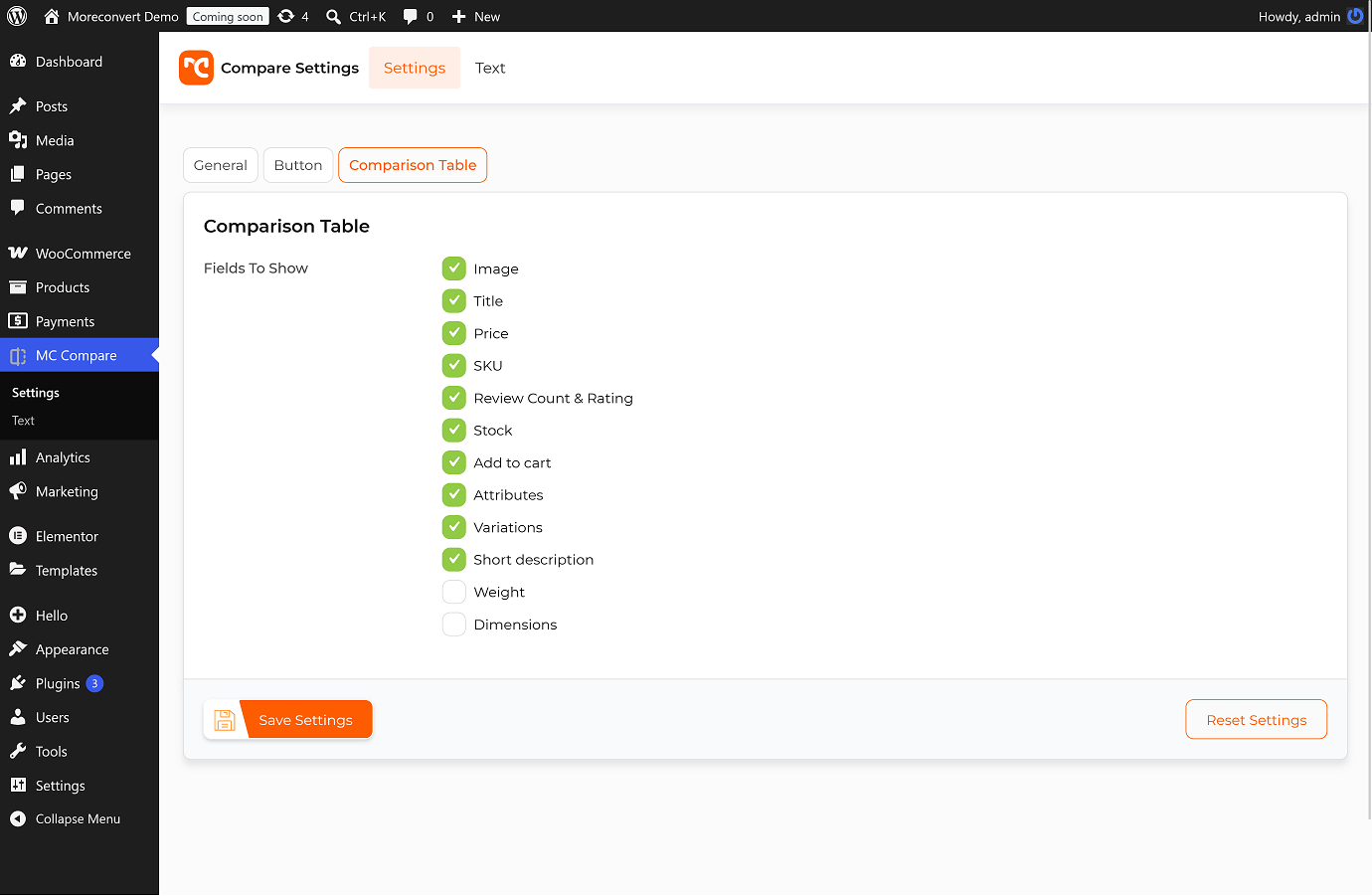
Admin Settings Page: table options. 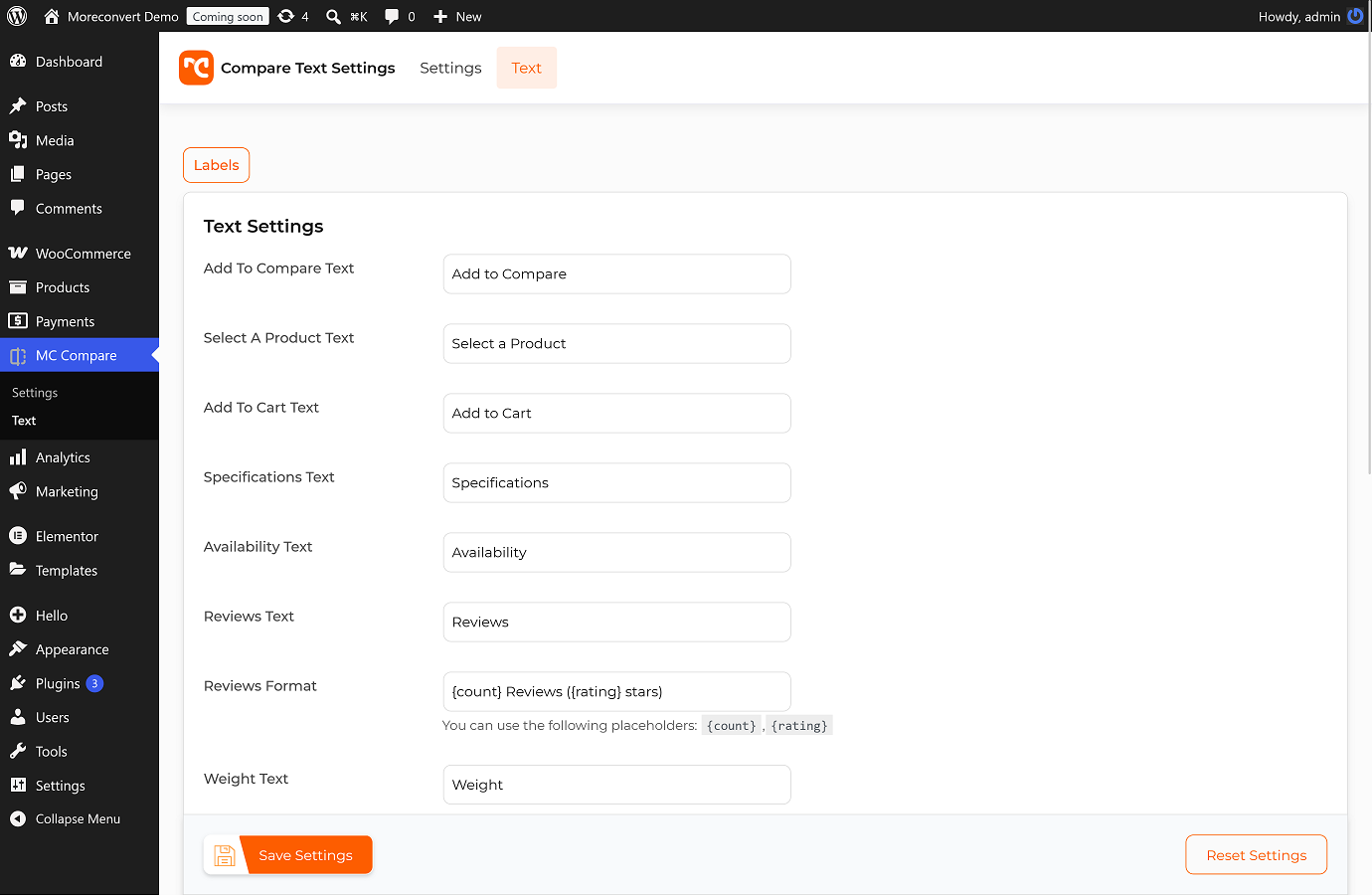
Text Customization: Easily translate and customize all user-facing text. 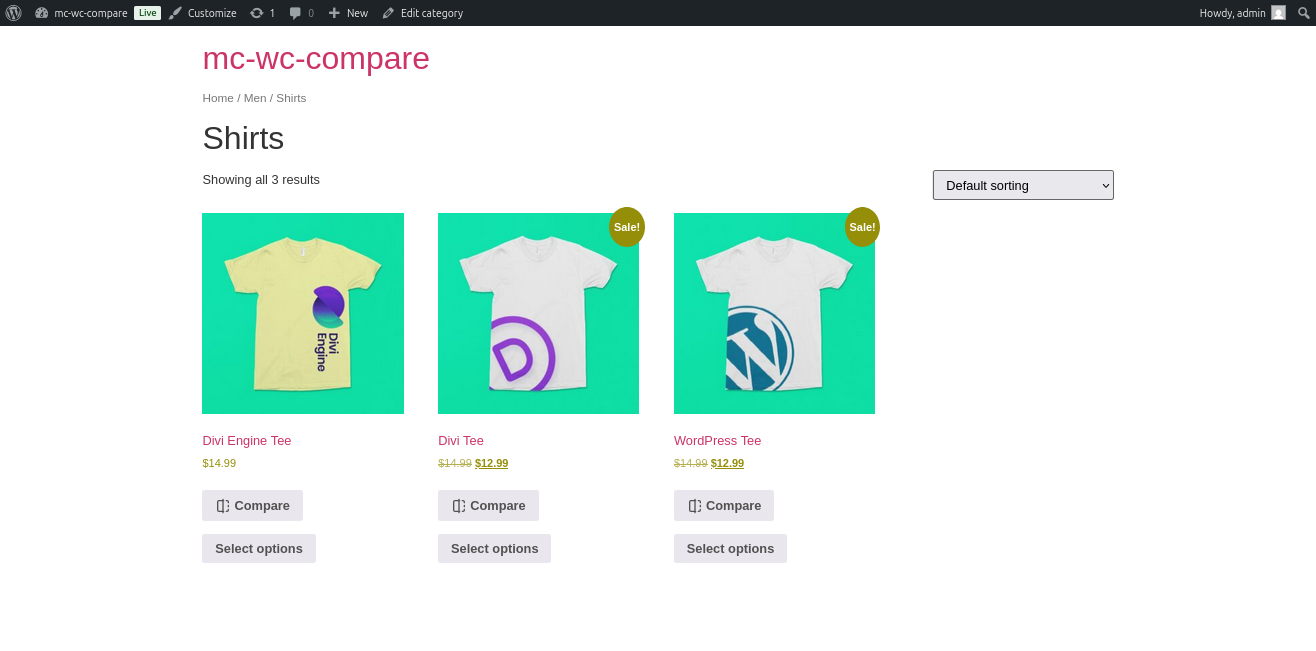
Frontend Compare Button: Sleek “Add to Compare” button on product pages. 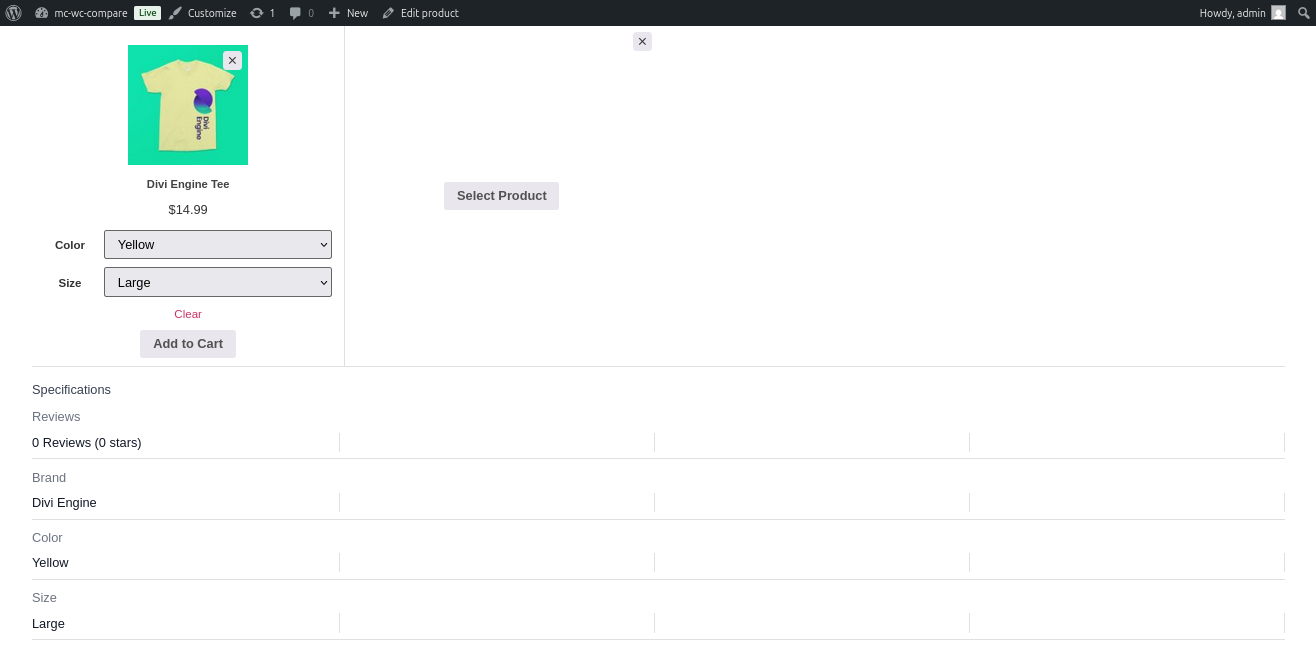
Comparison Popup Table: Side-by-side product comparison with images, prices, and attributes. 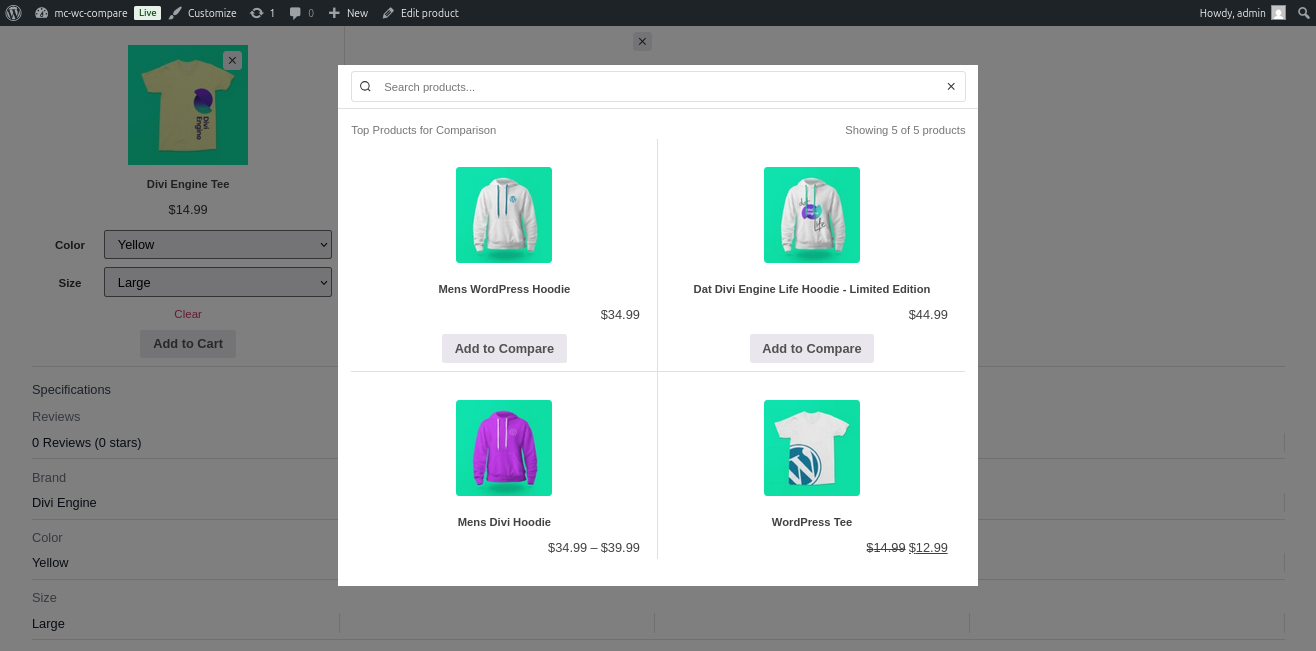
Product Search in Popup: Search for additional products to compare dynamically. 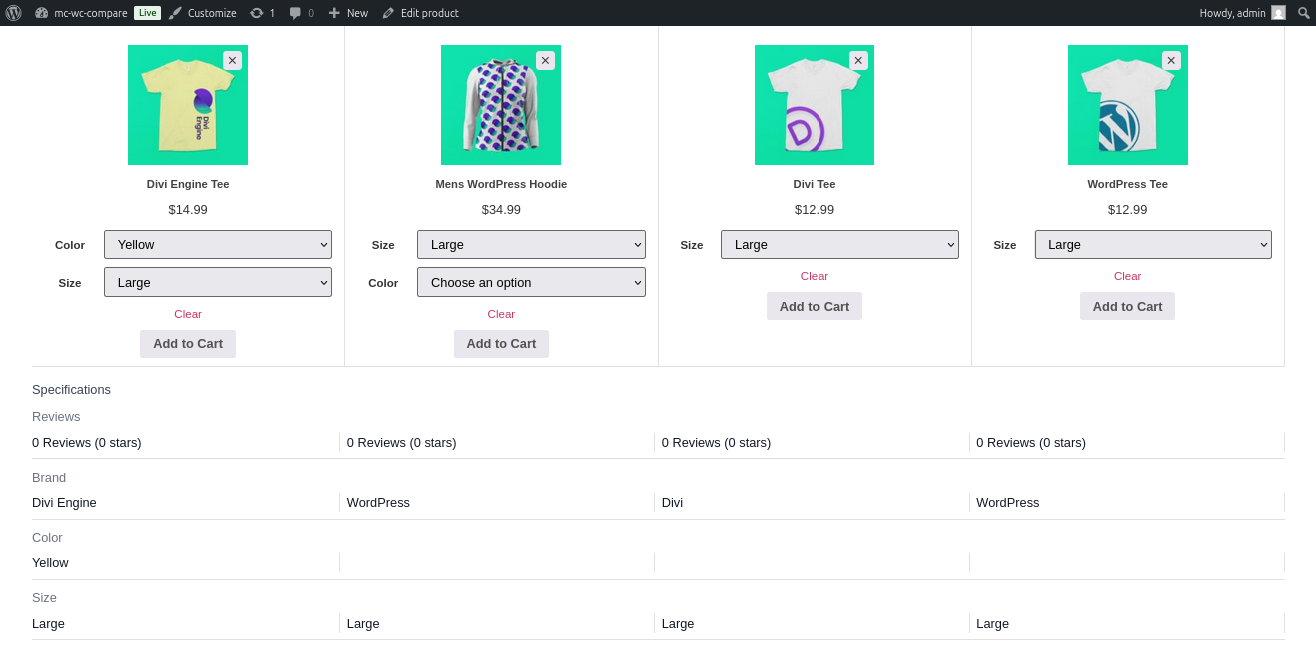
Comparison Popup Table: Side-by-side product comparison with images, prices, and attributes.
Installation
- Upload
moreconvert-compare-for-woocommerce.zipto the/wp-content/plugins/directory - Activate the Plugin through the ‘Plugins’ menu in WordPress
- Ensure WooCommerce is installed and active (version 6.3 or higher).
- Go to MC Compare > Settings in your WordPress admin to configure button positions, styles, and enable the feature.
- Optionally, customize text labels under MC Compare > Text.
- Add comparison buttons to your theme if not automatic, or use the shortcode
[moreconvert_compare_button]for custom placement.
FAQ
-
By default, buttons appear before/after the add-to-cart button on single product pages and in shop loops. Customize positions in Settings > General.
-
Can I compare variable products?
-
Yes! Variable products show variation selectors in the comparison table for precise attribute matching.
-
How do I translate text labels?
-
Use MC Compare > Text to override default labels like “Add to Compare” or “Specifications”.
-
Does it support custom attributes?
-
Absolutely. All WooCommerce product attributes are displayed in the comparison table.
-
Is the comparison table responsive?
-
Yes, it’s fully responsive and works on mobile devices.
-
Use
[moreconvert_compare_button product_id="123"]to add a button for a specific product. -
What if I need custom CSS?
-
Enable “Custom CSS” in Settings > Advanced to add your own styles.
Reviews
There are no reviews for this plugin.
Contributors & Developers
“MoreConvert Compare for WooCommerce” is open source software. The following people have contributed to this plugin.
Contributors
Translate “MoreConvert Compare for WooCommerce” into your language.
Interested in development?
Browse the code, check out the SVN repository, or subscribe to the development log by RSS.
Changelog
1.0.2
- Fixed: fix svg-sanitize files.
1.0.1
- Fixed: enforce binary attributes for images and fonts.
- Fixed: fix option framework.
1.0.0
- Initial release.