
Description
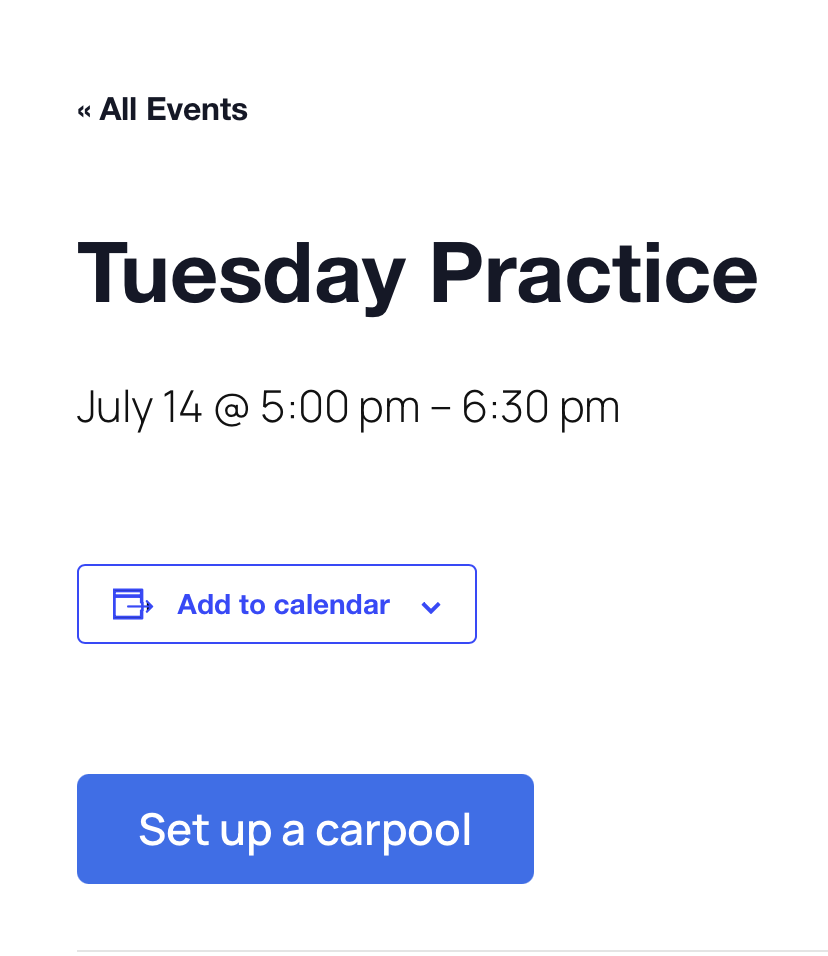
If your club, school, or community organization publishes its schedule with The Events Calendar, this plugin adds a “Set up a carpool” button to every single-event page. Clicking it opens momwagon’s carpool-creation flow with the event’s details (name, destination, date and times) already filled in, so a parent can organize a ride in seconds instead of retyping everything.
What it does
- Injects the button into every event page automatically; no per-event setup.
- Maps event fields to the carpool: the event title becomes the carpool name, the venue becomes the destination, and the start/end times become the drop-off and pick-up times.
- With Events Calendar Pro, simple weekly recurring events (e.g. practice every Tue/Thu until December) pre-fill a full carpool season. Other recurrence patterns, and all events on the free Events Calendar, pre-fill a single date.
- Optional referral code: signups that come from your event pages are attributed to your organization.
- Customizable button label (e.g. “Arrange a ride”).
Privacy
The plugin makes no network requests and sends no data anywhere. It only builds a link; event details travel to momwagon only when a visitor chooses to click the button. External service: momwagon; see their terms and privacy policy.
External Services
This plugin links to momwagon (https://momwagon.com/), a commercial carpool-coordination service operated by MomWagon, LLC.
- The plugin itself makes no network requests and sends no data anywhere (not to momwagon, not to anyone). It only renders a link on your event pages.
- When a visitor chooses to click the “Set up a carpool” button, their browser navigates to momwagon.com with the event’s public details (title, venue, date and times) and, if you configured one, your referral code in the link’s query string. That is the only moment any data reaches momwagon, and it is initiated by the visitor, not the plugin.
- momwagon’s terms of service: https://momwagon.com/terms
- momwagon’s privacy policy: https://momwagon.com/privacy
Screenshots
Installation
- Install and activate The Events Calendar (free or Pro).
- Install and activate this plugin.
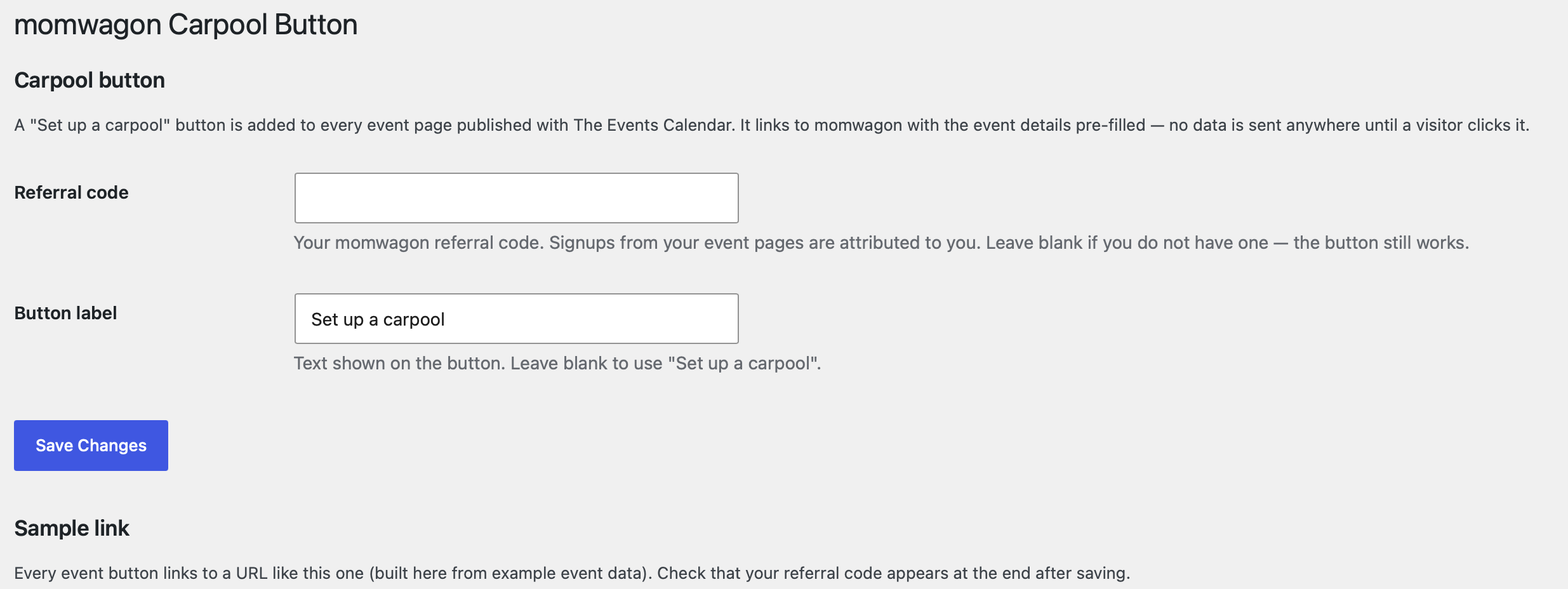
- Go to Settings > momwagon Carpool to set your referral code and, optionally, a custom button label.
- Visit any event page. The button appears after the event description.
FAQ
-
Does it work without Events Calendar Pro?
-
Yes. With the free Events Calendar every event pre-fills a single-date carpool. Pro is only needed for recurring events to pre-fill a full season.
-
Which recurring events pre-fill a full season?
-
Weekly recurrences with a fixed end date (e.g. every Tuesday and Thursday until Dec 15). Monthly rules, every-other-week rules, “never ends” and “after N occurrences” rules fall back to pre-filling the single date being viewed; the visitor can adjust the schedule in momwagon.
-
Yes, with the
momwagon_show_buttonfilter:add_filter( 'momwagon_show_button', function ( $show, $event_id ) { return 123 !== $event_id; }, 10, 2 ); -
Does the plugin send my event data to momwagon?
-
No. It only renders a link on your own pages. Data reaches momwagon only when a visitor clicks the button.
-
Is momwagon free?
-
This plugin is free. momwagon itself is a commercial carpool-coordination service; organizing parents subscribe there ($5.95/year at the time of writing). Your site and your visitors pay nothing to momwagon for the button itself; whether a visitor signs up with momwagon is entirely their choice.
Reviews
There are no reviews for this plugin.
Contributors & Developers
“momwagon Carpool Button for The Events Calendar” is open source software. The following people have contributed to this plugin.
Contributors
Translate “momwagon Carpool Button for The Events Calendar” into your language.
Interested in development?
Browse the code, check out the SVN repository, or subscribe to the development log by RSS.
Changelog
1.0.0
- Initial release: settings page (referral code, button label), automatic button injection on single-event pages, single-date and weekly-recurring field mapping.