

Description
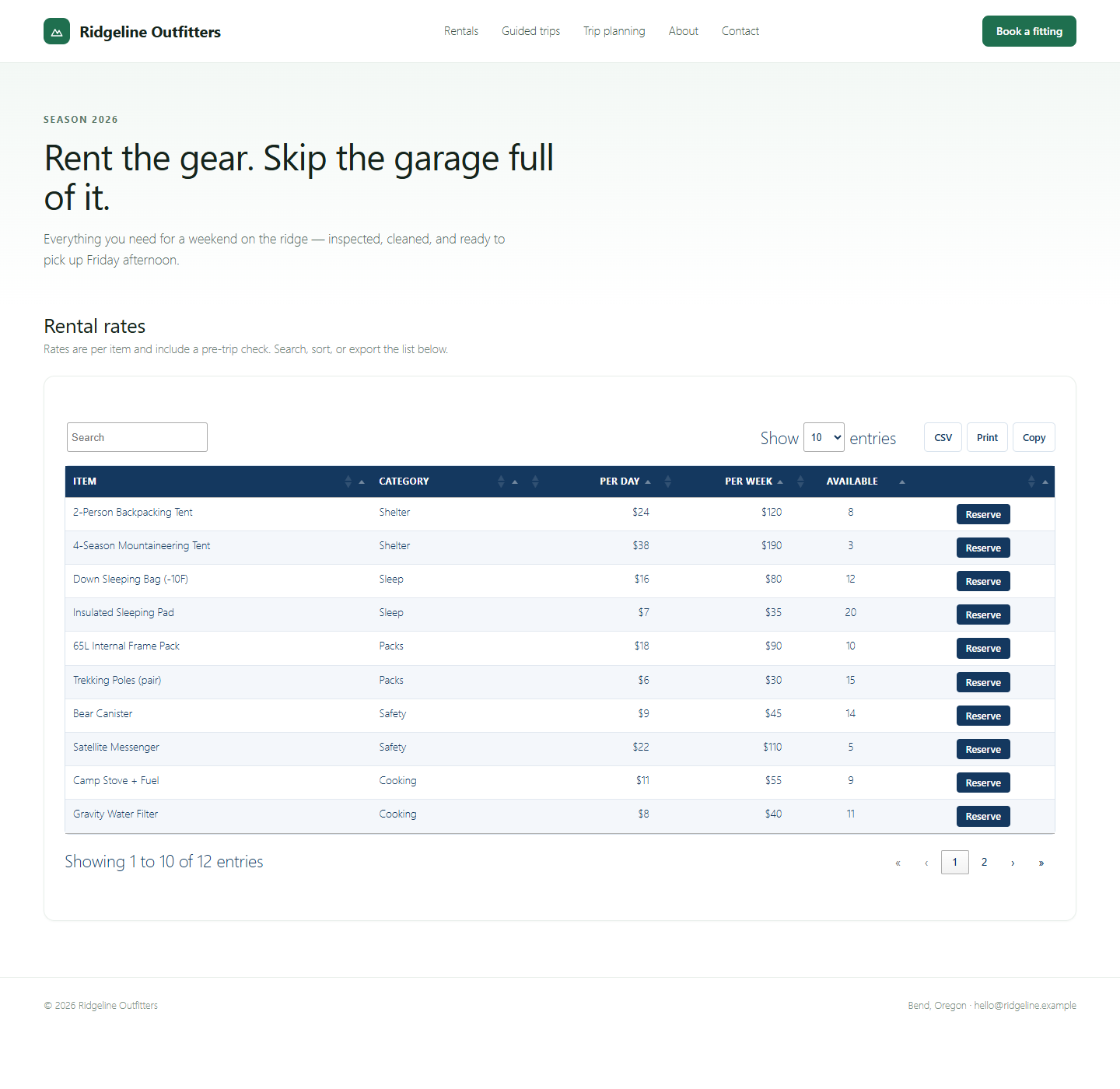
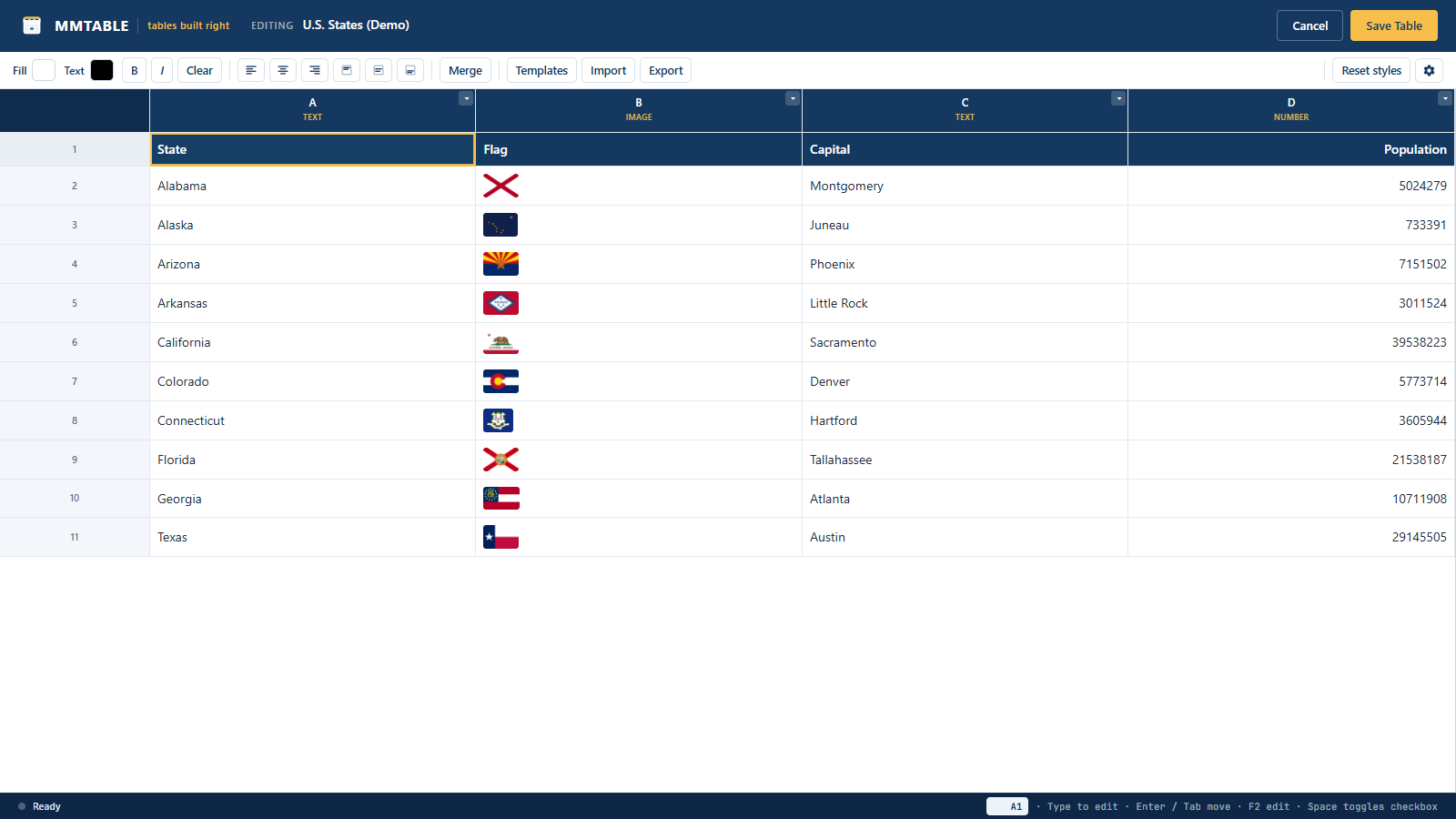
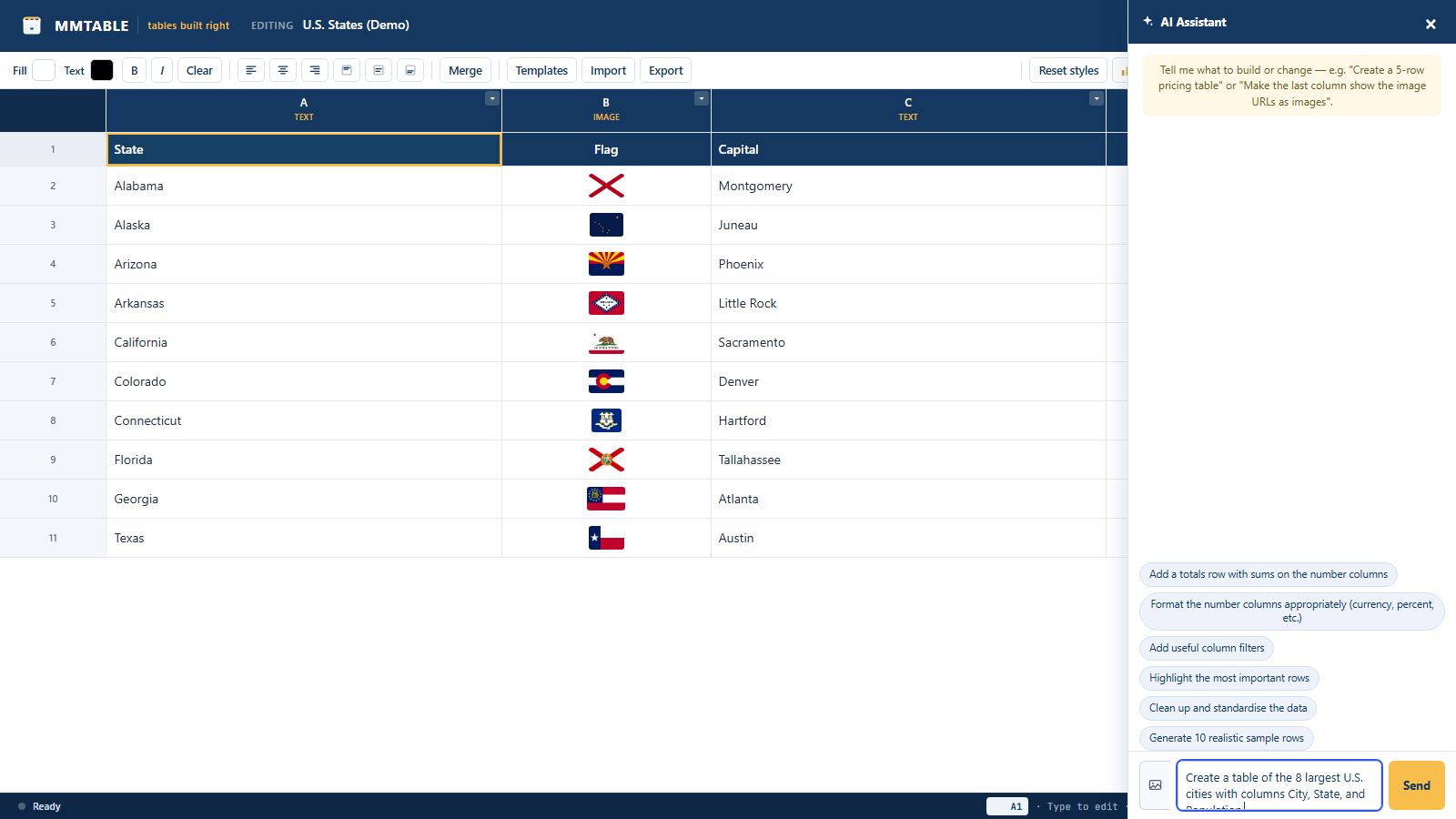
MMTable gives you a real spreadsheet-style editor for building data tables, then renders them on the front end as clean, fast, accessible HTML tables with search, sorting, and pagination. The editor is a purpose-built grid (no heavy third-party spreadsheet library), so it loads quickly and behaves the way you expect: arrow-key navigation, type-to-edit, Enter/Tab to move, F2 to edit, range selection, and undo/redo.
What this plugin does
- Spreadsheet-style editor with keyboard navigation and multi-cell selection
- Typed columns: text, number, checkbox, dropdown, date, color, image, rich text / HTML
- Per-column number and date formatting (currency, percent, decimals, date)
- Cell styling: background, text color, bold, italic, alignment, and merged cells
- In-cell rich-text toolbar (bold/italic/underline/link) with keyboard shortcuts
- Sticky header row (with custom offset) and sticky first column
- Striped rows, hover highlight, compact density, and a table caption
- Front-end tables with search, sorting, pagination, and responsive horizontal scroll
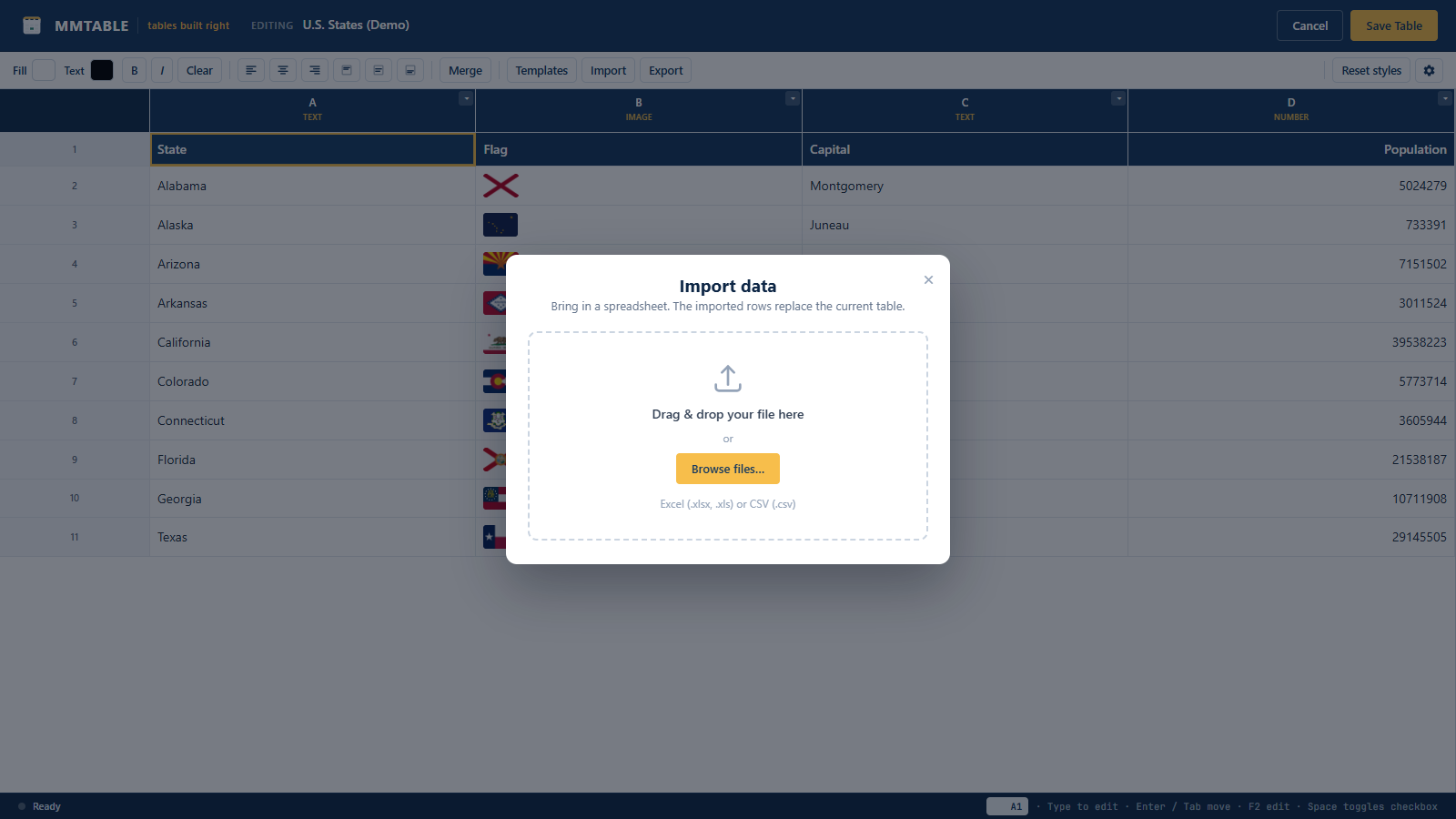
- CSV import (button or drag-and-drop) and Excel (.xlsx) import
- Footer row with a per-column record count
- Front-end CSV export, plus Print and Copy (each toggleable per table)
- Embed anywhere: shortcode, Gutenberg block, Elementor, Divi, Bricks, and Beaver Builder
Embedding
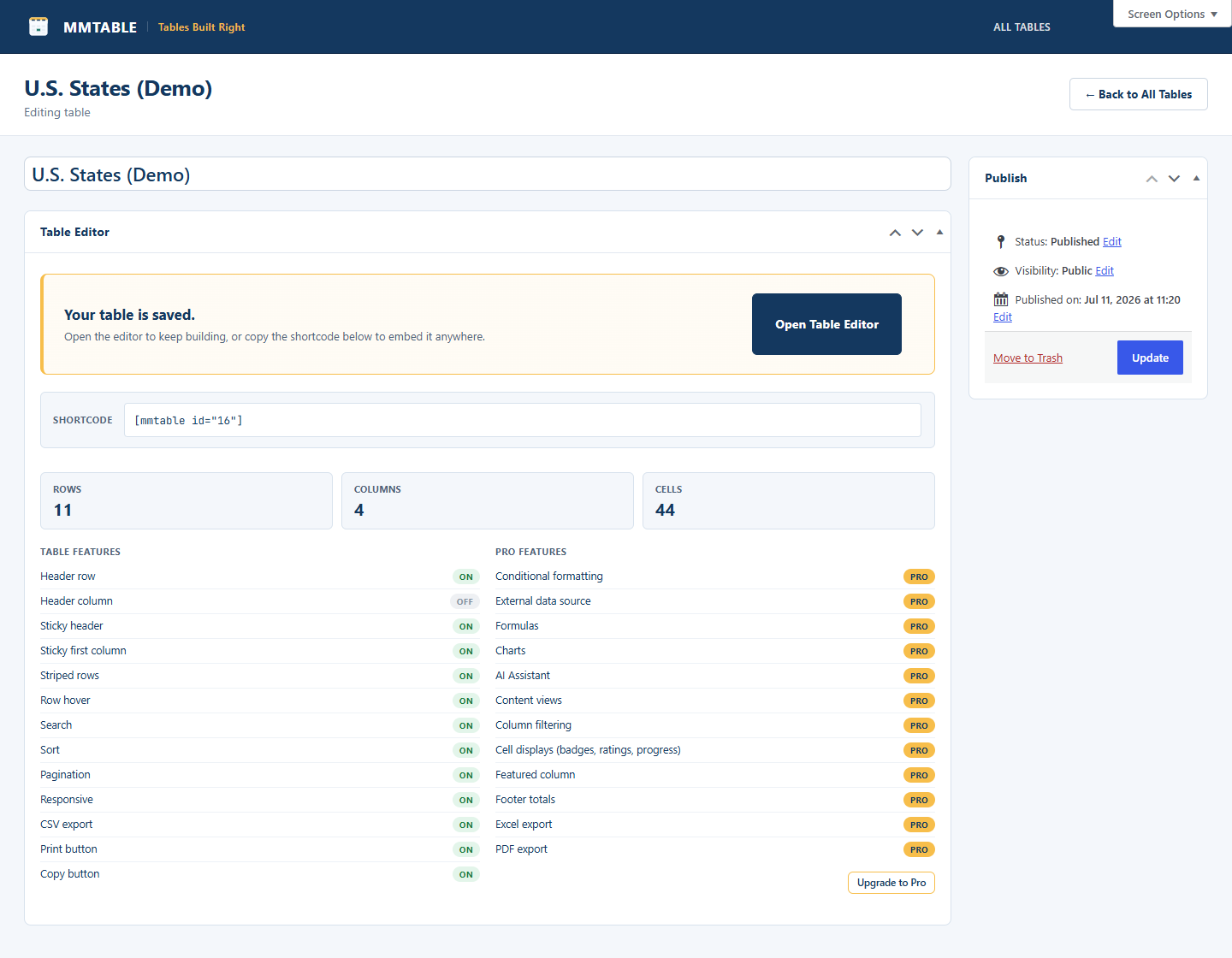
Use the shortcode [mmtable id="123"], the MMTable Gutenberg block, or the MMTable widget/module/element in Elementor, Divi, Bricks, or Beaver Builder. All of them render the same table.
MMTable Pro
Pro adds the features people upgrade for:
- Conditional formatting rules
- Cell displays: colored badges, rating stars, progress bars, and featured (pop-out) columns
- Footer totals: sum, average, weighted average, median, standard deviation, min, max, unique, and row counts
- Excel (.xlsx) and PDF export
- Formulas (SUM, AVERAGE, IF, cell and range references, and more)
- Charts built from your table data
- External data sources: Google Sheets, JSON, and remote CSV with scheduled sync
- Per-column filters (dropdown, text, and number-range)
- Content views: display table rows as cards, galleries, or lists
- AI Assistant that builds and edits your tables for you
Screenshots
Blocks
This plugin provides 1 block.
- MMTable
Installation
- Upload the
mmtablefolder to/wp-content/plugins/, or install the zip via Plugins -> Add New -> Upload. - Activate MMTable through the Plugins menu.
- Go to MM Tables -> Add New, build your table, then embed it with the shortcode or your page builder.
FAQ
-
How do I embed a table?
-
Copy the shortcode shown on the table’s edit screen ([mmtable id=”123″]), or drop the MMTable block/widget into your editor or page builder and pick the table.
-
Does it work with my page builder?
-
Yes – Gutenberg, Elementor, Divi, Bricks, and Beaver Builder each have an MMTable element. Anything that accepts a shortcode works too.
-
Are the front-end tables responsive?
-
Yes. Wide tables scroll horizontally inside their region; the header stays pinned. You can also enable a sticky header row and sticky first column.
Reviews
There are no reviews for this plugin.
Contributors & Developers
“MMTable” is open source software. The following people have contributed to this plugin.
Contributors
Translate “MMTable” into your language.
Interested in development?
Browse the code, check out the SVN repository, or subscribe to the development log by RSS.
Changelog
1.0.0
- Initial release.