
Description
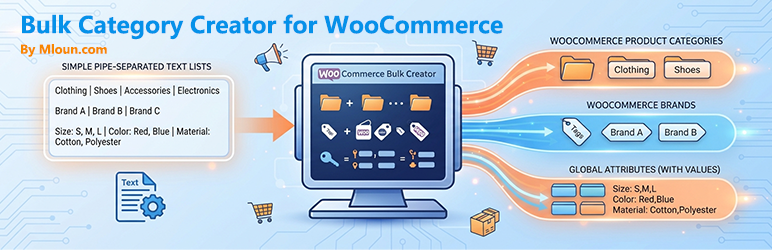
Mloun Bulk Category Creator for WooCommerce lets you create large numbers of product categories, brands and global attributes in a single pass, from a simple pipe-separated text list you can paste straight from a spreadsheet.
Features
- Bulk product categories – multi-level hierarchies; pick the parent from a dropdown or per line.
- Bulk brands – automatic detection of major brand plugins (Perfect WooCommerce Brands, YITH WooCommerce Brands, WooCommerce Brands).
- Bulk global attributes – create attributes and their values in one pass; values are added to existing attributes automatically.
- Pipe-separated format –
Name | Parent | Description | Slug, easy to paste from Excel or CSV. - Duplicate detection – existing items are skipped, never overwritten.
- Batch processing – large lists are submitted in configurable chunks, with a live progress bar.
- Extensible – filters for custom brand taxonomies, batch size and per-item hooks.
Supported brand plugins
- Perfect WooCommerce Brands (free)
- YITH WooCommerce Brands (free)
- WooCommerce Brands (official extension)
- Any brand plugin that registers a hierarchical term taxonomy – add it with the
bulk_add_cat_brand_taxonomiesfilter.
Data format
Product categories – Name | Parent | Description | Slug (only Name required):
Electronics
Mobile Phones | Electronics | Smartphones and tablets
Brands – Name | Description | Slug:
Apple | Apple Inc. | apple
Samsung
Attributes – Name | Values (comma separated) | Type | Slug:
Color | Red,Blue,Black,White | select | color
Size | S,M,L,XL | select | size
Screenshots
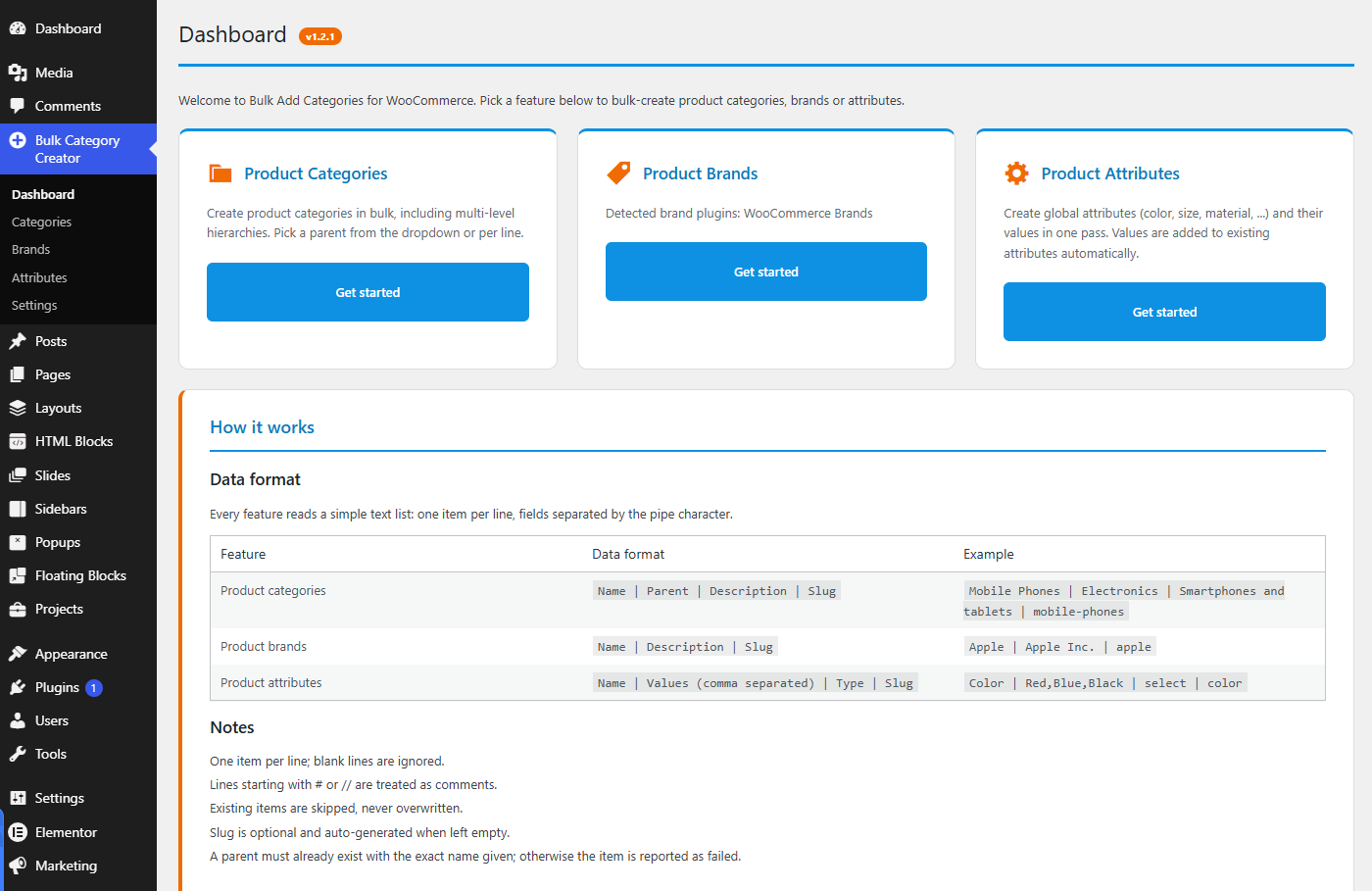
Dashboard — Three bulk tools in one screen: categories, brands and attributes.
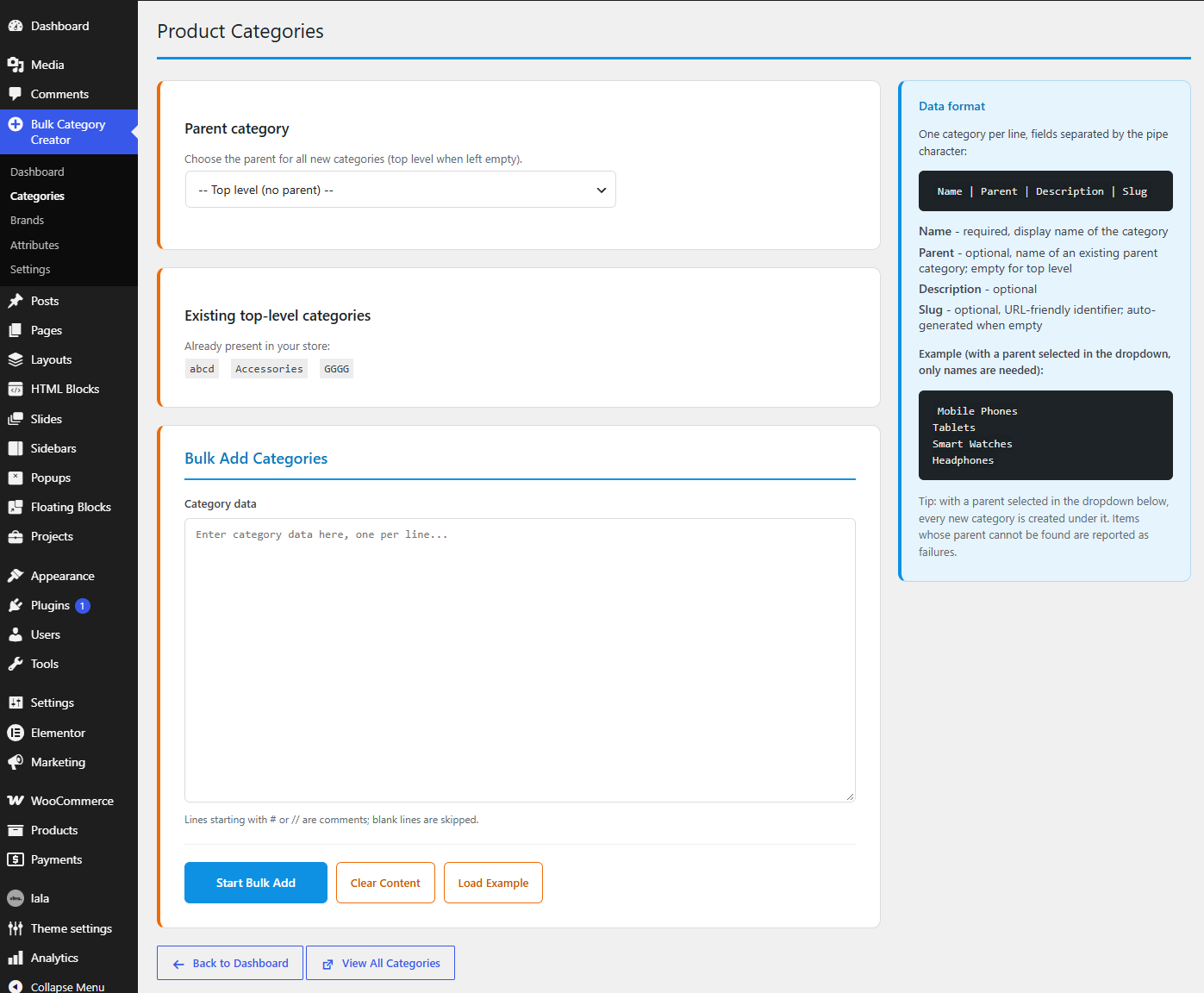
Categories — Pick a parent once for the whole batch, or name a different parent on each line.
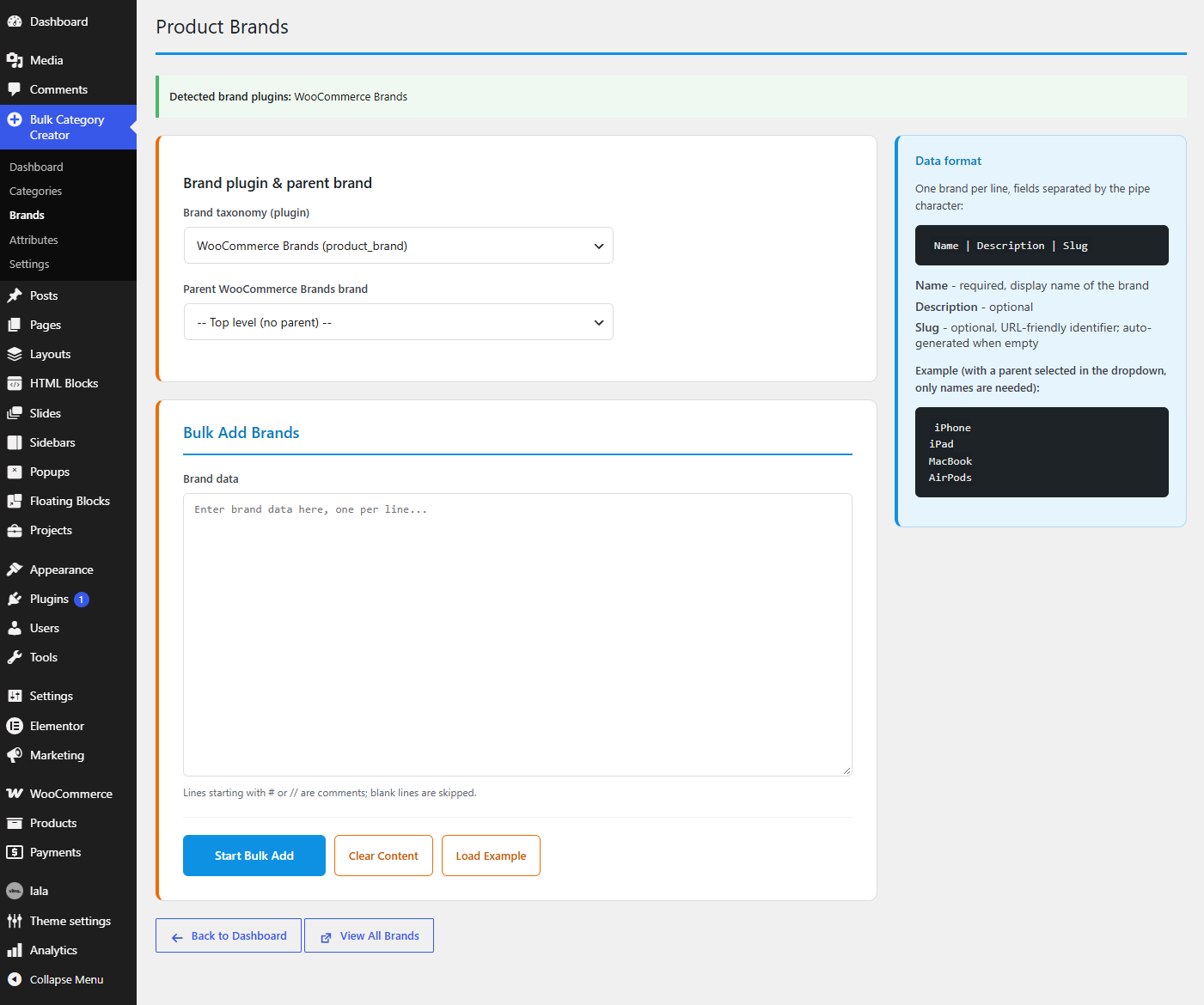
Bulk Add Brands — Works with the popular brand plugins, with a per-brand parent selector.
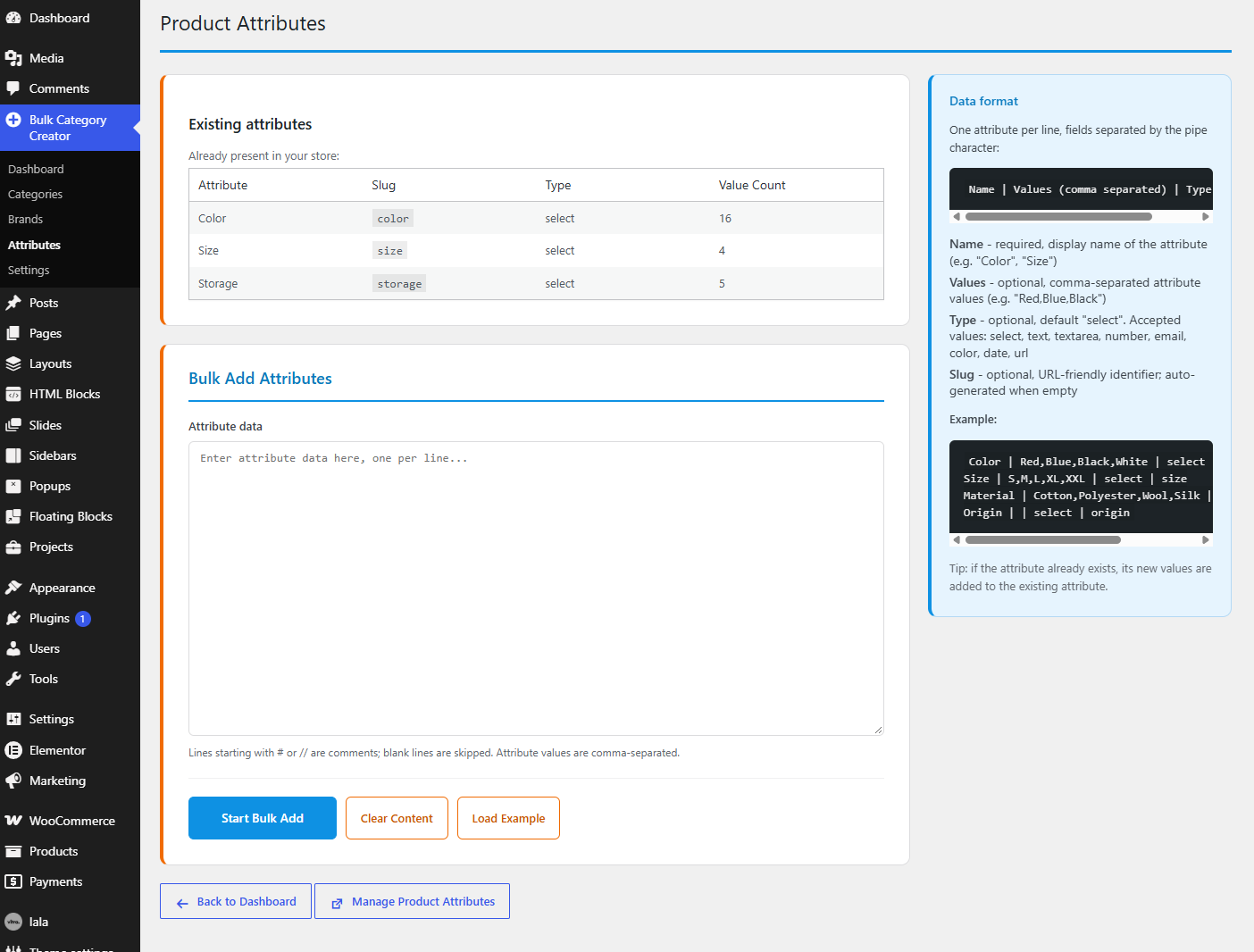
Bulk Add Attributes — Create global attributes and their values in a single pass.
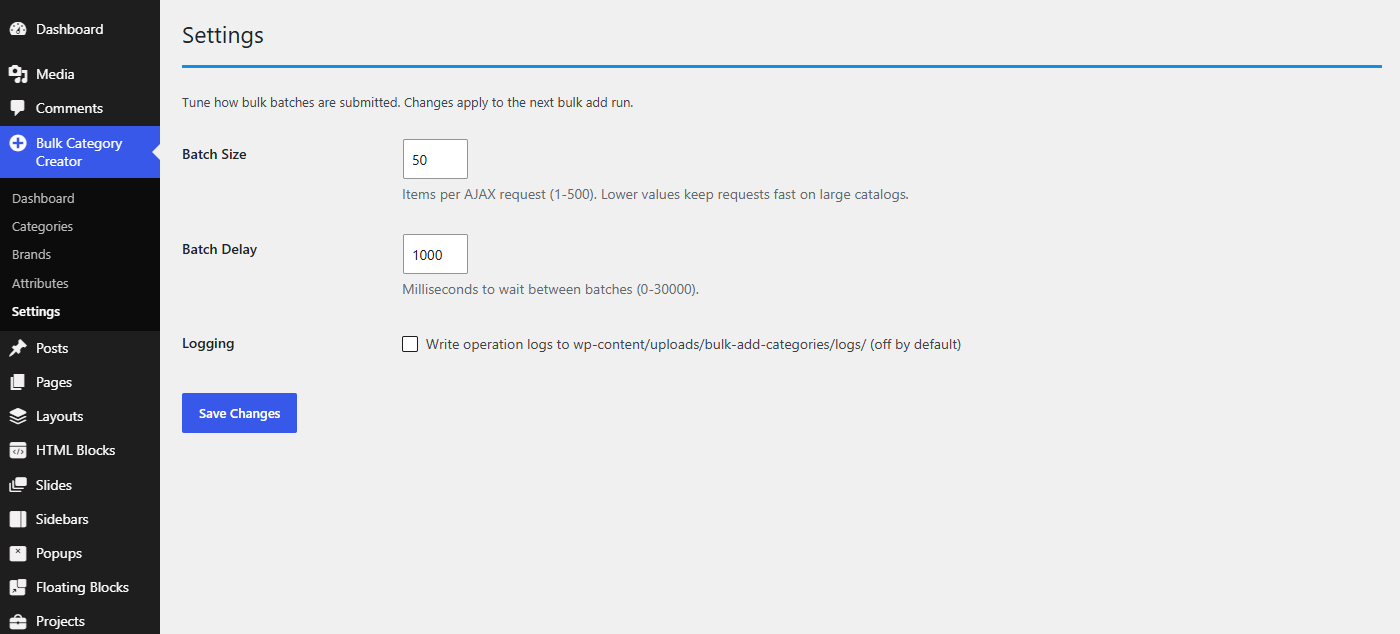
Settings — Batch size, delay between requests and optional operation logging.
Installation
- Install and activate the plugin (Plugins Add New Upload).
- Open Bulk Category Creator in the admin sidebar.
- Paste your list on the Categories, Brands or Attributes page and click Start Bulk Add.
FAQ
-
I had an older build installed in the “bulk-add-cat” folder. What should I do?
-
Earlier builds of this plugin lived in “wp-content/plugins/bulk-add-cat”. This version ships in the folder “wp-content/plugins/bulk-add-categories-for-woocommerce”. If both folders exist, the site keeps working, but the older copy takes priority. To run this version, delete the old “bulk-add-cat” plugin (Plugins Deactivate Delete) and activate “bulk-add-categories”.
-
Does the plugin require WooCommerce?
-
Yes. WooCommerce 6.0 or newer is required. The brand feature additionally requires a brand plugin.
-
What happens if a category or attribute already exists?
-
It is skipped and reported as “skipped” – never overwritten. New values are still added to an existing attribute.
-
How do I create subcategories?
-
Put the parent name in the second column:
Mobile Phones | Electronics. Or select the parent from the dropdown – every new line then inherits that parent. -
What attribute types are supported?
-
select, text, textarea, number, email, color, date and url – the types WooCommerce supports. Any other value falls back to select.
-
Can I use a different brand plugin?
-
Yes. Add your brand plugin’s taxonomy with the
bulk_add_cat_brand_taxonomiesfilter.
Reviews
There are no reviews for this plugin.
Contributors & Developers
“Mloun Bulk Category Creator for WooCommerce” is open source software. The following people have contributed to this plugin.
Contributors
Translate “Mloun Bulk Category Creator for WooCommerce” into your language.
Interested in development?
Browse the code, check out the SVN repository, or subscribe to the development log by RSS.
Changelog
1.2.1
- Slug is now “mloun-bulk-category-creator-for-woocommerce”: WordPress.org only accepts the WooCommerce term in a slug as part of “for-woocommerce”, “with-woocommerce”, “using-woocommerce” or “and-woocommerce”.
1.2.0
- Renamed to “Mloun Bulk Category Creator for WooCommerce” (slug mloun-bulk-category-creator-woocommerce) after the WordPress.org plugin review, to be distinctive and to keep the WooCommerce trademark after “for”.
- Added the “Requires Plugins: woocommerce” header.
- Removed load_plugin_textdomain(): WordPress.org loads translations automatically since 4.6.
- Removed the bundled .po/.mo files: translations are now handled by translate.wordpress.org.
1.1.7
- Text domain renamed from “bulk-add-categories” to “bulk-add-categories-for-woocommerce” so it matches the WordPress.org plugin slug (required by the plugin review). The installed folder is now “wp-content/plugins/bulk-add-categories-for-woocommerce”.
- Added languages/bulk-add-categories-for-woocommerce.pot with all translatable strings.
1.1.6
- A parent written on a pasted line now always wins; the “Parent category” dropdown is only a fallback for lines that do not name their own parent. This matches the CSV import behaviour.
- WordPress.org Plugin Check: uninstall.php and the logger now use WP_Filesystem instead of rmdir()/unlink()/file_put_contents(), and the logger also works on hosts where uploads is not directly writable.
1.1.5
- Fixed duplicate detection: a category was matched by name anywhere in the tree, so re-adding it under a parent without that child was reported as “already exists” and two children with the same name under different parents could never coexist. Categories and brands are now matched by parent + name/slug.
1.1.4
- Fixed “There has been a critical error on this website” when deleting the plugin: uninstall.php no longer instantiates WP_Filesystem classes, which are not loaded outside the plugin bootstrap. Log cleanup now uses plain PHP inside a try/catch and can never block the deletion.
- Fixed the admin stylesheet being skipped on submenu pages when the admin language is translated (submenu hooks derive from the translatable menu title). The screen is now also detected from the ?page= argument.
1.1.0
- English interface with Chinese (zh_CN) translation included.
- Three-state results: created / skipped (already exists) / failed.
- Missing parents now fail the item with a clear message instead of silently creating a top-level item.
- Attribute taxonomies (pa_*) are registered automatically before values are created.
- Attribute types are validated against the WooCommerce whitelist.
- Cache invalidation now matches WooCommerce’s own attribute cache group.
- File logging moved to the uploads directory, off by default (Settings toggle).
- New Settings page (batch size, batch delay, logging) built on the Settings API.
- Hardened AJAX input handling and filters for extension.
- Uncapped term dropdowns; full hierarchy support.
1.0.0
- Initial release.