

Description
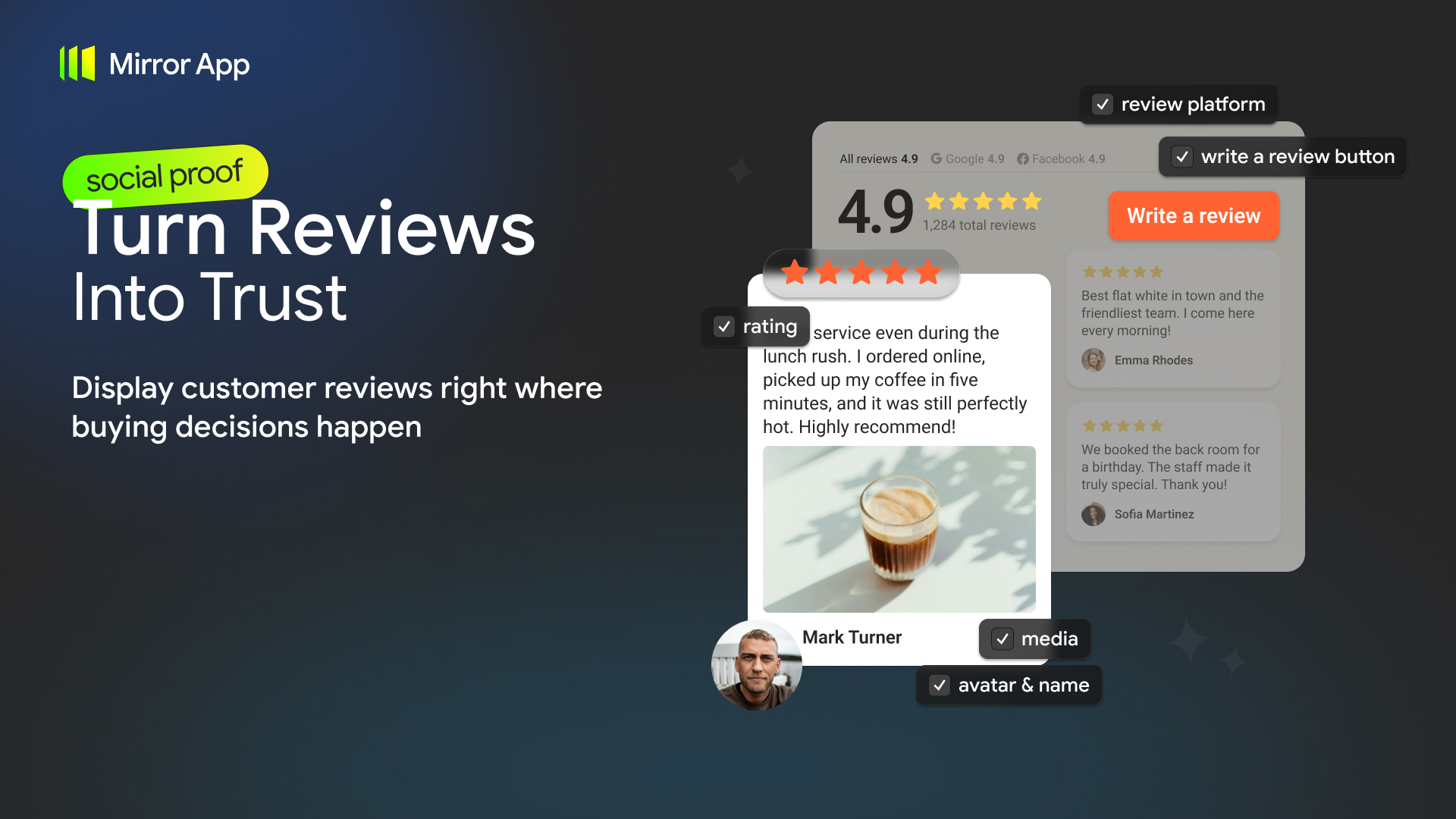
The Mirror App – Reviews Widget plugin allows you to display customer reviews from Google, Facebook, and manually added sources directly on your WordPress website.
Bring customer feedback to your homepage, service pages, landing pages, or anywhere visitors are making decisions.
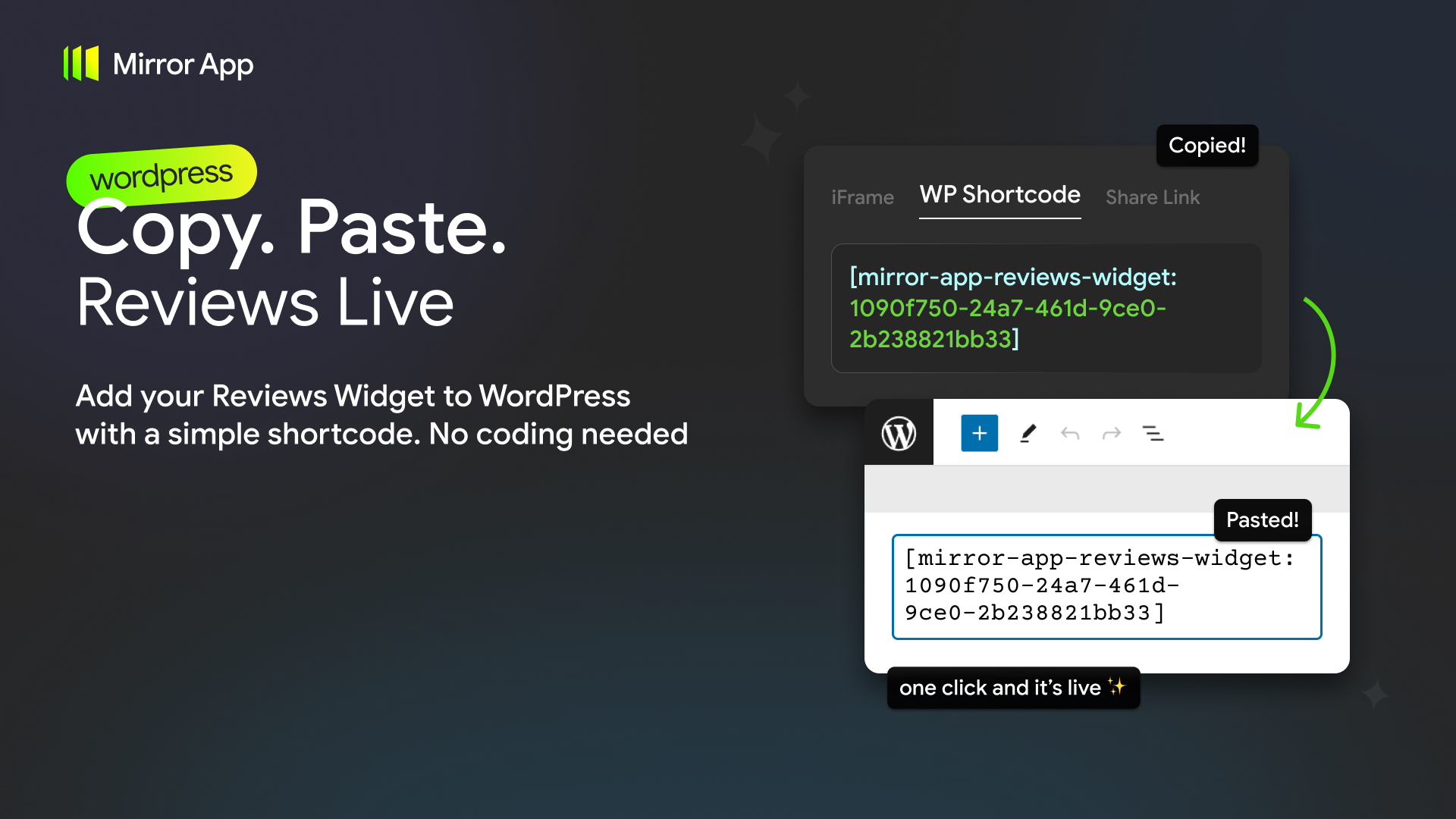
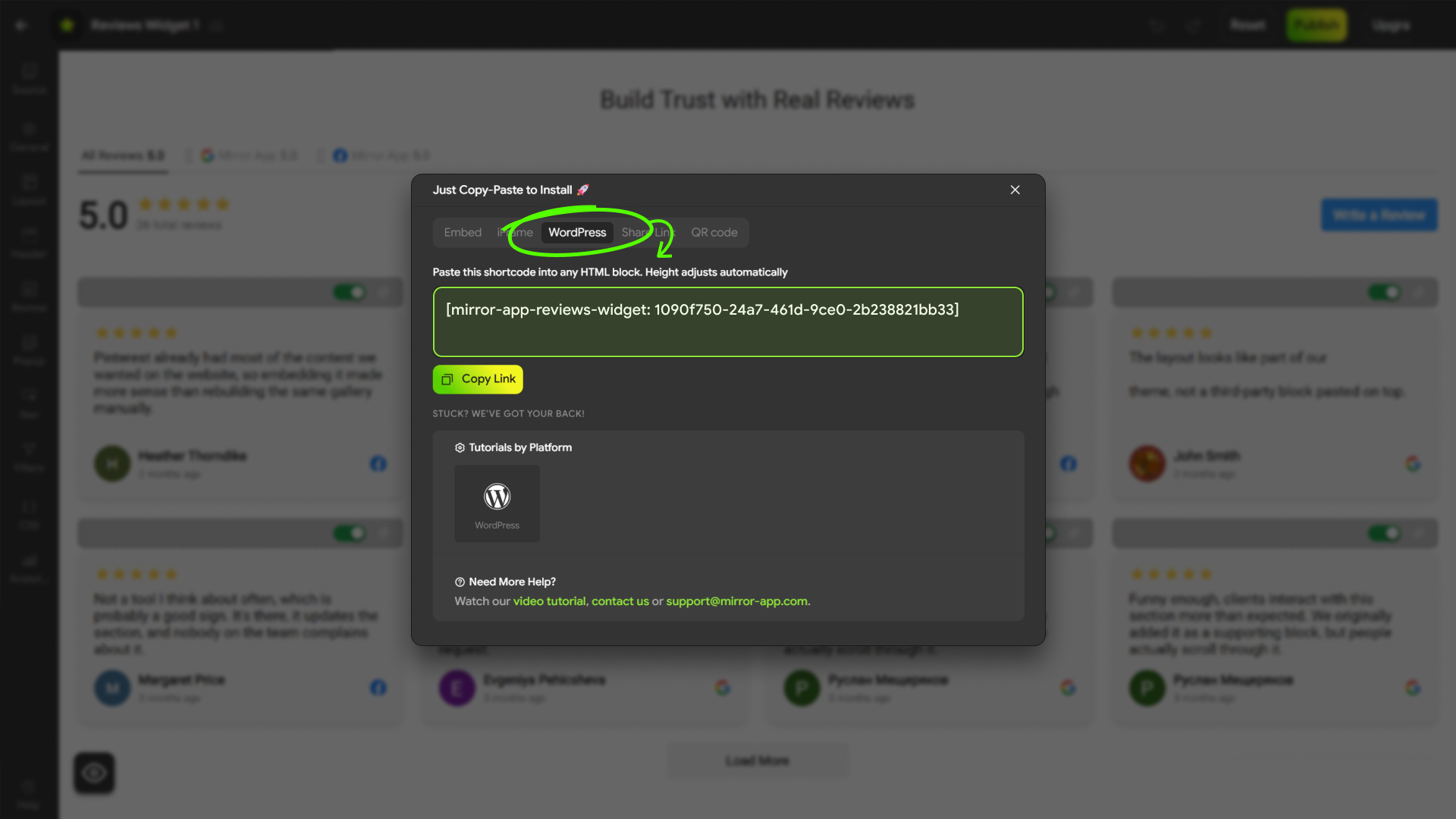
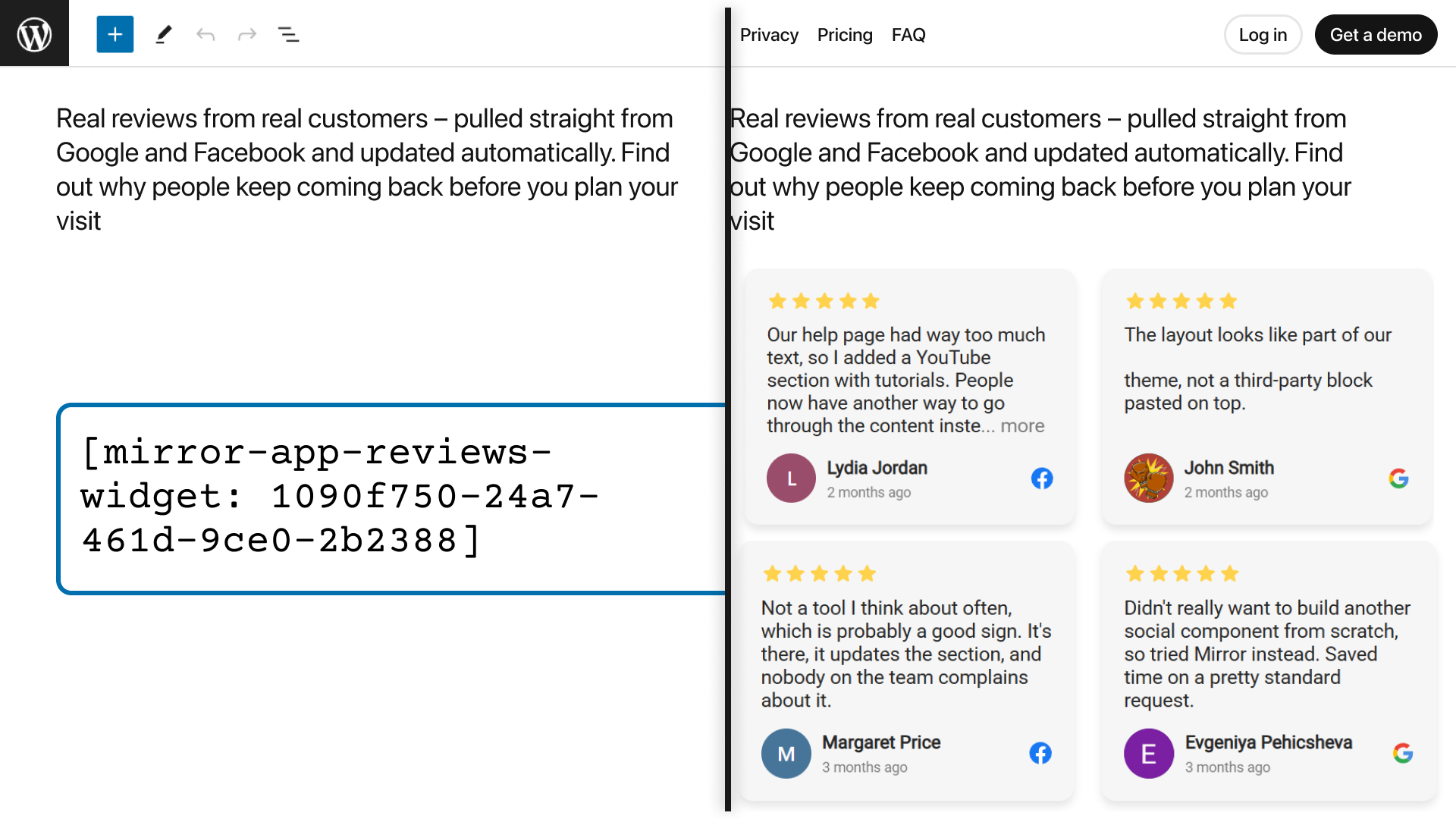
Create and customize your Reviews Widget in Mirror App, then embed it on your WordPress website using a simple shortcode.
All review connections, design settings, moderation, and analytics are managed inside Mirror App.
The WordPress plugin acts as a lightweight integration layer that displays your ready-made widget.
Multiple Review Sources
Google Reviews
Connect your business by searching for its name or pasting a Google Maps link.
Display customer reviews and ratings directly on your website without manually copying them.
Facebook Reviews
Connect Facebook Reviews and display customer feedback from your Facebook Page.
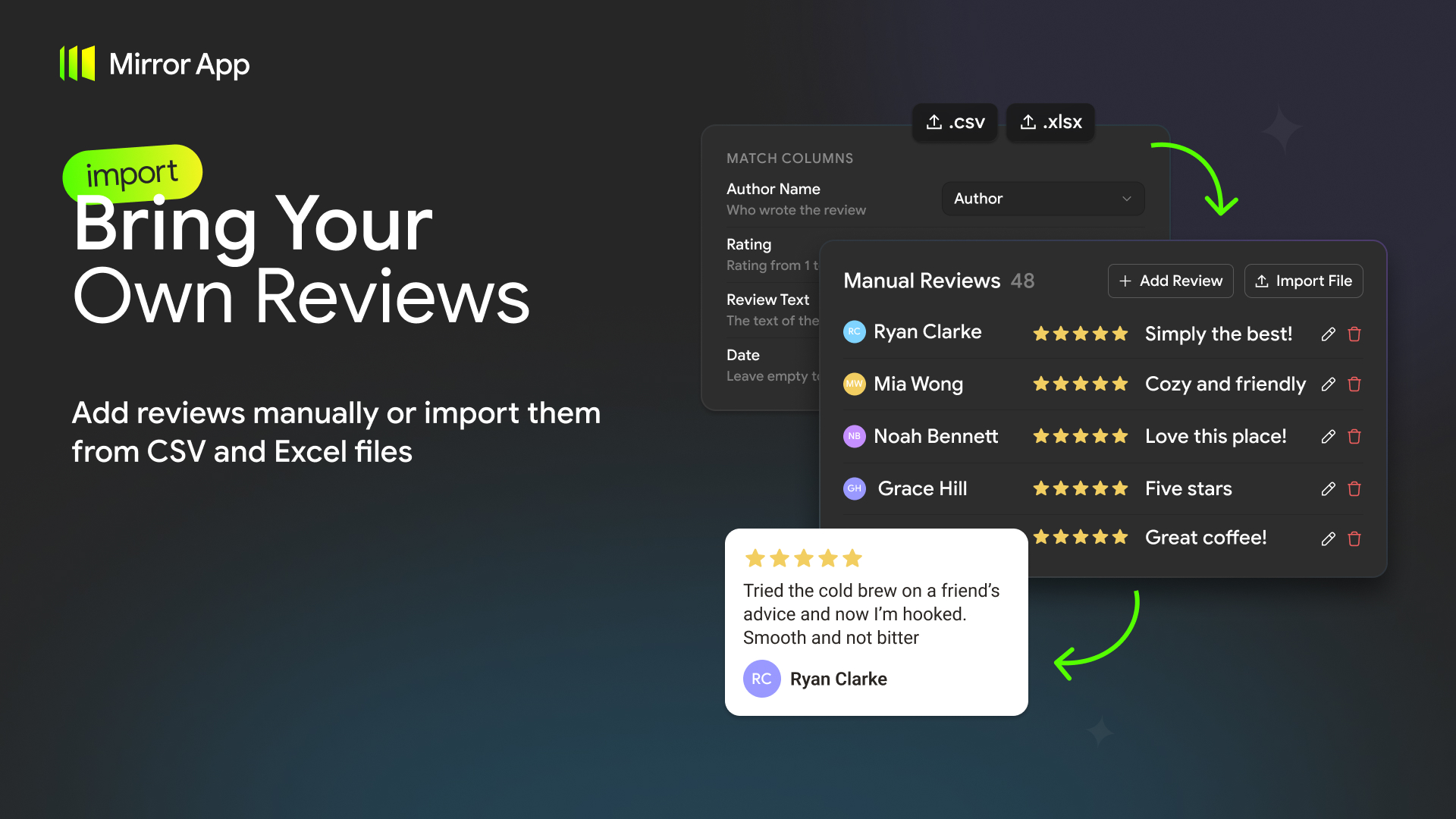
Manual Reviews
Add customer testimonials that are not published on Google or Facebook.
- Add reviews individually using a form
- Import reviews from CSV, XLS, or XLSX files
- Automatically match common spreadsheet column names
- Preview valid and invalid records before importing
- Edit and delete manually added reviews
- Save changes as drafts before publishing
You can manage reviews from connected and manual sources in Mirror App.
Customizable Reviews Widget
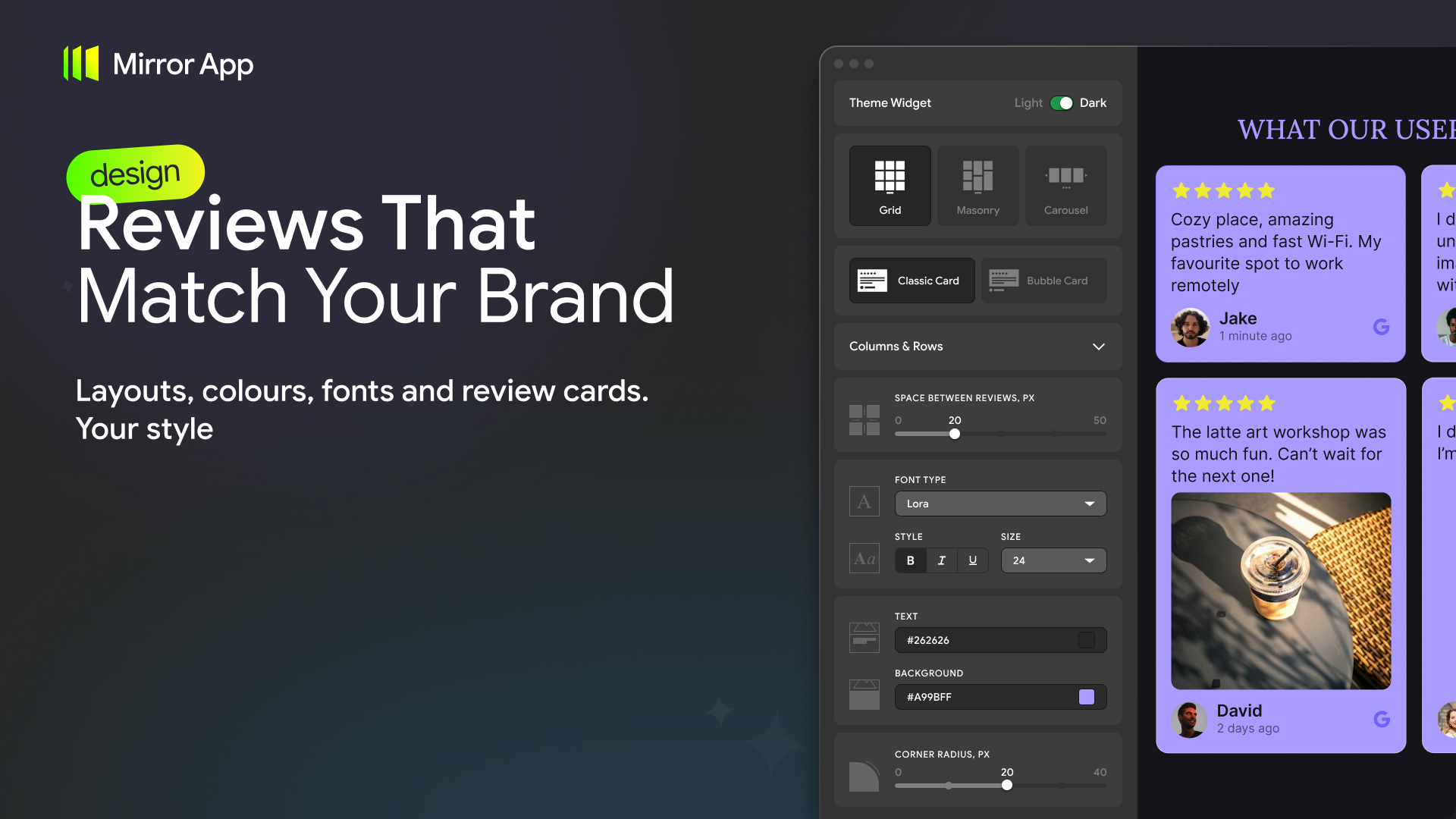
Choose how customer feedback appears on your website.
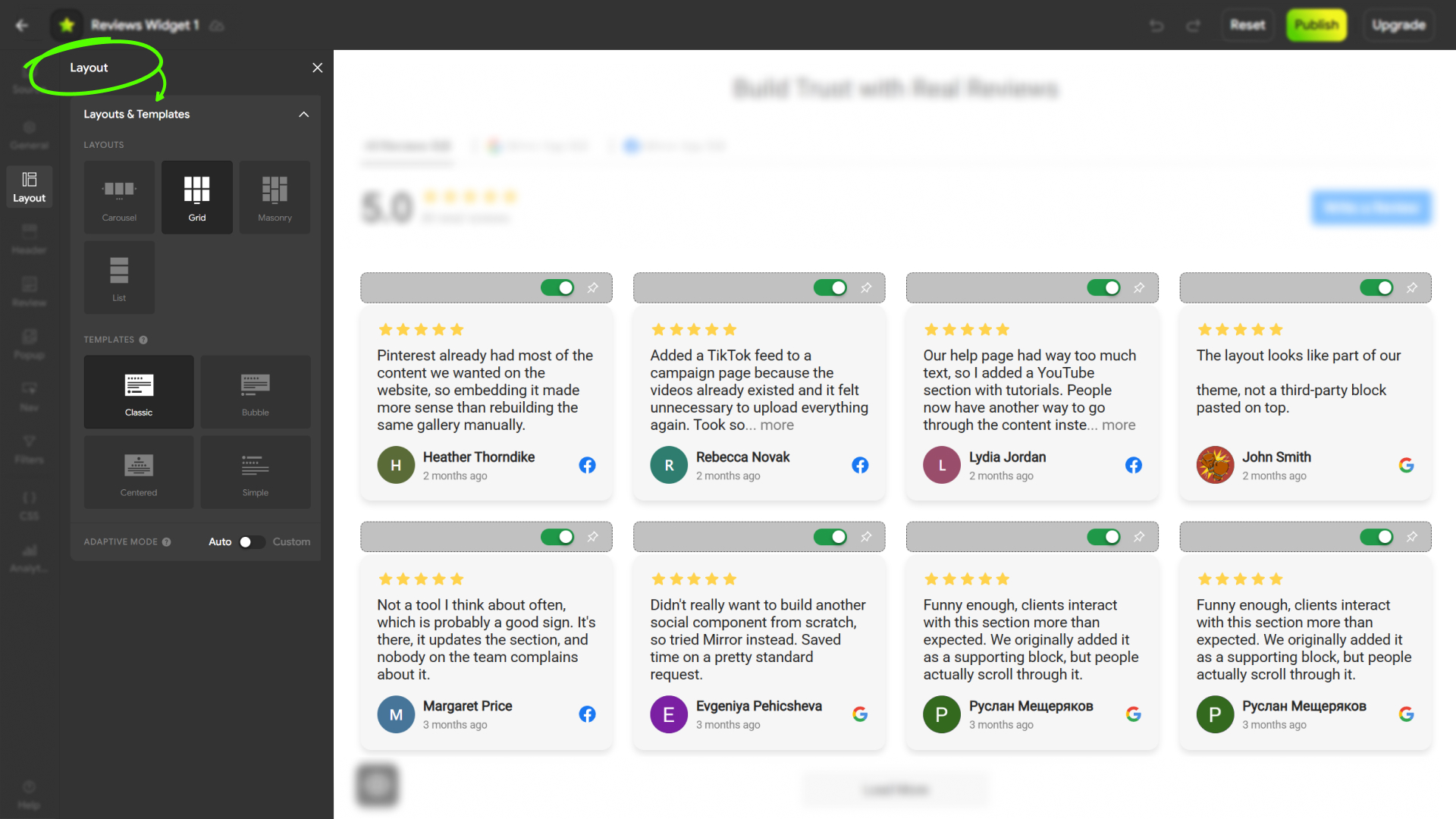
- Grid, Carousel, Masonry, and List layouts
- Customizable review cards and templates
- Typography, colors, spacing, and background settings
- Responsive layouts for desktop and mobile
- Rating and review display options
- Carousel navigation and autoplay settings
All customization takes place in Mirror App without editing your WordPress theme.
Review Moderation
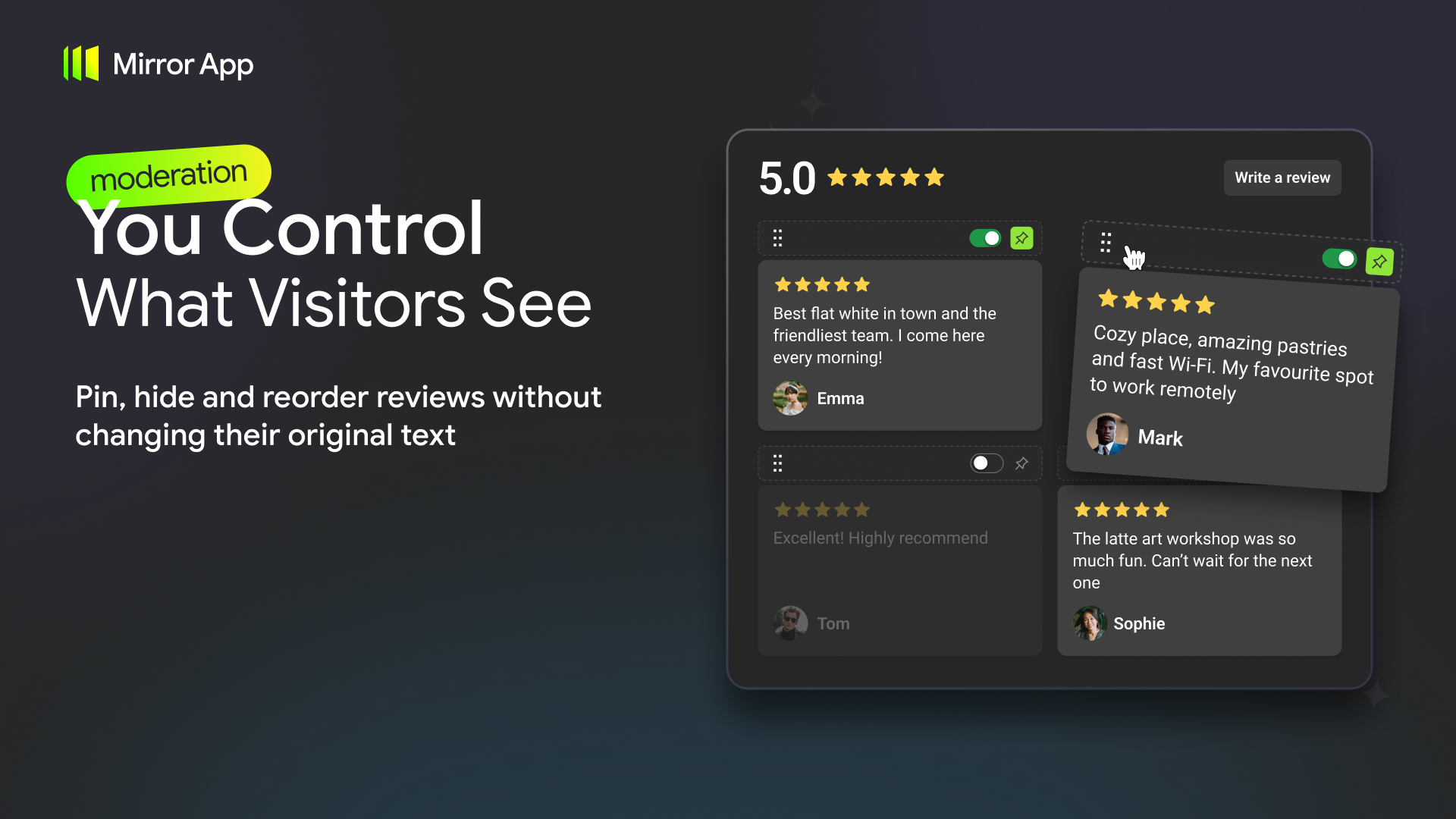
Control which reviews appear in your widget.
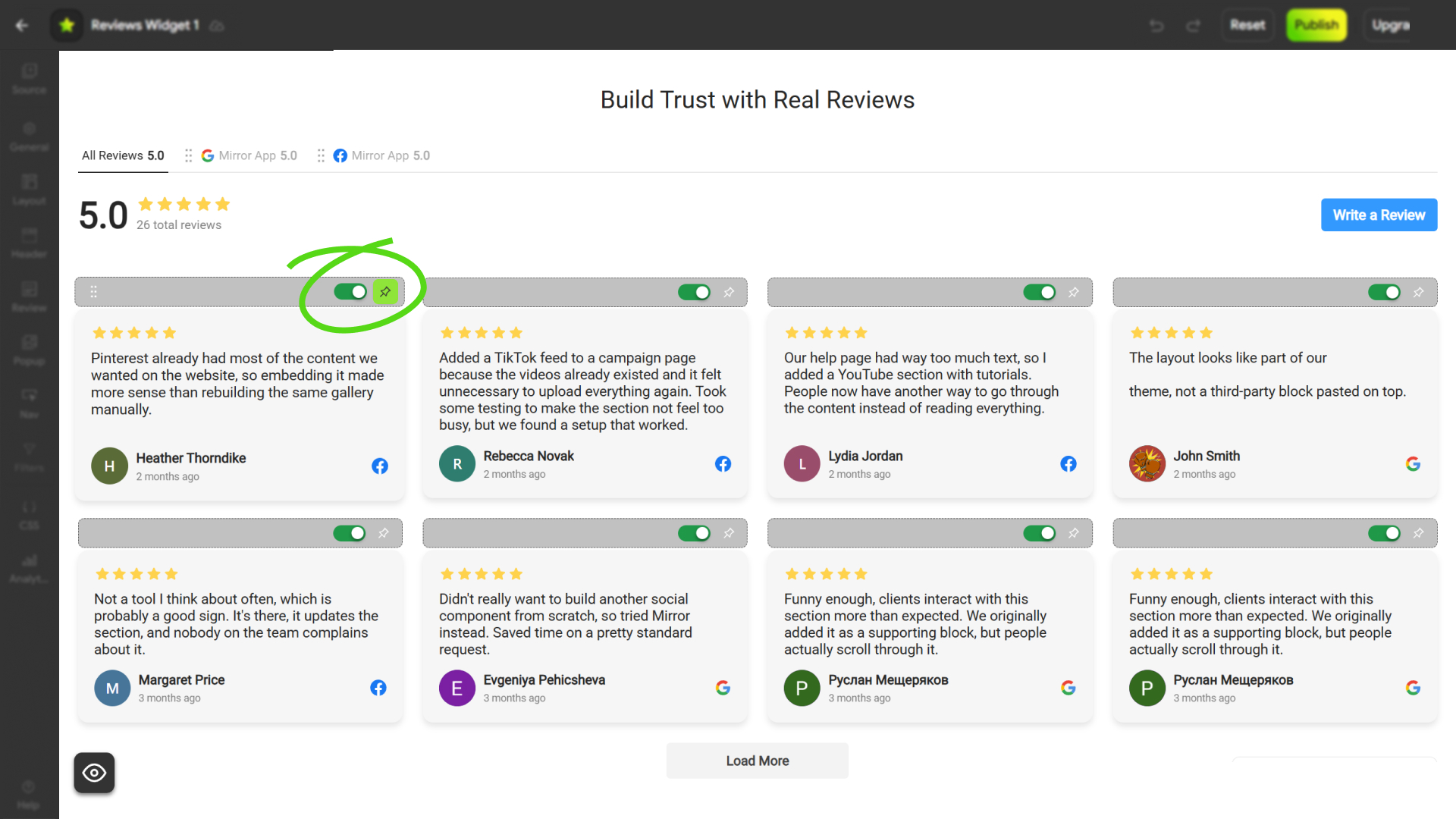
- Hide individual reviews
- Pin selected reviews to the top
- Drag and drop to reorder reviews
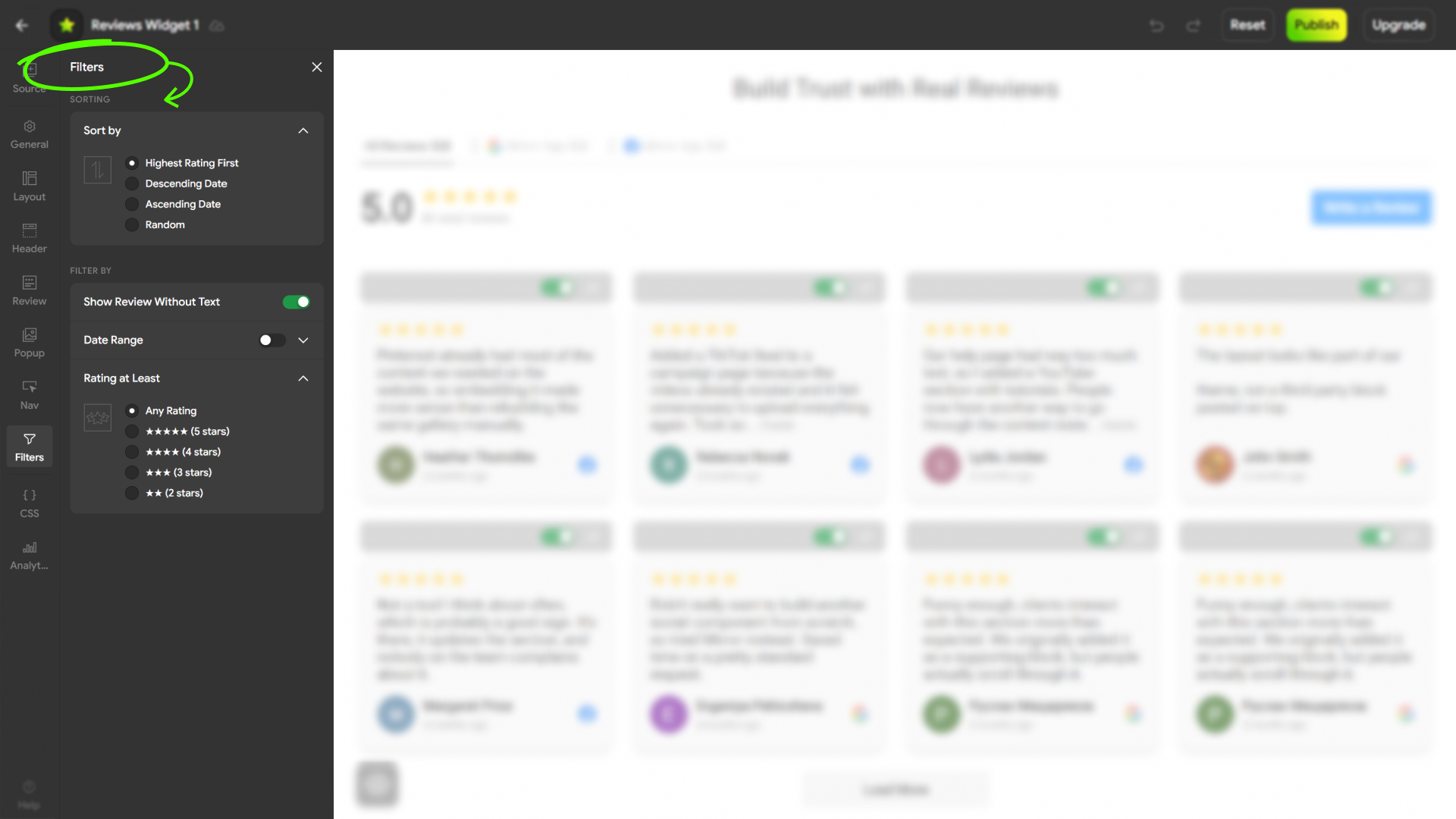
- Sort reviews by date or rating
- Filter reviews by rating and other available criteria
- Manage connected and manually added reviews
Original Google and Facebook review text cannot be edited inside Mirror App.
Reviews Analytics
Understand how visitors interact with customer reviews on your website.
Mirror App Analytics supports tracking:
- Widget views
- Review opens
- Review source clicks
- Write a Review button clicks
Use these insights to understand how visitors engage with the reviews displayed on your website.
Encourage More Customer Reviews
Add a Write a Review button to help visitors find your connected review platforms and leave feedback.
Display existing customer reviews while making it easier for new customers to share their experiences.
Why Mirror App Reviews Widget?
- Multiple review sources – Google Reviews, Facebook Reviews, and Manual Reviews.
- Easy setup – Create and configure your widget in Mirror App without coding.
- Flexible design – Customize layouts, templates, colors, and review cards.
- Review moderation – Hide, pin, reorder, and filter reviews.
- Bulk import – Upload existing customer testimonials from spreadsheets.
- Analytics – Track supported visitor interactions with your reviews.
- Responsive design – Adapt your widget to desktop and mobile screens.
- Lightweight integration – Display your ready-made widget without managing review connections in WordPress.
- Free plan available – Paid plans provide additional features and higher usage limits.
Features
- Shortcode embedding:
[mirror-app-reviews-widget uuid] - Responsive script-based widget embedding
- Google Reviews connection by business name or Google Maps URL
- Facebook Reviews integration
- Manual review creation and management
- CSV, XLS, and XLSX review imports
- Review sorting, filtering, pinning, and hiding
- Custom layouts and templates
- Review interaction analytics
- Write a Review button
- Centralized widget management in Mirror App
External Services
This plugin relies on Mirror App, an external service, to create, configure, manage, and display review widgets.
Service: Mirror App
Service website:
https://mirror-app.com/reviews
Terms of Service:
https://mirror-app.com/terms-of-service
Privacy Policy:
https://mirror-app.com/privacy-policy
How the service works
Users create and configure their Reviews Widget through Mirror App.
Review source connections, manual review management, widget settings, moderation, and analytics are handled by Mirror App rather than the WordPress plugin.
The WordPress plugin embeds the configured widget on the user’s website.
The plugin loads the widget script from https://preview.mirror-app.com/widget.js on pages where the shortcode is used.
The widget retrieves and displays content through the Mirror App service.
Depending on the configured review sources, Mirror App processes review information such as author names, ratings, review text, dates, and associated media.
Widget interaction analytics may also be collected according to the service’s privacy and consent settings.
The plugin requires access to the external Mirror App service to display the configured widget.
Users should review the Mirror App Terms of Service and Privacy Policy before connecting review sources or publishing a widget.
Legal Note
The plugin requires an active Mirror App account to create and manage review widgets.
Mirror App is an independent service and is not affiliated with or endorsed by Google, Meta, or Facebook.
All third-party trademarks belong to their respective owners.
Support
Need help?
- Mirror App Help Center
- Mirror App Reviews Widget
- Email: support@mirror-app.com
Explore More Mirror App Plugins
Looking for more ways to bring social media content to your WordPress website?
Development
The WordPress plugin is designed as a lightweight integration layer for displaying Reviews Widgets configured in Mirror App.
The shortcode outputs a widget container and loads the Mirror App widget script (https://preview.mirror-app.com/widget.js) only on pages where the shortcode is used. No review data is stored or processed in WordPress.
Screenshots





Installation
- Upload the plugin files to the
/wp-content/plugins/mirror-app-reviews-widget/directory, or install the plugin directly from the WordPress Plugin Directory. - Activate the plugin through the Plugins menu in WordPress.
- Go to Mirror App Reviews Widget and sign in or create an account.
- Create a Reviews Widget and connect Google Reviews, Facebook Reviews, or add reviews manually.
- Customize your widget’s layout, design, and review settings.
- Publish the widget in Mirror App.
- Copy the generated WordPress shortcode.
- Paste the shortcode into any supported post, page, or widget area.
Note: The plugin does not handle review source authentication or API requests inside WordPress. Review management and widget configuration take place in Mirror App.
Example shortcode: [mirror-app-reviews-widget 12345678-aaaa-bbbb-cccc-1234567890ab]
FAQ
-
Do I need coding skills?
-
No. Create your Reviews Widget in Mirror App, copy the shortcode, and paste it into your WordPress website.
-
Is the plugin free?
-
Yes. The WordPress plugin is free.
Mirror App offers a Free plan and paid subscriptions with additional features and usage limits.
See Mirror App Pricing.
-
Can I display Google Reviews on my website?
-
Yes. You can connect Google Reviews by searching for your business name or providing a Google Maps link.
-
Can I display Facebook Reviews?
-
Yes. Mirror App supports Facebook Reviews as a connected source.
-
Can I add my own customer reviews?
-
Yes. You can manually add customer reviews using a form or import them from a spreadsheet.
-
Which file formats are supported for review imports?
-
Mirror App supports CSV, XLS, and XLSX files.
Required fields include the author’s name, review text, and rating from 1 to 5.
Optional fields include the review date and other supported metadata.
-
Can I combine reviews from multiple sources?
-
Yes. Mirror App supports connected and manually added review sources.
The number of sources that can be combined in one widget may depend on your subscription plan.
-
Can I edit Google or Facebook reviews?
-
No. Reviews from connected platforms retain their original content.
You can control which reviews are displayed without changing the customer’s original text.
Manually added reviews can be edited in Mirror App.
-
Can I hide or reorder reviews?
-
Yes. You can hide individual reviews, pin selected reviews to the top, and change their display order.
-
Can I customize the widget’s appearance?
-
Yes. Mirror App offers multiple layouts, review card styles, typography, colors, spacing, and responsive design settings.
-
Does the plugin include analytics?
-
Mirror App provides analytics for supported review widget interactions, including widget views, review opens, source clicks, and Write a Review button clicks.
Analytics availability may depend on your subscription plan.
-
Can visitors leave reviews through the widget?
-
The Write a Review button can direct visitors to supported connected review platforms.
-
Does the plugin connect directly to Google or Facebook?
-
No. Review source connections and data handling are managed by Mirror App.
The WordPress plugin embeds the configured Reviews Widget.
-
Do I need a Mirror App account?
-
Yes. A Mirror App account is required to create and manage your Reviews Widget.
-
Is the widget mobile-friendly?
-
Yes. Mirror App provides responsive layouts for desktop, tablet, and mobile devices.
-
Where do I manage my reviews and widget settings?
-
All review sources, manual reviews, design settings, moderation, and analytics are managed in Mirror App.
Visit Mirror App Reviews Widget.
-
How do I get support?
-
- Mirror App Help Center
- Email: support@mirror-app.com
Reviews
There are no reviews for this plugin.
Contributors & Developers
“Mirror App – Reviews Widget” is open source software. The following people have contributed to this plugin.
Contributors

Translate “Mirror App – Reviews Widget” into your language.
Interested in development?
Browse the code, check out the SVN repository, or subscribe to the development log by RSS.
Changelog
1.0.0
- Initial release of Mirror App Reviews Widget for WordPress.
- Support for embedding Reviews Widgets using a shortcode.
- Google Reviews, Facebook Reviews, and Manual Reviews supported through Mirror App.