
Description
MigrateNest helps you migrate WordPress to another host or domain, create a manual backup, and restore a site from a portable archive. Free export and import include your database, media library, plugins, themes and other wp-content files, with no plugin-imposed archive-size cap.
Move your site by exporting a single .ewpm archive on the source site and importing it on the destination. MigrateNest updates site URLs, including URLs stored in serialized data. Basic migration, URL replacement and manual local backups do not require a paid license.
No plugin-imposed archive-size cap (free) – archives are uploaded in chunks by design, so imports do not depend on PHP’s normal whole-file upload ceiling or an Unlimited Extension. Available disk, memory, database, filesystem, network, proxy, and execution-time limits still depend on the host.
How to migrate WordPress to another host or domain
- Install and activate MigrateNest on the source and destination WordPress sites. WordPress must already be installed on the destination.
- On the source site, open MigrateNest and export the database and content you want to move. Download the
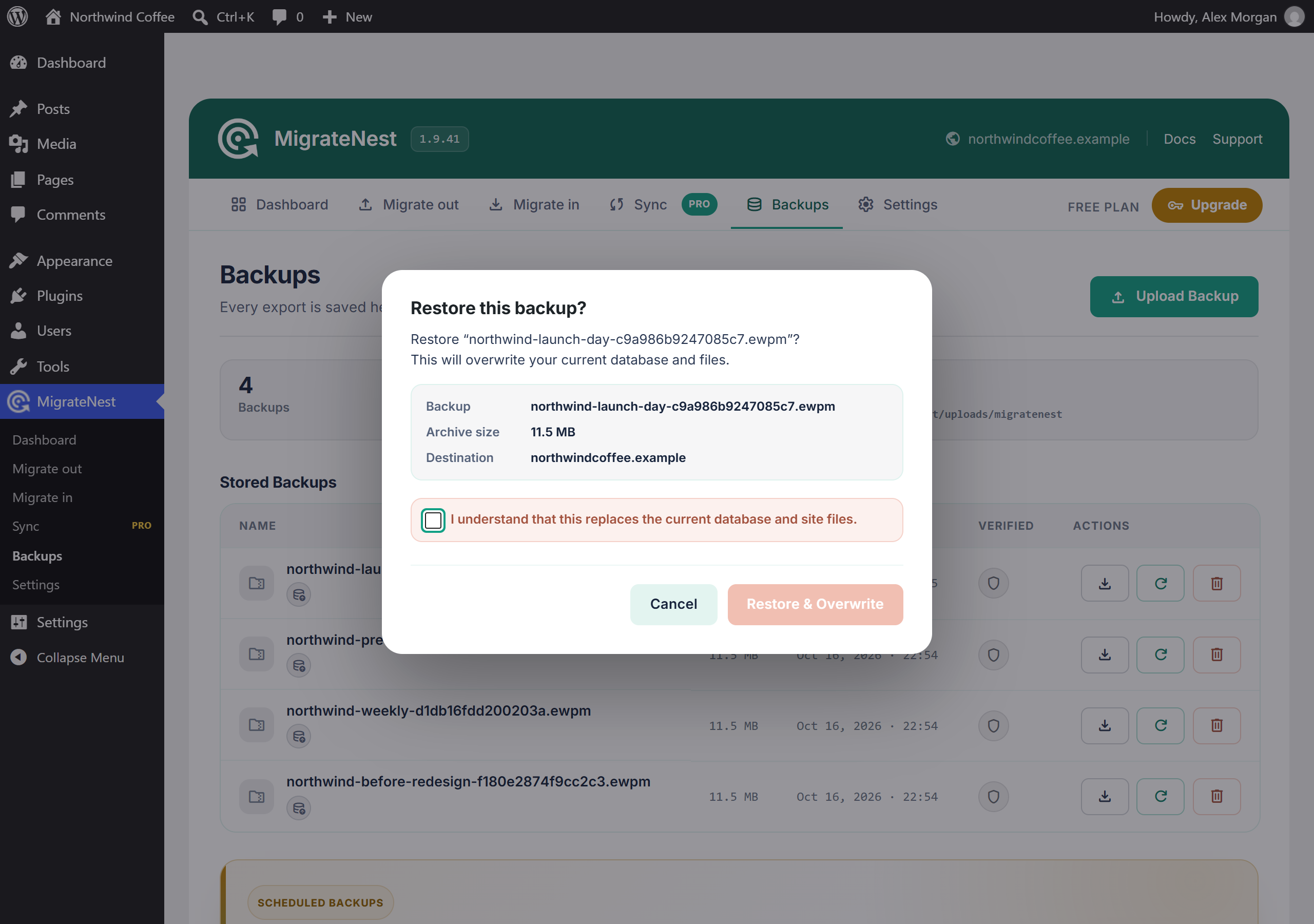
.ewpmarchive. - Back up the destination before importing: a restore replaces its database and the content included in the archive.
- On the destination site, import the archive, review the pre-flight checks and confirm the restore. URLs are updated for the destination site.
- Sign in using the restored site’s administrator account and check your pages, media and permalinks.
Export (free)
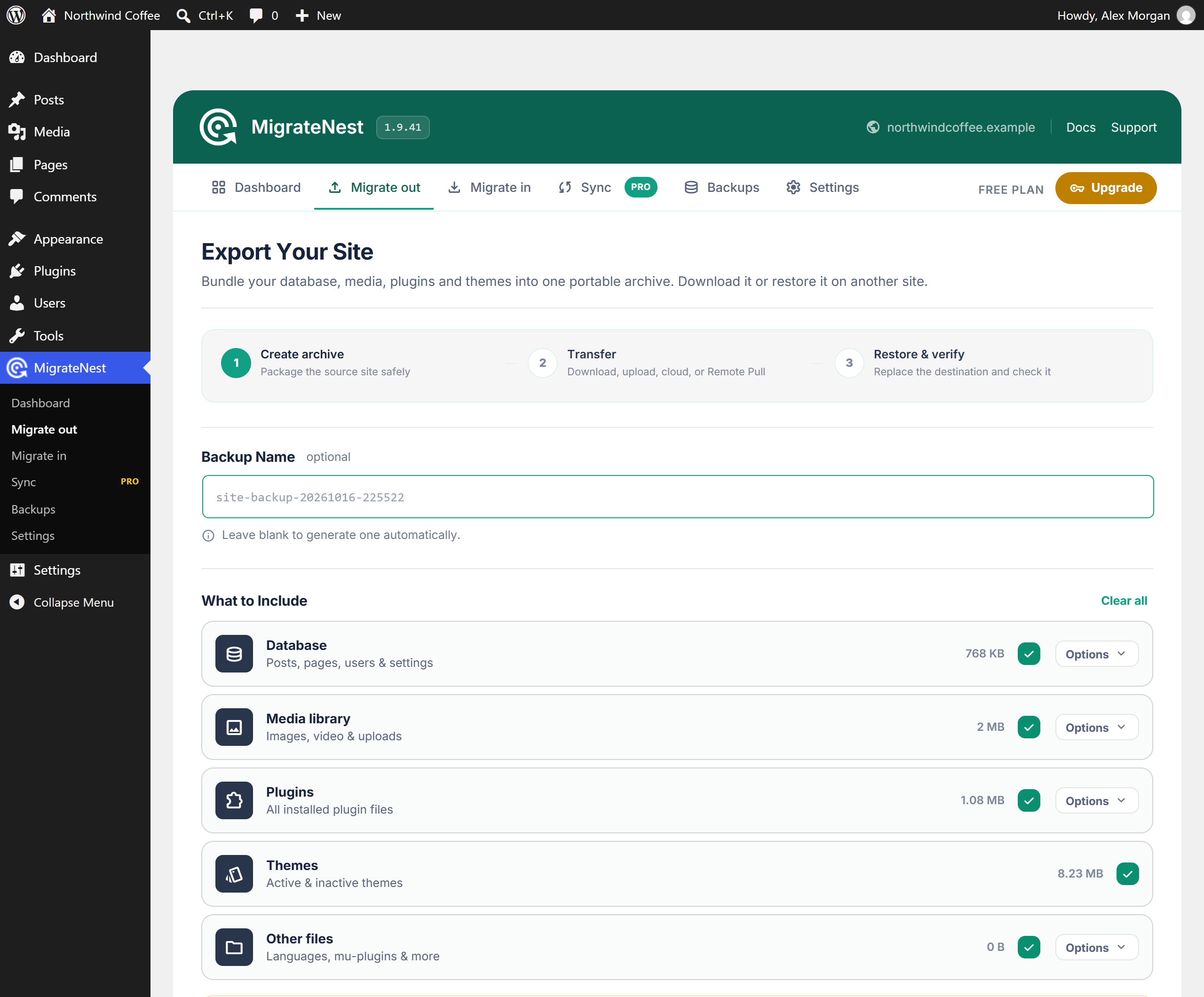
- One-click export of your whole site into a single archive
- Choose exactly what to include: database, media, plugins, themes, other files
- Pick individual plugins and database tables
- Advanced find & replace with serialized-data safety and optional email-domain protection
- Time-budgeted batching for large sites
Import (free)
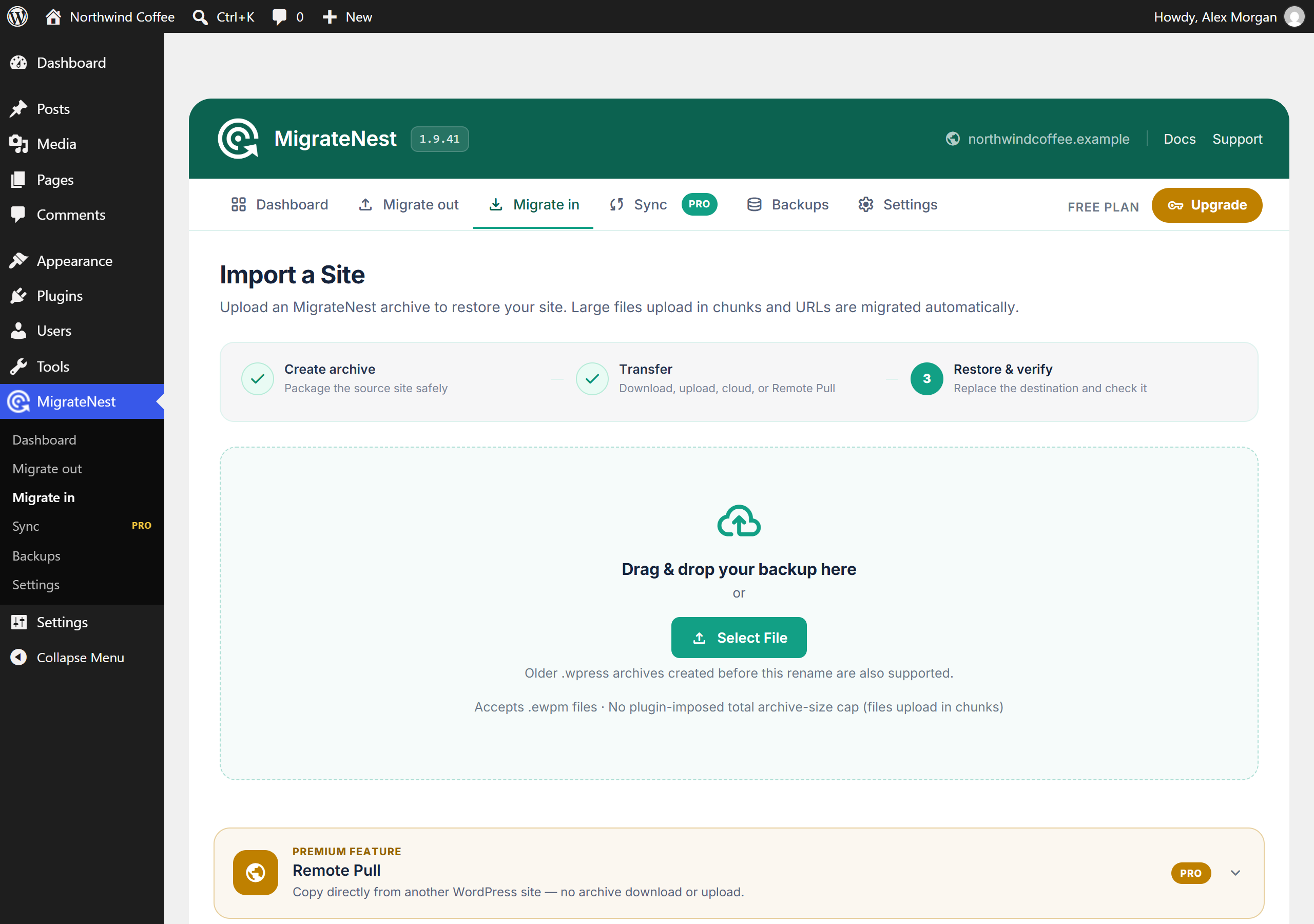
- Drag & drop – no plugin-imposed total archive-size cap
- Automatic URL migration when restoring to a different domain
- Live progress with an activity log
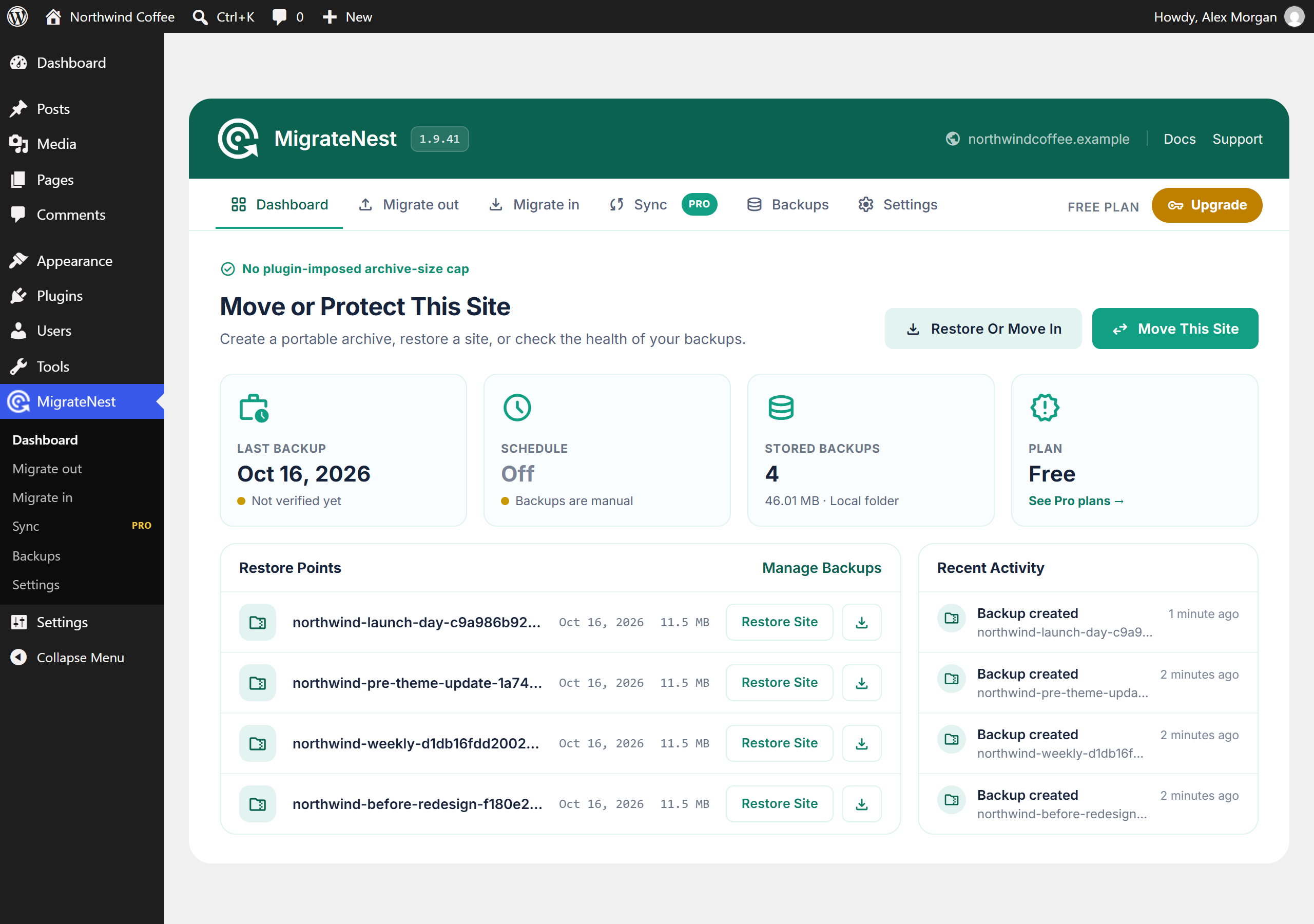
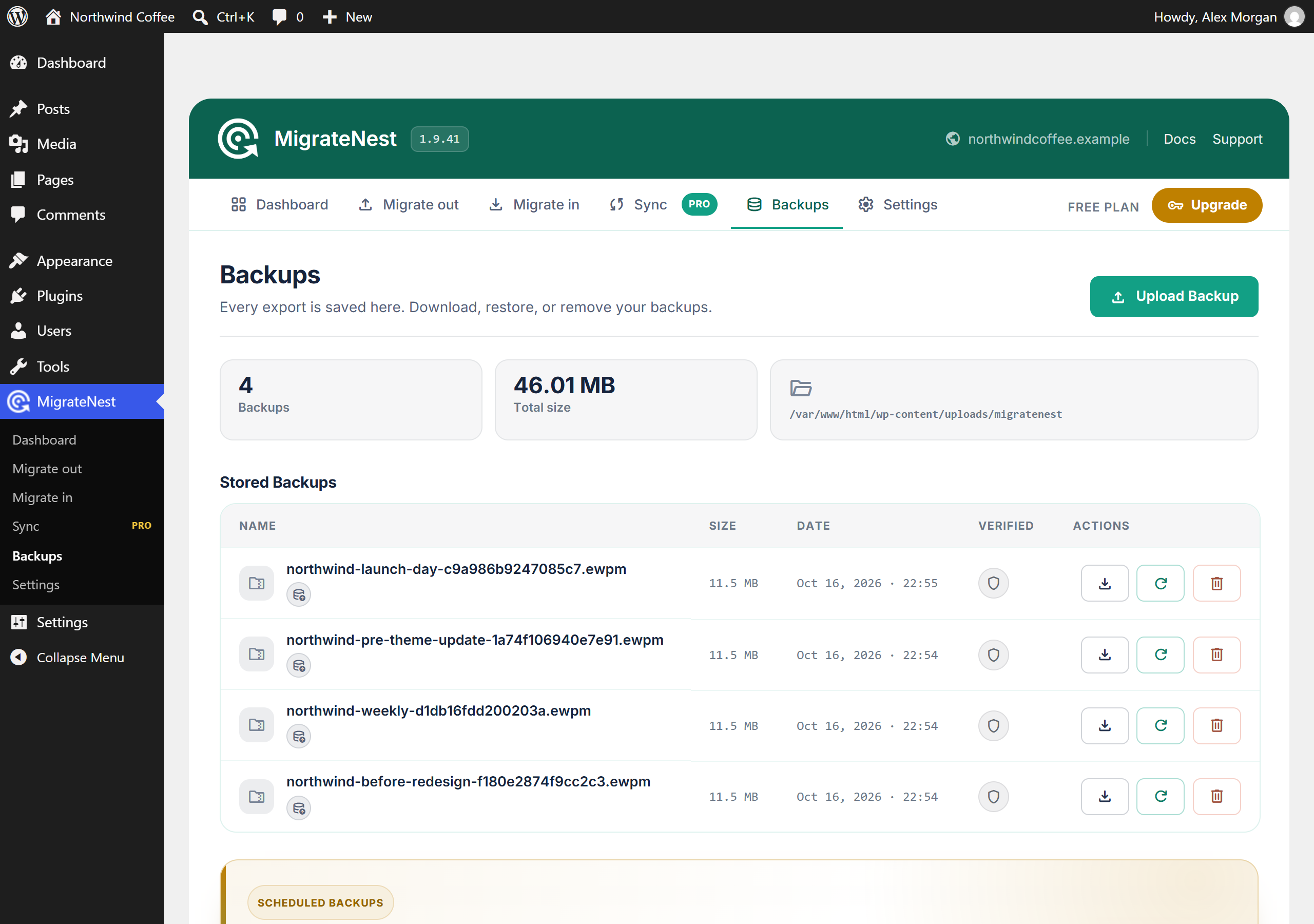
Manual backups (free) – keep archives on the server and restore any of them on demand.
Pro features (annual license from migratenest.com – Personal $79 / 2 sites, Freelancer $149 / 10 sites, Agency $299 / 50 sites – same price every year)
Every plan:
- Scheduled backups (daily / weekly / monthly) with retention strategies
- Cloud destinations: Google Drive (one-click OAuth), Dropbox, OneDrive, Box, pCloud, Amazon S3 & S3-compatible (DigitalOcean Spaces, Backblaze B2, Google Cloud Storage, Wasabi, Cloudflare R2, MinIO), Azure Blob Storage, WebDAV (Nextcloud, ownCloud), FTP/FTPS
- Restore verification and recovery points
- Sync: full push and selective differential push with conflict detection
- Pro auto-updates
- Fair licenses: activations you control, and you can deactivate a site to free a seat
Freelancer and Agency add:
- Remote Pull: site-to-site migration over authenticated REST
- WP-CLI automation
Agency adds:
- Multisite tools: export one site of a network as a standalone site, or add a standalone site into a network
Always excluded for safety: WordPress core files (wp-admin, wp-includes), wp-config.php, .htaccess and the backups folder itself.
What a restore writes outside this plugin’s own folder. A restore rewrites wp-content file by file while the import keeps making requests, and each of those requests boots WordPress and loads every active plugin — including one that is half-written at that instant. That fatals the request and leaves the site broken mid-restore. To prevent it, MigrateNest installs a small must-use plugin at wp-content/mu-plugins/ewpm-import-guard.php for the duration of the restore, because loading before other plugins is the only way to stop them loading at all. It is written only when a restore starts, it is deleted when the restore finishes, and if mu-plugins cannot be created or written the restore simply proceeds without it. Nothing else is written outside the backups folder.
MigrateNest is independent software and is not affiliated with ServMask or All-in-One WP Migration.
Free vs Pro
- Free: chunked export/import with no plugin-imposed archive-size cap, search-replace, manual backups
- Personal: scheduling, cloud offload, restore verification, recovery points, Sync
- Freelancer: everything in Personal, plus Remote Pull and WP-CLI
- Agency: everything in Freelancer, plus the multisite tools and priority support
External services
This package (the free plugin) makes no outbound network requests of its own. It has no licence check, no update check and no analytics. The only request it can ever make is an error report, and only after an administrator explicitly turns that on — see “Optional error reporting” below.
The services listed after that are reached only by the separate MigrateNest Pro add-on, and only for the destination or feature you configure. No third-party hostname appears anywhere in this package; the shared interface code here is generic, and the add-on supplies the endpoints at runtime. They are documented anyway so you can see, before installing anything, exactly what the paid add-on would contact and what it would send. Nothing in this package contacts them under any circumstances.
Optional error reporting (off by default)
Under Settings Diagnostics an administrator may switch on “Send error reports”. While it is on, and only when an error is actually logged, one request is sent to migratenest.com containing: your site URL, the plugin/WordPress/PHP versions, the error message, and the redacted context of the failing operation. No passwords, keys, tokens or site content are included. It is off on a fresh install, it never sends anything on a successful operation, and it can be turned off again at any time.
Provided by Omer Shafqat (migratenest.com) — Terms · Privacy Policy
Services used by the Pro add-on
migratenest.com — licence activation and verification, Pro update checks, and the OAuth broker used by the one-click cloud connect buttons. Sends your licence key, site URL and plugin version when you activate a licence or when an update check runs; the broker receives only the sign-in exchange and returns the resulting access token to your site. The broker is used only if you choose one-click connect instead of entering your own app credentials. Terms · Privacy Policy
Google (accounts.google.com, oauth2.googleapis.com, www.googleapis.com, storage.googleapis.com) — used when Google Drive is configured as a backup destination, and when Google Cloud Storage is chosen as the S3-compatible endpoint. Sends the OAuth sign-in exchange and then uploads your archive file to the account you authorised. Google Terms · Google Cloud Terms · Privacy Policy
Dropbox (dropbox.com, api.dropboxapi.com, content.dropboxapi.com) — used when Dropbox is configured as a backup destination. Sends the OAuth sign-in exchange and uploads your archive file. Terms · Privacy Policy
Microsoft (login.microsoftonline.com, graph.microsoft.com, *.blob.core.windows.net) — used when OneDrive or Azure Blob Storage is configured as a backup destination. Sends the sign-in exchange or your storage account credentials, and uploads your archive file. Services Agreement · Privacy Statement
Box (account.box.com, api.box.com, upload.box.com) — used when Box is configured as a backup destination. Sends the OAuth sign-in exchange and uploads your archive file. Terms · Privacy Policy
pCloud (my.pcloud.com, api.pcloud.com, eapi.pcloud.com) — used when pCloud is configured as a backup destination. Sends the OAuth sign-in exchange and uploads your archive file. Terms · Privacy Policy
Amazon Web Services (s3.*.amazonaws.com) — used when Amazon S3 is configured as a backup destination. Sends the access key you entered, as a request signature, and uploads your archive file to your bucket. Service Terms · Privacy Notice
Backblaze B2 (s3.*.backblazeb2.com) — used when Backblaze is chosen as the S3-compatible endpoint. Sends your access key as a request signature and uploads your archive file. Terms · Privacy Policy
Wasabi (s3.*.wasabisys.com) — used when Wasabi is chosen as the S3-compatible endpoint. Sends your access key as a request signature and uploads your archive file. Terms of Use · Privacy Policy
Cloudflare R2 (*.r2.cloudflarestorage.com) — used when Cloudflare R2 is chosen as the S3-compatible endpoint. Sends your access key as a request signature and uploads your archive file. Terms · Privacy Policy
DigitalOcean Spaces (*.digitaloceanspaces.com) — used when DigitalOcean Spaces is chosen as the S3-compatible endpoint. Sends your access key as a request signature and uploads your archive file. Terms · Privacy Policy
Hosts you supply yourself — a custom or self-hosted S3-compatible endpoint (for example MinIO), a WebDAV server (Nextcloud, ownCloud), an FTP/FTPS server, or another WordPress site used with Sync or Remote Pull. These are contacted only at the address you enter, are not operated by us, and no third party is involved. Their terms are whatever applies to the server you chose.
Screenshots
Installation
- Install from WordPress.org or upload the plugin ZIP via Plugins -> Add New.
- Activate MigrateNest.
- Go to MigrateNest in the admin menu to create your first export.
- Optional: purchase Pro at https://migratenest.com/pricing/ and activate the key under License.
FAQ
-
Is there an upload size limit for imports?
-
MigrateNest imposes no total archive-size cap. Archives are uploaded in small chunks, so imports do not depend on PHP’s normal whole-file upload limit. The host must still have enough disk and database capacity, filesystem permissions, memory, execution time, and network/proxy tolerance for the operation. There is no Unlimited Extension paywall on free imports.
-
Can I restore an older .wpress backup?
-
Yes, if it was created by MigrateNest or its former WP Site Porter name. Those legacy archives remain restorable.
.wpressis also used by other migration products, whose archive formats are not compatible with MigrateNest. -
Does it work when moving to a different domain?
-
Yes. The importer rewrites URLs – including inside serialized data – to the new site’s URL.
-
What happens to my wp-config.php and .htaccess?
-
They are never exported and never overwritten on import.
-
Do I need a license for basic migration?
-
No. Free export and import have no plugin-imposed archive-size cap.
-
How does Pro licensing work?
-
Plans are annual: Personal (2 sites), Freelancer (10 sites), Agency (50 sites). You control activations – deactivate a site to free a seat. Same list price every renewal. Purchases are processed by Paddle (merchant of record). Manage your key at https://migratenest.com/account/
Reviews
There are no reviews for this plugin.
Contributors & Developers
“MigrateNest – Migrate, Backup & Restore WordPress” is open source software. The following people have contributed to this plugin.
Contributors
Translate “MigrateNest – Migrate, Backup & Restore WordPress” into your language.
Interested in development?
Browse the code, check out the SVN repository, or subscribe to the development log by RSS.
Changelog
1.9.42
- Fixed: without the Pro add-on, every export, import and restore logged “Pre-flight checks could not be completed (error). Continuing anyway.” The checks were only answered when Pro was active. The free plugin now runs them itself, so you see the real results before any work starts.
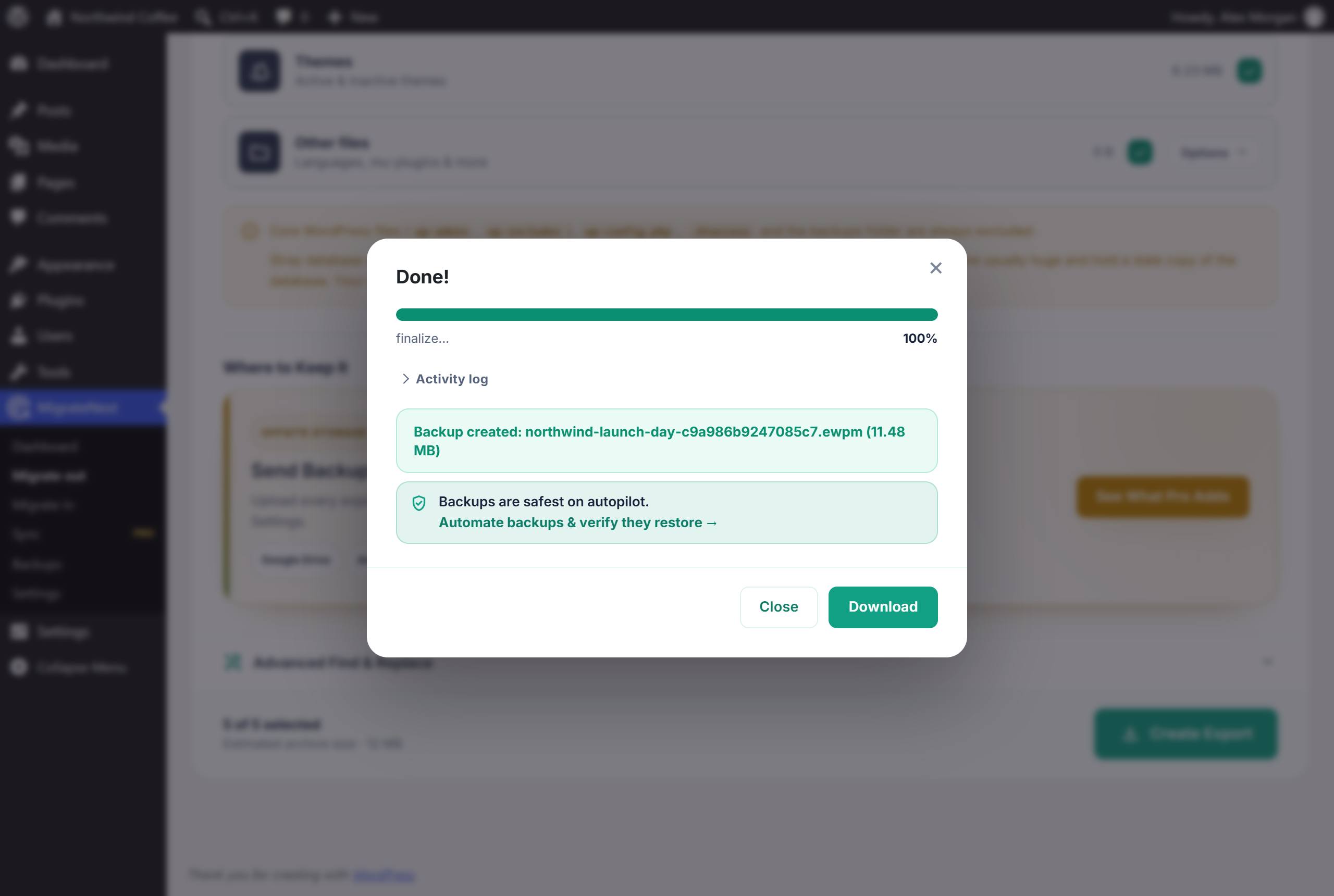
- Fixed: the export progress said “finalize…” at 100%. It now names the step that is running (exporting the database, adding plugins, themes, media and other files, finishing the archive) and says “Export complete” when it is done.
1.9.41
- Changed: the product website and every service the plugin talks to moved from easywpmigration.com to migratenest.com – license activation and checks, Pro updates, the optional error reports and usage heartbeat, the one-click cloud connect broker, and the pricing, terms and privacy links. The data sent to these services is unchanged.
1.9.40
- Fixed: downloading a backup could open it in a new browser page as unreadable text instead of saving it. The download links now tell the browser to save the file, and the backups folder serves archives as a download (application/octet-stream, attachment). The folder’s protection is unchanged: only archives with their random, unguessable name can be fetched.
1.9.39
- Added: “Select all” for the file changes and the content changes in a sync preview, with a count of how many are selected. Clearing it also releases the field groups that were only ticked because a selected post needed them.
1.9.38
- Security: the last two queries that built a WHERE clause as SQL now bind it. Search and replace passes its column filters as placeholders plus values in the same prepare() call as the rest of the query, and the Gravity Forms list binds its “not in the trash” filter the same way. No SQL fragment is pasted into a query anywhere in the plugin.
- Fixed: deleting a backup left its row on screen until the page was reloaded when the server’s reply was slow or had anything printed around it, such as a PHP notice from another plugin. The row now dims while the delete runs, the result is read even from such a reply, a real failure says why, and the backup count and total size update straight away.
- Changed: the pre-flight checks shown before an export or import are one compact list with anything that needs attention first and a one-line summary; the progress bar, the “keep this tab open” note and the activity log are hidden until work actually starts.
1.9.37
- Security: row filters used by the database dump (skipping spam comments and revisions, and the Pro network extraction’s user and option filters) are now passed as placeholders plus values and bound in the same prepare() call as the rest of the query. No filter is pasted into SQL any more, and a filter given as a plain SQL string is refused.
- Changed: an export begun by an older version while it was still building a separate .sql file is no longer continued that way; the partial file is removed and the export asks to be started again. The unused whole-database dump helper, which wrote a standalone .sql file, is removed.
1.9.36
- Security: restoring an archive now refuses any SQL statement that reaches a table other than the one it is meant to. Each restore path checked only the first table a statement named, so a crafted archive could list a second one – “DROP TABLE a, b”, an INSERT that reads from another table, a RENAME onto a live table – and reach it. The verification restore, which writes to scratch tables, did not check the statement type at all. Every statement is now matched to a known single-table shape, every table it touches is checked, and server-wide settings such as SET GLOBAL are refused.
- Fixed: since 1.9.30 every backup included the backups folder itself, so each archive carried copies of all the earlier ones – often more than half its size – and restoring one wrote those stale copies back over the real backups, including archives captured half-written. The folder is now recognised by its path rather than its old name, left out of every export, and never written to by a restore, which also protects sites restoring an archive made by an affected version.
- Changed: the database dump is no longer written to disk as a separate .sql file on either side of a migration. An export writes it straight into the archive, and a restore reads it from inside the archive where it lies, so the SQL only ever exists within the backup itself.
1.9.35
- Fixed: a large backup can now actually be downloaded. Every new archive is given a random suffix, which makes its name impossible to guess, and the web server is allowed to serve those files directly instead of PHP pushing the bytes. A response generated by PHP is capped in size by the server – which is why a 1.1 GB archive stalled a little past a gigabyte – while a static file is not, and the server handles range requests itself so an interrupted download resumes.
- Changed: the backups directory still denies everything else. Archives created before this version are named from a timestamp alone, so they stay unreachable over the web and keep downloading through PHP as before. Directory listing stays off, and EWPM_STORAGE_DIR still moves the folder out of the web root entirely.
1.9.34
- Added: an optional way to hand a download to the web server instead of sending it through PHP, for hosts that cap how large a PHP-generated response may be. It is off unless you turn it on with the
ewpm_download_accel_headerfilter, because a server that advertises the feature but has it switched off would deliver an empty file. - Fixed: downloading a very large backup could fail part-way through with no explanation, and start again from the beginning on the next attempt. Downloads now support HTTP range requests, so a browser or download manager resumes where it stopped instead of re-fetching a gigabyte it already has.
- Fixed: a long download no longer runs out of PHP execution time while the bytes are still going out. The limit is re-armed for each chunk sent, using the same bounded value WordPress core uses for its own long-running jobs, so a transfer that is making progress continues while one that has stalled still ends.
- Changed: a download that the browser has abandoned stops reading the archive instead of streaming the rest of it to nobody.
1.9.33
- Changed: table and column names are now passed to $wpdb->prepare() through the %i identifier placeholder instead of being written into the query. WordPress has supported %i since 6.2 and this plugin had not caught up; it escapes the name rather than trusting it, so a table whose name contained a backtick can no longer change the shape of a statement. The paged export query and the URL-rewrite query are each a single prepare() call now rather than several fragments joined together.
- Changed: the minimum WordPress version is now 6.2, which is what the %i placeholder requires.
1.9.32
- Changed: every piece of markup the plugin echoes is now escaped at the point it is echoed, through wp_kses() with an allowlist of the tags and attributes the plugin’s own screens actually use. The helpers that build those fragments already escaped each value, but all of them are filterable, so what reached the page was not guaranteed to be what the plugin wrote. The handful of places that echoed a fixed string chosen by a condition are escaped too, and the few that emitted a whole HTML attribute now write the attribute directly instead of echoing it.
- Changed: a backup download is handed to the web server with fpassthru() instead of being read into memory a megabyte at a time and echoed back out. The bytes are identical and it is measurably quicker.
1.9.31
- Changed: the database restore no longer uses a raw mysqli connection. Replaying a backup file, like everything else in the plugin, now goes through WordPress’s own $wpdb. The previous code argued that $wpdb would refuse or alter statements on the way through; measured against real archives it does neither – a dump of Japanese, emoji, accented text, quotes and backslashes replays byte for byte, table structures included, for about a tenth more time. There is now no raw mysqli call anywhere in the plugin.
- Fixed: a failing statement during a restore can no longer print a database error into the middle of the response that reports it, on sites with debug display switched on.
1.9.30
- Changed: backups are now stored in a “migratenest” folder inside the uploads directory, resolved with wp_get_upload_dir(), instead of wp-content/ewpm-backups. An existing folder is moved there once, with a rename so nothing is copied and nothing can be half-written; if that move cannot happen the plugin keeps reading your archives where they already are. The directory is protected with the same .htaccess, web.config and index.php as before, and EWPM_STORAGE_DIR still overrides the location entirely – on a public server, a directory outside the web root is still the better choice.
- Changed: the plugins directory is derived from this plugin’s own FILE rather than read from a constant, so a site that has moved wp-content or the plugins folder is followed correctly.
- Changed: the restore guard no longer reconstructs any path at run time. It executes from mu-plugins, where FILE points at the wrong directory, so the absolute paths it needs are now stamped into it when it is written.
1.9.29
- Changed: the places that built a path out of a WordPress internal constant now go through a single resolver each. Core admin includes load through one helper instead of four separate require statements, plugin paths resolve through one function, wp-content is read through one function instead of being spelled out in seven places, and the backups location is derived from one definition rather than reassembled in three.
- Fixed: the translation directory was read as WP_CONTENT_DIR . ‘/languages’ whenever WP_LANG_DIR looked undefined. WordPress always defines it, so the fallback was unreachable and would have been wrong on any site that moved its languages folder.
- Fixed: the uploads directory no longer falls back to a guessed wp-content/uploads when wp_upload_dir() returns nothing usable. That guess would have been wrong on exactly the installs that reached it.
- Removed: the Plugin URI header, which duplicated the Author URI.
1.9.28
- Changed: exporting a table no longer uses a raw database connection. Rows are read through WordPress’s own $wpdb, in pages ordered by the table’s primary key, with the page size derived from the table’s average row length so the memory used stays about the same whether the rows are tiny or hold megabytes of post content. What the export can do is unchanged – it still handles tables larger than the PHP memory limit – but the entire export path now goes through the supported API.
- Changed: the direct database calls that remain are confined to replaying a backup file during a restore, and the note in the source explaining why has been corrected. $wpdb->query() does not silently rewrite a statement, as that note previously claimed; it refuses one outright when the text is not valid for the destination’s column charsets, which would end a restore partway through and leave a half-written database.
- Fixed: the plugin header still described staging, which was removed in 1.9.27.
- Changed: Plugin URI now points to the author’s WordPress.org profile rather than the product site.
1.9.27
- Changed: documented, in the description, the one file a restore writes outside this plugin’s folder – a temporary must-use plugin that stops WordPress loading half-written plugins mid-restore, removed as soon as the restore finishes.
- Removed: a dead script handler for a Pro-only setting that had no matching control or handler in this package.
- Fixed: Google Drive backups could fail with “Request had insufficient authentication scopes”. One-click connect now asks Google only for access to files this plugin creates, and creates its own “MigrateNest Backups” folder to put them in. Sending backups to a folder that already exists is still supported by entering a folder ID and connecting with your own Google Cloud credentials.
- Changed: the S3-compatible endpoint presets (Google Cloud Storage, Backblaze B2, Wasabi, DigitalOcean Spaces) are supplied by the Pro add-on at runtime instead of being hardcoded in the shared admin script. Cloud destinations are a paid feature, so the free package no longer contains any third-party hostname at all.
- Removed: the Staging feature (one-click clone into a subfolder). Creating a staging site meant copying WordPress core and plugin code into a new directory in the site root, which the WordPress.org plugin guidelines do not permit. The Staging screen, its AJAX handlers and its stored options are gone. Existing staging folders created by an earlier version are left on disk untouched – delete them yourself once you no longer need them.
1.9.26
- Changed: Renamed the plugin to MigrateNest – Site Migration & Backup with the distinctive WordPress.org slug
migratenest. The existing easywpmigration.com website and every service URL remain unchanged, as do archives, settings, storage paths, and internal compatibility identifiers.
1.9.25
- Changed: the two
- Changed: the fatal-error reporter no longer touches PHP’s memory_limit on a request that ended normally. It now confirms a fatal actually occurred before asking for the headroom it needs to report one.
- Changed: the three operations that stream a whole site (an import step, an export step, a staging build) ask for memory through wp_raise_memory_limit(), which only ever raises. The previous hard-coded 1024M could LOWER the limit on a host configured higher, and offered no way to override it; the new
ewpm_archive_memory_limitfilter does. - Fixed: the uploads, plugins and themes directories are resolved with wp_upload_dir(), WP_PLUGIN_DIR and get_theme_root() rather than assembled from WP_CONTENT_DIR. All three are configurable and need not sit under wp-content, so the size estimates on the export screen were wrong on any site that had moved one.
- Fixed: the per-folder media picker on the export screen resolves the real uploads directory, and stands down cleanly on a site whose uploads have been moved outside wp-content instead of listing paths no archive could carry.
- Changed: removed the load_plugin_textdomain() call. WordPress has loaded plugin translations just in time since 4.6, and this package no longer bundles catalogues of its own.
- Changed: translation catalogues (.po/.mo/.json) are no longer bundled. Translations now come from translate.wordpress.org, which generates every locale and delivers it through the normal update system; the plugin language picker reads those and keeps working.
- Changed: the readme now documents every external service the product can reach — what is sent, when, and under which conditions — with terms and privacy links for each one.
- Changed: the listing shows only screenshots of screens this package actually contains.
1.9.24
- Changed: Prepared the public identity and translation domain for a distinctive WordPress.org submission while preserving existing archives, settings, storage paths, and internal compatibility identifiers.
Older releases (1.9.23 and earlier) are listed in changelog.txt, included with the plugin.