
Description
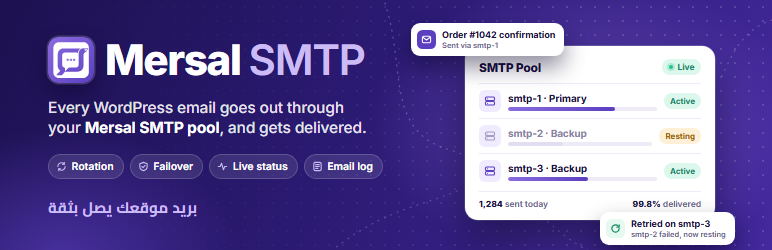
Mersal SMTP takes over wp_mail(): WooCommerce emails, contact forms, password resets and everything else your site sends go out through the SMTP accounts saved on your Mersal account.
- Sign in with your Mersal account — SMTP passwords stay on Mersal and never reach your site.
- Rotation methods — round-robin, weighted, primary with backups, least used or random.
- Failover — if an account fails, the message is retried on the next one, and the failing account rests for a while.
- Limits and routing — per-account hourly and daily limits and routing rules.
- Your sender identity — keep the sender name, use the site name, a fixed name, a template or the account name, and set a reply-to address.
- Live server status — see the state of each SMTP server on your Mersal account and test it from the dashboard.
- Email log — every message with the server that carried it, its delivery status and any error.
- Arabic and English dashboard with a right-to-left layout.
Until a Mersal account is linked, the plugin does not touch wp_mail() and WordPress sends email as usual.
Credits
Fonts bundled with the dashboard: Cairo and Inter (SIL Open Font License 1.1) and Material Symbols (Apache License 2.0). Licenses are in includes/suite/assets/fonts/LICENSES.txt.
Requirements
- A Mersal account with SMTP accounts on it. Mersal is a paid messaging service; the plan on your account decides which SMTP accounts and how many emails are available. See the plans on mersal.it.
External services
This plugin is a connector for the Mersal messaging service (https://mersal.it), operated by Mersal. It cannot send email without it. It talks to the service only after you link your Mersal account from the plugin’s dashboard, and only to these endpoints on mersal.it:
- Linking your account —
/wordpress/ssoopens in your browser so you can sign in;/api/wordpress/user/mechecks the sign-in token;/api/wordpress/siteregisters your site’s address (site URL and plugin name) with your account. - Reading your SMTP accounts —
/api/wordpress/gatewaysand/api/wordpress/smtp/serversreturn the SMTP accounts and their status. This runs when you open the dashboard and on a schedule. - Sending email —
/api/email/sendreceives each email your site sends: recipients, subject, message body, headers, sender name and attachments. Mersal delivers it through your SMTP accounts. - Testing a server —
/api/wordpress/smtp/servers/testwhen you press “Test” on a server. - Delivery status —
/api/wordpress/smtp/statusreceives the IDs of queued messages to report whether they were delivered (can be turned off in the settings). - Account notifications —
/api/wordpress/notificationsreturns messages from Mersal about your account, shown in the dashboard bell.
Each request carries the token or API key of your linked account. Nothing is sent before an account is linked, and unlinking stops all requests.
- Terms of service: https://mersal.it/pages/terms-of-service/135
- Privacy policy: https://mersal.it/pages/privacy-policy/134
Installation
- Install the plugin from Plugins Add New, or upload the
mersal-smtpfolder to/wp-content/plugins/. - Activate it and open Mersal Plugins Mersal SMTP Pool.
- Follow the setup wizard: sign in with your Mersal account, choose a rotation method and send a test email.
FAQ
-
Do I need a Mersal account?
-
Yes. The SMTP accounts live on your Mersal account and the plugin sends through them. Without a linked account the plugin stays out of the way and WordPress mails as usual.
-
Are my SMTP passwords stored on my site?
-
No. They stay on Mersal; the site only holds the token of your linked account.
-
What happens if every account fails?
-
The message is recorded as failed in the email log with the error, and WordPress’s
wp_mail_failedaction fires as usual. -
Does it work with WooCommerce and form plugins?
-
Yes. Anything that sends with
wp_mail()goes through Mersal SMTP.
Reviews
There are no reviews for this plugin.
Contributors & Developers
“Mersal SMTP” is open source software. The following people have contributed to this plugin.
Contributors
Translate “Mersal SMTP” into your language.
Interested in development?
Browse the code, check out the SVN repository, or subscribe to the development log by RSS.
Changelog
1.1.1
- Security: the sign-in return from mersal.it is checked with a WordPress nonce before the token or error is accepted.
- Security: the “Refresh status” link on the servers screen carries a nonce.
1.1.0
- First release on WordPress.org.
- Fonts are bundled with the plugin; nothing is loaded from third-party CDNs.
- The dashboard only lists Mersal plugins that are installed.