

Description
Mendbird is a plain English check of your website. From the outside it can only guess some versions. This helper reads them from inside, so every plugin, theme, WordPress itself, PHP and the database can be checked against the public lists of known security flaws each morning, and you are told in plain English what needs updating and why.
It only reads. It never changes your site, and it never sends posts, pages, comments, orders, form entries, user details or anything from wp-config.php.
What it sends, and nothing else:
- the names and versions of WordPress, your plugins and themes, and whether each is switched on
- the versions of PHP, its add-ons, the database and the web server
- the server’s operating system and its packages, read from the files its package manager keeps (nothing is run), as the system patches the web server, PHP and the database without changing their version numbers
- five settings: whether debug mode shows errors to visitors, whether admins can edit code from the dashboard, whether plugins update themselves, whether PHP announces its version, and how many admin accounts there are (a number, never names)
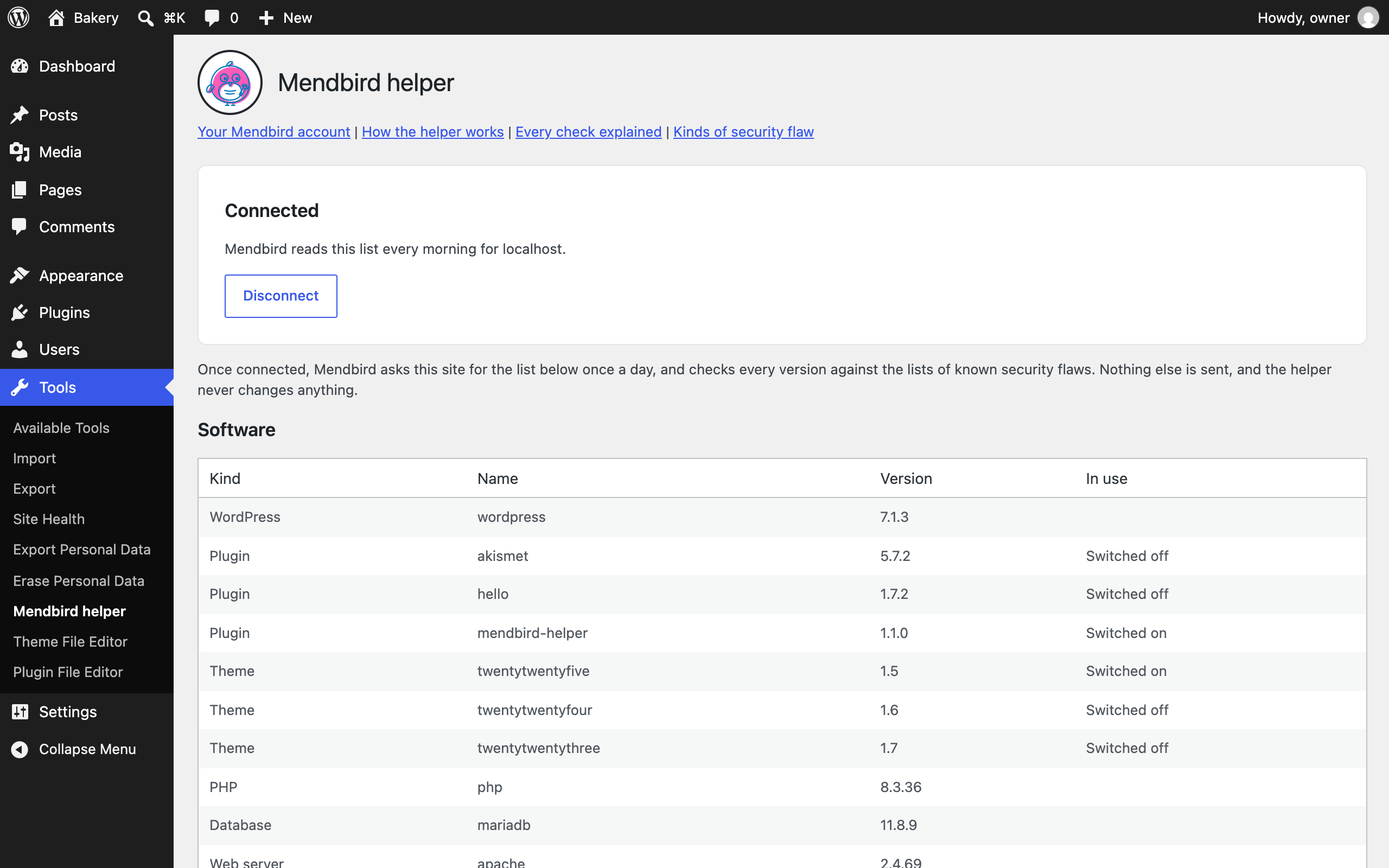
Tools, Mendbird helper shows exactly what it sends, drawn from the same list Mendbird receives.
The whole plugin is one short file. Read it at https://github.com/moonlathe-technologies/mendbird-helper
External services
This plugin connects to Mendbird (https://mendbird.com), a website checking service run by Moonlathe Technologies Ltd. Nothing is sent until you press Connect to Mendbird or paste a key.
- When you press Connect to Mendbird, your browser goes to mendbird.com with your site’s address and the address of this plugin’s page in your dashboard, so Mendbird can bring you back. After you confirm, the plugin sends one request to https://mendbird.com/api/connect containing only the one time code Mendbird gave you, and receives your site’s key in reply.
- Once connected, Mendbird asks your site for the list described above once a day, at https://your-site/?mendbird-helper. The plugin answers only requests signed with your site’s key, and replies with the list, signed the same way. It sends nothing on its own.
Terms: https://mendbird.com/terms
Privacy policy: https://mendbird.com/privacy
Screenshots

Installation
- Install and activate the plugin.
- Go to Tools, Mendbird helper and press Connect to Mendbird.
- Sign in to Mendbird, or start a free trial, and confirm the site. You come straight back to your dashboard, connected.
Already have a key from your Mendbird account? Paste it under “Have a key from your Mendbird account?” instead.
FAQ
-
Can anyone else read the list?
-
No. Without a valid signature made with your site’s key, less than five minutes old and not used before, the plugin does nothing and your site shows its normal page, so nobody can tell it is there.
-
How do I stop it?
-
Press Disconnect under Tools, Mendbird helper, or deactivate or delete the plugin. Deleting it also removes the key it kept.
-
Does it update anything for me?
-
No. It only reads. Mendbird tells you what to update, and you or your developer do it.
Reviews
There are no reviews for this plugin.
Contributors & Developers
“Mendbird Helper” is open source software. The following people have contributed to this plugin.
Contributors
Translate “Mendbird Helper” into your language.
Interested in development?
Browse the code, check out the SVN repository, or subscribe to the development log by RSS.
Changelog
1.2.0
- Sends the server’s operating system and its packages, where the host lets them be read, so a server the system has patched is not reported by its headline version.
1.1.1
- The Tools page loads its styles with wp_enqueue_style, only on that page.
1.1.0
- Connect to Mendbird from Tools, Mendbird helper, or paste a key, so the plugin works when installed from wordpress.org.
1.0.0
- First release, downloaded from a Mendbird account with its key written in.