

Description
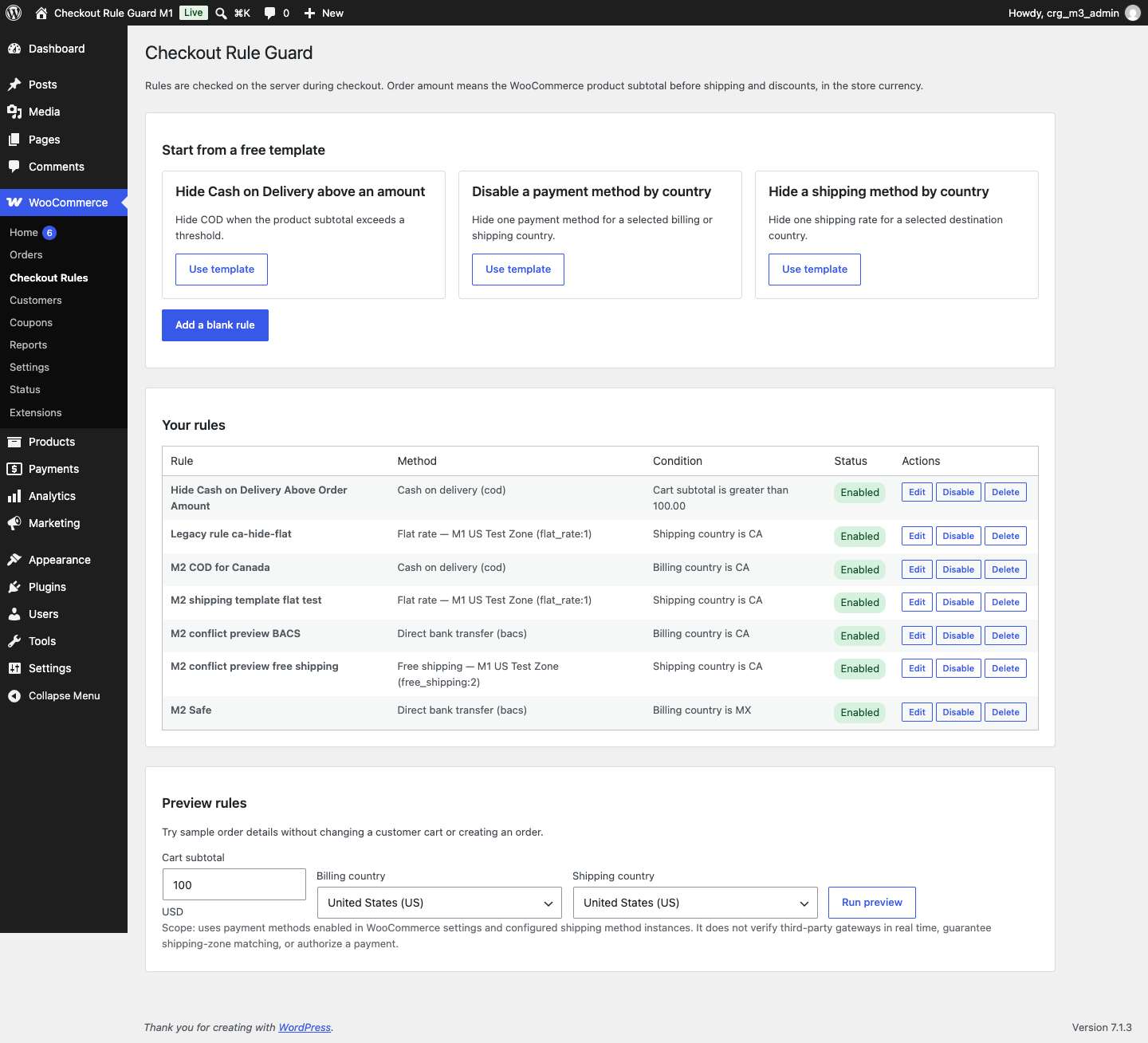
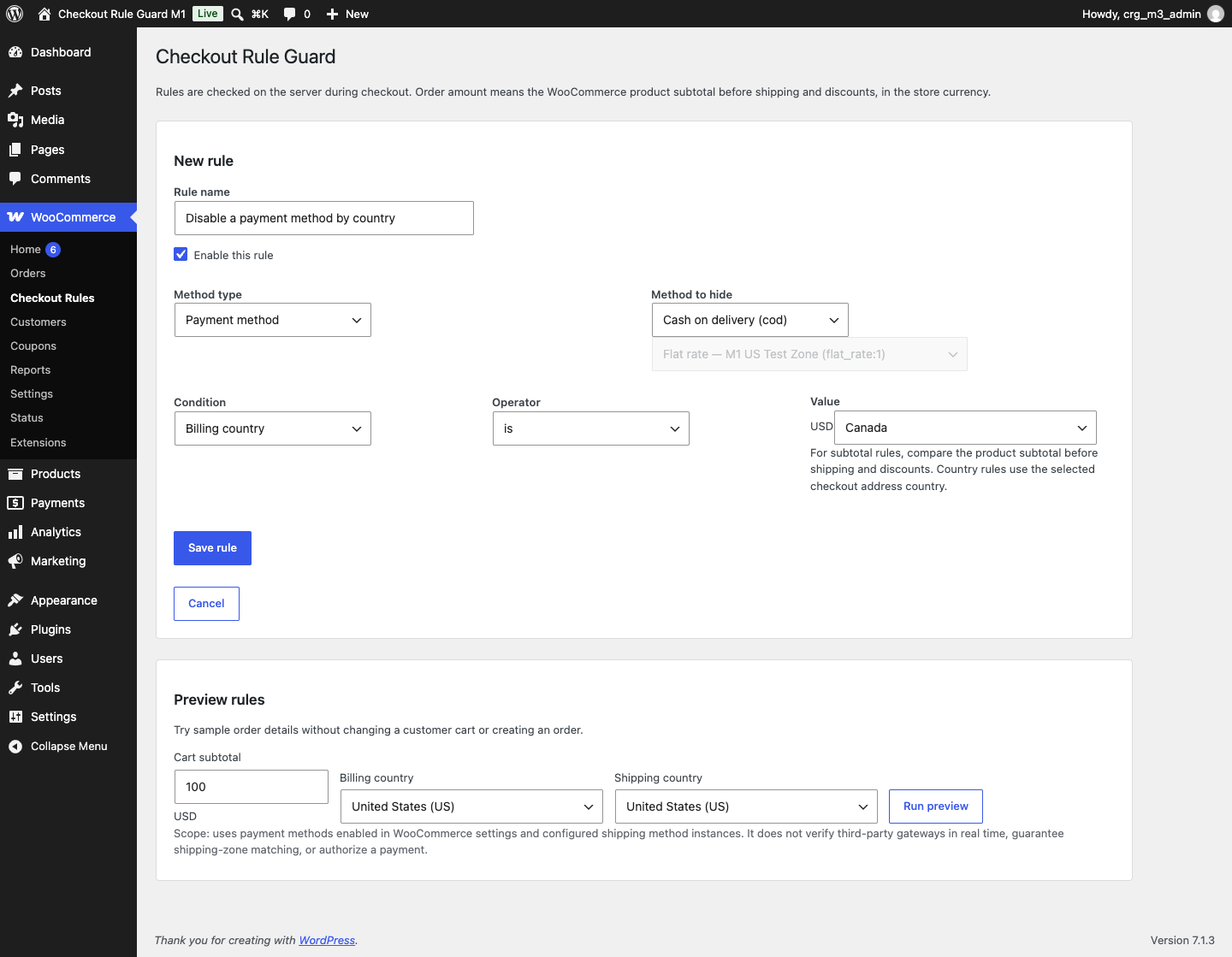
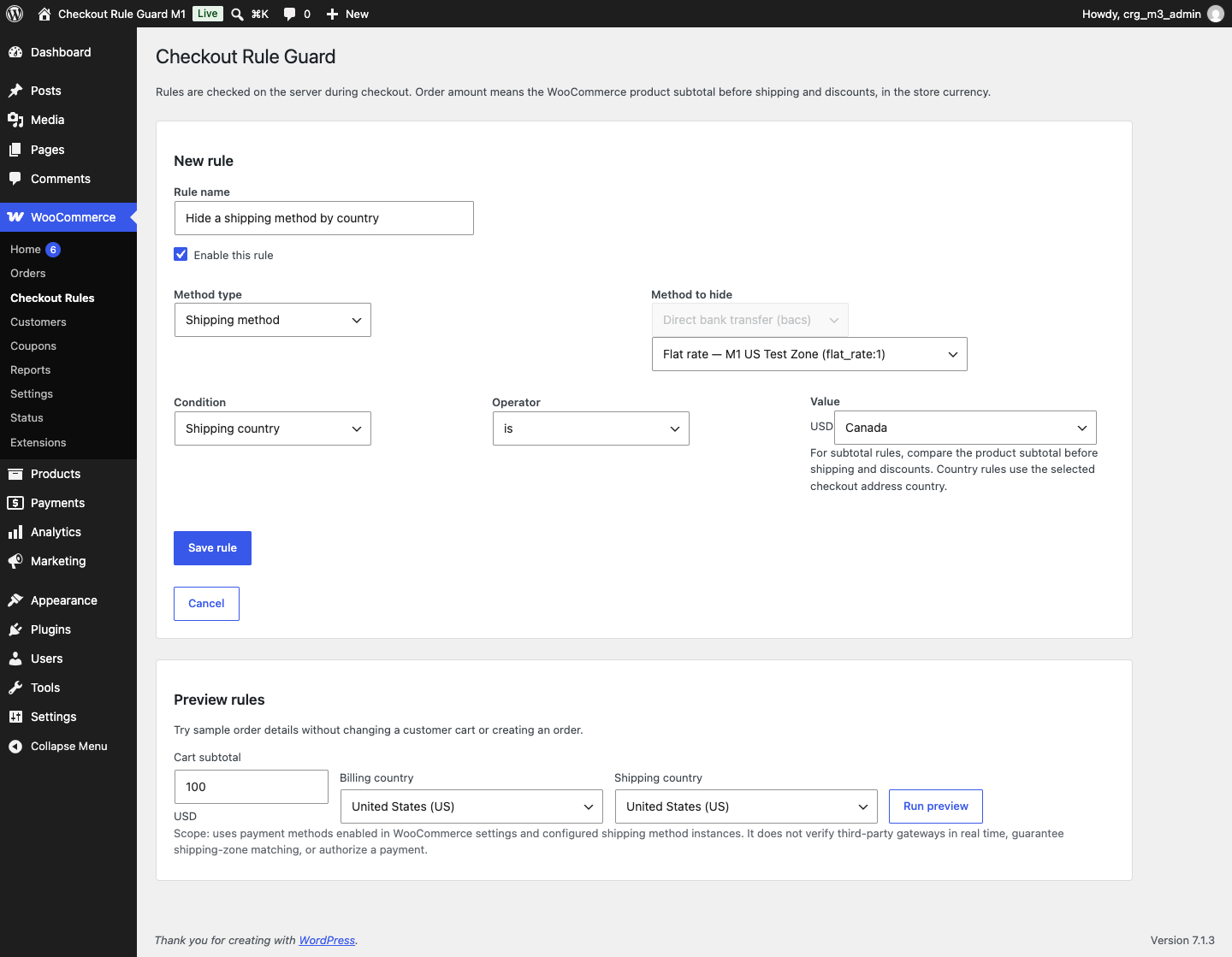
Create straightforward checkout rules with a visual editor, start from one of three free templates, and preview sample conditions before enabling a rule.
MegalogicStudio Checkout Rule Guard is an independent plugin compatible with WooCommerce. It does not process payments, calculate shipping quotes, or enable payment methods that WooCommerce has made unavailable.
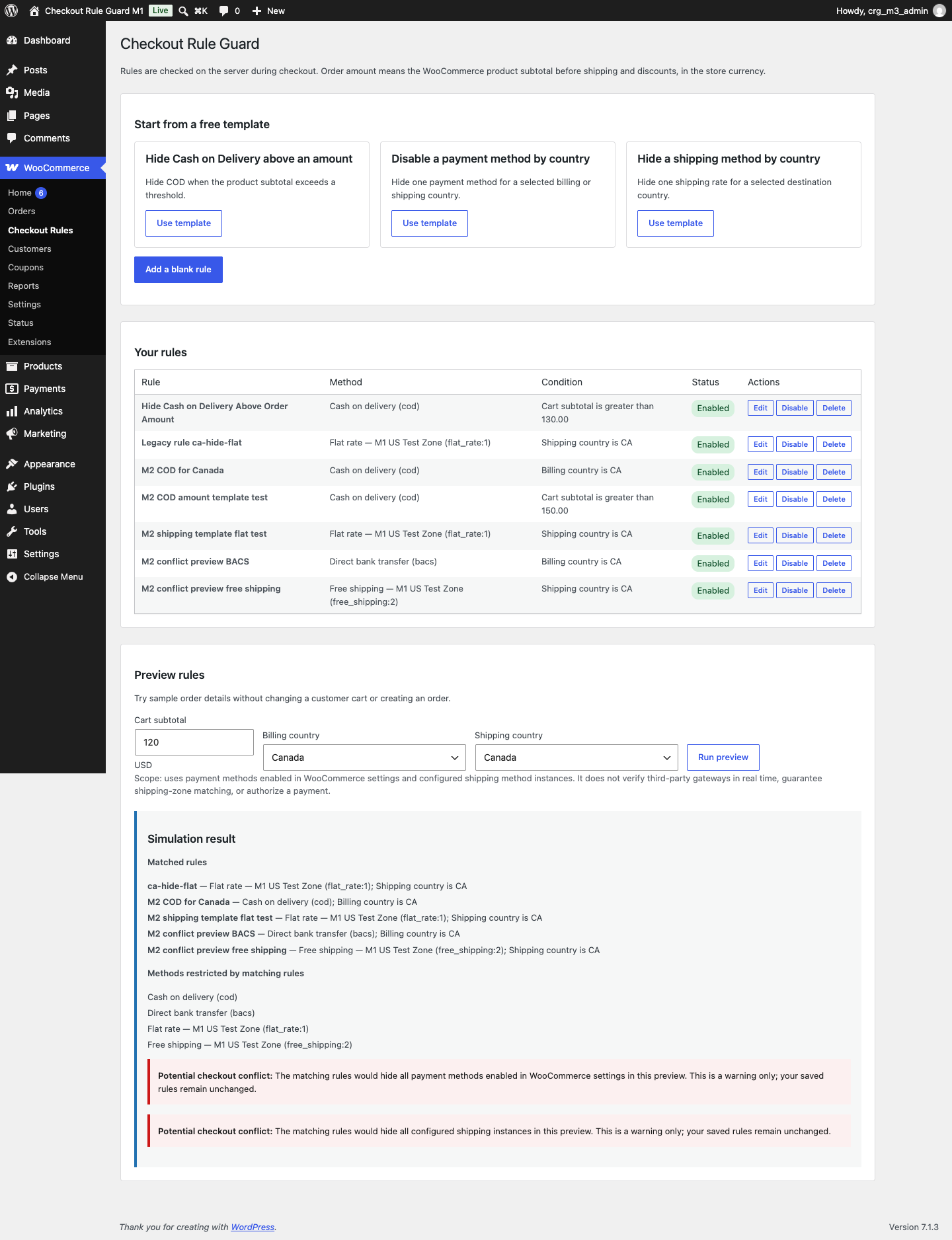
The free plugin includes its rule editor, all three templates, server-side rule evaluation, Classic Checkout and Checkout Blocks integrations, rule preview, and configuration conflict warnings. There are no paid feature locks, account requirements, telemetry, or advertising SDKs.
The subtotal condition uses the product subtotal before discounts, excluding tax and shipping, in the store currency. A coupon or tax can change the amount due without changing this configured subtotal value.
Screenshots

Installation
- Install and activate WooCommerce.
- In WordPress, go to Plugins > Add New Plugin > Upload Plugin and select the MegalogicStudio Checkout Rule Guard ZIP.
- Activate MegalogicStudio Checkout Rule Guard.
- Open WooCommerce > Checkout Rules.
- Choose a template, select the method to hide, set the condition, and save the rule.
- Use Preview rules with sample values, then verify the rule on a staging checkout before enabling it for customers.
FAQ
-
Which checkout types have been tested?
-
Classic Checkout and WooCommerce Checkout Blocks were tested locally with WordPress 7.1.3 and WooCommerce 11.2.1. Other versions, themes, payment gateways, shipping extensions, and multisite setups have not been verified.
-
How is the order amount calculated?
-
The subtotal is the product subtotal before coupons and other discounts. It excludes tax, shipping, and fees. It is evaluated in the store currency. For example, a $120 product subtotal remains $120 for the rule even if a 50% coupon reduces the amount due.
-
Does the preview make a test order or change a customer cart?
-
No. Preview evaluates the saved rules against the sample subtotal and countries. It does not create an order or modify a customer cart. It checks payment methods enabled in WooCommerce settings and configured shipping instances; it cannot probe third-party gateway availability in real time, guarantee shipping-zone matching, or authorize a payment.
-
What if rules hide every payment or shipping method?
-
The preview shows a conflict warning. It does not weaken, disable, or rewrite the saved rules. Review the rules and the methods available in your own store before enabling them.
-
Does MegalogicStudio Checkout Rule Guard collect or send customer data?
-
The plugin has no telemetry or third-party service calls. Rule configuration is stored in the site’s WordPress options. During checkout it reads the WooCommerce cart and address context needed to evaluate a rule; it does not log or transmit that context. Preview sample values are not saved.
-
What happens when I deactivate or uninstall the plugin?
-
Deactivation stops this plugin’s checkout filters and preserves your rules. Uninstalling also leaves the rule option in the site’s database so a later reinstall can restore it. Delete saved rules from WooCommerce > Checkout Rules before uninstalling if you want to remove them.
-
Is this plugin affiliated with WooCommerce or Automattic?
-
No. MegalogicStudio Checkout Rule Guard is independent and is not affiliated with or endorsed by Automattic. WooCommerce is a trademark of Automattic Inc.
Reviews
There are no reviews for this plugin.
Contributors & Developers
“MegalogicStudio Checkout Rule Guard” is open source software. The following people have contributed to this plugin.
Contributors
Translate “MegalogicStudio Checkout Rule Guard” into your language.
Interested in development?
Browse the code, check out the SVN repository, or subscribe to the development log by RSS.
Changelog
0.3.1
- Fix admin JavaScript loading and use unique plugin identifiers.
- Migrate existing checkout rules safely to the uniquely prefixed option without deleting legacy data.
0.3.0
- Release MegalogicStudio Checkout Rule Guard with hardened rule input validation and explicit Classic Checkout nonce verification.
- Add the three free rule templates, visual management, preview, and conflict warnings.
- Validate Checkout Blocks Store API filtering and server-side shipping rejection.
- Document the tested compatibility scope, subtotal definition, privacy behavior, and uninstall data retention.