

Description
Recipes, guides, and lists — for creators who care about their craft.
Create gives you everything you need to publish recipes, how-to guides, and lists — with correct Schema.org markup, fast page loads, and an editor that stays out of your way. Whether you’re sharing recipes, DIY tutorials, travel guides, crochet patterns, game walkthroughs, or curated round-ups, Create handles the structured content so you can focus on creating.
One plugin. Three card types. Full schema support.
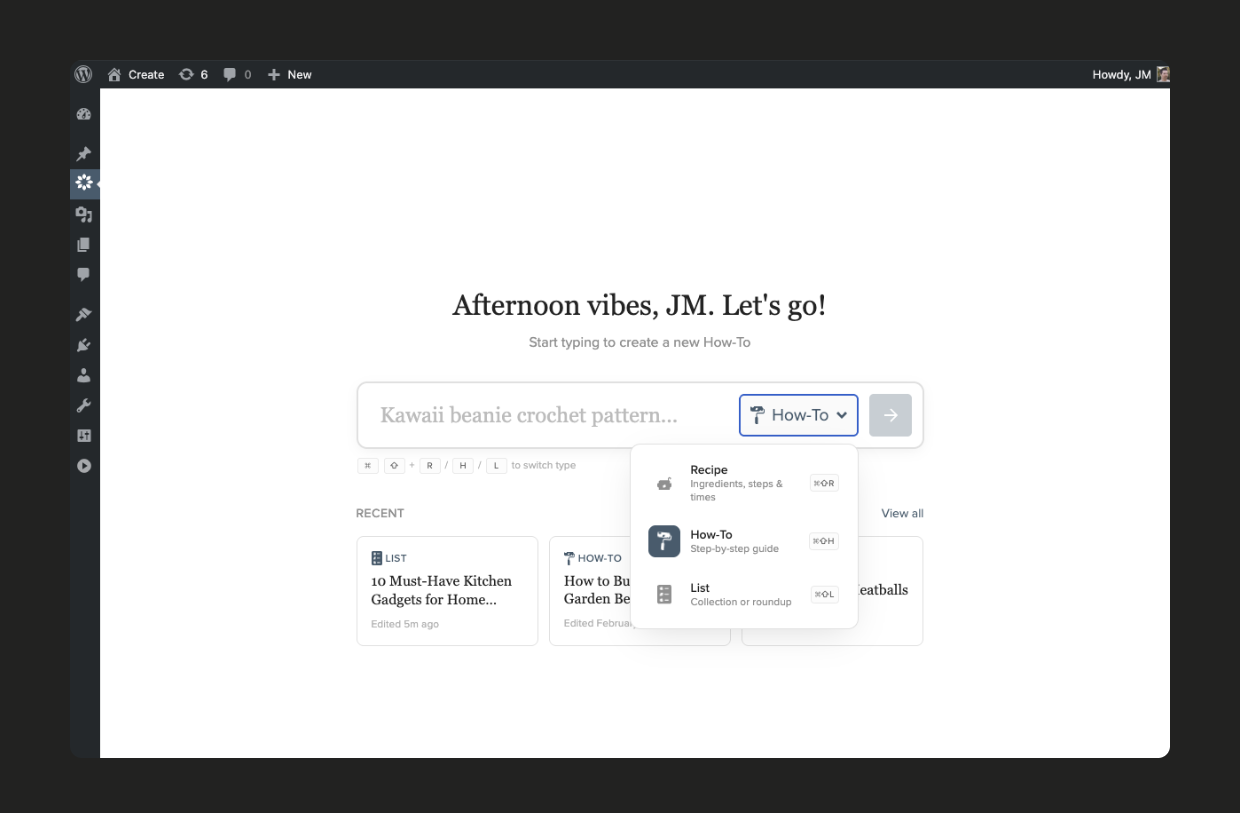
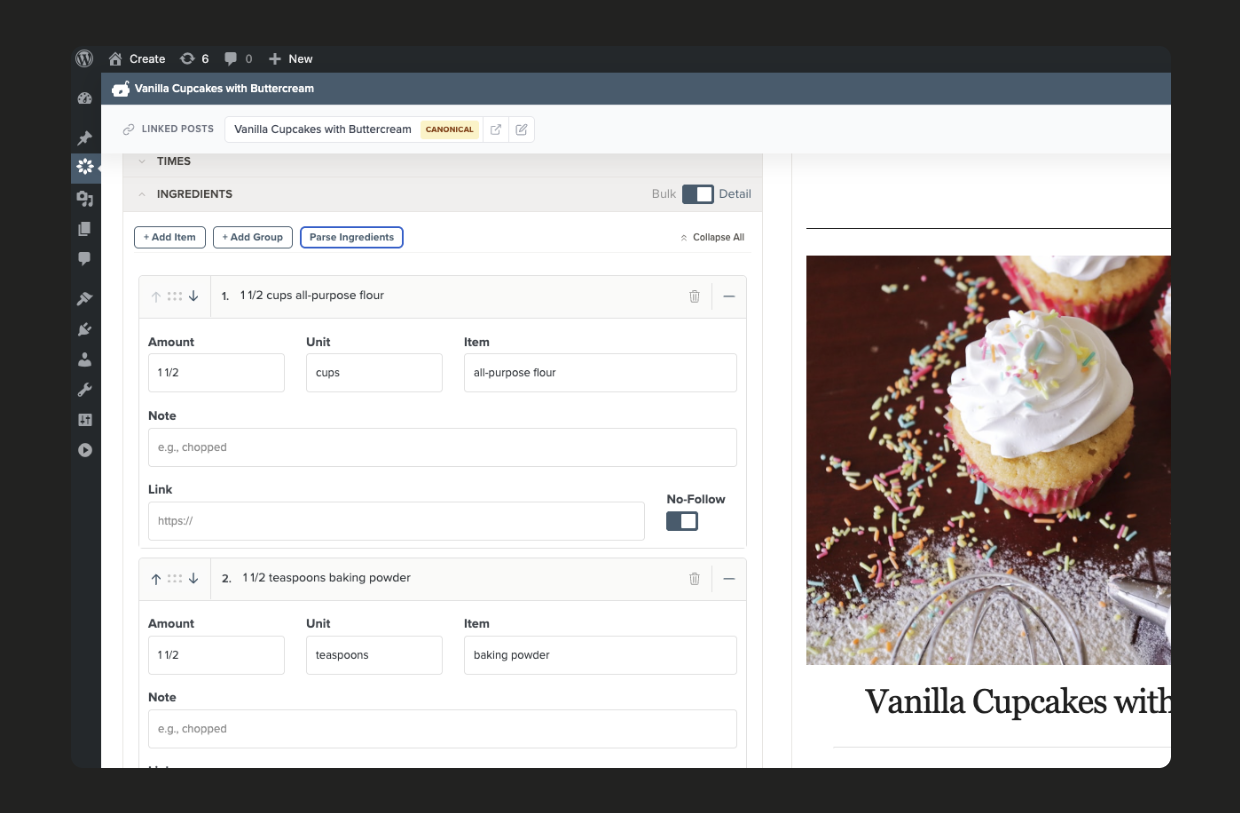
- Recipes — Granular ingredient editing, free nutrition calculator, video embeds, and built-in importers for 10+ recipe plugins
- How-to guides — Step-by-step instructions with materials lists, photos, and video for any kind of tutorial or guide
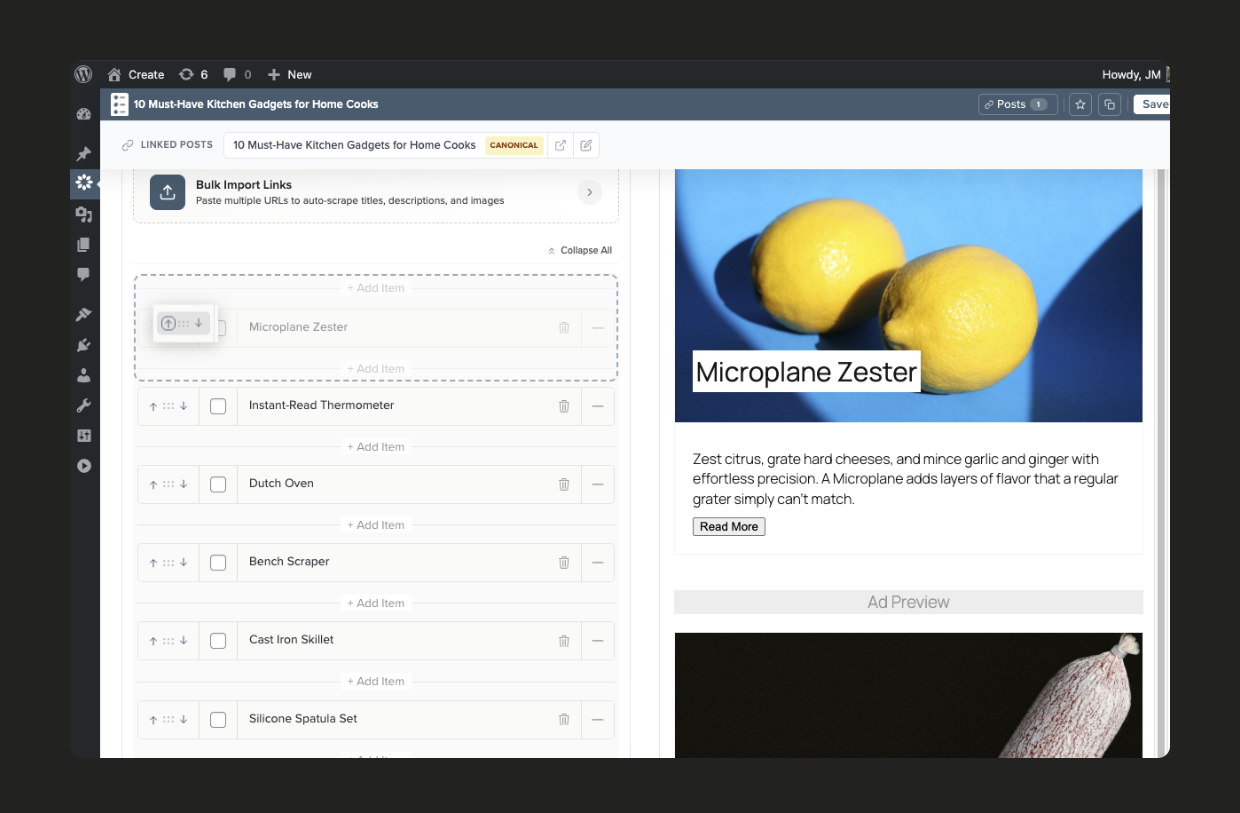
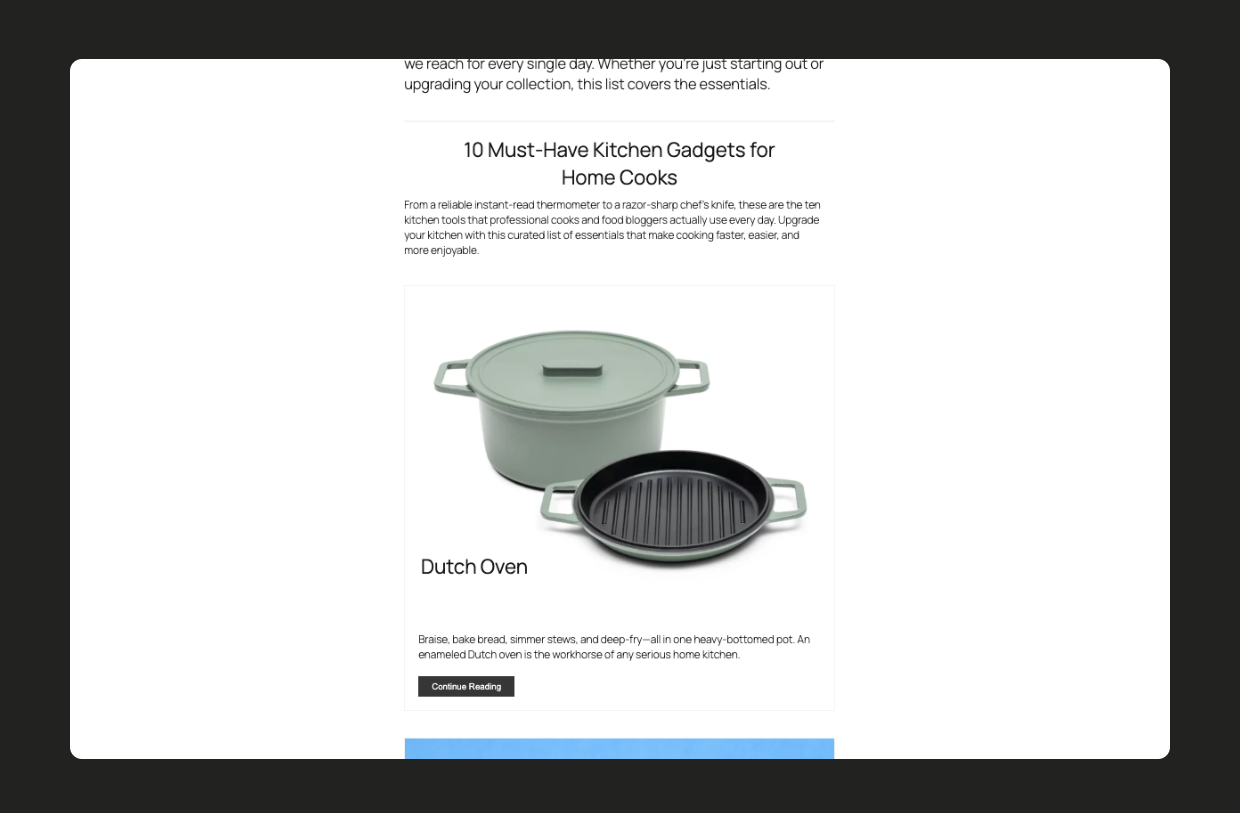
- Lists and round-ups — Showcase links, images, and products with bulk import and drag-and-drop ordering
New Independent Ownership
In mid-2025, Create was purchased from Mediavine by John-Michael, one of the plugin’s founding developers. Create is now fully independent and continues to be actively developed at Create Studio.
Why Create?
Fast by default — Lightweight JavaScript and optimized bundling so your cards don’t slow down your pages
SEO built in — Recipe, HowTo, and ItemList JSON-LD generated automatically with one-click schema validation
Looks like your site — Seven card themes that inherit your fonts and colors, including Editorial and Modern Elegant
Ad-ready themes — Optimized card layouts with configurable ad slot placements
Gutenberg and Classic Editor — Full block editor support with live preview, plus shortcode fallback
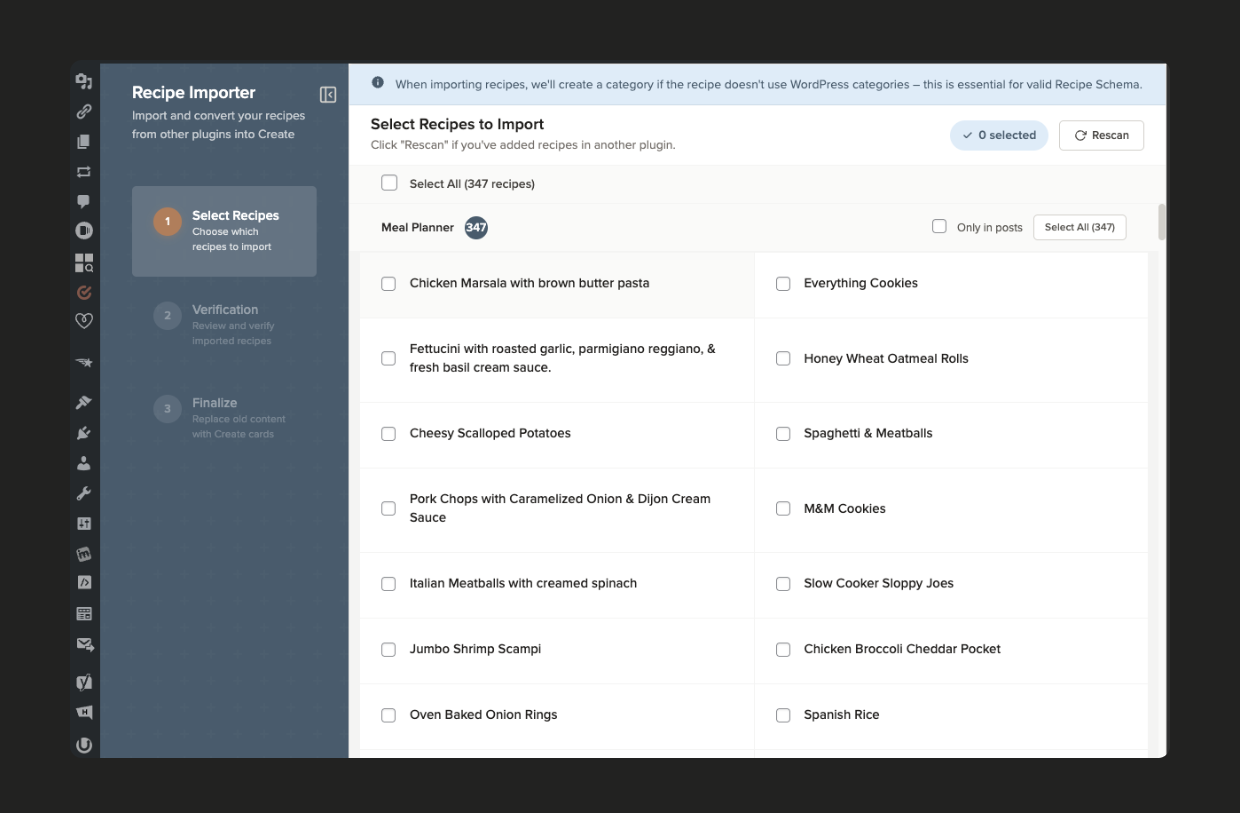
Built-in importers — Switch from WP Recipe Maker, Tasty, EasyRecipe, and 8 other plugins without a separate download
Free nutrition calculator — Automatic nutrition data powered by API Ninjas
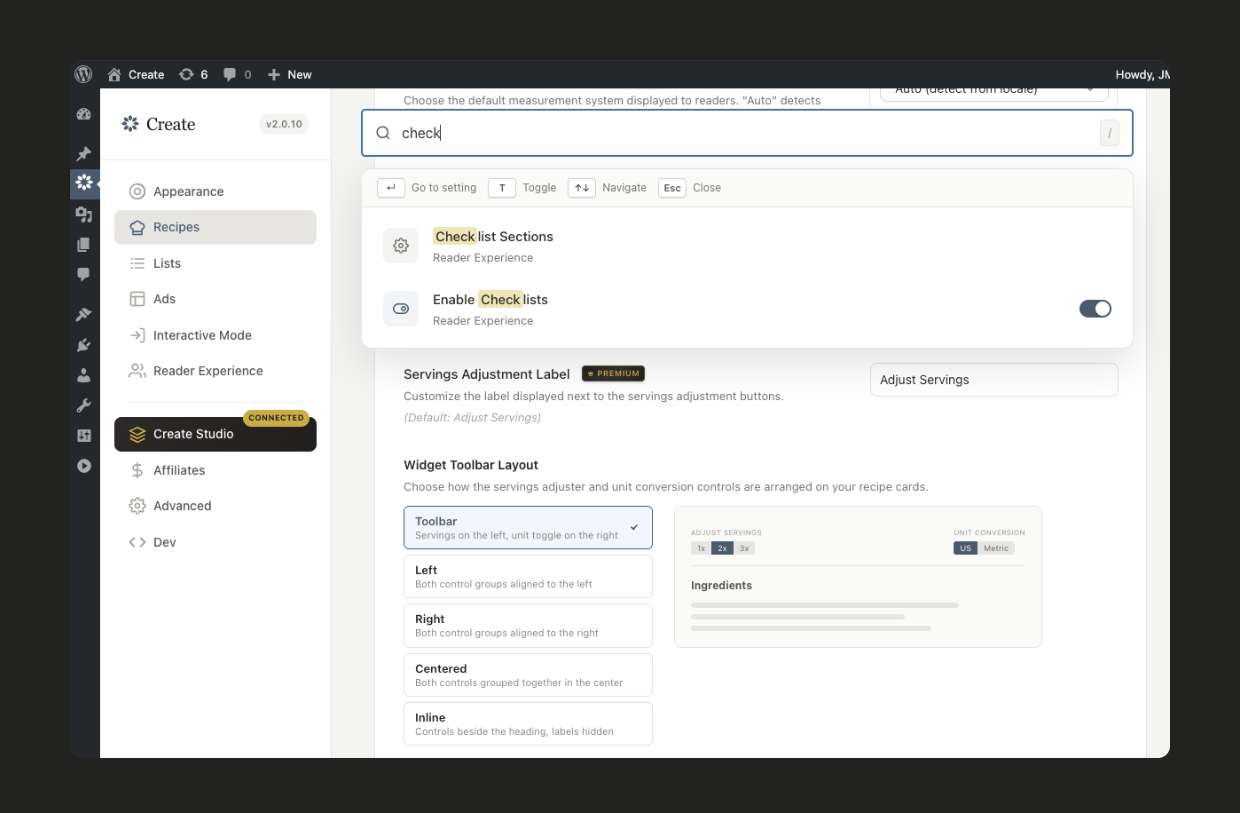
Modern editor experience — Keyboard shortcuts throughout the app, simple workflows, and unobtrusive customization options designed for how you actually work
Premium Features
Upgrade through Create Studio to unlock:
- Interactive Mode — Turns your cards into a hands-free cooking companion with interactive checklists so readers can check off ingredients and steps as they go
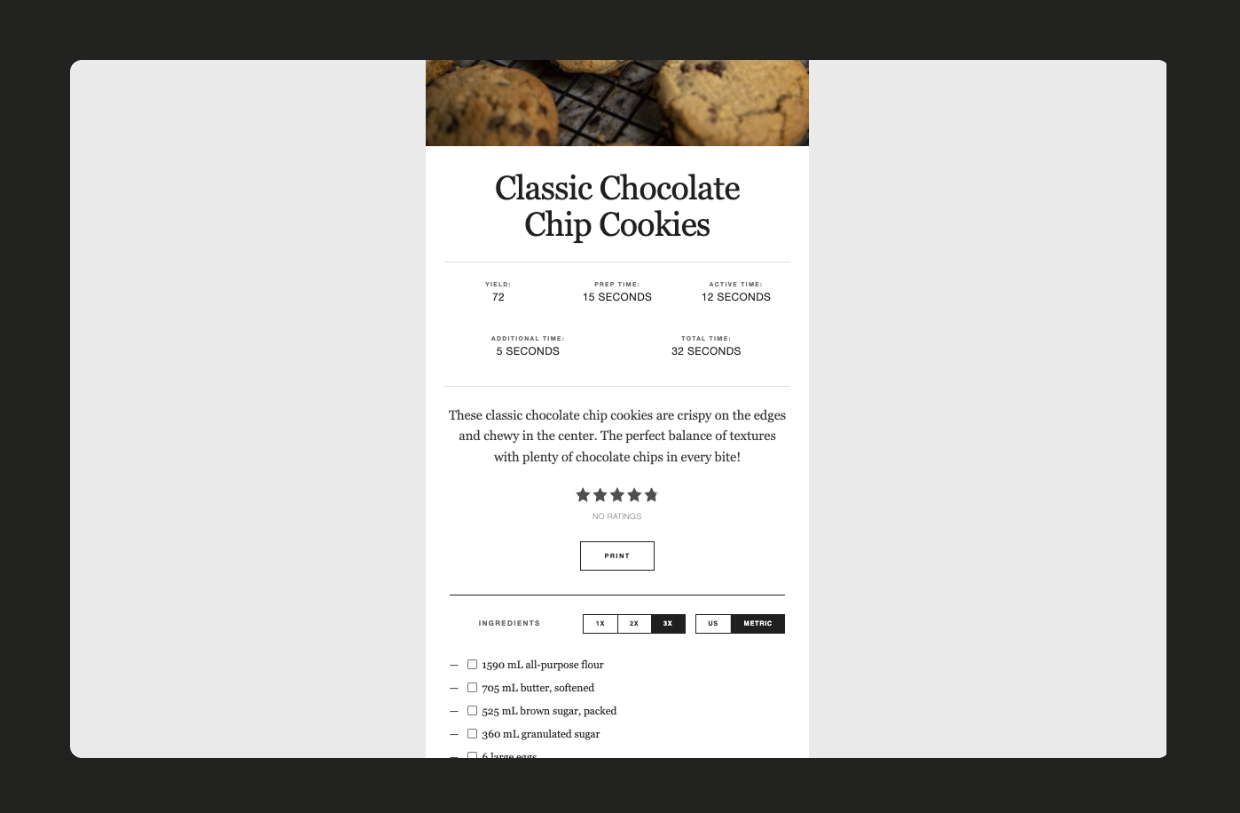
- Adjustable Servings and Unit Conversion — Readers scale ingredient quantities and convert between metric and imperial
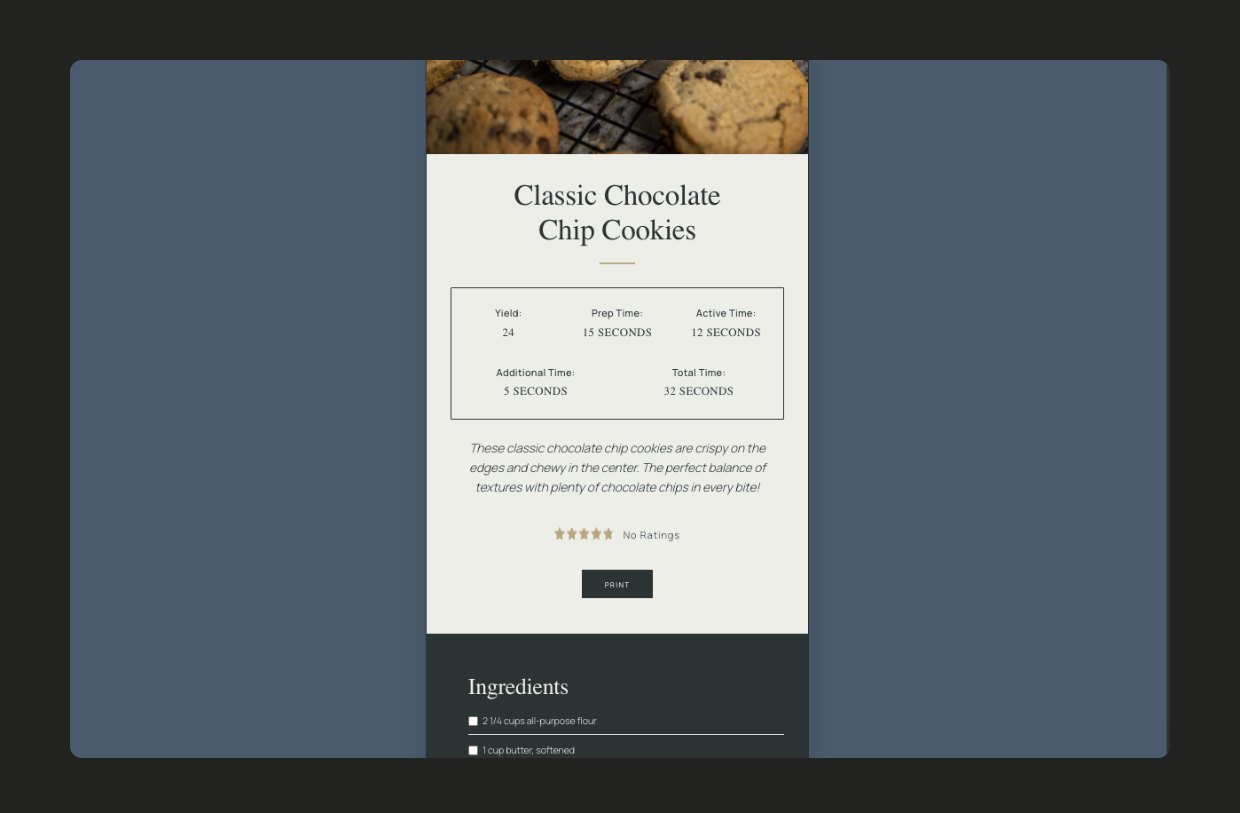
- Premium themes — Editorial and Modern Elegant card designs
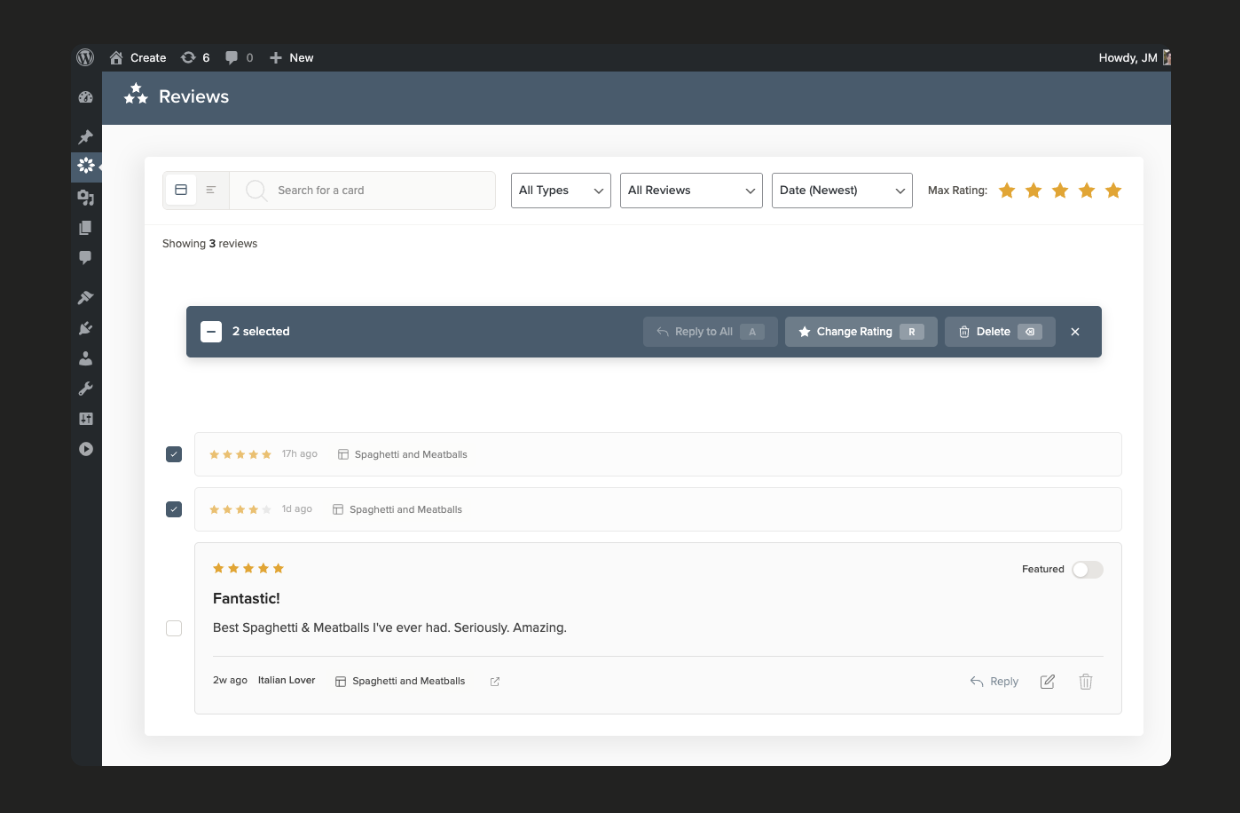
- Review management — Reader reviews with featured review blocks and response tools
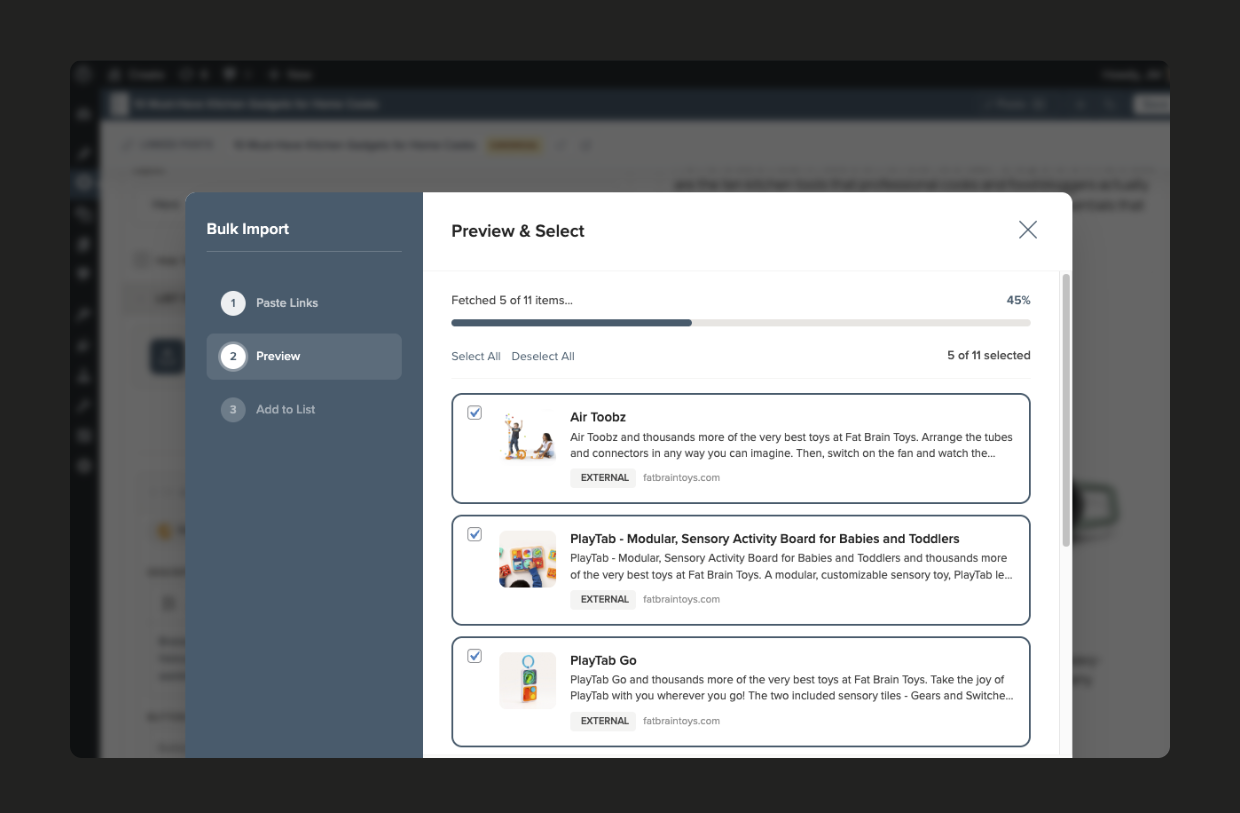
- Bulk list tools — Paste URLs to bulk-import list items, plus inline bulk editing
- Products in Lists — Add product items for affiliate placements
External services
Create connects to the following third-party services. No data is sent unless you use the feature that requires it.
Create Studio
Create Studio powers nutrition calculation, URL scraping, Interactive Mode/Unit Conversion/Servings Adjustment widgets, dashboard tips and broadcasts, and Premium subscription management. Requests are made when you connect your site or use those features, and may include your site URL, connection token, plugin version, card data, ingredient text, scraped URLs, and account email.
Terms of Use — Privacy Policy
API Ninjas Nutrition
When you calculate nutrition for a recipe, only raw ingredient text is relayed to API Ninjas through Create Studio.
Terms of Use — Privacy Policy
Amazon Creators API
When you add or refresh an Amazon product, Create contacts Amazon using the Associate credentials you enter in settings. Data sent includes the product ASIN or URL and your Associate tag and Creators API credentials.
Amazon Associates Program Operating Agreement — Privacy Policy
Mediavine video
If a card references a Mediavine-hosted video, Create requests that video’s metadata (by slug) for JSON-LD, embeds, and imports.
Privacy Policy
Screenshots
Installation
Minimum Requirements
- PHP version 7.4 or greater
- MySQL version 8.0 or greater
- WordPress version 6.5 or greater
Automatic Installation
- Go to Plugins > Add New
- Type “Create” in the search field and click “Search Plugins”
- Click “Install Now” to install and then click “Activate”
Manual Installation
- Download a copy of the “Create” plugin
- Upload
mediavine-create.zipto the/wp-content/plugins/directory (using the “Upload Plugin” button or server filesystem access) - Activate the plugin through the “Plugins” menu in WordPress
After Installation
- Explore the plugin settings and choose your card style
- Connect your site to Create Studio to unlock features like nutrition calculation and link scraping – Learn more
- If you previously used another recipe card plugin, enable the built-in Recipe Importers under Create > Settings > Advanced to begin importing
For more information, please see our help center.
FAQ
-
How much does it cost?
-
Create is free for everyone. All core features of the plugin will remain free and supported — including plugin updates, automatic nutriton calculation, user reviews, and more.
Premium features like premium themes, Interactive Mode, and review management are available through a Create Studio subscription.
-
How do I import my existing recipes?
-
Recipe Importers are built into Create. Enable them under Create > Settings > Advanced, then go to Create > Import Recipes to start importing.
-
Which recipe card plugins does the importer support?
-
- Cookbook
- EasyRecipe
- Meal Planner Pro Recipes
- Purr Recipe Cards
- Simple Recipe Pro
- WP Recipe Maker
- WP Tasty
- WP Ultimate Recipe
- Yummly
- Zip Recipes
- ZipList Recipe Plugin
-
How will the cards display?
-
Our cards are displayed using WordPress blocks or shortcodes.
This means that if the plugin is disabled, the cards will not display on the front end of your posts. This is typical behavior for most WordPress plugins.
If the plugin is deactivated, no data will be deleted and reactivating the plugin will restore the original card display.
-
Will I be able to add nutritional data?
-
Yes! Nutritional data is an important part of Schema, which search engines love to have for optimal results.
Nutrition facts can be manually entered for a recipe. They will also transfer over through the importer if the recipe already contains it.
Create provides free automatic nutrition calculation with API Ninjas Nutrition. Learn more about this feature.
-
Where do I report security bugs found in this plugin?
-
Please report security bugs found in the source code of the Create plugin through the Patchstack Vulnerability Disclosure Program. The Patchstack team will assist you with verification, CVE assignment, and notify the developers of this plugin.
Reviews


Contributors & Developers
“Create” is open source software. The following people have contributed to this plugin.
Contributors
“Create” has been translated into 1 locale. Thank you to the translators for their contributions.
Translate “Create” into your language.
Interested in development?
Browse the code, check out the SVN repository, or subscribe to the development log by RSS.
Changelog
2.6.4
- FIX: The hands-free toggle is back on recipe cards for sites that don’t have Interactive Mode on
- FIX: The image insert menu in the Instructions editor now opens in front of the card editor when you edit a card from the post editor
2.6.3
- FIX: Cards using the Editorial style with a very light secondary color no longer have light-on-white visibility issues
- FIX: Custom post types enabled under Settings Card Types are searchable again when adding items to a list
- FIX: Filtering and paginating reviews now behaves more smoothly
- FIX: Hero-layout list items without an image no longer overlap the item above them
- FIX: Clears potential PHP notices on newer PHP versions
- ENHANCEMENT: Tested and confirmed compatible with WordPress 7.1
2.6.2
- FIX: Fixes an issue that prevented card JavaScript from loading properly on some theme configurations, including not being able to rate cards
- FIX: Long ingredient and material groups in the detail editor no longer get cut off by the next group
- FIX: Adding a card to a post with Save & Insert no longer leaves the block showing “This block has encountered an error and cannot be previewed” in the editor, and posts already affected recover the next time you open them
- FIX: Cards’ star averages update immediately after leaving a review instead of needing a page refresh
- FIX: Reviews are now reachable on posts that don’t have any comments yet
- FIX: Pages with more than one card no longer open a print tab for every card when you click Print
- FIX: The editor no longer warns that “saving could overwrite the original card” unless card data is actually damaged
- SECURITY: Strengthens Create Studio’s encrypted connection
2.6.1
- SECURITY: Reviews can no longer be edited by anyone other than the reader who left them
2.6.0
- FEATURE: New importer for recipes created with the GetMeCooking Recipe Template plugin, bringing over ingredients, instructions, times, servings, categories, and photos
- ENHANCEMENT: Post editor screens now load a much smaller Create bundle, so Gutenberg and the Classic Editor open faster
- FIX: List cards no longer show grainy or blurry images when the layout’s Photo Ratio crop hasn’t been generated for an image yet
- FIX: The ingredient group collapse toggle keeps its own styling when Aggressive Button Styles are turned on
- FIX: Review replies now show a clear message when loading or posting a reply fails, your reply text is kept if it doesn’t go through, and your name and email prefill from your last reply
- FIX: Imported recipes with no rating no longer save an invalid rating value
- FIX: Edits to list items in the editor are no longer overwritten while you type
- FIX: The EasyRecipe importer no longer fails with a fatal error when reading recipes out of your posts
2.5.5
- FIX: Create no longer defines generically named functions like collect() in the global namespace, so it can’t conflict with other plugins or themes that define their own
2.5.4
This release is the result of a full security and code-quality audit of the plugin.
- SECURITY: Fixed two reported SQL injection vulnerabilities (CVE-2026-13200, CVE-2026-13191)
- SECURITY: Fixed reported REST API authorization issues that let an anonymous visitor read an unpublished card or duplicate a card (CVE-2026-16992). Thanks to Pedro Pinho for the report
- SECURITY: Unpublished cards are no longer served by the print, structured data, or featured review endpoints, and requesting a card can no longer cause it to be published
- SECURITY: Hardened the plugin throughout following a full internal security audit. REST API permission checks, input sanitization and output escaping, credential handling, scraper/importer safety, removed PHP dependencies, and updated JavaScript dependencies
- FIX: Reviews pagination and product/supplies ordering work correctly again (long-standing bugs)
- FIX: Image imports now process reliably in the background via WP-Cron
- FIX: Instruction images show in editor preview when switching between cards with identical number of images in instructions
- FIX: Editorial theme spacing corrected for ingredient group headings and double-digit step numbers, and list item description spacing is no longer easily overridden by themes
- FIX: Interactive checklist group headers stay in sync when collapsing and expanding ingredient and instruction groups
- FIX: Emoji, accented, and non-Latin characters in recipe steps are preserved in structured data, and incomplete video data is no longer added to schema
- FIX: Recipes imported with times written like 0:25 now import as hours and minutes instead of days and hours
- FIX: Deleting a list fully removes its item relationships, and saving a list with no items no longer causes an error on PHP 8
- FIX: Numbers reappear on numbered lists when a page has no main heading
- ENHANCEMENT: Admin fonts are now bundled with the plugin, Settings screen no longer embeds a create.studio iframe; meaning fewer third-party requests, with all remaining external services disclosed in this readme
- ENHANCEMENT: Amazon product scraping now uses only the Creators API; legacy PA-API settings, the PA-API SDK, and unused external dependencies have been removed
- ENHANCEMENT: Removed large amounts of legacy and unused code (old analytics tracker, expired migrations, redundant logging), and the plugin package no longer ships source maps, reducing the install size
2.5.3
- FEATURE: Add images and GIFs by pasting a URL directly into image pickers (main card, Pinterest, and list-item images) and the Instructions/Notes editors
- ENHANCEMENT: Settings now show a Save button and confirmation toasts so you can see when your changes are saved
- ENHANCEMENT: Collapse the settings sidebar for more room while editing your cards
- IMPROVEMENT: List cards now output cleaner, more complete ItemList structured data that better follows Google and schema.org guidance
- FIX: Star ratings now use a valid accessibility role, resolving a PageSpeed Insights accessibility warning
- FIX: A scraped description now appears right away when adding a list item by URL, instead of only after saving and reloading
- FIX: Create no longer floods server error logs with debug messages on every card render (for Pro users with Unit Conversion enabled)
2.5.2
- FIX: Images imported by Create (list-item and product thumbnails) now generate proper metadata in the Media Library, so image optimizers like Imagify and WordPress thumbnail sizes work correctly.
2.5.1
- FIX: In the User Reviews page, the “Search for a card” dropdown now appears under the search box so you can actually pick a card to filter by
- FIX: Resolved a “translation loading was triggered too early” notice (WordPress 6.7+) by deferring recipe-importer translations until after init
2.5.0
- FEATURE: Insert fractions (½, ⅓, ¼…) and the degree symbol directly into ingredient fields, just like you already can in instructions
- FIX: Recipe cards no longer grow and push content down as they scroll into view on mobile, reducing CLS potential
- FIX: You can type “?” in the post editor again after inserting a recipe card
- FIX: Dropdown fields in the card editor (Diet, Author, Cuisine, etc.) now match the height of the text-input fields (fixed after WP ui update increased base input size)
2.4.7
- FIX: In the List editor, URLs that can’t be scraped can now be added manually again; use “Add it anyway” to insert the link and fill in the title, image, and details yourself
2.4.6
- ENHANCEMENT: Typing a new value into a card-editor taxonomy dropdown (Author, Cuisine, Category, etc.) now creates the term and saves reliably
- FIX: Hero lists with photo ratios keep the Pinterest pin button and item titles visible, including on narrow viewports
- FIX: Searching reviews in the admin now matches by card title
- FIX: Cleared PHP 8.2+ deprecation notices in recipe-step JSON-LD parsing
- IMPROVEMENT: Confirmed compatibility with WordPress 7.0
- SECURITY: Routine update of bundled JavaScript dependencies
2.4.5
- FIX: Recipe importer verify screen no longer appears blank due to a React conflict between the importer and editor bundles
- FIX: Create Studio widget styles (Interactive Mode toolbar, Servings Adjustments, Unit Conversion) are no longer stripped on live sites by WP Rocket Remove Unused CSS or LiteSpeed Unused CSS optimizers
2.4.4
- FIX: Create Studio widget buttons (Interactive Mode, Servings Adjustments, and Unit Conversion) no longer have their colors overridden when the Aggressive Buttons option is enabled
- FIX: List items with only a title and description once again render as inline section dividers in lists instead of showing empty image placeholders and breaking the numbering sequence
- FIX: Card color customizations are preserved when Remove-Unused-CSS optimizers like WP Rocket RUCSS and Autoptimize are active
2.4.3
- FIX: The editor no longer crashes on existing recipes when another plugin returns malformed supplies, ingredients, or products data; affected cards now show an inline notice and auto-report the issue
- FIX: Prevents third-party SEO and redirect plugins (Yoast SEO Premium, Redirection, 301 Redirects) from intercepting Create’s REST endpoints and breaking the editor
- FIX: Photo credit and alt text are now preserved when scraping a URL into a list item
- FIX: Disconnected sites no longer hit a PHP warning when pasting a non-Amazon product URL; scraping UI is now hidden until you connect to Create Studio
- FIX: Author, Category, Cuisine, and other taxonomy dropdowns now appear in front of the card editor when opened from a Gutenberg block, instead of being hidden behind it
2.4.2
- FIX: The Bulk Link Import Wizard and list Bulk Edit modal now appear above the editor overlay when opened from the Gutenberg block editor, instead of being hidden behind it (Premium)
2.4.1
- ENHANCEMENT: Added a “Sync subscription” button to the Create Studio settings for free-tier users, giving you a self-serve way to refresh your subscription state if it becomes stale
- FIX: Resolved an error when saving Amazon product relations on sites configured with the new Amazon Creators API
- FIX: The Button Text dropdown inside list items is no longer clipped by the editor pane and now display the full list of options
2.4.0
- FEATURE: Amazon Creators API integration — replaces the legacy PA-API ahead of Amazon’s April 30, 2026 deprecation, with clearer, actionable error messages when credentials or product requests fail
- FIX: Recipe and how-to editors now also have fixed-height, independently-scrolling panes, matching the list editor
- FIX: Sticky section headers in the recipe, how-to, and list editors no longer hide behind the control bar
2.3.0
- FEATURE: Ad Provider setting — choose whether Mediavine ad slot markup appears in your cards, or disable it for non-Mediavine ad setups
- FEATURE: Redesigned list editor with permanent search panel, inline/top/bottom placement controls, and direct URL scraping
- FEATURE: Sticky formatting toolbar in recipe and how-to editors — no more scrolling up to access bold, links, and headings
- ENHANCEMENT: Copy-to-clipboard button on error details so you can easily share issues with support
- FIX: Resolve editor crashes related to Slate selection sync, importer page rendering, and card preview errors
- FIX: Eliminate layout reflow triggered by card size detection, improving PageSpeed scores
2.2.0
- FEATURE: Try Pro free for 14 days — unlock premium features like servings adjustment, unit conversion, checklists, and interactive mode
- FEATURE: Earn up to 7 bonus trial days by completing onboarding steps
- FIX: Prevent caching plugins from serving stale REST API responses when editing Create cards
- FIX: Default list button text now uses first option from Button Action Defaults setting instead of hardcoded value
- FIX: Category and Cuisine fields in the editor now display names instead of IDs
- FIX: Amazon link scraping now shows specific error messages with actionable links instead of generic errors
2.1.2
- FIX: Photo credits are now correctly attributed with bulk list item imports (Premium)
2.1.1
- ENHANCEMENT: Add aggressive CSS settings for widget and nutrition styles with theme override protection
- FIX: Fix reviews filtering error when relationships are undefined
2.1.0
- FEATURE: Add video shortcode support and per-card video position controls
- FIX: Fix Create editor crashing in TinyMCE/Classic Editor
- FIX: Duplicating a card from a collection view now succeeds
2.0.14
- FIX: Card editor keyboard shortcut (Cmd+S) now properly publishes changes
- FIX: Multiple theme display fixes for Centered Dark, Square, and Modern layouts
- ENHANCEMENT: Now choose sections for the Checklists feature (ingredients, instructions) (Premium)
2.0.13
- FIX: Images no longer appear extended vertically in some situations
2.0.0
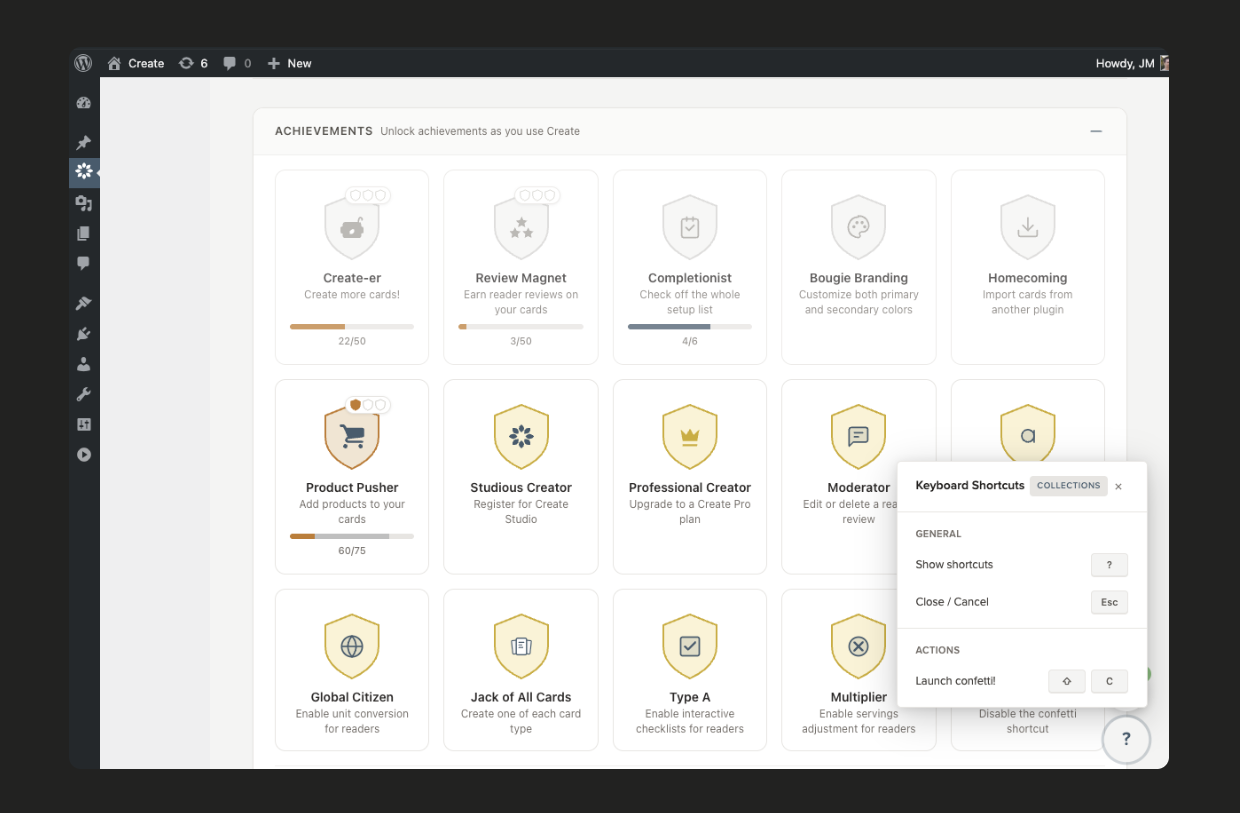
- FEATURE: New Dashboard page with stats, tips & announcements, setup checklist, and achievements
- FEATURE: Granular Ingredient Editing (quantity, unit, item, note, and links)
- FEATURE: Redesigned Settings with search, logical grouping, collapsible sections, and new theme selector
- FEATURE: Welcome page showcasing all new 2.0 features with interactive demos
- FEATURE: Ad slot settings for list card ad placements
- FEATURE: Create Studio connection for site registration, Premium features, and multi-user verification
- FEATURE: Interactive Mode (Premium)
- FEATURE: Review Responses (Premium)
- FEATURE: Adjustable Servings (Premium – Enable in settings)
- FEATURE: Unit Conversion (Premium – Enable in settings)
- FEATURE: New Featured Review block (Premium)
- FEATURE: New Editorial card theme option (Premium)
- FEATURE: New Modern Elegant card theme option (Premium)
- FEATURE: Interactive Checklists — readers can check off ingredients and steps as they cook (Premium)
- FEATURE: Products in Lists — add products as list items for affiliate placements (Premium)
- FEATURE: Bulk List Item Import — paste URLs to import them all as list items (Premium)
- SETTING: Custom ad slots for list cards
- SETTING: Preview themes live before choosing one using the new Theme Selector
- SETTING: Preview Interactive Mode in the settings using one of your own cards
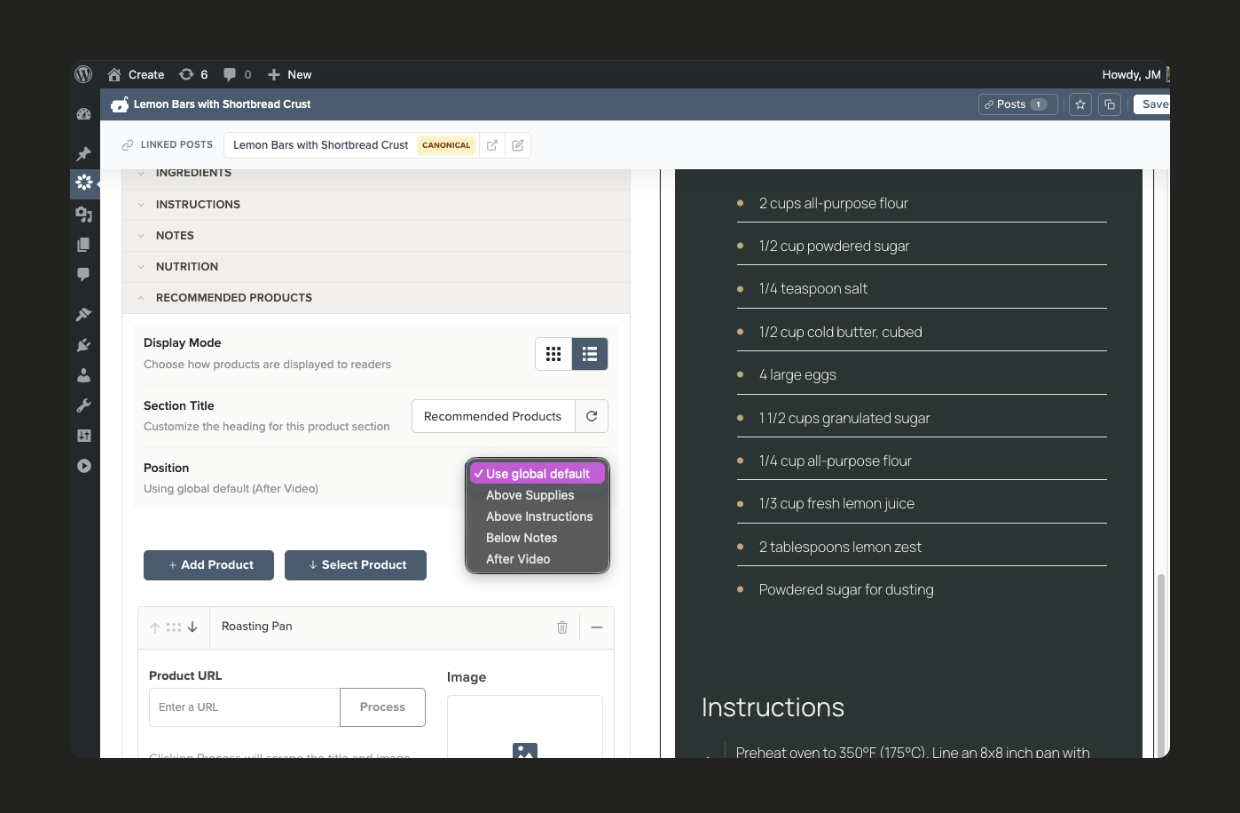
- SETTING: Recommended Products title, format, and position (Premium)
- SETTING: Custom CSS for Create cards (Premium)
- ENHANCEMENT: Improve text contrast in all card themes to meet WCAG standards
- ENHANCEMENT: Rebrand Pro features to Premium with three-tier subscription model
- ENHANCEMENT: Bring the Importers into Create — no need to download a separate plugin; completely redesigned and integrated; enable in Advanced Settings
- ENHANCEMENT: Major rewrite of the editor to improve performance, usability, and stability
- ENHANCEMENT: Rename top-level admin menu from “Create Cards” to “Create”
- ENHANCEMENT: Add sticky editor toolbar with scroll-based compaction for always-visible save button
- ENHANCEMENT: Add collapsible sections with split-pane layout and auto-collapse on narrow screens
- ENHANCEMENT: Improve drag-and-drop with better drop indicator and arrow button fallback for touch devices
- ENHANCEMENT: Add mobile-responsive layouts for editor toolbar, Products collection, and form sections
- ENHANCEMENT: Revamp card creation flow with smart type detection and allowed type validation
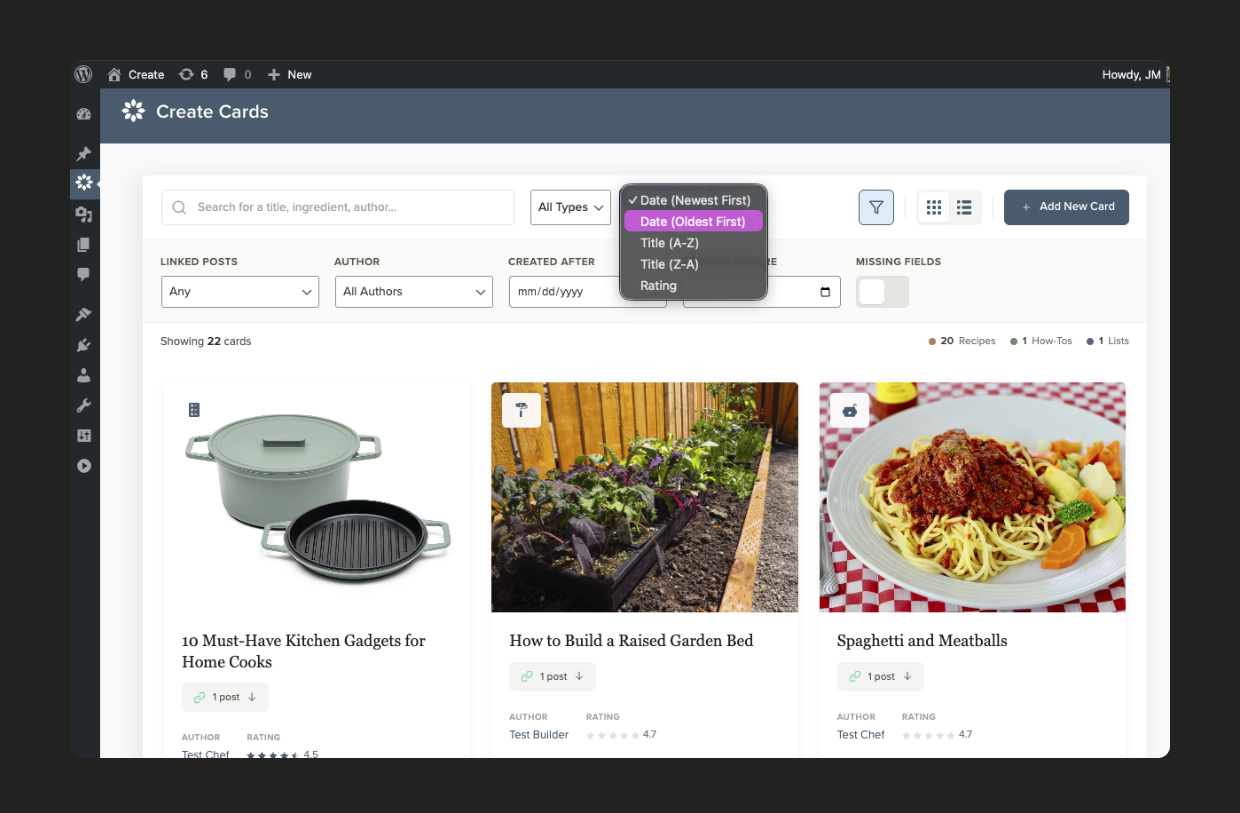
- ENHANCEMENT: Enhance card collection views with advanced filtering options including missing fields filter
- ENHANCEMENT: Improve Recommended Products management with bulk selection, shift+click range select, keyboard shortcuts, and Amazon/Other filtering
- ENHANCEMENT: Redesign Reviews moderation UI with expandable rows, inline editing, advanced filters (rating, content type, sort order), and URL-persisted filter state
- ENHANCEMENT: Revamp In-Editor Post Links for quick navigation from card editor to embedded posts
- ENHANCEMENT: Improve List editor with unified item types, better search, and smoother drag-and-drop
- ENHANCEMENT: Add keyboard shortcuts throughout the app (Shift+? to view all)
- ENHANCEMENT: Optimize JavaScript bundling for faster card and page loading
- ENHANCEMENT: Redesign reader-facing review modal for a smoother experience
- ENHANCEMENT: Robust error reporting system with Create Studio integration
- ENHANCEMENT: Add bulk editing for list items (Premium)
- FIX: Apply Photo Ratio setting to list layouts
- FIX: Resolve WP 6.7 _load_textdomain_just_in_time notice