

Description
MarvCart is a standalone WordPress commerce plugin. Build a shop with Gutenberg blocks, take payments with Stripe and PayPal, and manage products and orders from one admin hub.
Free features include:
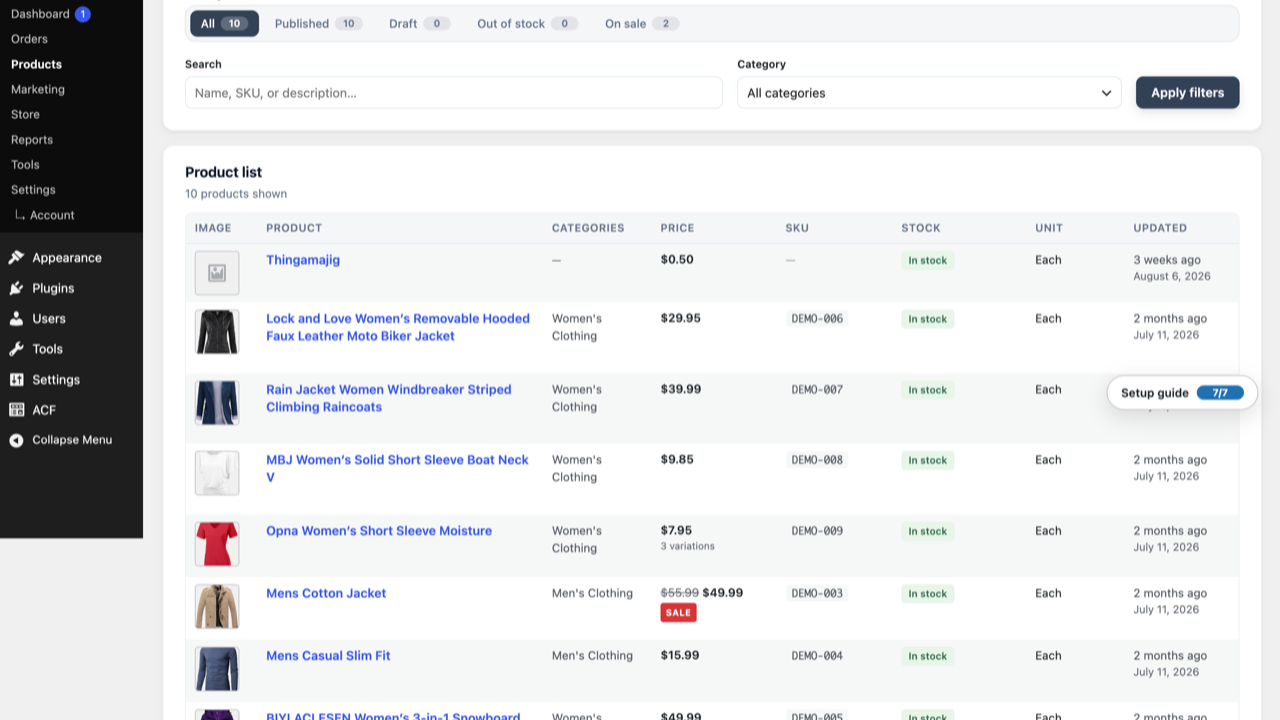
- Product catalogue with categories, search, and product badges
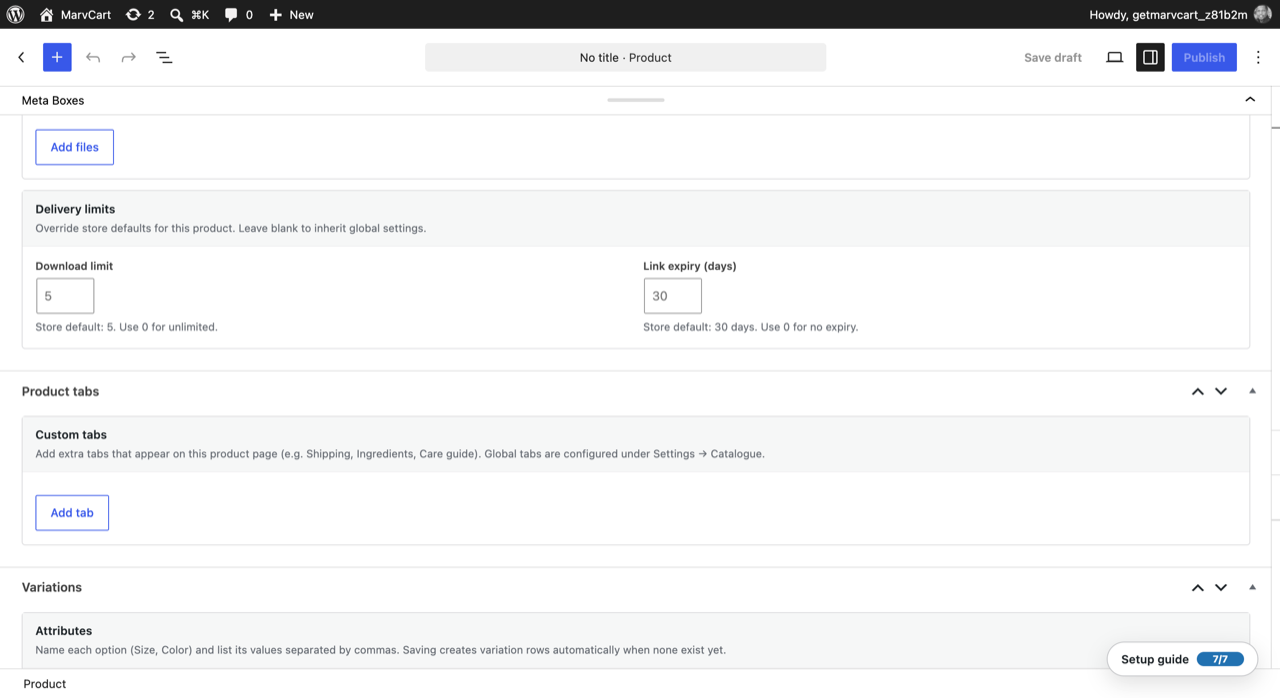
- Product variations with attribute options, combination generator, bulk edit, and matrix pricing view
- Sell-by-unit products (each, weight, pack, custom labels) with min/max quantity rules
- Shopping cart, sidecart drawer, and sticky mobile basket bar
- Guest checkout with magic-link order tracking
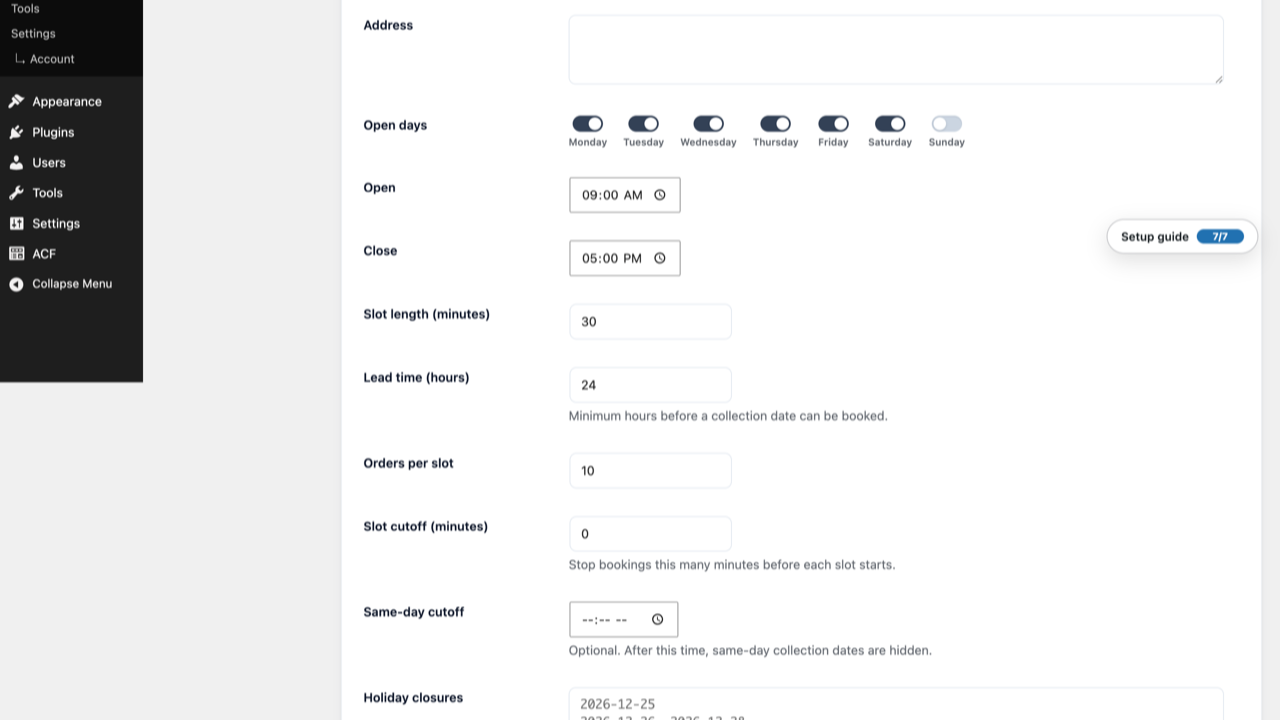
- Optional pickup scheduling — one location with weekly time slots and capacity limits
- Manual payment methods — cash and bank transfer
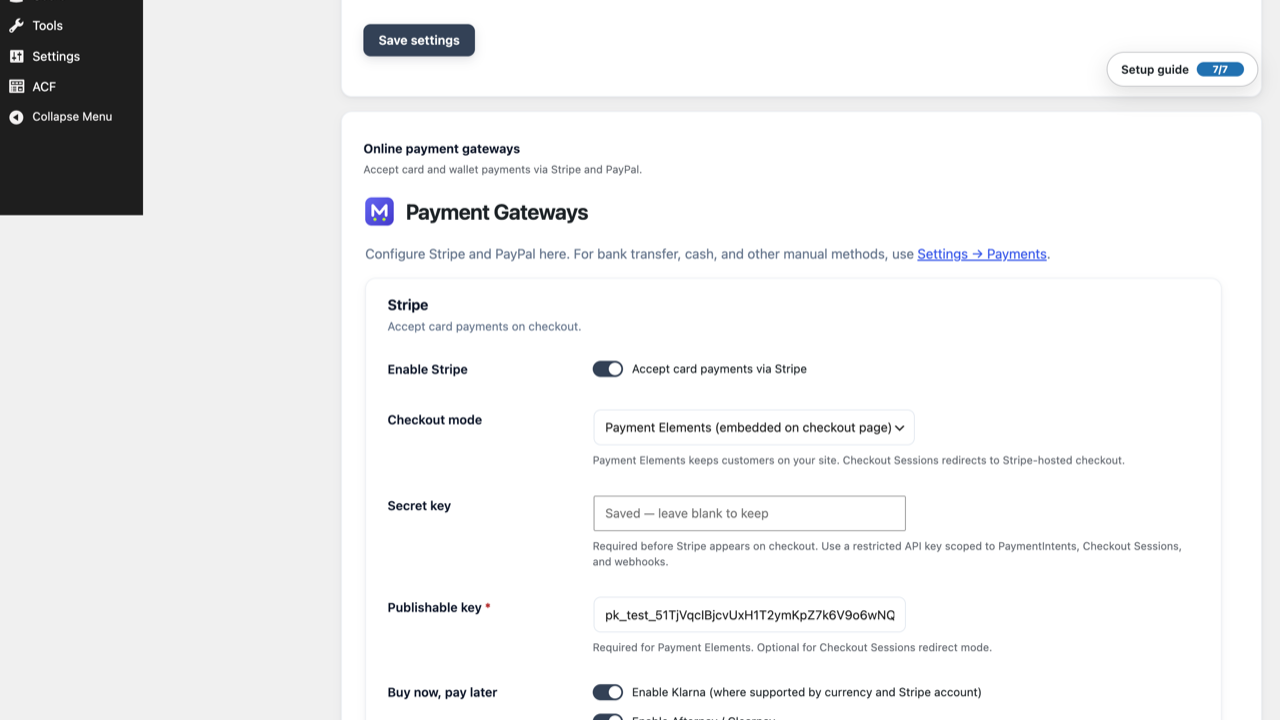
- Stripe Payment Elements and PayPal (Settings Payments)
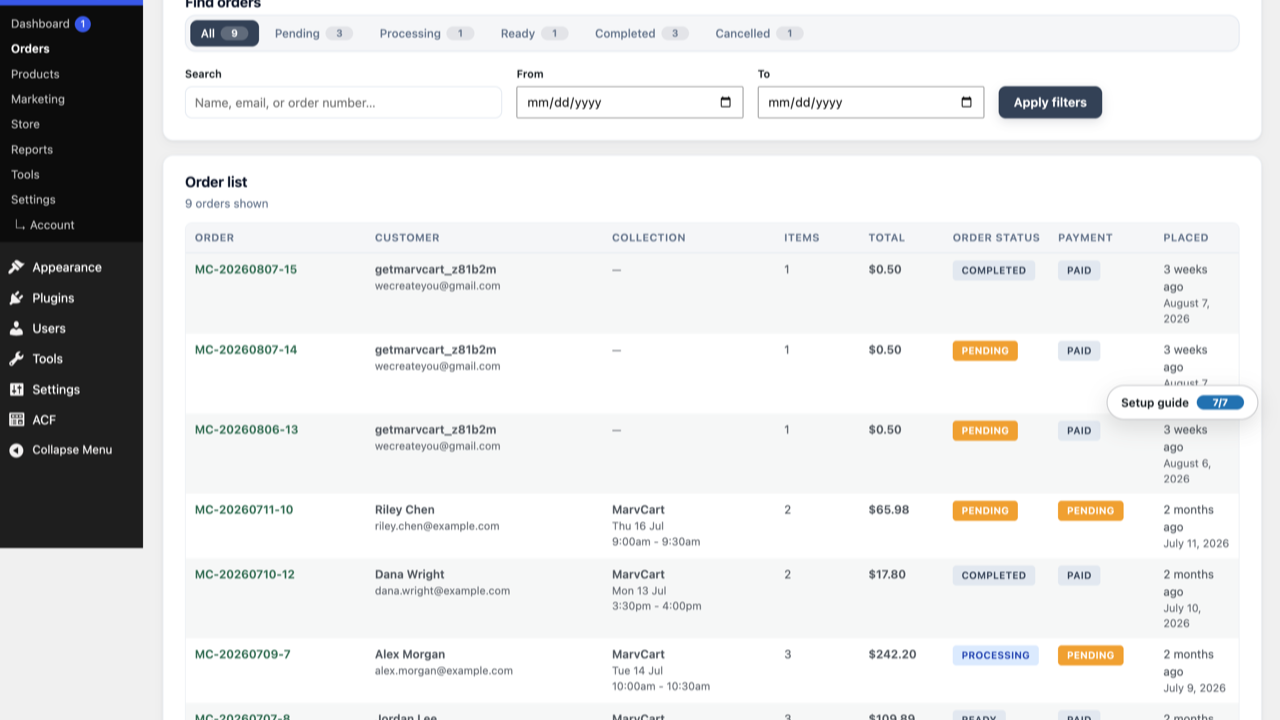
- Coupons, basic tax, order emails, and customer accounts
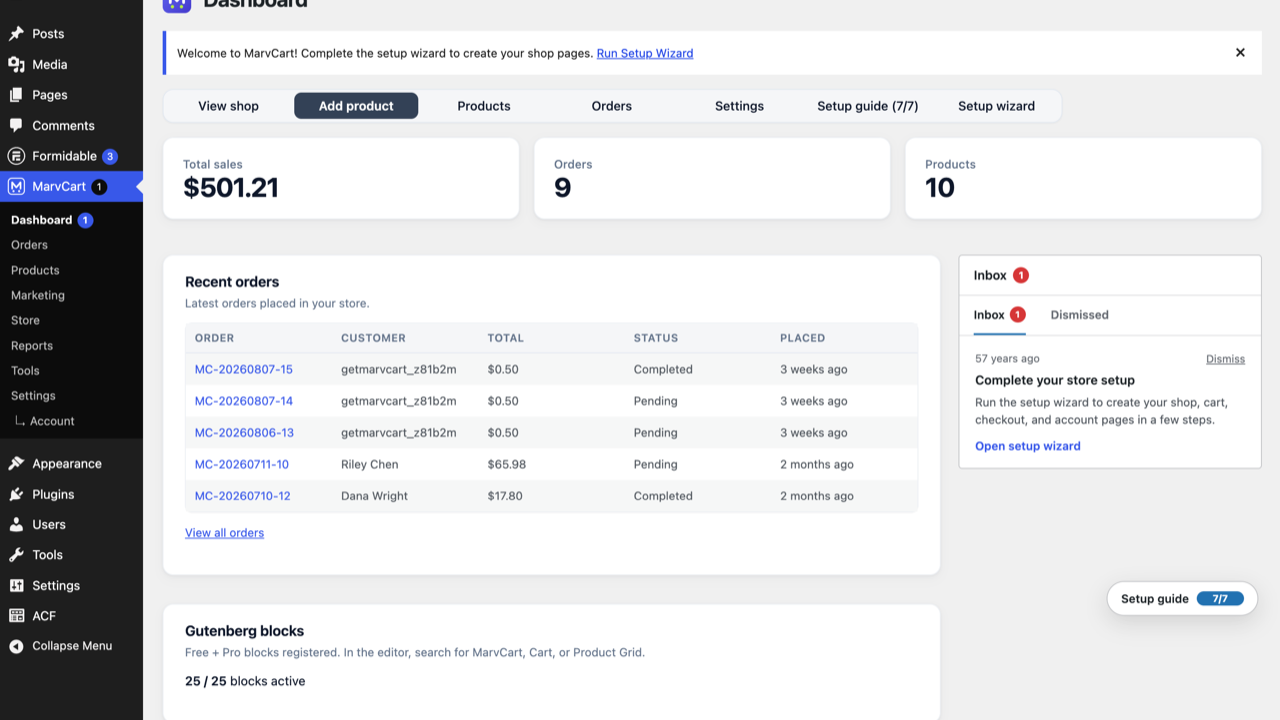
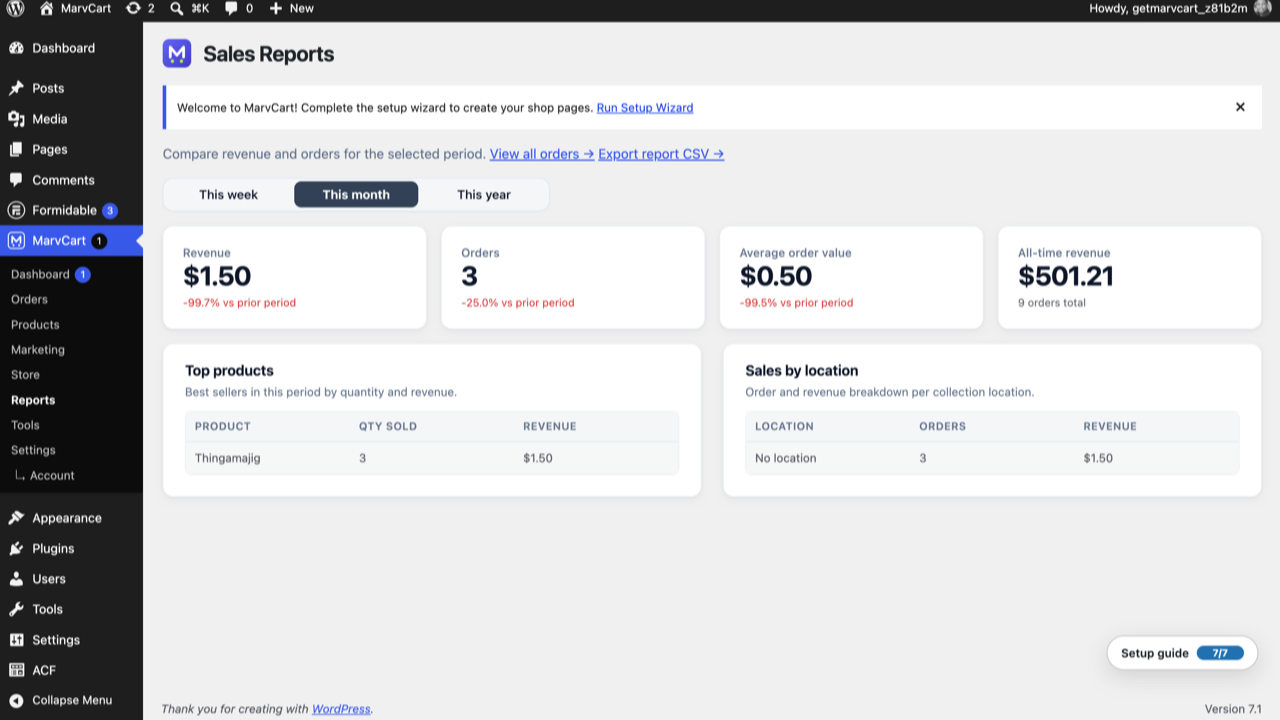
- Basic sales reports — revenue, orders by status, top products, and recent orders
- Single product gallery with optional image zoom/lightbox
- 17 Gutenberg blocks and 12 shortcodes
- Self-hosted fonts, appearance settings, and GDPR tools
- WooCommerce migration tool (products, categories, coupons, settings)
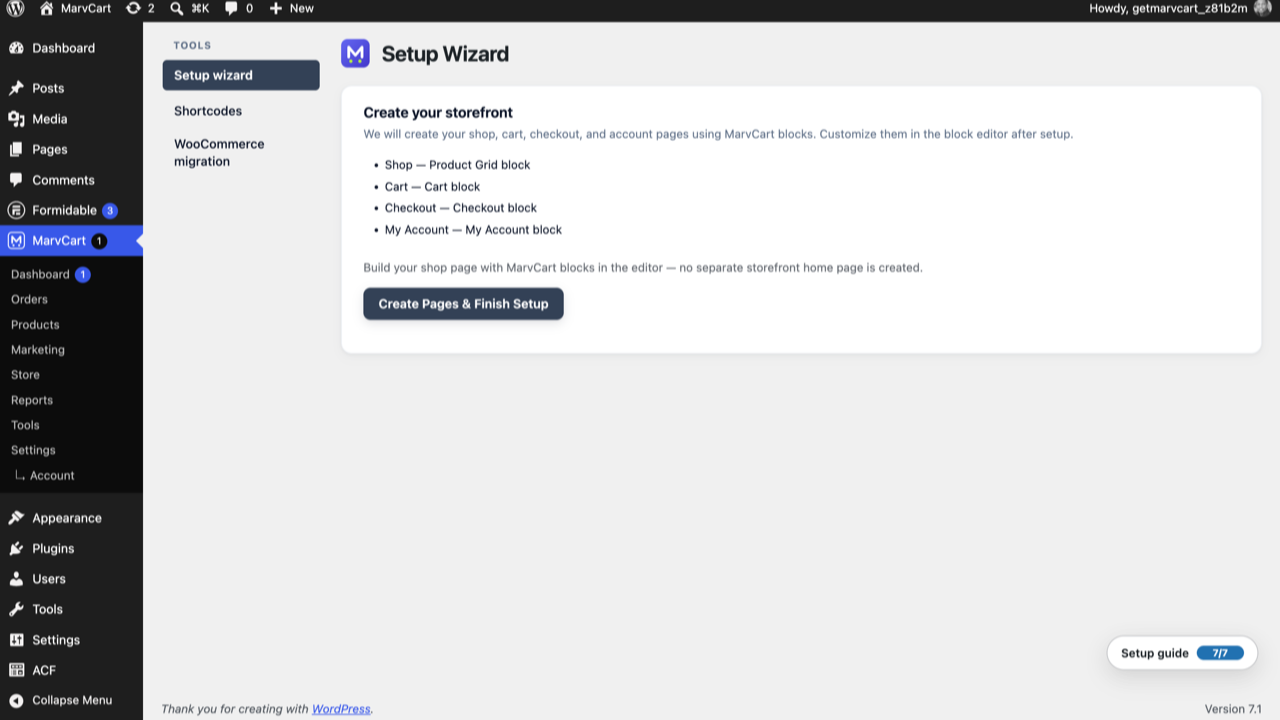
- Setup wizard for shop, cart, checkout, and account pages
- Store visibility modes — live, coming soon (store), or coming soon (whole site)
- Free currency switcher with manual exchange rates
- Checkout settings — terms page, guest checkout, order limits, UTM attribution, rate limiting
- Email notifications center — edit templates per notification type
- Advanced settings — URL parameters, outbound webhooks, and privacy controls
- Failed order email notifications (customer and admin)
- Stripe Payment Elements (Apple Pay, Google Pay, cards on your checkout page)
- Optional Klarna and Afterpay / Clearpay via Stripe (Settings Payments)
- PayPal checkout integration
MarvCart Pro (separate companion plugin) adds:
- Digital products with secure, expiring download links
- Multi-location pickup scheduling and holiday closures
- Advanced inventory (automatic stock reduction and low-stock alerts), custom checkout fields, table catalogue view, and multi-unit pricing
- Pick lists, advanced sales reports, and CSV import/export
- Favourites, reorder, order messaging, and customer modification window
- Promo carousel, prize wheel
- Abandoned cart recovery
- Showcase blocks: Shop Tilt Hero, Product Spotlight, Bento Grid, Product Carousel, Brands, and New Arrivals
- Multi-currency with storefront switcher
- Extended customization settings, REST API keys, and outbound webhooks
Blocks
Core commerce blocks (Free):
- Product Grid — filterable product listing
- Cart — shopping cart
- Checkout — checkout form with payment methods and optional pickup scheduling
- My Account — order history (favourites tab with Pro)
- Mini Cart — header basket icon with count
Product & merchandising blocks (Free):
- Single Product — full product page with gallery, variations, and tabs
- Add to Cart · Buy Now · Featured Products · On Sale
- Related Products · Product Search · Product Categories · Product Reviews
- Order Summary · Coupon Form · Breadcrumbs
Pro blocks (companion plugin):
- New Arrivals · Product Carousel · Brands · Promo Carousel
- Shop Tilt Hero · Product Spotlight · Product Bento Grid · Prize Wheel
Shortcodes
[marvcart_shop]— Product grid[marvcart_cart]— Shopping cart[marvcart_checkout]— Checkout form[marvcart_account]— Customer account[marvcart_add_to_cart id="123"]— Add to cart button[marvcart_featured ids="12,45,67"]— Featured products[marvcart_buy_now id="123"]— Buy now button[marvcart_search]— Product search[marvcart_related id="123"]— Related products[marvcart_order_summary]— Cart totals[marvcart_reviews id="123"]— Product reviews[marvcart_carousel]— Product carousel (Pro)[marvcart_wishlist]/[marvcart_favourites]— Favourites list (Pro, logged-in)
Legacy shortcode aliases from releases before 2.8.4 remain supported for existing page content.
See https://getmarvcart.com/docs for block attributes, shortcode parameters, and page layout recipes.
Documentation
User and developer guides are published at https://getmarvcart.com/docs
External services
This plugin may connect to the following third-party / external services. Connections are optional unless you enable the related feature and save credentials.
Stripe (card and wallet payments)
When you enable Stripe under MarvCart Settings Payments, MarvCart uses Stripe to process card payments (Payment Elements or Checkout Sessions), and optionally Klarna / Afterpay–Clearpay when those BNPL options are enabled in the same settings screen.
Data sent to Stripe when a customer pays (or when the merchant refunds an order): order amount and currency, line-item descriptions, customer name/email from checkout, and payment method details handled by Stripe.js / Stripe APIs. Webhook events may also be received from Stripe to confirm payment or refund status.
Stripe.js (https://js.stripe.com/v3/) loads on your checkout page only when Stripe Payment Elements is enabled and configured.
Service provider: Stripe — Terms of service, Privacy policy
PayPal (online checkout)
When you enable PayPal under MarvCart Settings Payments, MarvCart talks to PayPal’s REST API (live or sandbox) to create/capture payments and, if configured, to verify webhook notifications.
Data sent when a customer pays with PayPal: order amount and currency, order reference/metadata, and buyer details required by PayPal for checkout. Refund and capture status may be synchronized via PayPal webhooks.
Service provider: PayPal — User agreement, Privacy statement
Freemius (Pro upgrade checkout)
On the MarvCart Upgrade admin screen, the free plugin may load Freemius Checkout (https://checkout.freemius.com/) so a site owner can start a MarvCart Pro purchase. This is admin-only and is not used on the public storefront.
Data sent during checkout is handled by Freemius (account email, billing details, and license/plan selection as entered in the Freemius dialog).
Service provider: Freemius — Terms, Privacy policy
Outbound webhooks (your URLs)
Under MarvCart Settings Advanced Webhooks, you can register URLs you control (for example Zapier or Make). When enabled, MarvCart sends order event payloads to those URLs. This is optional, configured by the site owner, and does not use getmarvcart.com servers. The destination’s terms and privacy policy are those of the service you choose.
Copyright
MarvCart WordPress Plugin, Copyright 2024–2026 MarvCart and Whittfield Holmes
MarvCart is distributed under the terms of the GNU GPL v2 or later.
Screenshots
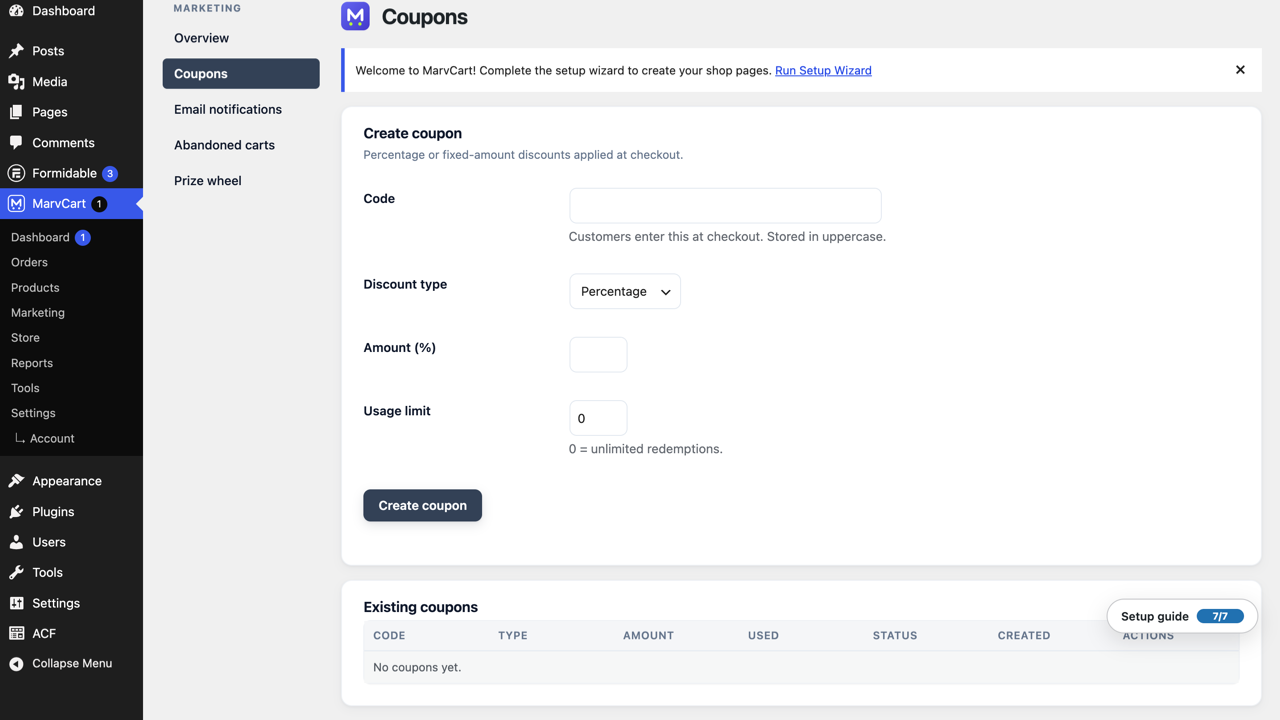
Installation
- Upload the
marvcartfolder to/wp-content/plugins/ - Activate through the Plugins menu
- Run the setup wizard from the admin notice
- Add products under MarvCart Products
- Configure payments under MarvCart Settings Payments (optional pickup slots under MarvCart Locations)
- Visit your shop page to start taking orders
Documentation: https://getmarvcart.com/docs
FAQ
-
What is MarvCart?
-
MarvCart is standalone WordPress ecommerce. Sell from a built-in catalogue, cart, and checkout, with products and orders managed in wp-admin.
-
Does the free version expire?
-
No. The free plugin is fully functional with no time limits.
-
How do I create product variations?
-
Edit a product and open the Variations meta box. Define attribute names and comma-separated options (e.g. Size: S, M, L), click Generate variations, then bulk-edit prices and stock. Use
{parent_sku}-{Size}-{Color}SKU patterns for automatic SKUs. -
How do I accept card payments?
-
Open Settings Payments, enter your Stripe and/or PayPal keys under Online payment gateways, and enable the methods you need. Payment Elements keeps card checkout on your site. Cash and bank transfer remain under Manual payment methods on the same screen.
-
How do digital downloads work?
-
With MarvCart Pro, mark a product as digital, attach files from the media library, and configure download limits under Settings Digital files. Customers receive secure links after purchase.
-
MarvCart can show Home / Shop / product breadcrumbs on native product pages. Choose one source:
- Your theme — leave Settings Catalogue Breadcrumbs off (default), or disable breadcrumbs in your theme.
- MarvCart plugin — turn on Settings Catalogue Breadcrumbs when your theme does not provide them.
- Breadcrumbs block — add the block in the editor for custom placement; it works independently of the catalogue setting.
The plugin does not hide theme breadcrumbs automatically. If both are enabled, you may see duplicates until you turn off one side. Theme developers can call
marvcart_product_breadcrumbs_enabled()before rendering theme breadcrumbs, or use themarvcart/commerce/show_breadcrumbsfilter. See https://getmarvcart.com/docs/breadcrumbs/ for setup and integration examples. -
Where is the full blocks reference?
-
See MarvCart Shortcodes in wp-admin for copy-ready shortcodes and block usage, or visit https://getmarvcart.com/docs
-
Where are the Pro setup instructions?
-
Install the separate MarvCart Pro plugin for marketing, reports, and advanced operations. Payment setup (Stripe/PayPal) is in the free plugin under Settings Payments. See https://getmarvcart.com/docs for the full guide.
-
How do I extend MarvCart in code?
-
MarvCart exposes WordPress action and filter hooks (for example
marvcart/cart/*,marvcart/checkout/*,marvcart/order/*, andmarvcart/product/breadcrumbs). See https://getmarvcart.com/docs for the developer reference. -
Will MarvCart slow down my whole site?
-
No. Storefront CSS and JavaScript load only on MarvCart pages — product pages, your shop/cart/checkout/account pages, and any page that includes a MarvCart block or shortcode. Plain blog or about pages do not get MarvCart assets. Optional feature scripts (product carousel, brands, hero) load only when that block is on the page. Stripe.js loads only on checkout when Payment Elements is enabled. Self-hosted fonts are used instead of a third-party font CDN.
-
Can I use MarvCart on multiple sites?
-
The free plugin works on unlimited sites. Pro licenses are tiered: Single, 5 Sites, or Unlimited.
-
Can I migrate from WooCommerce?
-
Yes. Use MarvCart WooCommerce migration in wp-admin. The tool is included in this plugin and is fully functional. WooCommerce must be installed for the importer to detect source data.
Reviews
There are no reviews for this plugin.
Contributors & Developers
“MarvCart” is open source software. The following people have contributed to this plugin.
Contributors

Translate “MarvCart” into your language.
Interested in development?
Browse the code, check out the SVN repository, or subscribe to the development log by RSS.