

Description
Marquezy adds seamless scrolling text to your site — as an announcement bar below the header, as a block, or as a shortcode for page builders. The loop is pure CSS: no jumps, no rewinds, and nothing runs while it is out of view.
Announcement bar
Configured on Settings Marquezy, with a live preview.
- Phrases — a numbered list; each phrase has its own field with bold, italic and links (with a search of your pages). Enter adds the next phrase.
- Where to show — entire site, only on selected pages, everywhere except selected pages, or only where you place it yourself. Conditions: specific pages and posts, post types, categories/tags/terms and special pages (front page, blog, archives, search, 404).
- Sticky modes — scrolls with the content, always visible, or “smart” (follows a header that hides on scroll).
- Placement — right after the header: in block themes on the server (no layout shift), in classic themes after the detected header or a CSS selector of your choice.
- Close button (remembered per content — a new announcement shows again), optional pause button, hide on mobile with a custom breakpoint and a separate mobile font size.
Marquee block
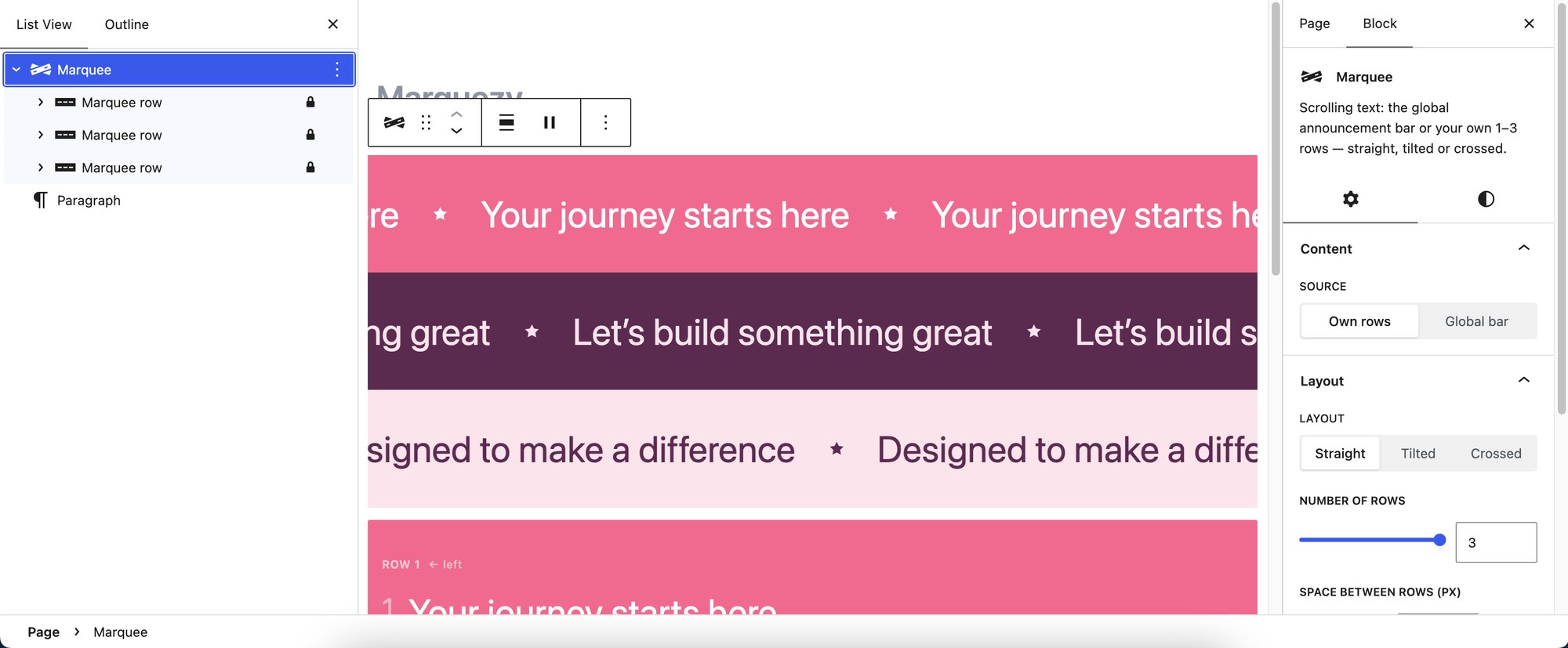
- Own rows (1–3) or the announcement bar.
- Straight, tilted or crossed — tilt up to 10°; two crossed rows with an adjustable crossing point.
- Direction per row — by default left / right / left.
- Every phrase is a regular paragraph; colors, font size and padding use the editor’s own controls; optional drop shadow per row.
- Animated preview right in the editor.
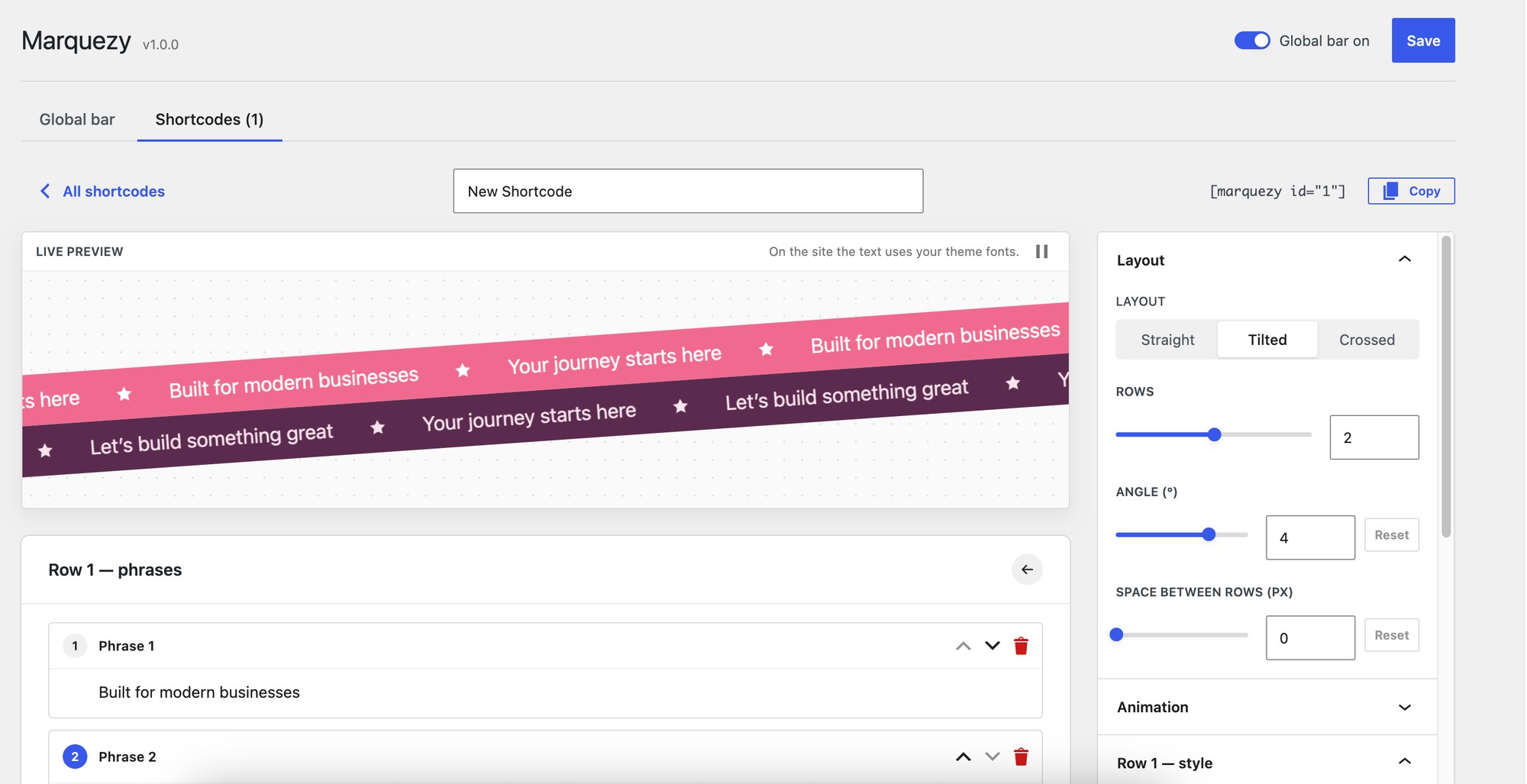
Shortcode builder
For page builders (Elementor, Divi, WPBakery…) and the Classic editor. Build a marquee with the same options as the block and a live preview, save it and paste [marquezy id="3"] anywhere. [marquezy] without an id shows the announcement bar.
Light and accessible
- Plain CSS animation driven by a tiny script; no jQuery, no external libraries.
- Pauses on hover, on keyboard focus and when scrolled out of view; respects “reduce motion”.
- Optional pause button (WCAG 2.2.2); duplicated copies are hidden from screen readers and the keyboard.
Multilingual
Phrases per language for WPML, Polylang and TranslatePress, with a fallback to the first language that has phrases.
Screenshots



Blocks
This plugin provides 2 blocks.
- Marquee Scrolling text: the global announcement bar or your own 1–3 rows — straight, tilted or crossed.
- Marquee row One scrolling line of the Marquee block. Each paragraph is a phrase.
Installation
- In your dashboard, go to Plugins Add New, search for “Marquezy” and click Install, then Activate.
- Go to Settings Marquezy: add phrases, choose where the bar appears and adjust its look.
- For more marquees add the Marquee block, or build one on the Shortcodes tab.
FAQ
-
Does it work with page builders?
-
Yes. Build a marquee on Settings Marquezy Shortcodes and paste its shortcode into any text or shortcode widget. Rows added to the page later (builder previews, popups, AJAX content) start automatically.
-
Can I show the announcement bar only on some pages?
-
Yes — choose “Only on selected pages” or “Everywhere except selected pages” and pick pages, post types, terms or special pages. With “Only where the Marquee block is placed” nothing is added automatically; use the block (source: announcement bar) or the
[marquezy]shortcode. -
Can I change the starting colors of new rows?
-
Yes, with the
marquezy_row_presetsfilter — an array of[ 'bg' => …, 'text' => … ]for rows 1–3. -
Will removing the plugin leave anything in my database?
-
No. Uninstalling deletes the plugin’s options (bar settings and saved shortcodes). Blocks and shortcodes in your posts stay as they are.
Reviews
There are no reviews for this plugin.
Contributors & Developers
“Marquezy – Marquee Block & Announcement Bar” is open source software. The following people have contributed to this plugin.
Contributors
Translate “Marquezy – Marquee Block & Announcement Bar” into your language.
Interested in development?
Browse the code, check out the SVN repository, or subscribe to the development log by RSS.
Changelog
1.0.0
- Initial release.