

Description
Marn Easy Migrate is a reliable, lightweight, and modern WordPress migration and backup plugin. It allows you to export your entire WordPress website โ€” both database and files (wp-content/) โ€” into a standard, open .ZIP archive without locking you into proprietary vendor formats.
Whether you are moving your site to a new host, migrating to a new domain name, cloning a staging environment to production, or creating regular local backups, Marn Easy Migrate makes the process seamless and secure.
Key Features
- Standard Open .ZIP Format: No proprietary file formats. Your backups are standard
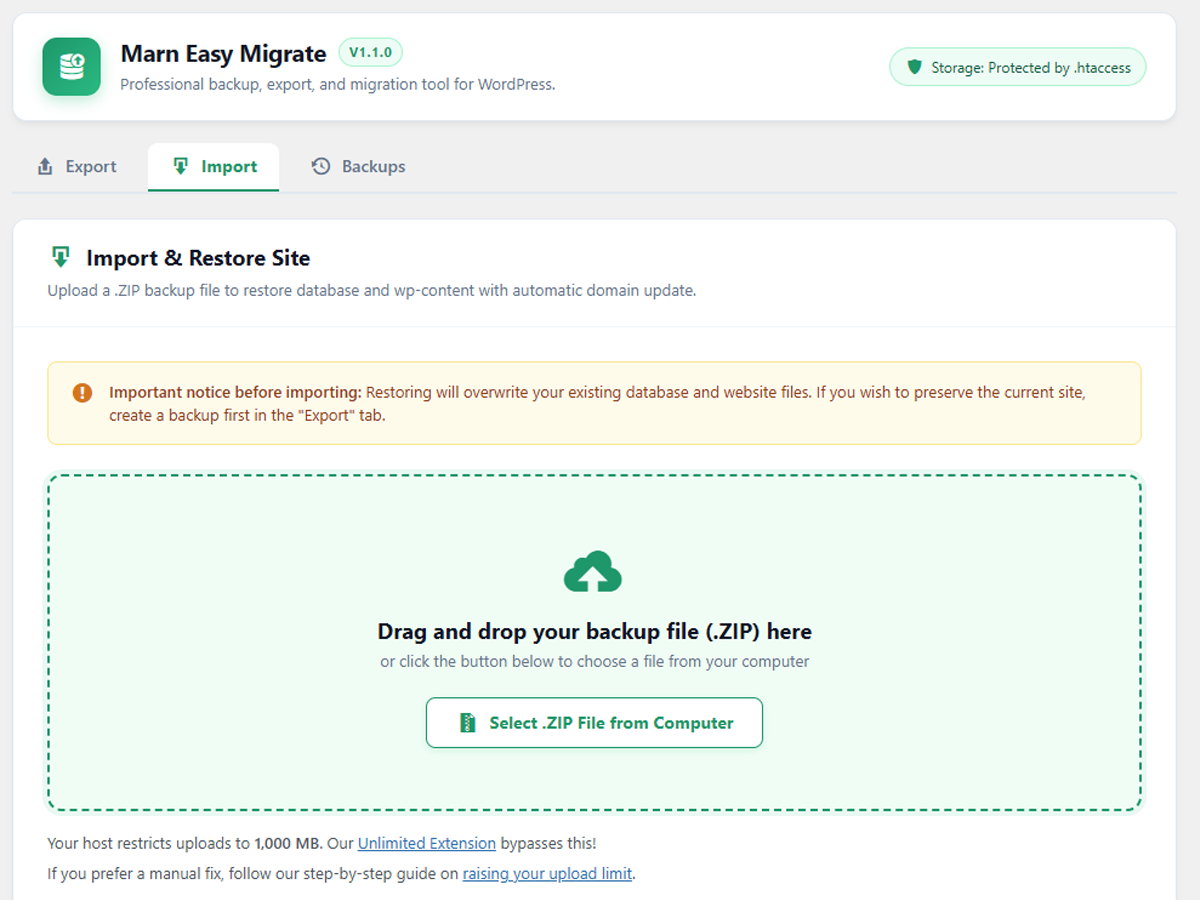
.zipfiles containingdatabase.sql,package.jsonmetadata, andwp-content/files. - Drag & Drop Import: Drag and drop your
.ziparchive into the browser for immediate restoration. - Smart Serialized Search & Replace: Automatically updates old URLs, home/site URLs, and server paths during import. Recalculates byte-length strings (
s:XX:) accurately to keep widgets, page builder data (Elementor, Divi, Beaver Builder, Bricks), and theme settings 100% intact. - Streaming Zip Engine: Low memory footprint (~10-20MB RAM) that streams files directly into the ZIP archive, preventing server timeouts even on large sites.
- One-Click Backups Manager: View, download, restore, or delete backups directly from the WordPress admin dashboard.
- Enterprise-Grade Security:
- Authenticated streaming downloads through
admin-ajax.phpwith HTTP Range resume support. - Strict protection against Zip Slip and Symbolic Link attacks across all extraction engines.
- Directory protection inside
wp-content/uploads/with.htaccess,web.config, andindex.html. - Cryptographically salted directories and backup filenames.
- Authenticated streaming downloads through
Need Unlimited Migration Support?
For high-capacity transfers that exceed standard host upload limits, you can find our Unlimited Extension at https://marn-easy-migrate.marnstudio.click/.
Screenshots

Installation
- Log in to your WordPress administrator dashboard.
- Navigate to Plugins > Add New.
- Upload the
marn-easy-migratezip file and click Install Now. - Activate the plugin through the Plugins menu in WordPress.
- Access Marn Easy Migrate in the admin sidebar to start exporting or importing your website.
FAQ
-
What format are backups saved in?
-
Backups are saved as standard, unencrypted
.zipfiles containingdatabase.sql,package.json(metadata), and thewp-contentdirectory. You can inspect or extract them with standard tools such as 7-Zip, WinRAR, or macOS Archive Utility. -
Does it support large websites?
-
Yes. The plugin utilizes direct chunk streaming and batch database dumping, preventing memory exhaustion and timeout errors on shared hosting.
-
Will my page builder data or widgets break after changing domains?
-
No. Marn Easy Migrate includes a specialized recursive search-and-replace engine (
WPZM_Replacer) that recalculates string lengths in WordPress serialized data and JSON structures. -
What is the maximum import upload size?
-
The upload limit is determined by your hosting server’s PHP configuration (
upload_max_filesizeandpost_max_size). You can increase your server’s PHP upload limit manually or use our Unlimited Extension to import larger backup archives. -
Where are backup files stored?
-
Backups are stored inside a cryptographically salted folder within
wp-content/uploads/protected by.htaccess,web.config, andindex.html, and all downloads require administrator authentication viaadmin-ajax.php.
Reviews
There are no reviews for this plugin.
Contributors & Developers
“Marn Easy Migrate” is open source software. The following people have contributed to this plugin.
Contributors
Translate “Marn Easy Migrate” into your language.
Interested in development?
Browse the code, check out the SVN repository, or subscribe to the development log by RSS.
Changelog
1.1.0
- Compliance: Use standard single-request PHP upload in the core plugin and remove internal chunked upload cap flags/filters in accordance with WordPress.org Plugin Directory guidelines.
1.0.37
- Compliance: Update internationalization text domain to
marn-easy-migratematching the plugin slug and remove redundant custom locale checks.
1.0.36
- Security: Escape translated HTML strings and URLs in modal output in accordance with WordPress coding standards.
1.0.35
- Maintenance: Codebase cleanup and multi-environment compatibility improvements.
1.0.34
- Enhancement: Streamlined core migration engine and archive handling.
1.0.33
- Maintenance: Production release update and package optimization.
1.0.31
- Bugfix: Prevent fatal ‘Cannot redeclare’ error when a backup containing a legacy copy of this plugin (Marn zip migrate) is imported.
1.0.30
- Compliance: Standardize text domain and adapt import chunk sizes dynamically to host server configuration.
1.0.29
- Privacy: Remove external Google Fonts requests and use native system font stack.
- Compliance: Store active export and import progress states in WordPress options instead of executable PHP files in uploads.
- Compliance: Remove
load_plugin_textdomain(), bundled.po/.mofiles, unclosedob_start()calls, and globalini_set/set_time_limitoverrides. - Reliability: Enforce strict return value checks on all
fwrite()operations inWPZM_Stream_Zip_WriterandWPZM_Zip_Reader.
1.0.28
- Bugfix: Fix admin menu slug mismatch preventing 403 permission error when clicking the Export tab.
- Enhancement: Broaden migration capability check to allow site administrators and export roles.
- Enhancement: Register network admin menu hook (
network_admin_menu) for multisite support.
1.0.27
- Feature: Complete internationalization (i18n) support.
1.0.0
- Initial release.