

Description
⚙️ With a simple configuration, you can automatically 📤 route the WordPress admin emails to selected users with 🛡️ administrator access, ensuring that 📢 important notifications reach the right people at the right time. ✅
Compatibility
Works seamlessly with all plugins that use wp_mail() to send emails.
🔑 Key Features
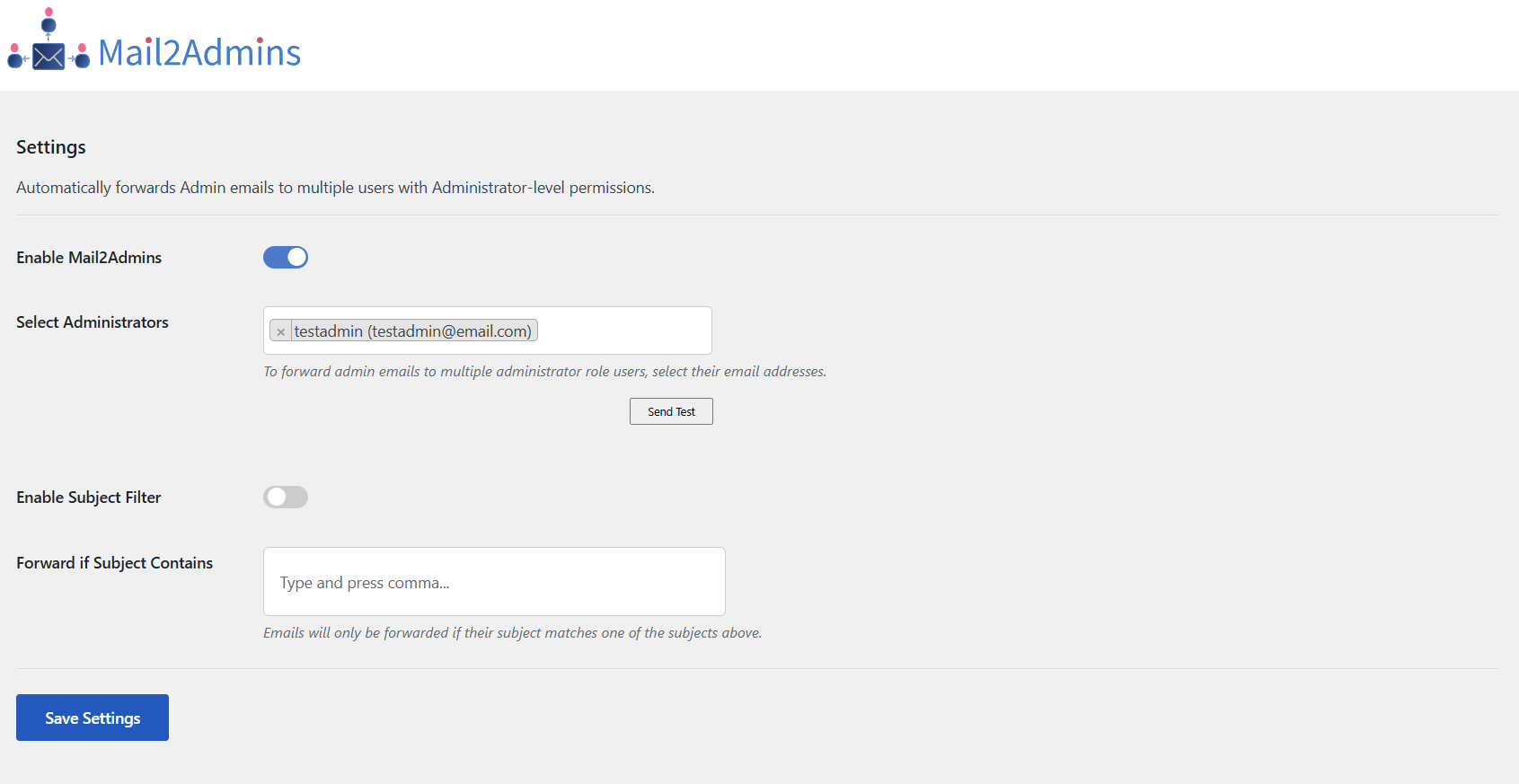
✅ Forward admin emails to multiple administrator users.
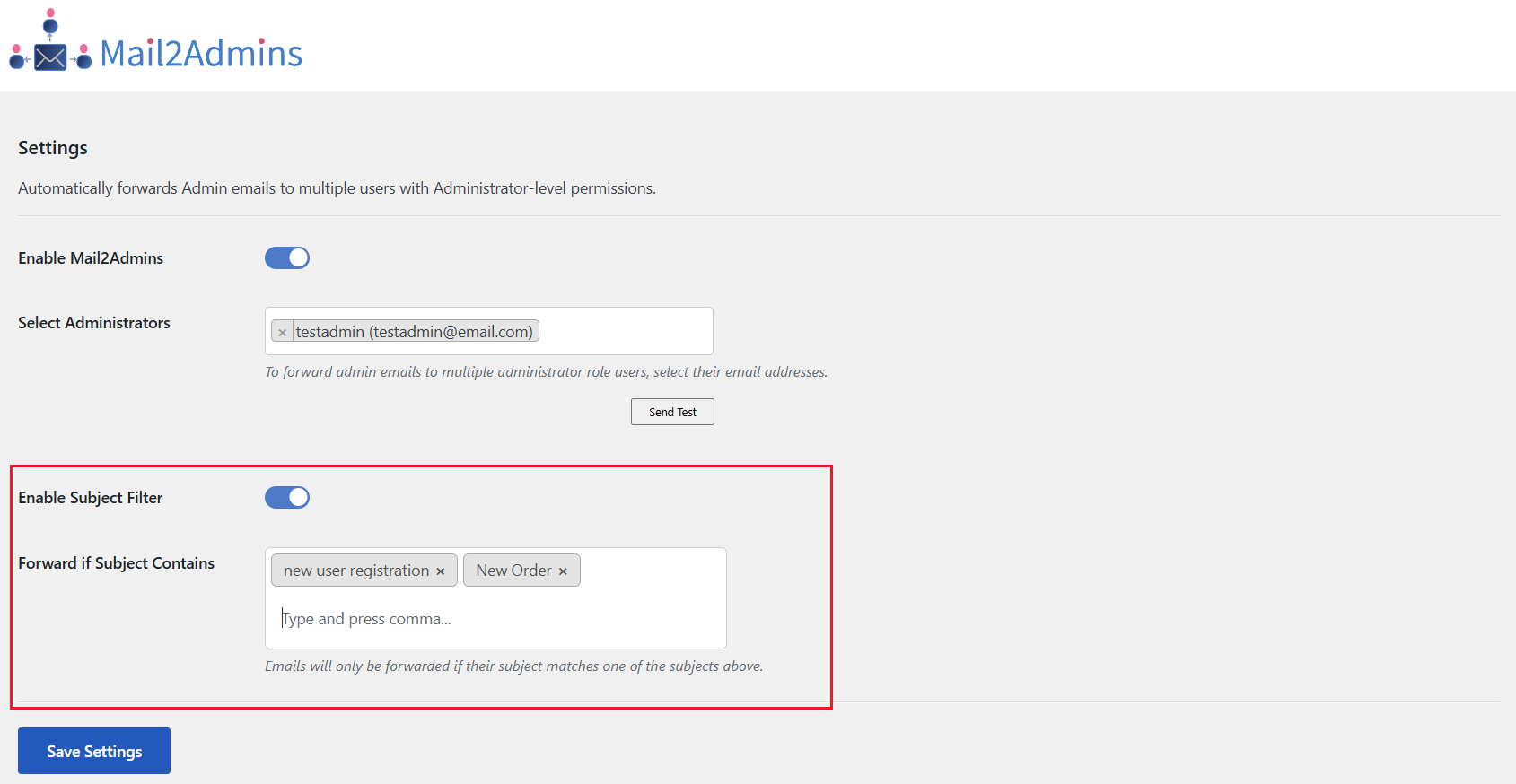
✅ Filter emails by subject keywords for targeted.
✅ Send Test email to selected administrator users.
✅ Ideal for Notifications – Keep teams informed.
= Translations
Current supported languages include:
Spanish, French, Italian, German, Portuguese Dutch, Czech, Russian, Vietnamese.
Screenshots
FAQ
Can I select which administrators receive the forwarded emails?
Yes, you can select multiple administrator email addresses to receive forwarded emails.
Will this plugin work with Admin emails sent by other plugins?
Yes, it will forward emails from any plugin that uses WordPress’s built-in wp_mail() function
Can I forward all emails or only emails with a specific subject?
You can choose to forward all admin emails or only those that match specific the subject.
What happens if no subject keywords are entered?
If no keywords are set, no subject filtering will be applied — emails will forward normally if the forwarding is enabled.
Reviews


Contributors & Developers
“Mail2Admins” is open source software. The following people have contributed to this plugin.
Contributors
Translate “Mail2Admins” into your language.
Interested in development?
Browse the code, check out the SVN repository, or subscribe to the development log by RSS.
Changelog
1.0.5
- Added – translations in Spanish (esponal), Italian, French, German, Dutch, Czech, Russian, Vietnamese, Portuguese
- Tweak – Added tooltips for better understanding
1.0.4
- Tweak – Code Optimized
1.0.3
- Tweak – plugin banner, icons
- Fixed – support link
1.0.2
- Fixed – Security issues
- Fixed – Escaping issues
1.0.1
- Tweak – Code Optimized
1.0.0
- initial release