
Description
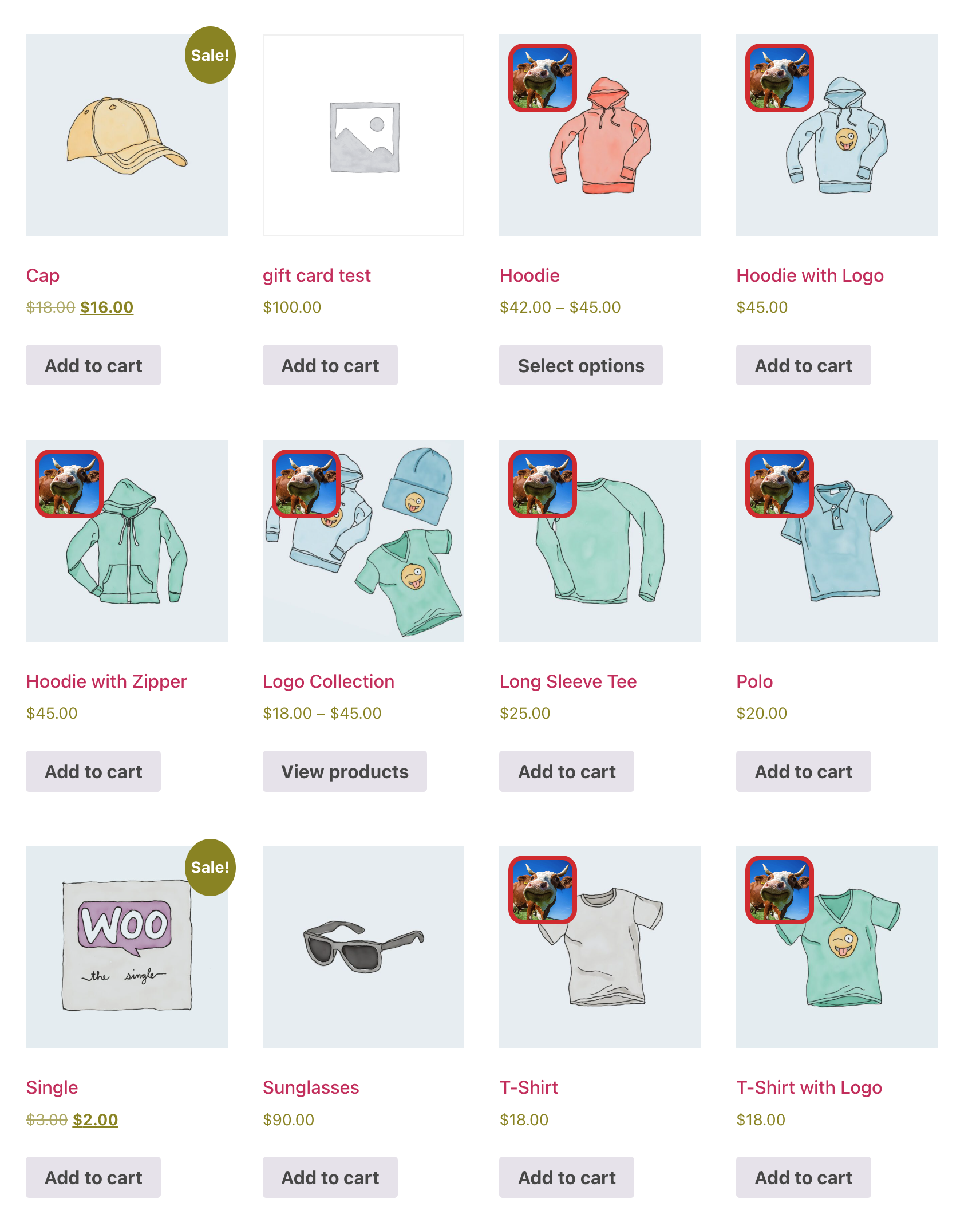
Add badges over your product images in the shop loop and on single product pages. Each badge can be plain text or an uploaded image, styled how you like, and shown only on the products you choose.
Here is a quick overview:
Badge types
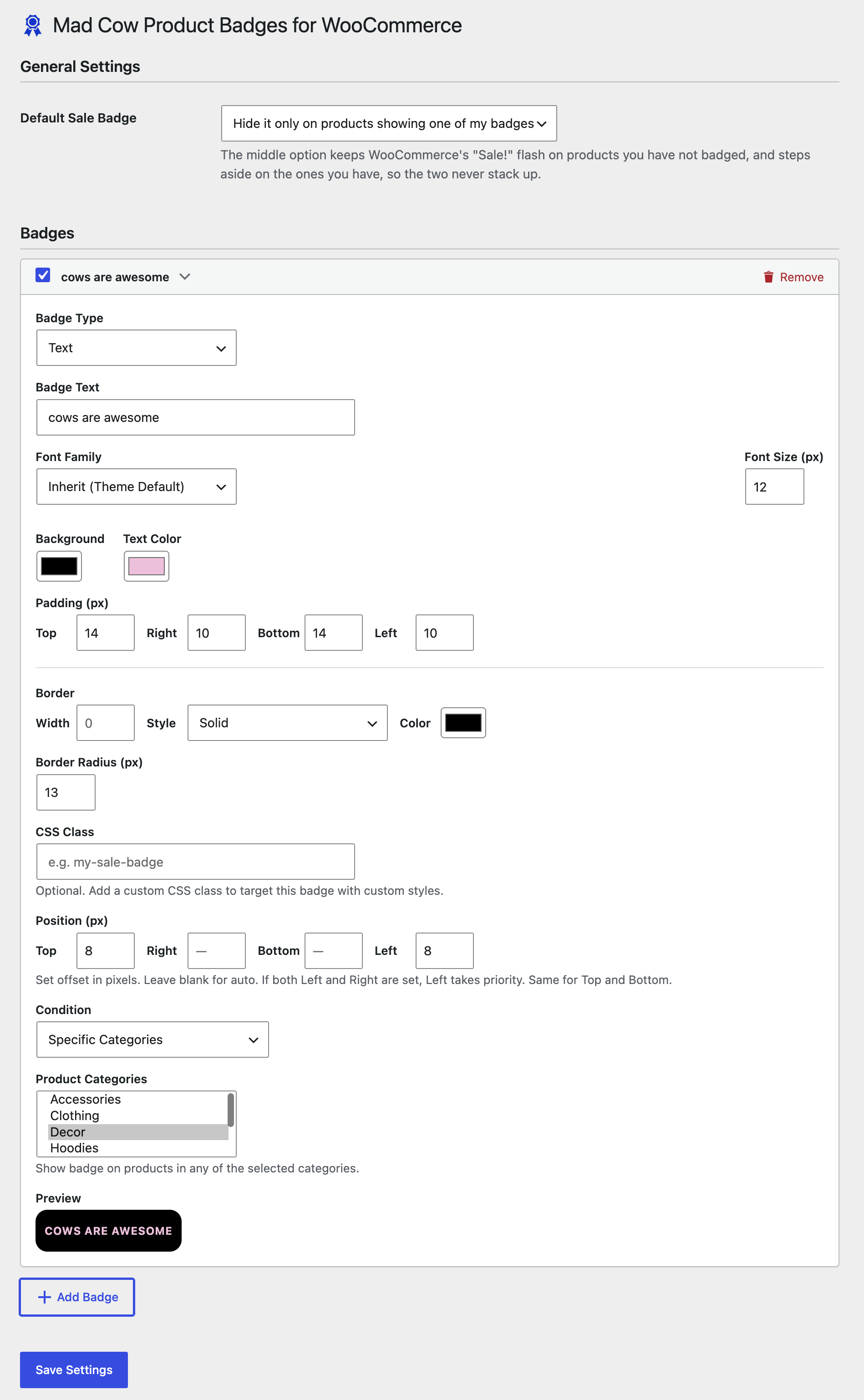
- Text – your own wording, with control over colour, font, size, padding, border and corner radius
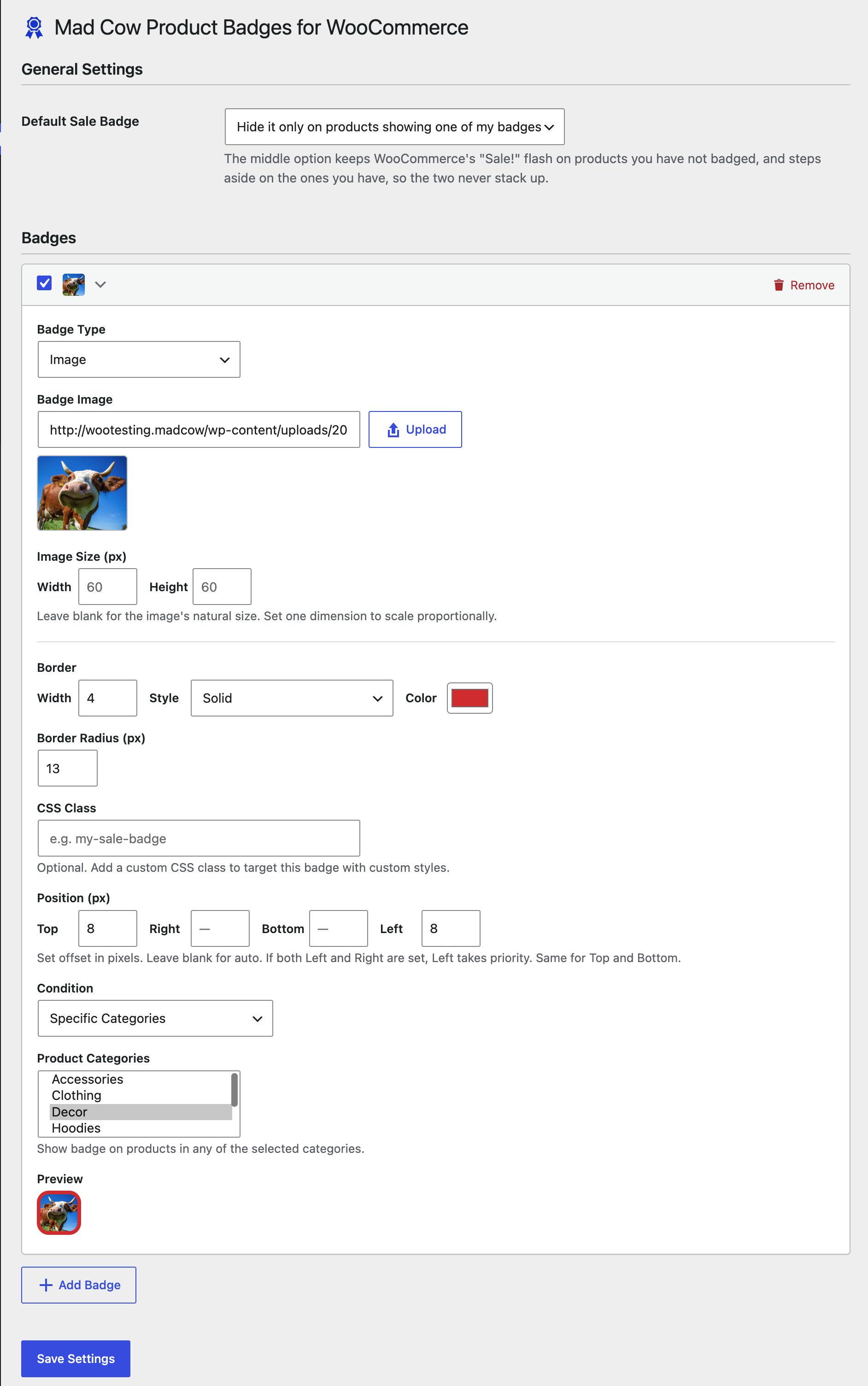
- Image – upload any image from the media library and set its width and height
Where a badge appears
Each badge carries its own condition:
- All products
- On sale – products currently discounted
- Featured – products flagged as featured in WooCommerce
- New – products published within a number of days you set
- Low stock – products at or below a stock threshold you set
- Specific categories – products in the categories you select
Styling
- Background, text and border colours
- Font family from a curated list, plus font size
- Border width, style and radius
- Independent padding on all four sides
- Position by offset from any corner of the product image
- Your own CSS class on any badge, for finer control from your theme
Other
- Add as many badges as you need
- Enable or disable a badge without deleting it
- Decide what happens to WooCommerce’s built-in “Sale!” flash: always show it, hide it everywhere, or hide it only on the products where one of your own badges is showing
- Compatible with High-Performance Order Storage (HPOS)
Requirements
WooCommerce 7.0 or later must be installed and active.
Screenshots
Installation
- Upload the
mad-cow-product-badges-for-woocommercefolder to/wp-content/plugins/, or install through the Plugins screen. - Activate the plugin through the Plugins screen.
- Go to WooCommerce > MCW Product Badges to add your first badge.
FAQ
-
Can I show more than one badge on the same product?
-
Yes. Every badge is evaluated independently, so a product can carry several at once. Give them different corner positions so they do not overlap.
-
Will this clash with WooCommerce’s own “Sale!” badge?
-
Only if you want it to. The Default Sale Badge setting has three options: always show WooCommerce’s flash, hide it everywhere, or hide it only on products where one of your badges is showing. The last option is usually what you want, since it leaves the built-in flash doing its job on products you have not badged.
-
Do badges appear on the shop page as well as the product page?
-
Yes, both. They render in the shop and archive loops and on single product pages.
-
How is “New” decided?
-
By the product’s publish date, against a number of days you set on the badge. A product published inside that window gets the badge.
-
Can I style a badge beyond the built-in options?
-
Yes. Add your own CSS class to the badge and target it from your theme stylesheet.
-
Is there a filter for developers?
-
Two.
mcwspb_should_show_badgedecides whether a badge displays, andmcwspb_badge_htmlfilters the markup before output.
Reviews
There are no reviews for this plugin.
Contributors & Developers
“Mad Cow Product Badges for WooCommerce” is open source software. The following people have contributed to this plugin.
Contributors
Translate “Mad Cow Product Badges for WooCommerce” into your language.
Interested in development?
Browse the code, check out the SVN repository, or subscribe to the development log by RSS.
Changelog
1.0.3
- Security: badge HTML returned by the
mcwspb_badge_htmlfilter is now escaped at output withwp_kses_post(). - Hardening: admin settings markup no longer emits a conditional style attribute from an unescaped expression.
1.0.2
- Added: the Default Sale Badge setting now offers three choices instead of an on/off checkbox. WooCommerce’s “Sale!” flash can be left alone, hidden everywhere, or hidden only on products where one of your badges is showing.
- Changed: removed the Plugin URI header while the page it pointed to is unpublished.
1.0.1
- Changed: prepared for the WordPress.org plugin directory. Updates now come from WordPress.org.
- Changed: corrected the plugin description, which listed a “Free Shipping” condition that does not exist and omitted the Featured and Specific Categories conditions.
- Fixed: the text domain did not match the plugin slug, which prevented translations from loading.
1.0.0
- Initial release.