
Description
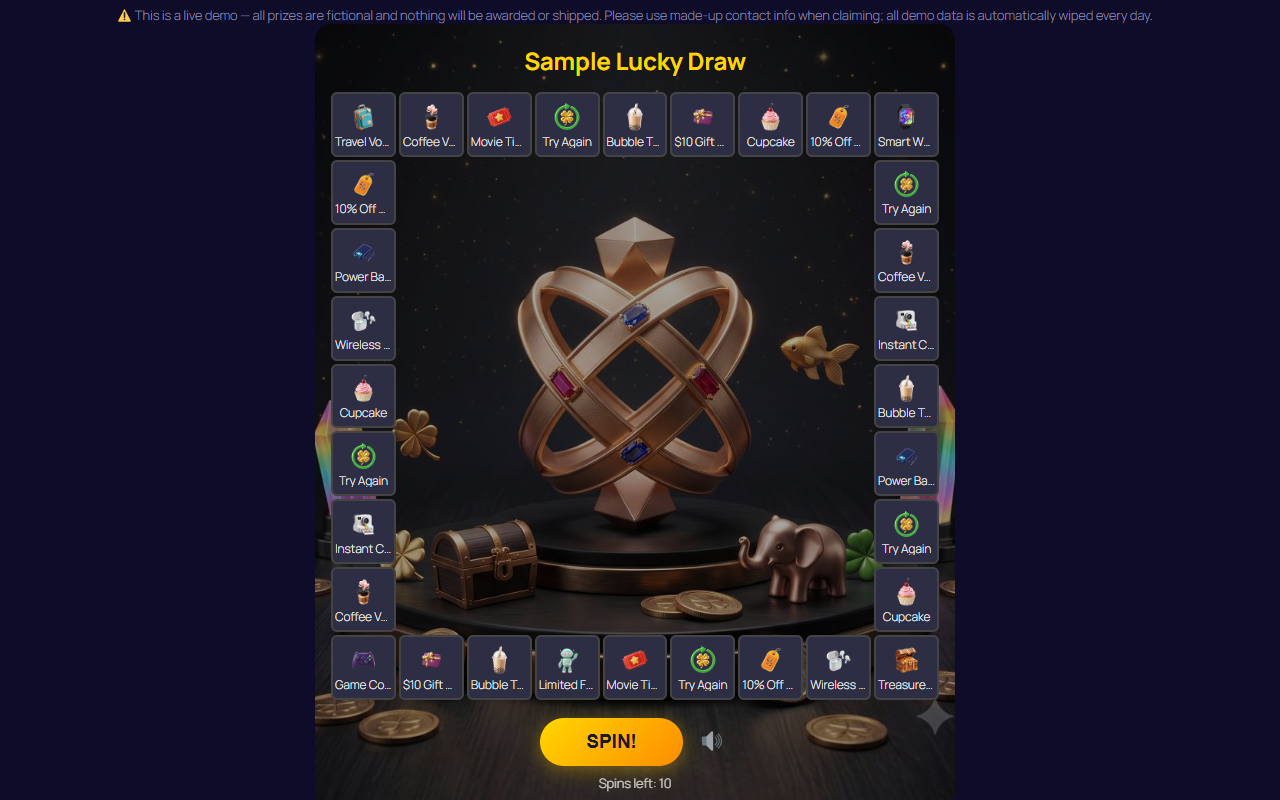
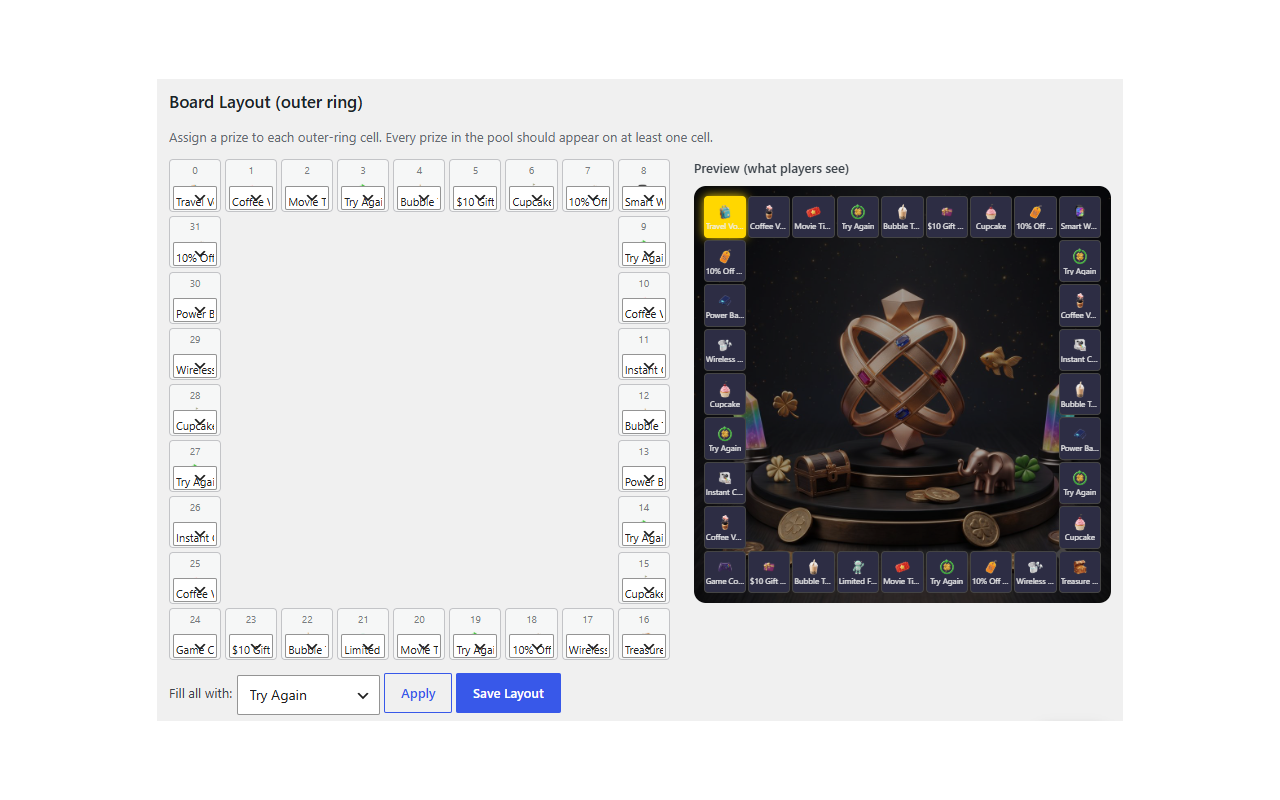
LuckyGrid brings the arcade “chase-light” prize board to your WordPress site — a distinctive alternative to the usual spinning wheel. Prizes light up around the board (any size from 3×3 to 12×12) and the light races around before landing on the winner, with retro arcade sound effects.
See it in action:
🎰 Try the live demo: demo.wow-jones.com
Fair by design: the winning prize is decided on the server with weighted random selection and stock control. The browser only plays the animation, so results cannot be manipulated from the frontend.
Free features
- Arcade chase-light board with synthesized retro sound effects
- Board sizes from 3×3 to 12×12
- Unlimited events running at the same time
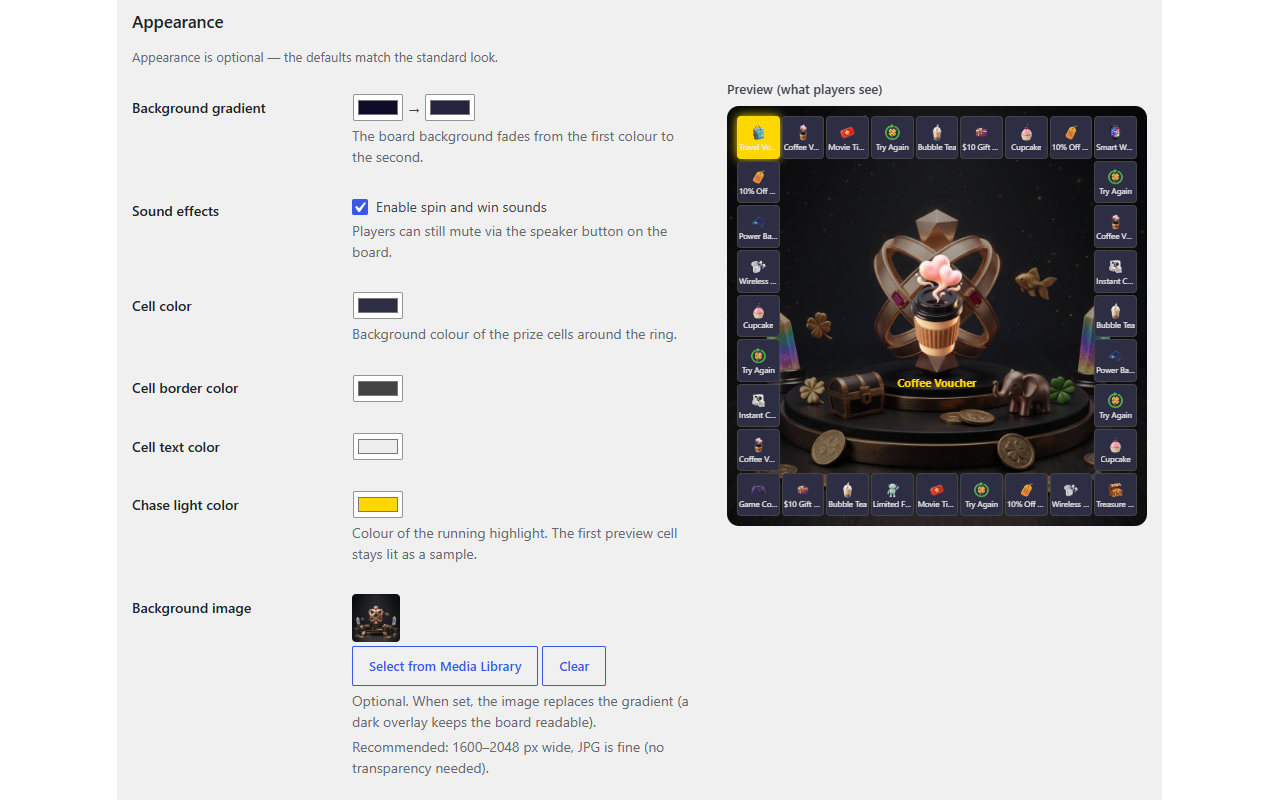
- Full theming — cell colors, chase-light color, background images, won-prize center display
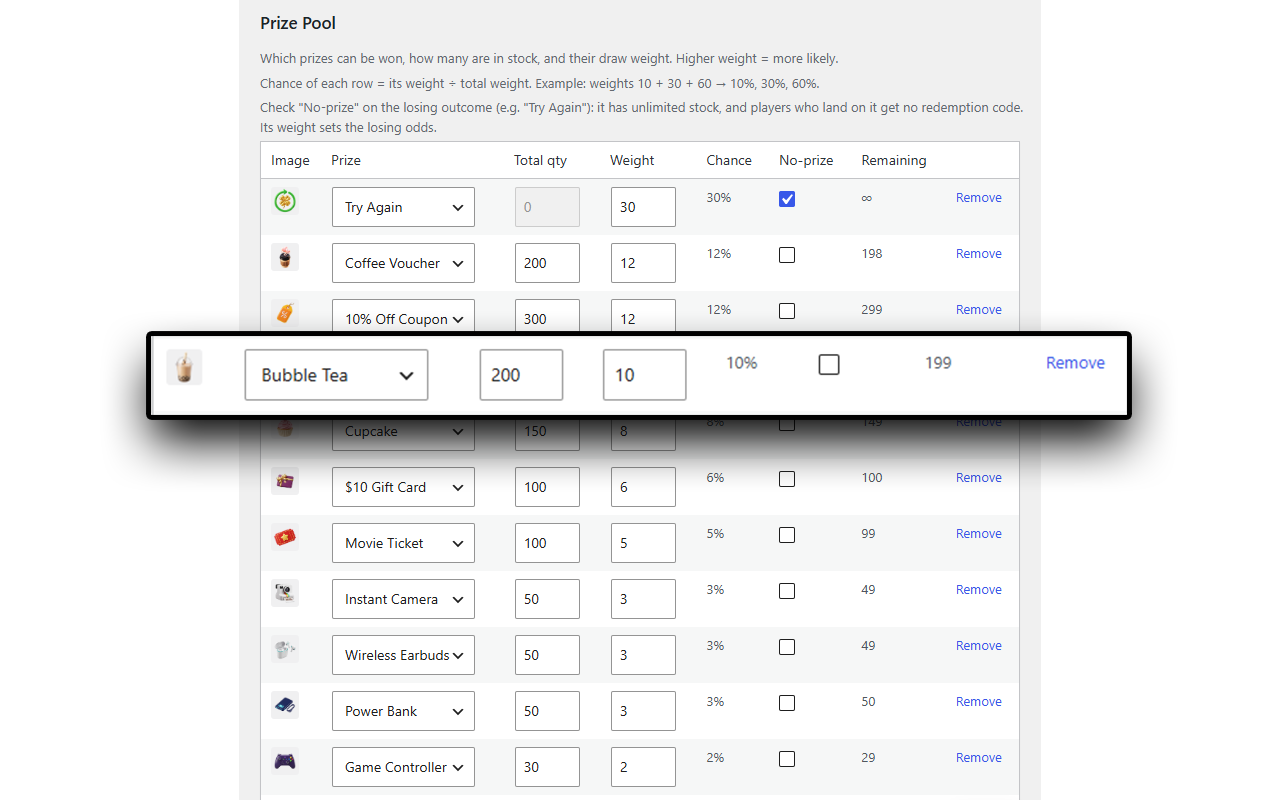
- Weighted prizes with stock (inventory) control and a live odds (%) preview in the admin
- “No prize / try again” slots with unlimited stock
- Spin limits per visitor (logged-in users tracked by account, guests by device) + IP rate limiting
- Visual board editor with live preview and prize images from the Media Library
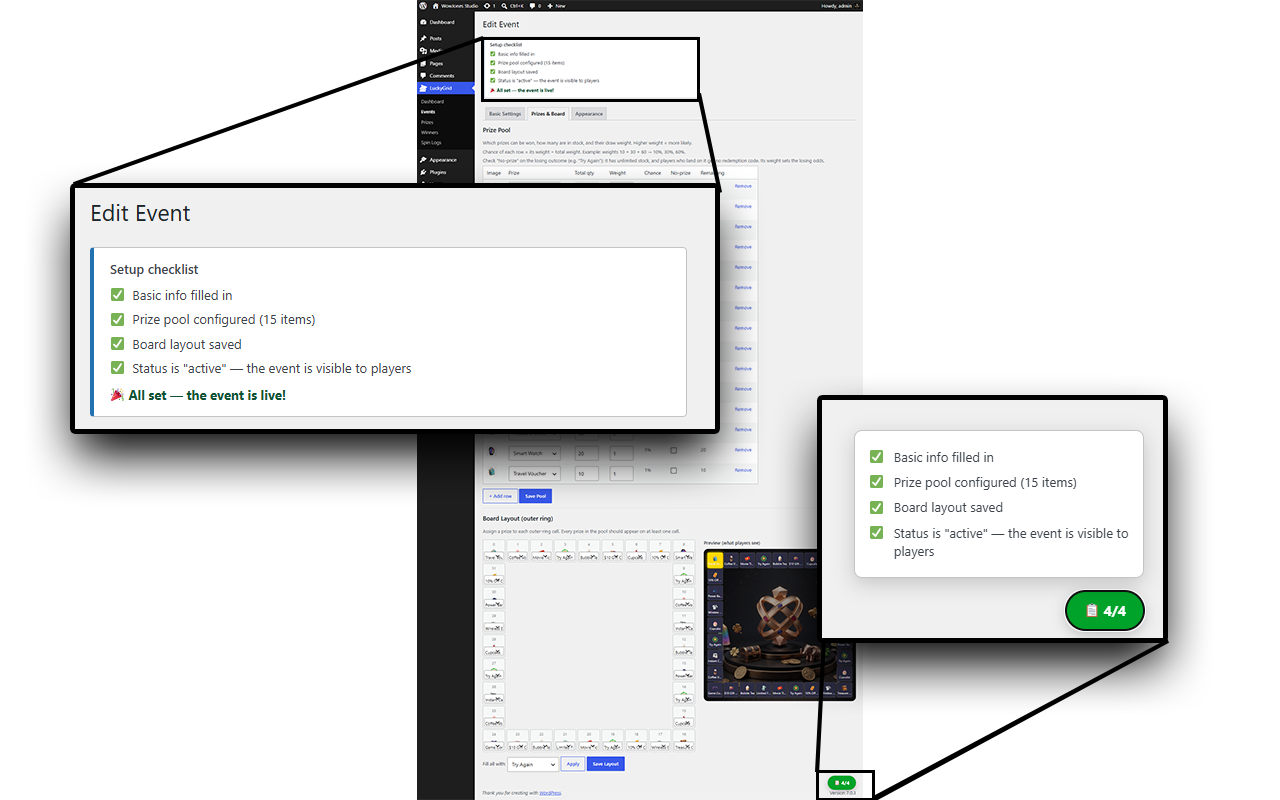
- Setup checklist that walks you through every step
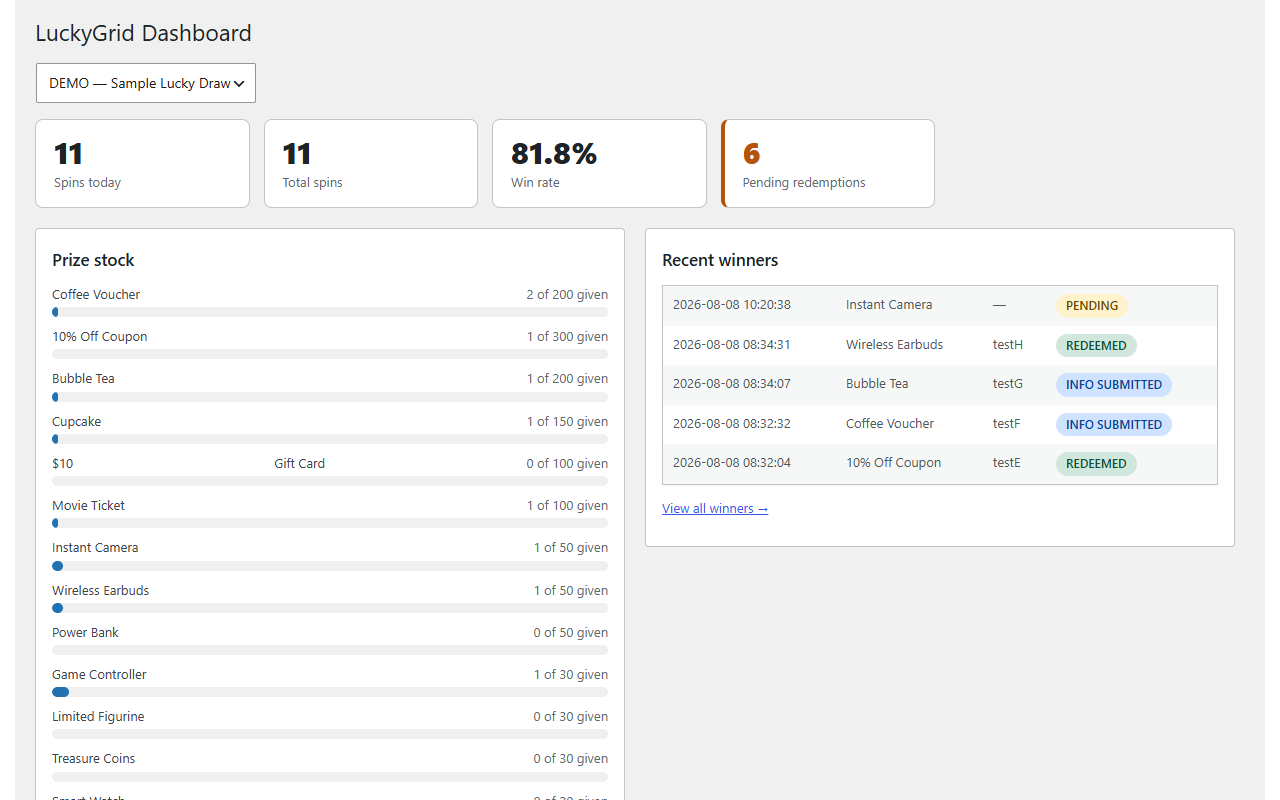
- Dashboard: spins today, totals, win rate, prize stock bars, 7-day trend
- Spin log with CSV export
- Custom background gradient and sound on/off per event
- Demo mode: auto-reset all play data daily (great for staging/demo sites)
- Embed anywhere with a shortcode:
[luckygrid code="DEMO"] - Translation-ready — every string is translatable the standard WordPress way
LuckyGrid Pro
Turning play into real leads? Pro is a separate plugin that adds:
- Winner contact collection — winners leave name/phone/email and receive a unique redemption code
- Redemption desk — look up a code, mark it redeemed (with undo), search winners, export CSV
- Priority email support and updates
Screenshots
Installation
- Install and activate from Plugins Add New, or upload the ZIP.
- On activation a sample event (code
DEMO) is created automatically. - Put
[luckygrid code="DEMO"]in any page and view it. - Manage everything under the LuckyGrid admin menu.
FAQ
-
How is the winner decided?
-
On the server: a weighted random draw across prizes that still have stock, inside a database transaction. The animation in the browser simply stops on the cell the server chose. Chance of each prize = its weight ÷ total weight, shown live in the admin.
-
How do spin limits work?
-
Each event has a “Spins per visitor” setting. Logged-in users are counted by account; guests by a device identifier, with IP rate limiting as a backstop. Set 0 for unlimited.
-
How many events can I run?
-
As many as you like — every event has its own prizes, board, limits and appearance, each embedded with its own shortcode.
-
Can I collect winners’ contact info?
-
That is what LuckyGrid Pro (a separate plugin) adds: winners fill in their contact info and receive a unique redemption code your staff can redeem at the counter. See wow-jones.com/luckygrid
-
Does deleting the plugin remove my data?
-
No. Campaign data is kept unless you define
LGRID_REMOVE_DATA_ON_UNINSTALLastrueinwp-config.phpbefore deleting the plugin.
Reviews
There are no reviews for this plugin.
Contributors & Developers
“LuckyGrid Lite — Arcade Prize Draw” is open source software. The following people have contributed to this plugin.
Contributors
Translate “LuckyGrid Lite — Arcade Prize Draw” into your language.
Interested in development?
Browse the code, check out the SVN repository, or subscribe to the development log by RSS.
Changelog
0.5.2
- Initial public release of LuckyGrid Lite.