
Description
Give your visitors a number they can use. Loque AI Calculadora IA adds a compact calculator that turns a vague question (“should I be using AI?”) into two concrete figures: the hours they could recover every month and what that time is worth in money.
Nobody has to sign up, log in or install anything. They pick the tasks they already do, answer four questions, and get an answer in the same second. You choose how it looks, where it sits, and whether it recommends tools.
What your visitors get
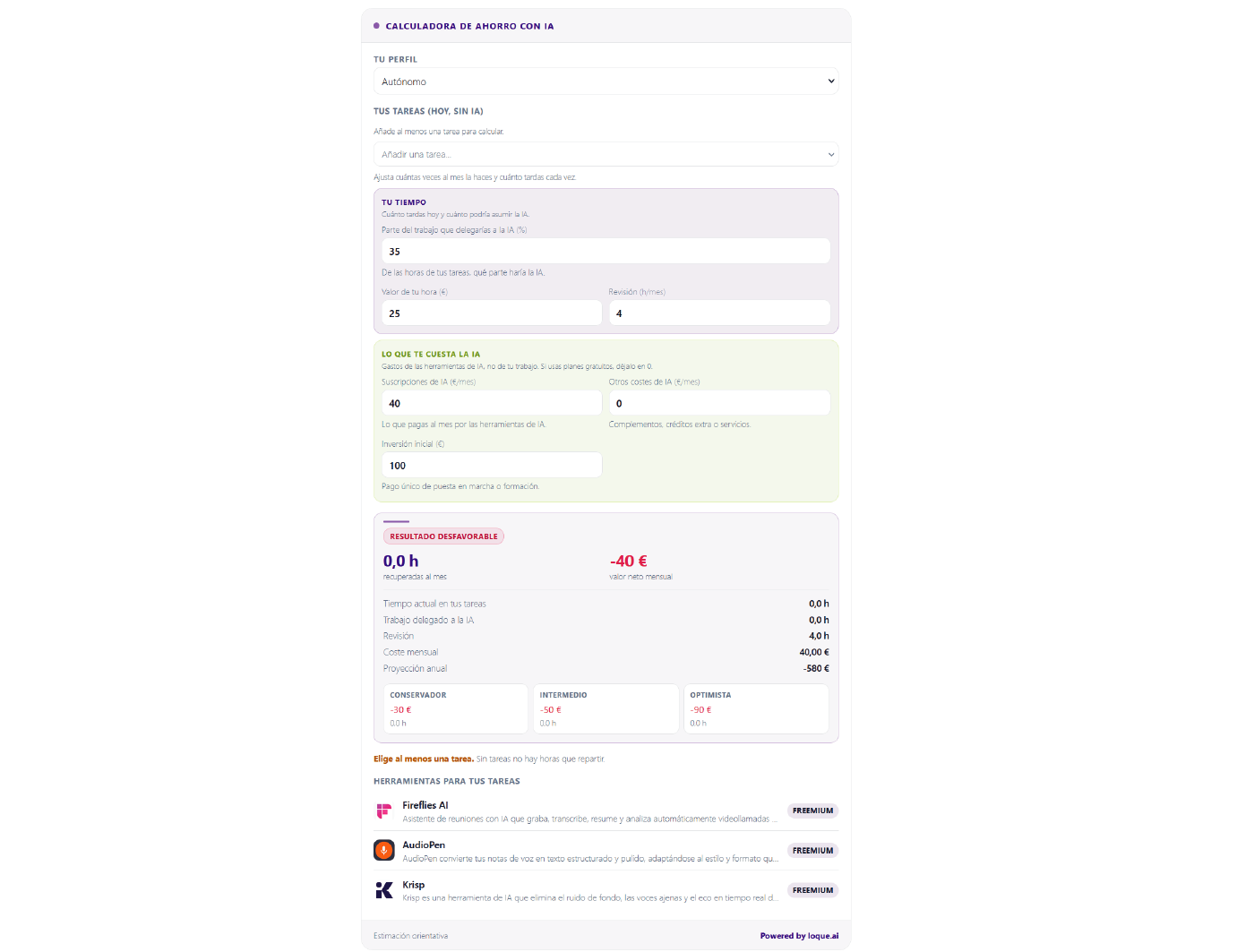
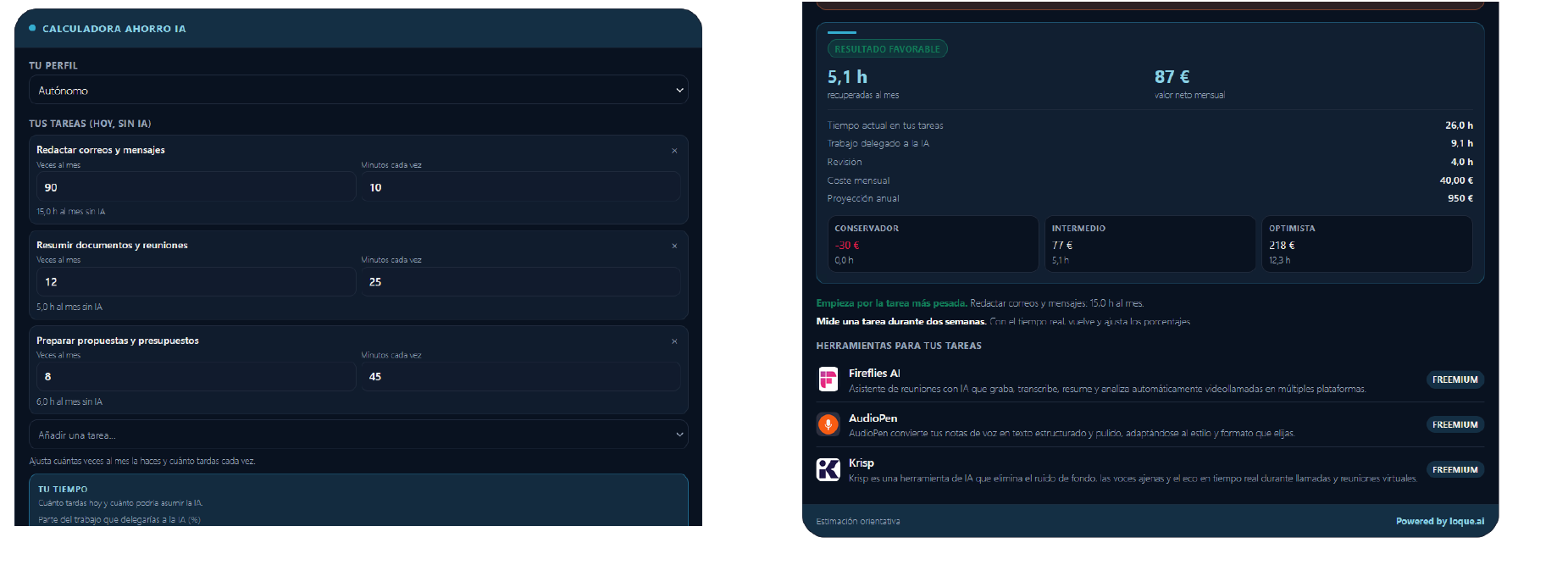
- A real answer, not a sales pitch. They choose the tasks they actually do today (emails, proposals, social posts, code, support replies, translations…) and how long each one takes. The calculator turns that into monthly hours and euros.
- Three levels of optimism. A conservative, an intermediate and an optimistic scenario, so the estimate never looks like a promise.
- Practical advice. A short tip points at the task to start with and warns them when review work would eat the time saved.
- Three tools matched to their tasks. Names, one-line descriptions, pricing type and a link to each tool. Optional: turn it off and the calculator shows only the maths.
- Instant, even on a phone. Everything is calculated in the visitor’s own browser. No request leaves the page to produce the result.
What it does for your site
- It gives a text-heavy page something interactive to do. A calculator that answers a question people are already asking is the kind of block readers finish and share, instead of scrolling past.
- It keeps them a little longer, on the page you choose. Visitors move from “I wonder” to “let me adjust this number” and stay inside your content while they do it.
- It earns its place on any niche. Productivity, freelancing, marketing, ecommerce, agencies, courses, SaaS blogs, local businesses: the tasks are the same questions every reader of yours is already asking.
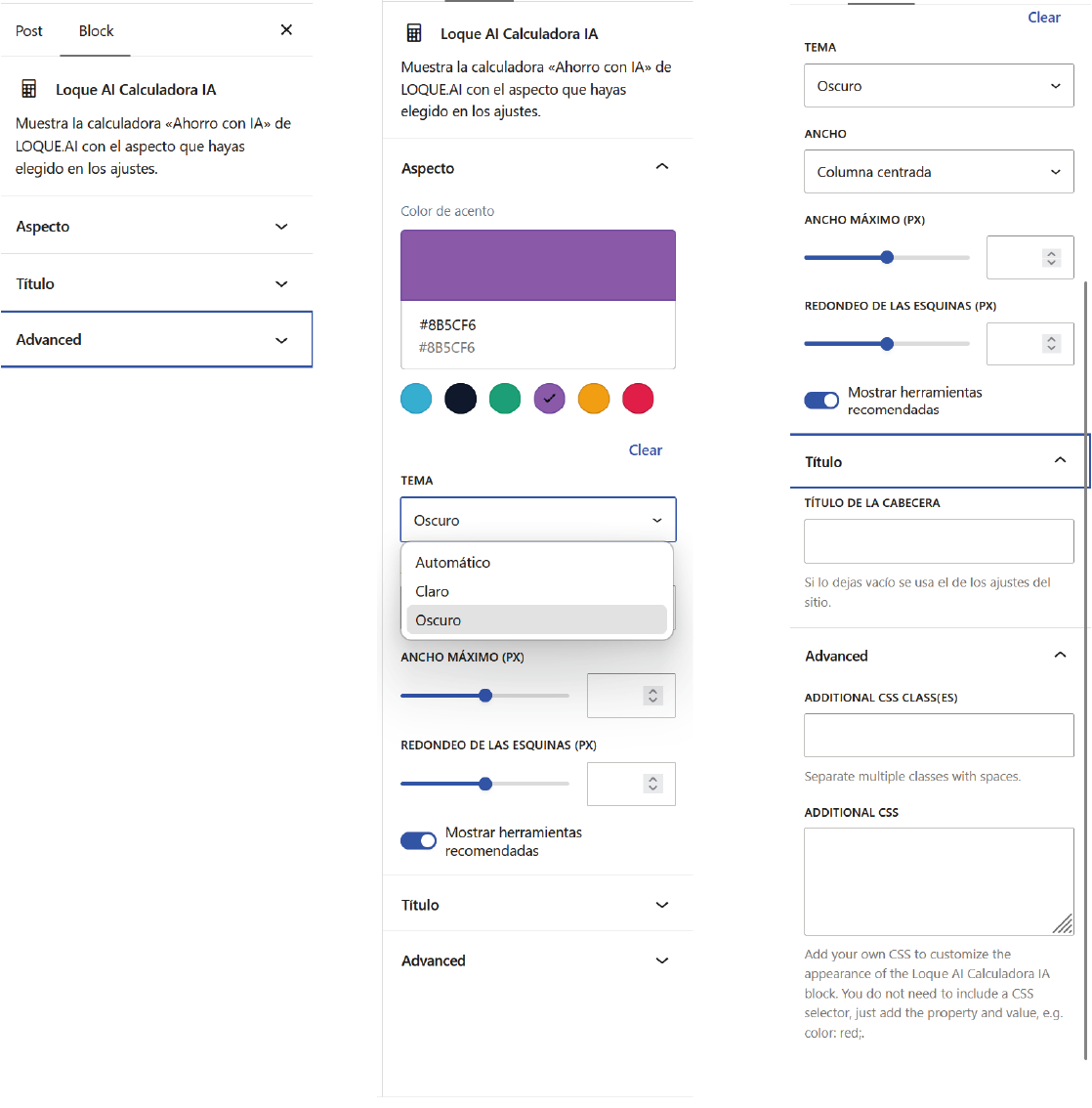
- It matches your design. Accent colour, light/dark/automatic theme, corner radius, container width and header title. The colour drives the whole palette, including a complementary tone for the cost block, so it never looks pasted in.
- It stays out of your theme’s way. The widget renders inside its own Shadow DOM: your theme’s CSS does not leak in and its styles do not leak out. Fonts, colours and line heights on the rest of the page are untouched.
Built to be lightweight
- Scripts and styles load only on pages that actually show the calculator. Nothing is added to the rest of your site.
- No cookies, no fingerprinting, no personal data stored on your WordPress install.
- No API keys: the plugin talks to LOQUE.AI, not the other way round.
- Works with the block editor, the classic editor, widgets, page builders that accept shortcodes, and any theme.
How to add it
Three ways, all with the same result:
- Block: insert “Loque AI Calculadora IA” in the block editor, or search for “calculadora” in the block inserter.
- Shortcode:
[loque_ai_calculadora] - Settings: set the defaults once in Settings Loque AI Calculadora IA; every block and shortcode inherits them.
Shortcode attributes, in case you want a specific instance to differ from your site defaults:
[loque_ai_calculadora accent="#10B981" theme="dark" width="boxed" max_width="520" radius="12" recos="0" title="¿Cuánto puedes ahorrar?"]
A note on honesty
The estimate is a model, not a measurement. The calculator says so on every result and this plugin repeats it here: no saving is guaranteed. What is guaranteed is that the maths is visible, that the assumptions are the visitor’s own, and that they can change any of them and watch the number move.
Languages
The plugin interface, the settings screen and every string on the site are in Spanish. The readme is in English for the WordPress.org directory; translations are welcome.
Screenshots

Blocks
This plugin provides 1 block.
- Loque AI Calculadora IA Muestra la calculadora «Ahorro con IA» de LOQUE.AI con el aspecto que hayas elegido en los ajustes.
Installation
- Upload the
loque-ai-calculadora-iafolder to/wp-content/plugins/, or install the ZIP from Plugins Add New Upload Plugin. - Activate the plugin through the Plugins screen in WordPress.
- Go to Settings Loque AI Calculadora IA and choose colour, theme, width, corner radius, title and whether to show tool recommendations. The preview updates as you change them.
- Insert the calculator where you want it: the “Loque AI Calculadora IA” block, the
[loque_ai_calculadora]shortcode, or a widget that accepts shortcodes.
FAQ
-
Does it need an account, a key or a payment?
-
No. The plugin is free and needs no API key, no account and no configuration to start working.
-
Where does the calculator get its content?
-
From the public catalogue of LOQUE.AI. Recommendations are matched to the tasks the visitor selected, not to what pays best.
-
Does it slow my site down?
-
It loads a single script and a single stylesheet, and only on pages that show the calculator. The catalogue is cached by the browser for 30 minutes.
-
Can I use it more than once on the same page?
-
Yes. Each instance has its own container and its own settings, and the shortcode attributes let you give each one a different colour or width.
-
Will it clash with my theme?
-
No. The widget lives inside a Shadow DOM, so its styles cannot reach your theme and your theme cannot reach it.
-
Is it accessible?
-
The container is announced as a region with a name, inputs are real form fields with visible labels, and the result is plain text. The calculator does not rely on hover or on colour alone to be read.
-
Does it store anything about my visitors?
-
Nothing in your database. There is anonymous, aggregate counting of how often the calculator is used and which profile and tasks are chosen, with no personal data, no cookies and no identifiers that follow anyone across sites. If you would rather not have that at all, the calculator works the same without its scripts: it just stops counting.
Reviews
There are no reviews for this plugin.
Contributors & Developers
“Loque AI Calculadora IA” is open source software. The following people have contributed to this plugin.
Contributors
Translate “Loque AI Calculadora IA” into your language.
Interested in development?
Browse the code, check out the SVN repository, or subscribe to the development log by RSS.
Changelog
0.1.0
- First release.
- Block “Loque AI Calculadora IA” and
[loque_ai_calculadora]shortcode. - Settings screen with live preview: accent colour, theme, width, maximum width, corner radius, header title and tool recommendations.
- Inherited defaults: a block or shortcode with no attributes uses the site settings.