

Description
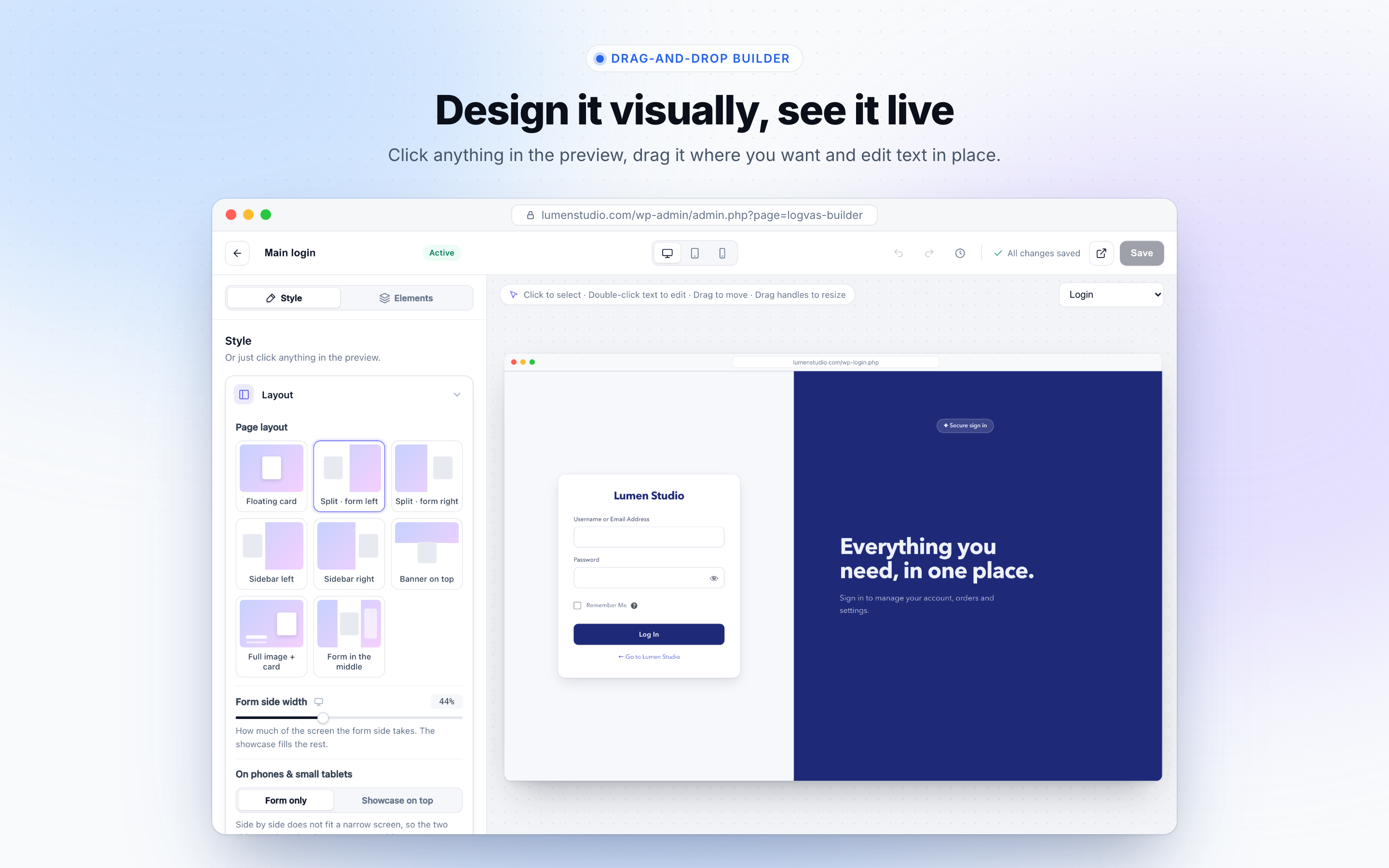
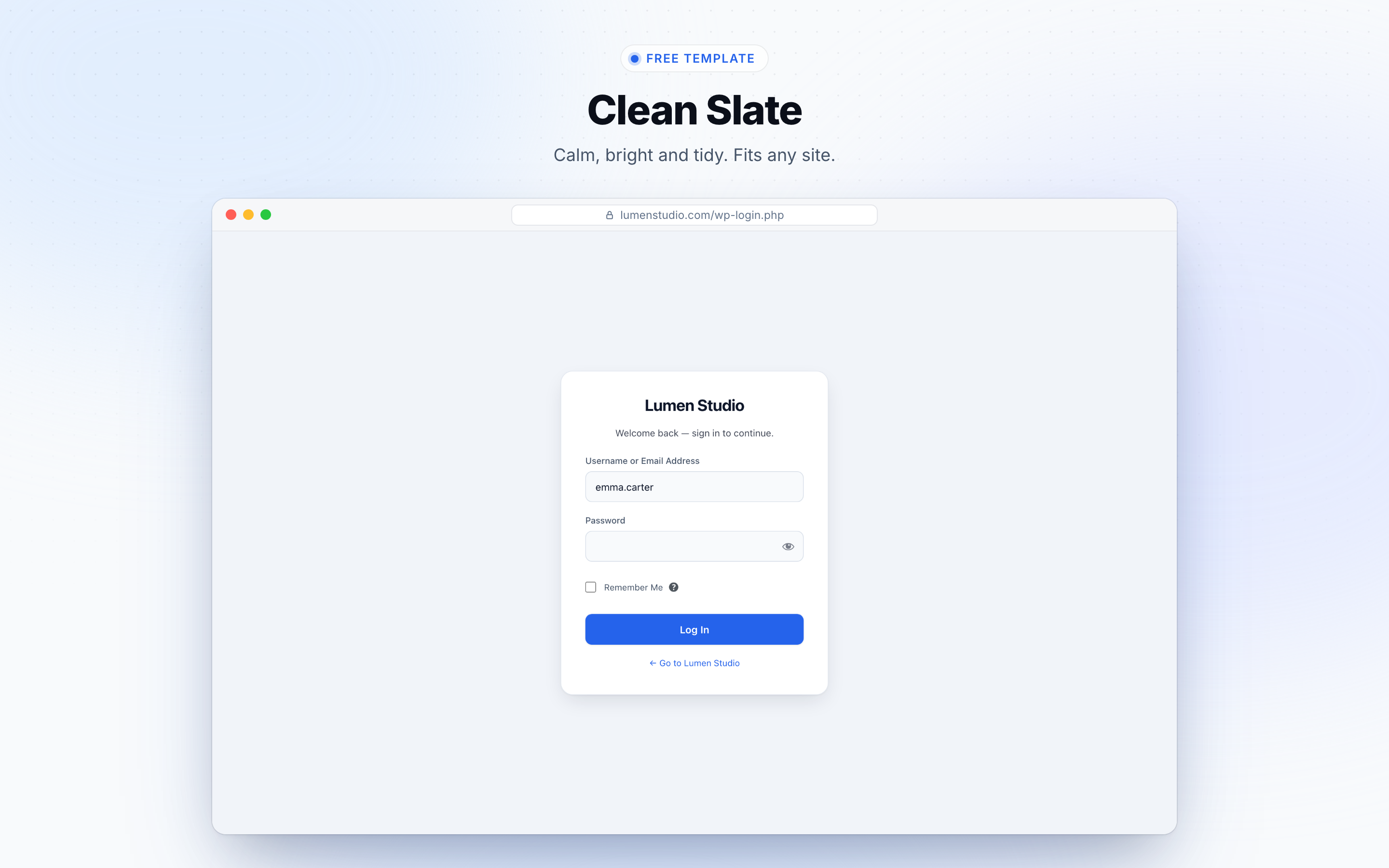
Logvas Login Screen Designer turns the plain WordPress login page (wp-login.php) into a custom login page that matches your brand. Pick a template, change anything in a visual drag-and-drop builder with a live preview, and click Save. No code, no shortcode, and it works with any theme.
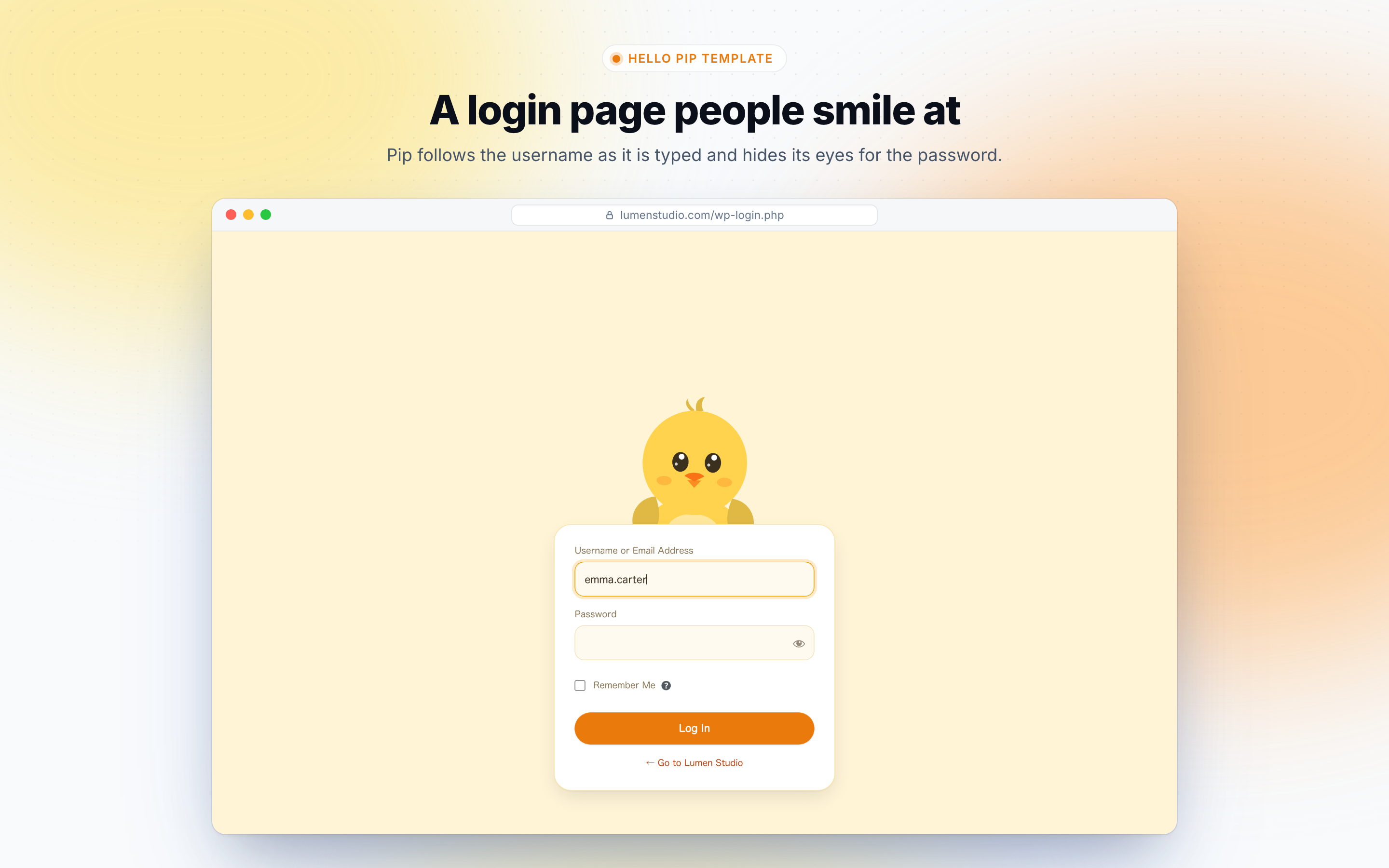
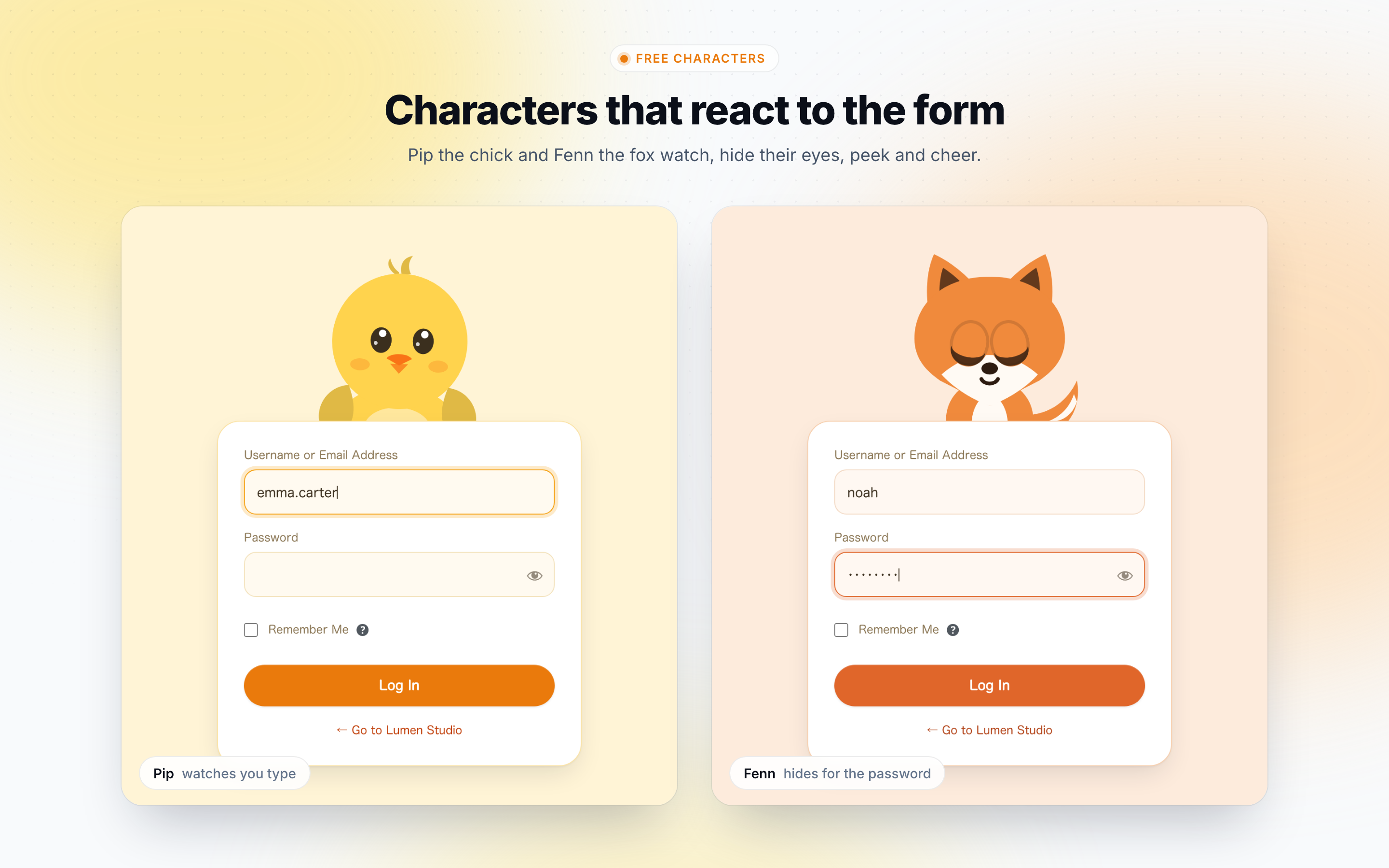
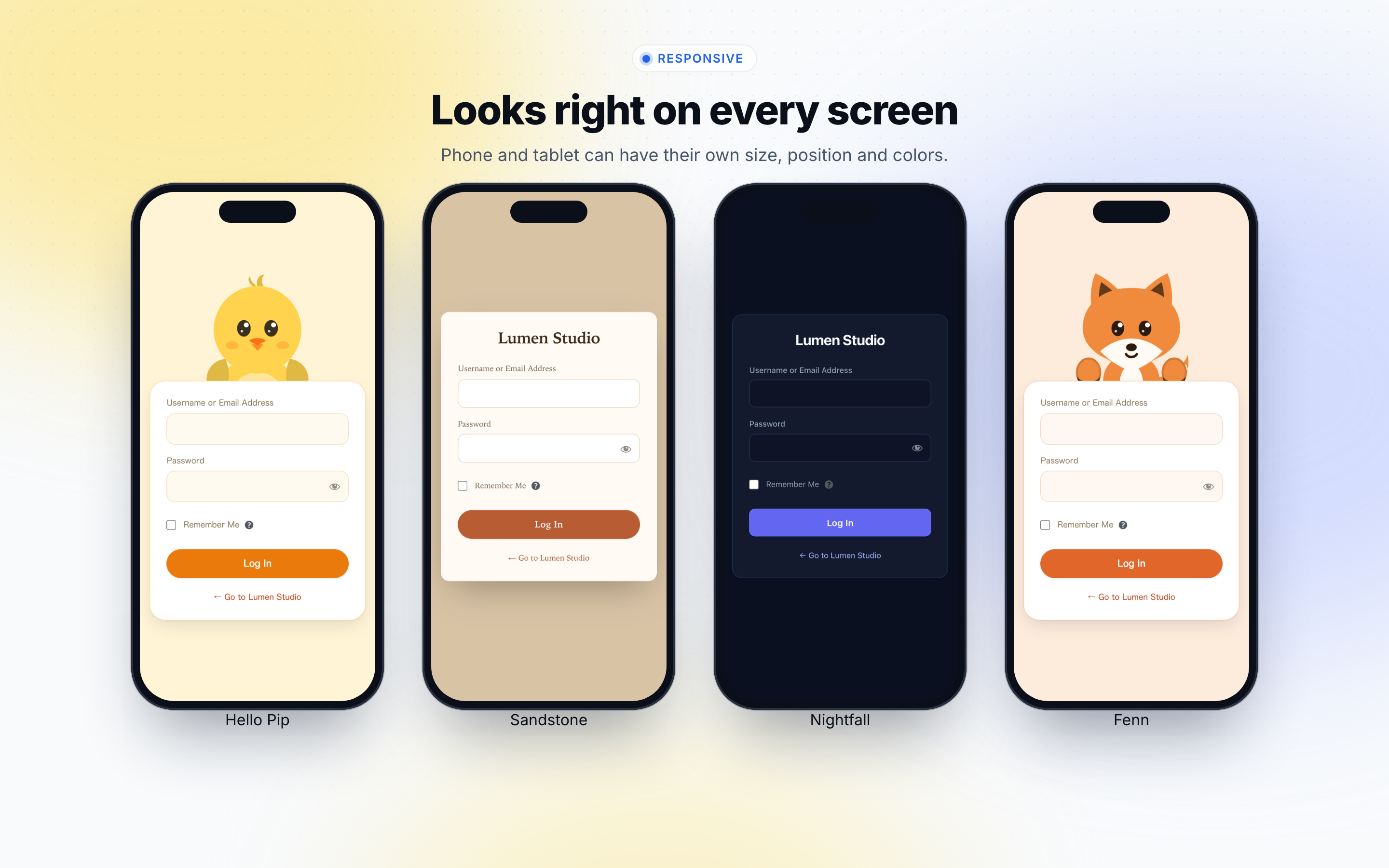
It also does something no plain login form can: a character that watches people log in. Pip the chick and Fenn the fox follow the username as it is typed, cover their eyes for the password, and cheer when someone logs in.
Live demo | Documentation | Logvas Pro | Support
Why site owners choose Logvas
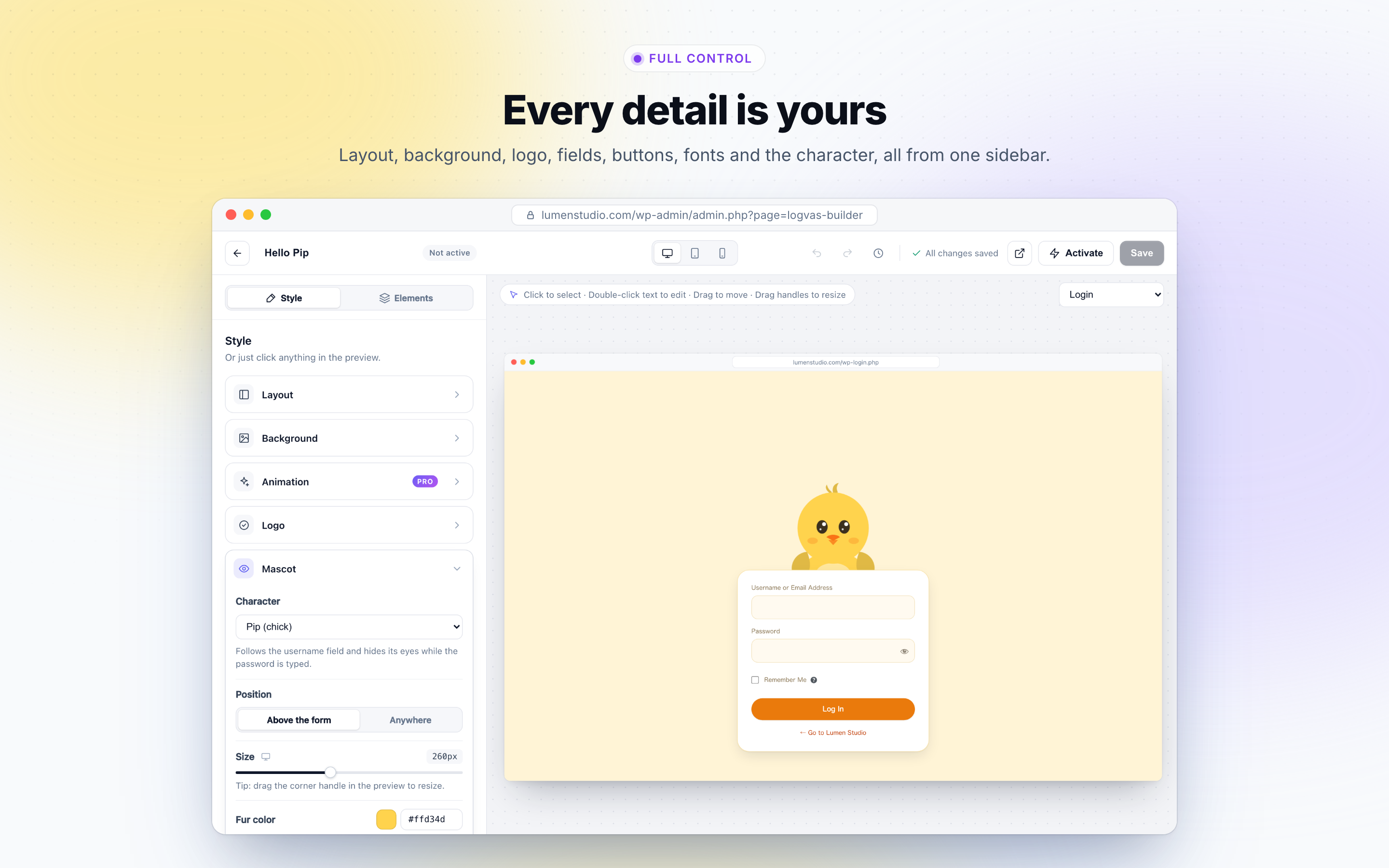
- Design by clicking. Click anything in the preview to change it, drag it to move it, double-click text to rewrite it. What you see is what your visitors get.
- Ready in minutes. Start from a finished template and swap in your logo and colors.
- Your brand in one click. Match the button, links and focus rings to your logo automatically.
- Right on every screen. Give phones and tablets their own positions, sizes and colors.
- Fast and private. Nothing on the login page loads from another server: no web fonts, no CDN, no tracking.
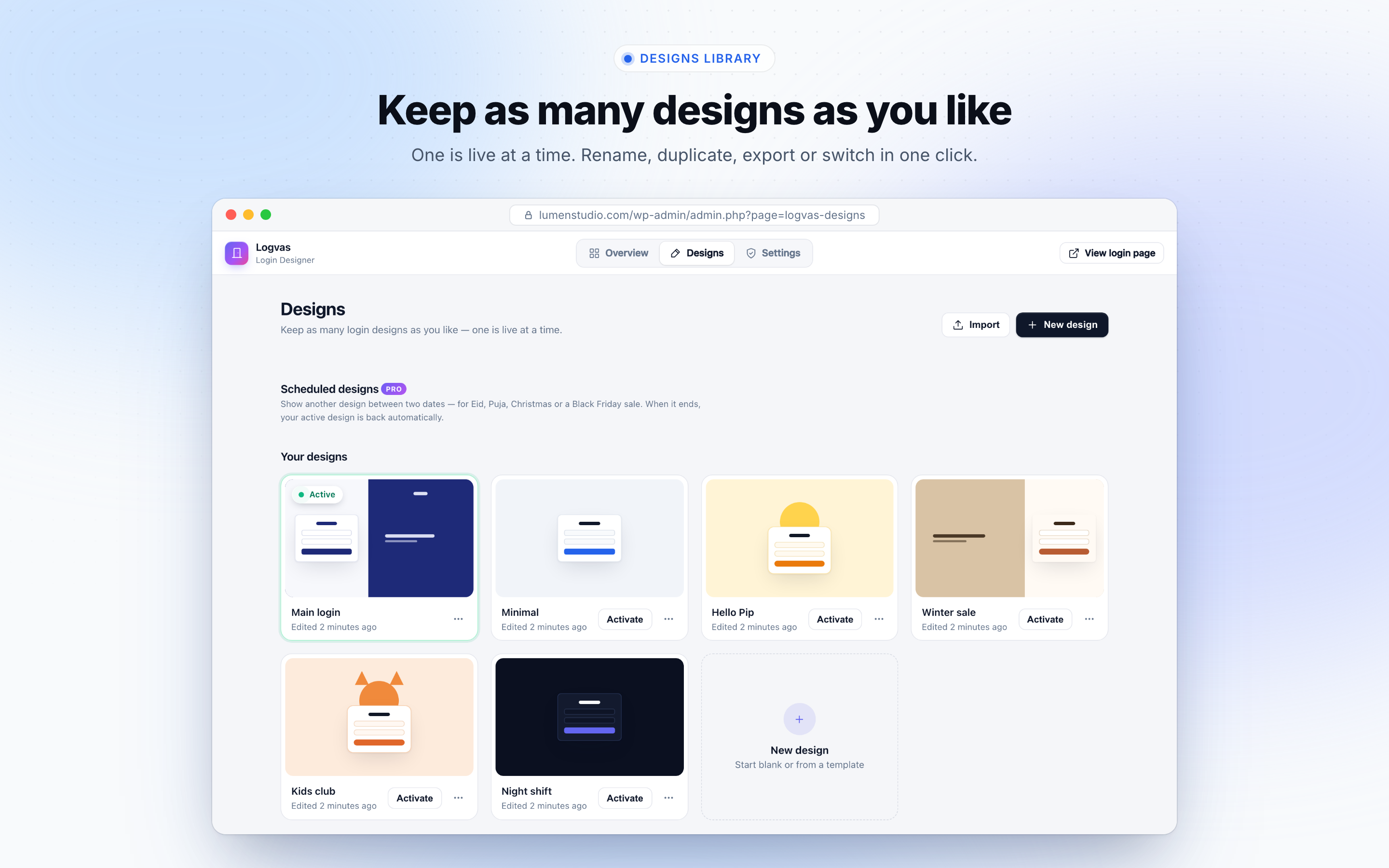
- Safe to try. Keep as many designs as you like, one is live at a time, and every save keeps the previous version.
How it works
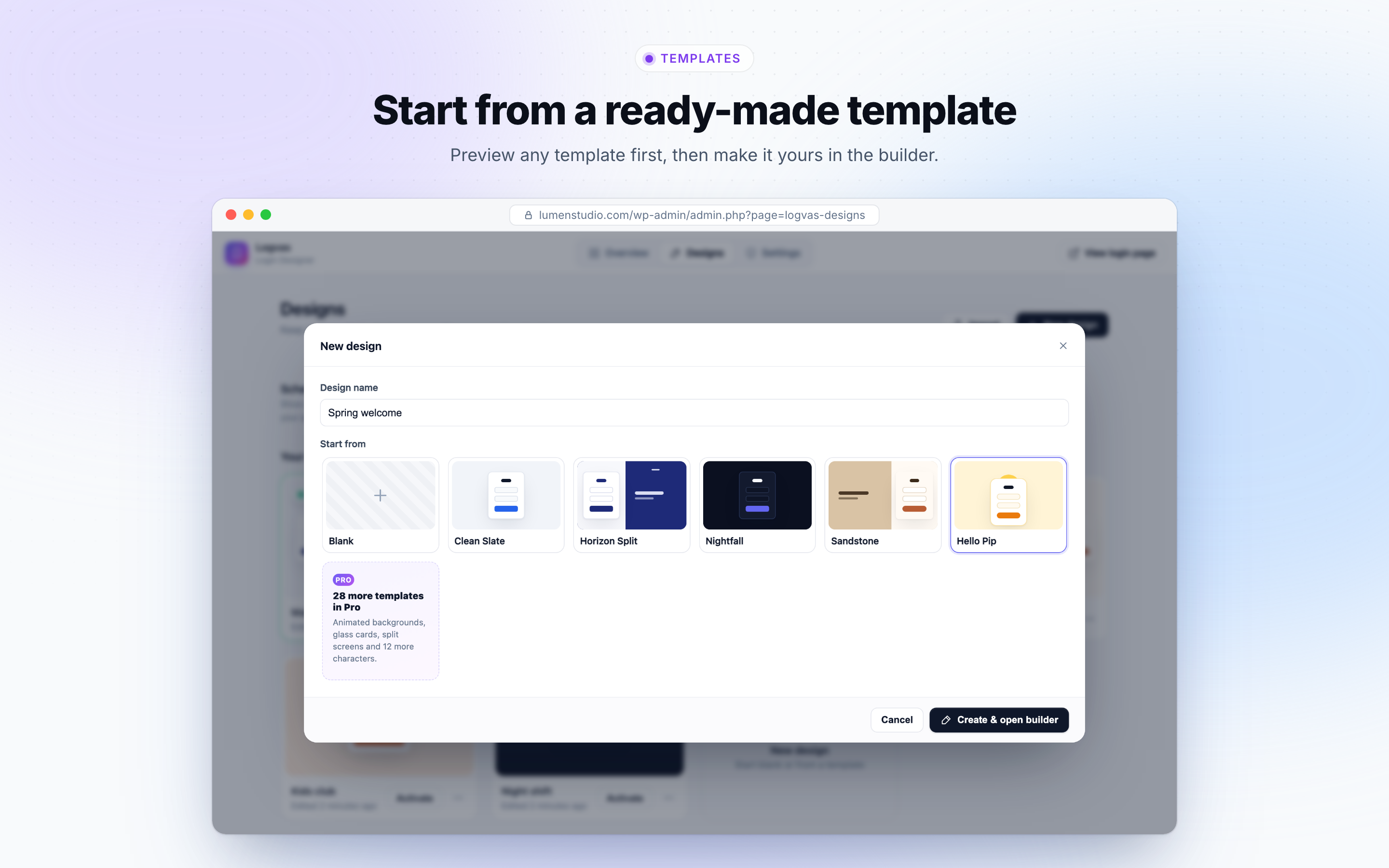
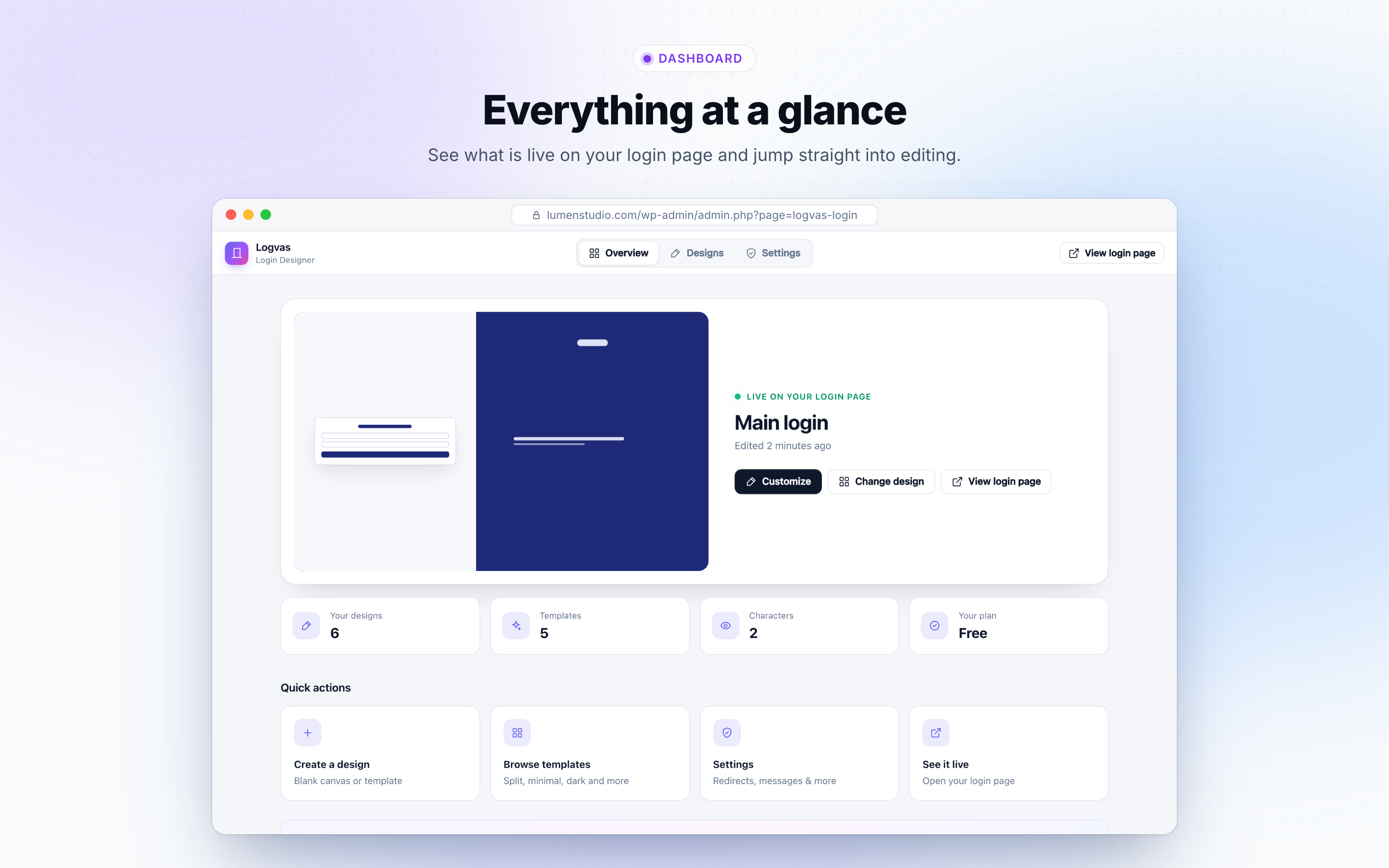
- Open Logvas Login Designs and click New design.
- Choose a template (or start blank) and click Create & open builder.
- Change what you like, click Save, then Activate. Your new WordPress login page is live.
Free features
Login page templates and designs
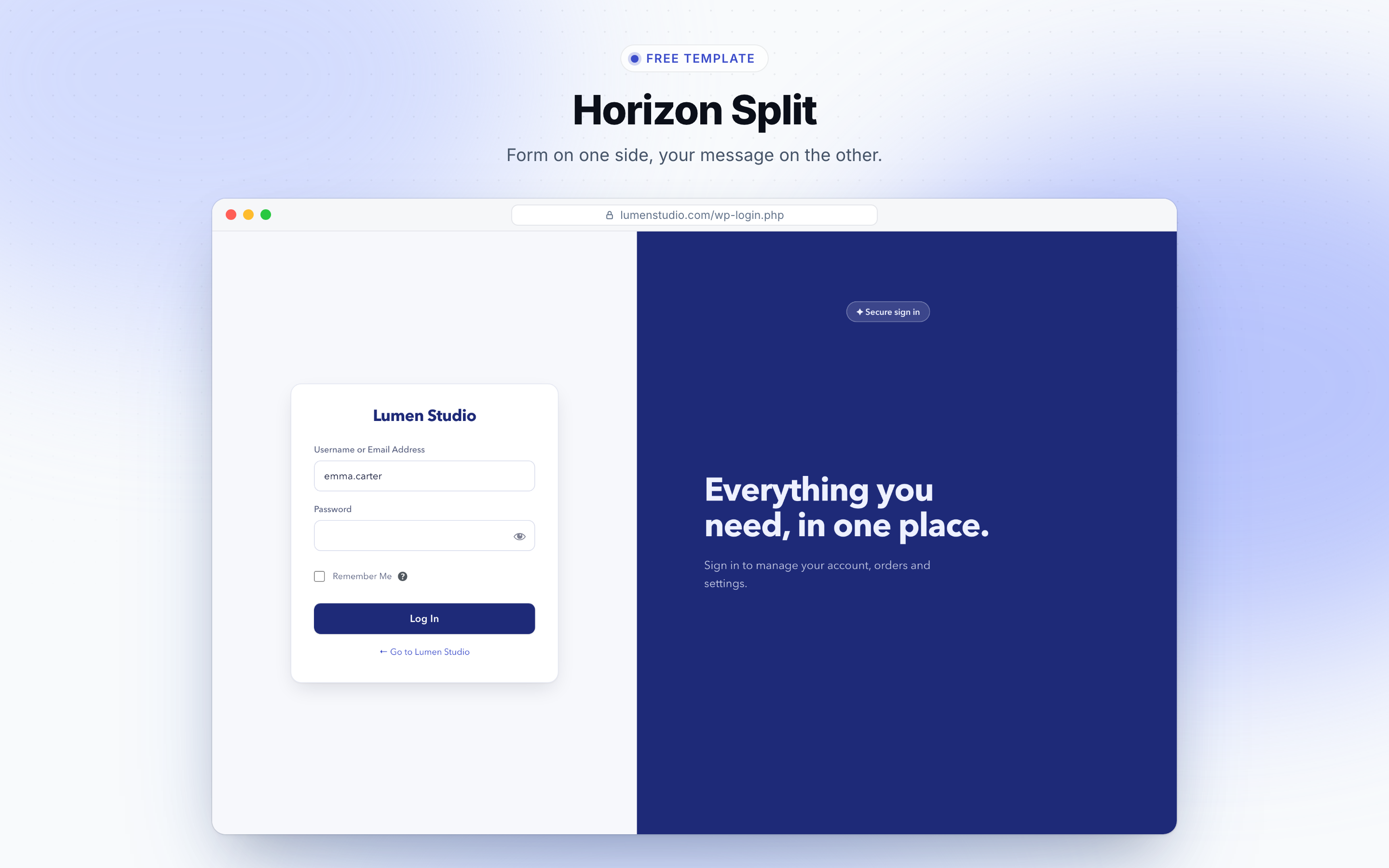
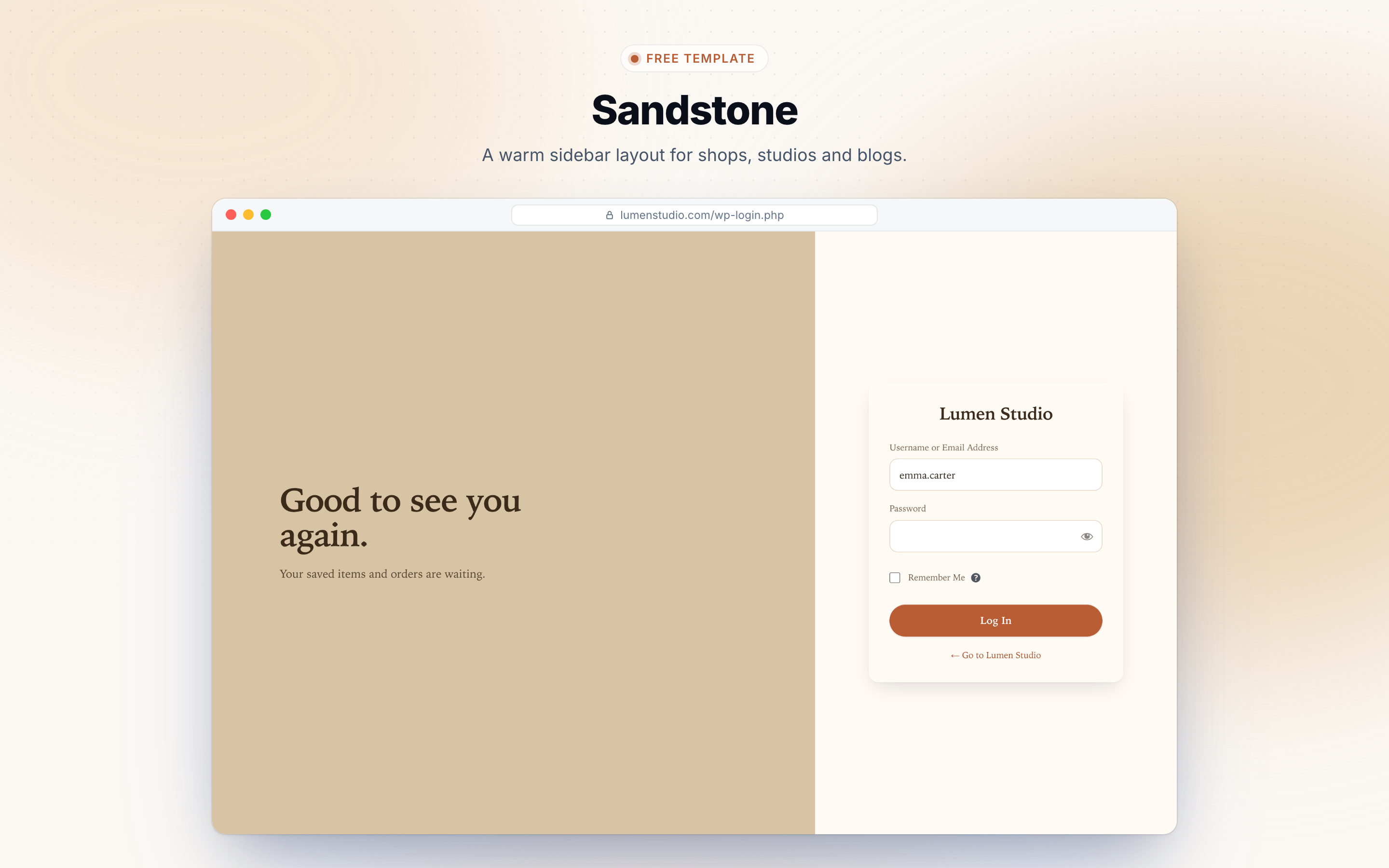
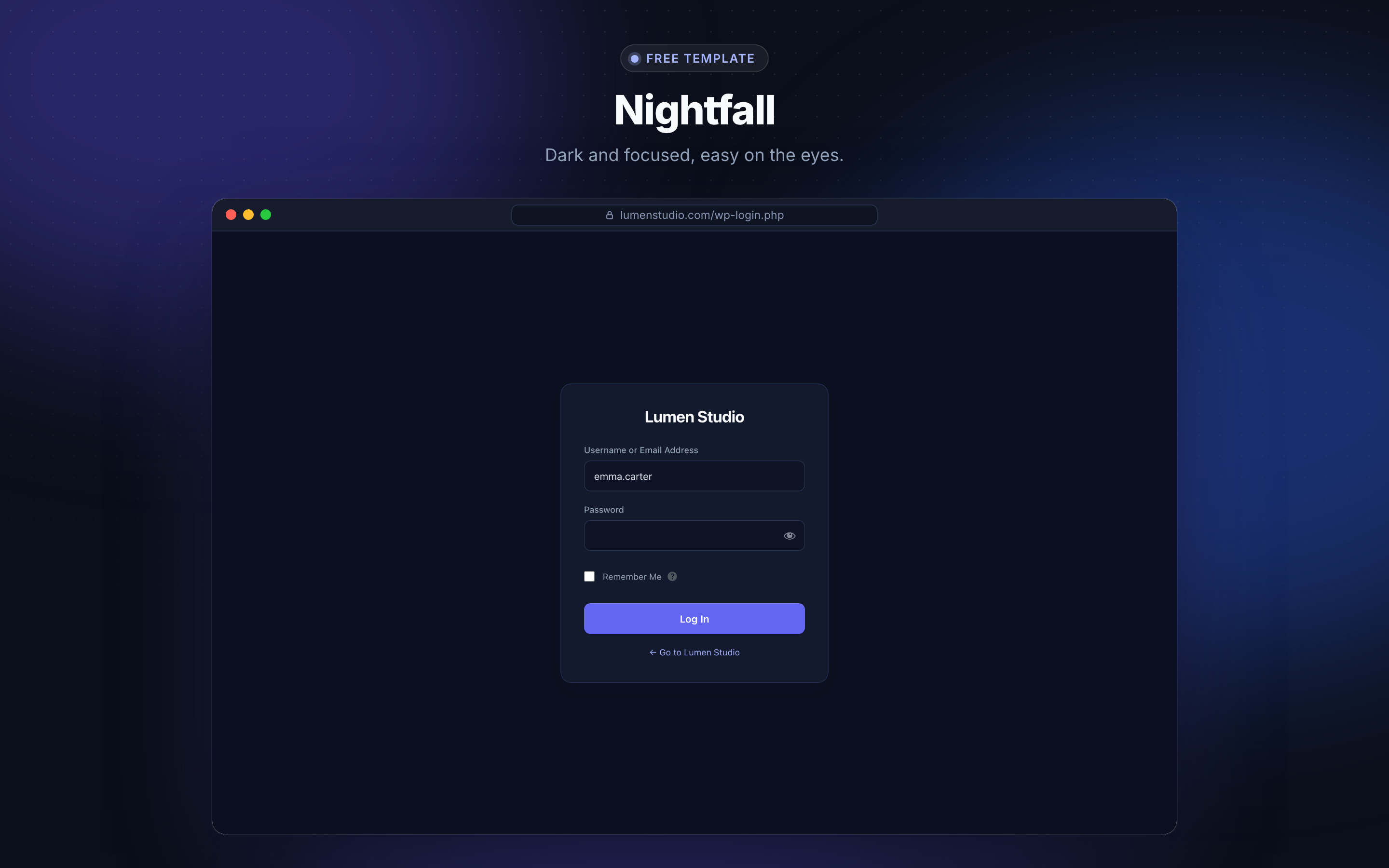
- 5 ready-made login page templates: Clean Slate, Horizon Split, Nightfall, Sandstone and Hello Pip
- Unlimited designs, one live at a time, with one-click activate
- Rename, duplicate, export and import designs (JSON)
- Version history: every save keeps the previous version, restore any of the last 25
Drag-and-drop login page builder
- Full-screen editor with a live preview of your login page
- Click any part of the preview to jump to its settings
- Double-click any text (labels, links, headings, welcome and footer text) to edit it in place
- Drag the login form, the logo and your own elements anywhere, with center snapping
- Undo, redo and keyboard shortcuts
- Preview and style both the login and the lost password screens
8 login page layouts
- Floating card, split screen (form left or right), sidebar left or right, banner on top, full image with card, and form in the middle
- Showcase area with your heading, text and an image or a short looping video (videos load only when visible, so phones that hide them never download them)
- Choose how wide the form side is, and whether phones show the form alone or the showcase above it
Custom login logo, background and colors
- Login logo: the WordPress logo, your own image, text, or none, with your own link
- Brand colors: match the button, links and focus rings to your logo in one click
- Login background: solid color or image, with a color overlay
- Form card: color, corner radius, padding and border
- Fields, labels, links and the login button: colors, sizes and radius
- Six local font styles (nothing loaded from external servers)
- Your own elements: add headings, text, badges and images anywhere on the page
A character that reacts to the login form
- Pip the chick and Fenn the fox, in your colors and size
- Follows the username, covers its eyes for the password, peeks when the password is shown
- Cheers on “Log In” and looks worried when Caps Lock is on or the login fails
Mobile and tablet login design
- Preview desktop, tablet and phone in the builder
- Position, size, background color, card color and showcase color can each differ per device
- Hide the character or any element on phones
Login behaviour and messages
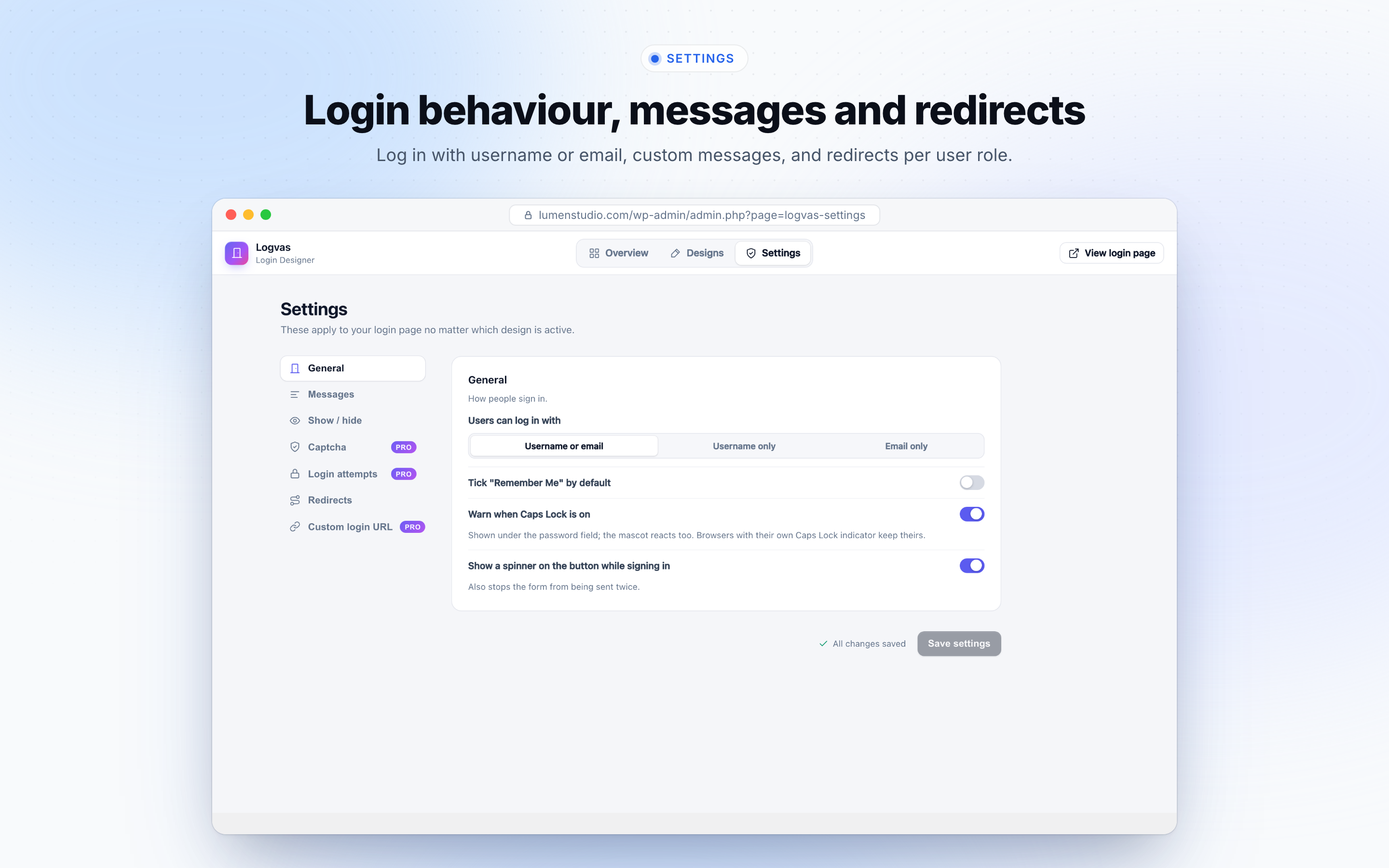
- Let people log in with username, email, or both
- Custom login error messages, welcome message, lost password message and footer text
- Hide the “Go to site” link, “Lost your password?” link, language switcher and privacy link
- “Remember Me” ticked by default
- Caps Lock warning on the password field and a styled password strength meter on the reset screen
- Spinner on the login button while signing in, which also prevents double submits
Login redirects
- Redirect users after login, logout and registration
- Different redirects per user role
Who is it for?
- Agencies and freelancers who hand over a branded login to every client
- Membership, LMS and community sites whose members see the login page every day
- Schools, clubs and small teams that want a friendly first screen
- Anyone who wants a custom WordPress login page without writing CSS
Logvas Pro
The free plugin is complete on its own. Logvas Pro adds motion, more designs and login security:
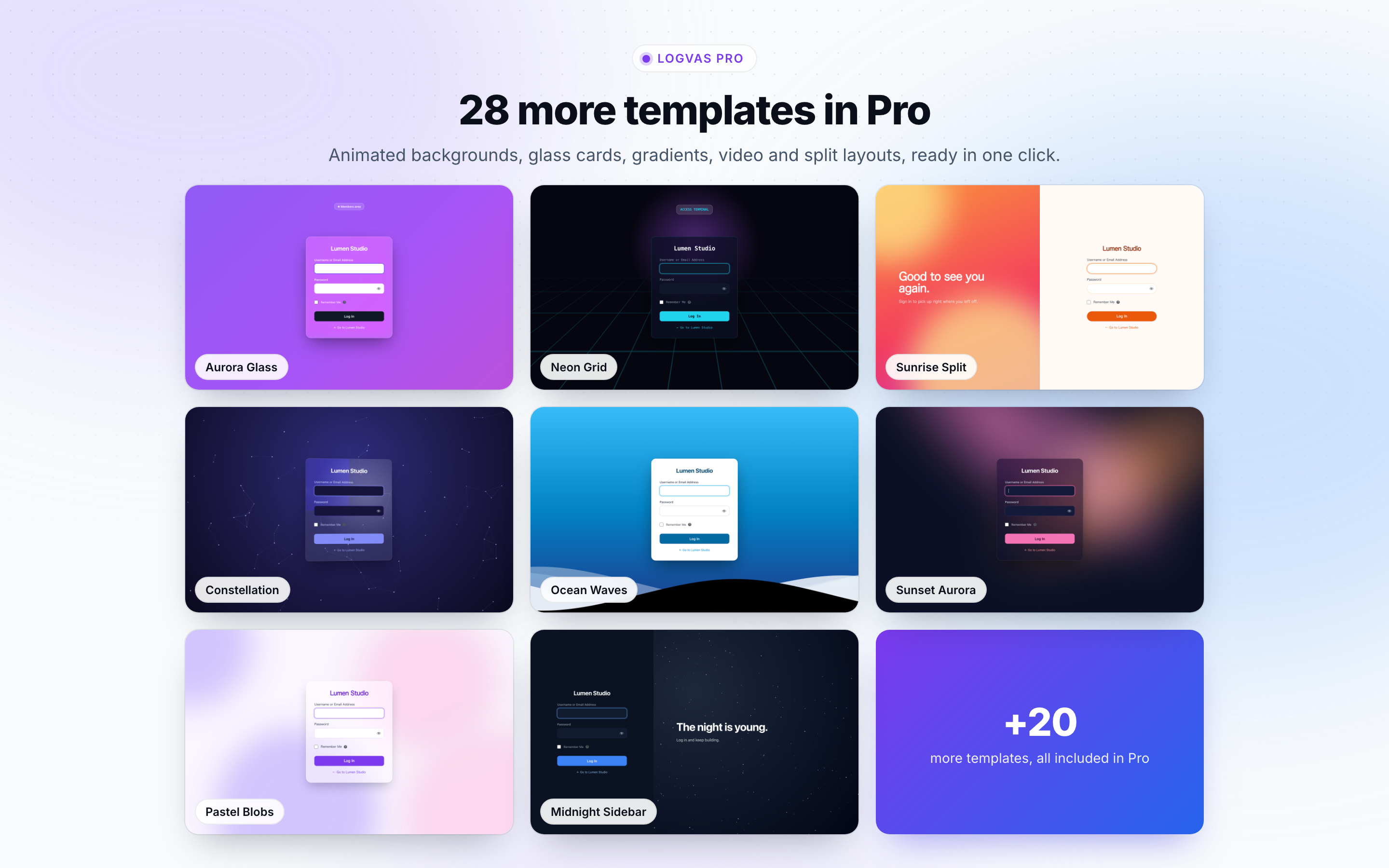
- 28 more templates (33 in total): animated, glass, split screen and character designs
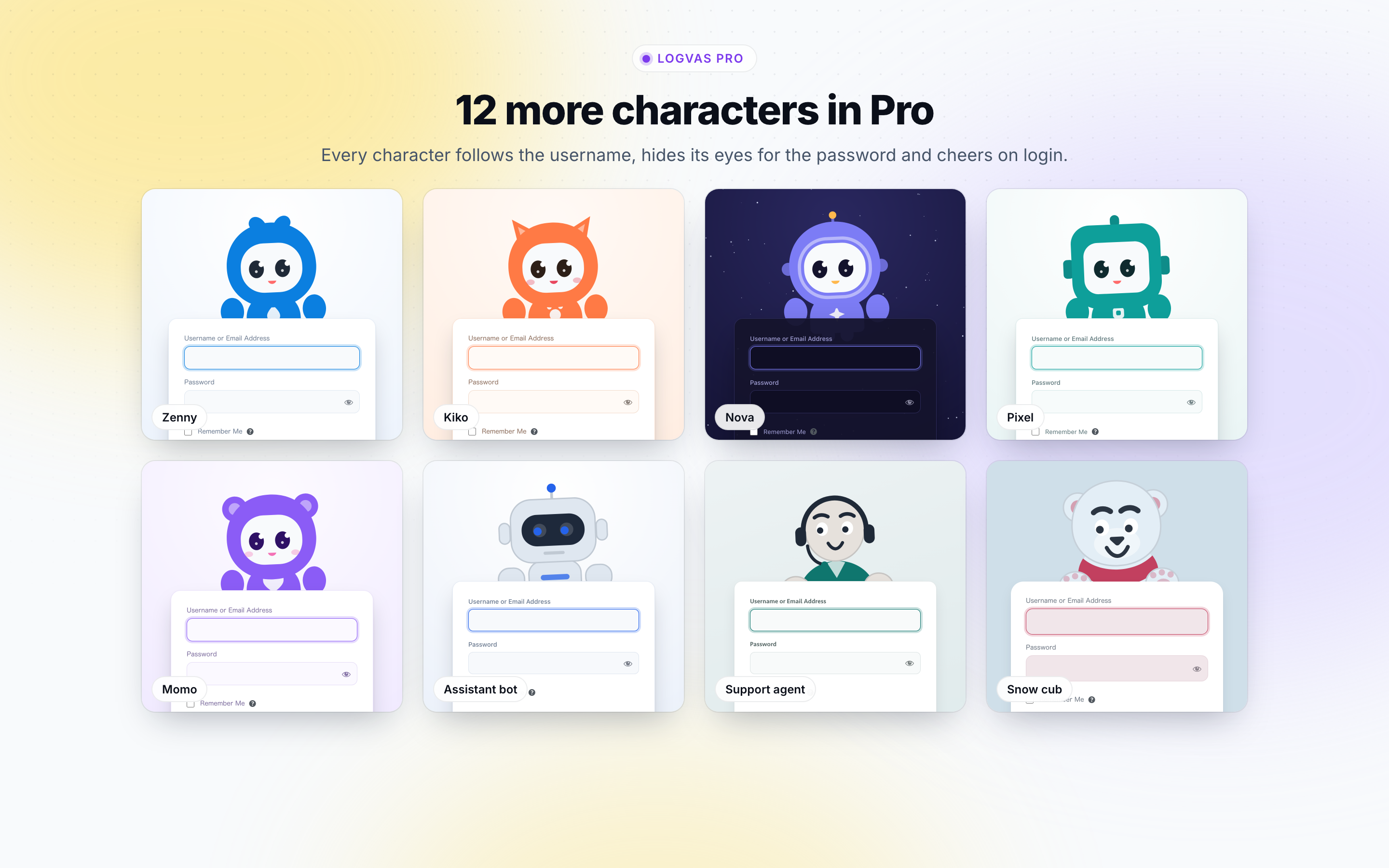
- 12 more characters (14 in total), including a cat, an astronaut, a support agent and an assistant bot
- Gradient and video backgrounds
- 8 background animations: flowing gradient, aurora, floating blobs, ocean waves, particle network, starfield, rising bubbles and retro grid
- Form animations: entrance effects, staggered fields, 3D tilt on mouse move and a shake on login errors
- Glass card: card opacity, blur and shadows
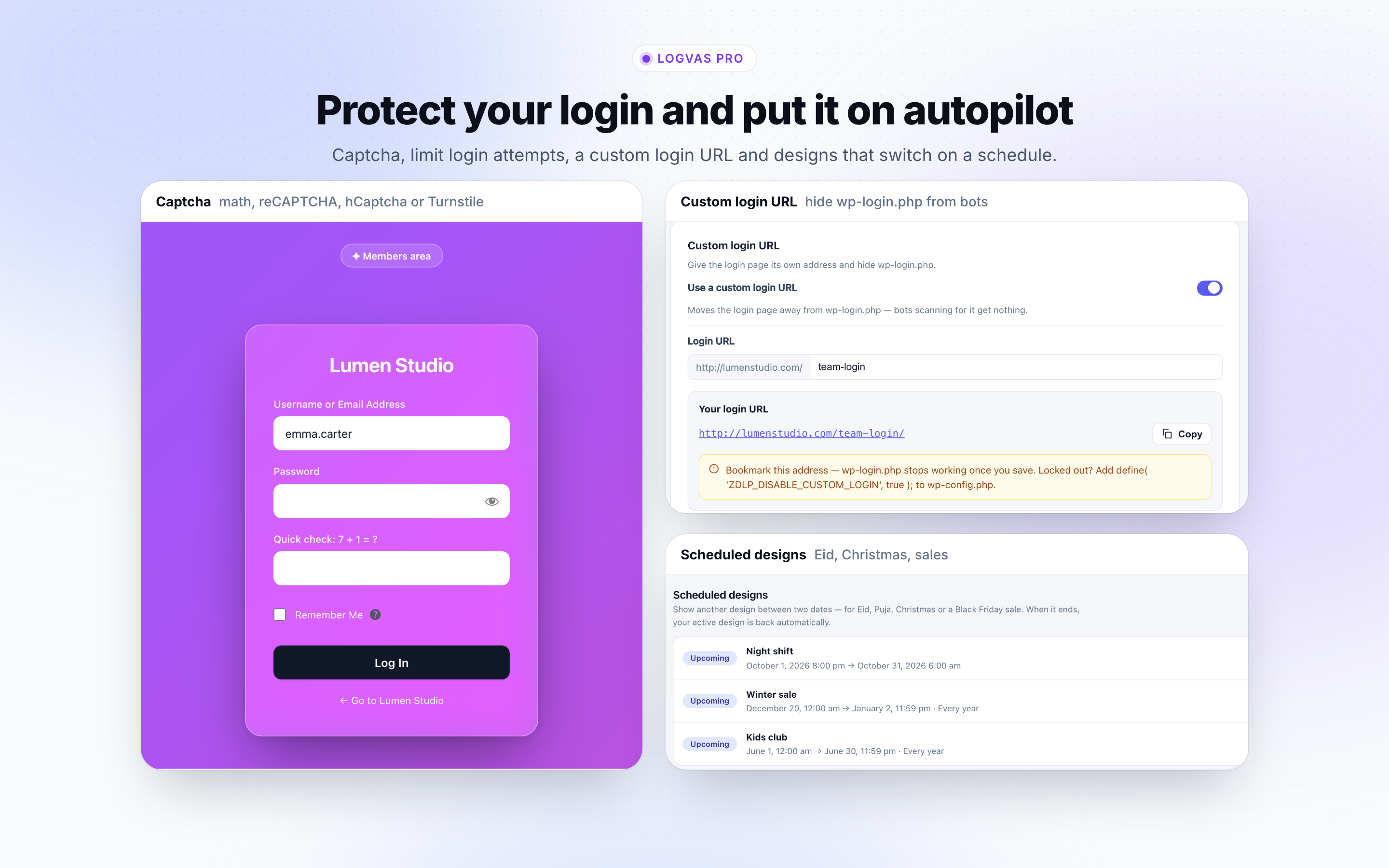
- Scheduled designs: show another design between two dates (Eid, Puja, Christmas, a sale), every year if you like, then return to your active design automatically
- Captcha: a simple math question, Google reCAPTCHA v2 / v3, hCaptcha or Cloudflare Turnstile on the login, registration and lost password forms
- Limit login attempts with a lockout
- Custom login URL that hides wp-login.php and wp-admin from bots
See every template and character running live on the demo page.
Documentation and support
- Documentation: setup, every setting, how-to guides and troubleshooting
- Support: questions and help from the Plugsbe team
- Live demo: try the templates and characters before you install
External Services
Freemius (licensing and upgrades)
The plugin uses the Freemius SDK (https://freemius.com) to offer the optional Logvas Pro upgrade and manage licences. It only talks to Freemius from the admin area, never from your login page or to your visitors:
- When you activate the plugin you are asked whether to share site data with Freemius. Only if you opt in, it sends your site URL, WordPress and PHP versions, active theme and plugins, and the admin’s name and email. You can skip this, and the plugin works fully either way.
- Opening the Upgrade / pricing screen requests the current prices from Freemius (your site URL is included).
- Checkout is served by Freemius; payment details never reach your site.
- With a Pro licence, the licence is activated and checked from time to time.
- If you deactivate or uninstall the plugin, you may be asked for an optional reason.
Captcha providers (Logvas Pro)
Logvas Pro contacts a captcha provider only if you pick one of these in Settings Captcha, for one purpose: telling people from bots on your login, registration and lost password forms.
- When one of those forms is shown, the visitor’s browser loads the provider’s script from the provider’s servers (the provider receives the visitor’s IP address and browser details, as with any web request).
- When the form is submitted, your site sends the captcha answer token, the visitor’s IP address and your secret key to the provider’s verification endpoint.
- Nothing is sent while the captcha is off, on other pages, or from the admin area.
-
If the provider can’t be reached, the form shows an error instead of letting the request through (sites can change that with the
zdlp_captcha_allow_on_network_errorfilter). The math question needs no external service. -
Google reCAPTCHA (v2 or v3) — https://www.google.com/recaptcha — Terms, Privacy
- hCaptcha — https://www.hcaptcha.com — Terms, Privacy
- Cloudflare Turnstile — https://www.cloudflare.com/products/turnstile/ — Terms, Privacy
Third-party libraries
- Freemius WordPress SDK 2.13.4 — GPLv3. Bundled unmodified in
vendor/freemius/. Source: https://github.com/Freemius/wordpress-sdk - Motion (https://motion.dev) 11.18.2 — MIT License. Bundled in
resources/vendor/motion/, loaded from this plugin only (no CDN), for the admin screens’ transitions (and Pro’s login page animations). The folder ships both the minified build (motion.js) and the unminified, human-readable source it was built from (motion.dev.js). Upstream source: https://github.com/motiondivision/motion — released as https://www.npmjs.com/package/motion/v/11.18.2
Screenshots
Installation
- In your WordPress dashboard go to Plugins Add New, search for Logvas Login Screen Designer, click Install Now and then Activate. (Or upload the plugin folder to
/wp-content/plugins/and activate it.) - Open Logvas Login Designs and click New design.
- Pick a template, click Create & open builder, make your changes and click Save, then Activate.
- Click View login page to see your new login page.
FAQ
-
How do I customize the WordPress login page without code?
-
Install Logvas, open Logvas Login Designs, create a design from a template and change it in the drag-and-drop builder. Click any part of the preview to edit it. Click Save and Activate and your custom login page is live. You never touch CSS or PHP.
-
Does it work with my theme or page builder?
-
Yes. Logvas styles the WordPress login screen (wp-login.php), which your theme does not control, so it works with any theme and any page builder.
-
Can I add my own logo and brand colors to the login page?
-
Yes. Choose Image in the Logo section and pick your logo. Then click Match colors to logo to color the button, links and focus rings from your logo in one click.
-
Can I change the login page background?
-
Yes. Use a solid color or an image with a color overlay. Gradient and video backgrounds and animated backgrounds come with Logvas Pro.
-
Can phones and tablets have a different login design?
-
Yes. The builder previews desktop, tablet and phone, and position, size, background color, card color and showcase color can each be set per device.
-
Can I redirect users after they log in?
-
Yes. Set a page for after login, after logout and after registration, and add different redirects for each user role.
-
Will it slow down my login page?
-
No. The login page loads only the plugin’s own small files. There are no web fonts, no CDN requests and no tracking, and showcase videos load only when they are visible.
-
Is Logvas free? What does Pro add?
-
The free plugin includes the builder, 5 templates, 2 characters, all 8 layouts, phone and tablet designs, redirects and custom messages, with no time limit. Logvas Pro adds 28 more templates, 12 more characters, gradient, video and animated backgrounds, a glass card, scheduled designs, captcha, login attempt limits and a custom login URL.
-
Does it change my login URL?
-
Not in the free plugin: your login page stays at wp-login.php. A custom login URL that hides wp-login.php is a Logvas Pro feature.
-
How do I go back to the default WordPress login page?
-
Deactivate the plugin and the default login page returns at once. Your designs are kept, so they are there when you activate it again.
-
Is it translation ready?
-
Yes. Texts you leave empty keep WordPress’s own translated text, and the plugin’s own strings can be translated.
-
Does the plugin load anything from external servers on the login page?
-
No. All scripts, styles and fonts ship with the plugin, and fonts use stacks already installed on the visitor’s device. The only outside services are Freemius in the admin (licensing and the optional upgrade) and, in Logvas Pro, a captcha provider if you choose one. See “External Services” below.
-
What happens to Pro options if I go back to the free version?
-
Your designs keep working with the free options. Pro-only choices, like a gradient background or a Pro character, fall back to the free defaults (a solid color, no character) until Pro is active again. Saved Pro settings are kept.
-
I’m locked out by the attempt limit, the custom login URL or the captcha (Pro).
-
Add
define( 'ZDLP_DISABLE_CUSTOM_LOGIN', true );ordefine( 'ZDLP_DISABLE_CAPTCHA', true );to wp-config.php, log in, fix the setting and remove the line again. For the attempt limit, wait for the lockout to pass, or rename the plugin folder via FTP to disable it temporarily. -
Where can I get help?
-
Read the documentation or contact the team at support.plugsbe.com.
Reviews
There are no reviews for this plugin.
Contributors & Developers
“Logvas Login Screen Designer” is open source software. The following people have contributed to this plugin.
Contributors
Translate “Logvas Login Screen Designer” into your language.
Interested in development?
Browse the code, check out the SVN repository, or subscribe to the development log by RSS.
Changelog
1.0.0
- Initial release.