

Description
lnduc Order Notifications via Telegram sends an instant message to Telegram whenever the status of a WooCommerce order changes.
Each message includes:
- Order number
- Customer name
- Old and new order status (translated by WooCommerce)
- Order total, formatted with your store currency settings
- A direct link to the order in your admin area
- Date and time of the update
This is an independent plugin by lnduc. It is not affiliated with, endorsed by or sponsored by Telegram Messenger Inc. or Automattic/WooCommerce. Telegram and WooCommerce are trademarks of their respective owners.
Features
- Choose which order statuses trigger a notification
- Works with private chats, groups and channels
- Sends in the background using Action Scheduler, so checkout is never slowed down
- “Send test message” button to verify your settings
- Compatible with WooCommerce High-Performance Order Storage (HPOS)
External service: Telegram Bot API
This plugin sends data to the Telegram Bot API (https://api.telegram.org) so that notifications can be delivered to your Telegram chat. No data is sent until you enter a Bot Token and Chat ID and select at least one order status.
- What is sent: your Bot Token and Chat ID (to authenticate and address the message), and the notification text: order number, customer billing name, old/new order status, order total and currency, a link to the order in your admin area, and the date/time. A test message is sent when you click “Send test message”.
- When it is sent: each time an order changes to a status you selected in the plugin settings, and when you click “Send test message”.
- Service provider: Telegram Messenger Inc.
- Terms of Service: https://telegram.org/tos
- Privacy Policy: https://telegram.org/privacy
You are responsible for making sure that sending this information to Telegram complies with the privacy laws that apply to your store and with your own privacy policy.
Screenshots
Installation
- Upload the plugin folder to
/wp-content/plugins/, or install it from the Plugins screen in WordPress. - Activate the plugin. WooCommerce must be installed and active.
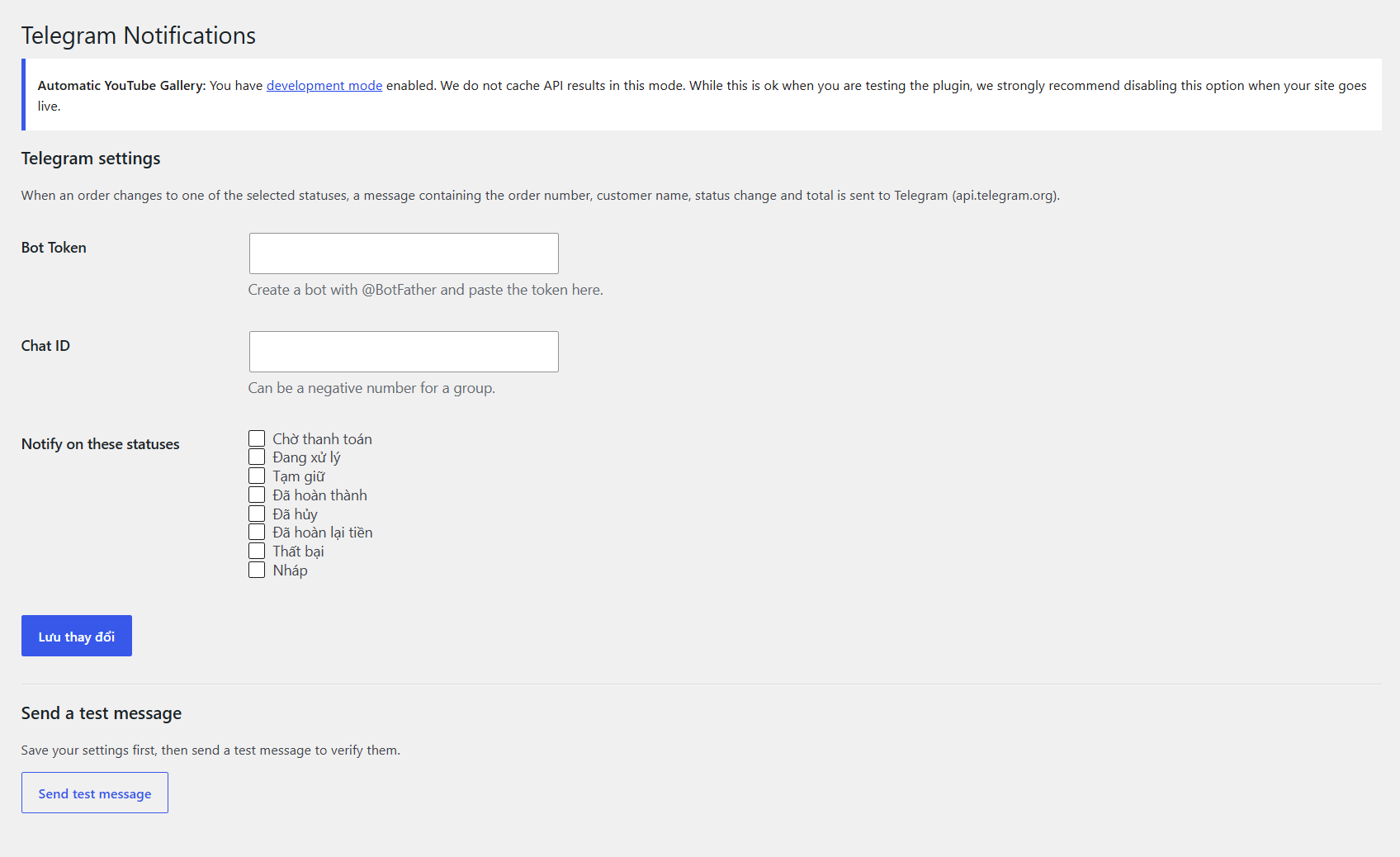
- Go to WooCommerce Telegram Notifications.
- Create a bot with @BotFather and paste the Bot Token.
- Enter your Chat ID (a negative number for groups) and select the order statuses to be notified about.
- Save, then click Send test message to check that everything works.
FAQ
-
How do I get my Chat ID?
-
For a private chat, send
/startto @userinfobot. For a group, add your bot to the group and use the group’s ID, which starts with-. You must send at least one message to your bot first for private chats. -
I don’t receive notifications
-
- Check the Bot Token and Chat ID, and use the “Send test message” button.
- Make sure the order status is ticked in the settings.
- Make sure your server can reach api.telegram.org.
- Check WooCommerce Status Logs (source
lnduc-telegram-notifications) for errors.
-
Does it work with HPOS?
-
Yes.
Reviews
There are no reviews for this plugin.
Contributors & Developers
“lnduc Order Notifications via Telegram” is open source software. The following people have contributed to this plugin.
Contributors
Translate “lnduc Order Notifications via Telegram” into your language.
Interested in development?
Browse the code, check out the SVN repository, or subscribe to the development log by RSS.
Changelog
1.0.0
- Initial release.