
Description
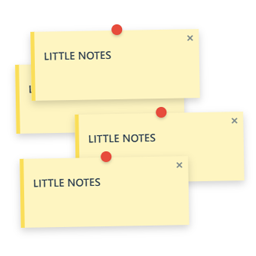
A lightweight, high-performance sticky notes system that allows administrators to leave pixel-perfect revision notes directly on the frontend using a simple shortcut.
Little Notes is designed for developers, designers, and site owners who need a clean, lightweight way to leave visual feedback, reminders, or informative alerts directly on the frontend of a website—without the bloat of heavy third-party platforms.
Unlike other feedback plugins that load massive scripts or alter your site’s layout, Little Notes focuses strictly on performance.
If no notes are present or the user is navigating from a mobile device, zero frontend code is loaded.
Key Features:
- Performance First: Zero performance impact for regular desktop visitors when no notes are active. Complete code bypass on mobile layouts.
- Elastic Positioning: Notes dynamically recalculate their positions during window resizing or scrolling, staying pinned exactly where you placed them on desktop viewports.
- Admin Dashboard: Review all active notes across your pages and posts in a centralized table within your WordPress admin.
- Quick Actions: Delete notes for specific pages directly from the admin dashboard without visiting the frontend.
- Clean Uninstall: Deleting the plugin completely wipes all data from the
wp_optionstable, leaving absolutely no database bloat behind. - Link Conversion: Automatically detects URLs starting with
https://orhttp://inside notes and turns them into clickable hyperlinks.
Copyright
Little Notes is distributed under the terms of the GNU GPL v2 or later.
Screenshots


Installation
- Upload the
little-notesfolder to the/wp-content/plugins/directory, or upload the.zipfile directly through the WordPress admin dashboard via Plugins > Add New > Upload. - Activate the plugin through the Plugins menu in WordPress.
- Navigate to Settings > Little Notes to view your active notes dashboard.
How to Use:
- Log in to your WordPress site as an administrator using a desktop computer.
- Visit any page or post on the frontend.
- Hold the ALT key and Left-Click anywhere on the page to pin a new sticky note.
- Type your message and click OK.
- To permanently delete a note, click the × icon on the note and confirm.
Regular desktop visitors can close notes temporarily during their session.
FAQ
-
Does this plugin create custom database tables?
-
No. Little Notes saves all data natively inside the default
wp_optionstable using serialized arrays mapped to post IDs, ensuring maximum compatibility and lightweight operations. -
Can regular visitors see the notes?
-
Yes, any visitor using a desktop device can see active notes, unless a note is specifically marked as “Only Admins”. This makes the system useful not only for internal design revision (using private notes) but also for public notices, quick updates, or contextual call-to-actions (using public notes).
-
Does it load on mobile phones?
-
No. To guarantee perfect viewport performance and avoid structural displacement caused by responsive text wrapping, the plugin completely disables its execution on mobile viewports using native core checking.
-
Will it break my theme layout?
-
No. The plugin renders notes inside an absolute pointer-events canvas overlay, meaning it hovers on top of your content without shifting margins, padding, or breaking your CSS structure.
Reviews
There are no reviews for this plugin.
Contributors & Developers
“Little Notes” is open source software. The following people have contributed to this plugin.
Contributors
“Little Notes” has been translated into 2 locales. Thank you to the translators for their contributions.
Translate “Little Notes” into your language.
Interested in development?
Browse the code, check out the SVN repository, or subscribe to the development log by RSS.
Changelog
1.2.2
- Compatibility: Fully tested and updated for WordPress 7.1.
- Security: Hardened POST input unslashing and sanitization across all AJAX and admin actions.
- Security: Added explicit output escaping for admin dashboard counter variables.
1.2.1
- Enhancement: Optimized note geometry. Long texts are now displayed with a wider, more horizontal post-it layout.
- Fix: Hardened collapsed note indicators against global admin CSS overrides to guarantee a perfectly round circular shape in all views.
1.2.0
- New Feature: Added Global Appearance Settings in the Admin Dashboard to select a default design theme (Classic Yellow, Modern Blue, or Minimal Dark).
- New Feature: Added a dedicated native sidebar Metabox inside post/page editors to override the visual style on specific content.
- New Feature: Implemented context-aware style overrides for the Main Homepage directly inside the active revision table.
- New Feature: Added collapsible state functionality. Notes now render collapsed by default as discrete circular indicators to maximize layout visibility.
- UI/UX Overhaul: Replaced native prompt/confirm boxes with a lightweight custom HTML/CSS creation modal.
- Enhancement: Redesigned the “Only Admins” and “Public” visual hierarchy with an high-contrast monochrome and cromatic color scheme (Anthracite/Orange vs. Red/Yellow) to easily identify private notes even when overlapping.
- Accessibility: Added dynamic focus management, pointer cursors, and proportional hover scaling on collapsed targets to streamline interaction.
- i18n: Registered and localized all new translation strings for both the creation modal, tooltips, and admin indicators.
1.1.1
- Fix: Patched session role verification to run execution checks in real-time on the client DOM. This completely bypasses page-cache engines (such as LiteSpeed Cache) that erroneously served administrative roles and unexpected database prompts to unauthenticated public visitors.
1.1.0
- Functional Pivot: Disabled completely on mobile viewports via
wp_is_mobile()core enforcement. - Added fallback CSS media queries to hide canvas elements below 768px viewports.
- Fixed event capture lifecycle bugs regarding dynamic coordinate shifts in responsive environments.
1.0.0
- Initial official release.
- Added Frontend ALT + Left-Click note placement.
- Added dynamic elastic positioning for window resizing and scrolling.
- Added Admin Dashboard with active notes overview and quick deletion.
- Added secure
uninstall.phproutine for complete database cleanup.