
Description
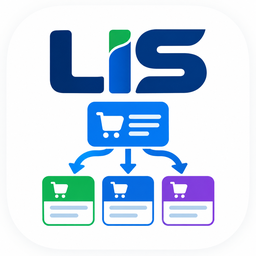
LIS – Order Division for WooCommerce makes it easy to divide a single WooCommerce order into multiple child orders while keeping them connected to the original parent order.
Use Automatic Division to create child orders based on your configured division workflow, or use Manual Division when you need complete control over which products and quantities are moved into separate child orders.
It is useful for separate fulfillment, partial stock availability, multiple shipments, and other workflows where products from the same order need to be processed separately.
Built with a reliable object-oriented architecture and support for both WooCommerce HPOS and legacy order storage.
Key Division Modes
- Automatic Division: Automatically divides each product line item in an order into a separate child order.
- Manual Division: Use an intuitive order editor interface to select specific line items and quantities to create a child order.
Features
- Automatic Line Item Division: Divide an order containing multiple products into separate child orders with a single action.
- Manual Product & Quantity Selection: Choose specific products and quantities to move into a new child order.
- Parent & Child Order Tracking: Maintains the relationship between the original parent order and its child orders for easy order management.
- Order Totals & Tax Recalculation: Automatically recalculates line item totals, taxes, subtotals, and order totals after division.
- HPOS Compatible: Works with WooCommerce High-Performance Order Storage (HPOS) as well as legacy order storage.
- Bulk Action Support: Automatically divide multiple orders directly from the WooCommerce Orders list.
- Developer-Friendly Architecture: Built using object-oriented programming with extensible action hooks for developers and future enhancements.
Installation
LIS – Order Division for WooCommerce requires WooCommerce to be installed and activated.
Standard Installation
- Log in to your WordPress admin dashboard.
- Go to Plugins Add New Plugin.
- Search for LIS – Order Division for WooCommerce.
- Click Install Now.
- Click Activate.
ZIP Installation
- Download the LIS – Order Division for WooCommerce ZIP file.
- In your WordPress dashboard, go to Plugins Add New Plugin Upload Plugin.
- Click Choose File and select the plugin
.zipfile. - Click Install Now.
- After installation is complete, click Activate Plugin.
After Activation
- Make sure WooCommerce is installed and activated.
- Go to WooCommerce Settings or WooCommerce Orders.
- Open an existing order to access the order division features.
FAQ
-
Does this plugin support WooCommerce HPOS (High-Performance Order Storage)?
-
Yes. LIS – Order Division for WooCommerce is compatible with WooCommerce HPOS (High-Performance Order Storage) and legacy post-based order storage.
-
What happens to the original order when items are divided?
-
The original order remains the Parent Order. When products or quantities are divided, they are removed from the parent order and added to newly created Child Orders. The parent and child orders are linked, and their order totals and taxes are recalculated automatically.
-
Can I divide a partial quantity of a single product?
-
Yes. Manual Division mode allows you to specify the exact quantity to move into a Child Order. For example, you can divide 2 out of 5 units of Product A into a new Child Order.
Reviews
There are no reviews for this plugin.
Contributors & Developers
“LIS – Order Division for WooCommerce” is open source software. The following people have contributed to this plugin.
Contributors
Translate “LIS – Order Division for WooCommerce” into your language.
Interested in development?
Browse the code, check out the SVN repository, or subscribe to the development log by RSS.
Changelog
1.0.0
- Initial public release.