

Description
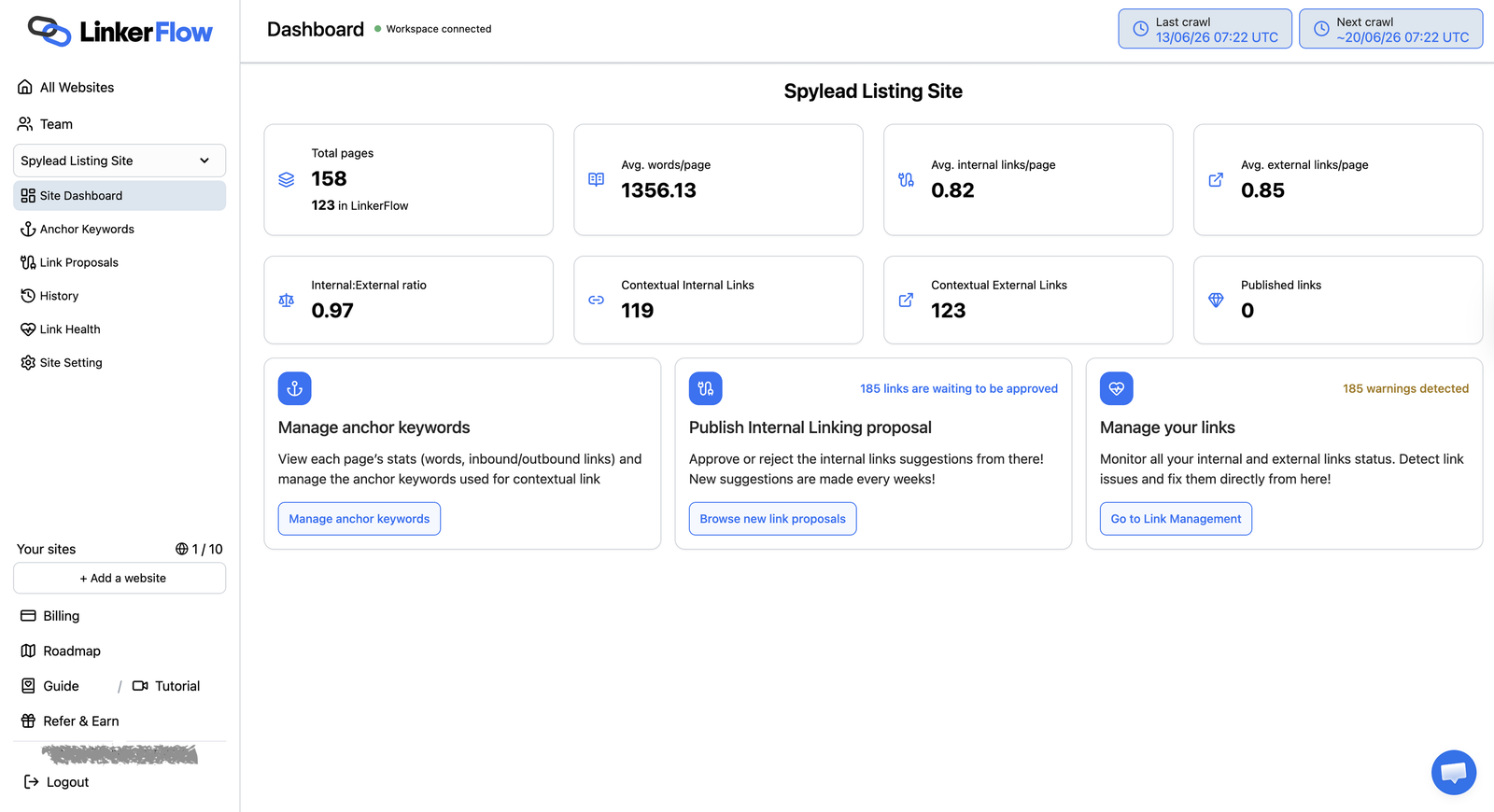
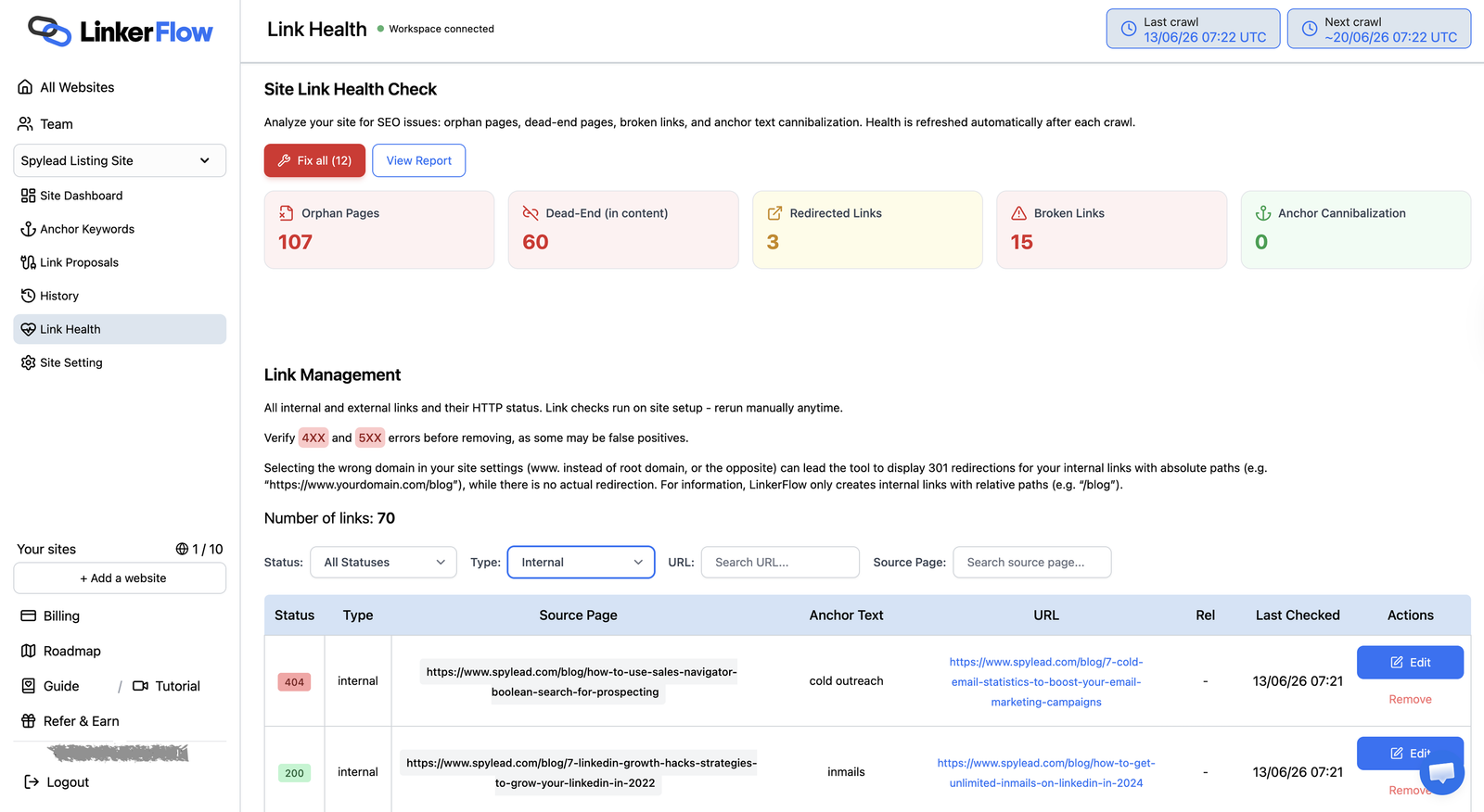
LinkerFlow builds smart, contextual internal links between your posts and pages, automatically. Better internal linking is one of the highest-leverage SEO wins on any site: it spreads link authority across your content, helps search engines discover and rank your pages, and keeps visitors reading longer. LinkerFlow handles it for you, based on a keyword configuration you control.
Why internal linking matters
- Rank higher. Contextual internal links pass authority to the pages you want to rank and help search engines understand your site structure.
- Keep visitors longer. Relevant links between related articles lower bounce rate and increase page views.
- Save hours. No more manually hunting for linking opportunities across hundreds of posts. LinkerFlow finds and places them for you.
What LinkerFlow does
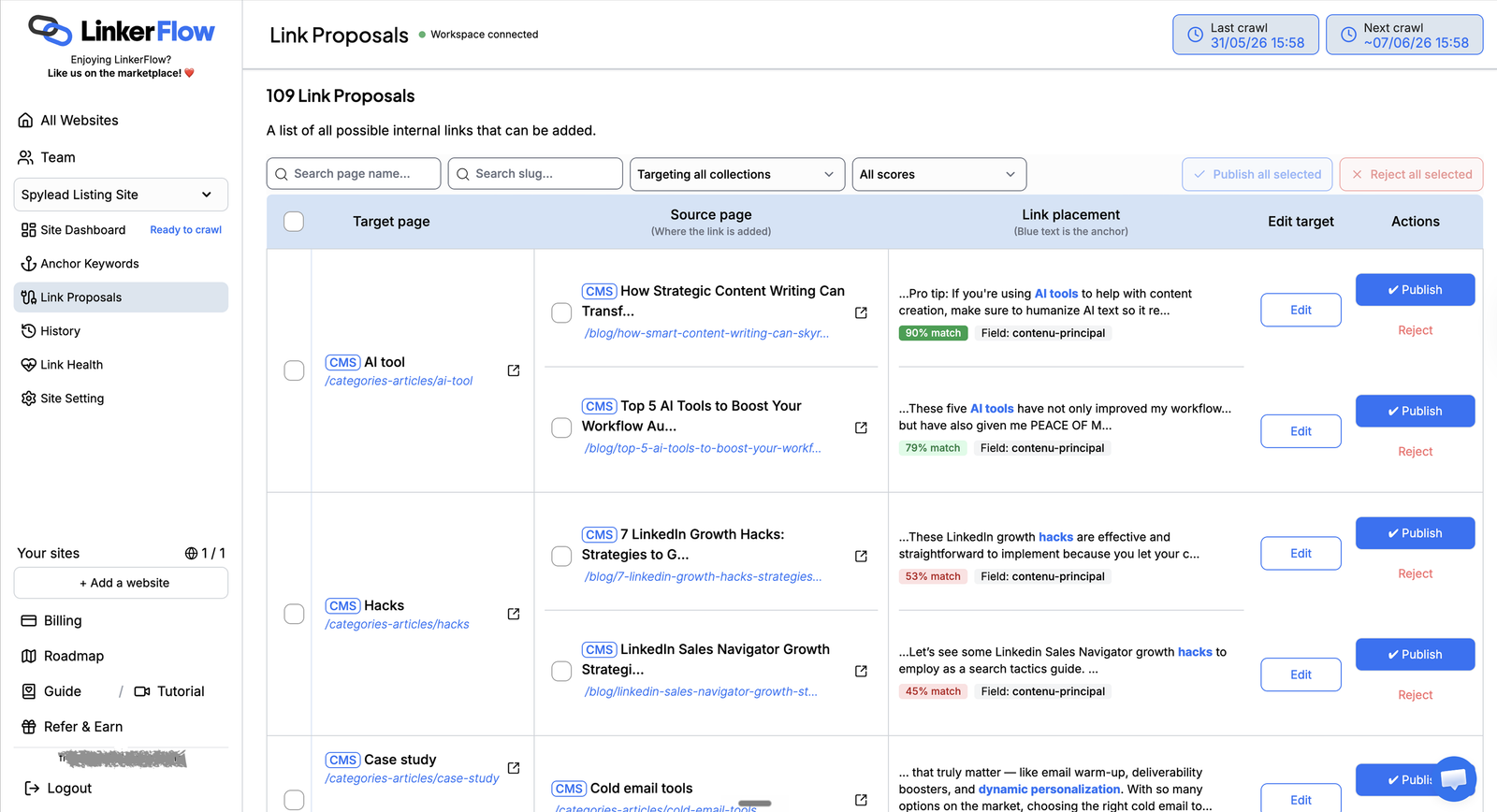
- Automated contextual links placed inside your existing content.
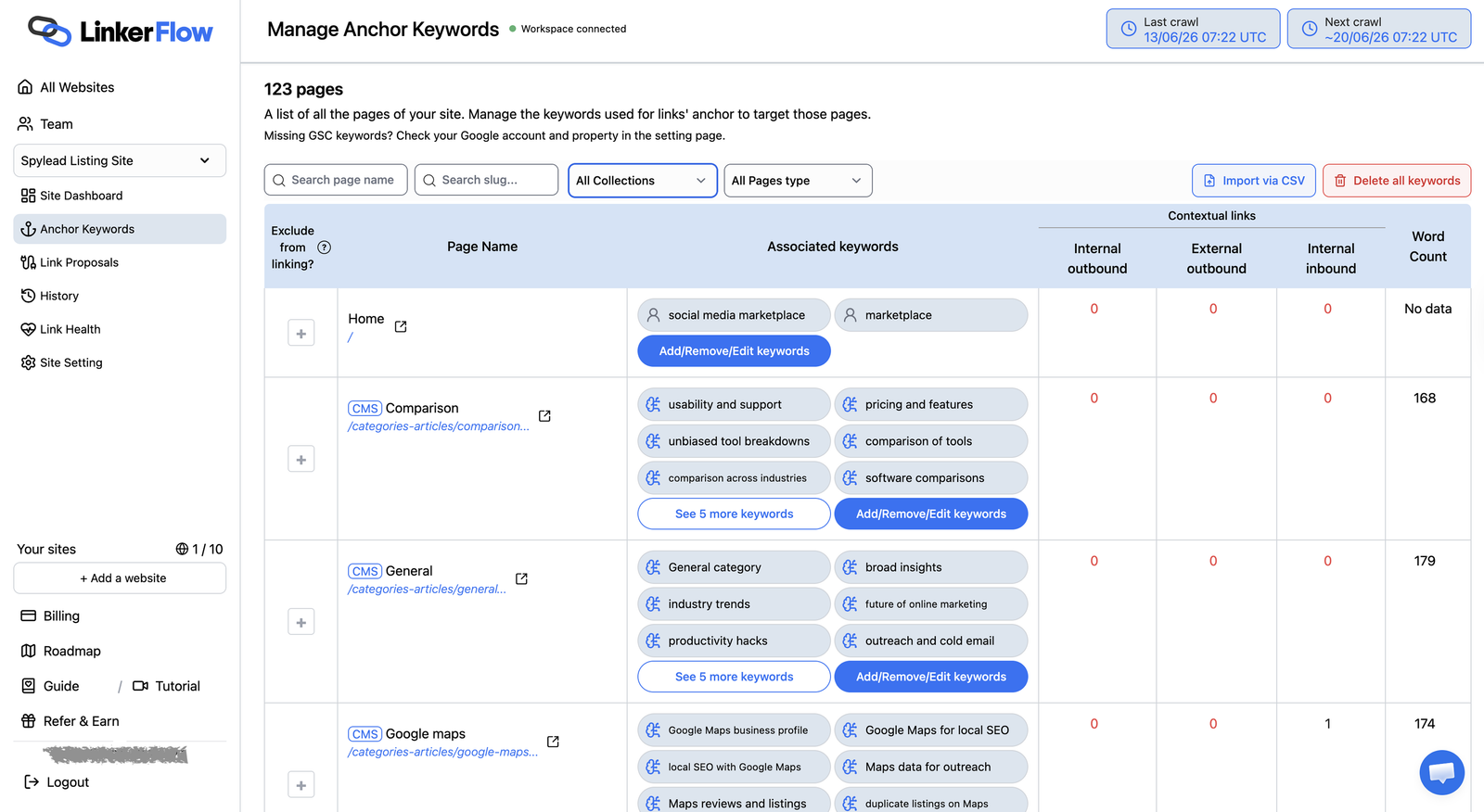
- Smart keyword configuration so you decide which terms link to which target pages.
- Works on your live content through authenticated REST endpoints, applying links on top of the current post so your editor changes are preserved.
- Page builder support for Elementor and Divi: links are written back into the originating text widget or module without touching the rest of your layout.
- Multilingual ready with Polylang and WPML, so each language is linked correctly.
- SEO plugin aware, reading meta descriptions from Yoast SEO or Rank Math when available.
- Clean and lightweight: no public “powered by” credit links, no third-party scripts, styles, or tracking pixels loaded on your site.
How it works
Install the plugin, connect your site from WP Admin in one click, and configure your keywords in the LinkerFlow application. LinkerFlow then reads your published content and publishes approved internal links through this plugin, using WordPress’ native update flow so revisions are kept when enabled.
Technical overview
The LinkerFlow WordPress plugin connects your WordPress site to the LinkerFlow service for internal-link management. After you approve the connection, the LinkerFlow service can read published posts, pages, selected public custom post types, permalinks, language information, and post content through authenticated REST API endpoints.
The LinkerFlow service can also update post content through this plugin to publish approved internal links. Updates use WordPress’ native post update flow, so revisions are created when revisions are enabled for the post type.
This plugin does not add public-facing credits or links to your site. It does not load third-party scripts or styles. It does not read WordPress users, passwords, comments, private posts, drafts, settings, or unrelated plugin data.
External service
This plugin connects to the LinkerFlow software-as-a-service application operated at https://www.linkerflow.io and https://app.linkerflow.io.
The plugin requires a LinkerFlow account and an active LinkerFlow service plan to provide internal-link management. The GPL license applies to this WordPress plugin’s source code, not to the separately operated LinkerFlow SaaS application or service plan.
The site owner initiates the connection from WP Admin. During connection, the plugin redirects the browser to the LinkerFlow application with the site URL, a one-time nonce, and a state token. The LinkerFlow application then confirms the connection by sending the nonce and a generated shared secret to this site’s REST API. After connection, the LinkerFlow service uses that secret to authenticate future API requests.
Data sent to or accessed by the LinkerFlow service may include:
- Site URL.
- Published post, page, and selected public custom post type titles.
- Published content from
post_content. - Permalinks.
- Post type, publication status, modified date, and language information.
- Updated post content when approved internal links are published.
The service terms are available at https://www.linkerflow.io/terms.
The privacy policy is available at https://www.linkerflow.io/privacy.
Source code
This plugin is open source under the GPLv2 (or later) license. The full source code is available at https://github.com/FranckWebPro/LinkerFlow-plugin-WP.
Screenshots
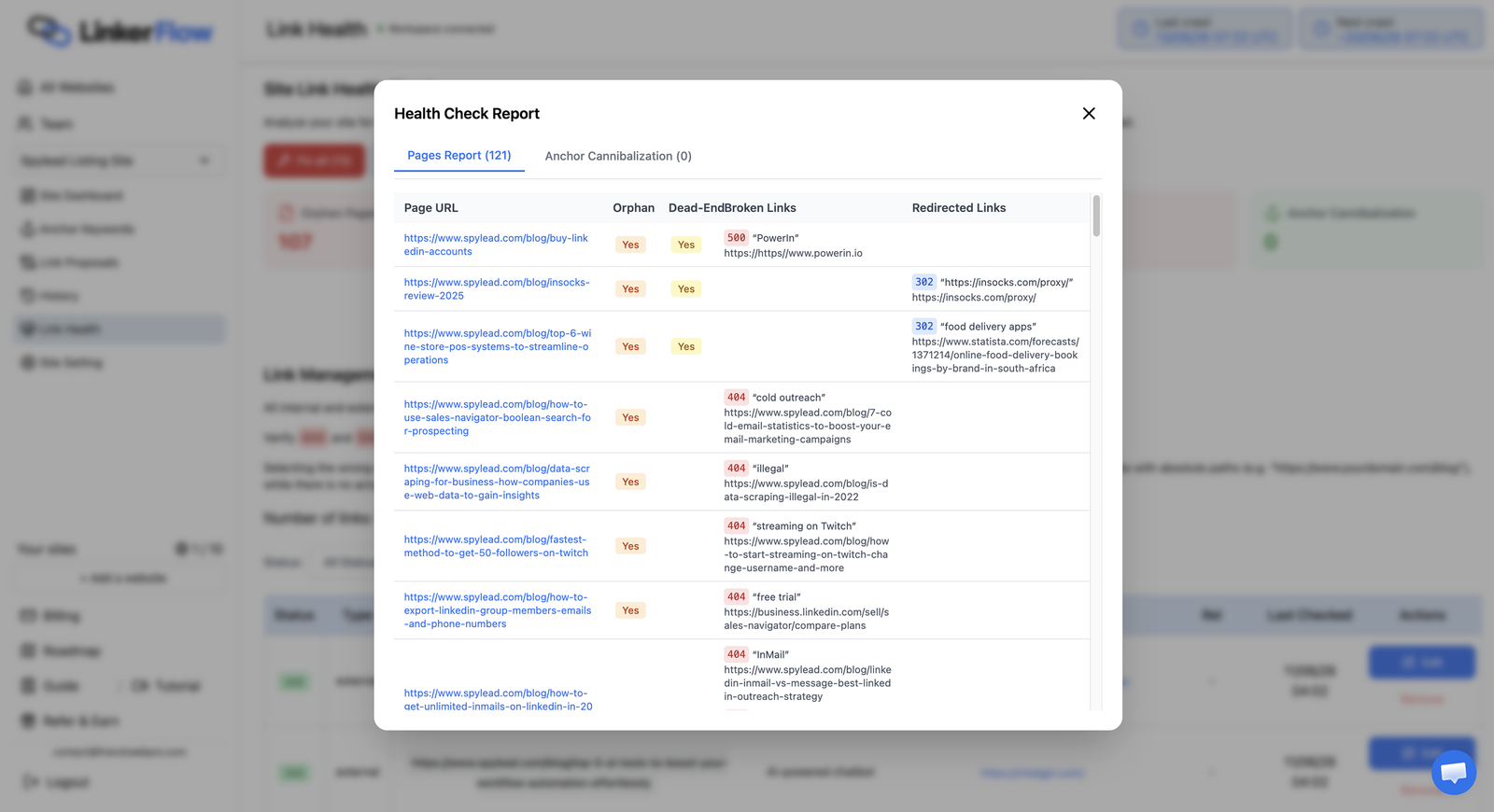
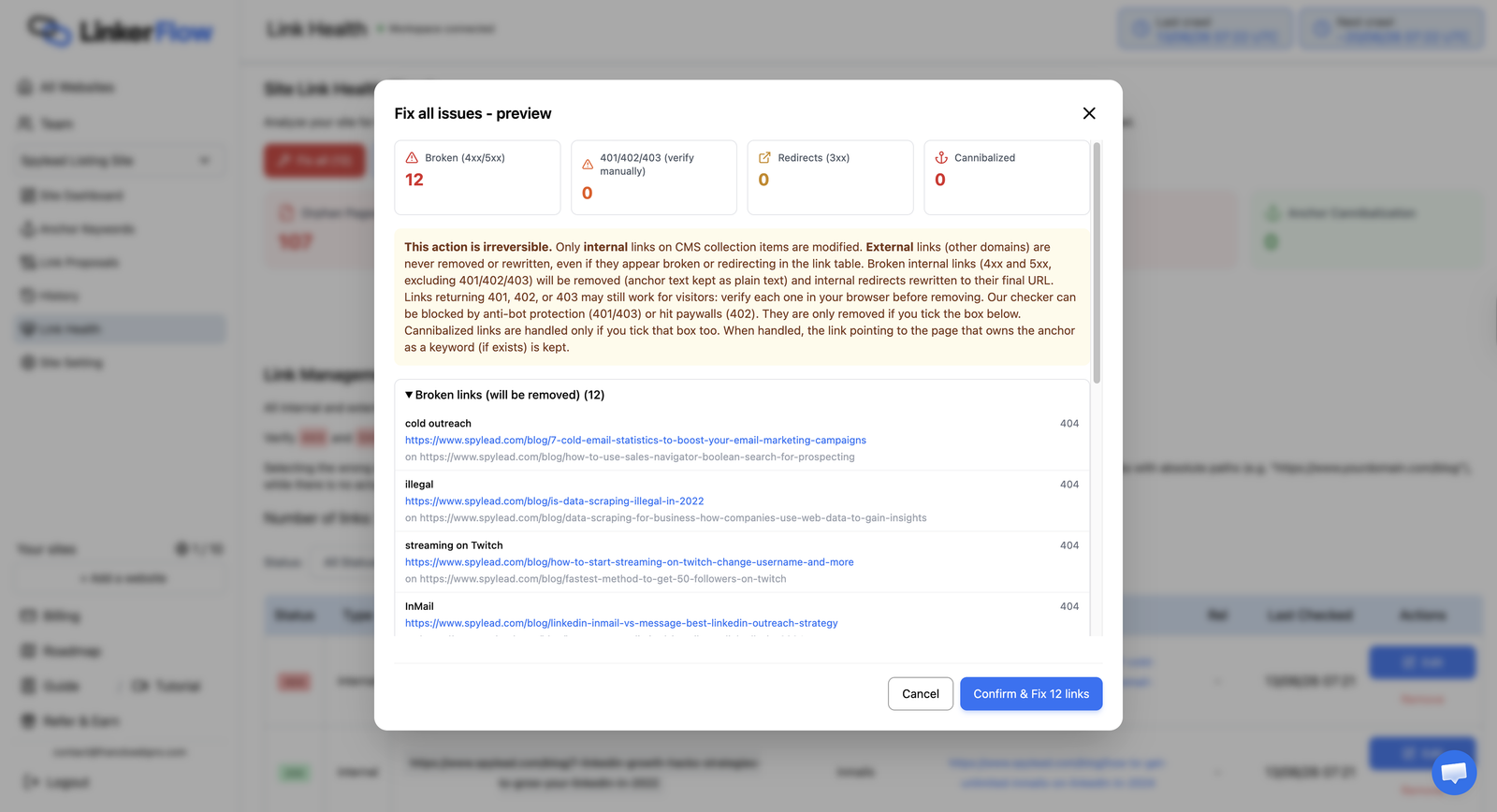
Installation
- Upload the plugin files to the
/wp-content/plugins/linkerflowdirectory, or install the plugin through the WordPress Plugins screen. - Activate LinkerFlow from the Plugins screen.
- Open the LinkerFlow menu in WP Admin.
- Click “Connect to LinkerFlow” and approve the connection in the LinkerFlow application.
FAQ
-
What is internal linking and why does it matter?
-
An internal link points from one page of your site to another page on the same domain. It is one of the most underrated levers in on-page SEO. Strong internal linking helps search engines discover new content faster, understand how your pages relate to each other, and distribute ranking authority toward the pages that matter most. For readers, it surfaces related articles and keeps them moving through your site. LinkerFlow automates this work so you get the benefit without linking every post by hand.
-
Will the plugin slow down my site?
-
No. LinkerFlow writes internal links directly into your saved post content, so the links are part of the page like any other link you would add in the editor. There is no extra processing at render time and no runtime index to load, so the plugin adds nothing to your front-end page speed.
-
How does LinkerFlow improve my SEO?
-
LinkerFlow adds contextual internal links between related posts and pages. Internal linking spreads authority across your content, helps search engines crawl and understand your site, and increases page views by guiding visitors to related articles. You configure which keywords link to which pages, and LinkerFlow places the links automatically.
-
Will it change how my content looks?
-
Links are inserted inline inside your existing text, matching your content’s normal styling. LinkerFlow does not add public “powered by” credits or badges, and it does not overwrite your page-builder layout.
-
Does it work with Elementor and Divi?
-
Yes. Content is read as HTML from Elementor widgets and Divi shortcodes, and approved links are written back into the originating text widget or module without touching the rest of the layout. Divi 4 shortcode pages are supported.
-
Is it compatible with multilingual sites?
-
Yes. LinkerFlow works with Polylang and WPML, indexing and linking each language correctly.
-
Does this plugin publish links automatically?
-
The plugin exposes authenticated endpoints that allow the LinkerFlow service to update published content. Link publication is controlled from the LinkerFlow application.
-
Do I need a LinkerFlow account?
-
Yes. This plugin is an interface between WordPress and the LinkerFlow service, and it requires a LinkerFlow account and active service plan to be useful.
-
What content can the LinkerFlow service read?
-
Only published, non-password-protected posts, pages, and selected public custom post types are exposed. Attachments, drafts, private posts, password-protected posts, comments, users, passwords, settings, and unrelated plugin data are not exposed.
-
Does this plugin add public credit links?
-
No. The plugin does not add public-facing LinkerFlow credit links or “powered by” links.
-
Does this plugin load remote JavaScript, CSS, or tracking pixels?
-
No. The plugin does not enqueue remote scripts or styles and does not add tracking pixels.
-
Can I disconnect the plugin?
-
Deleting the plugin removes the LinkerFlow service secret and connection tokens stored on your site. Without that secret, the LinkerFlow service can no longer authenticate against your site’s REST API and loses all access to read or update your content.
Reviews
There are no reviews for this plugin.
Contributors & Developers
“LinkerFlow” is open source software. The following people have contributed to this plugin.
Contributors
Translate “LinkerFlow” into your language.
Interested in development?
Browse the code, check out the SVN repository, or subscribe to the development log by RSS.
Changelog
1.0.8
- Tested against WordPress 7.1. No functional change.
1.0.7
- Add a
post-idsendpoint so LinkerFlow can detect pages that were deleted, unpublished or renamed in WordPress and drop them from its index instead of keeping links on dead URLs. The endpoint returns identifiers only, so the check stays cheap on large sites.
1.0.6
- Internal code-standards compliance for the LiteSpeed cache-purge hook. No functional change.
1.0.5
- Fix a Divi styling issue that could persist after publishing a link. Cache clearing now also drops the Divi Dynamic Assets cache for the edited page and purges the full-page cache (WP Rocket, including Remove Unused CSS, plus Cloudflare and host caches) so the page no longer serves stale markup or CSS until it is re-saved.
1.0.4
- Fix a Divi display issue where publishing a link could briefly break the styling of the last module in a row. The static CSS refresh now targets only the edited page instead of clearing every page’s cached CSS at once.
1.0.3
- Add a “Reconnect to LinkerFlow” button on the admin screen when the site is already connected, so the connection can be refreshed if it looks disconnected or links stop publishing.
1.0.2
- Strip HTML tags from post titles on the posts endpoint so markup in a WordPress title never reaches page names.
1.0.1
- Exclude Divi 5 block-based pages from ingestion and writes until a block translator exists; only Divi 4 shortcode pages are supported.
- Return a 422 error when a page-builder write finds no matching text block, instead of reporting a successful update.
- Compare the incremental-crawl
modified_afterfilter againstpost_modified_gmtso site timezone settings never shift the window.
1.0.0
- Initial WordPress.org-ready release.
- Expose detected meta-description sources (Yoast SEO, Rank Math, excerpt) on the post-types endpoint.
- Return a per-post meta description on the posts endpoint, resolved from the selected source with an excerpt fallback.
- The /connect endpoint is gated by the one-time nonce; the state token guards the browser redirect (CSRF) and is verified by LinkerFlow, matching the documented contract.
- Add a read endpoint for a single published post so LinkerFlow applies internal links on top of the live content instead of a stale snapshot, preserving edits made in the WordPress editor.
- Support Elementor and Divi pages. Content is read as HTML from the builder’s widgets or shortcodes, and approved internal links are written back into the originating text widget or text module without overwriting the rest of the layout.
- Surface builder button and call-to-action links on read so the LinkerFlow link graph sees internal navigation built with the page builder.
- Pages built with still-unsupported builders (WPBakery, Avada Fusion) remain excluded.
- Exclude page-builder and WordPress internal post types (Elementor library, floating buttons, landing pages, Divi layout templates, block and template parts) from the selectable collection list and from crawling. Only editorial content types are offered.