

Description
Turn WordPress into a complete restaurant booking, table reservation, and guest-management system for restaurants, cafes, and hospitality venues.
Turn website visitors into confirmed guests, match bookings to suitable tables, prepare the team for service, recognize returning customers, and manage Google reviews without leaving the website dashboard.
LimaBook Free includes the complete everyday reservation workflow: a public booking form, reservations, tables, seating areas, automatic and manual table assignment, a drag-and-drop floor plan, customer records, staff access, communications, closures, and Google Business Profile reviews.
Go from activation to a working Book a Table page in about five minutes with the guided Setup Assistant, then refine every setting as the venue grows.
Choose the right edition
- FREE — Run everyday reservations with online bookings, tables, floor plan, customers, staff access, communications, closures, reporting, guided setup, and Google review management.
- PRO — Reduce no-shows and control busy service with payments, deposits, reminders, waitlists, walk-ins, customer self-service, SMS and WhatsApp, guest journeys, calendar, add-ons, exports, and spam protection.
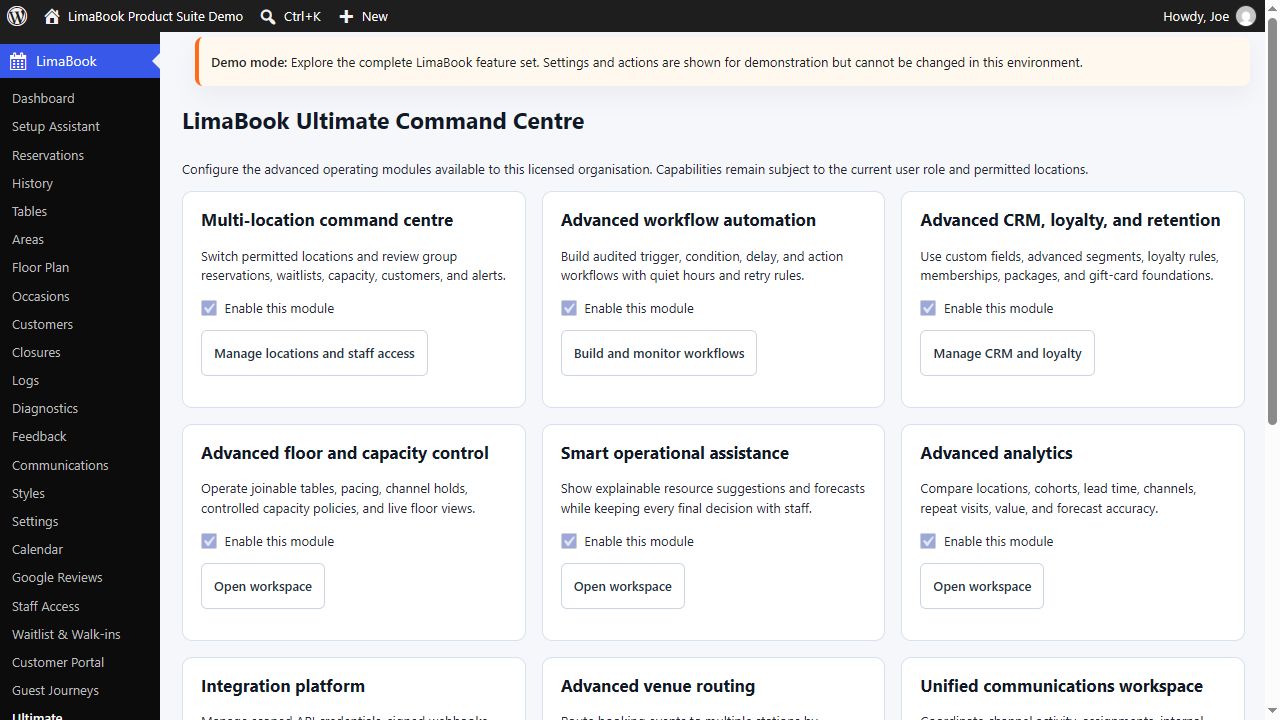
- ULTIMATE — Operate and grow across locations with a multi-location command centre, workflows, CRM, loyalty, advanced capacity policies, analytics, routing, integration health, and unified team activity.
Explore LimaBook Restaurant & Cafe Reservations: https://limabook.com/products/limabook-restaurant-cafe/
Compare Free, Pro, and Ultimate features and pricing: https://limabook.com/pricing/
Request a LimaBook demo: https://limabook.com/request-a-demo/
Why restaurants choose LimaBook
- Prevent impossible bookings — show guests only valid dates, times, party sizes, and seating choices based on opening hours, booking rules, closures, table capacity, and availability.
- Manage real tables in Free — create tables and seating areas, assign reservations automatically or manually, and arrange the venue with a drag-and-drop floor plan.
- Prepare for service in one place — see upcoming reservations, guest details, occasions, seating preferences, table assignments, customer history, and staff activity from WordPress.
- Reduce no-shows — add confirmations, scheduled reminders, deposits or prepayments, private booking management, and consistent pre-arrival communication with Pro or Ultimate.
- Stay in control when service fills up — manage waitlists, walk-ins, queue progress, table-ready events, seating status, capacity, and joinable tables.
- Communicate through the guest journey — customize booking emails, send SMS or WhatsApp messages, notify guests when their table is ready, follow up after the visit, and request reviews.
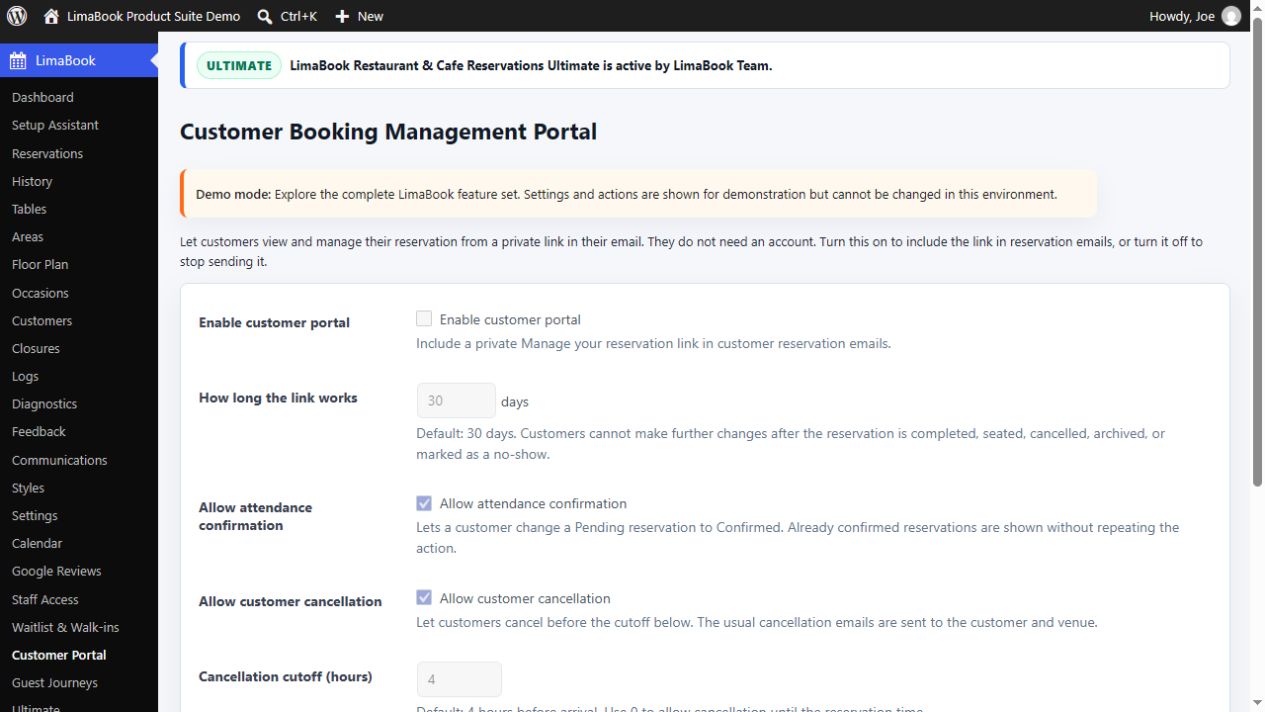
- Let customers help themselves — private booking links allow guests to confirm, cancel, or request another date or time without creating a WordPress account.
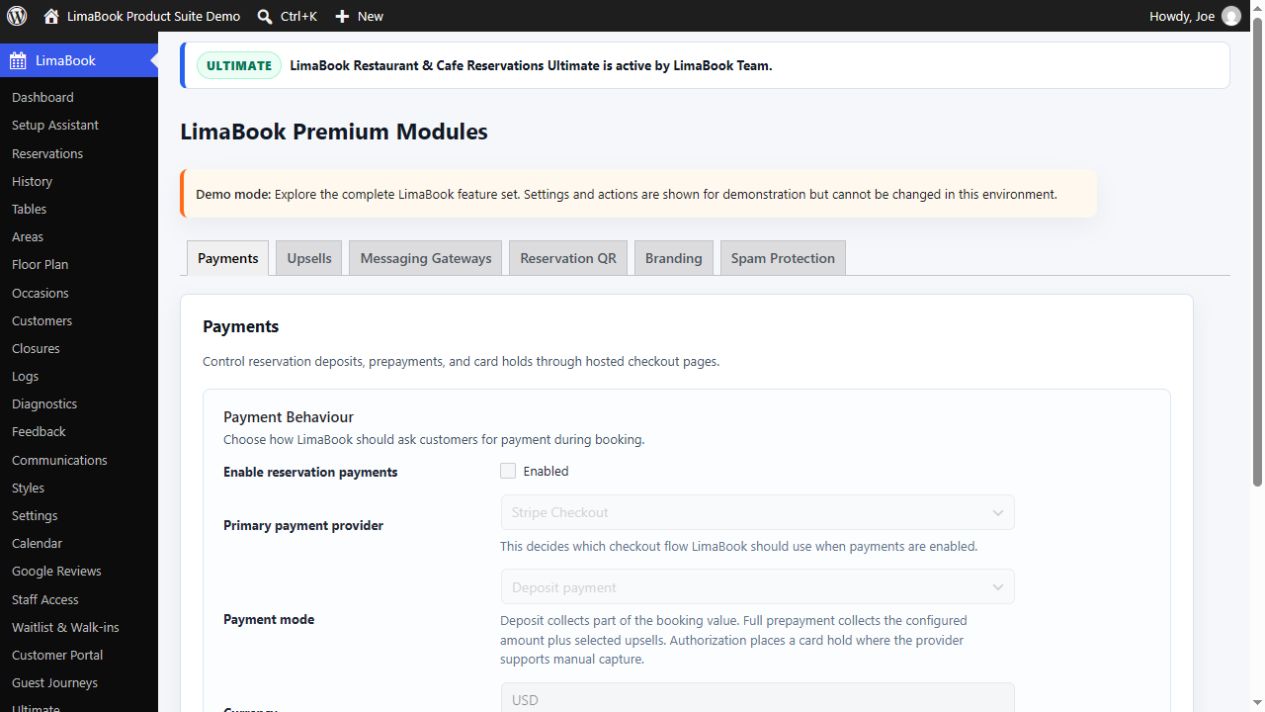
- Take payments the way the venue needs — use Stripe Checkout, PayPal, Square, or WooCommerce checkout for deposits, full prepayments, and supported card holds.
- Work with the website already in place — add LimaBook to Elementor, Divi, WPBakery, Gutenberg, or another theme or builder that supports WordPress shortcodes.
- Grow from one venue to a restaurant group — Ultimate coordinates locations, teams, capacity, customers, workflows, loyalty, analytics, integrations, and follow-up activity.
Built for real restaurant moments
- The Saturday dinner rush — valid availability, table capacity, seating preferences, waitlists, walk-ins, and table-ready progress help the team keep service moving.
- A high-risk booking — request a deposit or prepayment, send reminders, let the guest confirm, and retain the service history needed for future decisions.
- A returning guest — recognize booking history, VIP status, reputation, preferences, and internal notes so the team can deliver more personal service.
- A last-minute closure — stop unavailable times from reaching the booking form instead of asking staff to reject reservations manually.
- A growing restaurant group — give staff access only to permitted locations while management monitors reservations, capacity, customer activity, workflows, and delivery issues across the operation.
FREE — Run everyday reservations without an upgrade
Use LimaBook Free to:
- Accept online reservations around the clock through a responsive inline, modal, popup, or floating booking form.
- Offer only dates and times that match opening hours, booking intervals, advance-booking rules, closures, party limits, and current availability.
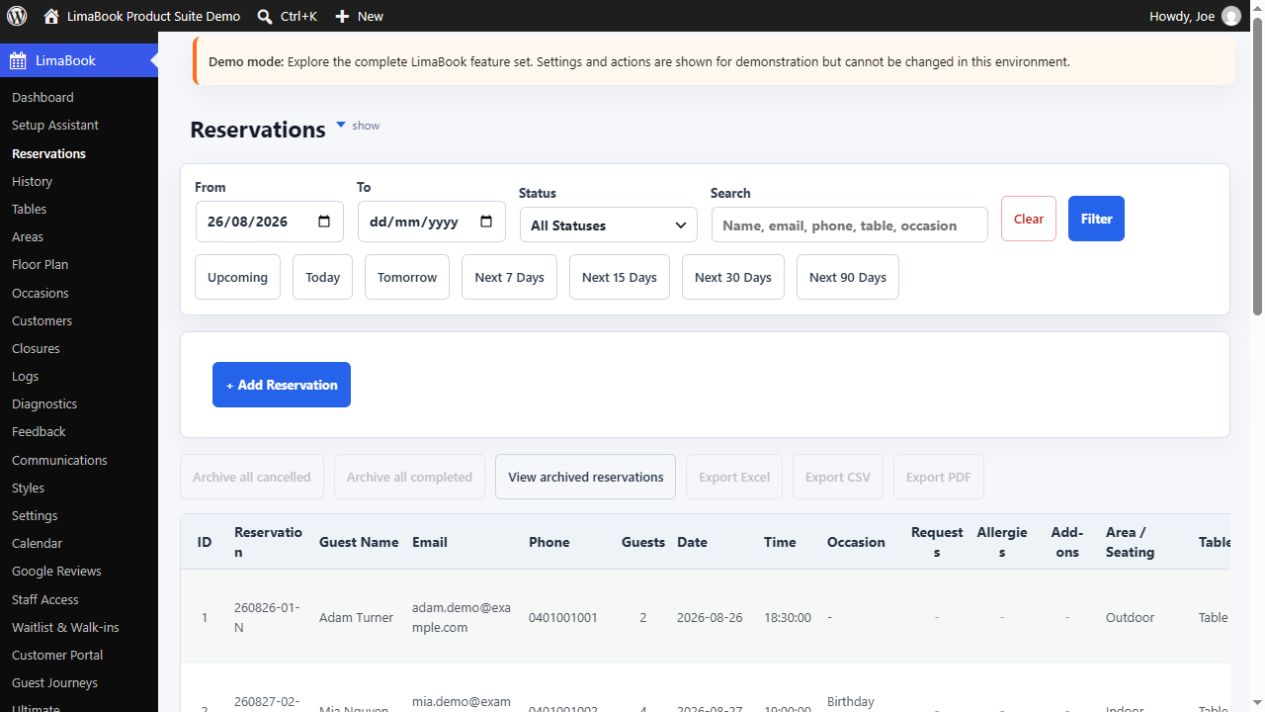
- Manage current reservations and retain completed, cancelled, and no-show history for later review.
- Create tables and seating areas, match party size and preference to availability, and assign tables automatically or manually.
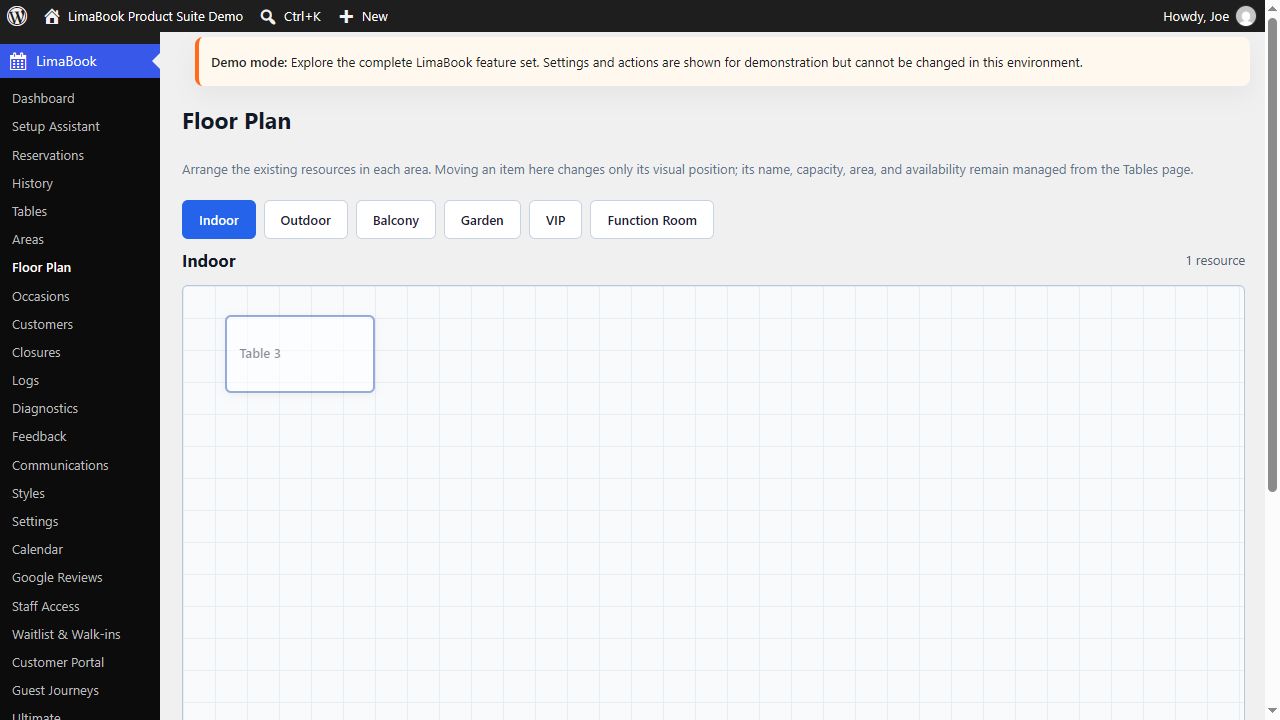
- Arrange tables visually with the drag-and-drop floor plan and monitor live allocation from the dashboard.
- Capture occasions and guest details so staff can prepare more personal service.
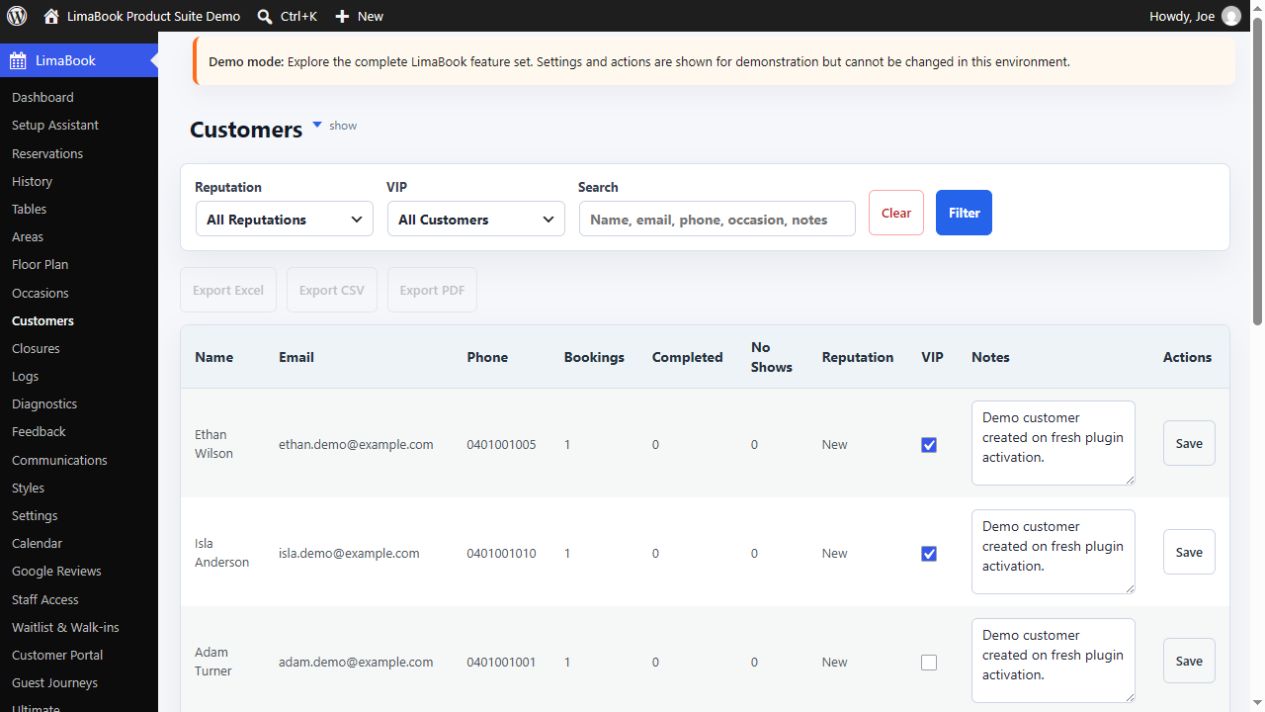
- Recognize repeat guests, record useful notes, identify VIP customers, and review booking totals and history.
- Send staff and customer booking emails and test delivery from the dashboard.
- Give managers and service staff only the LimaBook screens they need through restricted staff accounts.
- Block holidays, private events, renovations, maintenance, and seasonal closure periods before guests submit unavailable bookings.
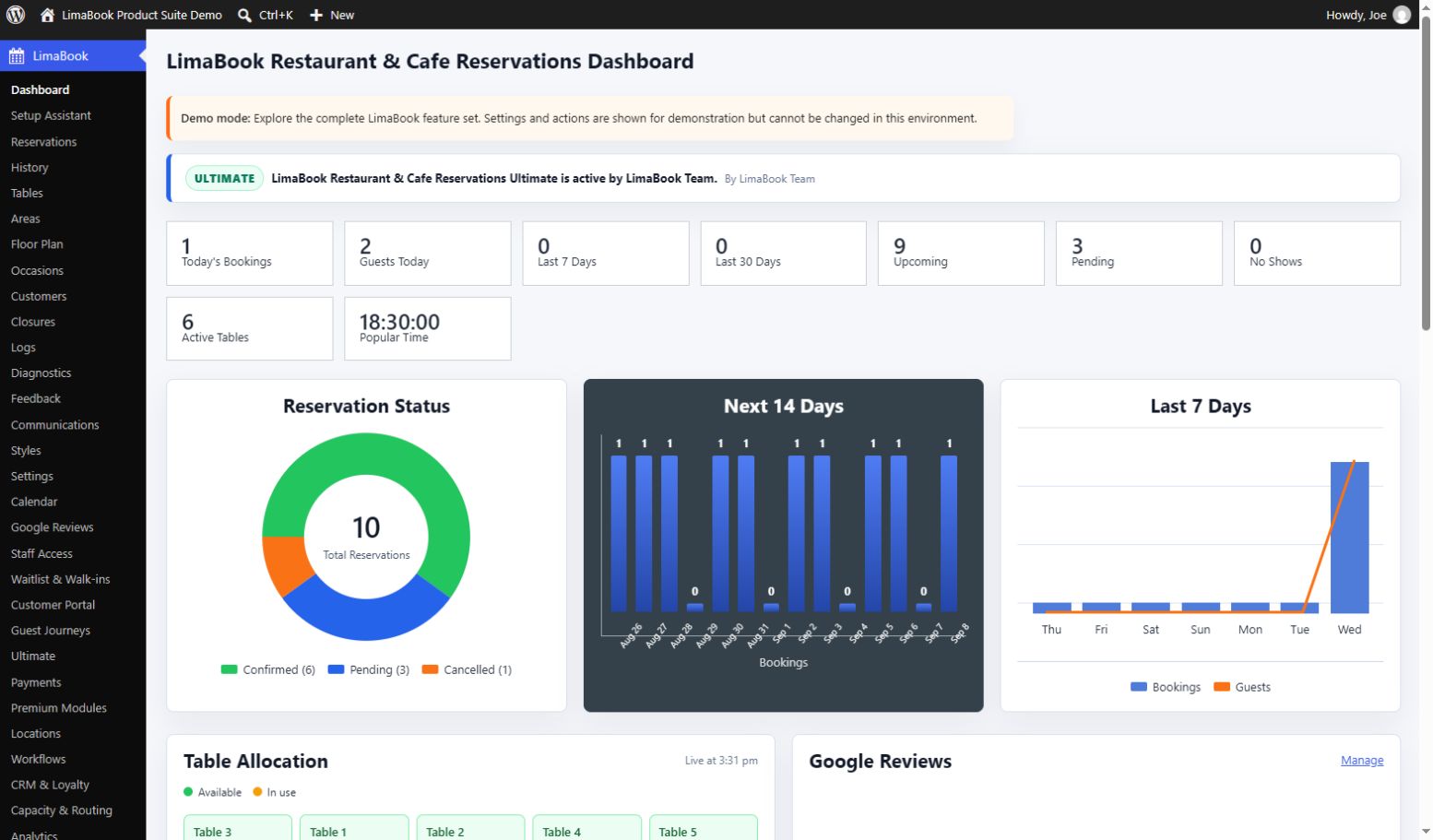
- View dashboard summaries, charts, activity history, upcoming service, and operational support tools.
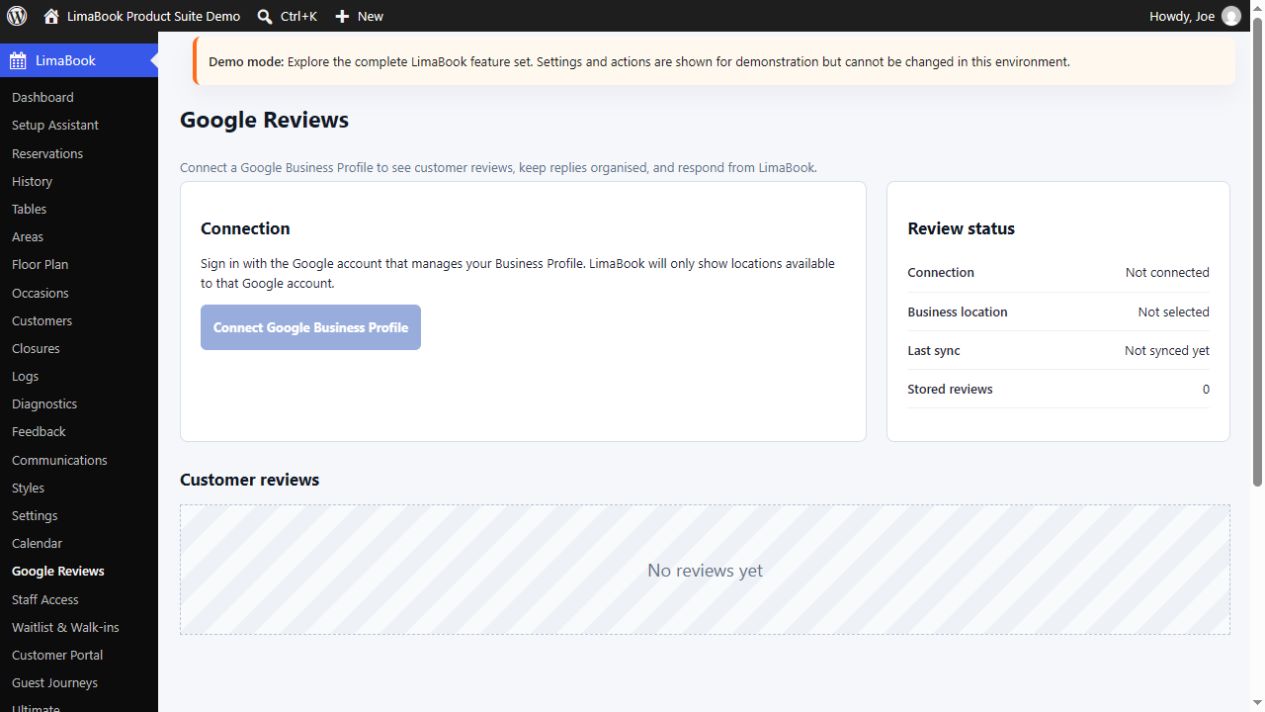
- Connect Google Business Profile to view reviews and publish authorized owner replies from WordPress.
- Complete setup in about five minutes with the guided assistant, walkthrough, and built-in manual.
FREE — Five-minute Setup Assistant
Follow a clear, resumable path through venue details, opening hours, seating areas, tables, floor plan, booking rules, closures, notifications, staff access, Google Reviews, and a final readiness check. The assistant can create a published Book a Table page, send a test email, and safely clean up LimaBook demonstration records.
Managers can pause, resume, or run the assistant again, while the guided walkthrough, built-in manual, and contextual help continue supporting the team after launch.
FREE — Booking form and website integration
Publish the booking experience on a dedicated page, inside a builder layout, or site-wide as an inline form, modal, popup, or floating booking button. Use the shortcode in any supported page, post, widget area, or builder section:
[limabook_form]
Works with normal WordPress content and popular builders including Elementor, Divi, WPBakery, Gutenberg, and similar tools that accept shortcodes. Match the booking experience to the venue brand without editing CSS.
FREE — Availability, tables, and floor plan
Control party-size limits, booking intervals, advance-booking windows, same-day availability, opening hours, reservation duration, and full-day or partial closures. Guests receive valid choices instead of submitting times the venue cannot accept.
Create the seating areas and tables that match the real venue. LimaBook considers seating preference, table capacity, availability, and configured defaults when assigning a suitable table automatically, while staff remain free to assign or change it manually.
Arrange active tables visually with the drag-and-drop floor plan and monitor current availability through the dashboard’s live table-allocation overview.
FREE — Reservations, guests, and communications
Search and filter upcoming reservations, update status, assign tables, and see the guest, party, occasion, and seating information needed for service. Completed, cancelled, and no-show records remain available in History.
Customer records help the team recognize returning guests, mark VIPs, retain useful notes and reputation indicators, and review booking totals and recent visits. Different attending guests can remain distinct even when they share a company or family email address.
Notify the site owner, managers, and additional staff recipients about bookings. Guests can receive booking-received and confirmation emails, while administrators can brand messages and test delivery from WordPress.
FREE — Staff access and operational visibility
Create separate staff logins and choose which LimaBook screens each person can use. Staff enter a focused LimaBook workspace without unrelated WordPress administration menus, while site administrators retain full control.
Dashboard summaries, upcoming-service views, status and trend charts, searchable activity history, and guided maintenance tools keep managers informed without assembling information from separate systems.
FREE — Google Business Profile reviews
Connect the Google account that manages the venue’s eligible Business Profile, choose the correct location, view synchronized reviews and existing owner replies, and let authorized staff publish a response without leaving the WordPress dashboard. The optional connection can be disconnected at any time.
PRO — Payments, communication, and busy-service control
LimaBook Pro adds the operational tools needed by venues that want to reduce no-shows, collect money with bookings, communicate across more channels, and manage heavier service demand.
Use LimaBook Pro to:
- See reservations on a visual calendar and subscribe from compatible calendar applications.
- Take booking payments through Stripe Checkout, PayPal, Square, or WooCommerce checkout.
- Collect a fixed or per-guest deposit, full prepayment, or supported card authorization/hold.
- Track payment activity and refunds alongside reservations, with staff alerts when attention is required.
- Offer optional extras and add-ons while guests book and include them in reservation totals.
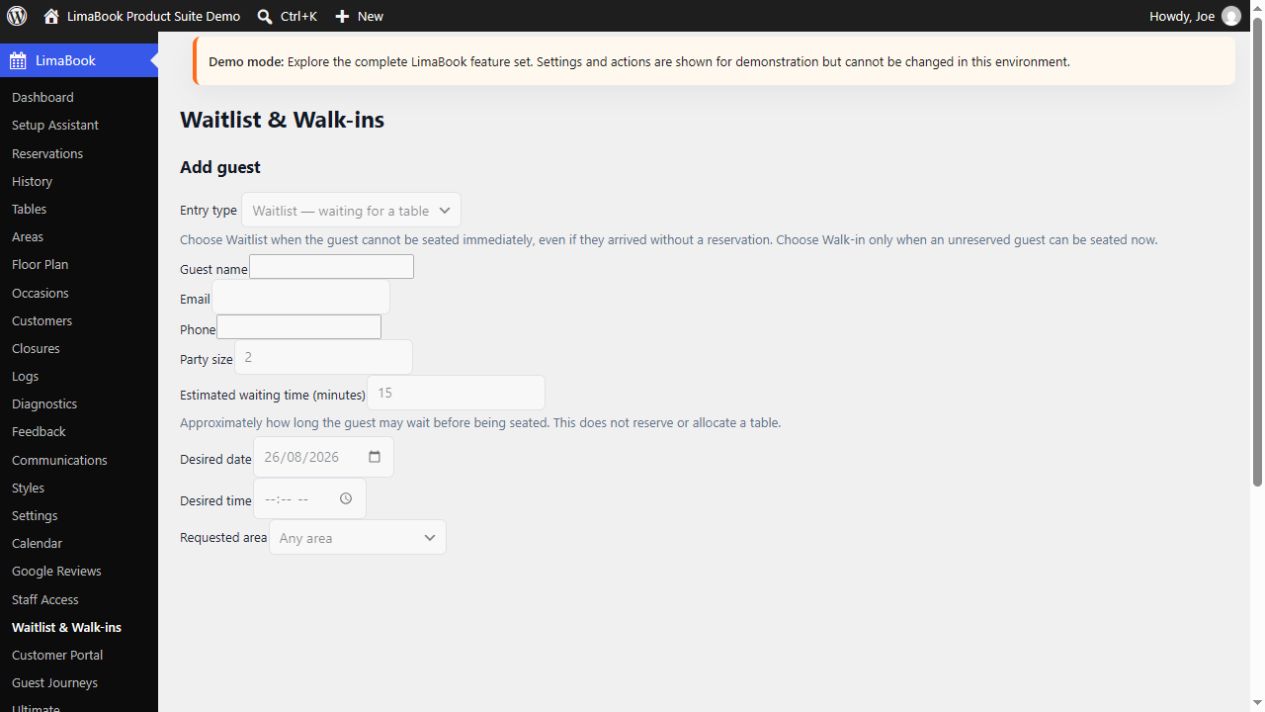
- Start a waitlist when suitable tables are unavailable and convert waiting guests into reservations without retyping their details.
- Record walk-ins, queue time, table-ready events, seating progress, and service accountability.
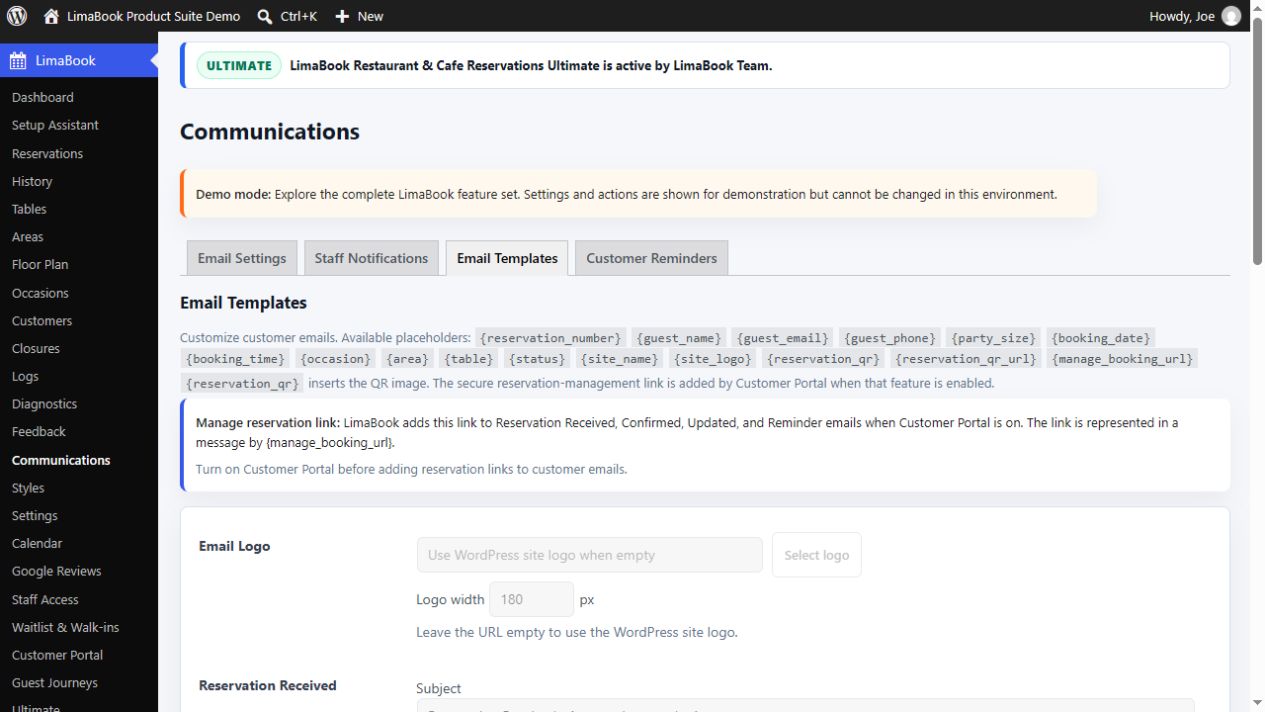
- Customize reservation received, confirmed, updated, cancelled, and reminder emails with venue branding and booking details.
- Reduce no-shows with scheduled reminders, confirmation tools, and clear pre-arrival communication.
- Send table-ready, post-visit thank-you, and review-request messages as part of an automated guest journey.
- Give customers a private booking-management link to confirm attendance, cancel, or request another date or time without creating an account.
- Communicate by email, SMS, and WhatsApp, with support for services such as Twilio, Vonage, MessageBird, Meta Cloud API, and connected business tools.
- Generate a secure QR code for each reservation, include it in customer emails, and prepare for future app-assisted arrival and check-in workflows.
- Control advanced booking fields, form behavior, success redirects, venue branding, and ready-made visual presets.
- Protect public booking forms with built-in safeguards and optional hCaptcha, reCAPTCHA, or Cloudflare Turnstile.
- Export reservations, history, and customer information in Excel, CSV, and PDF formats.
- Move LimaBook reservations, customers, and settings between websites using guided transfer tools.
- Check and maintain LimaBook records using guided management tools inside WordPress.
- Optionally add approximate city, region, and country insight to new booking activity.
ULTIMATE — Multi-location growth and advanced operations
LimaBook Ultimate includes every Pro feature and is designed for restaurant groups, growing hospitality businesses, and operators who need deeper control across locations, teams, customers, and service channels.
Use LimaBook Ultimate to:
- Manage multiple business locations with their own time zones, preserve operational history when a location is archived, and limit each team member to the locations they are permitted to use.
- Switch between permitted venues and review group reservations, waitlists, capacity, customers, and alerts from a multi-location command centre.
- Build controlled workflows for new reservations, reservation-status changes, table-ready waitlist guests, customer feedback, and failed integration deliveries.
- Apply workflow conditions and use approved actions such as recording an internal activity note or notifying the site manager.
- Enrich customer profiles with staff tags, service preferences, communication consent, internal CRM notes, automatic segments, and auditable loyalty adjustments.
- Apply booking pacing, party-size guardrails, protected channel capacity, and joinable-table policies during selected service periods.
- Review explainable demand and staffing suggestions while keeping every final booking, table, and service decision with staff.
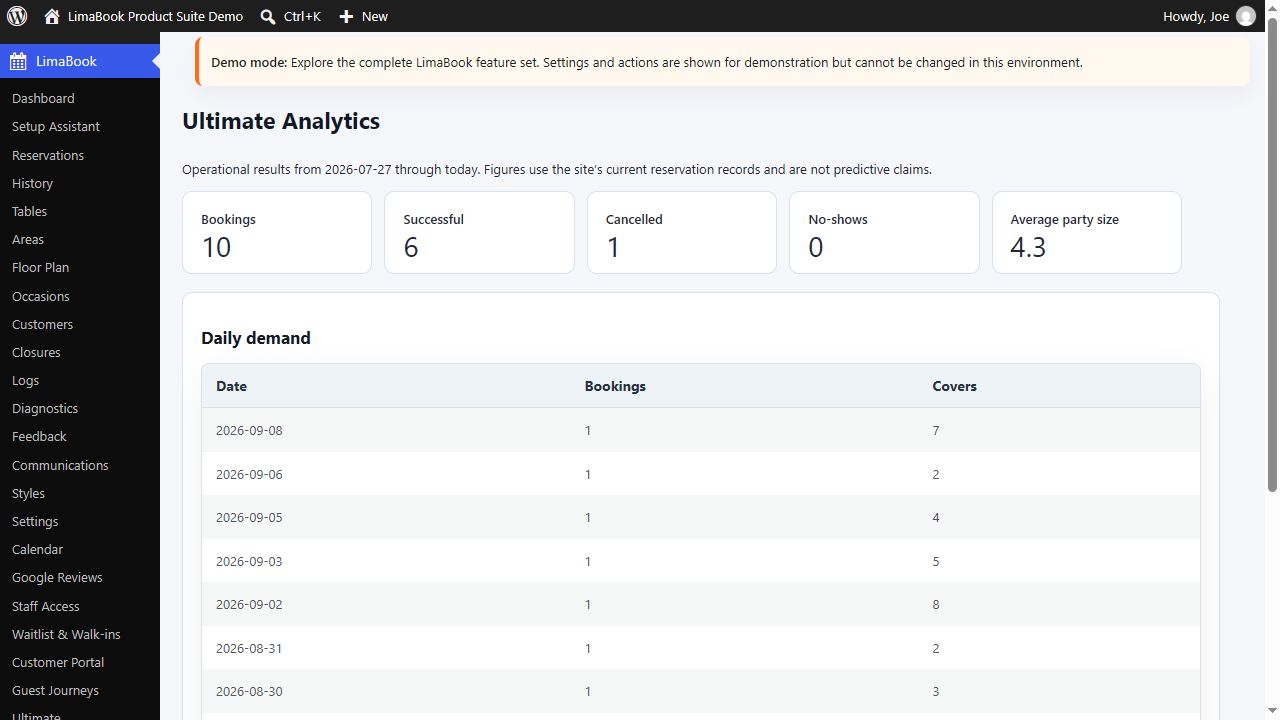
- Monitor bookings, successful visits, cancellations, no-shows, average party size, daily demand, and covers from current reservation data.
- See integration delivery status, retries, and failures in one place so connection problems do not disappear unnoticed.
- Coordinate channel events, customer or reservation activity, delivery outcomes, loyalty changes, status, follow-up ownership, and internal notes in one team workspace.
Watch LimaBook Free in action
Prefer to watch? Start with a short introduction to LimaBook, then explore the real Free dashboard and the built-in help available to venue staff.
Meet LimaBook – restaurant and cafe reservations for WordPress
LimaBook Free restaurant reservation dashboard tour
LimaBook Free built-in Manual Guide tour
Optional Google Reviews service and privacy
Connect the venue’s Google Business Profile and manage customer reviews without leaving the WordPress dashboard. Administrators and authorized staff can view synchronized reviews, see whether the business has already replied, and publish a reply directly from the website’s backend instead of switching between separate services.
The plugin does not contact this service until an administrator explicitly chooses Connect Google Business Profile. The connection can be disconnected at any time.
This feature uses the LimaBook service at https://api.limabook.com to process the Google Business Profile account, location, review, and reply information needed to provide the connection. It does not send reservation, customer, table, staff-login, or WordPress password data.
LimaBook service terms: https://limabook.com/terms/
LimaBook privacy policy: https://limabook.com/privacy/
Google terms of service: https://policies.google.com/terms
Google privacy policy: https://policies.google.com/privacy
Google API Services User Data Policy: https://developers.google.com/terms/api-services-user-data-policy
Screenshots
Installation
- Install LimaBook Restaurant & Cafe Reservations from WordPress.org or upload the plugin ZIP.
- Activate the plugin in WordPress.
- Open the new LimaBook admin menu.
- Follow the guided walkthrough or open Diagnostics > Manual Guide.
- Configure Settings, Styles, Communications, Areas, Tables, Occasions, and Closures.
- Add
[limabook_form]to a booking page, builder section, or widget area. - Submit a test booking and confirm staff/customer emails are received.
FAQ
-
Which LimaBook edition fits my venue?
-
Free provides the complete everyday foundation for an independent restaurant or cafe: online bookings, reservations, tables, seating areas, floor plan, customers, communications, closures, staff access, Google reviews, styling, and guided setup. Pro adds payments, reminders, advanced communication, waitlist, walk-ins, guest journeys, customer self-service, exports, QR workflows, and busier service controls. Ultimate includes Pro and adds multi-location operations, advanced workflows, CRM, loyalty, deeper capacity control, analytics, integrations, routing, and a unified team-activity workspace.
-
Can I start with Free and upgrade later?
-
Yes. Build the venue’s booking form, tables, seating areas, floor plan, customer records, communications, and operating rules in Free. Activating Pro or Ultimate adds the selected paid capabilities while preserving the existing LimaBook configuration.
-
Does LimaBook require WooCommerce?
-
No. LimaBook Free works without WooCommerce. Pro and Ultimate can use Stripe Checkout, PayPal, or Square for supported booking payments, or use WooCommerce checkout when that better suits the website.
-
Which payment gateways does LimaBook support?
-
Pro and Ultimate support Stripe Checkout, PayPal, Square, and WooCommerce checkout. A venue can collect fixed or per-guest deposits, full prepayments, or supported card authorizations/holds and offer paid booking add-ons.
-
Can LimaBook help reduce no-shows?
-
Yes. Free provides confirmation workflows and clear reservation status management. Pro and Ultimate add scheduled reminders, pre-arrival messages, deposits or prepayments, customer confirmation tools, guest journeys, and service history to help venues reduce missed bookings and follow up consistently.
-
Can staff manage a waitlist and walk-in guests?
-
Yes with LimaBook Pro or Ultimate. Staff can record walk-ins, manage a live queue, track waiting and table-ready events, and convert a waitlist entry into a reservation without retyping the guest’s details.
-
Can customers confirm, cancel, or request a different booking time themselves?
-
Yes with LimaBook Pro or Ultimate. The customer booking portal provides a private link for common booking actions without requiring the guest to create a WordPress account.
-
Can LimaBook customize customer communication?
-
Yes. Customize booking-received, confirmed, updated, cancelled, and reminder emails with venue branding and reservation details. Pro and Ultimate also support automated table-ready, post-visit thank-you, and review-request journeys, plus SMS and WhatsApp through supported messaging services.
-
Can LimaBook send SMS and WhatsApp messages?
-
Yes with Pro or Ultimate. Supported choices include services such as Twilio, Vonage, MessageBird, Meta Cloud API, Twilio WhatsApp, and connected business tools.
-
Can LimaBook manage more than one restaurant location?
-
Yes with LimaBook Ultimate. Its multi-location command centre and location-aware tools help permitted teams review reservations, waitlists, capacity, customers, alerts, workflows, analytics, and communication activity across a restaurant group.
-
Can different staff members have different levels of access?
-
Yes. LimaBook Free includes restricted staff accounts with page-by-page permissions, so managers can decide which reservation, table, customer, communication, floor-plan, review, and setup screens each staff member can use.
-
Can I use LimaBook Reservations with Elementor, Divi, WPBakery, Gutenberg, or other builders?
-
Yes. Add the shortcode to a builder module, shortcode widget, text block, or any theme area that supports WordPress shortcodes. Show it inline, in a modal or popup, or as a floating booking button and match it to the venue brand without editing CSS.
-
Does LimaBook provide a visual reservation calendar?
-
Yes with Pro or Ultimate. Staff can review bookings by month and use a private calendar feed with compatible calendar applications.
-
How does LimaBook help manage tables and capacity?
-
Free includes visual floor planning plus automatic and manual table assignment using party size, seating preference, capacity, and availability. Ultimate adds joinable-table policies, booking pacing, party-size guardrails, protected channel capacity, and explainable demand suggestions.
-
Can staff manage Google reviews without leaving WordPress?
-
Yes. Connect an eligible Google Business Profile to view synchronized reviews, see existing business replies, and publish a response from the WordPress dashboard.
-
How does LimaBook protect the public booking form?
-
Pro and Ultimate include built-in safeguards for automated and duplicate submissions, with optional Cloudflare Turnstile, hCaptcha, and Google reCAPTCHA choices.
-
Does LimaBook Free work on its own?
-
Yes. LimaBook Free includes the working
[limabook_form]booking form and the complete Free reservation-management workflow described on this page. Pro and Ultimate are optional paid editions.
Reviews
There are no reviews for this plugin.
Contributors & Developers
“LimaBook Restaurant & Cafe Reservations — WordPress Booking Plugin” is open source software. The following people have contributed to this plugin.
Contributors
Translate “LimaBook Restaurant & Cafe Reservations — WordPress Booking Plugin” into your language.
Interested in development?
Browse the code, check out the SVN repository, or subscribe to the development log by RSS.
Changelog
1.0.0
Initial release.