Description
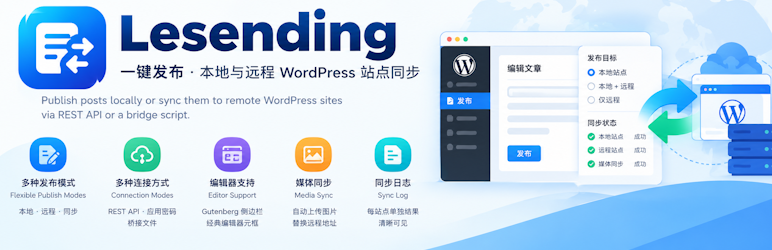
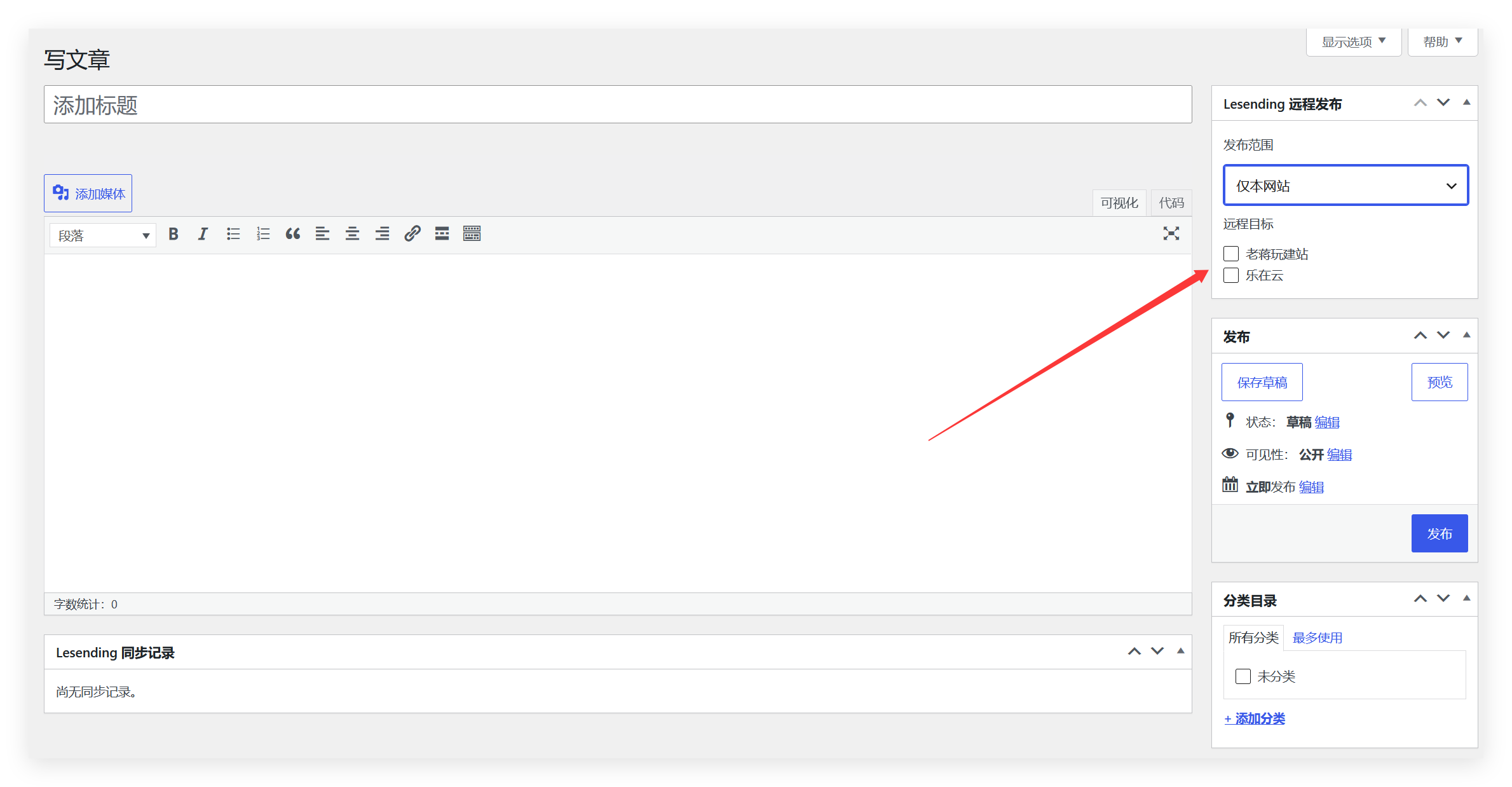
Lesending lets you choose a publish target while editing: local site only, local plus remote, or remote only (after a successful sync the local post is saved as a draft and the mode resets to local only).
This plugin is developed by Lezaiyun Studio and maintained by LaoJiang.
Official product page: https://www.lezaiyun.com/lesending.html
Developer blog: https://www.laojiang.me
Connection modes
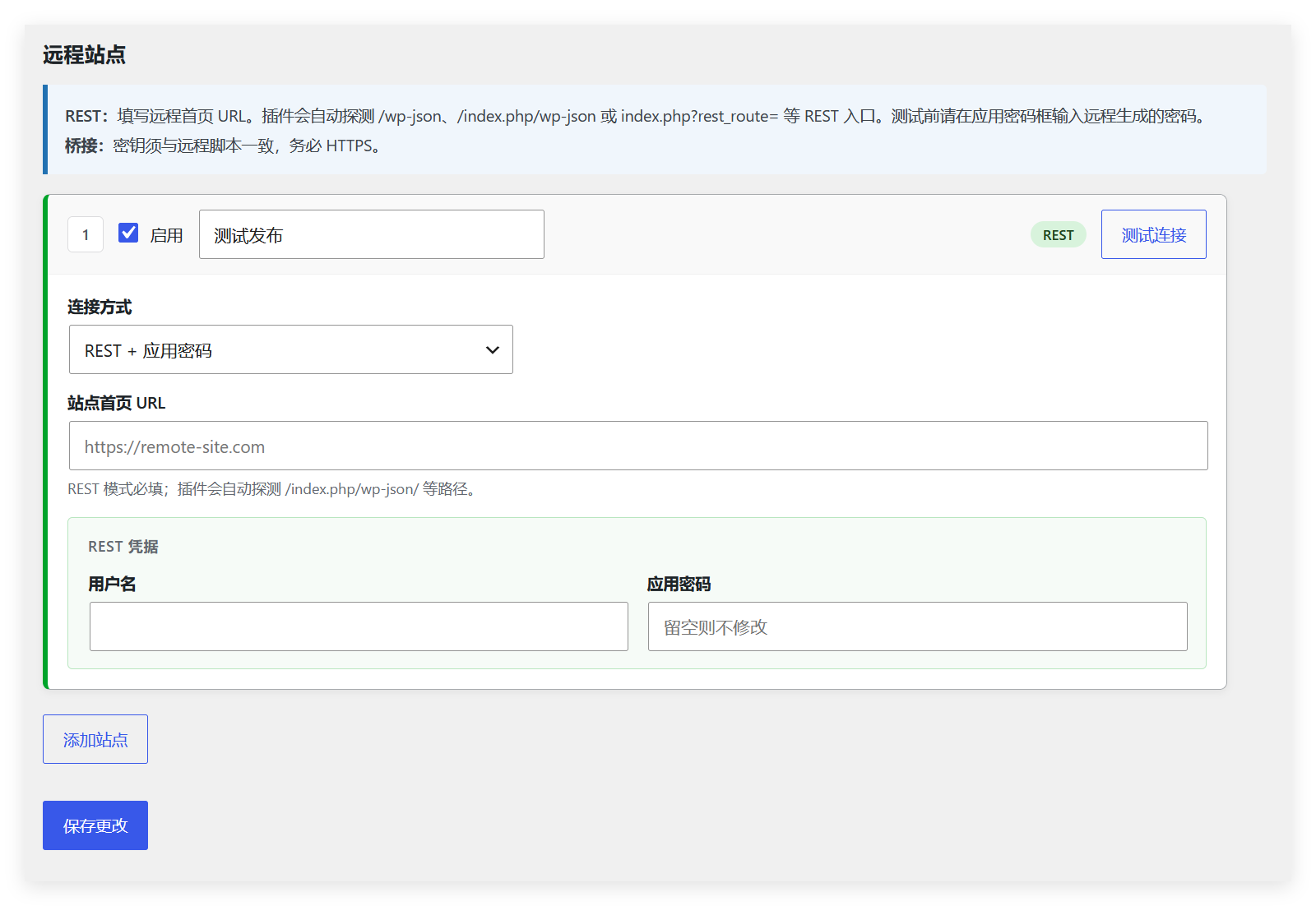
- REST + Application Passwords: for sites with a working WordPress REST API. The plugin auto-detects /wp-json, /index.php/wp-json, and index.php?rest_route= endpoints.
- Bridge file: when remote REST is restricted, upload a standalone PHP bridge to the remote WordPress root and authenticate with a shared secret.
Editor
- Gutenberg sidebar panel
- Classic editor meta box
- Sync log meta box with per-site results
Media sync
- Toggle image sync in plugin settings
- When enabled, content images and the featured image are uploaded to the remote media library and URLs are rewritten
- Supports REST media upload and bridge sideload
Settings
- Card-style remote site list
- Connection test for REST and bridge modes
- Bridge script download (optional custom .php filename)
Uninstalling the plugin removes options and related post meta (see uninstall.php).
Screenshots

Installation
- Upload the
lesendingfolder to/wp-content/plugins/. - Activate Lesending under Plugins.
- Go to Settings Lesending, enable remote publishing, and add remote sites.
- For bridge mode: download the bridge script, upload it to the remote WordPress root (same folder as wp-config.php), set the secret and user ID, then enter the bridge URL and the same secret on this site.
FAQ
-
What does REST mode require on the remote site?
-
The remote site must be WordPress, with Application Passwords enabled for a user who can publish posts. The REST API must not be fully blocked by a security plugin. For plain permalinks (index.php?rest_route=), the plugin tries to discover the REST entry automatically.
-
When should I use bridge mode?
-
Use the bridge when remote REST is unavailable, blocked, or returns 404. Upload the downloaded bridge file (or a custom .php name) to the remote site root, set LESENDING_BRIDGE_SECRET and LESENDING_BRIDGE_USER_ID, and enter the same secret in Lesending settings.
-
Which images are synced?
-
Only images from this site’s uploads directory (wp-content/uploads), including content images, block images, and the featured image. External CDN or third-party URLs are not downloaded. Up to 30 images per post.
-
How do I disable image sync?
-
Uncheck “Sync images” under Settings Lesending, or use the
lesending_sync_mediafilter in code.
Reviews
There are no reviews for this plugin.
Contributors & Developers
“Lesending” is open source software. The following people have contributed to this plugin.
Contributors
Translate “Lesending” into your language.
Interested in development?
Browse the code, check out the SVN repository, or subscribe to the development log by RSS.
Changelog
1.1.2
- Plugin Check compliance: English readme, languages folder, bridge shipped as downloadable template with ABSPATH-protected stub.
- Admin download uses WP_Filesystem; stricter input sanitization; settings view variable prefixes.
1.1.1
- Security hardening: remote sync requires publish_posts; credentialed requests use wp_safe_remote_* with no redirects; HTTPS required by default.
- Credential storage upgraded to AES-256-GCM (legacy ciphertext still supported); public editor site list no longer exposes remote usernames.
- Bridge: minimum 32-char secret, explicit user ID, optional IP allowlist, sideload limits, minimal ping payload.
1.1.0
- Sync content images and featured image to the remote media library (REST upload / bridge sideload).
- Settings toggle for image sync.
- Bridge refactor: validate secret before loading WordPress; improved ping and error JSON.
- REST discovery for index.php?rest_route= and Link header parsing.
- Card-style settings UI; connection tests can reuse a saved bridge secret.
1.0.0
- Initial release: REST sync, three publish modes, block editor sidebar, settings page, and uninstall cleanup.