
Description
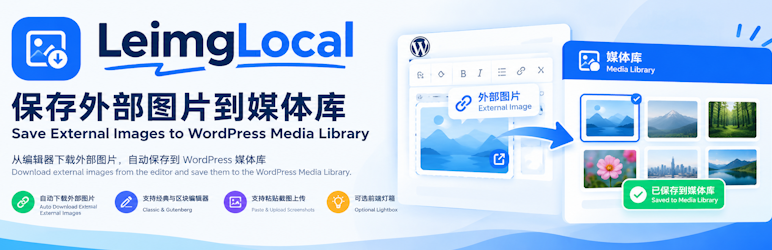
LeimgLocal downloads images that are linked from outside your site and stores them in the WordPress Media Library. It is meant for republishing articles, editing posts, and routine site maintenance.
- Download external images in the editor and replace them with local URLs.
- Works in both the Classic Editor (TinyMCE) and the Gutenberg block editor.
- Upload a pasted screenshot or clipboard image and insert it into the content. This can be turned off in the settings.
- Optional front-end lightbox. Only images that meet the minimum size can be opened.
- Limit the lightbox to post content so images in sidebars and other areas are left alone.
- Optional magnifying-glass badge, shown only on images that are large enough to open.
- A main on/off switch so the features can be enabled per site.
- Follows WordPress coding practices and requires PHP 7.4 or newer.
Plugin page: https://www.lezaiyun.com/leimglocal.html
Developer page: https://www.laojiang.me/
Usage
- Open a post (new or existing).
- Click the Localize Images button in the editor.
- Wait while external images are downloaded and replaced with local URLs.
- Click Update or Publish to save the post.
To upload pasted screenshots automatically, enable that option under Settings LeimgLocal.
Screenshots


Installation
- Upload the plugin folder to
/wp-content/plugins/leimglocal, or upload the ZIP from Plugins Add New. - Activate LeimgLocal on the Plugins screen.
- Optional: open Settings LeimgLocal and configure automatic paste upload.
FAQ
-
Does localizing images change a published post immediately?
-
The editor content is replaced only after you click Localize Images. The database is updated when you save the post.
-
A pasted screenshot was not uploaded. What should I check?
-
Confirm that “Upload pasted images” is enabled under Settings LeimgLocal, and that the current user can upload files.
-
Why do some images fail to download?
-
The image URL may be unreachable, protected by hotlink rules, blocked by the server network, or saved in an unsupported format. Check that the URL is publicly accessible.
Reviews
There are no reviews for this plugin.
Contributors & Developers
“LeimgLocal” is open source software. The following people have contributed to this plugin.
Contributors
Translate “LeimgLocal” into your language.
Interested in development?
Browse the code, check out the SVN repository, or subscribe to the development log by RSS.
Changelog
1.1.6
- Fix a timing issue where
tinymceloaded late and the paste listener was not attached. - Retry binding after a short delay and when the visual editor tab is opened, for better Classic Editor compatibility.
- Make pasted screenshots more reliable across different sites.
1.1.5
- Add debug logging for TinyMCE discovery and editor binding, to help compare behavior between sites.
1.1.4
- Add a Debug mode setting that logs the paste flow and shows status messages.
1.1.3
- Watch for new
blob:anddata:imageimages in the editor and save them to the Media Library.
1.1.2
- Intercept pasted screenshots earlier, and accept
text/htmldata URLs used by some QQ and WeChat clients.
1.1.0
- Add a front-end lightbox setting.
- Add a minimum image size, in pixels, required before an image can be opened.
- Add an option to limit the lightbox to post content.
- Add an optional magnifying-glass badge for images that can be opened.
- Close the lightbox by clicking the overlay or pressing Escape.
- Set defaults for the new options and remove them on uninstall.
1.0.0
- Initial release.
- Localize external images into the Media Library with one click.
- Support the Classic Editor and Gutenberg.
- Upload pasted screenshots automatically.
- Front-end lightbox with a minimum size setting.
- Settings screen.